-
Disabling DAZ Connect
Hey @fixmypcmike - thanks for the suggestion. Started poking around in that area and found the files after searching another thread with problems on Aged for M4:
H:\My DAZ 3D Library\Runtime\Libraries\Pose\DAZ's Michael 4\Morph Injections\Aged for M4
Those files show up as installed (not greyed out) so should be able to use them.
Disabling DAZ ConnectDo the files show up in Content Library > Poser Formats > [content library name] > Pose > DAZ's Michael 4 > Morph Injections?
Dynamic Clothing questionI purchased this
https://www.daz3d.com/dynamic-toga-and-skirt-for-michael-4
and when I try to apply the toga to figures other than Michael 4, the toga never changes shape or moves, no matter how I move the figure. If I change the pose of the figure the Toga stays in its original position. Does anyone know why? If I purchase M4 and use it with the toga, will the toga change position and shape when I use aniblocks on the M4 figure?
Baking second skins from body suitsand of course Michael 4
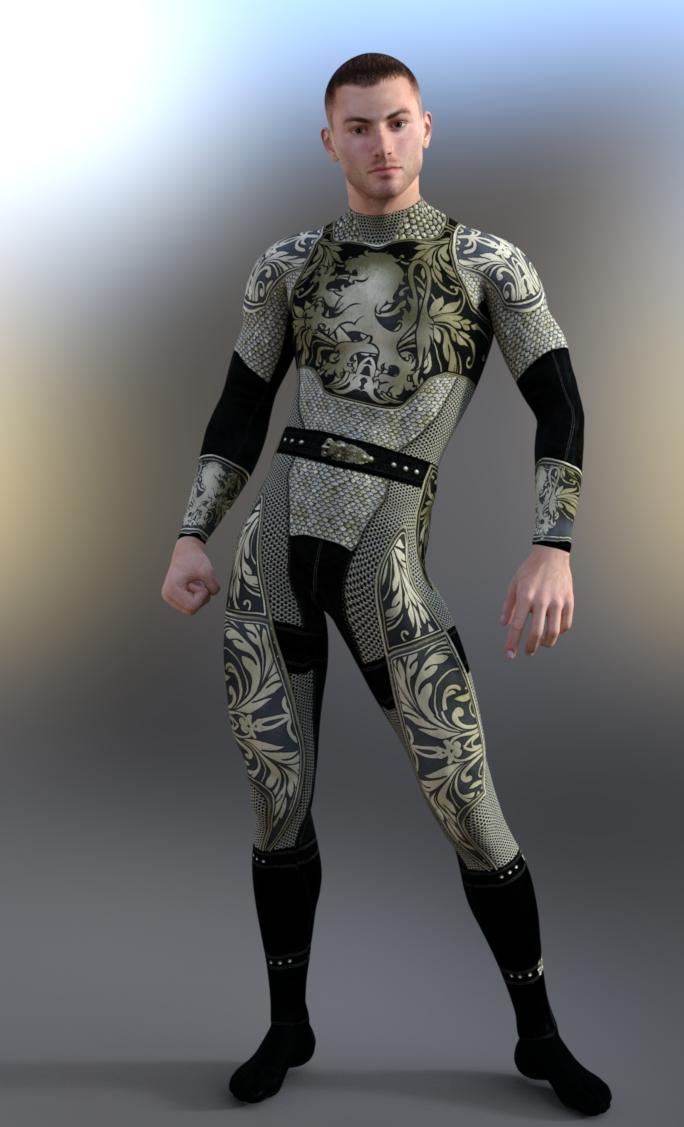 The Freak 4 not gettin Freaky HOW to Use morphs for Beast, Ogre, etc
If you go to Poser Formats>content folder isntalled to>Pose>Daz's Michael 4>Morph Injections there should be poses to INJect the morph data into the figure - though if you are using PowerLoader that shouldn't be needed.
I'm using Daz Install Manager, I don't know what Powerloader is. I have tried searching the forums and Google for freak 4 info to no avail. I wrote a helpdesk ticket asking for step by step instructions. I do see the path you noted above, and have tried playing around with "merge into scene / the orange + inj the freak 4", but nothing still happens. If there are instructions someplace please point me to them! I know how to follow instructions. Once I learn how, great, but now I'm at the point of just pushing buttons and that's just a stupid waste of my time. I've spent a couple hours on this needlessly when obviously there is a way to do it, but for some reason I cannot find that knowledge.
So the morphs seem to be color coded. The ones I am trying to use are orange so I tried using the orange inj guy... but there is a + one and a - one. What does that mean and where do I find that knowledge? I can't be the first person that is new and not know this stuff?
The Freak 4 not gettin Freaky HOW to Use morphs for Beast, Ogre, etcIf you go to Poser Formats>content folder isntalled to>Pose>Daz's Michael 4>Morph Injections there should be poses to INJect the morph data into the figure - though if you are using PowerLoader that shouldn't be needed.
SpiderMan Texture For Genesis Male2 & 3There is an IRAY superhero fabric pack that has the pattern but no logo. You would also have to have a body suit and mask with the proper surfaces. There are several free spiderman suits available for Michael 4.
Definitely not convinced on Genesis 8 yet.At least it's not 2 years later, like Michael 4 was.
Carrara Challenge #34 - Sing to Me, Muse - WIP Thread1 - very important that the mesh and bone/skeleton be attached within an animation group, not just a regular group. That is why I had no tab for NLA clips for the original cyclopstritch.
Glad you mentioned that. I know what a standard/regular group is but need to do some research for an animation group. Gotta get my anim learn on. :)
This was an issue for me because I had created a custom figure that I was trying to save animations / NLA clips for.
If you have PhilW's video tutorials, the Intro series has a section on nonlinear anmation (NLA) clips on disk four. The Daz rigged figures like V4, Genesis, Genesis 2 Male, etc. load in Carrara as a group containing the mesh and the bone skeleton. If you use these basic Daz figures or Poser figures, they will load as animation groups. These happen to be animation groups, not just groups. Meaning what?
Just groups. If you load 2 primitive objects in a new scene, you can highlight them both, go to the Edit menu, and then Group them together. You will see a group level containing the two objects that looks just like a Michael 4 group containing its mesh and its skeleton. However, this just-a-group will have no tab for NLA and is not the same as a Michael 4 group for animation purposes.
Animation groups. If I create or load a mesh as an object, and then load or construct a bone-skeleton as an object, I could group them. If I group them from the EDIT menu, I will get just-a-group, so will have no NLA tab and will be limited for some animation functions, although I will still be able to attach the skeleton and pose the figure. If instead, I select the mesh and the skeleton and go to the ANIMATION menu tab, I can select CREATE ANIMATION GROUP from the drop down menu. This will create a group that looks the same in the lower right instances tray, but that has an NLA tab in the properties tray.
My original problem - Way back when, I had modeled the cyclopstrich and created a skeleton and attached it within a just-a-group. I had saved this just-a-group to the browser. So, when I loaded my cyclopstritch group this month and tried to create NLA clips and to save its animations, it was not an animation group so I had trouble.
Solved by loading the cyclopstritch group, ungrouping, then regrouping as an animation group. I also had to do some minor editing of the weightmaps but not sure if that was related to ungroping and regrouping.
You won't have this issue if you animate standard Daz figures.
Texture/FurIn principle, sure. In practive, it owuld be a lot of work - you'd probably need to redo the UVs (which tell DS how to wrap an iamge around a model) and/or us a distortion tool like the Liquify filter in Photoshop to rework the textures and/or use a projection painting application like 3D Coat to paint the textures onto the current UVs on the figure. I would, in the first intance, suggest having a look at RawArt's store - he has a lot of anthropoid characters, though I'm not sure if the Michael 4 generation sets are still available.
Michael 4 for Genesis 2/3Since my https://www.daz3d.com/michael-4-for-genesis-2-male does not work any more because i cant apply any Gen Texture to the Gen2 prop, even if i save it as duf before.. (Any one knows why?)
i bought https://www.daz3d.com/legacy-uvs-for-genesis-3-michael-4
Here i have the problem that there are those well know stripes in the are between the body and the gen prop... at the older Product for g2m this problem was solved with seamcover props...
IS THIS NEW PRODUCT REALLY MEANT TO BE USED THAT WAY or am i doing something wrong? This whole situation make me angry i bought 2 products and both do not work correctly.. in my Eyes the old M4 horatio.. thomas stolz phönix textures are still one of the all time best...
i hope u understand my problem and situation
Can some1 give me any advise what i can do please?
I have sent you a PM.
Michael 4 for Genesis 2/3Since my https://www.daz3d.com/michael-4-for-genesis-2-male does not work any more because i cant apply any Gen Texture to the Gen2 prop, even if i save it as duf before.. (Any one knows why?)
i bought https://www.daz3d.com/legacy-uvs-for-genesis-3-michael-4
Here i have the problem that there are those well know stripes in the are between the body and the gen prop... at the older Product for g2m this problem was solved with seamcover props...
IS THIS NEW PRODUCT REALLY MEANT TO BE USED THAT WAY or am i doing something wrong? This whole situation make me angry i bought 2 products and both do not work correctly.. in my Eyes the old M4 horatio.. thomas stolz phönix textures are still one of the all time best...
i hope u understand my problem and situation
Can some1 give me any advise what i can do please?
how do I get V4 please?Here A partial list of thing you need to load via the DIM.
Product ID Product Name 17031 Advanced Ambient Light 18516 Advanced Distant Light 17409 Advanced Spotlight 9799 Aged for M4 9799 Aged for M4 ExpCF 9799 Aged for M4 PowerLoader 9799 Aged for V4 9799 Aged for V4 ExpCF 9799 Aged for V4 PowerLoader 5980 Aiko 4 Base 5980 Aiko 4 Base PoserCF 5980 Aiko 4 Base StudioCF 5980 Aiko 4 PowerLoader 11970 Distinctive Features M4 10522 Distinctive Features V4 9658 F4 Creature Expansion 8070 Hiro 4 Base 8070 Hiro 4 Base PowerLoader 14811 Install Manager Default Filters 15390 keyMate for DAZ Studio 4.5+ (Win 64-bit) 10028 Kids 4 Toddler 10028 Kids 4 Toddler PowerLoader 15548 LAMH for DAZ Studio 4.5+ (Win 64-bit) 9300 M4 Elite Body Shapes 9300 M4 Elite Body Shapes PowerLoader 9845 M4 Elite Ethnic Faces 9845 M4 Elite Ethnic Faces PowerLoader 9335 M4 Elite Gens 9745 M4 Elite Jeremy Carrara Shaders Ca 9754 M4 Elite Lee Carrara Shaders 9734 M4 Elite Rob Carrara Shaders 9746 M4 Elite Sol Carrara Shaders 8934 M4 Elite Texture: Sol Ca 8123 M4 Merchant Resource African 8428 M4 Metro Hair 7877 Michael 4 Base 7877 Michael 4 Base PowerLoader 7877 Michael 4 Base Puppeteer StudioCF 7877 Michael 4 Base StudioCF 8653 Michael 4 Creature Creator Morphs 8653 Michael 4 Creature Creator Morphs PowerLoader 7878 Michael 4 Genitalia 7878 Michael 4 Morphs++ 7878 Michael 4 Morphs++ Genitalia PowerLoader 7878 Michael 4 Morphs++ PowerLoader 9579 Michael 4 Muscle Morphs 9579 Michael 4 Muscle Morphs PowerLoader 2104 Millennium Horse 6415 Millennium SubDragon 6352 Millennium SubDragon LE 6352 Millennium SubDragon LE PowerLoader 6352 Millennium SubDragon LE StudioCF 6415 Millennium SubDragon PowerLoader 6415 Millennium SubDragon StudioCF 10027 NBM for V4 9647 NGM for Elite Fantasia 11690 NGM for Reby Sky 11691 NPM for Reby Sky 11130 NPM for SP4 11624 NPM for V4 Elite 4464 pwCatch for DAZ Studio 4 5387 pwEffect for DAZ Studio 4 4345 pwGhost for DAZ Studio 4 8258 pwSurface2 for Daz Studio 4 7253 pwToon for DAZ Studio 4 9357 Stephanie 4 Elite Base 9357 Stephanie 4 Elite Base PowerLoader 9357 Stephanie 4 Elite Base StudioCF 8436 The FREAK 4 Base 8436 The FREAK 4 Base PowerLoader 8436 The FREAK 4 Base StudioCF 9240 The FREAK 4 Character Morphs 8390 the Girl 4 Base 8390 the Girl 4 Base PowerLoader 9404 The Kids 4 Base 9404 The Kids 4 Base PowerLoader 9405 The Kids 4 Morphs++ 9405 The Kids 4 Morphs++ PowerLoader 3908 The Vintage Sleigh Ps 7403 V4 Elite Body Shapes 7403 V4 Elite Body Shapes PowerLoader 9846 V4 Elite Ethnic Faces 9846 V4 Elite Ethnic Faces PowerLoader 7377 V4 Elite Texture: Amy Ca 7376 V4 Elite Texture: Lana Ca 7674 V4 Elite Texture: Marie Ca 7378 V4 Elite Texture: Maya Ca 10304 V4 Elite: Reby Sky 10304 V4 Elite: Reby Sky PowerLoader 4783 Victoria 4.2 Base 4783 Victoria 4.2 Base PowerLoader 4783 Victoria 4.2 Base StudioCF 5280 Victoria 4.2 Creature Creator Morphs 5280 Victoria 4.2 Creature Creator Morphs PowerLoader 4787 Victoria 4.2 Morphs++ 4787 Victoria 4.2 Morphs++ Developer Kit 4787 Victoria 4.2 Morphs++ PowerLoader 4787 Victoria 4.2 Morphs++ StudioCF 3940 Victoria 4.2 Muscle Morphs
Wow that's a pretty good list thank you! I use DIM anyway but its nice to have the info in case I need it at some point.
how do I get V4 please?Here A partial list of thing you need to load via the DIM.
Product ID Product Name 17031 Advanced Ambient Light 18516 Advanced Distant Light 17409 Advanced Spotlight 9799 Aged for M4 9799 Aged for M4 ExpCF 9799 Aged for M4 PowerLoader 9799 Aged for V4 9799 Aged for V4 ExpCF 9799 Aged for V4 PowerLoader 5980 Aiko 4 Base 5980 Aiko 4 Base PoserCF 5980 Aiko 4 Base StudioCF 5980 Aiko 4 PowerLoader 11970 Distinctive Features M4 10522 Distinctive Features V4 9658 F4 Creature Expansion 8070 Hiro 4 Base 8070 Hiro 4 Base PowerLoader 14811 Install Manager Default Filters 15390 keyMate for DAZ Studio 4.5+ (Win 64-bit) 10028 Kids 4 Toddler 10028 Kids 4 Toddler PowerLoader 15548 LAMH for DAZ Studio 4.5+ (Win 64-bit) 9300 M4 Elite Body Shapes 9300 M4 Elite Body Shapes PowerLoader 9845 M4 Elite Ethnic Faces 9845 M4 Elite Ethnic Faces PowerLoader 9335 M4 Elite Gens 9745 M4 Elite Jeremy Carrara Shaders Ca 9754 M4 Elite Lee Carrara Shaders 9734 M4 Elite Rob Carrara Shaders 9746 M4 Elite Sol Carrara Shaders 8934 M4 Elite Texture: Sol Ca 8123 M4 Merchant Resource African 8428 M4 Metro Hair 7877 Michael 4 Base 7877 Michael 4 Base PowerLoader 7877 Michael 4 Base Puppeteer StudioCF 7877 Michael 4 Base StudioCF 8653 Michael 4 Creature Creator Morphs 8653 Michael 4 Creature Creator Morphs PowerLoader 7878 Michael 4 Genitalia 7878 Michael 4 Morphs++ 7878 Michael 4 Morphs++ Genitalia PowerLoader 7878 Michael 4 Morphs++ PowerLoader 9579 Michael 4 Muscle Morphs 9579 Michael 4 Muscle Morphs PowerLoader 2104 Millennium Horse 6415 Millennium SubDragon 6352 Millennium SubDragon LE 6352 Millennium SubDragon LE PowerLoader 6352 Millennium SubDragon LE StudioCF 6415 Millennium SubDragon PowerLoader 6415 Millennium SubDragon StudioCF 10027 NBM for V4 9647 NGM for Elite Fantasia 11690 NGM for Reby Sky 11691 NPM for Reby Sky 11130 NPM for SP4 11624 NPM for V4 Elite 4464 pwCatch for DAZ Studio 4 5387 pwEffect for DAZ Studio 4 4345 pwGhost for DAZ Studio 4 8258 pwSurface2 for Daz Studio 4 7253 pwToon for DAZ Studio 4 9357 Stephanie 4 Elite Base 9357 Stephanie 4 Elite Base PowerLoader 9357 Stephanie 4 Elite Base StudioCF 8436 The FREAK 4 Base 8436 The FREAK 4 Base PowerLoader 8436 The FREAK 4 Base StudioCF 9240 The FREAK 4 Character Morphs 8390 the Girl 4 Base 8390 the Girl 4 Base PowerLoader 9404 The Kids 4 Base 9404 The Kids 4 Base PowerLoader 9405 The Kids 4 Morphs++ 9405 The Kids 4 Morphs++ PowerLoader 3908 The Vintage Sleigh Ps 7403 V4 Elite Body Shapes 7403 V4 Elite Body Shapes PowerLoader 9846 V4 Elite Ethnic Faces 9846 V4 Elite Ethnic Faces PowerLoader 7377 V4 Elite Texture: Amy Ca 7376 V4 Elite Texture: Lana Ca 7674 V4 Elite Texture: Marie Ca 7378 V4 Elite Texture: Maya Ca 10304 V4 Elite: Reby Sky 10304 V4 Elite: Reby Sky PowerLoader 4783 Victoria 4.2 Base 4783 Victoria 4.2 Base PowerLoader 4783 Victoria 4.2 Base StudioCF 5280 Victoria 4.2 Creature Creator Morphs 5280 Victoria 4.2 Creature Creator Morphs PowerLoader 4787 Victoria 4.2 Morphs++ 4787 Victoria 4.2 Morphs++ Developer Kit 4787 Victoria 4.2 Morphs++ PowerLoader 4787 Victoria 4.2 Morphs++ StudioCF 3940 Victoria 4.2 Muscle Morphs
Show Us Your Iray Renders. Part VIHi Zilver, great to see you posting again! Excelent work as always, but her expression is so perfect. Thanks for sharing!
Thanks, DustRider!
more works... she is Aiko3, still rocking!

"Sayumi and Me" (Genesis 3 and Michael 4)

Indeed! There is something about A3 that the other Aikos never really duplicated. Hmmm, haven't done anything with her in ages, You may have just inspired me here.
Oh .... Great renders too!
Show Us Your Iray Renders. Part VIHi Zilver, great to see you posting again! Excelent work as always, but her expression is so perfect. Thanks for sharing!
Thanks, DustRider!
more works... she is Aiko3, still rocking!
"Sayumi and Me" (Genesis 3 and Michael 4)
...oooh love the Aikos.
Show Us Your Iray Renders. Part VIHi Zilver, great to see you posting again! Excelent work as always, but her expression is so perfect. Thanks for sharing!
Thanks, DustRider!
more works... she is Aiko3, still rocking!
"Sayumi and Me" (Genesis 3 and Michael 4)
how do I create "expressions" for Micheal 4?Morphs++
What's Included and Features
- Michael 4 Morphs++
- 11 Full Body Morphs
- 6 Upper Torso Morphs
- 16 Chest Morphs
- 9 Arm-Hand Morphs
- 20 Lower Torso Morphs
- 9 Glute Morphs
- 15 Leg-Foot Morphs
- 22 Full Head & Face Morphs
- 13 Upper Face Morphs
- 58 Eyes Morphs
- 17 Ears Morphs
- 29 Nose Morphs
- 40 Mouth Morphs
- 28 Lower Face Morphs
- 6 Expression Morphs
- Click Here for a full list of Morphs
- Power Loader Option
- Michael 4 Anatomical Elements (.CR2 & .OBJ)
- Morphs:
- BodyBuilder
- Definition
- Smooth
- Emaciated
- Thin
- SuperHero
- Young
- Jeremy
- Uncircumcised
- ScrotumSize
- Power Loader Option
- Morphs:
- 10 Additional Full Body Poses
How do I know if I have this installed? I'm a total DAZ noob. :) I do see under "Shaping", a "Morphs++" sub listing, but there is nothing shown under it for expressions, eyes, or even half the stuff you listed. :(
how do I create "expressions" for Micheal 4?Morphs++
What's Included and Features
- Michael 4 Morphs++
- 11 Full Body Morphs
- 6 Upper Torso Morphs
- 16 Chest Morphs
- 9 Arm-Hand Morphs
- 20 Lower Torso Morphs
- 9 Glute Morphs
- 15 Leg-Foot Morphs
- 22 Full Head & Face Morphs
- 13 Upper Face Morphs
- 58 Eyes Morphs
- 17 Ears Morphs
- 29 Nose Morphs
- 40 Mouth Morphs
- 28 Lower Face Morphs
- 6 Expression Morphs
- Click Here for a full list of Morphs
- Power Loader Option
- Michael 4 Anatomical Elements (.CR2 & .OBJ)
- Morphs:
- BodyBuilder
- Definition
- Smooth
- Emaciated
- Thin
- SuperHero
- Young
- Jeremy
- Uncircumcised
- ScrotumSize
- Power Loader Option
- Morphs:
- 10 Additional Full Body Poses
*Closed* RRRR A long time ago or Far far away ContestThanks for the comments! I had so many issues creatively and technically it was driving me bananas. Onto the next one, and no gowns this time, yay!!
Pull# 2
Daz 3D is part of

Connect
DAZ Productions, Inc.
7533 S Center View Ct #4664
West Jordan, UT 84084Licensing Agreement | Terms of Service | Privacy Policy | EULA
© 2026 Daz Productions Inc. All Rights Reserved.