-
Wonder Woman New52 Outfit
What body suit (link) is this texture for?
How to use V4 muscles maps for G2F?Please describe the full process you used to apply the textures to G2F. I assume you have http://www.daz3d.com/victoria-4-for-genesis-2-female ?
Millennium Musician PosesThese are poses for very old figures (Victoria 1 &2 and Michael 1 & 2) which are no longer available. Since you are new, do you have these figures and are they the ones you are trying to use? These poses probably won't work very well, if at all, on the newer figures
This set is basically just poses and only a few minor items like the baton are included. You have to buy the instruments seperately.
The good news is you can return the item within 30 days of purchase. Just contact customer service (Help>contact Us >.Submit a Help Ticket) and request a return and refund.
Novica & Forum Members Tips & Product Reviews Pt 7Brooklyn is included in one of the four featured stores, so featuring her for you. I love her!
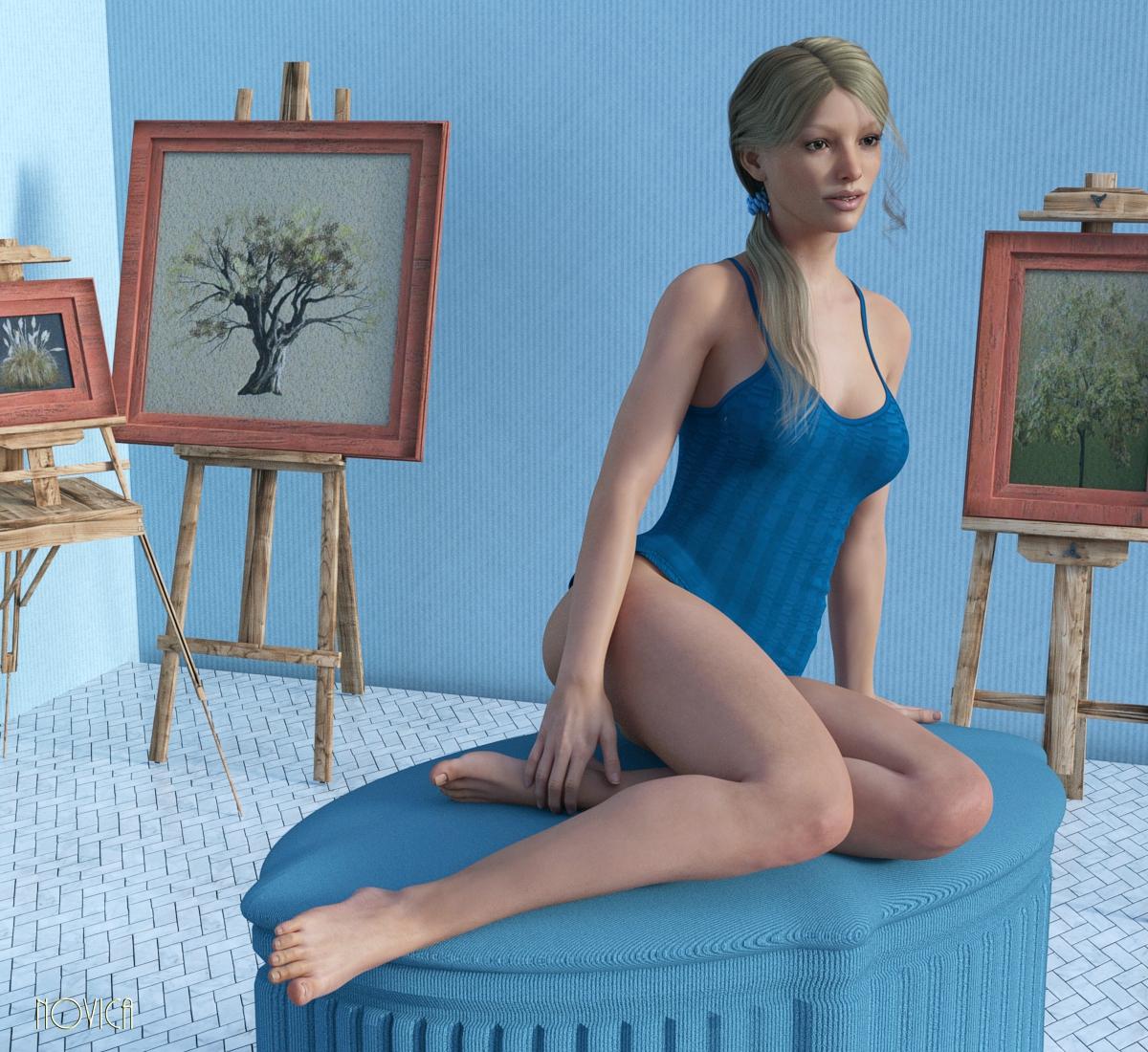
I was playing around with Brooklyn for Victoria 7 and setting up some wall planes using Fisty's Fabric Basics Mix and Match for Iray. I love the seersucker material, used on the walls, her blue shirt, and the divan she's on! You get quite diffferent looks because you can choose horizontal or vertical, and the tiling changes it drastically. Classic Pin-up SItting Poses (G3F) has that neat divan. The divan pose is from PixieS Poses For Teen Josie 7. There's a good variety in that pack.
I wasn't setting up a scene per se, I wanted you to see how well this Decorative Easel Set does in Iray. I was testing props last week, and this really stuck in my mind. I like the wood! If you haven't used your monthly PC coupon, this IS a Daz Original, showing at 58% for me right now. These would go well in an outside eatery, along a storefront, etc.
The floor is Marble Shaders for Iray but I'm not quite following the PDF, I'll have to take another peek when I've got time to re-read it. So I'll feature it separately when I get it figured out.
LARGE RENDERS. Click to enlarge, click again.
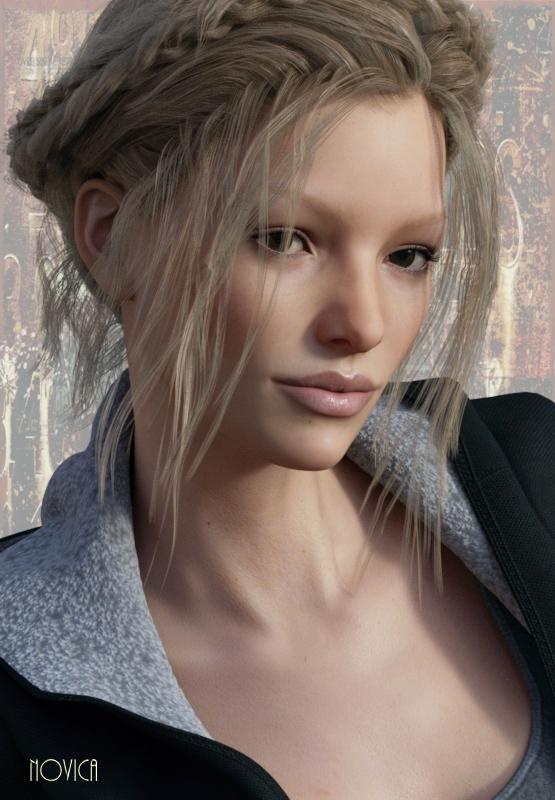
1. and 2. In the first image, yes, she is fully dressed, you just can't see the panties. That is Side Tail Hair. FM Tank-top & Panties Pack (G3F) is the clothing with Fisty's shader.
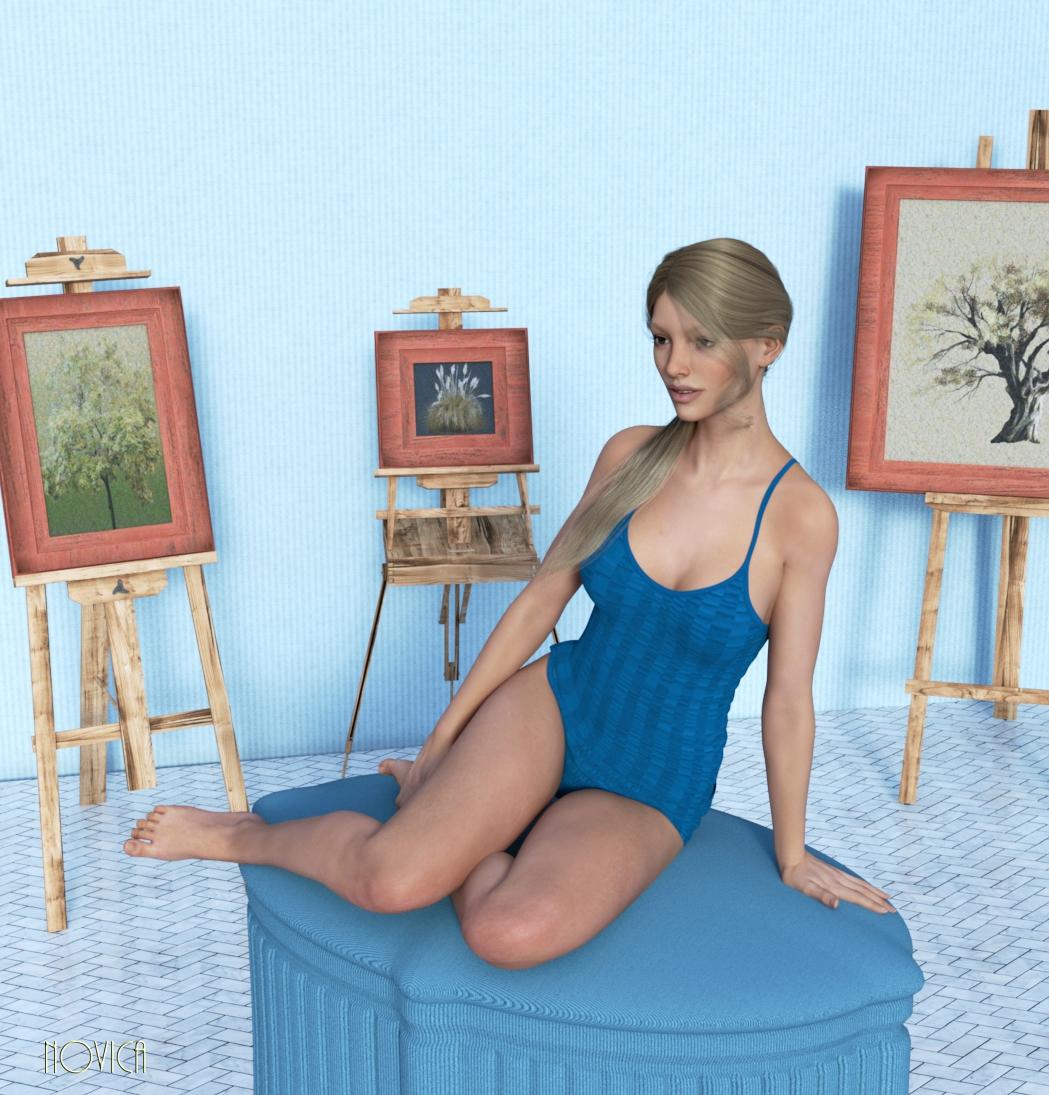
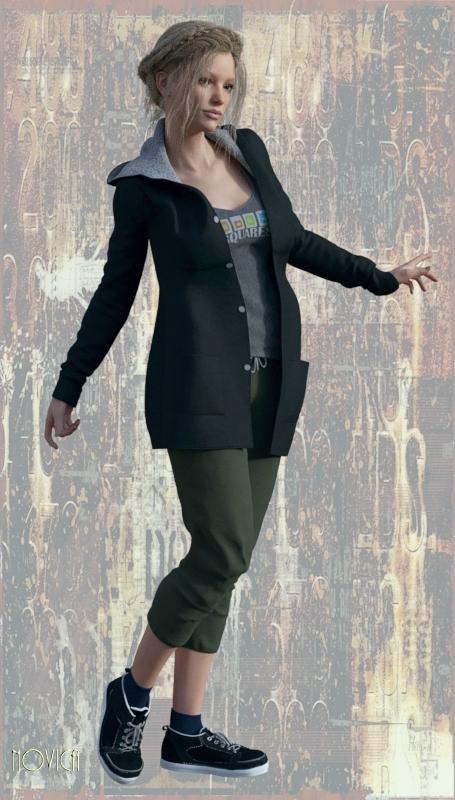
3. and 4. The new Anjou Hair but with my Surface colors. With Brooklyn, her eyebrows have red in there, if you use blonde hair that is more golden, you may want to tweak it. I also tweaked the Side Tail Hair. Wearing Hobby Clothes, (G3F) which for the inside of the coat texturing, is a LOT more sophisticated than in the promos. Look at the peeled back lapel. (These next renders aren't as big.)
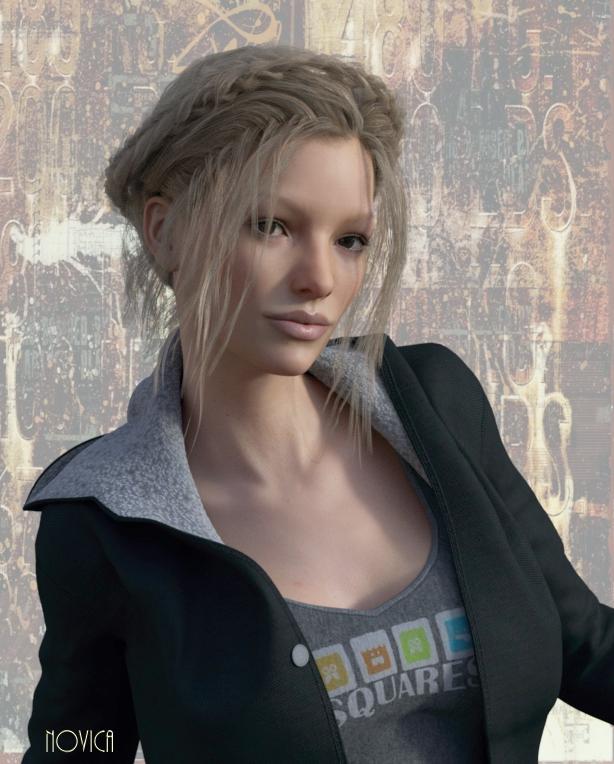
5. The closeup. I've done one more, with different colored eyes and makeup.
 March Madness
EDIT: I did the math and that's about 62%.
Yes, by buying the two "mindblower" bargains together it gives the buyer 61.75% off the stores of outoftouch, Raiya, Stonemason and ShanasSoulmate (not including new, etc). Plus the buyer gets Victoria 7; Genesis 3 Female Body Morphs; Genesis 3 Female Head Morphs; Genesis 3 Female Expressions and Pitfall Poses for Victoria 7 - for free (or no additional cost, if you prefer). That's a very good deal indeed for anyone who really fancies both bundles and hasn't picked up those G3F items.
Although 61.75% isn't thrillingly more than the 60% off these stores might appear in a flash sale, here there is plenty of time to browse (assuming this offer is up for the whole weekend, which the promo implies - but don't bank on it).
Novica & Forum Members Tips & Product Reviews Pt 7If you get the two bundles, you get the 15% off the four featured stores AND I figured it out, you also get the 10% from that Stonemason's product being the Daily Mind Blower. It comes to 62%. Here's my post from Commons March Madness thread:
~~~ I think it is stacking. I've got Henryk (Looks like Anderson Cooper from CNN to me) (one of the four catalogs that gets the 15% off) in the cart with the two bundles and its one of the four stores, and the price is 17.95, he is showing at 6.86. Half of 17.95 is 8.98 x 15% (1.35) off is 7.63. And if you DO the 10% off for getting that bundle (the Daily Mind Blower) then minus 76 cents is ta-dah, 6.87 (off a penny)
So yes, you get the 10% Daily Mind Blower AND the 15% off the stores when shopping in the stores. Have fun!
I did the math and that's about 62% for those four stores. In this example, 17.95 - 11.09 (what I got off and paid 6.87) , the 11.09 is about 62% (11.13 is 62% of 17.95)
~~~~
FYI:
Brooklyn is 19.95 and showing at 7.74. She is a rare one, with light eyebrows. Give her a look!
Swords of History is $14.95 coming in at $4.72.
Genesis 2 - a compilation of freebiesUnfortuanately I don't have those, but I have another outfit by AmariJun with the following readme which allows redistribution:
//Copyright (c) 2013, AmariJun
// All rights reserved.
// Redistribution and use in source and binary
// forms, with or without modification,
// are permitted provided that the following
// conditions are met:
// Redistributions of source code must retain the above
// copyright notice, this list of conditions and the
// following disclaimer.
// Redistributions in binary form must reproduce the
// above copyright notice, this list of conditions and
// the following disclaimer in the documentation and/or
// other materials provided with the distribution.
// Neither the name of the Vectorized Nature nor the
// names of its contributors may be used to endorse
// or promote products derived from this software
// without specific prior written permission.
// THIS SOFTWARE IS PROVIDED BY THE COPYRIGHT HOLDERS
// AND CONTRIBUTORS "AS IS" AND ANY EXPRESS OR
// IMPLIED WARRANTIES, INCLUDING, BUT NOT LIMITED TO,
// THE IMPLIED WARRANTIES OF MERCHANTABILITY AND FITNESS
// FOR A PARTICULAR PURPOSE ARE DISCLAIMED.
// IN NO EVENT SHALL THE COPYRIGHT HOLDER OR CONTRIBUTOR// BE LIABLE FOR ANY DIRECT, INDIRECT, INCIDENTAL,
// SPECIAL, EXEMPLARY, OR CONSEQUENTIAL DAMAGES
// (INCLUDING, BUT NOT LIMITED TO, PROCUREMENT OF
// SUBSTITUTE GOODS OR SERVICES; LOSS OF USE, DATA,
// OR PROFITS; OR BUSINESS INTERRUPTION) HOWEVER CAUSED
// AND ON ANY THEORY OF LIABILITY, WHETHER IN CONTRACT,
// STRICT LIABILITY, OR TORT (INCLUDING NEGLIGENCE
// OR OTHERWISE) ARISING IN ANY WAY OUT OF THE USE OF
// THIS SOFTWARE, EVEN IF ADVISED OF THE POSSIBILITY
// OF SUCH DAMAGE.So, if those items have the same readme, they can be shared, provided the archive remains intact...
Please add item below,
AJ Bene03 which includes a beachwear for Genesis2 Female, with 6 sample materials and fitting morphs for Victoria 6 and Charlize.http://amarijun.wordpress.com/2013/08/23/daz-studio-genesis2-female-beachwear-bene03/
end
“AJ Hydrangea” beachwear for Genesis 2 Female,
The raffle bikini with frilly bra with the motif of hydrangea macrophylla flowers.http://amarijun.wordpress.com/2014/05/10/aj-hydrangea-beachwear-for-genesis-2-female/
who would be able reupload ???
author removed the page ... Daz Studio 4.8 to 4.9
I've put in a support ticket and as you have already pointed out there are several threads covering getting the user defined content library to work with DS 4.9. One of the supposed solutions is to export and import the metadata which I have done several times without success. When I export I create 4 files called Userdata_N.dsx N=1,2,3,4.in the Runtime/Support directory. DS 4.9 will import those files from the same location. Does anyone know if the content library structure is in one of these? I import all 4. Having read the many threads I've tried all the suggested ideas and no-one has any new ones. I'd like to maintain compatibilty with the latest Daz if possible. Afterall Victoria 10 will be amazing. I've upgraded successfully from Daz 2.3 to 4.8 and if this caused hassle at least I could see that we were getting a better product. I think Daz 4.9 is the Windows 8 moment, the upgrade nobody wanted.
Regarding generation names - just a stupid thought in hindsight... ;o)The way I look at it is this; anything prior to the release of the Genesis Figure is a Millenium Generation X figure (Victoria 1 was created around the turn of the millenium and originally called the Millenium Woman, but when people started referring to her as "Millie" they gave her an official name). This also how the teens during the V3/M3/V4/M4 era were referred to, by the way. With the Genesis figures, it's usually Genesis /Genesis X (Male or Female when X is 2 or higher).
texture for genesis basic femalethank you for your answers!
I've seen that I have buyed a set of "high res shaders for V4-carrara", so I ve installed them. they appear in shaders, but if I drag one of them on the colored ball , from "actor", it seems that the uvmaps are lost, and the shaders does mad things.. maybe it's because I drag on a genesis 2 female, and not v4? Although you say, dartanbeck, that it's the same uv maps?
Yes... same UV Maps, so the texture maps will fit perfectly ;)
The problem is that the two figures use entirely different material zones. They're entirely different technology and mesh design. So...
Here's what we need to do:
- Load in the "Basic Female" Character preset into Carrara (don't use the main "Genesis", go to Characters and load "Basic Female")
- Go to the Shaders Tab in Carrara browser
- Look under "Skin" > "Genesis" > and you should find some presets for Victoria 5. Pro version of 8.5 comes with Bree, Gabi, and Tori
- Select "Actor" of your Basic Female figure and go to the Texture Room
- Drag one of the presets for Bree, gabi, or Tori (it doesn't matter which one, since you want to change the maps) onto the multi-colored ball in the upper right of the Texture Room. All of the presets are different Makeup options except the last one, which is the main texture preset for the whole figure. But all of them work across the whole figure.

This will apply a separate shader to each material zone, so we need to fix that, since many of them are identical, and we don't want to have to make that many changes! So...
- Go back to the Assemble Room and go Edit > Remove Unused Masters > Consolidate Duplicate Shaders and then Edit > Remove Unused Masters > Remove Unused Shaders
- Select "Actor" and go back into the Texture Room
- Scroll down the list and observe how many of the zones use the same shaders. We want to edit the three Skin shaders: The one in the "SkinHead" zone is the Full Torso shader. The one in the "SkinFace" zone is the Face shader. The one in SkinFoot is the shader for all of the limbs, hands and feet.
- You might need a separate shader for Lips, if you want to use Makeup. If you're not using makeup you may simply drag the Face shader onto the Lips zone.
- You might need a separate shader for fingernails and toenails (same for both). If it's not important to have the nails shiny, you may drag the shader from the limbs onto the fingernails and toenails zones.
=== Applying your new textures ===
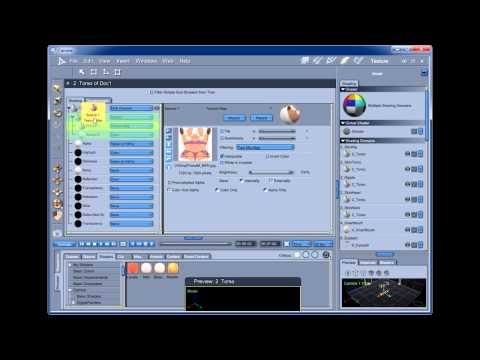
With these nice Carrara-optimized Shaders in place, you may now open them up and change the Texture Maps to anything you have in your collection
First, we need to know where to find our texture map files.
Normal default installation will place these files into a Runtime folder into a separate folder within the "Textures" folder. So...
- Go to where you install your Content files (DIM default is C: Users: Public: Public Documents: My DAZ 3D Library: Runtime: Textures)
- When you find the proper texture maps folder, look at the images within. There should be some that are full color which have a name describing the shader that they go into, Like "name_Torso" or "name_Torso_Color" or something like that. Those will go into the Color channel in the shaders in Carrara. There are also often files whose names end in "S", like "name_Torso_S", for example. Those will go into the Highlight channel of the Carrara shader. Finally, the map files whose name ends in "B" or "Bump" go into the Bump channel of Carrara shader.
This video demonstrates these concepts on V4, but the principles are the same:
Always happy to help, so please let me know if anything is unclear! ;)
texture for genesis basic femaleOh... I should also mention that Genesis 1 "Basic Female" has the same UVs as V4, so Victoria 4 texture map kits work for her.
Genesis 1 "Basic Male" has the same UVs as M4, so Michael 4 texture map kits work for him.
You'll see... the more you play around with this stuff, the more you'll end up liking it! It can be incredibly fun because it's incredibly powerful how much we can change the look of our figures!
texture for genesis basic femaleJust an FYI
Carrara comes with some nice examples of skin shaders for Genesis as well.
In the browser under "Shaders" tab > Skin > M5 and/or V5
Those are for Genesis 1 but you need to load the appropriate base figure to get the proper UV selection for that Figure. So if you want to use V5, load the Victoria 5 Character preset, and then you can change the shape from there.
However... th UV thing only matters for the actual texture maps you use and how they line up on the mesh. So here's a great tip:
Use those Carrara examples for any Genesis figure, and then - in the Texture Room, change the texture maps to those from the product you've just bought. The shaders, themselves, only contain the settings for the appearance, and don't particularly care which UV set you're using, but the mesh (Figure) does. So just make sure to load the appropriate Figure for the texture kit you wish to use. Then you can load the example shader preset* and, like I just mentioned, switch out the texture maps for ones that are made to work with that figure.
Here's an example:
I want to end up with a Gianni character, but the textures I want are made for Genesis 2 Male
So I load up Genesis 2 Male and apply the Carrara Shader preset*. Then I go Edit > Remove Unused Masters > Consolidate Duplicate Shaders. Then I select "Actor" and go to the Texture room. This will bring up all of the material zones for the figure. Many of them are the same shader (because of Consolidate) so I only have a few small changes to make: I open each shader, one by one, and replace the maps in: Color, Highlight, and Bump.
Then I dial up the Gianni morphs and any others I might want to use! :)
* Applying a Shader preset to a character in Carrara
Select "Actor" and go to the Texture room
Drag the preset from the browser on to the large colored ball at the top right of the texture room
Regarding generation names - just a stupid thought in hindsight... ;o)fastbike1 said:
...Daz themselves never refer to the per-Genesis products as Generation...
Really ? How about Gen 3 Iconic Shapes for Genesis - although that may be the exception that proves the rule... ;o)
(Although I was actually thinking more in terms of the older stuff posted on these and other forums, freebie sites (lots of gen 3 stuff at ShareCG), and even other stores (e.g. EvilInnocence's Daz Gen 3 Males: CrossDresser Bundle, etc) rather than stuff in the DAZ Store. I know that back in the days of DS3 many of us used to refer to Victoria 3, Michael 3,Aiko 3, etc as 'gen 3'.)
fastbike1 said:
...but people just really need to pay attention.Very true, but paying attention seems to be a fading skill these days. I know I don't ! LOL
Mirrored Hair StylesThank you Chris, I experimented with this possibility before, but at least in the case of my favorized Victoria Ponytail Hair it's only possible to scale the x-dimension of the tail but not that of the main hair.
But I found another strange way to get a perfect result:
I mirrored the whole character A within the hair, merged a copy of the character (B), parented the mirrored hair to B and deleted A.
 Regarding generation names - just a stupid thought in hindsight... ;o)
@3dcheapskate small amount of confusion that references to gen3 (as in DAZ generation 3, i.e. Aiko 3 et al)
This is a good example of people not paying attention. Gen3 referring to products for sale is Genesis 3, not generation three. Daz themselves never refer to the per-Genesis products as Generation, rather always Victoria 3, Victoria 4, Michael 4.
I don't get why people think Genesis and Generation are symonyms. I understand that everyone shortcuts by using "Gen", but people just really need to pay attention.
n00b question: why doesn't my hair work right? It is supported (so it says) [SOLVED]Thank you so much Simon; that did the trick!
I fiddled around with the parenting thing and at first it didn't work right. Reading your comment thoroughly a few times, I noticed the "parent it to the head" where I was parenting it to Victoria 4.2 itself. Having another go at parenting it to the head this time, it worked flawless.Like I said before: you really made my day!! (I was afraid I had wasted a bunch of Euros..). My character is gorgeous, now; exactly what I needed :-D
As a bonus, I think I now understand the concept of parenting, too. So, double thanks ;-)
I do have to say, though, that these kind of things are pretty confusing for anyone new to the 3D thing – I know, even Monopoly has a learning curve – especially if one goes on what is supported and what not.. I mean: I really have no clue what the difference is between "Genesis using the V4 shape" and the "native form of V4"...
n00b question: why doesn't my hair work right? It is supported (so it says) [SOLVED]The problem is that this hair os for Genesis and Genesis 2 Female. The fact it says Victoria 4 is one of those very confusing things as what it means in this context is that it supports Genesis using the V4 shape, not the native form of V4.
You could try parenting the hair (not fitting) and having it parented to the head of the V4.
n00b question: why doesn't my hair work right? It is supported (so it says) [SOLVED]Hair, sometimes, can cause trouble.
Try posing Victoria 4 (without hair) and then add the hair.
Auto-transfer morphs from body to cloths.Hello.
I have some model, that have

That cloth initially is Fit To my character. OK, all body morphs are OK at this point.
But when I switched Fit To None, than not all body morphs are auto-transfered to Top. For example, Victoria 6 body morph is not transfered to the Top, but Victoria 6 Head morph is transfered to the Top.
But not all wears (cloths) have this bug. Some wears receive Victoria 6 body morph.
I think, that some cloths have something like "Full-body" marker and another cloths have, for example, "Head" marker.
How to force Top to receive Victoria 6 morph (FBMVictoria6Body)?
Thank you!
n00b question: why doesn't my hair work right? It is supported (so it says) [SOLVED]Hi, I've been working with DazStudio now for a bit of time and I'm getting the hang of it.. at least, when I stick to "regular" stuff. I even made my first comic story with 50+ renders and it looks pretty good, if I say so myself ;-))
Now I'm into a bit more complex (for me anyway..) things and I'm running into problems. I can't figure them out myself, so I hope you can help!!Here's what I got: DazStudio 4.9.1.30 Pro (Mac, 64-bit), Victoria 4 (got the bundle with Morph++), V4 Breanna (http://www.daz3d.com/v4-breanna), Portia 2 hair (http://www.daz3d.com/portia-hair-2).
From a blank sheet, I create a new Figure (Victoria 4.2), apply the Breanna stuff and give her the Portia hair. Here's where things go wrong: the hair get stuck mid-face but with a little trial-and-error I found out that if I set the y-translation to exactly 0.32 it fits nicely. It's odd though, because on a generic Genesis 1 character, the hair immediately fits perfectly. Then, when I choose a general Victoria 4 pose the hair doesn't fit anymore.. it "sinks" to eye-brow level. If I then change the y-translation to exactly 12.31 (and I really mean exactly here because it otherwise goes anywhere but the right place) it fits pretty okay (not perfect though).
The Portia hair is supposed to fit both Genesis 1 and 2 characters and Victoria 4 is explicitly mentioned as supported. Now, it would be not much of a problem, if I could get my Genesis 1 or 2 character with the Breanna looks, but that doesn't work. So, I need my Portia hair to fit Victoria 4.2 – and it's supported so it should be no problem..
What am I doing wrong or what am I missing?
Hope you can help, but please note that I'm still a n00b so I still would need a bit of help to find the location of some settings and what they do and such.
You'd really make my day!! Thanks!Daz 3D is part of

Connect
DAZ Productions, Inc.
7533 S Center View Ct #4664
West Jordan, UT 84084Licensing Agreement | Terms of Service | Privacy Policy | EULA
© 2026 Daz Productions Inc. All Rights Reserved.