-
Remixing your art with AI
@algovincian, thanks so much for the video, the link, and the comment. Great info. Going to be a big help to my efforts right away. Much appreciated. And in the longer term, I had started to put together a screenshot walk-through of using Daz Studio canvases and the bridge to Hexagon the way I have been using Carrara. But as the phrase 'had started' implies, I didn't finish it... yet. Your video and link will be great resources when I decide to finish.
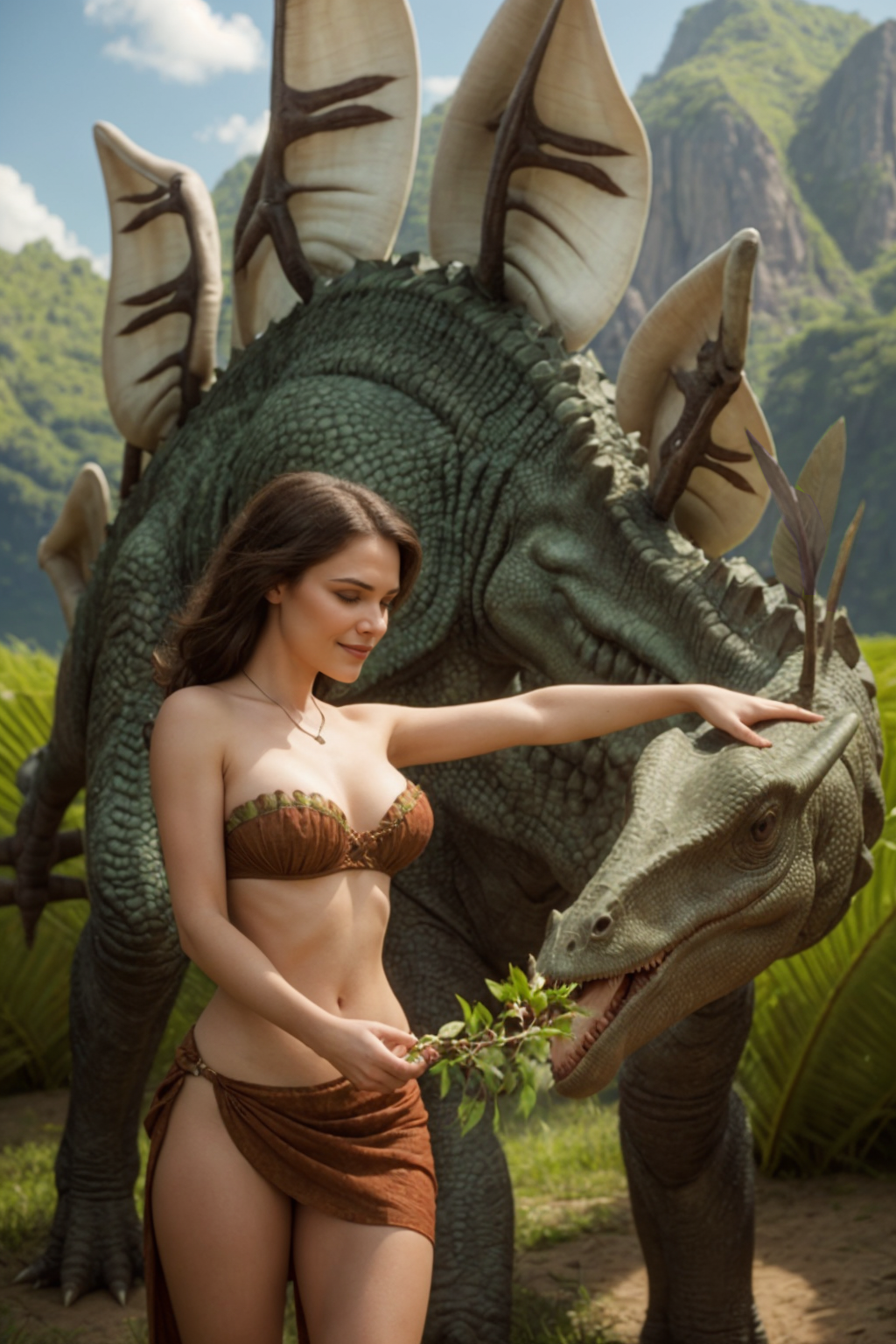
Here is another recent effort. The AI database (model) I was using had a very hard time with the concept of stegasaurus, so this isn't what it should be. But in making it, I did use the 'shadow catcher' method to reload an early Stable Diffusion output back in my 3D program as a backdrop, then render again. Just about any 3D software should be able to do a similar approach. People interested in the workflow, can find the first post of a walk-through series here. https://www.daz3d.com/forums/discussion/comment/8654701/#Comment_8654701
 Carrara and Mac with M2
I've also been using an Apple M2 for a few days.
Parallels to emulate Windows 11. It took a while until everything was back to normal.
But it works very well and the speed increase over the old I9 is huge - same image 1600 x 900
with i9 3 hours with M2 about 30 minutes.
It was a very good step. :) although Carrara unfortunately doesn't run on Mac OS. I can recommend it.No one asked me - Diomede screenshots on whatever - Warning AI Discussion OKCarrara to the Rescue! Shadow catchers.
I anticipated some problems in part because the stegasaurus wraps around the cave girl, so it is hard to use the AI extensions to divide the canvas in regions with separate prompts, effectively - key word is effectively. I probably should have used a horse or giraffe because it is more likely that the AI model would 'know' what a horse or giraffe was, I guess.
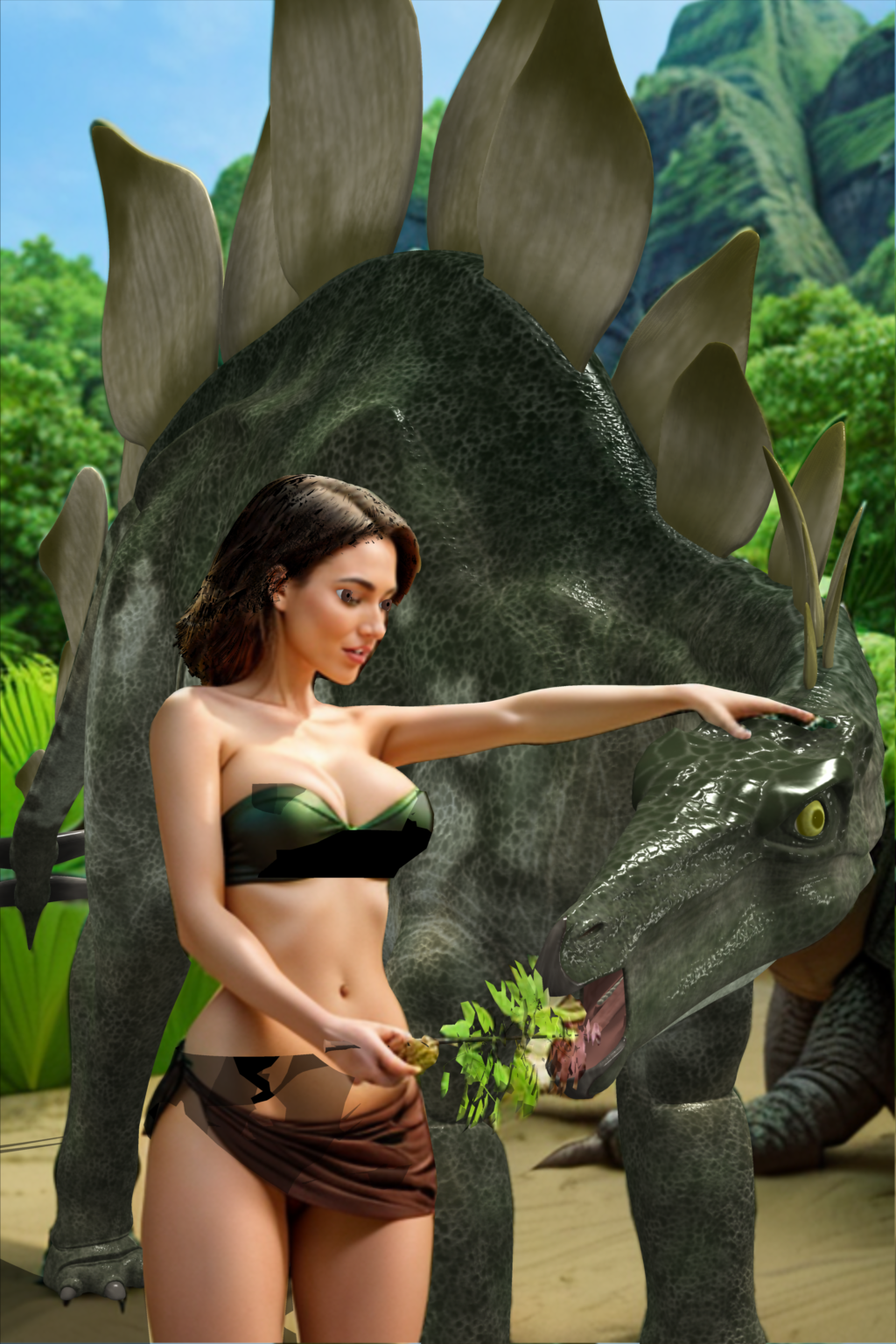
Good news, this is why I chose this project - to show that by having the original simple Carrara scene, shadow catchers can be used to help things along. I took one of the original problematic outputs and loaded it as a backdrop in Carrara's original scene, but turned the shaders for everything but the stegasaurus model to shadow catchers.
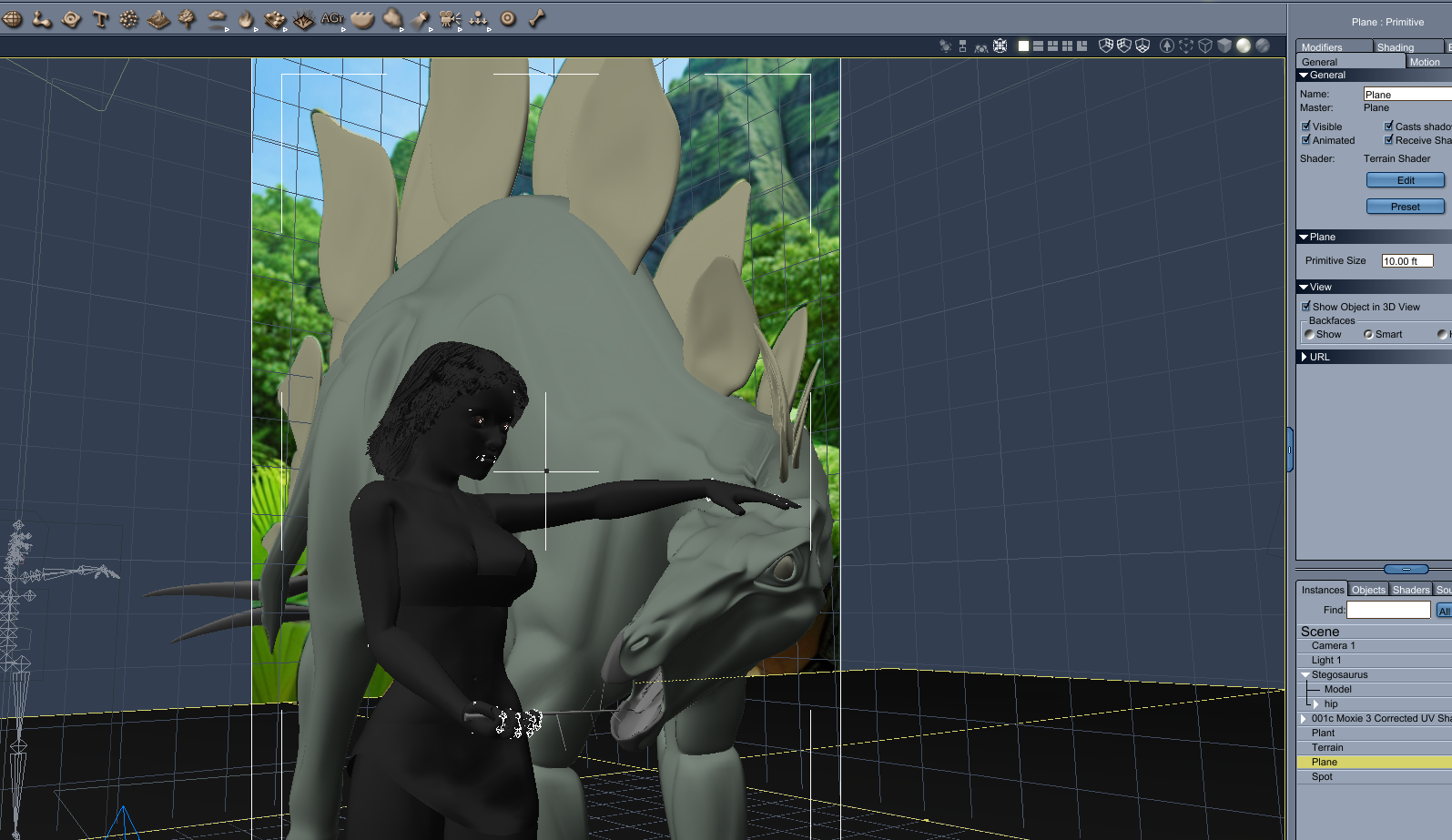
Which results in the following, which while filled with imperfections, is hopefully moving along to where we can focus on the stegasaurus. You can still see an extra body in the lower right, and the cave girl figure does not 100% match up, but with some quick touch ups, this can be loaded in the AI program's image2image in place of the original simple blockout. (note - not the same backdrop load as previous post - but from the same batch).
 No one asked me - Diomede screenshots on whatever - Warning AI Discussion OK
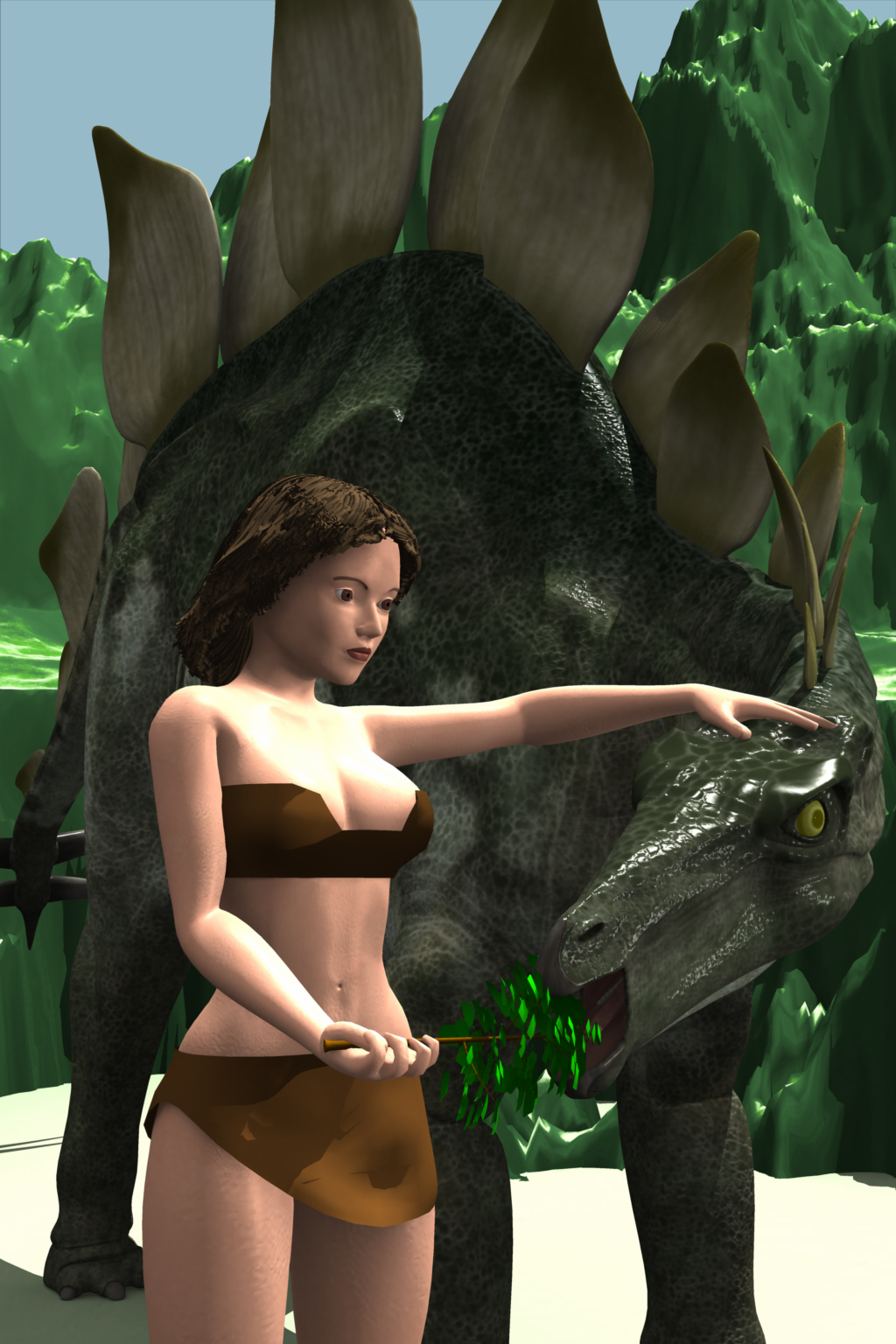
Scene setup.
I started with this simple scene - my custom Moxie figure wearing cave girl clothes, a freebie stegasaurus, one Carrara plant, and one Carrara terrain.
 No one asked me - Diomede screenshots on whatever - Warning AI Discussion OK
Carrara's shadow catchers partnered with AI
Sometimes, the AI processor does not want to cooperate!
Woman feeding stegasaurus. Idea was to have a woman standing with the critter approaching from behind and extending it neck in a sweep from the side to eat some leaves she is holding. Bad news, the AI very much wanted the eye of the stegasaurus in a specific position (upper right crossing of the horizontal and vertical 'thirds' lines). Good news, I can load the initial output back in Carrara with shadow catchers and put the eye back where it belongs. Bad news, not only does the AI want to put the eye back, it wants the back plates of the stegasaurus to be leaves - or extra heads like a hydra.
Final image, only final because I gave up on the back plates
No one asked me - Diomede screenshots on whatever - Warning AI Discussion OKStezza said:
you guys are starting to become the 'AI Guru Dudes' of Carrara

Thanks. Learning a lot.
No one asked me - Diomede screenshots on whatever - Warning AI Discussion OKStezza said:
you guys are starting to become the 'AI Guru Dudes' of Carrara
Thanks. Learning a lot.
Carrara and Mac with M2I haven't posed in a while so I thought I'd give a quick update. I've been using Carrara with Parallels for about 4 months and haven't had any reall issues with it. It does crash once and a while, but not often. I haven't found and plugins or content that don't work. So far, I'm very satisfied.
No one asked me - Diomede screenshots on whatever - Warning AI Discussion OKStezza said:
you guys are starting to become the 'AI Guru Dudes' of Carrara
Thanks - having fun exploring the posabilities !!!
No one asked me - Diomede screenshots on whatever - Warning AI Discussion OKDiomede said:
Bunyip02 said:
Diomede said:
I think that plan will work very well. Can't wait to see what you come up with. And modeling is always a good skill to have. I suggest a third way to use Carrara. After you have used any AI-related workflow to generate an image, use Carrara's shadow catchers, etc to add additional details. For example, AI is notoriously horrible at elements that have text - such as a road sign or a newspaper. Can add with a 2D image editor, which might be fine for a lot of purposes. But with Carrara, you get shadow catchers!
3rd way - Hmmmm
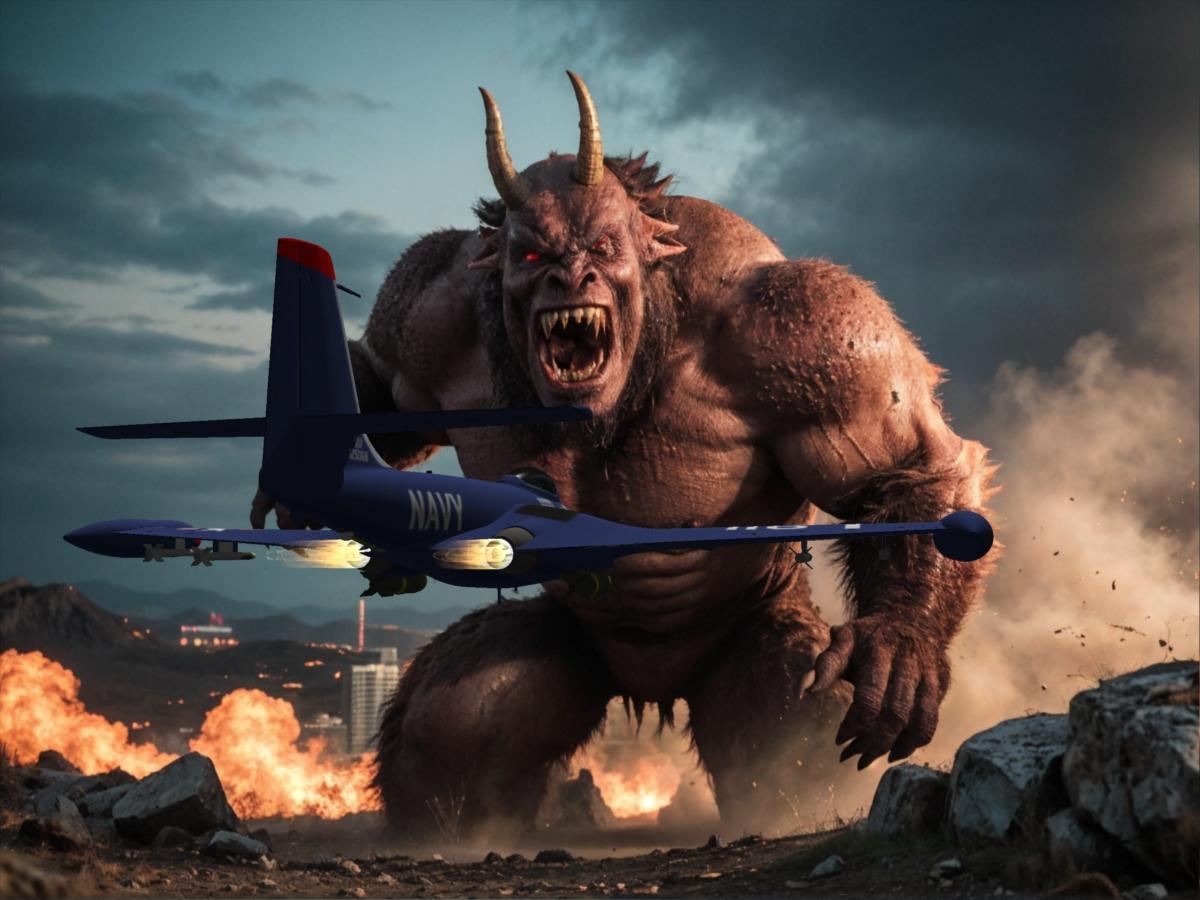
Save the Earth!
Great one.
Thanks !!!
No one asked me - Diomede screenshots on whatever - Warning AI Discussion OKNo one asked me - Diomede screenshots on whatever - Warning AI Discussion OKBunyip02 said:
Diomede said:
I think that plan will work very well. Can't wait to see what you come up with. And modeling is always a good skill to have. I suggest a third way to use Carrara. After you have used any AI-related workflow to generate an image, use Carrara's shadow catchers, etc to add additional details. For example, AI is notoriously horrible at elements that have text - such as a road sign or a newspaper. Can add with a 2D image editor, which might be fine for a lot of purposes. But with Carrara, you get shadow catchers!
3rd way - Hmmmm
Save the Earth!
Great one.
No one asked me - Diomede screenshots on whatever - Warning AI Discussion OKDiomede said:
I think that plan will work very well. Can't wait to see what you come up with. And modeling is always a good skill to have. I suggest a third way to use Carrara. After you have used any AI-related workflow to generate an image, use Carrara's shadow catchers, etc to add additional details. For example, AI is notoriously horrible at elements that have text - such as a road sign or a newspaper. Can add with a 2D image editor, which might be fine for a lot of purposes. But with Carrara, you get shadow catchers!
3rd way - Hmmmm
Getting on the 9 train, or notWas initially reluctant to jump on the G9 bandwagon as had invested heavily in the previous generations.
After reports that it could be used in Carrara with some minor tweaking I checked it out to see if it would be worthwhile.
Have now invested in G9 and am using that along with the previous generations including Gen 3 figures, Aiko 3 is still a favourite.
ASINA - April Fools Competition 2024
Denizens of the Daz3D forum, we once again gather on this, the holy day of April 1st, and this year the stakes have never been higher. As you may have noticed, an alien invasion has taken place (Don't watch the news or anything, just trust me), and they come in search of forgotten relics. Before our destructive visitors tear our world asunder in search of these cursed relics, it's up to us to document their whereabouts, and return the wretched things before it's too late. Bring proof of relic sightings to our blessed thread, and you may very well be rewarded handsomely.
Tread carefully though denizens. The relics are said to be foul creatures, with piercing red eyes, jagged ridges, a blood-curdling roar and a deep disdain for us tampering meat sacks. Once we hand these depraved creatures back to their alien brethren, our world will return to normal, and we can welcome May with a refreshed sense of hope and optimism … and maybe even sweet prizes.
RULES
-
All Relic sightings must be rendered in the Daz ecosystem (Including carrara, bryce etc)
-
Your render must have a Relic in it (Banana suit optional)
-
Don't touch relics with your bare hands.
-
Standard Daz TOS rules apply on submissions. Think of the children.
-
Post your images in this thread. If you post them elsewhere, i probably won't find them, and that would be unfortunate.
-
If you're going to use AI in your submission, please tag them with "AI". It won't affect scoring but it will avoid confusion among other entrants".
Prizes (Provided by Daz3D):
1st Place - $100 Gift Card
2nd Place - $50 Gift Card
3rd Place - $25 Gift Card
Honourable Mentions – Choice of free set by KindredArts (Priceless)
Competition Caretakers:
KindredArts
Linwelly
LET THE SEARCH BEGIN
"The competition will end on april 30th, get your renders in before then pls"
Yours
Mission Control
*Mutation*
@NewGuy has been kind enough to donate his lovely rigged version of Asina with some new materials and presets. I've attached the file to this post, thanks Newguy!
 Carrara's shadow catcher is great
Yes, Carrara's Shadow Catcher is one of my favorite features. Easy to use and makes complex scenes easy to make believable. Here is a shadow example I did using shadows that people liked - I think in VUE, but the idea is the same. (~2:30)
 No one asked me - Diomede screenshots on whatever - Warning AI Discussion OK
Diomede said:
Another Carrara to Stable Diffusion Example. All custom Carrara models. No acquired 3rd party assets, purchased or otherwise.
Thanks for the methodology !!! Nice render !
No one asked me - Diomede screenshots on whatever - Warning AI Discussion OKAnother Carrara to Stable Diffusion Example. All custom Carrara models. No acquired 3rd party assets, purchased or otherwise.
Remixing your art with AIWindmill pinup
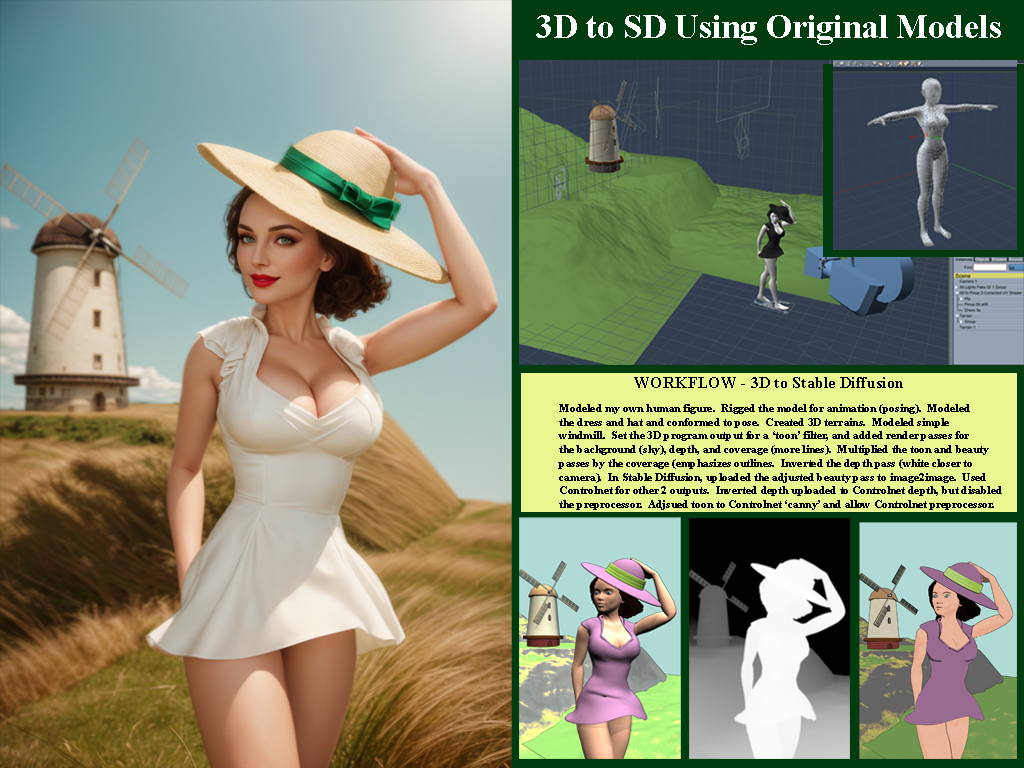
One more demonstration of low res models to block out a scene. Will post side by side with workflow in next post. The following could be done with Blender or.... Or, Daz Studio and Poser users could adjust the figures they have. I modeled and rigged a low res beauty suitable for toon renders using Carrara. The emphasis on toon here is to aid the 'canny' preprocessor in the AI program to detect the edges. Similarly, the terrain and the windmill are low res models created in Carrara. In this case, although the blockout elements were designed for toon, the final output is more photorealistic. I generally prefer pulp, illustration, and toonish stuff, but this is a demonstration. Here is the final result.
 Are G2 items still selling?
I buy G2 stuff (and earlier) when discounted. Not only does it work in Carrara as Wendy points out, it works in Daz Studio as well - and can be exported to even more programs to the extent most anything can.
Some caveats on using older content in ways not designed for. I recently bought a G2 item in the sale (a Santa Claus outfit) for use in Carrara, only to find that the highly dense mesh necessary for the fur trim of the Santa Claus outfit took forever to load or use. Would have been much better for me to kitbash existing conent I own and use Carrara's native dynamic hair to add fur trim, or make it myself.
Some positives. For background elements which are going to be obscured by depth of field anyway, some older content is much better for scene management than the highly detailed more recent releases.
So I echo the earlier comment in the thread about paying attention to categories of items.
Daz 3D is part of

Connect
DAZ Productions, Inc.
7533 S Center View Ct #4664
West Jordan, UT 84084Licensing Agreement | Terms of Service | Privacy Policy | EULA
© 2026 Daz Productions Inc. All Rights Reserved.