-
V4 clothing is a nightmare
When I use V4 clothing, I will autofit it to G8, and then export as obj, and in blender adjust the fit of the clothing, export from blender, and in DS update base mesh.
Then save as a G8 item, which comes into my content library and with basic metadata.
If I want materials in Smart Content I will resave the materials for G8, but I seldomly do that.
Transferring Genesis 8 morphs to Genesis 9 using clonesgibrril_fa945a6cee said:
Hi all,
I'm trying to transfer some genesis 8 morphs to genesis 9 using clones:
My idea wold have been to apply a genesis 9 clone to a zeroed genesis 8 and then dial in the morph I want transfered. Export genesis 8 to obj and then import that to genesis 9 as a morph using morphloader pro.
But... How does that work with the eyes and mounth and such? Do I need to delete the eyes, mouth, tear, eyelashes, brows, etc of any figure? Or do I keep them in? Is there any tutorial available on how to do this given the differences in "structure' between genesis 8 and genesis 9?
Thanks a lot!!!Both G8 and G9 at base resolution ... no attached geografts, yes for G9 to remove all the additional parts. Dial G8 shape into G9, export out G9 obj [no groups, making morphs] [might need to hide G8 and anything else in scene]. Then bring back into D/S the shaped G9 .obj which must be landing exactly on G8. Make clothing out of it. Save it [esp if planning to use again, save some time]. Then in G8 with the G9 clothing "fitted" to it, dial in the morph that you want. Hide G8 and export out the G9 clothing [again no groups]. Using Morph Loader pro, select the shaped G9 clothing to make the morph. If you like the morph [i.e. it took], then zero that morph and save it. I would suggest clearing the scene and reloading the scene with a fresh G8 and G9 [both set to base resolutions, and no extra parts or geografts on G9].
The above is "off the top of my head" -- hopefully didn't miss any super important steps.
n.b. depending upon which morphs are being transferred over, some will require extra morphs to make them work nicely with G9.
Off Topic Thread #23deedlin said:
Both are good. Vue and plant factory also work well in Blender. Haven't tried the plants in C. Really amazing what an allrounder C was for it's time. I got the 8.5P on a recent sale just in case. Carrara wiggles it's way into your heart.♥ Wanted the 64bit version. It totally choked on a LAMH OBJ model though.It's weird cause after 100% import, which took foreeever. It reached it, but just stared blankly back. Lol. Then the other attempt ended w/ the rest of the OBJ coming in as some kinda blob. Probably, coulda converted it. I did get it to work okay in Blender though.
Yes, Carrara has become second nature to me, I don't have to think how to do something, just what I want to do, especially for animation. And I've pretty much learned what will import and what to avoid (DAZ Studio files are iffy). One of my alltime favorite VUE model vendors switched to Blender a while back, but I just can't get my head around it and do not (yet?) have the incentive. Happily I have a good collection of his earlier VUE models. I used one in this animation done mostly in Carrara (one of the VUE scenes attached, the yacht is imported from a Poser format model which Carrara also handles nicely):
 Off Topic Thread #2Both are good. Vue and plant factory also work well in Blender. Haven't tried the plants in C. Really amazing what an allrounder C was for it's time. I got the 8.5P on a recent sale just in case. Carrara wiggles it's way into your heart.♥ Wanted the 64bit version. It totally choked on a LAMH OBJ model though.It's weird cause after 100% import, which took foreeever. It reached it, but just stared blankly back. Lol. Then the other attempt ended w/ the rest of the OBJ coming in as some kinda blob. Probably, coulda converted it. I did get it to work okay in Blender though.Whats it gonna take?
wolf359 said:
I have seen all of those years ago.
I suppose I should have clarified that I meant examples of how poser is
"so unique and powerful as an animation tool in ways industry standard 3D software is not.”
Those animations you showed, have terrible foot sliding which is why so many of the shots are framed above the knees with very rapid camera cuts whenever the feet are shown.
While the RWBY stuff is "well done" (for poser animation)
it is no where close to what cna be done in Reallusion Iclone or
“industry standard 3D software “ such Max or Maya or even Blender.
particularly with Foot contact IK animation and motion retargeting from various sourcesI heard iClone is good but i'll probably never touch it due to that high price.
Maybe i'll be alone on this hill unless I can come up with something good down the road. Poser is amazing it comes to mocap editing though. Esp if you have access to OptiTrack...but that's like $20,000 more than most people can afford. I was using AxisNeuron suits for a while but they are so fragile and break easy. Its just nice ot be able to import the data right onto the character and start editing. no transfer rigs or retargetting. but rarely use any mocap as is. Still takes a lot of manual work. But the fast efficient workflow comes with practice and learning the hotkeys. And this is not something you can do very well if using a Mac. I also really like how "hackable" things are. and being able to animate fx on cards and custom geometry sequences with a single dial. Its possible to do that in other software too but not an easy setup. I'm not going to convince anyone by talking about it though. I guess if I can ever manage to get around to making something cool then maybe someone will wonder. but till then, :should shug.gif:
[RELEASED] CC Talan for Genesis 9 [Commercial]Elor said:
Sorry, I should have clarified that I copy-pasted that list of six files from the readme:
http://docs.daz3d.com/doku.php/public/read_me/index/104755/file_list
The six of them are also all included in the archive downloaded from my product library on Daz3D.com.
So while someone did something leading to Talan having two sets of metadata files, I'm not responsible :)
I'll add the situation to my to-do list of tickets to open regarding problems related to metadata.
It causes no issues with metadata. It's just a couple extra files. It won't affect the install at all unless you specifically tell it to import user data. The categorization data is identical.
Transferring Genesis 8 morphs to Genesis 9 using clonesHi all,
I'm trying to transfer some genesis 8 morphs to genesis 9 using clones:
My idea wold have been to apply a genesis 9 clone to a zeroed genesis 8 and then dial in the morph I want transfered. Export genesis 8 to obj and then import that to genesis 9 as a morph using morphloader pro.
But... How does that work with the eyes and mounth and such? Do I need to delete the eyes, mouth, tear, eyelashes, brows, etc of any figure? Or do I keep them in? Is there any tutorial available on how to do this given the differences in "structure' between genesis 8 and genesis 9?
Thanks a lot!!![RELEASED] CC Talan for Genesis 9 [Commercial]Sorry, I should have clarified that I copy-pasted that list of six files from the readme:
http://docs.daz3d.com/doku.php/public/read_me/index/104755/file_list
The six of them are also all included in the archive downloaded from my product library on Daz3D.com.
So while someone did something leading to Talan having two sets of metadata files, I'm not responsible :)
I'll add the situation to my to-do list of tickets to open regarding problems related to metadata.
[RELEASED] CC Talan for Genesis 9 [Commercial]Elor said:
Hello,
Looking at the content of the archive, they are two sets of files related to metadata:
- /Runtime/Support/DAZ_3D_104755_CC_Talan_for_Genesis_9.dsa
- /Runtime/Support/DAZ_3D_104755_CC_Talan_for_Genesis_9.dsx
- /Runtime/Support/DAZ_3D_104755_CC_Talan_for_Genesis_9.jpg
- /Runtime/Support/LOCAL_USER_CC_Talan_for_Genesis_9.dsa
- /Runtime/Support/LOCAL_USER_CC_Talan_for_Genesis_9.dsx
- /Runtime/Support/LOCAL_USER_CC_Talan_for_Genesis_9.jpg
Can I remove the LOCAL_USER ones (who are the ones used on my installation, no idea if it's supposed to be like that or if it's because at one point, I reimported all my LOCAL_USER metadata and caught CC Talan in the process) and ask Daz Studio to reimport the DAZ_3D ones ?
LOCAL_USER is just that--stuff the local user has made. My guess is you added categories or something like that to some of his presets and exported your user data at some point for safe keeping. You can absolutely delete those and not have an issue with the character. You will lose any customization with categories you've done though if you need to import your metadata again.
[RELEASED] CC Talan for Genesis 9 [Commercial]Hello,
Looking at the content of the archive, they are two sets of files related to metadata:
- /Runtime/Support/DAZ_3D_104755_CC_Talan_for_Genesis_9.dsa
- /Runtime/Support/DAZ_3D_104755_CC_Talan_for_Genesis_9.dsx
- /Runtime/Support/DAZ_3D_104755_CC_Talan_for_Genesis_9.jpg
- /Runtime/Support/LOCAL_USER_CC_Talan_for_Genesis_9.dsa
- /Runtime/Support/LOCAL_USER_CC_Talan_for_Genesis_9.dsx
- /Runtime/Support/LOCAL_USER_CC_Talan_for_Genesis_9.jpg
Can I remove the LOCAL_USER ones (who are the ones used on my installation, no idea if it's supposed to be like that or if it's because at one point, I reimported all my LOCAL_USER metadata and caught CC Talan in the process) and ask Daz Studio to reimport the DAZ_3D ones ?
Obj imports without any textures after recent updatelilweep said:
milliethegreat said:
Ok then how come it worked perfectly before?
Just to reiterate, obj will never assign maps perfectly if your models has normal maps, to say the least.
You may say they imported "perfectly" but did you check all maps were accounted for and actually in the correct slots? If the creator of the asset took time to make a normal map and then you didnt use it, it is not perfect. If daz has assigned maps to the wrong channels then it wont be perfect.
Also they are fbx assets with embedded materials imported into blender and then imported into Daz as obj. They're not obj made in blender.
I know, as that was one of the few things explained. That does not alter anything I said.
Also manually apply the textures? You're joking right?!?!Some material names show up in Daz as complete gibberish. Some assets have a ton of textures too.
If it is a huge number of slots i wouldnt suggest to do it manually. If it were only a few material slots, then you can easily work out which maps go into which material slot, even if it is gibberish.
But again they imported just fine before
If something is working fine and then it stop working. There is usually a reason. Two very obvious reasons for why it might not be working have been mentioned numerous times already.
1. the .mtl file associated with the .obj you exported from Blender does not contain references to textures
2. you are not ticking the option for read materials when importing to Daz Studio
also as i said they're fbx format assets with embedded textures imported into blender and exported as obj into Daz NOT assets made directly in blender and then exported into Daz.
Consider the possibility that you exported the obj from blender incorrectly.
We still do not know if that's your issue as you refuse to verify by checking the mtl file or by reimporting into blender to validate it still has textures.
The assets I have that are not fbx with embedded textures first and are just obj imported into Daz to blender and/or Daz do what you're describing but that's not what I'm working with here.Also when I select stripped material paths for some things that does help for fbx and obj assets with non embedded textures.
I read this three times. Cannot make sense of this statement
perhaps before you export your obj from blender you could go to File > External Data > Unpack All Into Files.
That might encourage Blender to save out the obj and mtl file with correct paths.
Let me try to clarify my pipeline. Import fbx asset to blender and from blender to Daz as obj. Sorry for my terrible explanation. Maybe export as obj as stripping material paths might help? It worth a try. Aside from running an expensive amount of assets I can try to unpack all materials into files. And other than that i guess I'm screwed.
Need help with MD list of Products usedI tried to reimport the metadata again but the result stays the same, nothing but that replacement product for the self made surfaces come up in the list
Whats it gonna take?I have vague memories of a few different issues being discussed, with a great deal of emotions or drama involved.
I think this discussion took place around the time of Poser 5.
DAZ, at that time, helped with the DSON importer technology. That would help Poser people import DAZ content into Poser. DAZ eventually decided not to link themselves so closely to Poser.
Around that same time was the discussion of "copy protection" for Poser. People were worried that Poser would be bought by a different company. They were worried that Poser would no longer work for them.
I think the owners of Poser delayed the "phone home feature" at the time.
I think such issues arose in recent years when Bondware (Renderosity) bought Poser. I think this problem was handled easily.
(I think there was another issue, but I forgot!)
It seemed that DAZ jumped in with their announcement of DAZ Studio at about this time.
[Solved] How to use Cross-Figure Resource Kit with Genesis 8.1 ?Cross-fit is only for Male-Female or Female-Male by adding an entry to identify the item as compatible with the other gender. The problem with some products for G8.1 is that they are made explicitly to look for the G8.1 identifier (although for conforming items, I see little need for it, but materials are another matter). You can either change the compatibility of the hair (metadata, or Scene Identification, then reload it) or edit the original file to work with G8. All G8.1 are, in fact, G8, with additional features. Careful, though, some hierarchical materials presets will also be looking explicitly for the G8.1 parent.
The G8/G8.1 compatibility issues were discussed at length a few years ago (early 2021).
Why does my Daz model lose pose and weapon attachments when imported into Unreal?Hey everyone,
I started in Daz Studio by loading a character that originally had no weapons or gear. I then manually added a mace and a shield and parented them to the character’s hands. After setting everything up, I saved it as a Scene Subset so I could reuse it later.Later, I reloaded that Scene Subset into a new scene (see image 1), and used the Daz to Unreal Bridge to export it. I selected Skeletal Mesh as the export type and left the settings at their default (see image 2).
but, when I import the character into Unreal, the result is not what I expected. The character appears in a T-pose, and both the mace and shield are no longer attached to the hands (see image 3). I feel like the pose and the parented props didn’t carry over in the transfer. So I have a few questions:
-
Is this behavior normal when using the Daz to Unreal Bridge, or am I missing a step?
-
If this is expected, is there a correct way to reapply the pose or reattach the props inside Unreal manually?
-
Or is there a way to prepare everything properly in Daz to make sure the pose and attachments transfer correctly from the start?
Thanks in advance guys for your help.
Casement windowslorraineopua said:
I've never seen an inward opening window here in NZ, they are all outward, either side hanging or top hanging, or sliding. Sash windows are in 19th, early 20th C wooden houses, wooden outward casement in later 20th C wooden houses and now aluminium joinery from the late 70' onward.
Given the globalization of manufacturing, I imagine that a lot of it depends upon the manufacturers who build hardware locally or import to an area and what kind of regular stock the local wholesalers/retailers in that area decide to maintain.
I decided to dig a little further on this, and it seems that in North America, the "default" casement window opens outward with a crank. One that opens inward is specifically referred to as an Inward Opening Casement, with the most common reasons for choosing the variant being ease of cleaning, use in combination with external storm shutters, and use in area with extremely high winds. The following is a cut and paste from one window manufacturer describing the five types of casements -
Outward Opening Casements
The window swings outward from the building, which comes with several advantages:
- Creates excellent ventilation by "catching" passing breezes.
- Keeps interior space clear of protruding windows.
- Prevents rain from entering when the window is open.
- Allows for easy screen installation on the interior.
Push-Out Casements
A variant of outward opening windows that uses a manual push-out mechanism instead of a crank:
- Opens with a simple push after unlatching.
- Often used in traditional or historic-style homes.
- Usually has a friction hinge to hold the window open.
- Commonly includes a limiting stay to control the opening angle.
Inward Opening Casements
- Allows for easy cleaning from inside.
- Better suited for buildings exposed to strong winds.
- Requires interior space clearance when open.
- Often used in combination with exterior shutters.
French-Style Casements
These are paired windows that open from the center:
- Both sashes open outward from a central meeting point.
- No center post or mullion when open.
- Provides a wide, unobstructed opening.
- Excellent for emergency egress.
Top-Hung Casements
While technically a different category, these are sometimes grouped with casement windows:
- Hinged at the top and opens outward from the bottom.
- Good for ventilation while providing rain protection.
- Often used in combination with regular casements.
- Common in commercial buildings and modern homes.
So, now you know, and knowing is half of the battle. :)
List of Products Used - script [Commercial]MikeD said:
Linwelly said:
Hello, everybody, I hope someone can help me with this,
I'm trying to use this script one one of my (rather complex) scenes including ultra scenery 2 Hedge maker and some textures altered by me.
while I can see in the log file that the scan works well, the output is a madup product by the SKU 12345678 it lokates in local user. (I believe this is similar to what others have reported
I suspect that it has trouble because I have my whole DAZ installed on a different harddrive than the standdart, (the "studio" folder is on C while everythingn else is on E) but I cant' find a place to tell the scrip where to look for the products or whatever else I need to change.
So maybe one of you knows, or has an alternative idea to slove the problem
I saw a link to a test version of the product listing but I'm not sure how to apply? would I dowload that and move it to the scripts folder?
Thanks a lot in advance
The script actually doesn't care about the installed folder but for the database references... If you have install the products in the past in a specific folder and then you copy them into a new folder the database may has not updated the new location... Generally this script has problems when the database is not updated or something is wrong with it.
The SKU 12345678: LOCAL USER is a "vitrual product" created by DS for your own saved assets...
OK the local user mystery is solved. still the rest of the scan is working but the products are nto showign up
I let the DIM install everything directly to the E drive and don't move anything from there after that
since the scene is working the references should all be intact
I recently deleted all metadata and reinstalled that, so all that should be in order as well
Adding Pose CategoriesThere is likely a better way so it's best to wait for wiser heads to answer, but when I'm creating metadata for poses set and I don't find the correct category (even when they are used by products sold here who are using it, 'Default/Poses/By Region/Partial Body/Upper' I write thee name
 ), what I'm doing is setting a category I don't use anywere else and then, I'll edit the dsx file with the metadata, search and replace that category by the one I wanted.
Once the dsx file is saved, I'll delete the product from the medatata (Content Library > Products > Right click on the product name and then Delete), before reimporting the product (Right clicking on the Content Library tab with the Content Library open, then Database Maintenance > Reimport Metadata, then I unselect everything then I select the product I want to reimport) and tadaaaa, I have the category I want.
If an easier way exist, I'm interested too
 Obj imports without any textures after recent update
You can make a copy of the file before doing anything to it. The advice was to open the .mtl file in a text editor and look at it, not to change anything. My advise has been so assign the textures manually in Daz Studio in the Surfaces tab , not to assign them manually in a text editor. Assigning textures to a few material slots in the Surfaces tab should only take a few seconds. If you have hundreds of textures then it is going to take a long time however.
You claim that you are exporting your files from blender correctly. How do we know this unless you check the .mtl file? If you are not going to check the .mtl file, have you at least imported the exported .obj file back into Blender, and seen that the textures are appearing? if they are not appearing in other software besides Daz Studio, then it would suggest the .mtl file is not being written correctly when exporting from Blender, not that there is issue with Daz importer.
You also did not state which version of daz studio has the problem. "Recent update" means what exactly, the alpha?
Just to repeat: an obj will not import all textures correctly into Daz Studio. some texture maps will not be included in the .mtl file (e.g., Normal maps) and some will be allocated to wrong slots on the Iray Uber shader upon import. Therefore obj is not a good option for automatic assignment of ALL textures. An alternative to obj is .fbx or the Blender to Daz bridge.
barbult's take on the lives of Jack and RichardAugust 2023 - This starts another story about Jack and Richard. I rendered this image for a Daz+ Inspiration Contest. Those contests require the use of at least one of the week's new Daz+ releases. At the time, I had no idea that this render would become a lead-in to a Jack and Richard story.
I decided the new spurge plants make good seaweed. They look surprisingly great under water, even though that was not the PAs intent. I also learned that it is hard to make an octopus fist.
The Specimen Escapes
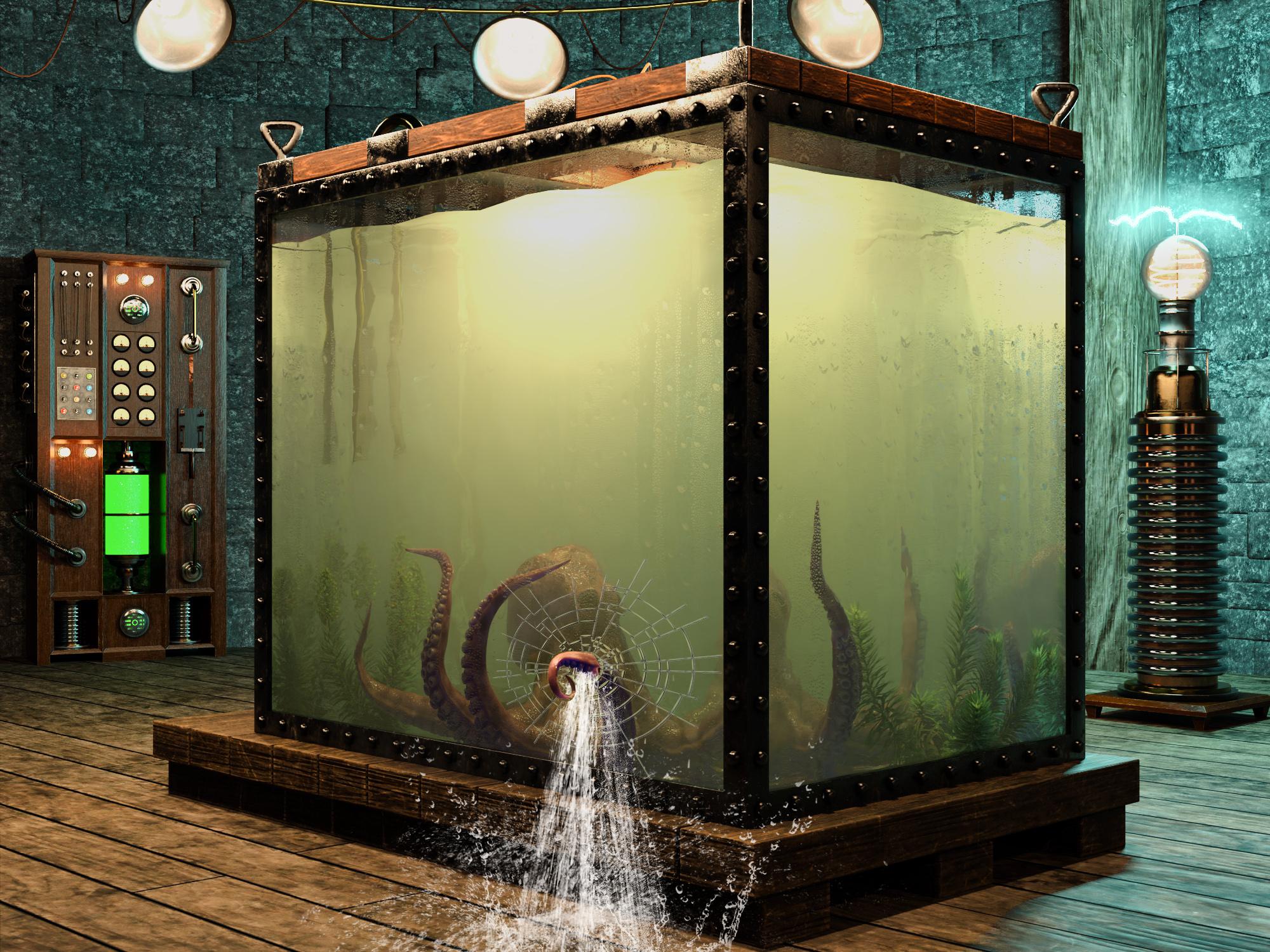
Item Used: Mediterranean Flowering Spurge Plants
Some Reader Comments:
junk: Dang that is such an incredible image! I love images that get you wondering. about what happens next. Plus such a creative use of the plant as seaweed.What Came Next
(Thanks to junk for the inspiration!)
Public Service Announcement [braaaap braaaap braaaap]: The Specimen is on the loose! Keep a watchful eye. Report any sighting to your nearest species control agency. Do not venture out. Stay safe.
The lab is flooded. The equipment has shorted out and is starting to rust. Only the solar powered lighting remains functional. Nature's flora and fauna are establishing a renewed foothold. The spurge is thriving!
Qualifying Item - Mediterranean Flowering Spurge PlantsOblivion
Having arrived early in the Daz Meeting Room for the unveiling of Genesis 10, Jack and Richard pulled out the Nine Men's Morris board to play a few rounds. Oblivious to the threat outside the window, they continued to play. Richard was ahead 8 to 2. Nine Men's Morris is Richard's favorite game, because he is sure it is named for his great uncle "Nine Lives Morris".
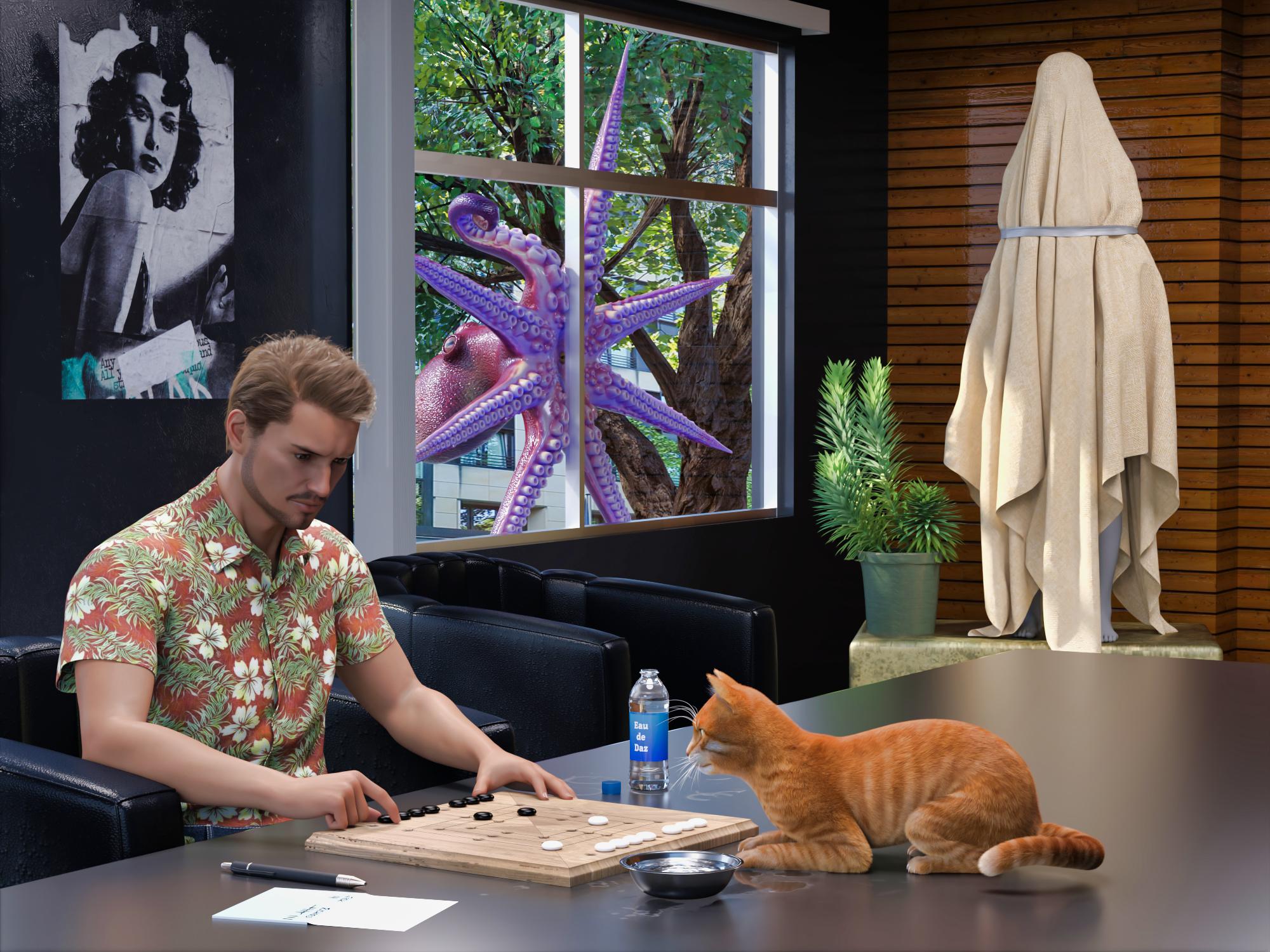
Items used:
English Village Pub GamesSome Reader Comments:
Richard Haseltine: Ah, seafood. (I hope.)
Lilwolff: "I spy with my lil eye and it is pink and purple" Along with new cast member. Wonderful fun barbult!
barbult (back to Richard): Alright, my path is clear. Something or someone will become food in an upcoming render.

Richard Haseltine: Ulp. Is it too late to suggest it might be part of my underground railroad for the unjustly imprisoned?
barbult (back to Richard): Yup, too late! The die is cast. Your future is predefined. Good luck on your underground railroad, though. Have you designated a second in command? You know, just in case... I'd suggest that Jack is not a good choice, 'cause, well, you know...
Well, I'd better get to rendering. Hm... "rendering". That has to do with cooking fat out of something. Well, let's not go there!Lunch?
The specimen peered through the Meeting Room window. "Ah...see...FOOD!"
It smashed through the glass, trashed the room, and snatched its prey, faster than the blink of a human eye.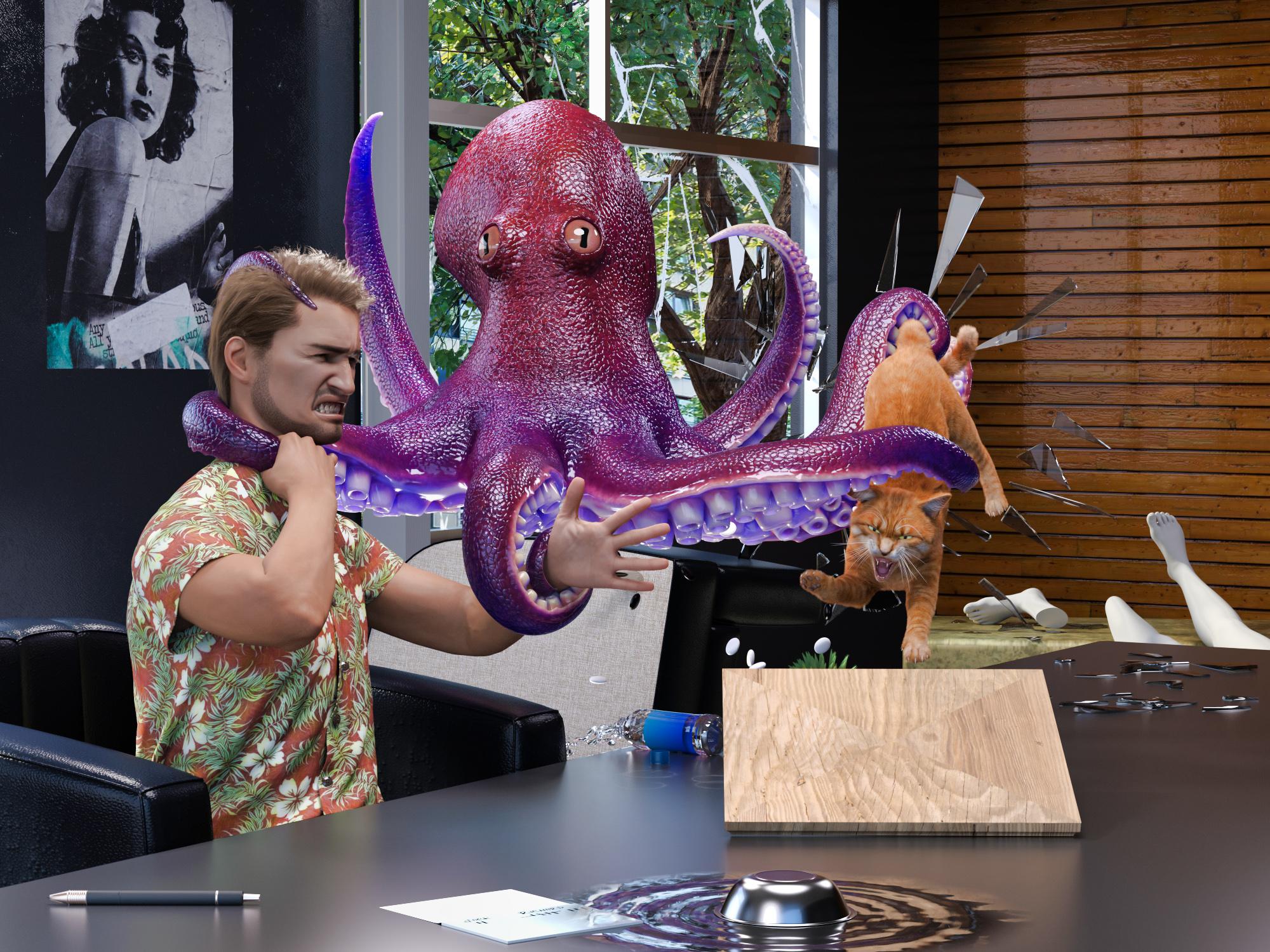
Item Used Pure Masculine Expressions for Genesis 9
Just to demonstrate my commitment to continuing this story: I had to create a whole new "Jack". Old Jack was G8. To use the new G9 expressions, I had to create a G9 Jack. To keep the continuity, I wanted to use the same skin. I own the Legacy UVs for the female, but not the male, and the male set was not on sale at the time. So...I used the G8 UV Swap and Map Transfer to create a set of G8F maps for my G8M skin and saved it as a Material Preset that I could apply with the Legacy UV for the female UV. Then I tried to dial a G9 character similar to the old G8 character, but I wasn't completely happy with it, so I manually converted the G8M character shape to G9. Then I discovered that the shirt didn't autofit very nicely to G9. Since it was something I made in Marvelous Designer, I loaded up the old G8M project and a G9 avatar and refit the shirt to G9. Then I had to export it as OBJ, and import it to DS, and run the transfer utility, and retexture it, and reattach buttons. Then, I could work on the scene! Whew.
Some Reader Comments:
Richard Haseltime: That's an impressive effort - though i am not entirely sure I appreciate it.
barbult (back to Richard): Cats have nine lives (as your great uncle Morris would remind you). Certainly, you must have a few left. I'd say that Jack is the one who should be most concerned. He has only one life to live. (Oh, I hear old soap opera music playing now.)
Richard Haseltine: I was a litle concerned about what might happed with today's releases after Jack had been chugging throat linctus (he claimed).
barbult (back to Richard): He'll be needing something pretty strong after the next episode.Rob to the Rescue
(This render introduced Rob (rbtwhiz), Daz developer, to the cast of characters. Why is he a shark? Well, Joe Quick released Jawsome Quickstrike HD shark for Genesis 9 that week, so I just had to use him. And Rob's avatar does have kind of a fish tail on the end of his hair, so...)
Just then, Rob arrived in the Meeting Room for the ceremonial unveiling of Genesis 10. He encountered a horrific site! Yes, Genesis 10 lay shattered and exposed on the Meeting Room floor! A tear fell from Rob's eye.

Oh, one more thing... "Untentacle my colleagues, you slimy specimen!", screamed Rob, brandishing the sword he was going to use to remove the cover from Genesis 10. "You destroyed my Genesis 10! You and I are going to have it out here and now!"
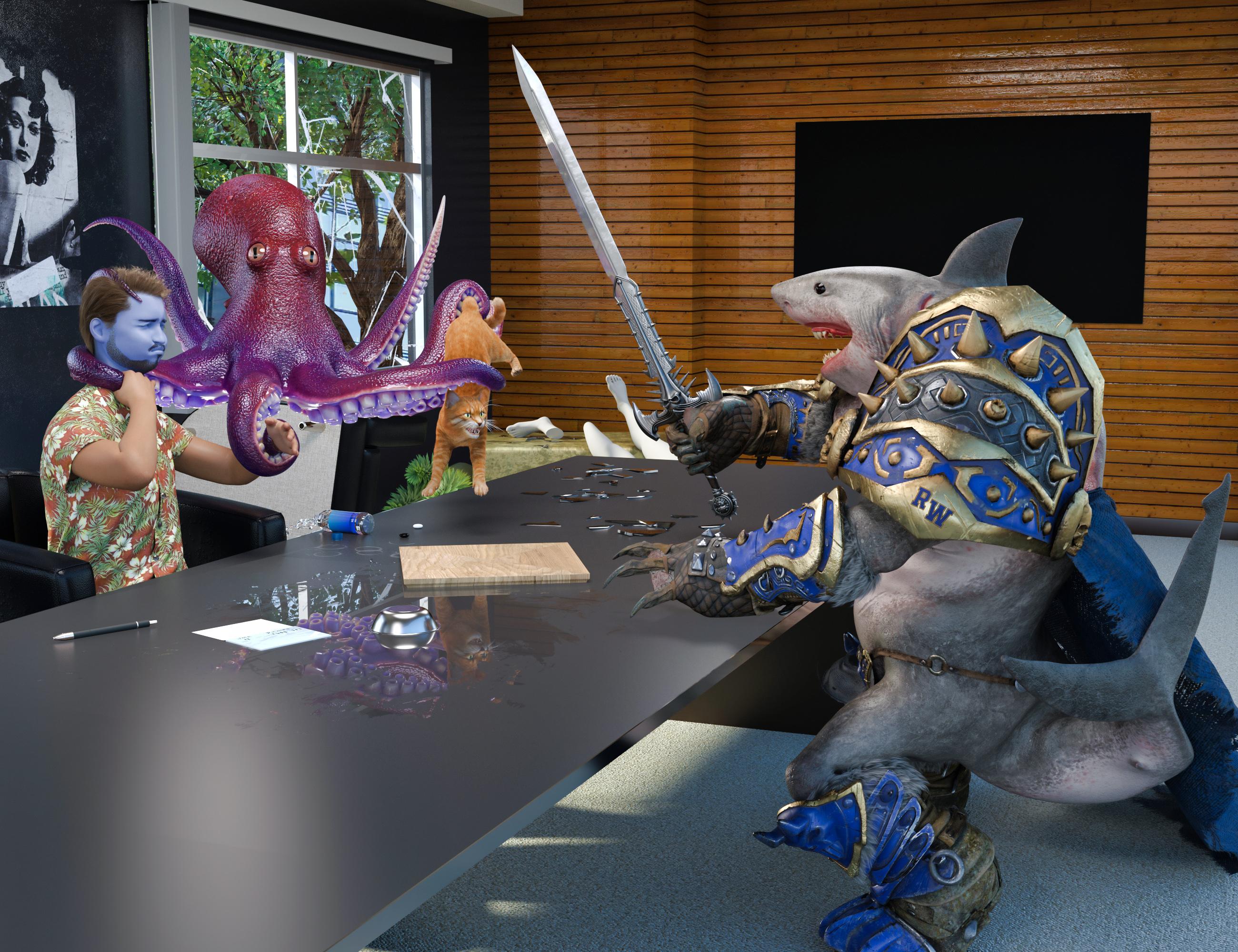
Items Used:
Jawsome Quickstrike HD Shark for Genesis 9 (Rob)
Pure Masculine Expressions for Genesis 9 (Jack and Rob)
Some Reader Comments:
Richard Haseltine: Phew! Though I think Jack wants CPR, ideally from VictoriaX.
barbult (back to Richard): Oh, dear Richard. Sit down. I am painfully sorry to be the one to break this news to you, but VictoriaX is not a living, breathing, human being, capable of performing CPR. (This is like telling a child that Santa Clause is not real. ) Besides, I believe Jack is a married man and father. Being publicly caught in a lip lock with VictoriaX would not be good for those relationships. It is rather catty of you to suggest such a thing! No. No. We can't go there. Jack's medicine will have to come from elsewhere. The still is already cranking out a new batch. Edit: Oh, I realize what's going on here! You are still mad at Jack's wife for banning you from their house because of the hat construction mess. You are trying to break up their marriage by hooking Jack up with VictoriaX. Bad cat! Bad! It won't work. Jack is too honorable.
Ah, Seafood
The specimen was multi-armed, but Rob was more heavily armed, with a battle sword and teeth - lots of teeth - big jagged saw tooth teeth, and he hadn't had lunch yet.
Slash, slash, chop, chop, chop, slice, slice, chomp (yum, that head was tasty!)...
"Bon appetite, fellas", said Rob, as he sped away on his motorcycle to go finish Daz Studio 5.
Jack wanted nothing to do with it, as he chugged his throat linctus (so he claimed), but Richard dug right in. "Ah, seafood!", he exclaimed.The End
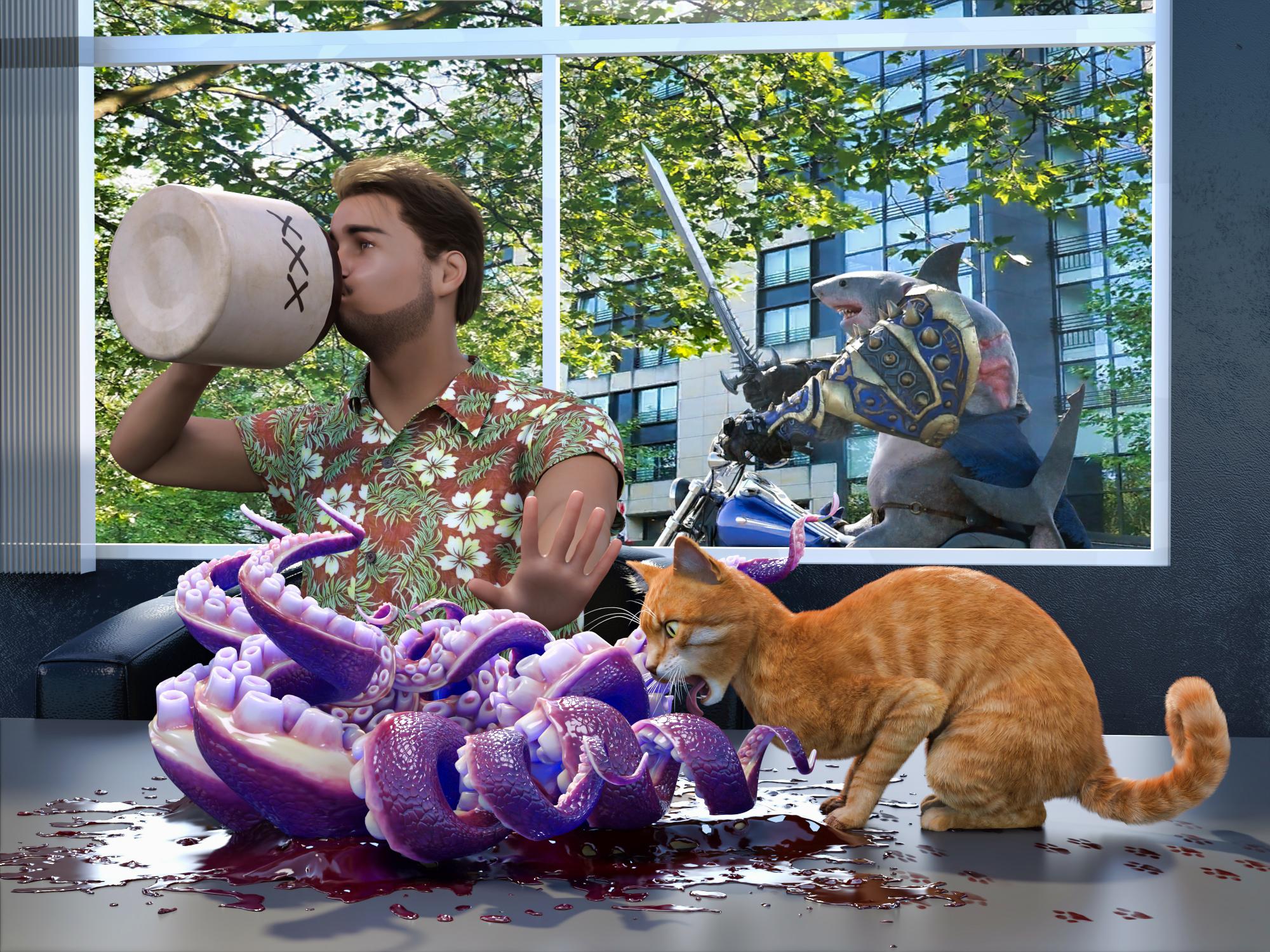
Yes, our guys have survived another harrowing adventure by the skin of their teeth. How long can luck like this last?
Items used:
Jawsome Quickstrike HD Shark for Genesis 9 (Rob)
Pure Masculine Expressions for Genesis 9 (Jack and Rob)
Some Reader Comments:
Richard Haseltine: Alas, poor escaped specimen (/sheds a tear, sincerity not guaranteed)
barbult: Thank you for all your entertaining responses that drove the story along, Richard.
Richard Haseltine: It's a cat's business to cause trouble.Daz 3D is part of

Connect
DAZ Productions, Inc.
7533 S Center View Ct #4664
West Jordan, UT 84084Licensing Agreement | Terms of Service | Privacy Policy | EULA
© 2026 Daz Productions Inc. All Rights Reserved.