-
Carrara and Mac with M2
I haven't posed in a while so I thought I'd give a quick update. I've been using Carrara with Parallels for about 4 months and haven't had any reall issues with it. It does crash once and a while, but not often. I haven't found and plugins or content that don't work. So far, I'm very satisfied.
No one asked me - Diomede screenshots on whatever - Warning AI Discussion OKStezza said:
you guys are starting to become the 'AI Guru Dudes' of Carrara

Thanks - having fun exploring the posabilities !!!
No one asked me - Diomede screenshots on whatever - Warning AI Discussion OKDiomede said:
Bunyip02 said:
Diomede said:
I think that plan will work very well. Can't wait to see what you come up with. And modeling is always a good skill to have. I suggest a third way to use Carrara. After you have used any AI-related workflow to generate an image, use Carrara's shadow catchers, etc to add additional details. For example, AI is notoriously horrible at elements that have text - such as a road sign or a newspaper. Can add with a 2D image editor, which might be fine for a lot of purposes. But with Carrara, you get shadow catchers!
3rd way - Hmmmm
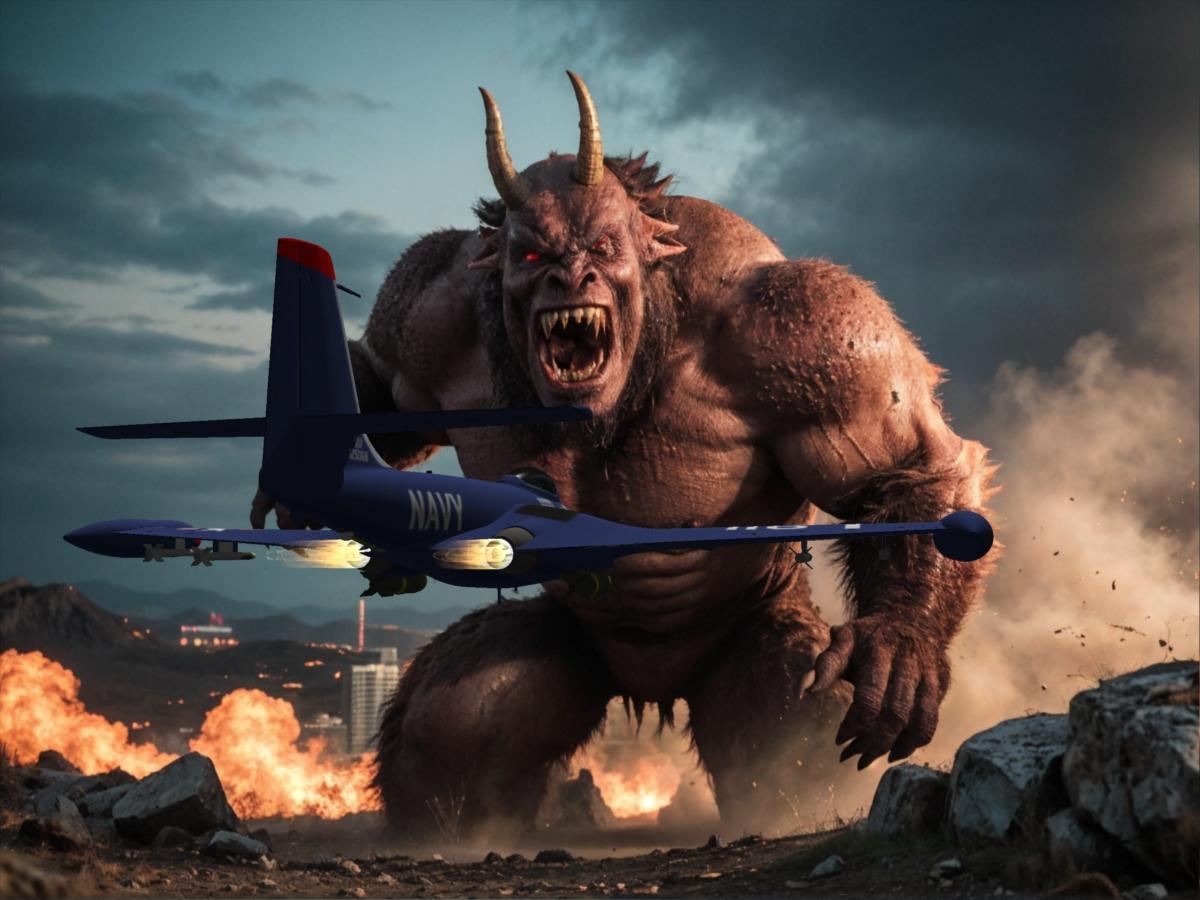
Save the Earth!
Great one.
Thanks !!!
No one asked me - Diomede screenshots on whatever - Warning AI Discussion OKNo one asked me - Diomede screenshots on whatever - Warning AI Discussion OKBunyip02 said:
Diomede said:
I think that plan will work very well. Can't wait to see what you come up with. And modeling is always a good skill to have. I suggest a third way to use Carrara. After you have used any AI-related workflow to generate an image, use Carrara's shadow catchers, etc to add additional details. For example, AI is notoriously horrible at elements that have text - such as a road sign or a newspaper. Can add with a 2D image editor, which might be fine for a lot of purposes. But with Carrara, you get shadow catchers!
3rd way - Hmmmm
Save the Earth!
Great one.
No one asked me - Diomede screenshots on whatever - Warning AI Discussion OKDiomede said:
I think that plan will work very well. Can't wait to see what you come up with. And modeling is always a good skill to have. I suggest a third way to use Carrara. After you have used any AI-related workflow to generate an image, use Carrara's shadow catchers, etc to add additional details. For example, AI is notoriously horrible at elements that have text - such as a road sign or a newspaper. Can add with a 2D image editor, which might be fine for a lot of purposes. But with Carrara, you get shadow catchers!
3rd way - Hmmmm
Getting on the 9 train, or notWas initially reluctant to jump on the G9 bandwagon as had invested heavily in the previous generations.
After reports that it could be used in Carrara with some minor tweaking I checked it out to see if it would be worthwhile.
Have now invested in G9 and am using that along with the previous generations including Gen 3 figures, Aiko 3 is still a favourite.
ASINA - April Fools Competition 2024
Denizens of the Daz3D forum, we once again gather on this, the holy day of April 1st, and this year the stakes have never been higher. As you may have noticed, an alien invasion has taken place (Don't watch the news or anything, just trust me), and they come in search of forgotten relics. Before our destructive visitors tear our world asunder in search of these cursed relics, it's up to us to document their whereabouts, and return the wretched things before it's too late. Bring proof of relic sightings to our blessed thread, and you may very well be rewarded handsomely.
Tread carefully though denizens. The relics are said to be foul creatures, with piercing red eyes, jagged ridges, a blood-curdling roar and a deep disdain for us tampering meat sacks. Once we hand these depraved creatures back to their alien brethren, our world will return to normal, and we can welcome May with a refreshed sense of hope and optimism … and maybe even sweet prizes.
RULES
-
All Relic sightings must be rendered in the Daz ecosystem (Including carrara, bryce etc)
-
Your render must have a Relic in it (Banana suit optional)
-
Don't touch relics with your bare hands.
-
Standard Daz TOS rules apply on submissions. Think of the children.
-
Post your images in this thread. If you post them elsewhere, i probably won't find them, and that would be unfortunate.
-
If you're going to use AI in your submission, please tag them with "AI". It won't affect scoring but it will avoid confusion among other entrants".
Prizes (Provided by Daz3D):
1st Place - $100 Gift Card
2nd Place - $50 Gift Card
3rd Place - $25 Gift Card
Honourable Mentions – Choice of free set by KindredArts (Priceless)
Competition Caretakers:
KindredArts
Linwelly
LET THE SEARCH BEGIN
"The competition will end on april 30th, get your renders in before then pls"
Yours
Mission Control
*Mutation*
@NewGuy has been kind enough to donate his lovely rigged version of Asina with some new materials and presets. I've attached the file to this post, thanks Newguy!
 Carrara's shadow catcher is great
Yes, Carrara's Shadow Catcher is one of my favorite features. Easy to use and makes complex scenes easy to make believable. Here is a shadow example I did using shadows that people liked - I think in VUE, but the idea is the same. (~2:30)
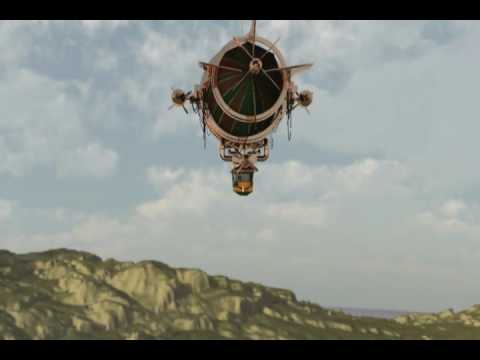 No one asked me - Diomede screenshots on whatever - Warning AI Discussion OK
Diomede said:
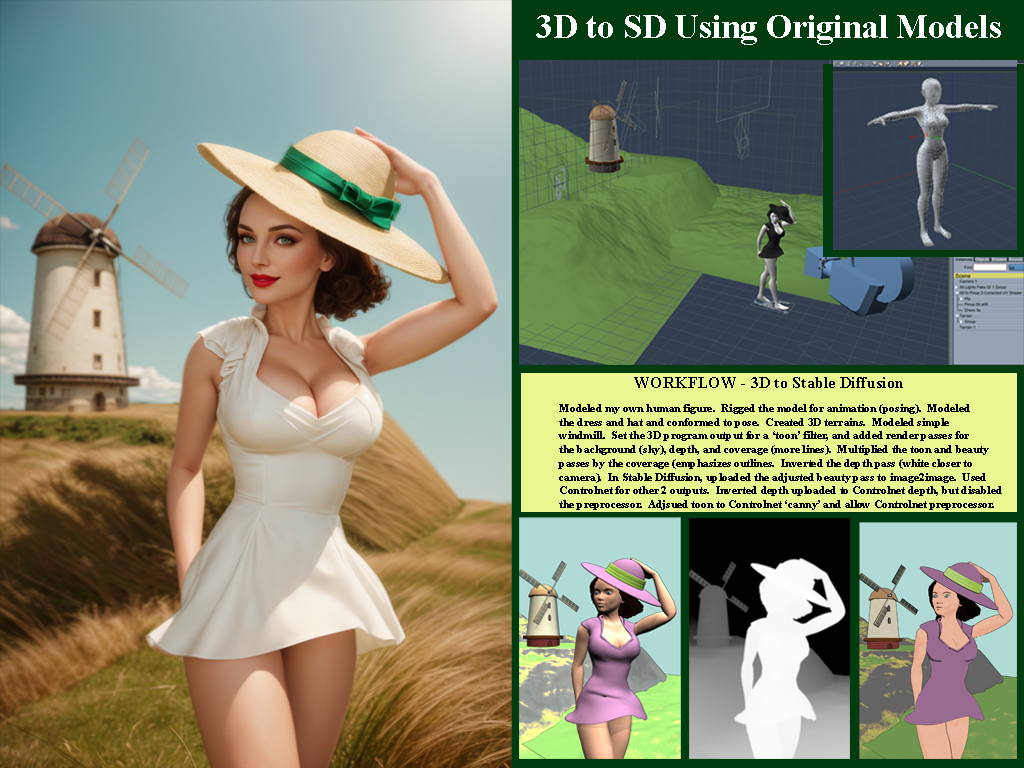
Another Carrara to Stable Diffusion Example. All custom Carrara models. No acquired 3rd party assets, purchased or otherwise.
Thanks for the methodology !!! Nice render !
No one asked me - Diomede screenshots on whatever - Warning AI Discussion OKAnother Carrara to Stable Diffusion Example. All custom Carrara models. No acquired 3rd party assets, purchased or otherwise.
Remixing your art with AIWindmill pinup
One more demonstration of low res models to block out a scene. Will post side by side with workflow in next post. The following could be done with Blender or.... Or, Daz Studio and Poser users could adjust the figures they have. I modeled and rigged a low res beauty suitable for toon renders using Carrara. The emphasis on toon here is to aid the 'canny' preprocessor in the AI program to detect the edges. Similarly, the terrain and the windmill are low res models created in Carrara. In this case, although the blockout elements were designed for toon, the final output is more photorealistic. I generally prefer pulp, illustration, and toonish stuff, but this is a demonstration. Here is the final result.
 Are G2 items still selling?
I buy G2 stuff (and earlier) when discounted. Not only does it work in Carrara as Wendy points out, it works in Daz Studio as well - and can be exported to even more programs to the extent most anything can.
Some caveats on using older content in ways not designed for. I recently bought a G2 item in the sale (a Santa Claus outfit) for use in Carrara, only to find that the highly dense mesh necessary for the fur trim of the Santa Claus outfit took forever to load or use. Would have been much better for me to kitbash existing conent I own and use Carrara's native dynamic hair to add fur trim, or make it myself.
Some positives. For background elements which are going to be obscured by depth of field anyway, some older content is much better for scene management than the highly detailed more recent releases.
So I echo the earlier comment in the thread about paying attention to categories of items.
Are G2 items still selling?it works in Carrara so yes I still buy it
Carrara's shadow catcher is greatHere is an example of Carrara's shadow catcher. I think using Carrara's multi-pass render for the final output would be even better. That way, each layer can be edited in composition software.
DAZ's Genesis 2 Creature Caught Inside Carrara 8.5 | Visual Effect Animation (youtube.com)
Carraracafe down? *ONLINE NOW*therixx said:
Samuel S. said:
Samuel, in your "3D Graphics Adventures for hobbyists(YouTube videos & shorts)" link you seem to have a lot of interesting stuff! I must explore it soon. Thank you :-)
Thank you. I wanted to post more stuff, but I do not get subscribers (probably because videos are not good or people are losing interest in Carrara), therefore, progress is slow. If I can get 500 + subscribers, then I can probably make a video for hobbyists to create a Hollywood-like movie clip or previz using Carrara and Genesis 2's power.
Dartanbeck's Journey - CG FilmmakingDartanbeck said:
...
It's funny. I have a fairly modern (Genesis 8) main character, yet I still use assets from Generation 3 with her. Not Genesis 3... Generation 3 as in V3, M3 and the rest. I also use products for all generations between them and up into Genesis 9.
Good point. When I am just using the 3D as a blockout, such as for Controlnet 'canny' preprocessor, I actually do not want the extra detail that comes with the latest and greatest photorealistic content. As you know, I even go back and use Poser 4 Posette and Dork! And then, after using AI to process from generic to a scene, I can then use Carrara or Daz Studio (or...) to add detail. Then one might want the latest and greatest Genesis 9 high detail content. It is great to have tools in the toolbox that best fit each task. Generic to get started, highly detailed to finish off.
No one asked me - Diomede screenshots on whatever - Warning AI Discussion OKI think that plan will work very well. Can't wait to see what you come up with. And modeling is always a good skill to have. I suggest a third way to use Carrara. After you have used any AI-related workflow to generate an image, use Carrara's shadow catchers, etc to add additional details. For example, AI is notoriously horrible at elements that have text - such as a road sign or a newspaper. Can add with a 2D image editor, which might be fine for a lot of purposes. But with Carrara, you get shadow catchers!
No one asked me - Diomede screenshots on whatever - Warning AI Discussion OKDiomede said:
@Bunyip02 great examples! Thanks for posting them.
.
Carrara is much, much, much better of a partner with AI than Daz Studio Iray. In my opinion. I tried to put together a series of screenshots in a tutorial for people to use Daz Studio to create the blockouts the way I am using Carrara. It is so much faster to insert a Carrara terrain modeler and get the basic shape of desired background terrain than to search one's content collection hoping you have something roughly close to what is in mind. Or insert a vertex object or spline object and get the rough shape of a desired object. And the built in Toon!!! creates lines without having to go in and mess with the material IDs of lots of objects. I gave up on the Daz Studio screenshot tutorial because the entire point is to save time, and it takes too much time to mimic Carrara. No modeler!
Thanks !!!
I am planning on using the AI two ways in Carrara.
First of all is to generate a number of iterations on subjects that interest me, then I will use those images as a guide for setting up a scene in Carrara with my content library.
Second is to use Diomede's method of exporting a scene from Carrara into the AI to generate an image of it.
Also I am keen to get back into 3D modeling, will use the AI images as inspiration for the models. Have been doing a series of start/stops with the modeling largely as I have too much fun rendering.
No one asked me - Diomede screenshots on whatever - Warning AI Discussion OK@Bunyip02 great examples! Thanks for posting them.
.
Carrara is much, much, much better of a partner with AI than Daz Studio Iray. In my opinion. I tried to put together a series of screenshots in a tutorial for people to use Daz Studio to create the blockouts the way I am using Carrara. It is so much faster to insert a Carrara terrain modeler and get the basic shape of desired background terrain than to search one's content collection hoping you have something roughly close to what is in mind. Or insert a vertex object or spline object and get the rough shape of a desired object. And the built in Toon!!! creates lines without having to go in and mess with the material IDs of lots of objects. I gave up on the Daz Studio screenshot tutorial because the entire point is to save time, and it takes too much time to mimic Carrara. No modeler!
Daz 3D is part of

Connect
DAZ Productions, Inc.
7533 S Center View Ct #4664
West Jordan, UT 84084Licensing Agreement | Terms of Service | Privacy Policy | EULA
© 2026 Daz Productions Inc. All Rights Reserved.