-
[Closed] RRRRR - Coming Late Excuses - Render Contest!
Finally got my ducks in a row, so here we go! (I haven’t touched my DAZ inventory spreadsheet since November of 2019 – and I’m still not sure I have everything accounted for.)
Pull #1 (numbers generated by random.org):
5075 – Riven
5820 – Classic Deco
126 – Reception Area
4707 – Orestes Cobwebs (Apparently, somebody was really late!)
Hmm, I think this is what would be colloquially known as a ‘hodge-podge’. Or a “Godawful mess”; tough call!
Now to rummage through my libraries to find out what-all this crap is!
Pray for me, I’m going in…!
What's the one thing you've always wanted to see sold at daz but never have?scwasp said:
One thing I'm constantly looking for are energy and spell effects. There are some, but I'd love to see more.
If you do postwork, check out the brushes here, Ron’s brushes (that won’t show up if you search “brushes”
 ) Orestes, and a few more or there are free and paid ones on Deviant Art, the “other” store, and many all over the internet. I find you can be more precise in postwork but there are several here for in DS like Jepes or you can play with putting emissive lights on any interesting object and resize like waves, splashes, etc...New! Novica & Forum Members Tips & Product Reviews Pt 14
Daventaki said:
Hel The Goddess of the Underworld Bundle G8.1F Orestes HDRI Skies -Cassini Legend of the Stone Keeper- Dreamlight
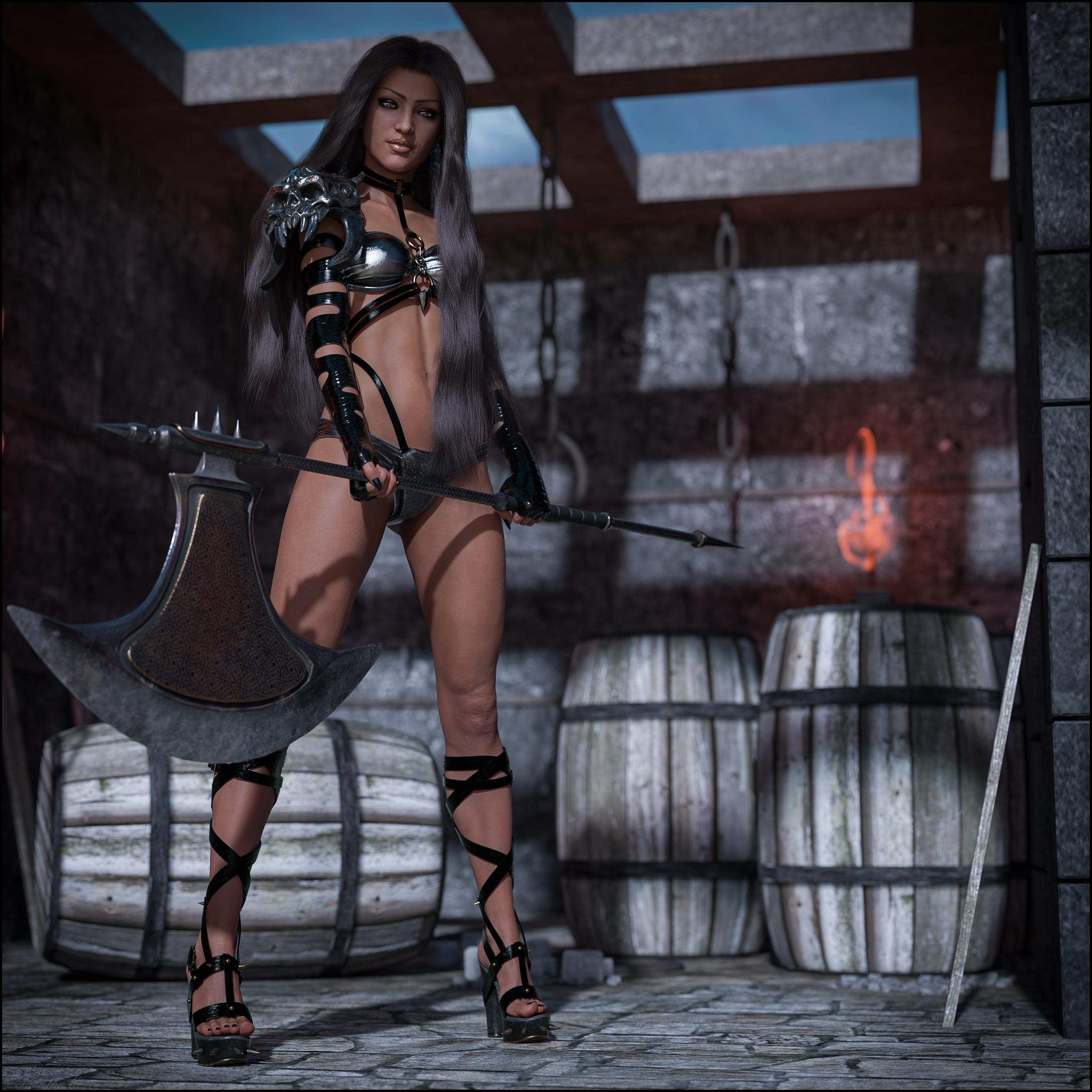
Bundle- I bought the bundle because with all three products I was on the fence. So love Belkahs sculpt and her skin looks good, I was leary of the hair but thought I would give it a try. And I wanted the shoes LOL. I am very happy with my purchase. My only complaint is this set states to be G8.1F but its all in the G8F folders.
Belkah HD- She has an awesome sculpt and HD details. Her eye shadows are ok but I don't really care for the lipsticks although I can see them being used in some renders, they have a thick look to them. HM included both a preset for the whole makeup set (eyeshadow/lipstick) and seperate options if you want to mix and match. There is also nail polish! Eye colors are good with a couple of more exotic colors and some more normal colors. Beware her subdivision is set at 4! But she didn't tank my computer as bad as I thought.
Hel Hair- I wasn't really sure with this one and when I first started simulating it I almost gave up and changed hair. The ends would lay well but the top of the hair was sticking up like she had a flash back from the 80s!! After playing with the sims settings included with the product (there are two differnet sets, idk why might be clear if I actually read the readme but what fun is that!) I finally got it to look more natural. There is also three options for hair quality. My computer did drop to CPU on the highest quality. There are quite a few color options and a couple of opacity options.
Hel Outfit- What can I say I have a shoe fetish lol. I really liked the shoes which was the reason i wanted the outfit. I also really liked the arm sleeve and was originally under the impression that the left was all there was because the right in the promos had a furry gaunlet over it. So i was pleasantly suprised when they both appeared. The outfit is not to bad either and looks pretty good just not something I use that often. It has multiple color options and quite a few morphs.
Cassini Skies- I know you can see much here, this is an older set and I originally was planning an open scene but ended up going with this one. But I still liked the lighting so I left it. I like the planets in the images.
Legend of the Stone Keeper is also an older set, still has good detail. The only complaint I had was the floor was completely flat. I did drop in a displacement that helped a little.
Nice work
New! Novica & Forum Members Tips & Product Reviews Pt 14Hel The Goddess of the Underworld Bundle G8.1F Orestes HDRI Skies -Cassini Legend of the Stone Keeper- Dreamlight
Bundle- I bought the bundle because with all three products I was on the fence. So love Belkahs sculpt and her skin looks good, I was leary of the hair but thought I would give it a try. And I wanted the shoes LOL. I am very happy with my purchase. My only complaint is this set states to be G8.1F but its all in the G8F folders.
Belkah HD- She has an awesome sculpt and HD details. Her eye shadows are ok but I don't really care for the lipsticks although I can see them being used in some renders, they have a thick look to them. HM included both a preset for the whole makeup set (eyeshadow/lipstick) and seperate options if you want to mix and match. There is also nail polish! Eye colors are good with a couple of more exotic colors and some more normal colors. Beware her subdivision is set at 4! But she didn't tank my computer as bad as I thought.
Hel Hair- I wasn't really sure with this one and when I first started simulating it I almost gave up and changed hair. The ends would lay well but the top of the hair was sticking up like she had a flash back from the 80s!! After playing with the sims settings included with the product (there are two differnet sets, idk why might be clear if I actually read the readme but what fun is that!) I finally got it to look more natural. There is also three options for hair quality. My computer did drop to CPU on the highest quality. There are quite a few color options and a couple of opacity options.
Hel Outfit- What can I say I have a shoe fetish lol. I really liked the shoes which was the reason i wanted the outfit. I also really liked the arm sleeve and was originally under the impression that the left was all there was because the right in the promos had a furry gaunlet over it. So i was pleasantly suprised when they both appeared. The outfit is not to bad either and looks pretty good just not something I use that often. It has multiple color options and quite a few morphs.
Cassini Skies- I know you can see much here, this is an older set and I originally was planning an open scene but ended up going with this one. But I still liked the lighting so I left it. I like the planets in the images.
Legend of the Stone Keeper is also an older set, still has good detail. The only complaint I had was the floor was completely flat. I did drop in a displacement that helped a little.
New plugin : HDR light Domeslightdome should be able to load a 8k hdri ?
thinkin bout getting the new orestes set. https://www.daz3d.com/orestes-iray-hdri-environments--lost-grotto
means trying to learn how to make wet carrara hair.
3DU Monsters in My Closet - Eyes black in Iray Preview & Render4.12 here, as well.
I am using https://www.daz3d.com/orestes-iray-hdri-skydomes-summer-day. ; A single monster loaded with the HDRI and all works as expected; tried with both 3dl and then the DAZ Uber Shader.
Two factors seem to be causing the eye issue: distance from the origin and the reduced the scale of the monsters. DS, also, doesn't seem to like the character scale reduced. It acts as if the camera is running through the character before the camera is there. Perhaps it is because it is a .cr file.
Thanks for the responses!
New! Novica & Forum Members Tips & Product Reviews Pt 14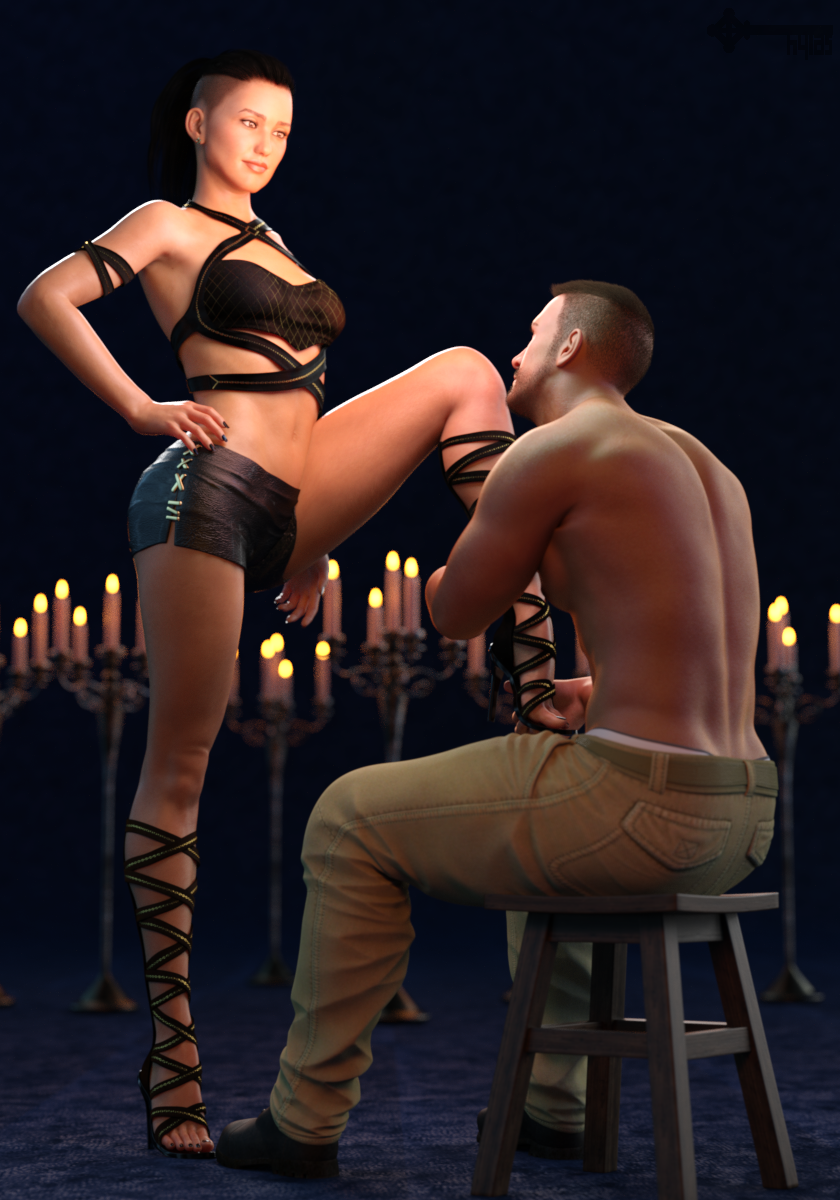
Some stuff I bought recently...
Rayne by Pixeluna
She has a gorgeous, slightly darker (possibly Arab?) complexion with cool undertones. (Then again, you don´t really see her undertones in my render because of all the warm lights I used... *facepalm*)
I think the horizontal width of her eyes is too small, making her eyes look a little beady. But when I add a little in the width she becomes a really beautiful woman.
I find her body morph unremarkable but she comes with an HD morph than can be dialled in separately. My render shows the body of V8 and the HD morphs of Rayne, plus some minor tweaks.Beloved Poses 2 by Mattymanx
Yes, the area around her left thigh/stomach is "clippy". Don´t feel like dealing with it :pAwerie Outfit by 4blueyes & bucketload3d
Bought it mostly for those Glamazon boots. The top is nice, too. Don´t care for the skirt so I replaced it.Tactical Pants by Smay
A little trickier than expected regarding pokethrough, smoothing modifier, and such. But you can make it work.Tenebroso Lighting by Marshian
One of those emissive "eggs" is hovering between them, I clone-stamped it out in post. A 2nd one is somewhere off panel.Mystical Wisps by Orestes Graphics
Only provides ambient and rim light here but those HDRIs are top notch and can bring the drama.Blocky Shadows from HDRImelissastjames said:
Sevrin said:
You did all the usual stuff. To be honest, I've not had great success with the Skies of Gaia generally. Cake'n'Bob, Orestes, Dreamlight and MEC4D all seem to work fine. I don't know what it is.
The blockiness goes away when I turn on spectral rendering...which now screws with all the skin settings. And the best part is this is a promo so I can't/shouldn't really mess with the character's skin and it looks ooofta under spectral rendering.
Spectral rendering is a more accurate rendering mode, you need to fine-tune the skin shaders in order to fit it, really, spectral rendering mode should be the default setting as it's much more realistic and less waxy!
Blocky Shadows from HDRISevrin said:
I've not had great success with the Skies of Gaia generally. Cake'n'Bob, Orestes, Dreamlight and MEC4D all seem to work fine. I don't know what it is.
The render I did above showing the affect was with Cake'n'Bob's beach HDRI, so lighting could be seen as coming secondary to material set-up, althought it oviously plays a part in the overall issue.
The quickest fix for me was to strip out the cloth material settings and compile another in Iray preview mode until the undesired affect goes away. Don't mess with your render setting as you'll just be adding a whole new set of problems onto your current one.... Occam's razor.
Blocky Shadows from HDRImelissastjames said:
Sevrin said:
You did all the usual stuff. To be honest, I've not had great success with the Skies of Gaia generally. Cake'n'Bob, Orestes, Dreamlight and MEC4D all seem to work fine. I don't know what it is.
The blockiness goes away when I turn on spectral rendering...which now screws with all the skin settings. And the best part is this is a promo so I can't/shouldn't really mess with the character's skin and it looks ooofta under spectral rendering.
Here's where your problems would disappear if you started using canvases! One pass for everything that works with one setting, and another pass for everything that works with the other setting. Minor adjustments in Ps or whatever, and you move on.
Seriously, you'll love the flexibility, and wonder why you waited so long. Render files get way bigger, but you can ditch them after you've exported your final image.
Blocky Shadows from HDRISevrin said:
You did all the usual stuff. To be honest, I've not had great success with the Skies of Gaia generally. Cake'n'Bob, Orestes, Dreamlight and MEC4D all seem to work fine. I don't know what it is.
The blockiness goes away when I turn on spectral rendering...which now screws with all the skin settings. And the best part is this is a promo so I can't/shouldn't really mess with the character's skin and it looks ooofta under spectral rendering.
Blocky Shadows from HDRIYou did all the usual stuff. To be honest, I've not had great success with the Skies of Gaia generally. Cake'n'Bob, Orestes, Dreamlight and MEC4D all seem to work fine. I don't know what it is.
I bought all the things! I'm an artist now...@Hylas: I very recently got Tenebroso Lighting but I haven't had a chance to mess with it yet. Your examples for Mystical Wisps look nice, as do the examples for Warm Light. Those are probably my favorite of all your images (the warm light ones I mean). It's a shame I missed out on the freebies in 2018, but I will be keeping an eye out for Ultra Genesis Studio Vol. 1 to become available for free (how does that happen? Does it show up in the weekly freebies?). I have the ITF and Second-Circle freebies, but again I haven't had a chance to mess with them yet.
This image:
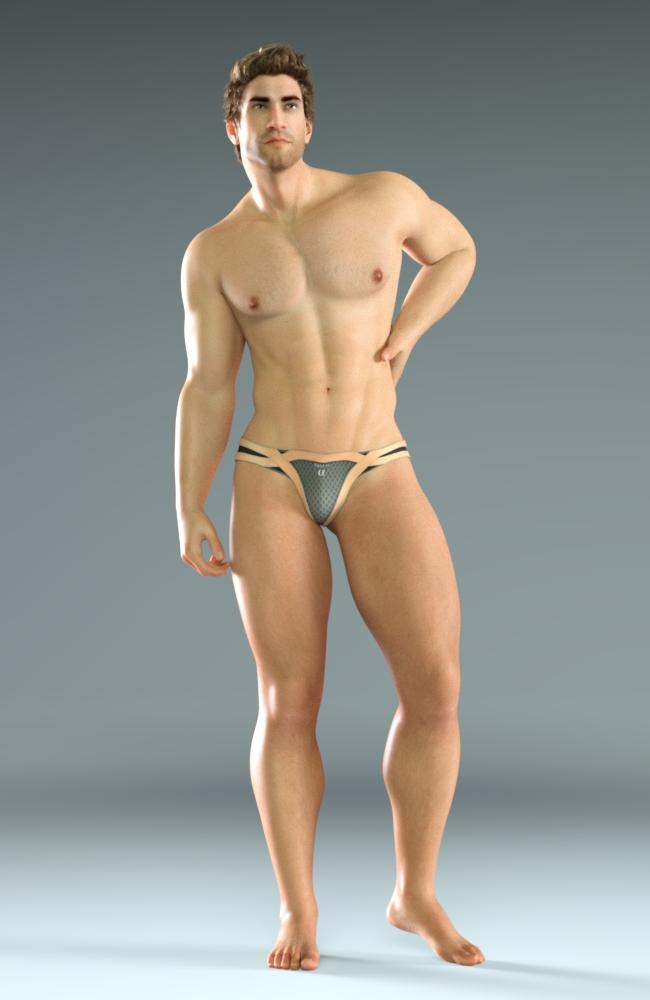
looks especially nice. Is that from the Second Circle set or the InTheFlesh one?
I bought all the things! I'm an artist now...Funny enough, I´ve recently been thinking about portrait lighting and bought some new ligthing products.
I think I´m not too shabby at lighting but I had been relying on the same few tricks and products for a while now and felt like I needed to freshen things up a little.
So I´m gonna take this as an opportunity to write about some of my favourite lighting solutions both old and new (to me), and post some simple renders. Nothing too deep, basically a few micro reviews. Perhaps this will be useful to someone.
ETA: The forum software screwed with the compression of my uploads again. Very irritating but I don´t have the patience to convert everything to PNG and re-upload everything again :/
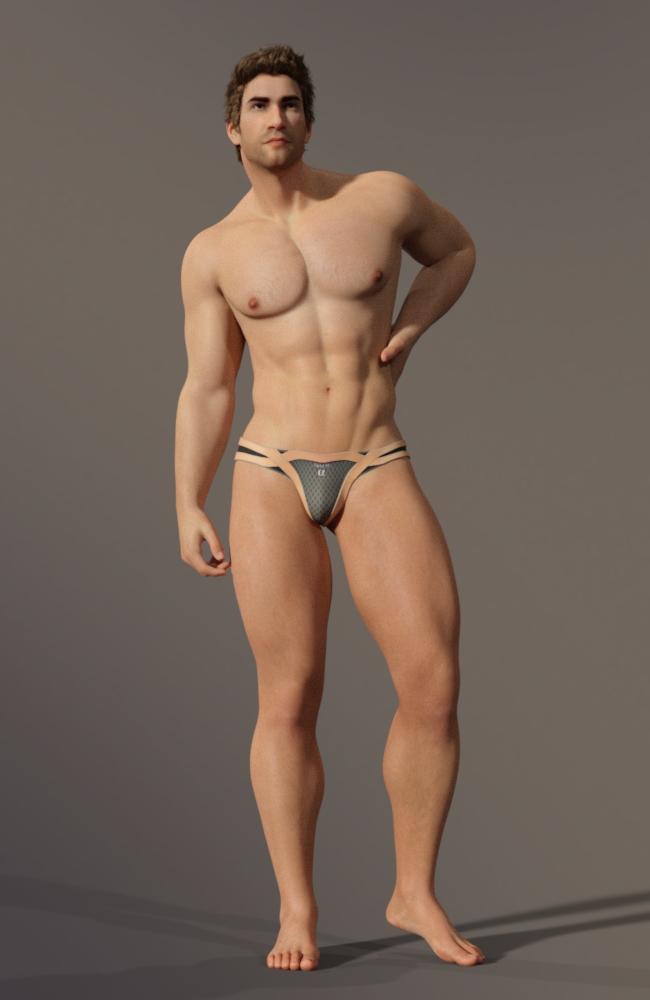
IDG Vibrant Light Probes by IDG Designs was a XMas freebie back in 2018. It´s a set of HDRIs that´s great for well lit, no-fuss no-drama scenes with a simple, pretty background. I don´t think it´s currently available anywhere but if you happen to have it in your library it´s well worth a look.
Ultra Genesis Studio Vol. 1 is available for free every now and then and worth picking up when you get the chance. This product pairs emissive rigs with low-key HDRIs. The rigs can be further manually adjusted in many ways and can also be used independantly from the HDRIs. Positioning and rotating the rigs can be a little tricky. But it´s quite a versatile product if you have a little bit of patience.
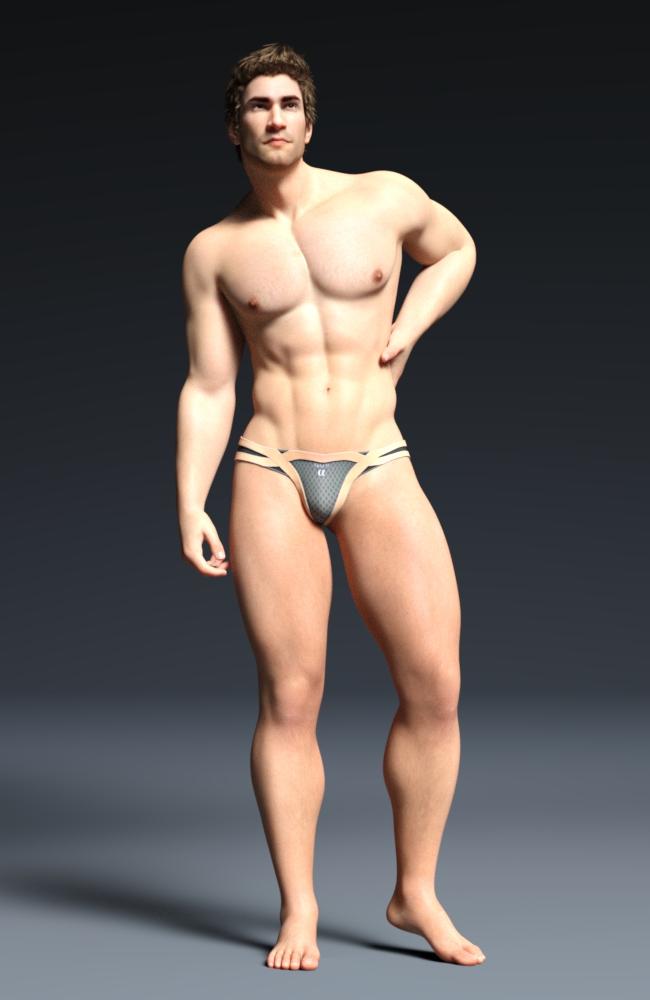
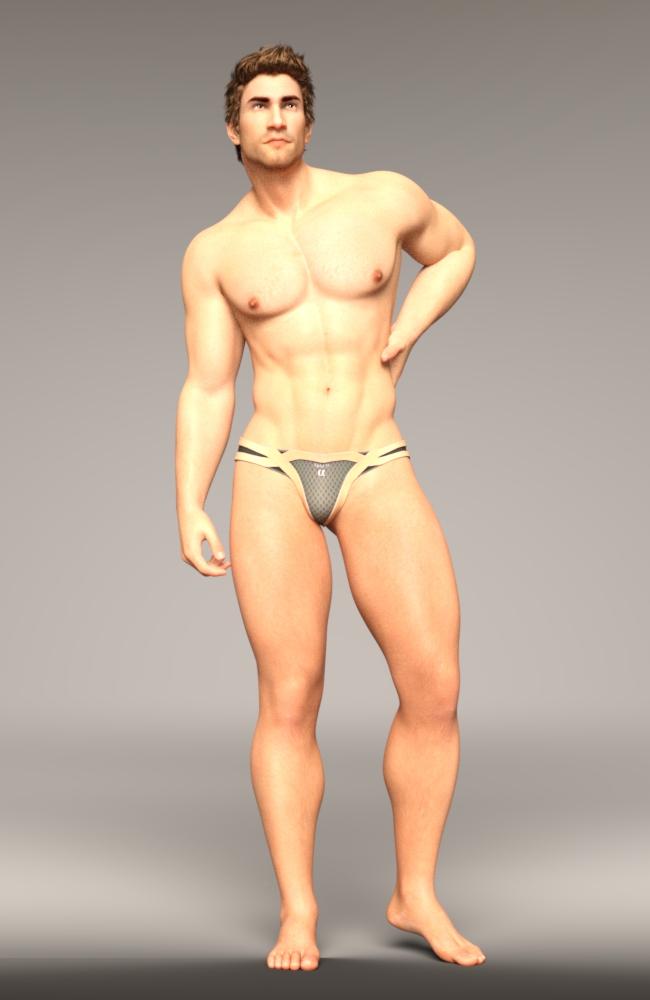
Two free HDRI sets that provide nice, basic lighting: ITF Studio HDRI Pack 01 by In The Flesh and SC HDRI Lights by Second Circle.
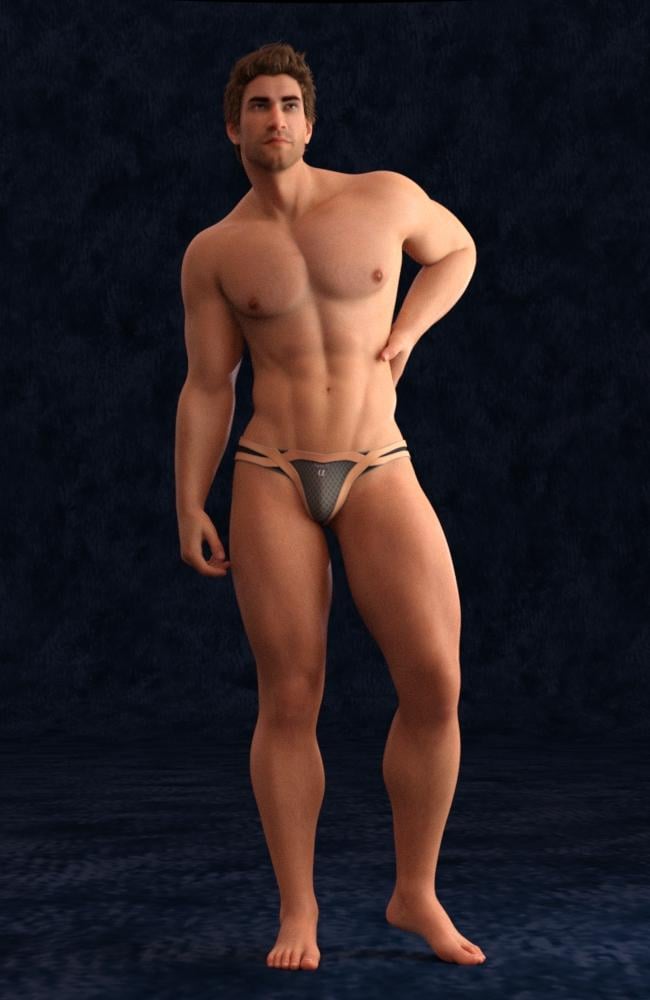
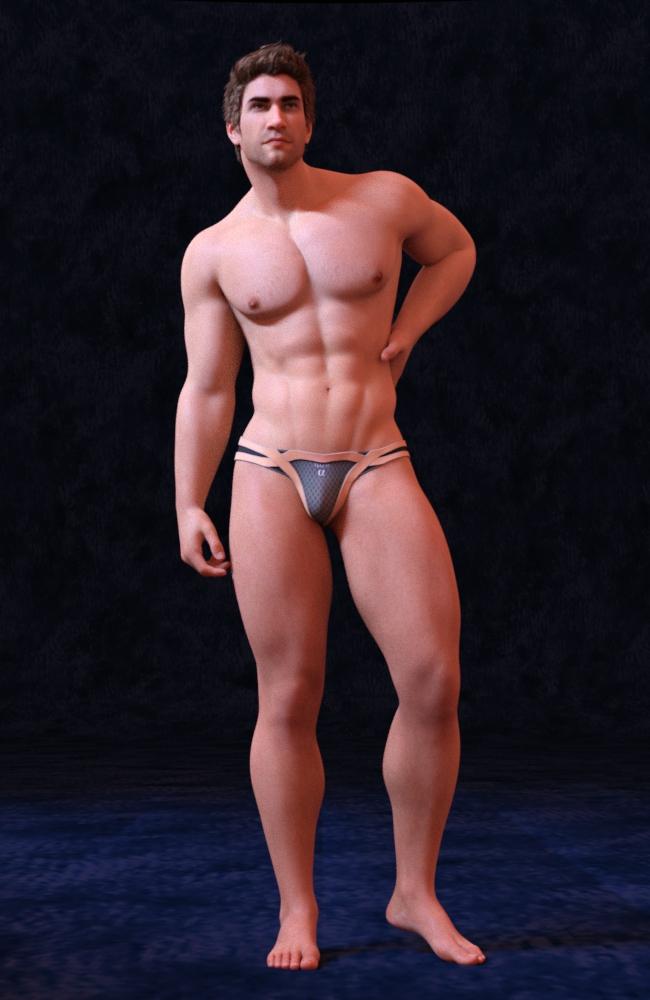
Warm Light by ElianeCK combines simple HDRIs with spot/point/distant light rigs and gives beautiful results in her signature style. I think it´s a great product and really easy to use. The only thing you need to know is that the HDRIs are extremely simplistic and can´t really serve as backgrounds, even for the most simple portraits. So you need to either set up a cyclorama-style prop or apply an image in the environment tab.
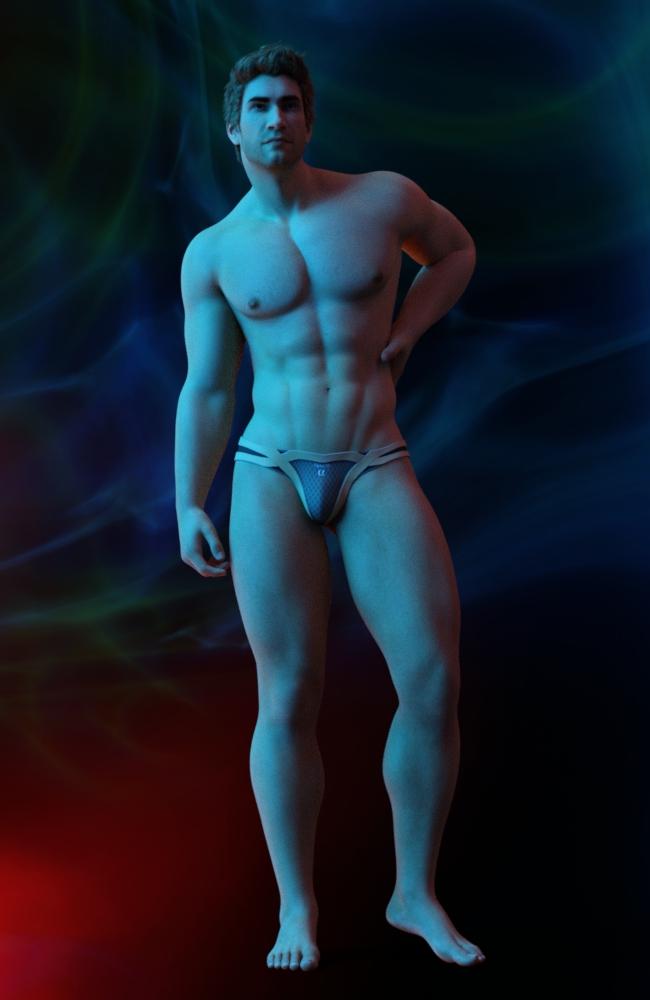
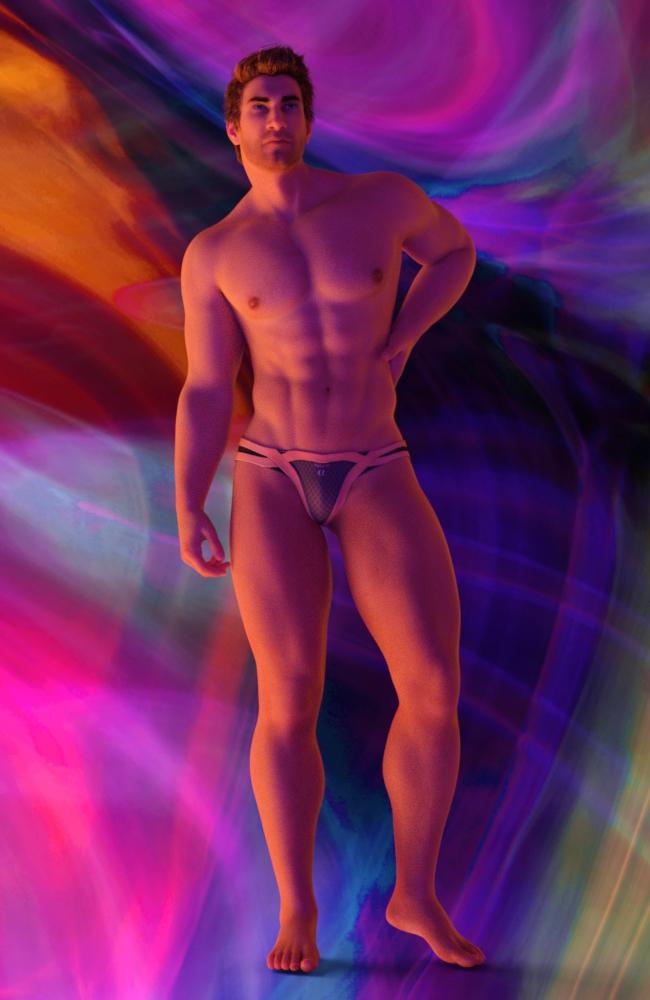
Mystical Wisps by Orestes Graphics is a set of gorgeous HDRIs that provide dramatic and colourful light and also serve as very pretty backdrops. The HDRI-to-price ratio isn´t the best here but the HDRIs really are high quality.
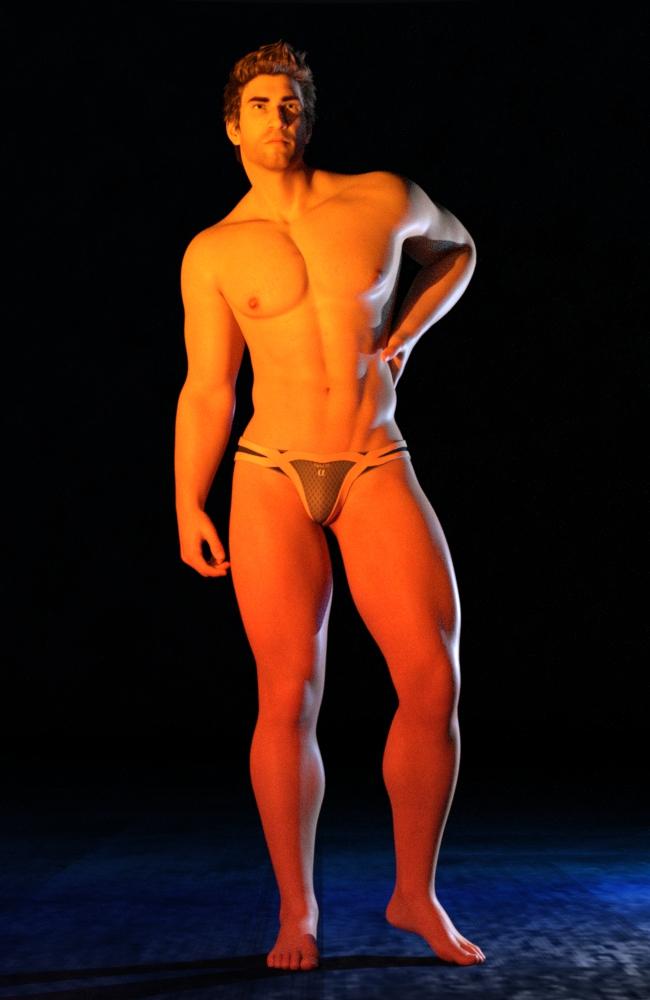
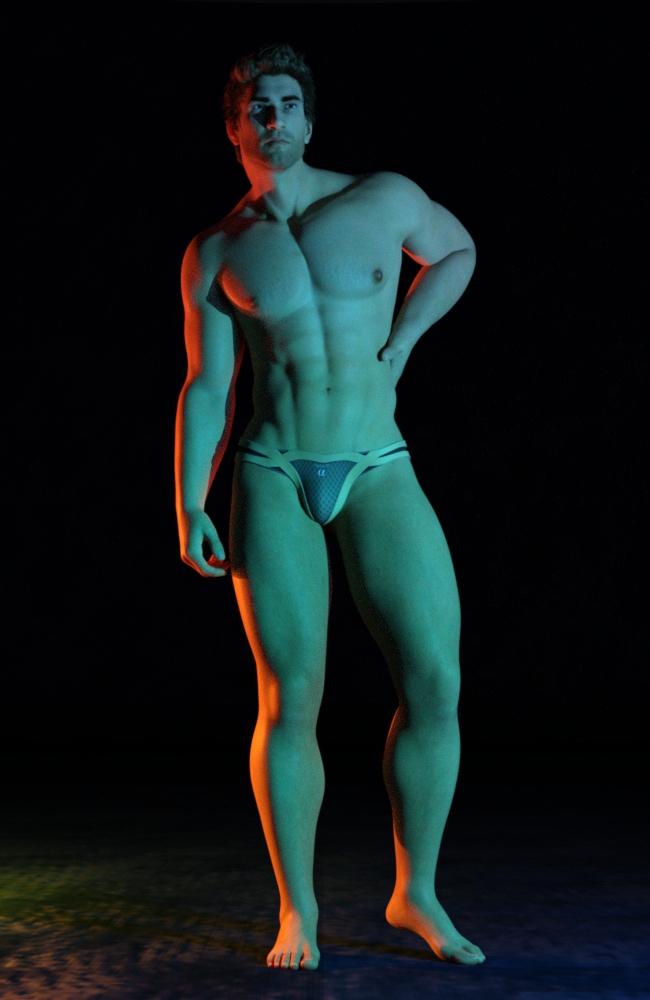
Tenebroso Lighting by Marshian isn´t specifically made for portraits but can be used for that if you´re looking for high drama. This product consists of an emissive prop and a variety of materials that can be applied to it. Just place two or three of these props around your characters and pick some materials at random; you´ll get really interesting results and it´s a lot of fun to play around with it!
Snapshot on the beachCan anyone recommend a good beach ground environment that I could use in conjunction with Orestes HDRI skydomes? I really like the lighting & sky from it and want to be able to have the same lighting for things such as beaches and lakeside scenes. Right now I'm using https://www.daz3d.com/orestes-iray-hdri-skydomes-summer-day and a sand pit.
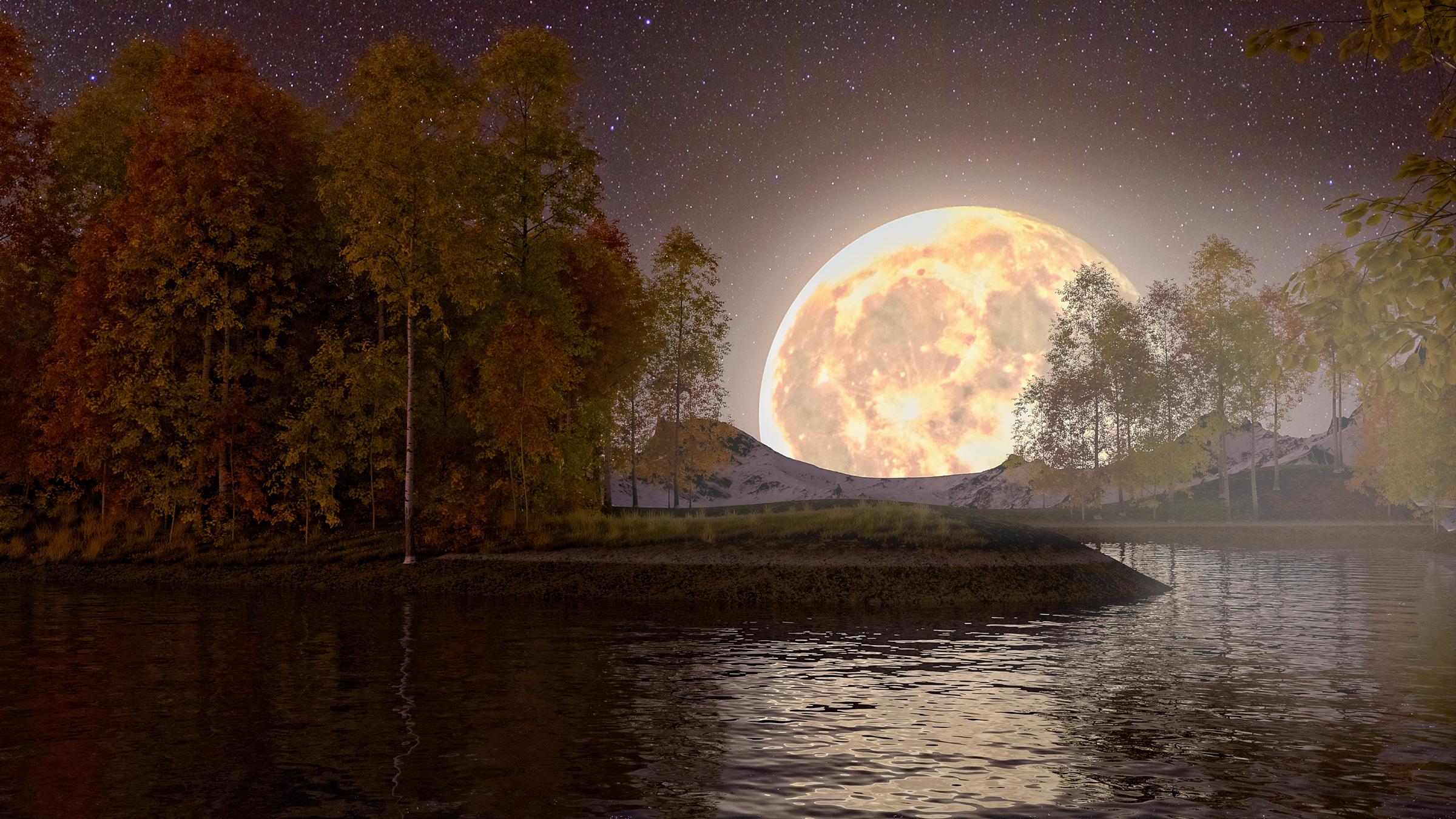
StormLyght's Render AdventuresHappy New Year, everyone! Here is another scene using UltraScenery. I also used Orestes' Fantasy Moon HDRI and Kindred Arts' Mega Terrain: Winter Edition. My goal was to create an image of a moonrise over a mid-elevation terrain with snow-capped mountains in the background and trees covered in fall foliage in the foreground. I added light fog for some atmosphere.
Trish
 Strange Pixels on Skin
I use Dimension-Z's N.G.S. Anagenessis 2 - Revolution shaders on all of my figures. But occasionally, when I render my figures, I see light and dark rectangular pixels on their skin, as you can see in the screenshot I've attached below. The figure in the screenshot is Destiny for Olympia 6, but I've also rendered Victoria 6 and Priya for Genesis 3 with the N.G.S. Anagenessis 2 - Revolution shaders and have seen these pixels on those figures as well. I've noticed the only time I see these markings is when I render a figure up close in certain dark environments. The figure below is rendered with the Orestes Iray HDRI Environments - Cave Shelter. If someone has encountered this problem and/or has any idea how to solve it, please let me know.
Creating a skyFor my renders, I found the ground, road, sidewalks and a lot more. However, what I'm trying to do now is create a sky with clouds. (Or no clouds, that works too.) What I'd like is for the sky to kind of move with the figure, so instead of being an image backdrop, then it's kind of like a prop. I did look into the Skydomes, but I'm not sure how exactly how to use it, of if it works the way I want to. These are the domes that I saw, but I didn't see like a video or anything that gave me an idea of what they do.
https://www.daz3d.com/orestes-iray-hdri-skydomes--hazy-afternoon
https://www.daz3d.com/green-hills-skydome-and-hdri
Then I saw some clouds that were really nice, but didn't know if they would work with the skydomes that I was considering.
https://www.daz3d.com/easy-environments-clouds
https://www.daz3d.com/cloudscape-creator--sky-cover-for-iray
https://www.daz3d.com/cloudscape-creator--hero-clouds-for-iray
To be honest, I'm so unsure cause I don't know if I should actually be looking for a backdrop instead.
Holiday Gifts from Daz PAs3Diva said:
I had an "I need coffee moment" when I first saw the main promo image and was reading the fine print a the bottom I thought it said "Just load into your scene, add figures and pick your nose". lol I was like "har har guys". hahah But of course I had just read it wrong. Oy! Now excuse me while I go make some coffee.


Bahahahaha!! That made me laugh. (True story - after I read what you wrote about your mis-reading, I had to go back and read it for myself - just in case I HAD actually written it that way. I was tired and maybe a little punchy when I put the main promo together.)
It was a lot of fun putting the set together. The name was entirely Orestes' fault.
Happy holidays to all our fine customers (and the not so fine ones as well). I, and I'm probably sure Orestes does as well, wish you all the best of the season. Thank you all for your patronage! Without you, we'd just be loons trying to shill our wares on the street, and since I enjoy working from home, I am profoundly grateful.
And thanks to all the other PAs who are participating. There's some really amazing gifts this year. Thank you for sharing your talents with all of us!
Holiday Gifts from Daz PAswatchdog79 said:
Naturally, the second freebie is amazing too: https://www.daz3d.com/sbibb-kitten-poses-and-morphI do have some scenes in mind with a kitten or two, and this will help me a lot.
Thank you FeralFey, Orestes Graphics and SBibb and Merry Christmas to you all.heart
Awesome, I'm really glad the kitten poses and morph will be helpful for you and your renders. Merry Christmas! :-D
cathan01_wwg1wga said:
Thank you, SBibb, for the Daz House Cat poses and kitten morph. Especially love the expressions. I also appreciate the other Christmas freebies. Thanks to you all and Merry Christmas.
Aww, I'm really glad to hear you like the poses and morph, and that you love the expressions. They were fun to make. Merry Christmas to you, too! :-D
Daz 3D is part of

Connect
DAZ Productions, Inc.
7533 S Center View Ct #4664
West Jordan, UT 84084Licensing Agreement | Terms of Service | Privacy Policy | EULA
© 2026 Daz Productions Inc. All Rights Reserved.