-
3D Art Freebie Challenge ---June:Dawn of a New Day... MAIN Thread
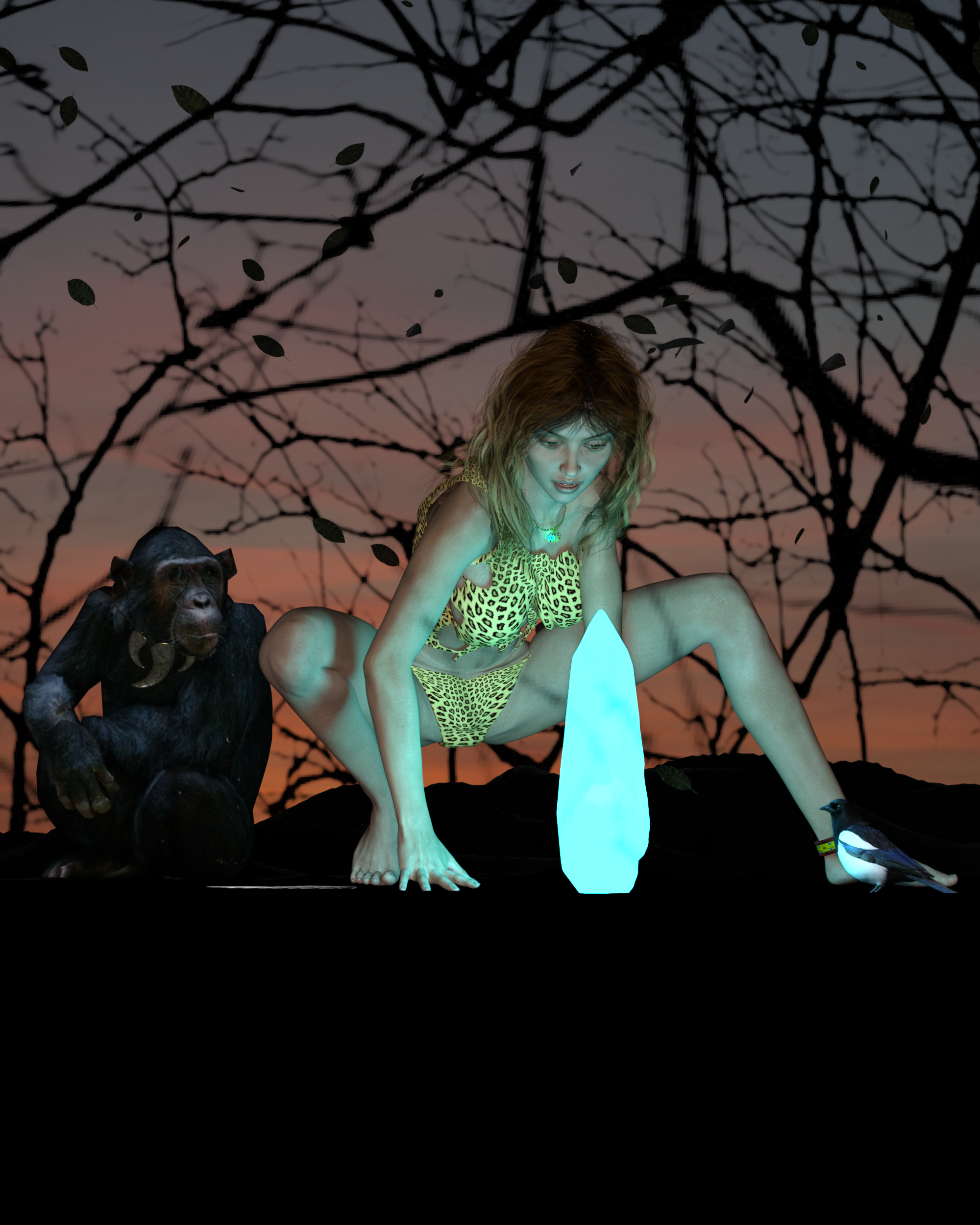
Dawn of Discovery
Bought:
- Victoria 7
Freebies:
- Fanatsy Crystal
- Girl's Necklace
- Jewelry Shaders
- Torn Shirt
- Cloth Shaders
- Woman's Anklet
- Chimpanzee
- Chimpanzee's Necklace
- Magpie
- Forest Shadows (last on the page)
- Vincent Hair
- Terrain (last on the page)
- Leaves
- Pose
- Sky
No Count:
- Undies (came with Genesis 3 Start Essentials)
My Entry (Click to see Full Size):
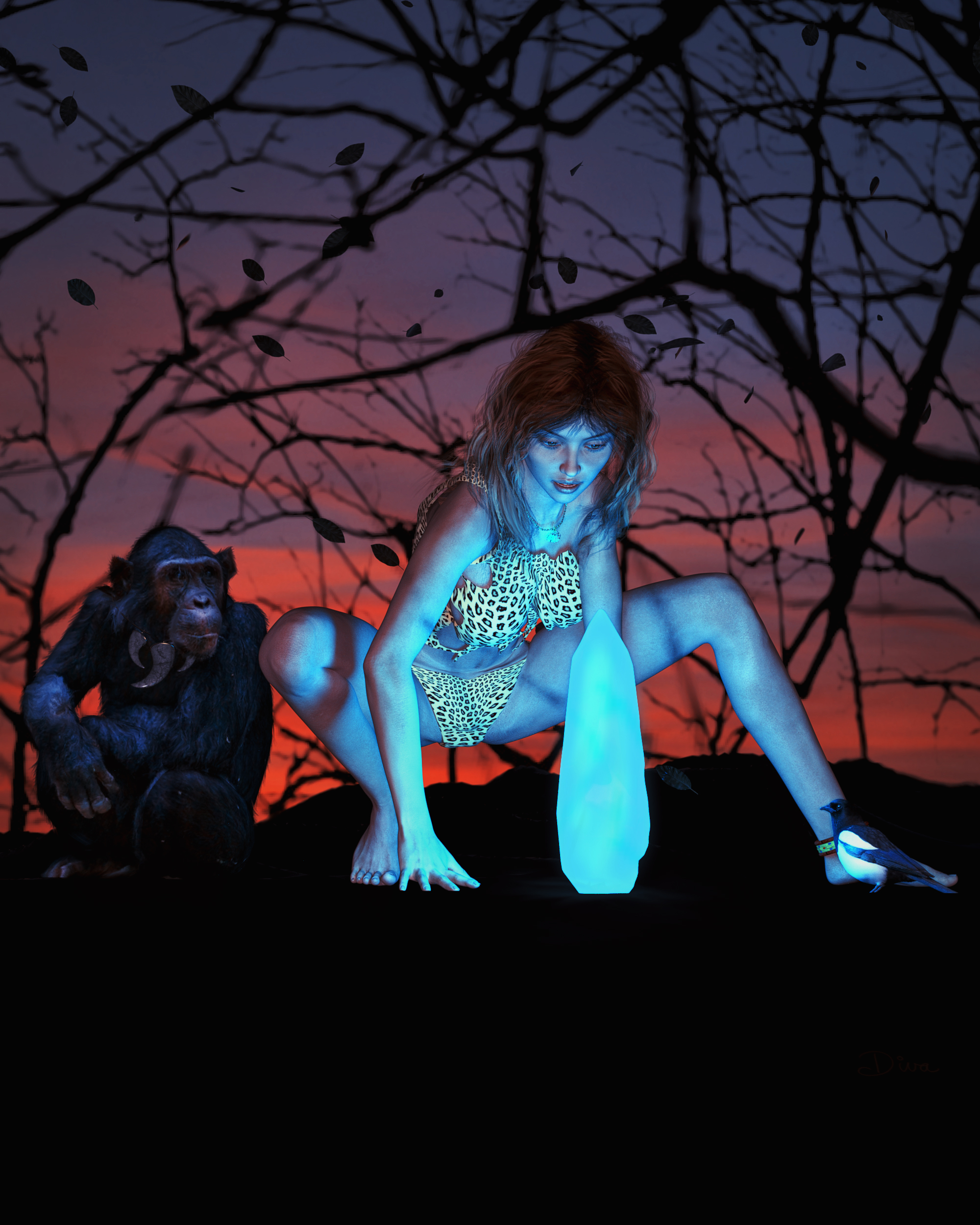
As requested in the Rules, image before Post Work:
 From Russia for Rune 7
Hi Petercat, I will render a couple of samples for you with Victoria 7 and others. Here you have Russia skin applied to my character Akiko for Mei Lin.
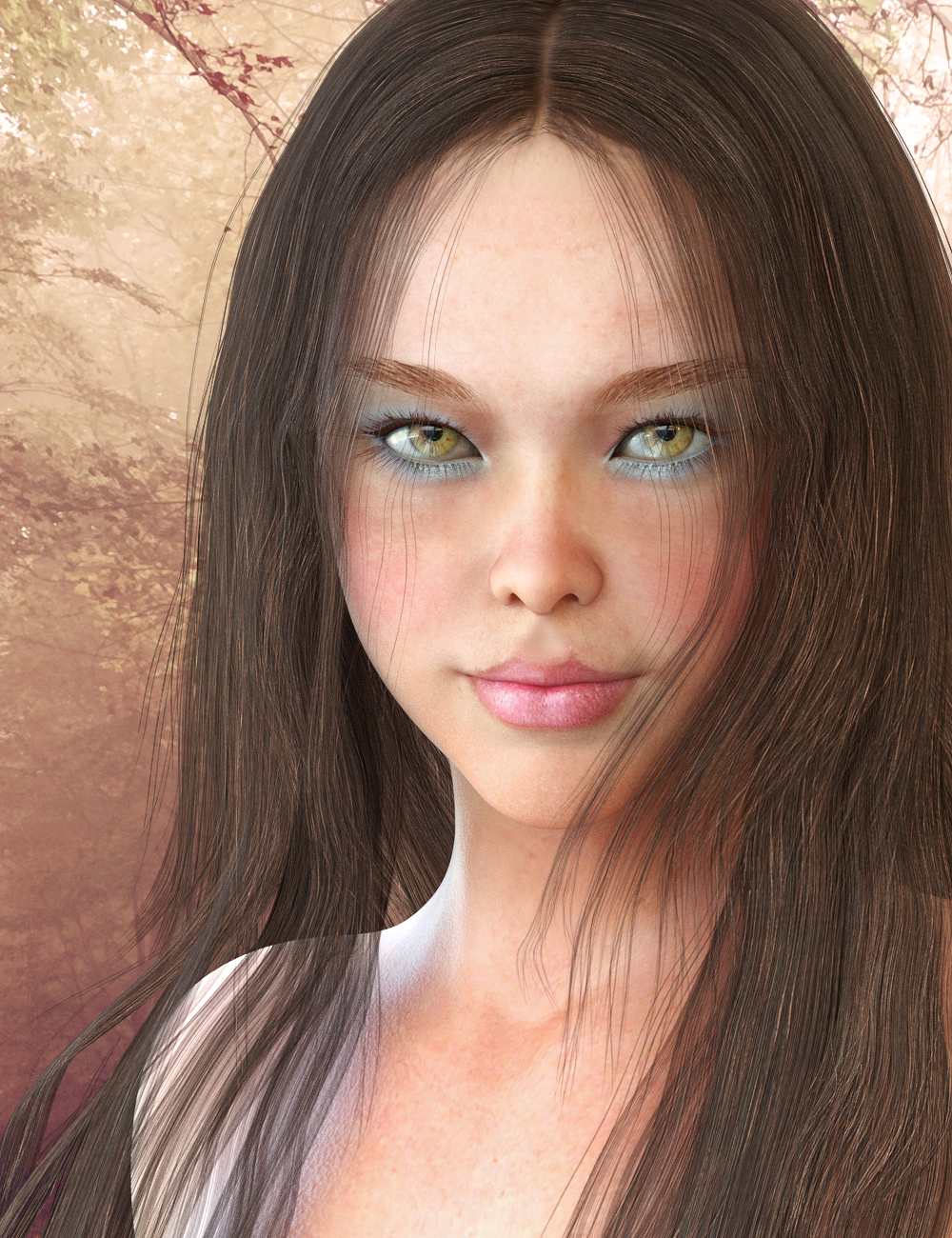
Wow, love this! It reminds me of actress Summer Glau (Firefly)
Problem with new Seduzione Heels for Genesis 3 Female(s)An update for anyone curious or anyone having the same problem. I opened up a support ticket and after some back and forth the issue was figured out, although the "fix" is limited. These heels apparently have an issue with Daz Studio's auto-follow. Any deviation from the base model and included character morphs causes varying levels of distortion. This is the first clothing item out of several dozen that I've purchased that exhibits this kind of behavior with auto-follow. The limited work around in cases where there's very little distortion is to apply a smoothing modifier and adjust as needed. With higher levels of distortion the modifier smooths it out but it's still there. I noticed some more odd behavior however when posing the feet with the heels on (side to side movement for example). The actual heel of the shoe skews in relation to the rest of the shoe.
I tried the heels on all of the characters I have gotten from Daz 3D. Out of 16 only 5 show no distortion and two of those are the Genesis 3 Female base and the Victoria 7 base, which these heels include custom morphs for. I suspect the other three that work have base foot morphs as well. The item features state "Other Shapes supported in Daz Studio by Auto-follow" like most items do, however as of right now I'd say that's false based on what I've seen.
The only real fix is to create your own custom morphs for each different character you want to use them on (if there's distortion). That or hope the item's author will address and fix the problems with auto-follow. Not sure if that will happen or not.
Fiddling with Iray skin settings...I bought Leo today so I had to make a fixed skin preset for myself.
I wonder why Daz artists make all the characters as sun burned piglets
Looks nice. What did you do: further decrease "Translucency Weight", or change "Translucency Color" from the the original ridiculous red or the newer dark reddish-brown to a lighter brown?
Because many of them still seem to work by the principles they evolved for the 3Delight renderer, I'd guess.
 (Crude guesswork over the thumb.)
Part of the "sunburn" problem is the change between DS4.8 and DS4.9 and the change that Nvidia did to Iray. Which is why some of the "older" figures like Victoria 7 were updated.
Partially. What has changed is the color for the "SSS Reflectenace Tint" from a blueish to a yellowish one. Two things still not defined correctly are
- "Transucency Color" (if you'd peel off the epidermis, you won't find a dermis tissue that red, its more a pinkish tone, depending on the amount of minor blood vessels within that part of the skin layer. Ever had a blister where the upper layer of the skin got rid off? That would be the color tone we're looking for, if the light returning to the skin surface wouldn't be a subject of further absorption from its repeated cruise through the epidermis again.)
- "Transmitted Color". There are a lot of different ones already in use: from the original pink (1.00, 0.34, 0.34) over blue (0.41, 0.72, 1.00) and a newer reddish-white (0.95, 0.12, 0.12), and as I've seen comes Izabella 7 with a white! Transmitted Color. Each of them is just completely nonsense.
Take a real-world measured Absorption Coefficient for human skin (whole skin) for each of a red, green and blue wavelength range, and put them into the equation the Iray renderer uses for the calculation of the Transmitted Color. What you'll get, putting the results into the red, green and blue color input fields, is always a skin tone. The color of one's skin tone is a result of melanin absorption within the epidermis and haemoglobin absorption within the dermis. The result of both combined is the color tone you see when you look into a mirror... if you'd see any ridiculous red, blue or white color tone, I'd strongly suggest you should see a doctor!
A 1.00 value in one of the color input fields is even a thing the NVIDIA engineers strongly recommend not to do: the amount of light transmitted trough a given material doesn't change if the Measured Distance changes. Means, even if a skin layer would have a thickness of 1,000 km, 100% of the light sent in on one side will still come out the other side. A non-absorbent material? Not Physically Based...
Yeah... what he said! Only he said it better than I would have. And he's got the science, not just 'tude :)
Fiddling with Iray skin settings...Part of the "sunburn" problem is the change between DS4.8 and DS4.9 and the change that Nvidia did to Iray. Which is why some of the "older" figures like Victoria 7 were updated.
2016-01-21 - Updated Iray materials for Daz Studio 4.9, added Iray Legacy preset to be applied after other materials.
source: http://docs.daz3d.com/doku.php/public/read_me/index/21750/start
Nah... that's not really the issue. The issue is their bizarre material settings and color choices.
Does measure metrics work with V7?I assume you mean Figure metrics - the script for applying a set of standard measures to a figure and, optionally, using selected properties to adjust to fit a desired size. In which case yes, there is a preset for Genesis 3 Female (which is what Victoria 7 is).
From Russia for Rune 7Here there is Russia skin applied to Victoria 7. Iray Render stopped at 80%.
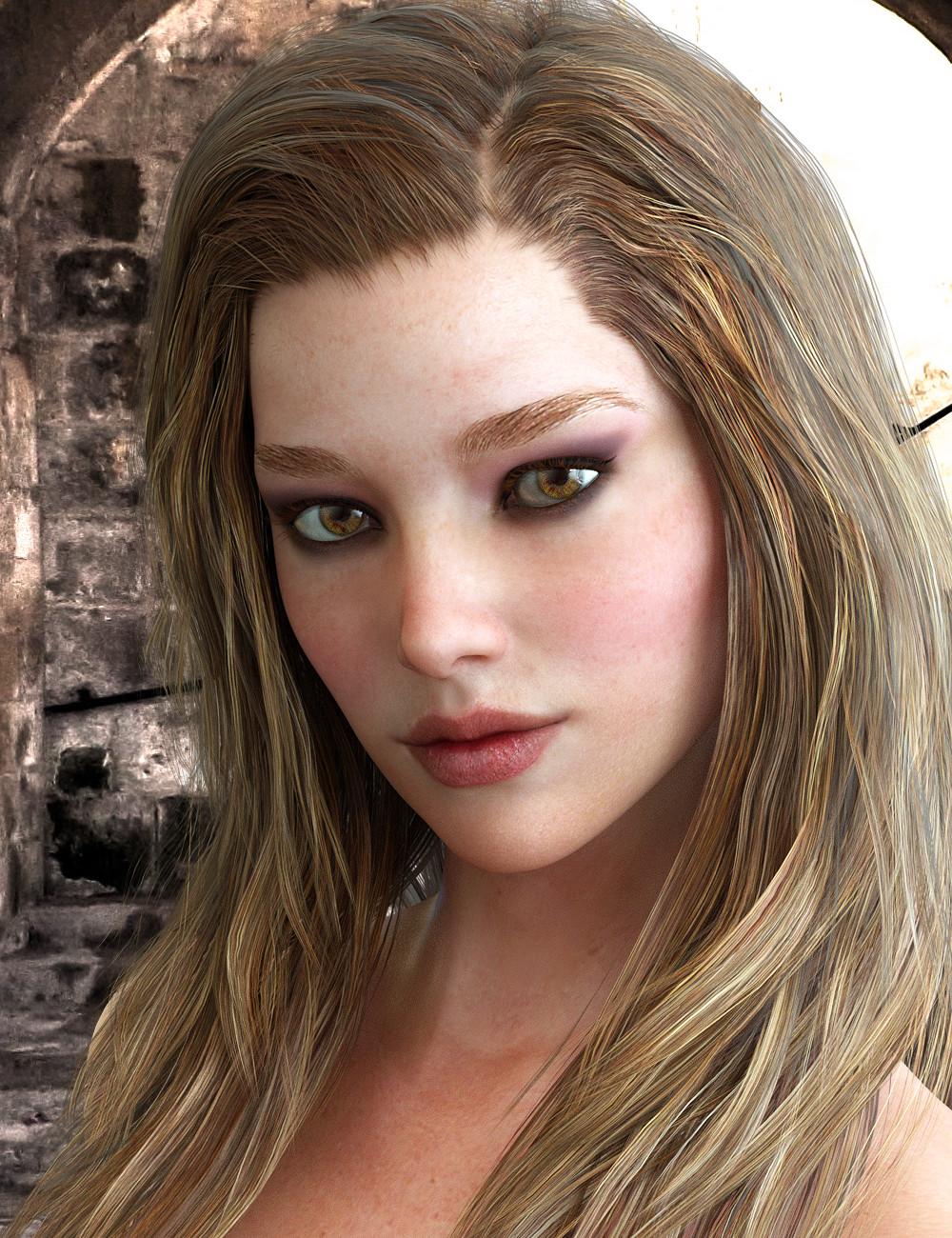 From Russia for Rune 7
Hi Petercat, I will render a couple of samples for you with Victoria 7 and others. Here you have Russia skin applied to my character Akiko for Mei Lin.
Fiddling with Iray skin settings...I bought Leo today so I had to make a fixed skin preset for myself.
I wonder why Daz artists make all the characters as sun burned piglets
Looks nice. What did you do: further decrease "Translucency Weight", or change "Translucency Color" from the the original ridiculous red or the newer dark reddish-brown to a lighter brown?
Because many of them still seem to work by the principles they evolved for the 3Delight renderer, I'd guess.
(Crude guesswork over the thumb.)Part of the "sunburn" problem is the change between DS4.8 and DS4.9 and the change that Nvidia did to Iray. Which is why some of the "older" figures like Victoria 7 were updated.
Partially. What has changed is the color for the "SSS Reflectenace Tint" from a blueish to a yellowish one. Two things still not defined correctly are
- "Transucency Color" (if you'd peel off the epidermis, you won't find a dermis tissue that red, its more a pinkish tone, depending on the amount of minor blood vessels within that part of the skin layer. Ever had a blister where the upper layer of the skin got rid off? That would be the color tone we're looking for, if the light returning to the skin surface wouldn't be a subject of further absorption from its repeated cruise through the epidermis again.)
- "Transmitted Color". There are a lot of different ones already in use: from the original pink (1.00, 0.34, 0.34) over blue (0.41, 0.72, 1.00) and a newer reddish-white (0.95, 0.12, 0.12), and as I've seen comes Izabella 7 with a white! Transmitted Color. Each of them is just completely nonsense.
Take a real-world measured Absorption Coefficient for human skin (whole skin) for each of a red, green and blue wavelength range, and put them into the equation the Iray renderer uses for the calculation of the Transmitted Color. What you'll get, putting the results into the red, green and blue color input fields, is always a skin tone. The color of one's skin tone is a result of melanin absorption within the epidermis and haemoglobin absorption within the dermis. The result of both combined is the color tone you see when you look into a mirror... if you'd see any ridiculous red, blue or white color tone, I'd strongly suggest you should see a doctor!
A 1.00 value in one of the color input fields is even a thing the NVIDIA engineers strongly recommend not to do: the amount of light transmitted trough a given material doesn't change if the Measured Distance changes. Means, even if a skin layer would have a thickness of 1,000 km, 100% of the light sent in on one side will still come out the other side. A non-absorbent material? Not Physically Based...
Fiddling with Iray skin settings...Part of the "sunburn" problem is the change between DS4.8 and DS4.9 and the change that Nvidia did to Iray. Which is why some of the "older" figures like Victoria 7 were updated.
2016-01-21 - Updated Iray materials for Daz Studio 4.9, added Iray Legacy preset to be applied after other materials.
source: http://docs.daz3d.com/doku.php/public/read_me/index/21750/start
Carrara 8.5 Pro Fast Grab!There are other things than IRAY, Carraras Native renderer is fairly good and then there is the LUX Core beta that does an excelent job and not just tied to NVIDIA cards.
It is still an awesome Program for the price.
True, true. Not to mention for those newer users that don't have them yet; you get the Michael 5 & Victoria 5 Pro bundles, both, plus the other content thats included.
Many questionsHi, Roy.
First, for some reason people always call Studio by the company name. Daz 3D is the company and they make content and have certain programs: Studio, Carrara, Hexagon and Bryce.
Poser items are still sold at Daz. Insofar as ones made by Published Artists, the vendors here at Daz, it's up to them if they make them for Studio or Carrara or Bryce. Some artists do not own or use Poser, so it is logical that they do not make products for those. I have not used Poser in many years, so I normally only do Studio products, as an example.
I'm guessing you're calling Studio and Poser editors when you ask if you can work with Genesis 3 figures (Victoria 7 is a morph of Genesis 3) in both programs? Some people have taken Genesis 3 figures into Poser, but you'd have to search the forums to see if they were completely successful.
People work with Genesis 3 figures in Blender, yes, to make products for use in Studio, or to do scenes in Blender.
If you make the Squirrel suit for Genesis 3 Male (like a mascot?), yes you can submit it to Daz. The squirrle suit would not be a character; it would be more like the suit would require the use of the Genesis 3 Male to work properly. If you look at the Daz Store, you'll see many clothing items that work this way.
Welcome to the forums. :)
Many questionsHello, my name is Roy. I am new to 3d creation and have many questions I can't find on youtube or google. I have poser, blender and of course daz. Here are some of my questions.
1) I have seen posts that say poser and daz have gone separate ways. Is it possible to freely move genesis 3 and victoria 7 characters between the two editors?
2) can I do the same with blender and daz?
3) Let's say for example I made a squirrel suit for genesis 3 male, could I sell it on daz, or would I need to create my own character from scratch to sell the squirrel suit for to avoid a copyright infringement? I think I explained that right.
Released : Wet And (Or) Tanned Skins For Genesis 2 (Commercial)Ok I just had a look and it works!!! I just tried on Victoria 6.
What is happening is : when you swap from another preview mode to this one (preview mode is "texture shaded", "wireframe", "Nvidia Iray", etc, etc), OR if you apply the shader for the first time in your Daz Studio Session, then the shader must be "calculated" by the render engine (this is not Iray uber). So, during something like 20 seconds on my computer when I swap from, for instance, texture shaded to Iray preview mode, then I have something Clay as you mention, but after that it is OK. It takes 20 seconds whether I use my video board or only my CPU. (for info : CPU = i7-4770K, and Video Nvidia 780Ti)
It is only that long when you swap from another preview mode to Iray. The good news is that, after that, if you simply move your figure or camera or adjust the shader, it just takes 1 to 2 seconds for the result to be displayed. I don't remember it behave like that before, so it works, but when you swap from another preview mode to Nvidia Iray preview mode, you have a time when you go "clay" before the shader is visible.
One thing I wanted to add, is that this behavior is not linked only to my shader. When, for instance, I apply Stephanie 6 material on V6, then it is rendering "white" during 15 seconds. Same when I loaded Mei Lin 7 in the scene, I had a Clay render during 17 seconds. If I swap from AoA to IrayUber shader I also have a 17 seconds Clay. So this seems to be a pretty general behavior.
I also just checked that if you change the tan preset or wetness preset, it also takes only around 1 second of clay before it is visible.
Can you tell me if it solved your issue ? I mean, that if you wait the "clay step", then the skin is properly displayed?
Pose Builder & Pose Converter Support Thread [Commercial]trying to use V4 to Genesis 2 Pose Converter, when loading app message appears that the following file was missing
data/daz 3d/genesis 2/female/uv sets/daz 3d/victoria 4/victoria 4.dsf
am using Daz 4.9.2.70, when I look for that file I can find it in data/daz 3d/genesis/female/uv sets/daz 3d/base/victoria 4.dsf
any way I can fix this? Thanks.
ZDG random Daz Studio discoveries and questions.17,000x4x4x4x4 for Victoria 7 HD.
17,000x4x4x4 for FWSA Paloma.
4960x4x4 for the item you're testing today.
Released : Wet And (Or) Tanned Skins For Genesis 2 (Commercial)Hi V3Digitimes,
Whatever I do, I get completely gray skin when I use this product. I've tried it on a few figures including some DAZ original figures such as Victoria 6, but I get the same gray skin for all of them. I am following the instructions in the User's Guide by the way. The gray I get is not the "silver" issue outlined in the user's guide. It's just a dull, clay-like gray. I am using Daz Studio 4.9 and iRay. Does the product work with Daz Stduio 4.9?
My Lease Is Nearly Up On The Complaint Thread...yeah cars may be safer and more efficient today compared to the heavily chromed bests of a half century ago, but they are all looking more and more alike each year. Getting hard to tell a Chevy from a Nissan or a Ford from a Hundai these days.
...and some are just plain butt ugly (like most SUVs and the Nissan Leaf).
Form follows function.
 (Except in Italy where where form is everything! Function be damned.
  ) I suspect that Victoria's bikini armor was Italian.Help with starting on Daz- the right content.
Well, you can use V4 and M4 poses on Genesis, and Genesis 2 (which come free with DAZ Studio) but the feet and hands don't transcribe correctly, so you might have to do a little bit of tweaking there.
Before you start buying, I'd recommend that you join the PC club (at least temporarily), as you get a lot of content cheaper (for example, you get a discount of 30% on DAZ originals). Also, keep an eye open for PC-items; the majority of the back catalogue is $1.99 for PC members. Also, if you have a bit patience, M4 and V4 base figures occasionally show up in the "Freebies".
There's also a 80% off M4/V4 sale right now. If you buy any new release, you get a discount of 80% off items:
- http://www.daz3d.com/featured-michael-4-products-5003#
- http://www.daz3d.com/featured-victoria-4-products
If you just want to test out things, perhaps it's best if you use plain Genesis (any generation) in your animations, and see if the work flow suits you. It's my experience that it's rather easy to get carried away by all the useful and bling stuff in the shop, but once the initial excitement wears off, and you have to tackle the posing, lighting and render times problems, it can get rather frustrating.
Get Your Encrypted Daz Connect Content Here Thread - none at the moment 2018-01-30http://www.daz3d.com/fw-nadine-hd-for-victoria-7 Release Date: 2016-06-26 link is wrong as it includes the word Release and a prior space.
BTW thanks for the list! Just going through to see how many I grabbed without releasing it!
Thank you very much - I corrected that link.
The title of the thread stays as it is, as Daz3d is calling it "Encrypted Content" and everybody around here knows what it is about.
Daz 3D is part of

Connect
DAZ Productions, Inc.
7533 S Center View Ct #4664
West Jordan, UT 84084Licensing Agreement | Terms of Service | Privacy Policy | EULA
© 2026 Daz Productions Inc. All Rights Reserved.