-
What makes Texture Shaded Becomes Too Dark? [Solved]
Yeah, that's pretty normal which is why you use the preview light in those situations. Texture shaded mode does not support the same light as iray and so you cannot use it to confirm light placement and strength. The flip-side is that it is a lot quicker to work in for building the composition, moving, rotating and posing etc than iray. You could try using filament maybe? I believe that is supposed to be somwehere in the middle although I haven't really used it much so don't know for sure. You'll have to tweak the settings to more closely match iray first tho - WPGuru has a Youtube video on that.
Remixing your art with AIThanks for sharing that video! My first impressoins?
There are a number of software to master whose output cascades into one another. For someone new to generative AI art, there's a good amount of technical learning involved here. There's also a lot of room to make mistakes, but just the same there's room to develop one's own style and adapt the process to achieve one's unique goals.
Also, even with generative AI's assistance, the techniques here still require effort and judgement on the part of the user. This isn't just with the manual steps of cleaning the intermediate images, or organizing them into sheets; more importantly; it takes a trained eye to separate the good from the bad images the AI outputs. Clearly it takes a fair amount of patience to put together a good training set. As with anything to do with software, garbage in equals garbage out. The better the garbage man -- in this case, the better the artistic vision and the higher the artistic standards -- the better the overall output will be, so to speak.
Again, thanks for sharing the video.
3Diva, the video is worth looking into.
Cheers!
juvesatriani said:

here cool video which talking about generating same character in SD with help of controlnet and some manual fix.
The video itself actually about preparing character sheet or data set for LORA training but I think we can use several trick from that video to generate same character with bunch of poses .( ehich we can reuse or copy pastee into another scenes)
You can start with DAZ preview or Filament render as controlnet sources or IMG2IMG guide
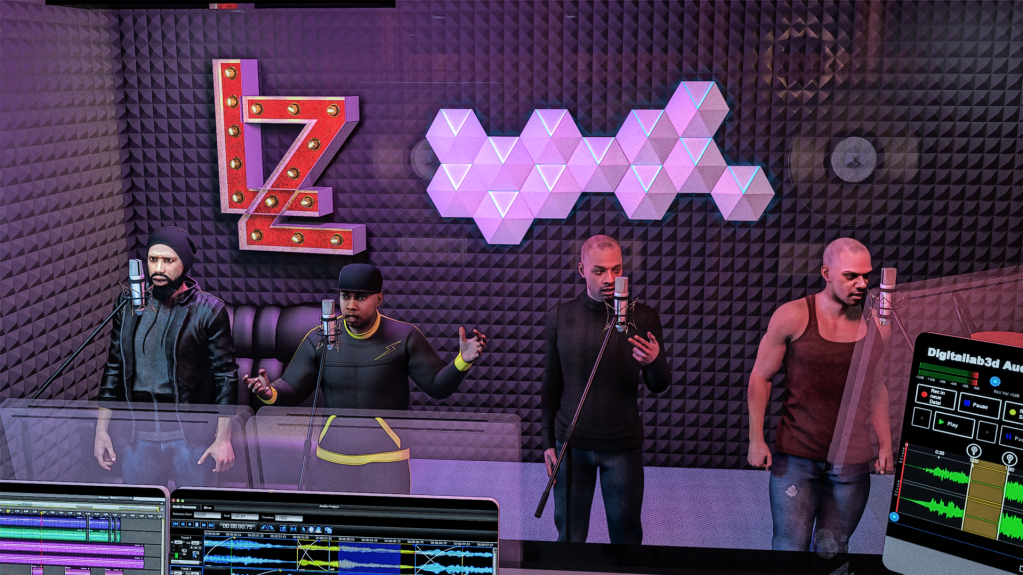
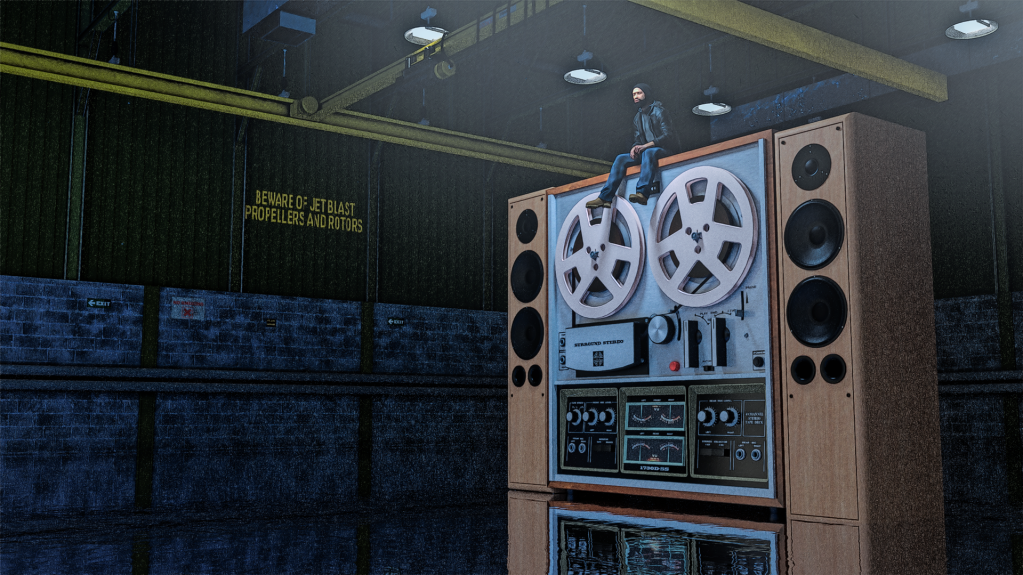
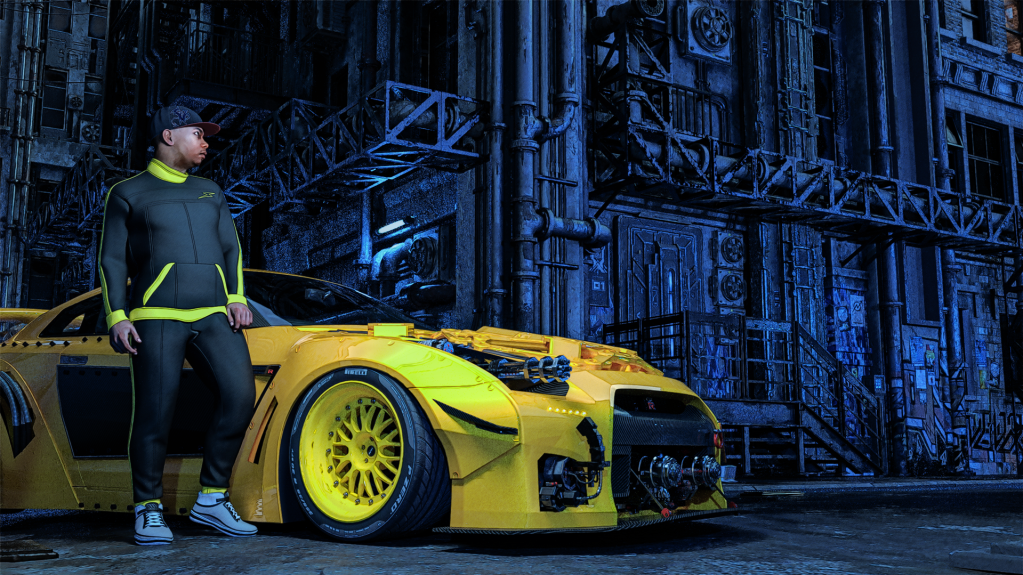
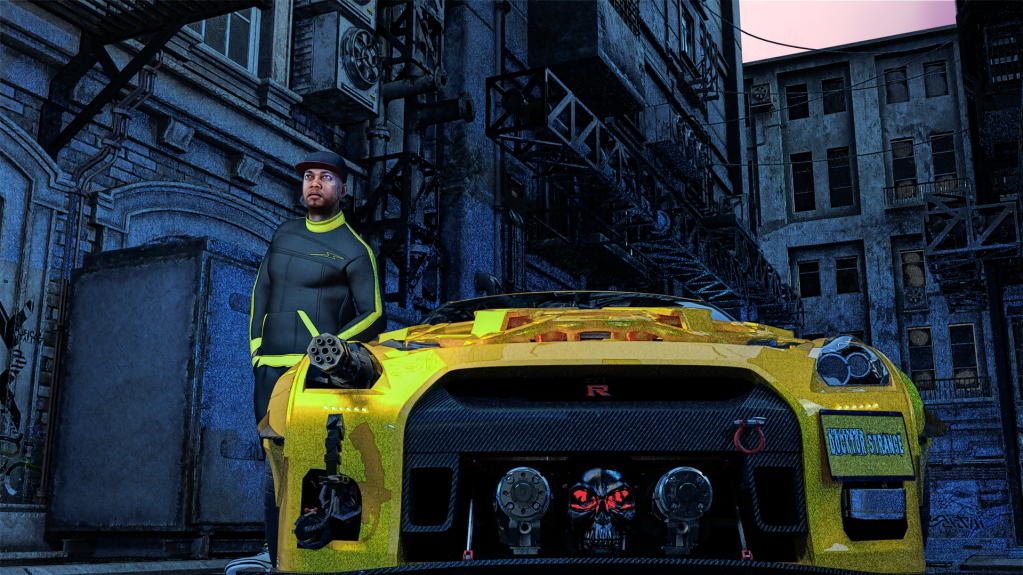
Remixing your art with AIFor the LenZmen video "Heartbeat" I ran Daz Studio Renders through Kaiber to get the morphing reels and also turned the characters into rappers using AI. Here are some of the images I used.
There's also some animated segments, rendered with Daz Studio Filament engine. I stitched everything together using Adobe Premiere.

 Is there an easy way to punch a rectangular hole into a wall ...
felis said:
Yes
Is the overall tiling 4?
You will probably have to render to see the result (or Iray preview). You can see it in Filament, although it has general issues with cutout-oppacity.
Yeah, 4 ~ it was in DrawStyle - Iray preview, and Render did not work either..
DAZ Studio extremely laggyDid you get this fixed? I have the same issue with a 3090 and otherwise similar setup. Even old scenes that used to run smoothly is now laggy as hell. In any view mod. Also it crashes in the viewmod above Iray. Don't remember the name, will check tomorrow.
Nvidia drivers helpt a little with a earlier problem, but now I can't even have a few rocks in a scene before it lags. Though it doesn't seem to be Genesis fault. It's mostly when I add other scene assets such as grass or building or rocks it goes crazy. Hiding them fixes the lagg, but can really work like that.
Edit: It is filament that makes daz3d crash, and nothing really happens to the lagg when removing all the genesis character, but it goes from unusable to fully fucntional when removing props and objects from the scene, and I don't have many. Only using a few rocks from this scene https://www.daz3d.com/sbibb-limestone-cave-vignette and suddenly it's like I'm playing a game with 1 fps.
Update again, okay apperantly my old scenes got fixed by the latest drives. It is just something wrong with https://www.daz3d.com/sbibb-limestone-cave-vignette apperantly only a singel part from it make daz3d lagg like crazy. While I can have multipale enviroments from other sets without any issue. So I guess it's solved, but I wonder whta makes that scene so broken.
Upadte: Nevermind it was all solved. First nvidia drivers made my old scenes slower, but when that was fixed a newer scene began to crash again after a restart. So I assumed it was the same issue, but it was only that that scene had to many lights included in it, so after all lights were turned off it worked perfectly fine again.
Is there an easy way to punch a rectangular hole into a wall ...Yes
Is the overall tiling 4?
You will probably have to render to see the result (or Iray preview). You can see it in Filament, although it has general issues with cutout-oppacity.
Daz Studio 5 preview release is delayed and that's good news.Chumly said:
"Daz Studio 5 preview release is delayed and that's good news"
IF that is the good news, well, I'd hate to hear taffi's bad news!
Your teenage son totaled the car last night... and that is good news!
Your dog escaped the yard and attacked an old lady... and that is good news!
A city sized astroid will collide with earth in 3 hours, and that is good news!
Your roof was destroyed in a hail storm.. and that is good news!
sheesh....Well to be fair, the "good news" for Mac customers at the time, running Big Sur or newer were able to run the full Mac version (Windows minus Filament, basically) rather than be forced to use a barely-running, skeleton version of DAZ Studio 5. That was good news. The "good news" for DAZ was that they didn't have to deal with helping anyone running the pre-Beta instead of focusing on continuing development of DAZ Studio 5, and that they could relax a bit and take their time (for almost two years now) to deliver a full-featured DAZ 5.
I have no doubt that we're closer to that DAZ Studio 5 release, but honestly, we're all closer to the heat death of the sun, too.
We know that NVIDIA OMNIVERSE will be in D|S 5 which, as far as I know, is the first official announcement of what's new coming in D|S 5. Other than Filament running on Macs, the updated Qt interface framework, Apple's Metal API being used for Mac customers and the NVIDIA OMNIVERSE implementation, that's *all* that I'm aware of being different for those years of work. I know little bits and bobbles have been updated here and there to get some of the D|S 5 code into our current version (I know it's happening because things I've counted on and used for years no longer work) but it's a pretty short list of things to look forward to for two or three years of development.
I apologize for continually moaning about this, but it is still affecting what I'm doing and screwing up any long-term planning that I'm able to do for ongoing or new projects. I've dialed back my purchases while I wait (not wanting to invest in something that I may not be able to use in the future) so I'm saving an average of two or three thousand dollars a year, so there is an upside.
I think I'll crawl back into my corner and go back to just checking in occasionally to see if there's any more news. I know that we are closer to release if they're going out on a limb to announce the OMNIVERSE addition, so that is a good sign.
-- Walt Sterdan
Daz Studio 5 preview release is delayed and that's good news.wsterdan said:
Hopefully "NVIDIA OMNIVERSE coming soon to DAZ 5" is related somehow to "DAZ 5 coming soon to customers". As I posted elsewhere, we were "Filament working on the Mac in the internal versions Daz Studio 5"* in August, 2021.
As well, DAZ "soon" can mean, well, anything, really.

-- Walt Sterdan
*https://www.daz3d.com/forums/discussion/comment/6964246/#Comment_6964246
Haven't we leaned THAT over the last 20 some-odd years? LOL
 Daz Studio 5 preview release is delayed and that's good news.
Hopefully "NVIDIA OMNIVERSE coming soon to DAZ 5" is related somehow to "DAZ 5 coming soon to customers". As I posted elsewhere, we were "Filament working on the Mac in the internal versions Daz Studio 5"* in August, 2021.
As well, DAZ "soon" can mean, well, anything, really.
-- Walt Sterdan
*https://www.daz3d.com/forums/discussion/comment/6964246/#Comment_6964246
Daz Studio 5 preview release is delayed and that's good news.wsterdan said:
DAZ_Rawb said:
The title of this thread might be a little bit confusing, so let me start with the first half:
The Daz Studio 5 preview release is being delayed. The Studio dev team has worked really hard and gotten it to the point where we were getting ready to go through all the build and release procedures / ceremonies / interpretive dances necessary to get it distributed out to you but we are going to wait on that. This pre-release essentially would have been a version of Daz Studio 4.15 missing a bunch of features and running on a newer set of core libraries. The new big thing that it could do would be to run on the latest version of MacOS. So if we had a version of Daz Studio 4.15 that had all the features and compatibility and worked on the latest version of MacOS it wouldn't make sense to release this very early preview correct?
Well, the Studio team has also been working with some Apple engineers to see if there was a way to get Daz Studio 4.15 working on the latest MacOS and after a number of false-starts we finally had success. The latest DIM has those changes in it, so it should be able to run on the latest MacOS (and continue to work great on Windows). As for Daz Studio? Check out the new public beta (4.15.0.25) that just launched. This beta has some stability fixes in it as well, so it's not just a win for the MacOS folks. The beta cycle will likely be pretty fast so please give it a run through when you see it out in the wild.
Next month will mark a year since the delay of the preview (which would have given Mac users the ability to finally use Filament), any closer to a possible beta release of DAZ Studio 5.0?
-- Walt Sterdan
Next month will mark two years since the delay of the preview (which would have given Mac users the ability to finally use Filament), is there any timeline for the release of DAZ Studio 5.0? Any hints of possible new features at all?
-- Walt Sterdan
Iray Preview Slow as Molassesjsdaz_5811013940 said:
I too notice a major difference between filament and iRay. What I notice is that the mesh smoothing is calculating each item in the scene before allowing any movement in iRay. Each tiny movement for a single joint starts an update of EVERY smoothed object in iRay. Posing and positioning in iRay is a nightmare if smoothing is turned on. The characters jerk wildly and intermittently while posing, waiting for long and discontinuous smoothing updates.
Filament does not update the mesh smoothing while posing. Is there some workaround for iRay?
Render Throttle works for me to speed things up immensely with Iray previews. It's worth a try.
https://www.daz3d.com/render-throttle-for-iray
Without Render Throttle, my PC fans just keep going with Iray Preview, and the PC slows to a crawl. It's pretty much unusable!
With Render Throttle, the image appears in the viewport fairly quick depending on the complexity of the scene. But then once it appears, the fans on the PC stop running and the PC is no longer in overdrive. It allows me to get stuff done. I don't know what kind of voodoo magic this Render Throttle product uses, but it works!
Daz Studio 5 development updatePerttiA said:
https://www.daz3d.com/daz-bridges
"Nvidia Omniverse, Coming Soon to DAZ 5"
That's interesting and all, but I'm more interested in "DAZ 5 coming soon to customers".
I mean, technically, "Filament for Mac Users now available in DAZ 5" was true in August, 2021.
-- Walt Sterdan
Is Filament a discontinued project for the Daz Team?Padone said:
Personally I agree with Marble that filament is pretty unuseful without support for transmapped objects. I mean even opengl can do multipass so I doubt filament can't, it rather seems to me like a bug in daz studio.
I simply don't use any cutout opacity with it anymore

use toonier hairs, fibermesh or hoods aand caps and my dresses don't have lace and my trees have geometry leaves
Is Filament a discontinued project for the Daz Team?Personally I agree with Marble that filament is pretty unuseful without support for transmapped objects. I mean even opengl can do multipass so I doubt filament can't, it rather seems to me like a bug in daz studio.
Is Filament a discontinued project for the Daz Team?ShelLuser said:
A late reaction but oh well...
I'm a rather vivid Filament user and although most has been said above I also want to add that development on the engine is still happening, and new 'features' still find their way into the engine from time to time. For example: a few years back Filament when it didn't properly support shadows but it does now. My only gripe with the engine is that the intended shortcut doesn't work; neither the keyboard shortcut or the icon if you place this on the toolbar.
But other than that.... I more than ofen use it to give me a rough preview of an Iray render; even though it's not fully comparable you still get a good impression; it most definitely makes you aware of using RSL or MDL based material presets. IMO it's a pretty good engine.
This is where I disagree. I would rather switch to IRAY in the viewport than Filament even though the latter is much quicker. I'd rather take the extra seconds to get a closer impression of the IRay render than a different render engine entirely. But I should ask you whether you believe we have the full implementation of Filament or just a subset? When I first tried it I was immediately discouraged because the hair looked awful. Then it became clear than anything with opacity/transparency would not render nicely.
Is Filament a discontinued project for the Daz Team?A late reaction but oh well...
I'm a rather vivid Filament user and although most has been said above I also want to add that development on the engine is still happening, and new 'features' still find their way into the engine from time to time. For example: a few years back Filament didn't properly support shadows but it does now. My only gripe with the engine is that the intended shortcut doesn't work; neither the keyboard shortcut nor the icon (if you place this on the toolbar).
But other than that.... I more than often use it to give me a rough preview of an Iray render; even though it's not fully comparable you still get a good impression; it most definitely makes you aware of using RSL or MDL based material presets. IMO it's a pretty good engine.
(edit: fixed some typoes and applied a little bit more structure by adding "()").
European PC builders such as PC specialist any experiences or recommendations?Sounds good. Also sounds as if you have had a nice performance boost. I must admit I don't really use iRay preview while posing, preferring the speed of Filament. However, I always do the final tweaks in iRay preview mode. Regards, RichardRemixing your art with AIhere cool video which talking about generating same character in SD with help of controlnet and some manual fix.
The video itself actually about preparing character sheet or data set for LORA training but I think we can use several trick from that video to generate same character with bunch of poses .( ehich we can reuse or copy pastee into another scenes)
You can start with DAZ preview or Filament render as controlnet sources or IMG2IMG guide
Remixing your art with AIany 360 panoramic image works as IBL in Carrara, Octane render, Poser and presumably 3Delight Uberenvironment, it's just iray and filament that seem to have issues with them
probably an unbiased render thing
I definitely get shadows and coloured lighting from the Blockadelabs Skydomes in Octane
( well did, am without that PC right now)
Is Filament a discontinued project for the Daz Team?Richard Haseltine said:
wscottart said:
crosswind said:
Agreed with Richard ~ But TBH, Filament is still useless to many of the users, incl. me. I deactivated the plugin from day one ...
How do you deactivate this plug in? I never have used it as its really ugly with hair
Help>About Installed plug-ins has check boxes, a restart is then required. I would not, however, be inclined to deactivate a core component.
Can't say that I see the point of deactivating it either. I hardly ever use it - occasionally it is easier to see if the feet are on the ground if I switch to Filament but I switch back immediately. Otherwise, it doesn't get in the way of my usual workflow.
Daz 3D is part of

Connect
DAZ Productions, Inc.
7533 S Center View Ct #4664
West Jordan, UT 84084Licensing Agreement | Terms of Service | Privacy Policy | EULA
© 2026 Daz Productions Inc. All Rights Reserved.















