-
Garden Gate and Estate FenceI have started some 'Estate Fencing' to go with it. The basic model is now done - 180cm lengths, which is close to a metricated version of 6ft. I just need to get a 'shear' morph to allow it to cope with ground slope in the direction of the fence, apply groups and surface material groups, texture map, turn it into a prop, sleep, eat, bathe and it'll all be done (not necessarily in that order). So not today! Regards, Richard.Custom Clothing
Richard Haseltine said:
Transfer Utitliy is the place with the options. The utility, without being told otherwise, assumes that the rlation of the model to the source figure is what you want the rigging to respect - setting the Source Shape and enabling Reverse Source Shape from Target is how you tell it otherwise.
You've got a gift for succinctly explaining things, Richard. After 4 years, I FINALLY understand. Thanks.
[Released]: Novak Revisited HD for Genesis 8.1 Male [Commercial]I love Novak Revisited. :)
Picked him up the morning he was released. The figure is very easy to work with and accepts my usual figure/morph mixing very well. I am completely happy with him!
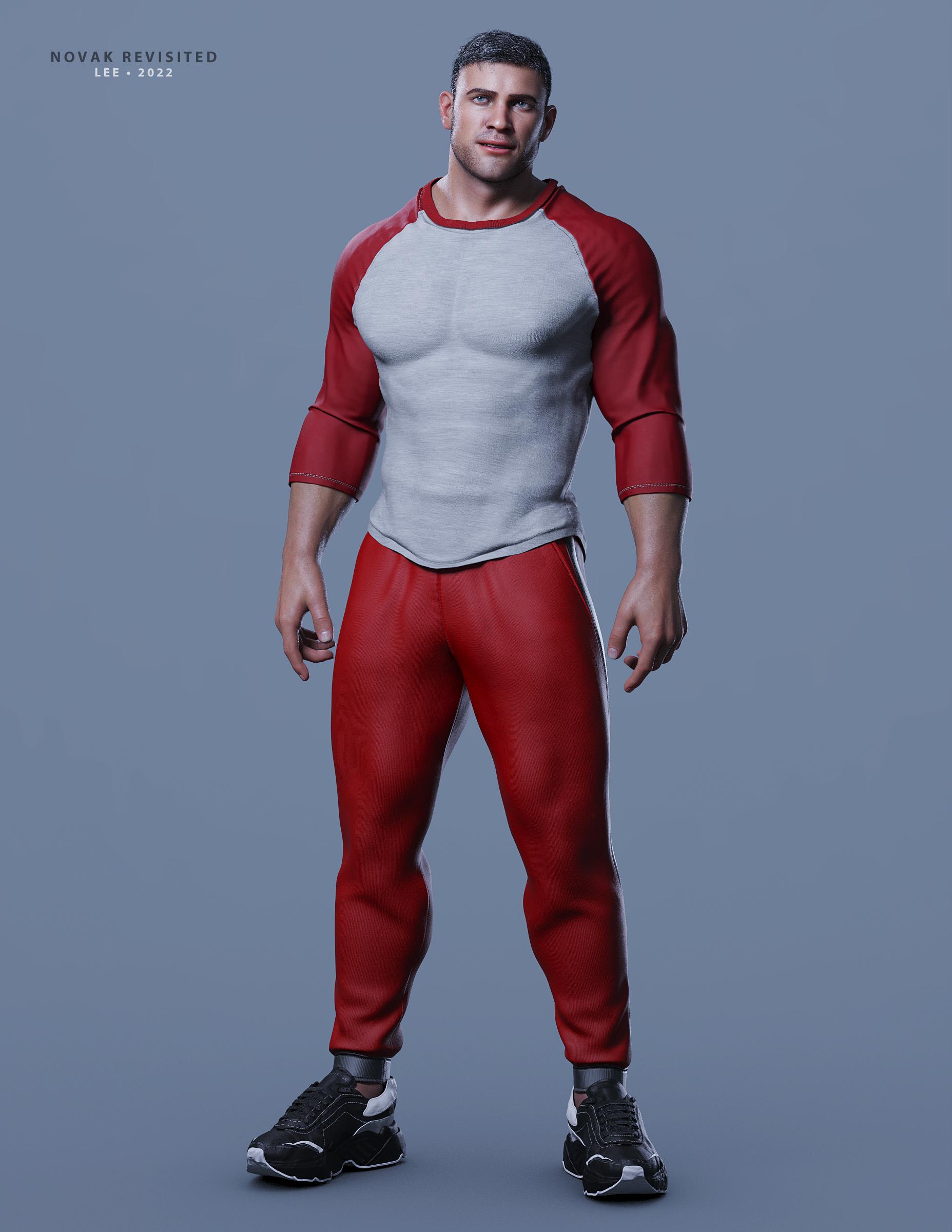
As I've been fighting a migraine, this sample render is not put together very well and I haven't finished tuning Novak's textures to my lighting setup (so he's using Pablo's textures.) As shown here, he's 100% Novak, but also a beefy/muscular character dialed in at low strength and some minor additional shaping add-ons dialed in. The outfit is a mix of 2 different products.
Novak Revisited is an excellent addition to my content library. Thank you FaberInc for another awesome creation!
Lee
 Custom Clothing
Transfer Utitliy is the place with the options. The utility, without being told otherwise, assumes that the rlation of the model to the source figure is what you want the rigging to respect - setting the Source Shape and enabling Reverse Source Shape from Target is how you tell it otherwise.
Any scenario in which a Threadripper 3960x would out-render 2x RTX 3090's?felis said:
For the saber. It should anyway be its own surface, and then you can just set cut-out oppacity to 0, and then it will be invisible.
Yes, that works for simple on/off, but for turning on a lightsaber and it coming out of the hilt, and then going back in a morph works better (these sabers have that morph built in).
[Solved] Why my SubD lines goes missing after transfer utility?I always apply subD after the transfer
Hemm, yea that seems how it works.
Custom ClothingWhen your clothing is modelled towards your morphed character, then you should also use the morphed charcter as source for transfer rigging.
And in the transfer rigging dialogue you shall set source shape as current, and in the options below check 'reverse source shape from target'
Custom Clothingwell, now I'm confused again :P
why would I need to transfer rigging to my morphed character, and from what?
Custom ClothingWhen you use transfer rigging, it is assumed that it is modelled against the base character.
When you transfer rigging towards your morphed character, then use current shape and open options and check reverse source shape from target.
Custom ClothingI exported a custom character and modeled it around her. When I imported to Daz I first tried the process with the custom figure and had the issue I described. I then tried the Transfer Utility with the base G8.1F model and had the same problem. To be clear the custom character was created via the morph dials in Daz, not in Blender or anything.
[Solved] Why my SubD lines goes missing after transfer utility?AS far as I know subD gets removed when you do transfer utility.
I always apply subD after the transfer
[Solved] Why my SubD lines goes missing after transfer utility?Why did my SubD lines go missing after transfer utility?
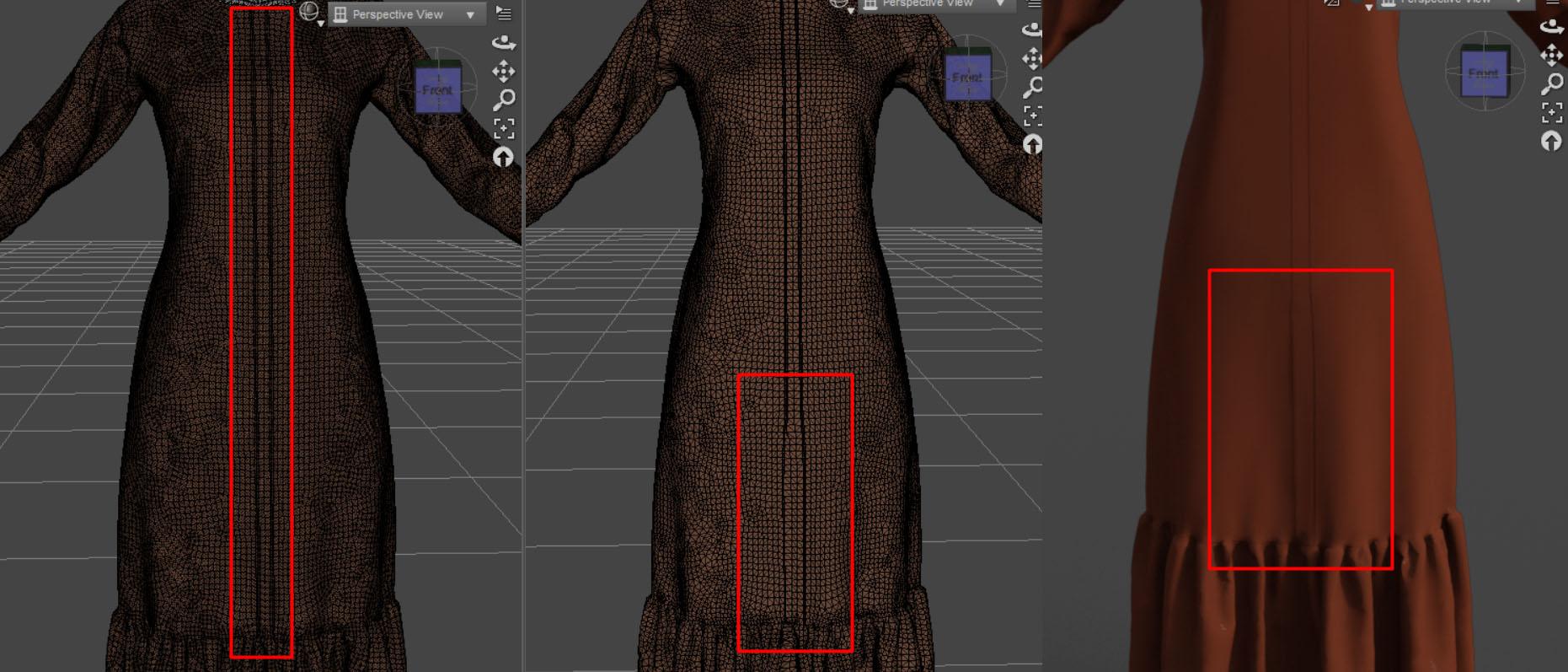
Before transfer utility, after I converted my clothing to SubD
there were thin lines dividing the wire mesh.
But after transfer utility, the lines were gone.
Although in the parameter, the Subd's parameters are enabled.
Is this normal?
Custom ClothingI'm trying to make a custom shirt. I modeled it in Blender and exported as an OBJ. I then imported it into Daz. At that point I convert it to a Figure and then use the Transfer Utility, selecting Genesis 8.1 Female. Once that's done the shirt goes nuts (see the attached images, before and after the transfer utility). What am I doing wrong? I have done this a couple times before for other things, without issue. I've only just started learning how to do custom items so I'm still at that point where I'm not even sure what questions to ask.
More than one UV set on one surfaceThis would definitely be a welcome feature (it seems like something that could plausibly be set in the image editor like individual map tiling), but it is not currently a feature.
So yes, there's two half options if you need a different UV map - use Map Transfer to bake the map to the UV you are using, or use a geoshell.
[Solved] How To Preserve The Wire Mesh Before and After Transfer UtilityHai guys, I have a problem.
my clothing wire mesh is changing after the transfer utility.
Is there a way to preserve it?I use 8GF based mesh.
 Anatomical Elements and Foreskin
That's one small step for G8M, one giant leap for naughty renders.nonesuch00 said:zombietaggerung said:
nomad-ads_8ecd56922e said:
zombietaggerung said:
There's also THIS freebie on deviantart. It has some foreskin morphs for the default g8m gens.
Installed the morphs, loaded a couple different G8M figures... and can't find anything except the half-hidden morph. Looking in the actual dir paths in the zip file, I see a lot of morphs starting with the name MCM, but when I select the gens, I can't find anything in the morphs under Parameters tab with the that in the name, and there isn't a MediAsylum sub-group of morphs showing. It is clear I did install the morphs, because if I go into My DAZ 3D Library, I can find the actual files sitting in ...\data\DAZ 3D\Genesis 8\Male Genitalia\Morphs\MediAsylum\Advanced G8MGen but nothing is showing up in Daz Studio. Am I missing something? 0o
They show up for me under Advanced Control, with the gens selected:

This is just a small part of the list obviously.
Well, I guess they are ready to potty train if nothing else.
Make hands independentRichard Haseltine said:
Right-click in the Viewport, but note that you can now skip a step and just delete selected.
Whata re you wanting to export for? Deleting chunks of mesh will make it impossible to use the result as a morph.
Aha. Eureka. I didn't realize that the right click menu changes IN the actual Viewport with the figure in it when you activate the Geometry Editor. My bad.
Thankyou.
AOBB's head morph The Legend for G8.1M based on Humphrey Bogart. No materials included.I've been working on this head morph a while ago and had it almost finished, so I finally decided to put in the last touches and upload it here. Actually this sculpt was fairly easy to make. I'm glad I can present you with The Legend of the silver screen and film noir - Humphrey Bogart:
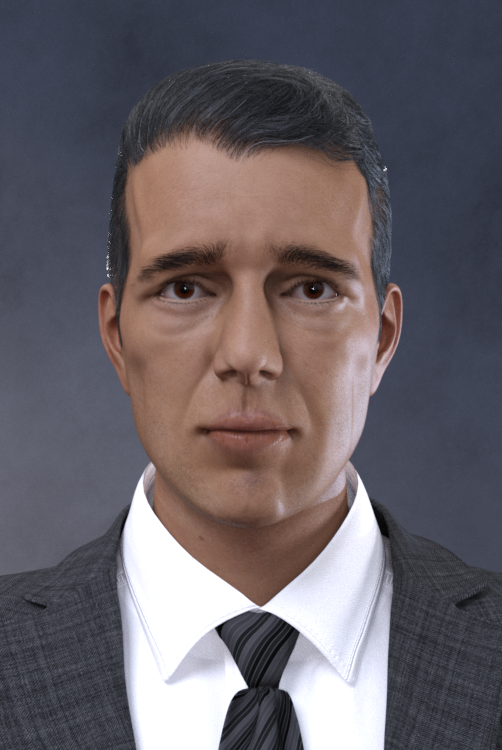
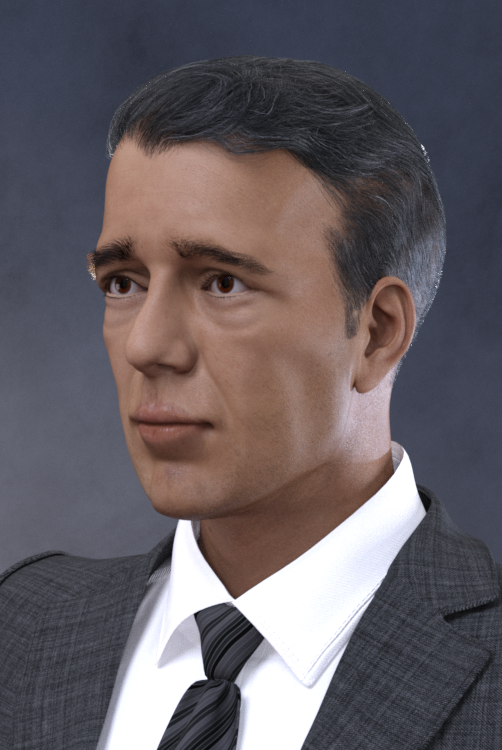
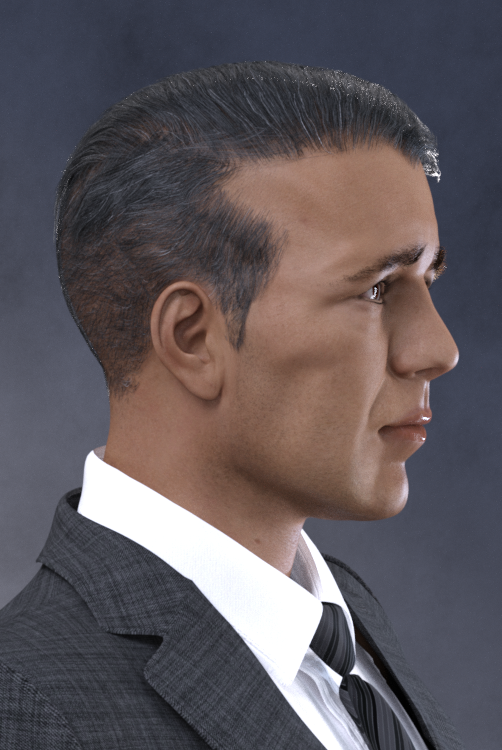
Assets used in promo images:
MI Two Piece Business Suit for G8.*M
Vintage Male Hair for G3,8M
Bold Brows for G8M (Avg03)
Bold Brows II for G8.*M (Brow8)
Natural Eyes for G8.1
Lashes Utilities for G2,3,8
BOSS Pro Light Set
Noncommercial use only!
I am looking forward to seeing your fantastic renders with The Legend posted in this thread!

Enjoy and Happy Rendering!
AOBB
Genesis 8 takes forever to load...vozolgant said:
DAZ devs shouldn't pre-load morphs. Instead it should build a text library and show that in the morph outliner. ONLY when you begin to drag a morph dial from 0 to whatever, should it then load the morph. So the morphs should only be loaded if they're actually used; value greater than zero. So a character can still show you a morph library, but it's just text and pointer to the morph, and once you begin dialing the morph, THEN it loads the morph. This would massively decrease loading times.
That is what Daz Studio does - it reads the morph, but if it is non-zero it keeps only the details for the slider so you can "begin dialing the morph" at which point it loads the actual shape data. The difference, unavoidable in soem form, is that it laos needs to keep a list of links to other morphs so that it knows what other properties should be triggered when the morph iss et (or what other proeprties should trigger the morph) and it's those links that cause the slow down.
Morph Loader Pro does not workWhat software are you using to create the morph? You are exporting the whole body, not just the parts you want to change?
Daz 3D is part of

Connect
DAZ Productions, Inc.
7533 S Center View Ct #4664
West Jordan, UT 84084Licensing Agreement | Terms of Service | Privacy Policy | EULA
© 2026 Daz Productions Inc. All Rights Reserved.