-
Wet And Tanned Skins For Genesis 3 / Tan Lines For G3F and V7 UV Sets (Commercial)
Find them here :
http://www.daz3d.com/wet-and-tanned-skins-for-genesis-3
http://www.daz3d.com/tan-lines-for-genesis-3-female-and-victoria-7
http://www.daz3d.com/so-wet-bundle-for-genesis-3
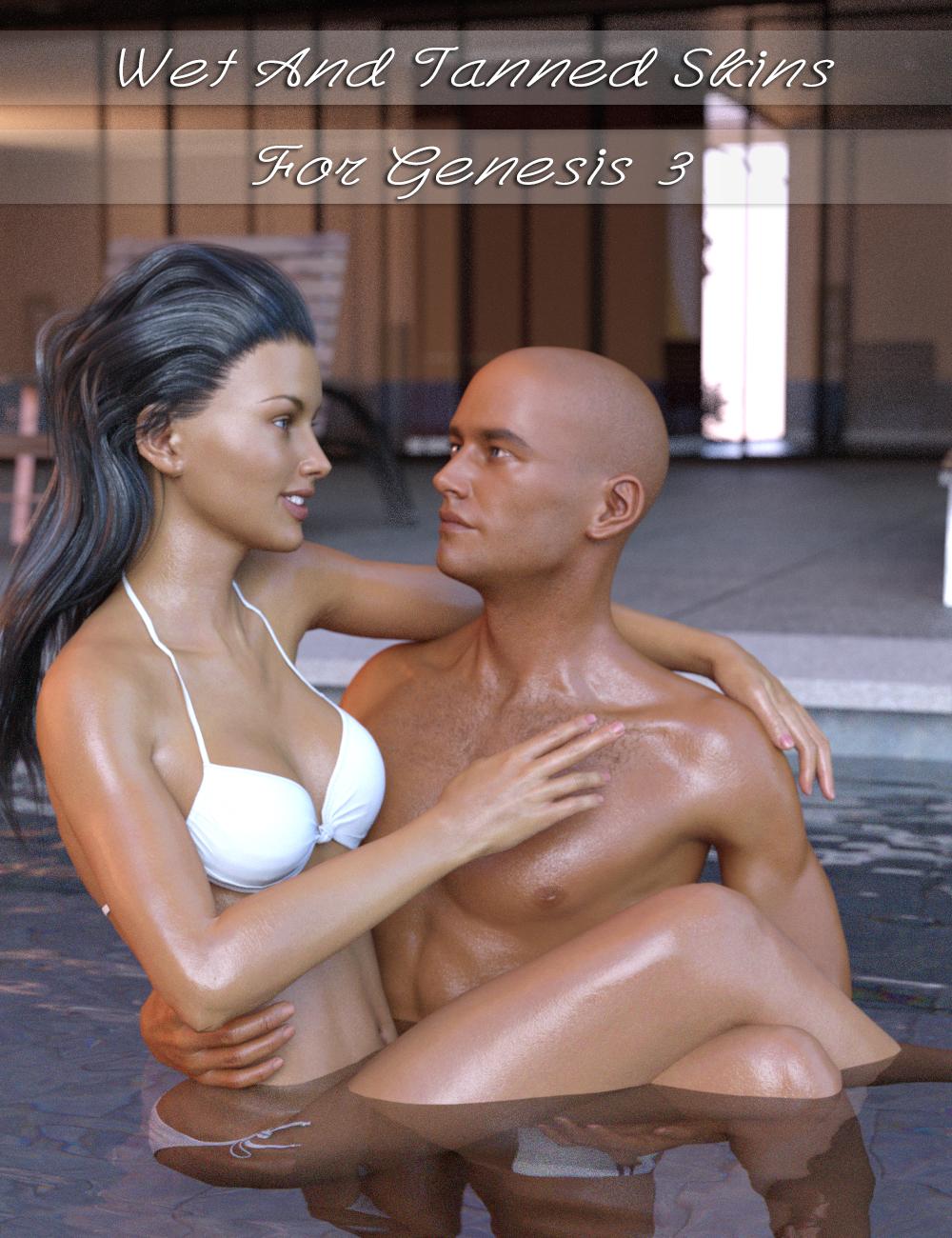
Wet and Tanned Skins For Genesis 3 is a complete solution for rendering many skin tones, from pale to tanned and many wet looks, from dry to very wet. Well the title could have been "Vary from dry to wet and from pale or tanned the skins for Genesis 3, but it was obviously too long). Of course it is compatible with males and females.
This relies on a new shader made in shader mixer especially developped to reach a wide range of tone thanks to additional Hue, Saturation and Lightness controls, and allowing the possibility to include tan lines.
To make is simple and efficient, it works as "materials", meaning that you select the figure and double click a preset or a tool, and all skin / lips / nails will be treated all together. For users of Genitalia, you will find a script which will transfert the skins properties to the Genitalia surfaces.
As usually it has been developped to make everybody happy : tons (TONS!!!) of presets (skin tans / skins wet looks) for the beginners or advanced users in a hurry, and smart managers (tune skin yourself) documented within the manager scripts and in a pdf documentation for advanced users and professionals. Concerning the skin tan/ tones, there are 17 "families" of skin tones with, in each family, 9 tan levels (varying progressively from no tan to strong tan), with 2 suboptions for all presets (more or less brown skin).
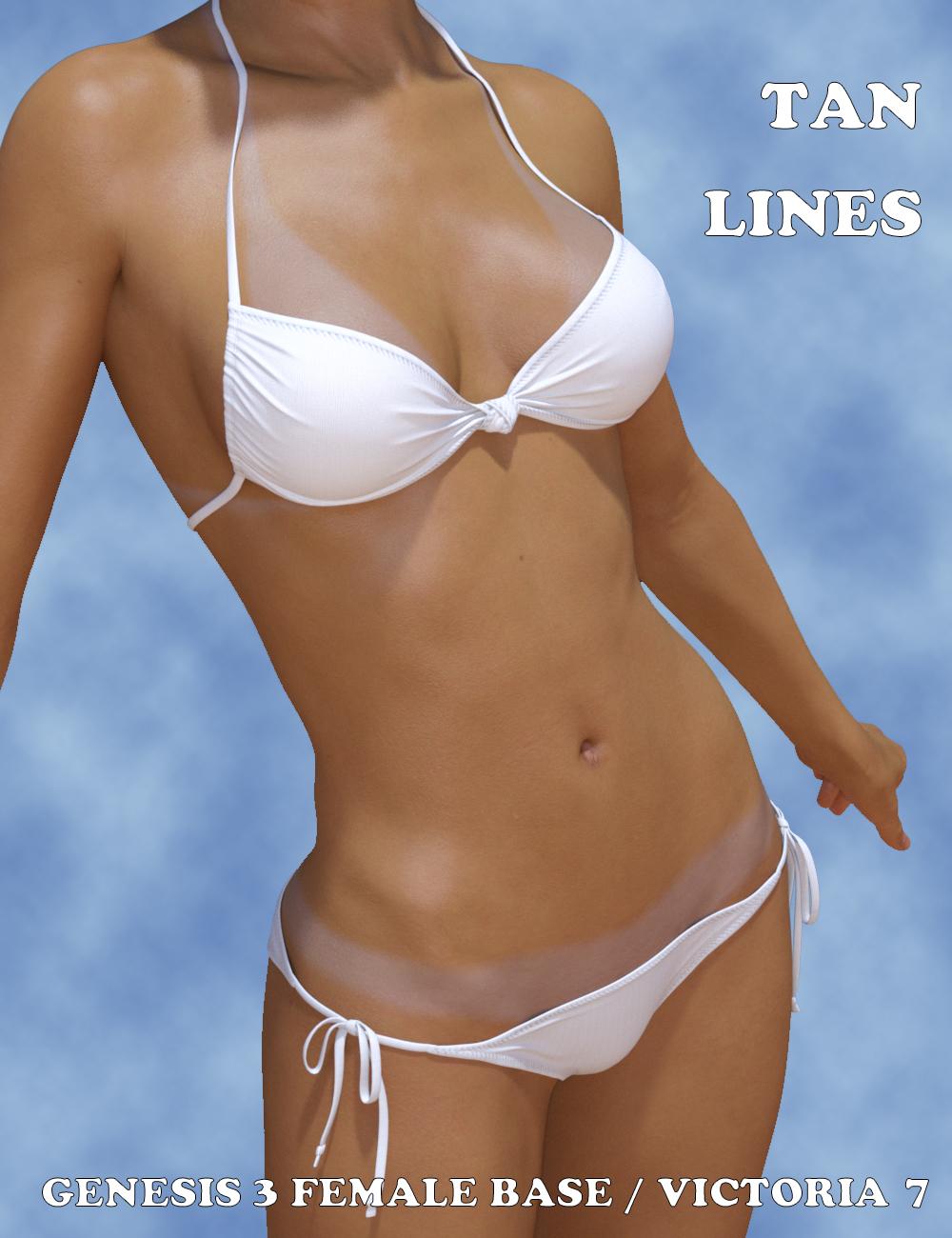
Tan lines is an Addon for wet and tanned skins which is available separately. This is a collection of tan line patterns (from very very small bikinis to monokinis, shorts, tee shirts). The tan lines strength (visibility) can be controlled with a single dial from the surfaces editor tab, or using a dedicated interface. For now the tan lines are provided for Genesis 3 Base female UV sets, and Victoria 7 UV sets. You can try on other Genesis 3 females : depending on the tan line type and the figure you try, it may work pretty well.
I decided to link these two different products in a single topic, as well as in a bundle, the "So Wet! Bundle For Genesis 3", which will include Wet and Tanned Skins For Genesis 3, Tan Lines For Genesis 3 Base Female and Victoria 7, and Drips and Drops For Genesis 3 Female(s). I'll make a different post for Drips and Drops.
The idea behind all that is to have the "full package" for summer or action scenes, or even sports scenes : The shader (from pale to tanned from dry to wet presets), the tan lines, and the additional drops running on the body.
Of course, feel free to use this topic for questions, worries, comments, feedback and render sharing
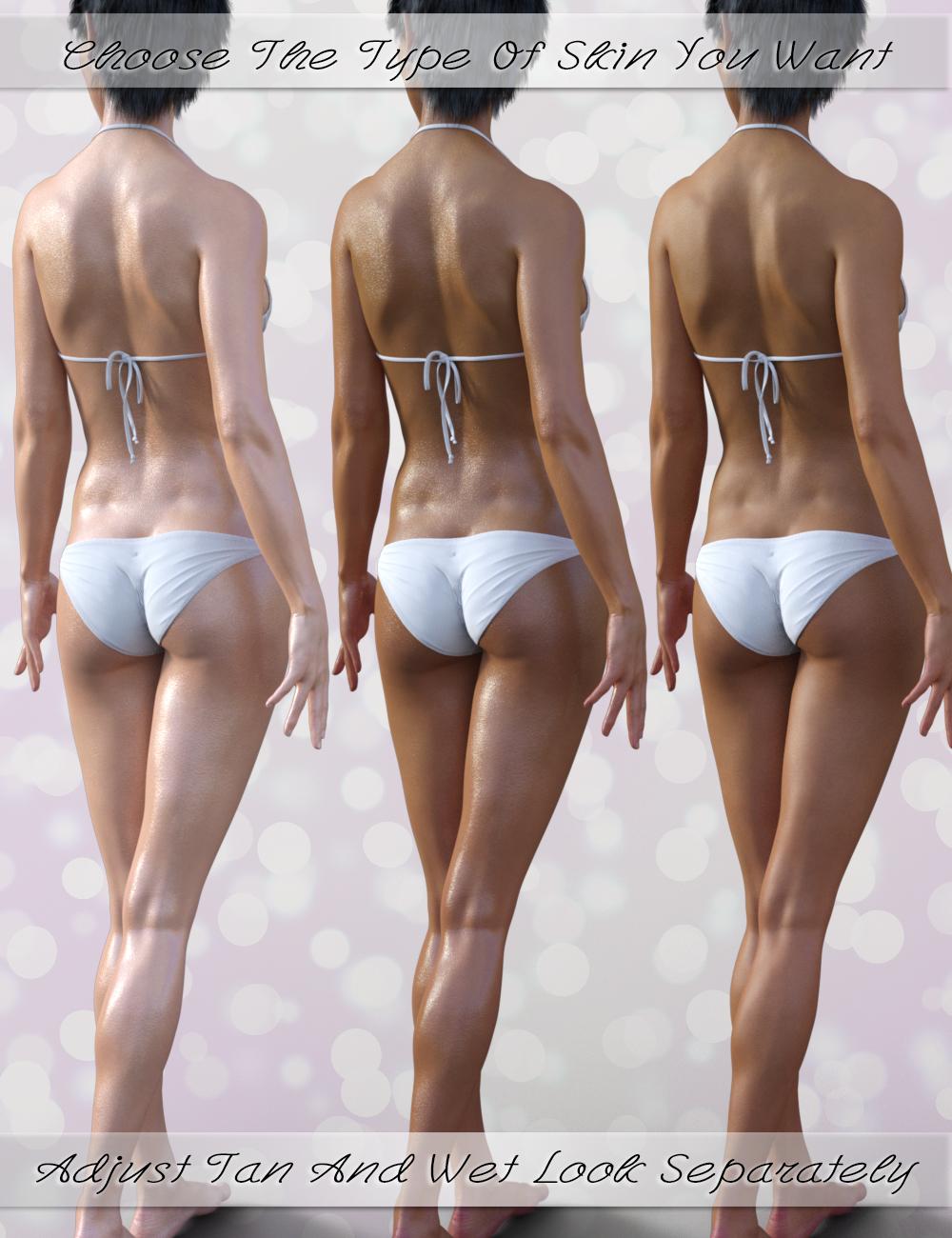
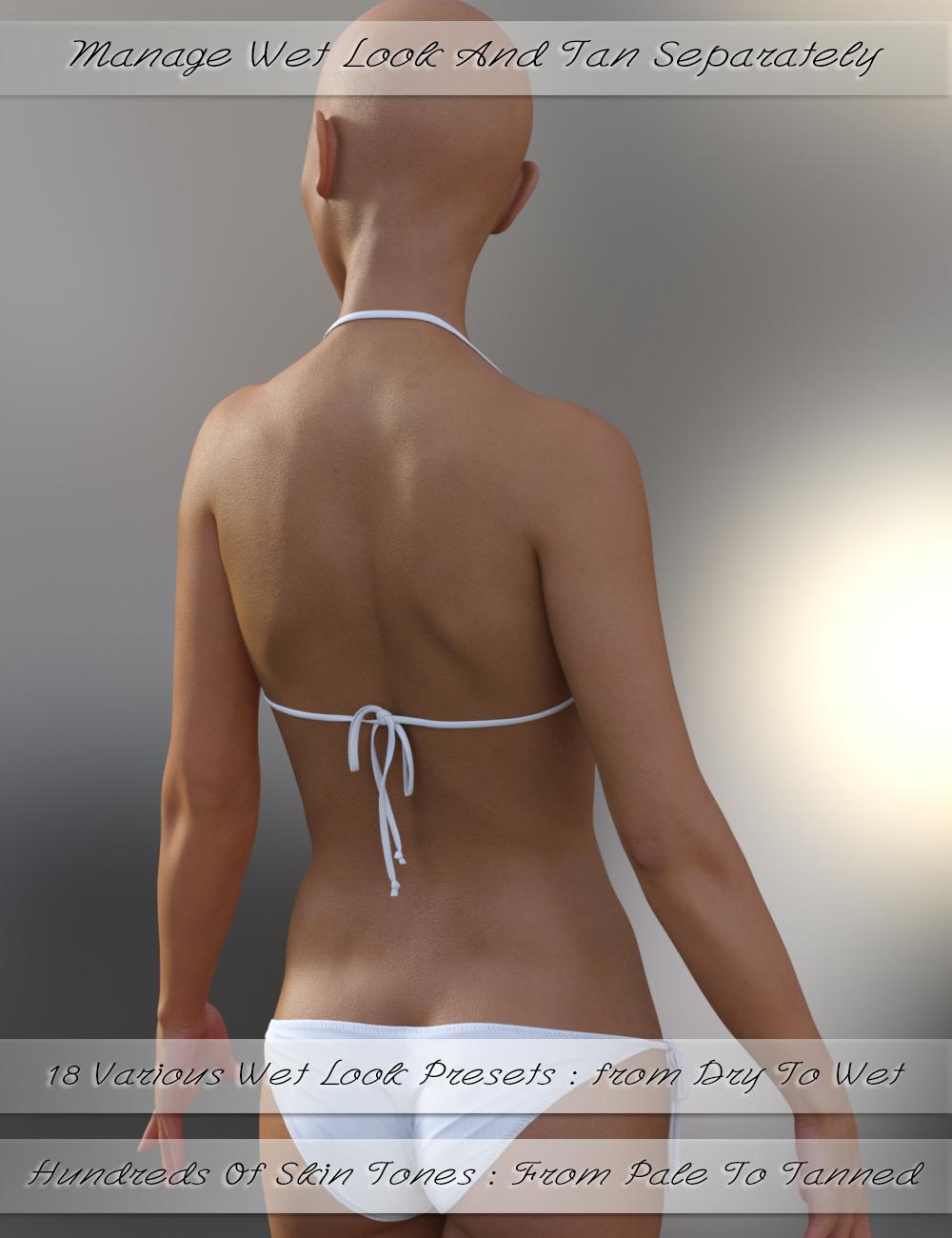
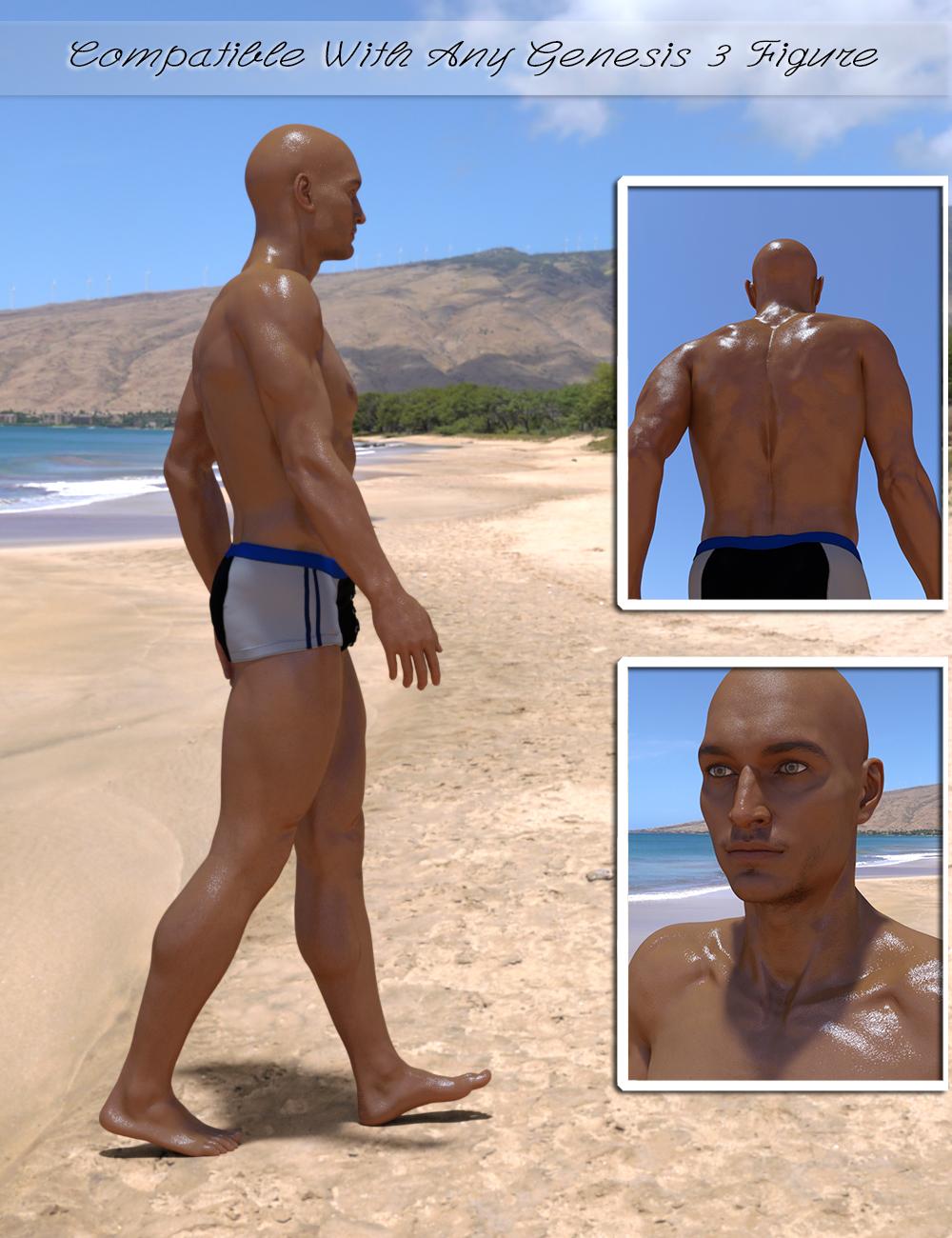
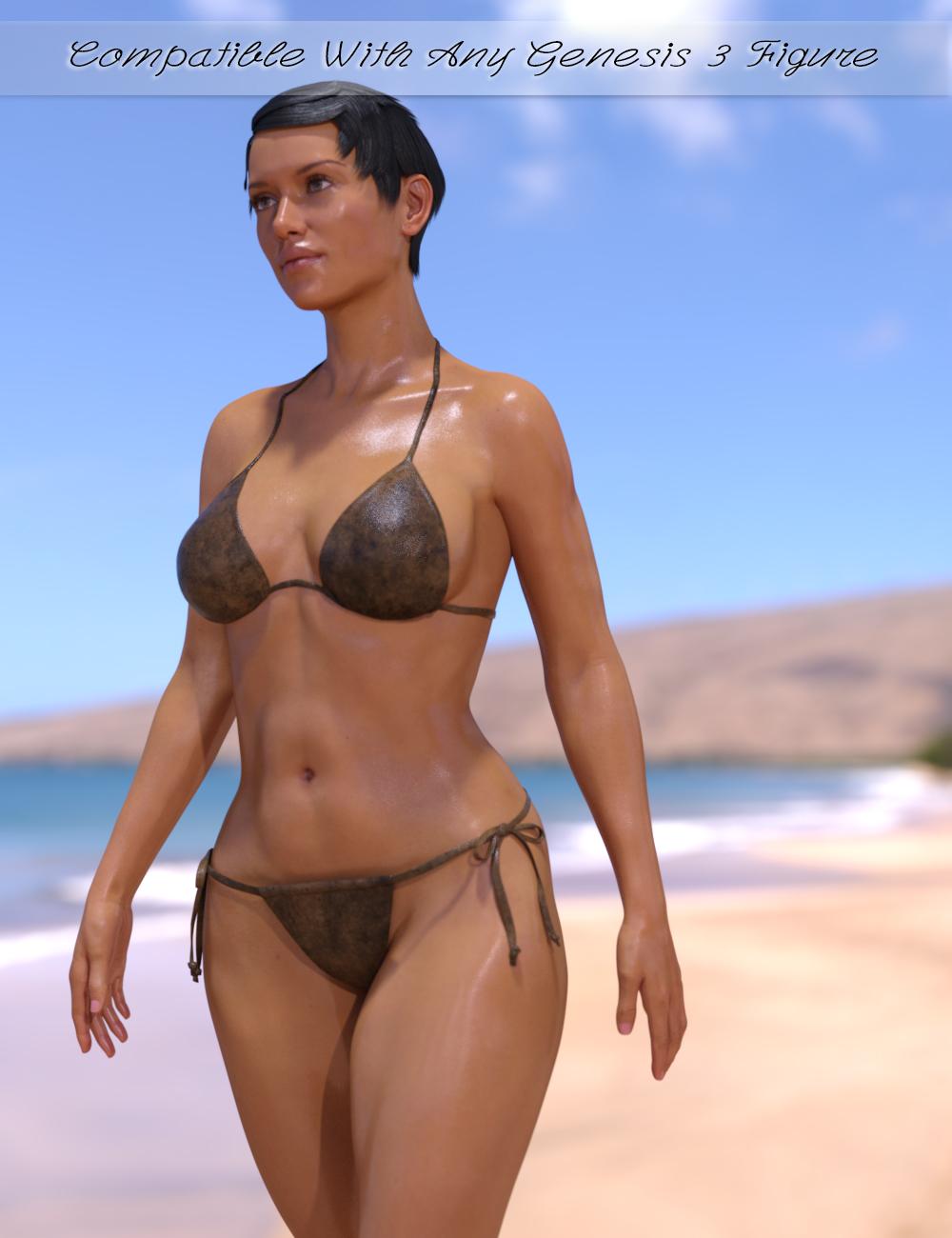
well, that all looks very usefull and I would buy all these products, unfortunatelly I do not render in Iray, so no match for me, sorry.
I understand. I was considering making an "Amazing Skins For Genesis 3" which allows to make tanned skins for 3Delight (amongst other things) but I'm really hesitating because it is not clear at all if many people still use 3Delight.
Wet And Tanned Skins For Genesis 3 / Tan Lines For G3F and V7 UV Sets (Commercial)Find them here :
http://www.daz3d.com/wet-and-tanned-skins-for-genesis-3
http://www.daz3d.com/tan-lines-for-genesis-3-female-and-victoria-7
http://www.daz3d.com/so-wet-bundle-for-genesis-3
Wet and Tanned Skins For Genesis 3 is a complete solution for rendering many skin tones, from pale to tanned and many wet looks, from dry to very wet. Well the title could have been "Vary from dry to wet and from pale or tanned the skins for Genesis 3, but it was obviously too long). Of course it is compatible with males and females.
This relies on a new shader made in shader mixer especially developped to reach a wide range of tone thanks to additional Hue, Saturation and Lightness controls, and allowing the possibility to include tan lines.
To make is simple and efficient, it works as "materials", meaning that you select the figure and double click a preset or a tool, and all skin / lips / nails will be treated all together. For users of Genitalia, you will find a script which will transfert the skins properties to the Genitalia surfaces.
As usually it has been developped to make everybody happy : tons (TONS!!!) of presets (skin tans / skins wet looks) for the beginners or advanced users in a hurry, and smart managers (tune skin yourself) documented within the manager scripts and in a pdf documentation for advanced users and professionals. Concerning the skin tan/ tones, there are 17 "families" of skin tones with, in each family, 9 tan levels (varying progressively from no tan to strong tan), with 2 suboptions for all presets (more or less brown skin).
Tan lines is an Addon for wet and tanned skins which is available separately. This is a collection of tan line patterns (from very very small bikinis to monokinis, shorts, tee shirts). The tan lines strength (visibility) can be controlled with a single dial from the surfaces editor tab, or using a dedicated interface. For now the tan lines are provided for Genesis 3 Base female UV sets, and Victoria 7 UV sets. You can try on other Genesis 3 females : depending on the tan line type and the figure you try, it may work pretty well.
I decided to link these two different products in a single topic, as well as in a bundle, the "So Wet! Bundle For Genesis 3", which will include Wet and Tanned Skins For Genesis 3, Tan Lines For Genesis 3 Base Female and Victoria 7, and Drips and Drops For Genesis 3 Female(s). I'll make a different post for Drips and Drops.
The idea behind all that is to have the "full package" for summer or action scenes, or even sports scenes : The shader (from pale to tanned from dry to wet presets), the tan lines, and the additional drops running on the body.
Of course, feel free to use this topic for questions, worries, comments, feedback and render sharing
well, that all looks very usefull and I would buy all these products, unfortunatelly I do not render in Iray, so no match for me, sorry.
Heard a rumor about V8So... When I said they weren't finished with Genesis 3 Figures, I thought about that and pull out a list of all of the Figures from Genesis 2 and Genesis 3; then I made a table ... and one thing lead to another.
So here is an Unoffical table of the Daz 3D Character's, there fore-family (If this works it will be so cool).It also shows the posibilities for Genesis 3 figures.
Those in Red Never got out of the door or may have been replaced.
Did Hiro gene pool spawn Kenji 7? Is Gianni 6 and 7 the taking over for The Freak? Or is that Ivan? (He look a little scary to me.)
Josie came out before Michael, so is the Jayden on the bench some place or is Josie odd girl out, like Aiko 6 was with no Hiro 6?
Will David the Odd Take the stage or was he replaced by Leo or Scott. (He is the Odd because he only is release every odd generation)
And where is Victoria's little sister, Stephanie? Surely she wasn't sent to the Gallows?
Will we see other G2F/M figures Mature into Genesis 3 figures? only the Daz 3D Mastermind Knows?Generation 3
Generation 4
Genesis
Genesis 2
Genesis 3
Brodie 6
Brodie 7?
Cory 6
Cory 7
Darius 6
Darius 7?
David 3
David 5
David 7?
New Freak? >
Gianni 6
Gianni 7
Hiro 3
Hiro 4
Hiro 5
Hiro 6
Hiro 7?
x
Ivan 7
New Hiro? >
Kenji 7
x
Kimo 7
Lee 6
Lee 7
x
Leo 7
Michael 3
Michael 4
Michael 5
Michael 6
Michael 7
Scott 6
Scott 7?
Luke (Laura Morph)
Teen Jayden 6
Teen Jayden 7?
The Freak 3
The Freak 4
The Freak 5
The Freak 6
The Freak 7?
x
The Guy 7
Pre-teen Luke
Teen 5 Justin
x
Tween Ryan 7
Aiko 3
Aiko 4
Aiko 5
Aiko 6
Aiko 7
x
Arabella 7
Belle 6
Belle 7?
x
Bethany 7
Callie 6
Callie 7?
x
Eva 7
Gia 6
Gia 7
Giselle 6
Giselle 7?
x
Izabella 7
x
Kalea 7
x
Karen 7
Keiko 6
Keiko 7?
Lilith 6
Lilith 7?
Mei Lin 6
Mei Lin 7
Monique 6
Monique 7?
Ninive 6
Ninive 7?
Olympia 6
Olympia 7
x
Rune 7
Stephanie 3
Stephanie 4
Stephanie 5
Stephanie 6
Stephanie 7?
Laura
Teen Josie 6
Teen Josie 7
The Girl 3
The Girl 4
The Girl 5
The Girl 6
The Girl 7
Pre-teen Laura
Tean 5 Julie
x
Tween Julie 7
Victoria 3
Victoria 4
Victoria 5
Victoria 6
Victoria 7
Matt & Mattie
The Kids 4
Basic Child
The Kids 7?
Pretty much. I have my own list that I've been keeping track of, albeit a more simplified version of it:
https://drive.google.com/open?id=0B_7-dyE9mH-Dd0FBZW5INFRxanM
But yeah, DAZ and PAs have pretty much confirmed that characters like David, Freak, and Hiro are done-with. Kenji is the spiritual successor to Hiro as characters like Gianni and Ivan are to Freak (with Gia and Rune doing the same for She Freak in that respect). I've actually very recently inquired DAZ_Steve about a Stephanie 7 and a David successor (which hasn't gotten a reply, no surprise). Either way, I'm quite confident that such is very well in the queue as Stephanie has yet to miss a Generation, and with this awesome trend of "Early-Month Female, Later-Month Male Counterpart" that's been going on, it's highly likely that she will indeed come with a David replacement. Though, if you look at the FBMs of some of the newer female stuff, there seems to be a "Sunny 7" coming soon, so a Stephanie 7/"David Successor" 7 might not happen until the end of this year or next....that' sad as again I prefer David and Steph over Mike and Vicky. I feel that thier proportions and physiques are better. Vicky is the leggy runway fashion model while Steph is more like the girl I'd see walking down the street. Mike is more the "hunk" while David is more like the "average guy". Like usual if they do come out, they will most likely be followed in short order by the next incarnation of the Genesis figure, so once again will get minimal support. because of the "new shiny".
Celebrity Look-a-Likes for 3D figures Part 2I belive the new Cathy is intended to resemble Arianna Grande
http://www.daz3d.com/cathy-hd-for-victoria-7
I think so too ... hair and all:
http://www.m-magazine.com/posts/ariana-grande-is-nervous-about-her-song-focus-75457
Celebrity Look-a-Likes for 3D figures Part 2I belive the new Cathy is intended to resemble Arianna Grande
http://www.daz3d.com/cathy-hd-for-victoria-7
Cookie's Clothes on Star 2.0Hello
made a quick and dirty test: Cookie's Pringdew panty and top converted to V4 with XD4 and then autofit to G3F/Star and finally posed
Oh that's cute! :D Looks like there is a tiny bit of poke-through but I bet that's fairly easy to fix. Thank you, smaker1! :)
I'm going to look into getting that Cross Dresser thing. I think V4 might be the way to go - as I have clones for her that basically means that if something fits on V4 I can get it to fit just about ANY figure that I have, including G2F and G3F. I noticed that V4 had two different purchase options - one that just says "Victoria 4" the other says "Victoria 4 Weight Mapped". What is the difference and which one should I be getting to use with V4.2?
Quick and dirty test! so I didn't took the time the manage the little poke-through,
As Fixmypcmike said: I used the V4, the V4 weigtmapped is for Poser. I also used the standard conversion by XD4. There are certainly options to get a better result.
Sweet, thank you. I definitely plan on getting that once I get some more money coming in. I wish it was available though the Daz store (that way I could score it on sale lol). :) Thank you for the help, smaker1! Seeing that it's possible makes me pretty excited! :D
Subscribe to Evilinnocence's newsletter and wait for a sale - sometimes they have 70% off sales!
Good idea! Thank you. Signed up and fingers crossed that it goes on sale soon. heheh :)
Help identifying outfitOutfit in question for finley , it is so beautiful *_*
I've been searching the shop for hours now, still couldn't find it ._.
I hope u guys can help me, thx! Cookie's Clothes on Star 2.0
Hello
made a quick and dirty test: Cookie's Pringdew panty and top converted to V4 with XD4 and then autofit to G3F/Star and finally posed
Oh that's cute! :D Looks like there is a tiny bit of poke-through but I bet that's fairly easy to fix. Thank you, smaker1! :)
I'm going to look into getting that Cross Dresser thing. I think V4 might be the way to go - as I have clones for her that basically means that if something fits on V4 I can get it to fit just about ANY figure that I have, including G2F and G3F. I noticed that V4 had two different purchase options - one that just says "Victoria 4" the other says "Victoria 4 Weight Mapped". What is the difference and which one should I be getting to use with V4.2?
Quick and dirty test! so I didn't took the time the manage the little poke-through,
As Fixmypcmike said: I used the V4, the V4 weigtmapped is for Poser. I also used the standard conversion by XD4. There are certainly options to get a better result.
Sweet, thank you. I definitely plan on getting that once I get some more money coming in. I wish it was available though the Daz store (that way I could score it on sale lol). :) Thank you for the help, smaker1! Seeing that it's possible makes me pretty excited! :D
Subscribe to Evilinnocence's newsletter and wait for a sale - sometimes they have 70% off sales!
Genesis 3 - Which file references to the JCMsHi Richard,
Thanks a lot for your fast reply. I'm still a bit confused, how this all works together.
When I look at My Library > data > DAZ 3D > Genesis 3 > Female, I find the subdirectories
- Morphs (contains DAZ 3D with subdirectories, e.g. Base/Base Correctives, but also morphs for Olympia 7 and Victoria 7. I didn't expect theses there)
- Projection Morphs (for Olympia 7 and Victoria 7. What are porjection morphs for?)I also find the file Genesis3Female.dsf there.
It's very confusing for me, how this all fits together and how Daz Studio knows, where to look for these files. Is Genesis 3 Female.duf the starting point for this (located in My Library > People > Genesis 3 Female). At least I found a reference in the "scene:nodes" to this file to Genesis3Female.dsf. So I have to go through all the files to find out, how they are connected and the load order. Am I on the right track?
Thanks for answering all this questions in advance :)
Cookie's Clothes on Star 2.0Hello
made a quick and dirty test: Cookie's Pringdew panty and top converted to V4 with XD4 and then autofit to G3F/Star and finally posed
Oh that's cute! :D Looks like there is a tiny bit of poke-through but I bet that's fairly easy to fix. Thank you, smaker1! :)
I'm going to look into getting that Cross Dresser thing. I think V4 might be the way to go - as I have clones for her that basically means that if something fits on V4 I can get it to fit just about ANY figure that I have, including G2F and G3F. I noticed that V4 had two different purchase options - one that just says "Victoria 4" the other says "Victoria 4 Weight Mapped". What is the difference and which one should I be getting to use with V4.2?
Quick and dirty test! so I didn't took the time the manage the little poke-through,
As Fixmypcmike said: I used the V4, the V4 weigtmapped is for Poser. I also used the standard conversion by XD4. There are certainly options to get a better result.
Sweet, thank you. I definitely plan on getting that once I get some more money coming in. I wish it was available though the Daz store (that way I could score it on sale lol). :) Thank you for the help, smaker1! Seeing that it's possible makes me pretty excited! :D
Cookie's Clothes on Star 2.0Hello
made a quick and dirty test: Cookie's Pringdew panty and top converted to V4 with XD4 and then autofit to G3F/Star and finally posed
Oh that's cute! :D Looks like there is a tiny bit of poke-through but I bet that's fairly easy to fix. Thank you, smaker1! :)
I'm going to look into getting that Cross Dresser thing. I think V4 might be the way to go - as I have clones for her that basically means that if something fits on V4 I can get it to fit just about ANY figure that I have, including G2F and G3F. I noticed that V4 had two different purchase options - one that just says "Victoria 4" the other says "Victoria 4 Weight Mapped". What is the difference and which one should I be getting to use with V4.2?
Quick and dirty test! so I didn't took the time the manage the little poke-through,
As Fixmypcmike said: I used the V4, the V4 weigtmapped is for Poser. I also used the standard conversion by XD4. There are certainly options to get a better result.
Pose and animation conversion for multiple generations of DAZ figuresNice, thanks
 .
.You're welcome.
But something seems a litle off in the description:
zaz777 said:
...
- A3 to V6 and V6
...
... should one of those "V" 's eventually be an "A" or "M" ??
Maybe,
.I stuck with rsg's naming convention. I assume that A3 stands for Aiko (the original I believe) from the 3rd generation. Aiko/A3 was quite popular with many people, although I wasn't messing around with DAZ models at that time.
For generation 4 or later, rsg named everything based on the generation of Victoria and Michael. That's why there aren't any G3F, G2F or G2M scripts as they are named V7, V6 and M6. I'm not sure why rsg used what appears to be the Aiko label for generation 3 and just assume that rsg is either a fan of Aiko, thought that Aiko was more popular than Victoria 3 or only had Aiko available for the 3rd generation.
I did a quick stab at using the FixPoseGenerator.dsa script to create Victoria3 (V3) to G2F and G3F scripts and found them to be a little off because I didn't spend enough time matching up the bone orientations for the script to work as well as it can.
I then tried using the A3 scripts provided by rsg and they worked better than my one poor attempt at making V3 Fix Pose scripts. In fact, in the few number of cases I tried, I felt the A3 to G2F and G3F scripts were close enough to work with for converting both poses and animations for the few Victoria 3 samples I have, so I stopped working on making V3 specific scripts.
If one needed more precise pose and animation conversion from V3 to G2F and G3F, one could use the FixPoseGenerator.dsa script to make V3 scripts. I'm not sure it is worth it as pose and animation conversion is very rarely 100%. I was pretty happy with the V3 converted poses and animations as the results were very useable with a few quick fixes, so I didn't put any more time into making "better" V3 Fix Pose scripts for my own use.
G3-v7Any character made for a seven series product (Victoria 7 for example) will work in Genesis 3, even if you don't own the specific 7 series character; you just won't get the shape that the specific character adds.
Clothing is the same, although some tweakage may be required depending on the pose.
Poses will also work, even those specified for a 7 series character; sometimes slight adjustments might be required, although they are usually minor.
Anything prior to Genesis 3 will require work and often additional products to get it working with Genesis 3; poses will have issues, even after converting via one of the products. Clothes may or may not work, shoes and gloves - it is best to presume they wont work, although flat shoes can work to some extent.
Cookie's Clothes on Star 2.0Hello
made a quick and dirty test: Cookie's Pringdew panty and top converted to V4 with XD4 and then autofit to G3F/Star and finally posed
Oh that's cute! :D Looks like there is a tiny bit of poke-through but I bet that's fairly easy to fix. Thank you, smaker1! :)
I'm going to look into getting that Cross Dresser thing. I think V4 might be the way to go - as I have clones for her that basically means that if something fits on V4 I can get it to fit just about ANY figure that I have, including G2F and G3F. I noticed that V4 had two different purchase options - one that just says "Victoria 4" the other says "Victoria 4 Weight Mapped". What is the difference and which one should I be getting to use with V4.2?
V4WM was a Poser-weight-mapped rig for V4, you want the regular V4.
Ah great! Thank you, Mike! :D
Cookie's Clothes on Star 2.0Hello
made a quick and dirty test: Cookie's Pringdew panty and top converted to V4 with XD4 and then autofit to G3F/Star and finally posed
Oh that's cute! :D Looks like there is a tiny bit of poke-through but I bet that's fairly easy to fix. Thank you, smaker1! :)
I'm going to look into getting that Cross Dresser thing. I think V4 might be the way to go - as I have clones for her that basically means that if something fits on V4 I can get it to fit just about ANY figure that I have, including G2F and G3F. I noticed that V4 had two different purchase options - one that just says "Victoria 4" the other says "Victoria 4 Weight Mapped". What is the difference and which one should I be getting to use with V4.2?
V4WM was a Poser-weight-mapped rig for V4, you want the regular V4.
Cookie's Clothes on Star 2.0Hello
made a quick and dirty test: Cookie's Pringdew panty and top converted to V4 with XD4 and then autofit to G3F/Star and finally posed
Oh that's cute! :D Looks like there is a tiny bit of poke-through but I bet that's fairly easy to fix. Thank you, smaker1! :)
I'm going to look into getting that Cross Dresser thing. I think V4 might be the way to go - as I have clones for her that basically means that if something fits on V4 I can get it to fit just about ANY figure that I have, including G2F and G3F. I noticed that V4 had two different purchase options - one that just says "Victoria 4" the other says "Victoria 4 Weight Mapped". What is the difference and which one should I be getting to use with V4.2?
G3-v7Actualy you filled nearly all the blanks in my mind but just for to be sure ı want to buy this character
http://www.daz3d.com/cailin-for-victoria-7
And for example ıf ı buy this clothing which writes for genesis 3 female
http://www.daz3d.com/nova-dress-for-genesis-3-female-s
simply will they match or not and ofcourse poses are important for me too or face expressions will ı be able to use a pose set which only writes g3 female?Because as ı see the character probably a built with v7.And thanks for informations !
Star 2.0 for G3F!!! whoot!!Okay, so I can't count, when I said One more.
Here is Grandma Star
Victoria 7 with Zev0's Aging Morphs for Genesis 3 Female(s) and 50% Star 2.0.
Heard a rumor about V8Are we still doing Vs? I got the impression the Victoria series was no longer the standard "must have" figure... Now it's the Gens... That sounded nasty, but I'm sure y'all know what I mean... It's very confusing... If there were a Victoria 8, then she would have to be a Genesis 4 figure right?... It's very confusing mostly because I basically don't really care, but you have so many "7" figures of which there was no previous "6", "5" or "4"... Or if there were I never heard of.
So far I've just assumed if it's a "5"- it's Genesis, if it's "6"- it's Genesis 2... And "7" would be Genesis 3... I suppose that's not so complicated on paper... Or just thinking about it...
I'm actually surprised that Genesis 4 is not out yet... Or maybe not... I haven't really purchased any of the "7" series figures... Usually the moment I decide to buy the newest figures, they become yesterday's news.
Heard a rumor about V8This Victoria woudl like a few less Wrinkles.
The old suit just doesn't fit like it use to.
This is Zev0's Aged morphs with Subdivision at 2 and render SubD at 5.
Daz 3D is part of

Connect
DAZ Productions, Inc.
7533 S Center View Ct #4664
West Jordan, UT 84084Licensing Agreement | Terms of Service | Privacy Policy | EULA
© 2026 Daz Productions Inc. All Rights Reserved.