-
Wet And Tanned Skins For Genesis 3 / Tan Lines For G3F and V7 UV Sets (Commercial)
Find them here :
http://www.daz3d.com/wet-and-tanned-skins-for-genesis-3
http://www.daz3d.com/tan-lines-for-genesis-3-female-and-victoria-7
http://www.daz3d.com/so-wet-bundle-for-genesis-3
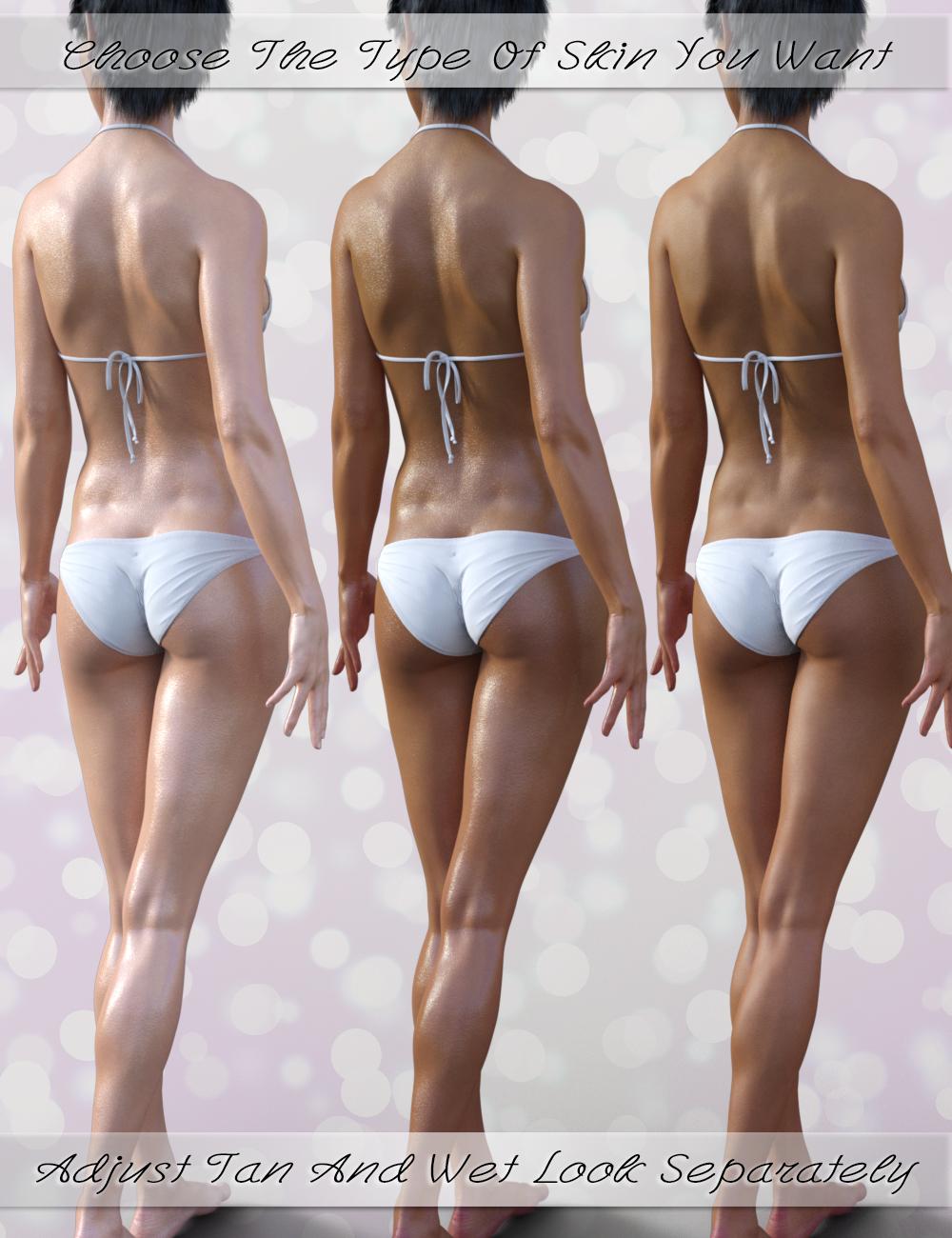
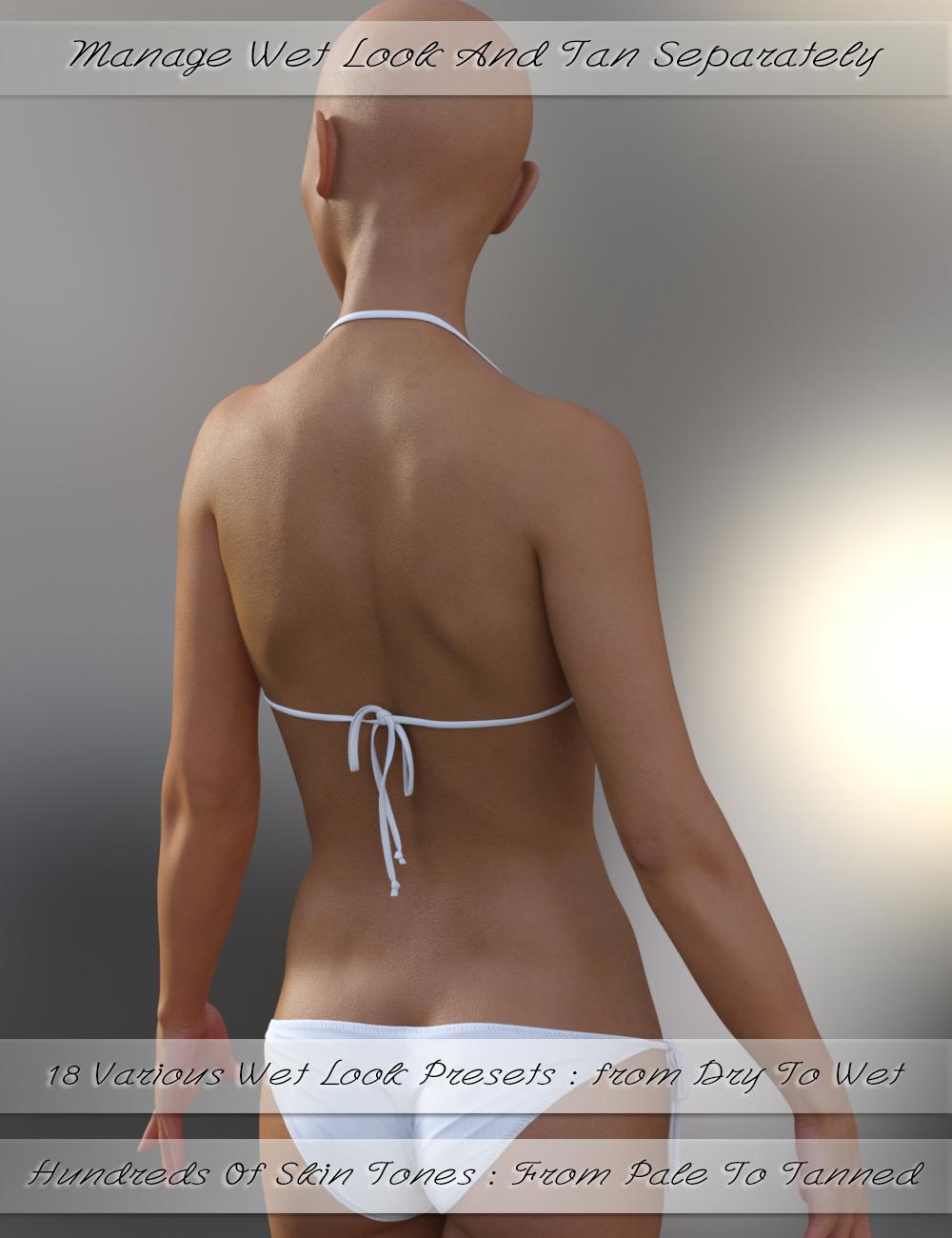
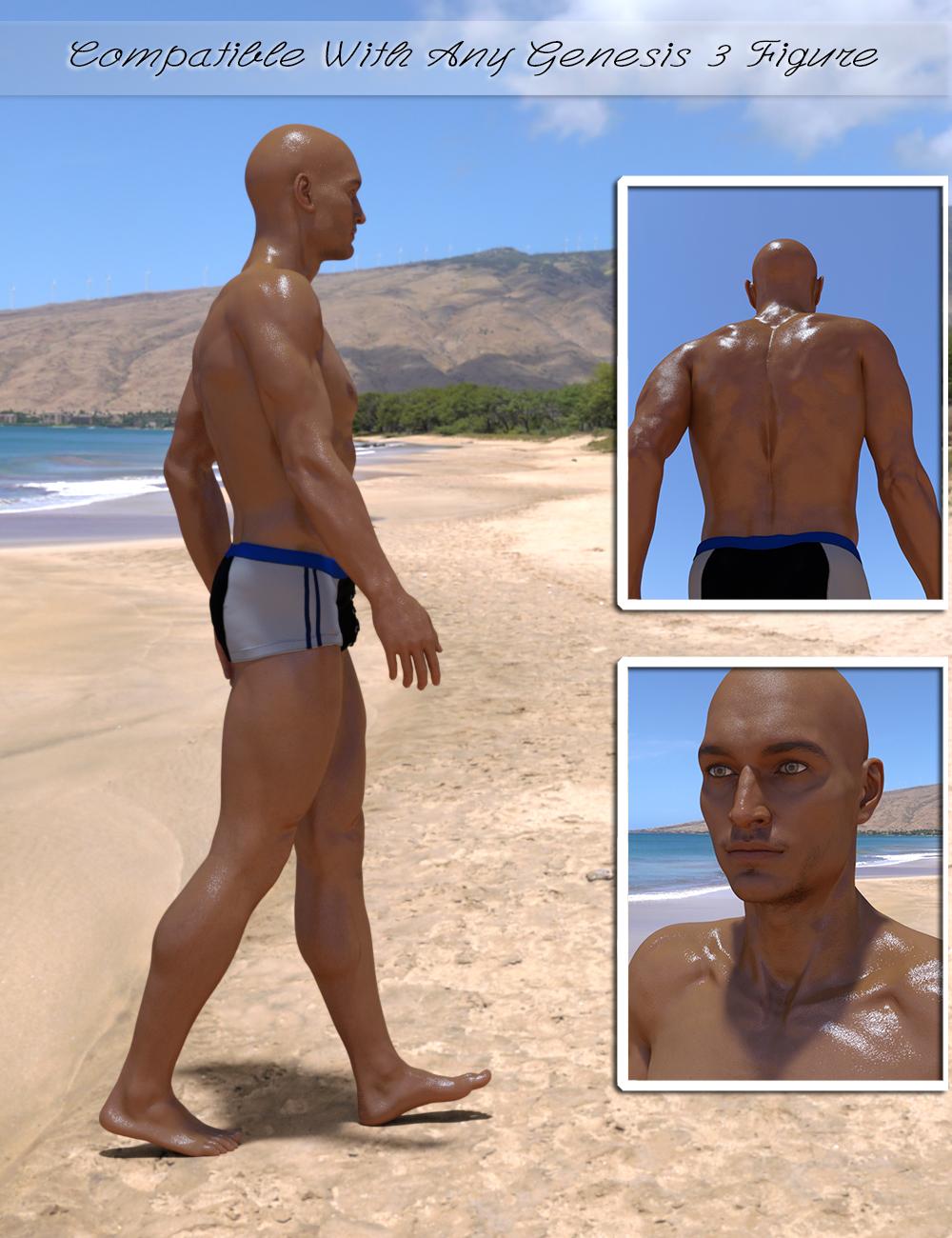
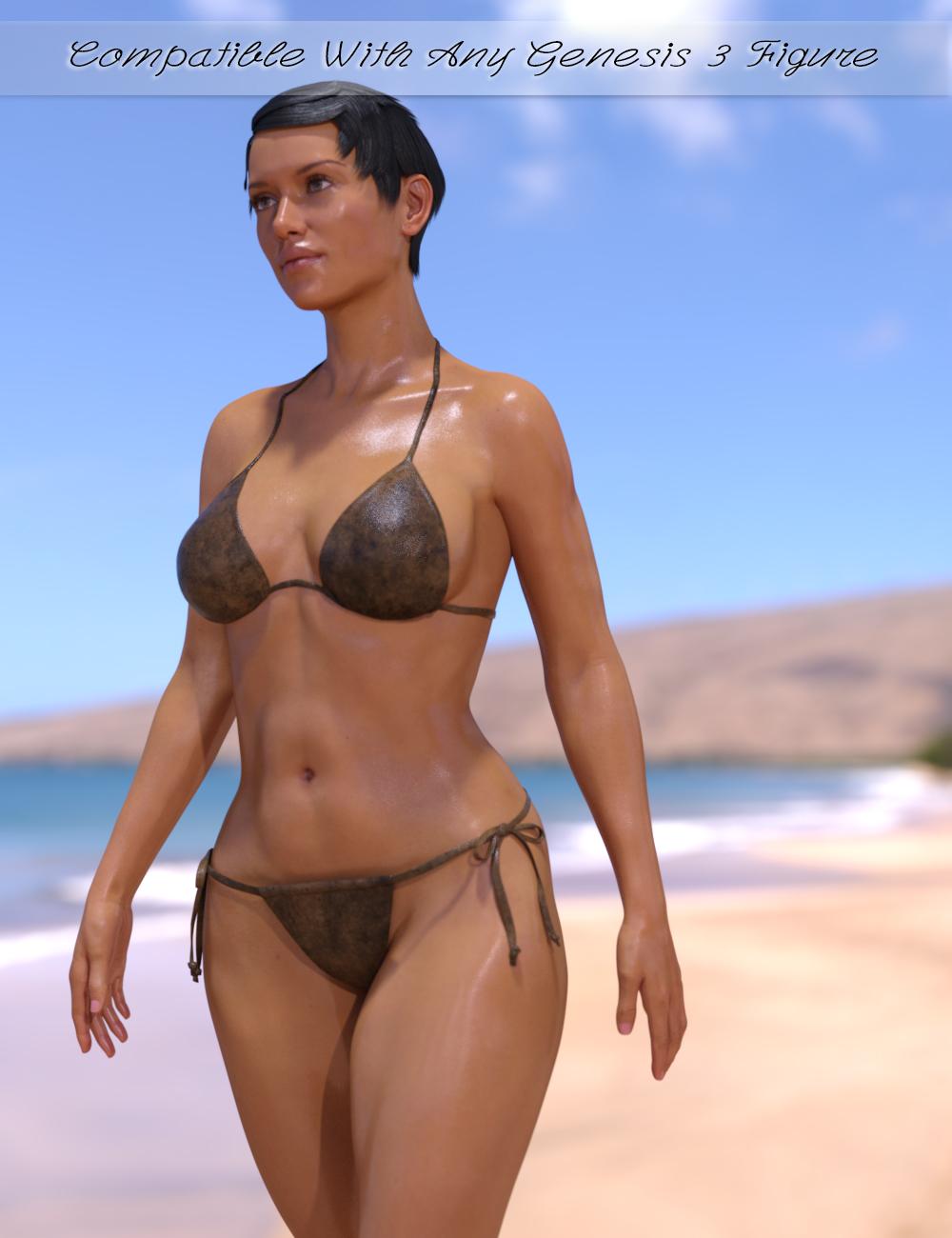
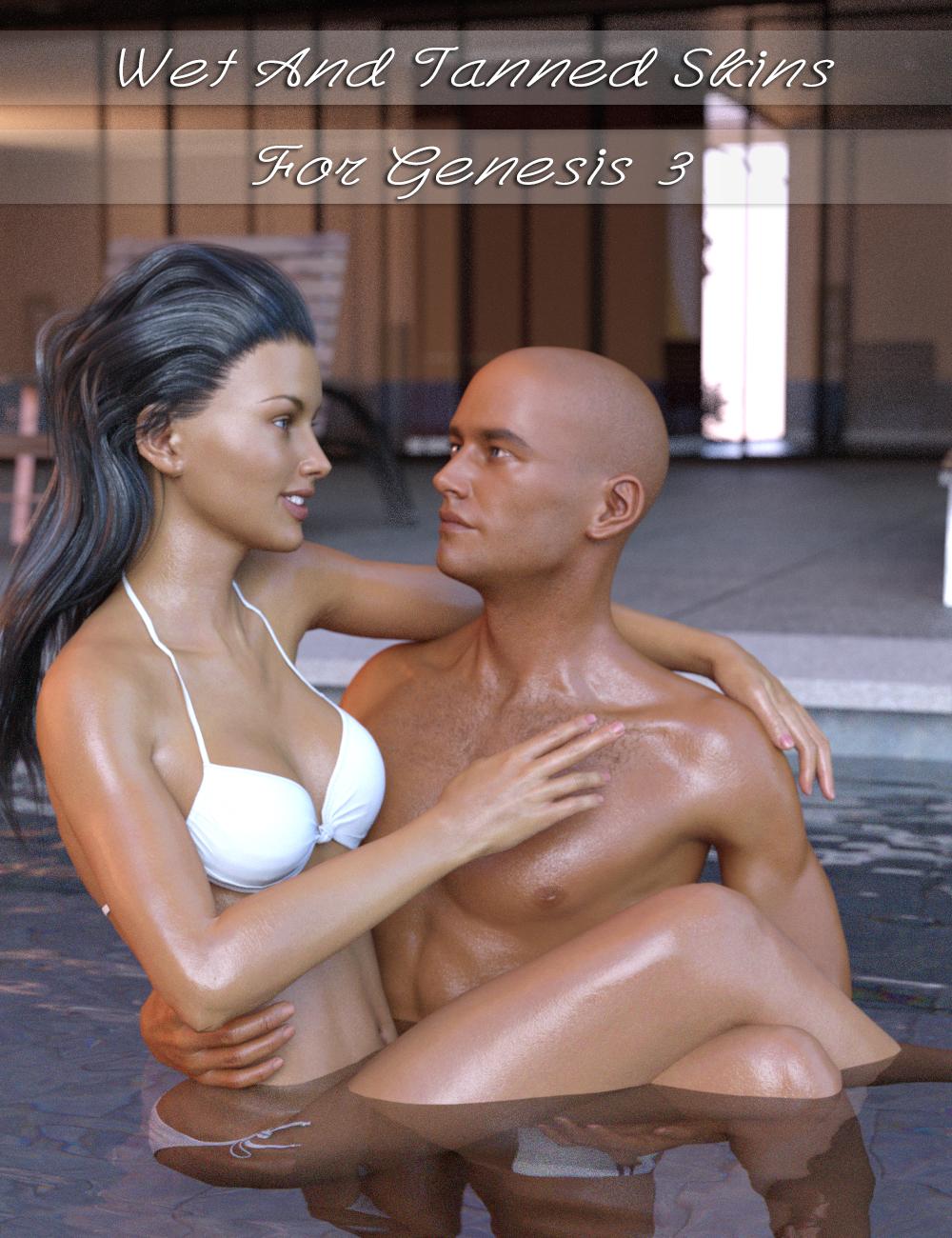
Wet and Tanned Skins For Genesis 3 is a complete solution for rendering many skin tones, from pale to tanned and many wet looks, from dry to very wet. Well the title could have been "Vary from dry to wet and from pale or tanned the skins for Genesis 3, but it was obviously too long). Of course it is compatible with males and females.
This relies on a new shader made in shader mixer especially developped to reach a wide range of tone thanks to additional Hue, Saturation and Lightness controls, and allowing the possibility to include tan lines.
To make is simple and efficient, it works as "materials", meaning that you select the figure and double click a preset or a tool, and all skin / lips / nails will be treated all together. For users of Genitalia, you will find a script which will transfert the skins properties to the Genitalia surfaces.
As usually it has been developped to make everybody happy : tons (TONS!!!) of presets (skin tans / skins wet looks) for the beginners or advanced users in a hurry, and smart managers (tune skin yourself) documented within the manager scripts and in a pdf documentation for advanced users and professionals. Concerning the skin tan/ tones, there are 17 "families" of skin tones with, in each family, 9 tan levels (varying progressively from no tan to strong tan), with 2 suboptions for all presets (more or less brown skin).
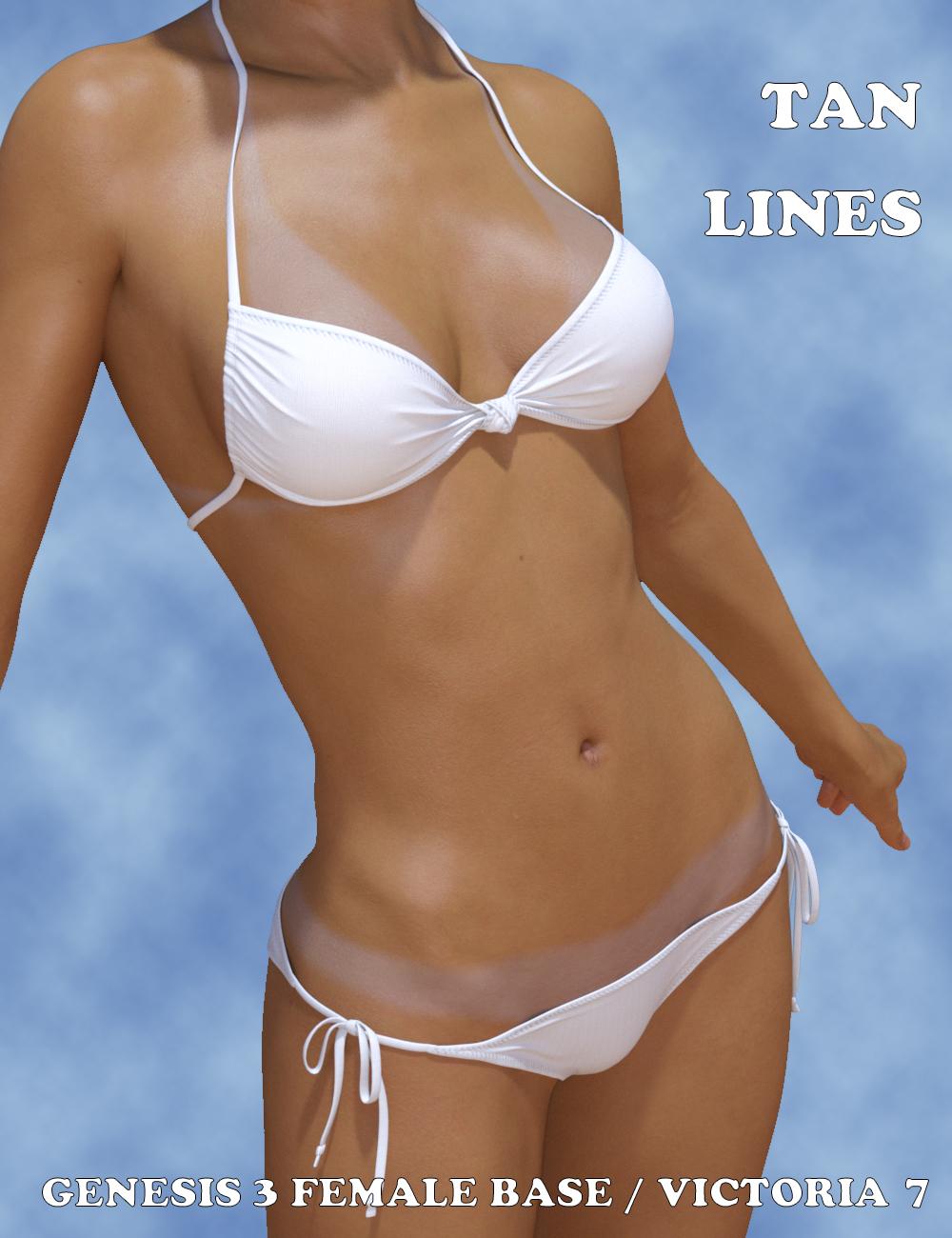
Tan lines is an Addon for wet and tanned skins which is available separately. This is a collection of tan line patterns (from very very small bikinis to monokinis, shorts, tee shirts). The tan lines strength (visibility) can be controlled with a single dial from the surfaces editor tab, or using a dedicated interface. For now the tan lines are provided for Genesis 3 Base female UV sets, and Victoria 7 UV sets. You can try on other Genesis 3 females : depending on the tan line type and the figure you try, it may work pretty well.
I decided to link these two different products in a single topic, as well as in a bundle, the "So Wet! Bundle For Genesis 3", which will include Wet and Tanned Skins For Genesis 3, Tan Lines For Genesis 3 Base Female and Victoria 7, and Drips and Drops For Genesis 3 Female(s). I'll make a different post for Drips and Drops.
The idea behind all that is to have the "full package" for summer or action scenes, or even sports scenes : The shader (from pale to tanned from dry to wet presets), the tan lines, and the additional drops running on the body.
Of course, feel free to use this topic for questions, worries, comments, feedback and render sharing
well, that all looks very usefull and I would buy all these products, unfortunatelly I do not render in Iray, so no match for me, sorry.
I understand. I was considering making an "Amazing Skins For Genesis 3" which allows to make tanned skins for 3Delight (amongst other things) but I'm really hesitating because it is not clear at all if many people still use 3Delight.
well, a tanlines working with a geometric shell and for 3Delight I have, I need wet and sweat body effects working for g3f and g3m for 3Delight or I need some tips for values after converting these products into DS Default shaders, I have a wet body tool for Iray I have converted into DS Default and with some fixed values it is not bad but also not perfect
 Breathing in and out, pulling belly in, flexing muscles...
At the moment I am playing with Genesis 3 male and female, but I will probably use Victoria and Michael 4 eventually as there is an anatomy pack that will be very useful - but I am not sure yet this is a judicious choice!
I just came across the DFormer tool, which seems to be very promising too for some movements
Hair with long bangsHow about Legacie hair by Goldtassel, it has lots of options : http://www.daz3d.com/legacie-hair-for-genesis-2-female-s-genesis-3-female-s-and-victoria-4
Novica & Forum Members Tips & Product Reviews Pt 7If I'm working on a direct character, then B, I load by clicking on the icon for that character. If I don't know what I'm doing other than I know which generation of figure, then C, I click on Genesis 2 or 3, or Victoria or Olympia or whichever character base I want to start with and then spin dials to my hearts content. I don't know that I ever really do option A. Is there a difference?
testing now because I'm not sure what's going on with Sakura's teeth, I want to assume it's because I loaded her wrong. I'll show you all the results in a few minutes. We'll see!
 Novica & Forum Members Tips & Product Reviews Pt 7
If I'm working on a direct character, then B, I load by clicking on the icon for that character. If I don't know what I'm doing other than I know which generation of figure, then C, I click on Genesis 2 or 3, or Victoria or Olympia or whichever character base I want to start with and then spin dials to my hearts content. I don't know that I ever really do option A. Is there a difference?
Genesis 3 UVs for Genesis and Genesis 2 [Commercial]Update: 22 January 2018
Released today: Genesis 3 UVs for Genesis
Update: 15 November 2016
Released today: Genesis 3 UVs for Genesis 2 Male(s)
Update: 14 September 2016
Released today: Genesis 3 UVs for Genesis 2 Female(s)
Original Post: 9 September 2016
Genesis 3 UVs for Genesis 2 Female(s) will be released shortly. The presentation and implementation of this will follow closely the template set down for the Legacy UVs, except, of course, the UVs are going in the opposite direction. The UVs supported are the Base Female UVs for Genesis 3 Female only. There will not be separate sets for any of the individual UVs, like Victoria 7, because it seems these are used for textures even more infrequently than in the previous generation. I do, however, plan to release a set for Genesis 2 Male(s).
This thread is for the discussion of any questions or issues which may arise. I thought it best to start a new thread rather than tack this on to the Legacy UVs thread because, for one thing, the thread titles could start to get very confusing!
I have attached a couple of promos for the release.
Searching for this BikiniOr it could be the String Bikini for Victoria 6
mcjAutoLimb2015 - A Kind of IK System - G3 and G8 Workability ConfirmedReposting a long answer i gave someone
------------
Hello
This animation
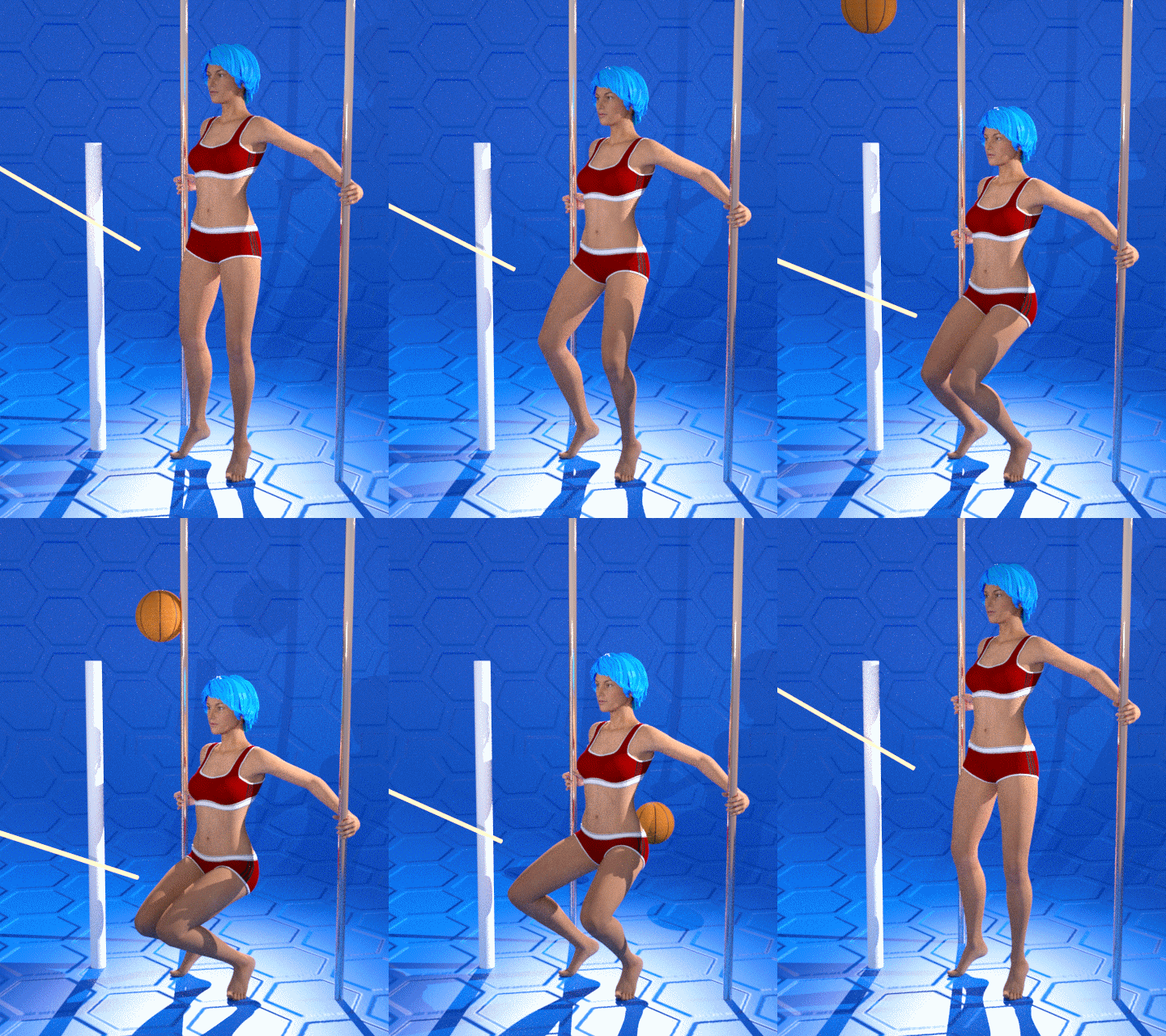
was one of the test animations i made for the release of mcjAutolimb2015, which was the first version to support Genesis3
note that you increase chances of success by using older Poser figures ( ex: victoria 3, 4 )
On the forum thread for AutoLimb2015 i answered some questions and gave a step by step example
The official release page for mcjAutolimb 2015 is the manual
https://sites.google.com/site/mcasualsdazscripts6/mcjautolimb2015
it's my web site, it's a very safe web site, i dont think there's many ads and pop ups if at all for visitors.
Also see previous versions of the script which may have less features, but are similar
https://sites.google.com/site/mcasualsdazscripts3/mcjautolimb2014
https://sites.google.com/site/mcasualsdazscripts/mcjautolimb
There's a tutorial here for a swingset animation
https://sites.google.com/site/mcasualsdazscripts3/swing-animation-tutorial
There's a tutorial here for cycling
https://sites.google.com/site/mcasualsdazscripts5/tutorial-pedaling-with-mcjautolimb2014
-----
Generally speaking, as is explained in the manual, this is not a "Live" IK system like poser.
if you select a figure's left foot and run the script
the script creates a target node and a 'pole'
the only thing you can accomplish now it so get mcjAutoLimb to calculate the left leg pose
that will keep the position of the foot in space fixed for the duration of the timeline's play-range or animation range
if you select a figure's left foot and run the script and immediately exit the script
you could animate the position of the target node
then if you select the target node, followed by the foot and run the script
what you can accomplish is to get mcjAutoLimb to calculate the left leg pose
that will make the foot follow the the position of the target node for the duration of the timeline's play-range or animation range
Usually, there's a second phase where you use mcjKeepOrient or mcjHoldOn to take care of the foot orientation
So this is different from IK, but i find it more practical for my way of animating
if you read the links i posted above you'll improve chances of obtaining millimeter-precise animations
( ex: in the case of Genesis3 mostly, turning limits Off of the thigh or shouldr joints can make a big difference, also, unparenting the 'poles' can solve issues
-------
Note that Daz studio does have a type of IK system called pins
 Iray Converter For Generation 4 (M4, V4, etc, etc) (Commercial)
Somebody asked on page 1 whether you could apply the gen 4 skins to genesis 1. Answer is yes, as long as you have the generation 4 UV sets for Genesis. Load the updated skins, change UV set to Michael4/Victoria 4, and you're all set...
Thanks a lot for mentionning this. I try my best to follow everything around my products but sometimes I don't see everything! Thanks again!
To expand the answer: V4 and M4 UVs are included with Genesis base, no need to purchase anything extra.
Wet And Tanned Skins For Genesis 3 / Tan Lines For G3F and V7 UV Sets (Commercial)Bought these, completely forgot that there were versions made for Genesis 2 and that I owned them lol, now to download and try them out, I love the fact that you can make the drops and drops red to look like blood as well, hope to see tan lines for the guys as well :)
Thank you!! Tan lines are pretty fun to make. What would you like to have as tan lines for males? Don't tell me bikinis I'm sure it would not be accepted lol! (edit : but if I can, there will be a string).
May I begin by saying how much I love the wet skin product.... For Male tan lines, what is called a "farmer's tan', tank top, tee shirt, boxers and briefs tans would be helpful as well as a speedo, and one that has tanned face, hands, wrists, with untanned ring and watch positions, please!
OK so, a string (if accepted), a boxer slip, a "normal" underwear, a tank top, tee shirt, some swimwear, the farmer's tan. I think I'm gonna have a lof of fun gathering references on the web!!! I just have to explain this to my husband BEFORE gathering references lol!
Find them here :
http://www.daz3d.com/wet-and-tanned-skins-for-genesis-3
http://www.daz3d.com/tan-lines-for-genesis-3-female-and-victoria-7
http://www.daz3d.com/so-wet-bundle-for-genesis-3
Wet and Tanned Skins For Genesis 3 is a complete solution for rendering many skin tones, from pale to tanned and many wet looks, from dry to very wet. Well the title could have been "Vary from dry to wet and from pale or tanned the skins for Genesis 3, but it was obviously too long). Of course it is compatible with males and females.
This relies on a new shader made in shader mixer especially developped to reach a wide range of tone thanks to additional Hue, Saturation and Lightness controls, and allowing the possibility to include tan lines.
To make is simple and efficient, it works as "materials", meaning that you select the figure and double click a preset or a tool, and all skin / lips / nails will be treated all together. For users of Genitalia, you will find a script which will transfert the skins properties to the Genitalia surfaces.
As usually it has been developped to make everybody happy : tons (TONS!!!) of presets (skin tans / skins wet looks) for the beginners or advanced users in a hurry, and smart managers (tune skin yourself) documented within the manager scripts and in a pdf documentation for advanced users and professionals. Concerning the skin tan/ tones, there are 17 "families" of skin tones with, in each family, 9 tan levels (varying progressively from no tan to strong tan), with 2 suboptions for all presets (more or less brown skin).
Tan lines is an Addon for wet and tanned skins which is available separately. This is a collection of tan line patterns (from very very small bikinis to monokinis, shorts, tee shirts). The tan lines strength (visibility) can be controlled with a single dial from the surfaces editor tab, or using a dedicated interface. For now the tan lines are provided for Genesis 3 Base female UV sets, and Victoria 7 UV sets. You can try on other Genesis 3 females : depending on the tan line type and the figure you try, it may work pretty well.
I decided to link these two different products in a single topic, as well as in a bundle, the "So Wet! Bundle For Genesis 3", which will include Wet and Tanned Skins For Genesis 3, Tan Lines For Genesis 3 Base Female and Victoria 7, and Drips and Drops For Genesis 3 Female(s). I'll make a different post for Drips and Drops.
The idea behind all that is to have the "full package" for summer or action scenes, or even sports scenes : The shader (from pale to tanned from dry to wet presets), the tan lines, and the additional drops running on the body.
Of course, feel free to use this topic for questions, worries, comments, feedback and render sharing
well, that all looks very usefull and I would buy all these products, unfortunatelly I do not render in Iray, so no match for me, sorry.
I understand. I was considering making an "Amazing Skins For Genesis 3" which allows to make tanned skins for 3Delight (amongst other things) but I'm really hesitating because it is not clear at all if many people still use 3Delight.
I don't have hard numbers, but there is a very vocal group of folks here on the forums that are complaining loudly about a lack of 3Delight shaders for some newer content, so maybe it would be worthwhile.
Also, thanks for a nice product; I just have to figure out how to use it all.
Yes you are right, I hear (and read) this very vocal group!!! But there is a risk to take, and well... It is not always easy to take risks when you can go on more comfortable ways. It's been a while I wanted to make a 3Delight Amazing Skins for Genesis 3 but I always found something else to do instead. For now I'm on a project with a friend which will be compatible Iray and 3Delight.
You're welcome. Well they are not difficult products to use, but I recognise that there is a lot of things (I think if you add all the products you must find something like 400 or 500 presets, scripts and props), but if you have a deeper look at them, this is all organised by category (shaders, tan presets, gloss presets, tan line presets, applying scripts, wearable presets..), and I personally think it is better to use them from the content library folder (or virtual folder if you have Daz Connect install), because the sub folders organisations allow to reach the result you want (if you want to tweak the default settings) in a clear, simple and efficient way.
Anyway I'm here for any question, directly on this thread and by MP too!
Carrara Challenge #27: “Carrara 9, Give us a Sign” WIP Thread: Voting has started.question: in Car 8.5 can you multiply/add lighting effects such as blinds and gradient and texture?
Nope. Not in Lights. I think DCG has a plugin which allows this, though - using shaders in lights. I want that one too!!!
I wish we could do that as well as in the Background/Backdrop areas as well. Layers would really rock, but simple Add, Multiply, Subtract and Divide would be fine as well. Would be really cool if, instead, we could just plug a shader in those!
Dart, DCG has a number of plug-ins that you might be referring to... most likely it is Shader Gel and Stobe which gives you an extra Gel/Effects/"ShaderGel". Noir also comes to mind... let's you make dark areas darker... lite areas lighter and more... it is a Post Render plug-ing. Haven't yet played with enough of them... gotta go learn how to use some of my toys. :)
Hah... haven't played with Light Mangler in Shader Ops 2 yet either.
You are correct about anywhere shaders should be able to added. Another nice feature would be the ability to add more than one Gel... at least 4 or more... but I'm only thinking different Gels aw well as different light colours.
That's the one! Shader Gel and Stobe
Dudu - I'll have some of that!
He's talking about the barely dressed Victoria you know... Phil doesn't do chocolate!

you know I'm kidding, right?
Skin way darker in renders than in storeThis comes up all the time. DAZ 3D products should start including saved lighting setups for the renders used in ad copy in the DAZ Store because most of the newer iRay skin texture products lead to questions like yours.
The easiest way to fix it without cranking the lighting setting to be so bright as to wash out the other colors is to go into the Surfaces Tab and delete all the Top Coat maps from the surfaces and then after you get the skin tone to be what was expected when you purchased save your changes as a, eg, Victoria 7 (sans Top Coat).duf Material Preset in your own personal presets folder.
However, doing that will give the render a slightly oily look all over the body and usually the face is oilier than the rest of the body.
Others have other ways of compensating for what you describe mostly but adding very bright lighting studio style I think. Maybe some of them will come by and explain how they compensate.
There are studio style lighting with reflectors iRay settings in your Content Library folder.
Skin way darker in renders than in storeSometimes when I buy a new model from Daz3D and do a basic render it looks like the store image, which is good.
But some models, then render looks nothing like the store image.
Take Vicoria 7 as an example, here is a basic render (attached)
her skin is tanned, but in the store image it is pinkish white.
An even better example is Paloma
http://www.daz3d.com/fwsa-paloma-hd-for-victoria-7
In my render she is dark skinned, almost black
but in the store image she is tanned.
Is there some magic render setting I am missing?
Wet And Tanned Skins For Genesis 3 / Tan Lines For G3F and V7 UV Sets (Commercial)Find them here :
http://www.daz3d.com/wet-and-tanned-skins-for-genesis-3
http://www.daz3d.com/tan-lines-for-genesis-3-female-and-victoria-7
http://www.daz3d.com/so-wet-bundle-for-genesis-3
Wet and Tanned Skins For Genesis 3 is a complete solution for rendering many skin tones, from pale to tanned and many wet looks, from dry to very wet. Well the title could have been "Vary from dry to wet and from pale or tanned the skins for Genesis 3, but it was obviously too long). Of course it is compatible with males and females.
This relies on a new shader made in shader mixer especially developped to reach a wide range of tone thanks to additional Hue, Saturation and Lightness controls, and allowing the possibility to include tan lines.
To make is simple and efficient, it works as "materials", meaning that you select the figure and double click a preset or a tool, and all skin / lips / nails will be treated all together. For users of Genitalia, you will find a script which will transfert the skins properties to the Genitalia surfaces.
As usually it has been developped to make everybody happy : tons (TONS!!!) of presets (skin tans / skins wet looks) for the beginners or advanced users in a hurry, and smart managers (tune skin yourself) documented within the manager scripts and in a pdf documentation for advanced users and professionals. Concerning the skin tan/ tones, there are 17 "families" of skin tones with, in each family, 9 tan levels (varying progressively from no tan to strong tan), with 2 suboptions for all presets (more or less brown skin).
Tan lines is an Addon for wet and tanned skins which is available separately. This is a collection of tan line patterns (from very very small bikinis to monokinis, shorts, tee shirts). The tan lines strength (visibility) can be controlled with a single dial from the surfaces editor tab, or using a dedicated interface. For now the tan lines are provided for Genesis 3 Base female UV sets, and Victoria 7 UV sets. You can try on other Genesis 3 females : depending on the tan line type and the figure you try, it may work pretty well.
I decided to link these two different products in a single topic, as well as in a bundle, the "So Wet! Bundle For Genesis 3", which will include Wet and Tanned Skins For Genesis 3, Tan Lines For Genesis 3 Base Female and Victoria 7, and Drips and Drops For Genesis 3 Female(s). I'll make a different post for Drips and Drops.
The idea behind all that is to have the "full package" for summer or action scenes, or even sports scenes : The shader (from pale to tanned from dry to wet presets), the tan lines, and the additional drops running on the body.
Of course, feel free to use this topic for questions, worries, comments, feedback and render sharing
well, that all looks very usefull and I would buy all these products, unfortunatelly I do not render in Iray, so no match for me, sorry.
I understand. I was considering making an "Amazing Skins For Genesis 3" which allows to make tanned skins for 3Delight (amongst other things) but I'm really hesitating because it is not clear at all if many people still use 3Delight.
I don't have hard numbers, but there is a very vocal group of folks here on the forums that are complaining loudly about a lack of 3Delight shaders for some newer content, so maybe it would be worthwhile.
Also, thanks for a nice product; I just have to figure out how to use it all.
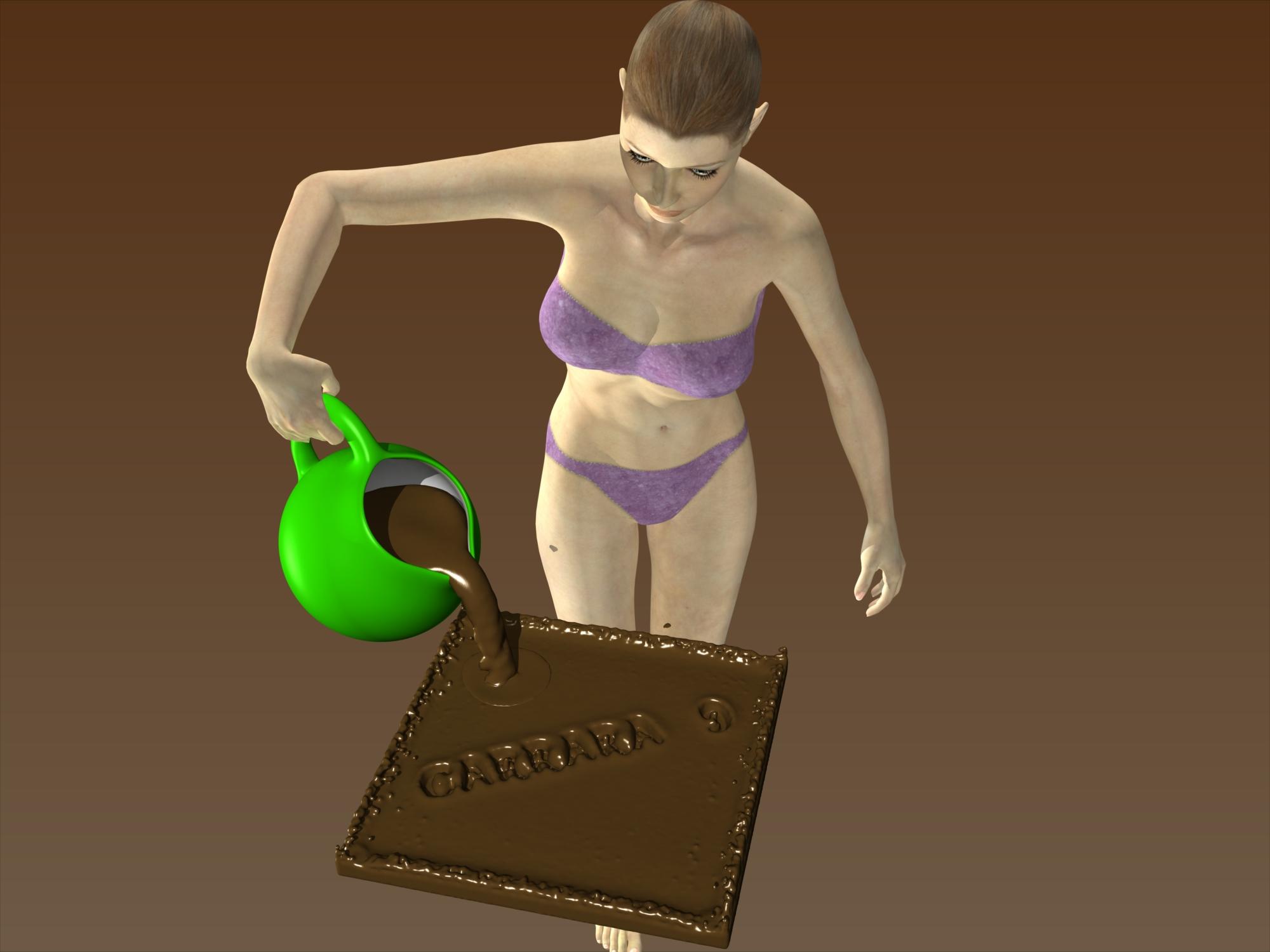
Carrara Challenge #27: “Carrara 9, Give us a Sign” WIP Thread: Voting has started.Victoria needs also Carrara 9...
I wanted to make a very short break during my film in progress and I made this, only for pleasure, not to participate.
I don't know how I will make a choice in this bunch of impressive entries !
 Iray Converter For Generation 4 (M4, V4, etc, etc) (Commercial)
Somebody asked on page 1 whether you could apply the gen 4 skins to genesis 1. Answer is yes, as long as you have the generation 4 UV sets for Genesis. Load the updated skins, change UV set to Michael4/Victoria 4, and you're all set...
Thanks a lot for mentionning this. I try my best to follow everything around my products but sometimes I don't see everything! Thanks again!
Iray Converter For Generation 4 (M4, V4, etc, etc) (Commercial)Somebody asked on page 1 whether you could apply the gen 4 skins to genesis 1. Answer is yes, as long as you have the generation 4 UV sets for Genesis. Load the updated skins, change UV set to Michael4/Victoria 4, and you're all set...
MegafastGrab Q: Ancient History, Current Issue. Two SP3's the same?.. or Not?Thanks for the 'history' lessons. I often wondered if there was a Stephanie 3 (non-petite) and it sounds like, "no". It sounds like Stephanie Petite 3 was a unique character that didn't fit to Victoria 1 or Victoria 3 but may have been built on the Stephanie 1 mesh as Vicky 3 came out.
More importantly it also sounds like I have the right character pack and I don't need the upgrade, which means Dazbucks for another artist's product. Wahoo.
(It also looks like Daz has their bundles reversed in their advertising).
Really intrigued by Carrara! Potential buyer with some quick questionsThe Pro version is 64 bit, you definitely want the pro version and not standard (but ironically with platinum club Pro is less expensive anyway). Join Platinum club once to buy Carrara and drop it if you like after you own Carrara. Although if you don't already own a lot of content, the platinum club is pretty great at getting you discounts of other stuff from the store.
Genesis3 is the 'latest and greatest' yes, but not particularly superior, depending on your needs. I personally think Genesis1 is the best overall, and Genesis2 is pretty good too (so is Victoria/Michael 4, which is older content but still perfectly good). Genesis3 is the most recent, so all the stuff for it is more expensive, but that's not much of a plus :) earlier generations have more content anyway, and if some clothng item for Genesis 3 strikes your fancy you can always get a clone to transform the clothing into Genesis 1/2 clothing instead, and use it with those figures as well.
MegafastGrab Q: Ancient History, Current Issue. Two SP3's the same?.. or Not?The upgrade is for owners of the 1st, older, Stephaniel, they don't pay the 'full price'.
Stephanie is from the same 'generation' as Victoria (or Victoria 1) etc, so as such it could be referred to as SP1

 beaten by chohole, should have guessed.....
Daz 3D is part of

Connect
DAZ Productions, Inc.
7533 S Center View Ct #4664
West Jordan, UT 84084Licensing Agreement | Terms of Service | Privacy Policy | EULA
© 2026 Daz Productions Inc. All Rights Reserved.