-
Sublicense
"Handy for Genesis" is from 3dCelebrity. But it is part of the bundle "Victoria pro suite" which is DazOriginals. Am I allowed to use it in an Indy Game with the gaming license for DazOriginals?
Links:
Victoria 4 and Poke ThroughVictoria 4 and Poke ThroughWell, you do know that most V4 clothes have adjustments on them for diffrent body parts, right? I seem to have the opposite problem because most V4 clothes came with so many adjustments and G3 clothes don't have as much and then I get poke through on G3 with G3 clothes... But with most V4 clothes you can select sometimes the body or the chest or whatever part needs adjusting and just dial in the changes, so if your character is heavy, dial in heavy until it fits, there are usually tons of little adjustments you can make, it's not like autofit... Plus you can try "magnetize" and see if that works. It's in one the Victoria 4 folders. All my experience with V4 has been in Poser though, but I'm assuming it's the same...
Oddly I've not really had much issue with the fit of newer clothing. I do appreciate the morphs that come with the V4 clothing - sadly they still, imo, leave much to be desired. Like many aren't precise enough to give a proper fit. Like it seams you have to expand the chest area to keep the ta-tas from flashing the world, but in doing so it often expands in not just the breast area but the sides as well or even the collar area and gives that area a big puffy or "floaty" look -like the garment is floating off the shoulders.
I've never tried magnetize. I've heard of it before but I don't know how that works. I'll have to look into it. :)
Thanks for the advice and help, Wonderland! V4 and M4 and all those guys are a total mystery to me. I would like to work with them more though and learn more about making good art with them because of how often I see the V4/M4/A4 stuff go SUPER CHEAP. :)
Post Your Renders - Happy New Year yallmicro reflection + fresnel effect on G3F, no postwork
Very nice!
Hey... when was the last time you've messed around with Victoria 3? I haven't as long as I've had Carrara, I don't think.
Well I was just perusing the store, and as soon as I saw this, you came to mind (I have to show this to Remo, I said to myself!)
Lynara by Thorne and Sarsa

Phil, Very nice render!!! :)
Victoria 4 and Poke ThroughWell, you do know that most V4 clothes have adjustments on them for diffrent body parts, right? I seem to have the opposite problem because most V4 clothes came with so many adjustments and G3 clothes don't have as much and then I get poke through on G3 with G3 clothes... But with most V4 clothes you can select sometimes the body or the chest or whatever part needs adjusting and just dial in the changes, so if your character is heavy, dial in heavy until it fits, there are usually tons of little adjustments you can make, it's not like autofit... Plus you can try "magnetize" and see if that works. It's in one the Victoria 4 folders. All my experience with V4 has been in Poser though, but I'm assuming it's the same...
Victoria 4 and Poke ThroughI have rendered V4 a few times, but have always rendered her with her "Basic Wear" bikini and have never had any issues getting it to fit right. However I have quite a bit of other V4 clothing (some freebies, but several bought in the Daz store) and don't understand what I'm doing wrong - as none if it is really fitting her. What I am doing wrong?
I'm getting massive poke through with just about everything I've put on her (except her "basic wear").


Ironically, G2F wears V4's clothes better than V4 does (thanks to Victoria 4 for Genesis 2 Female). Here are the same clothes on G2F:


What am I doing wrong? Why aren't V4's clothes fitting her? I'd really like to use V4 more but I spend so much time trying to get rid of all the poke through (and usually failing) that I just give up and load G2F or G3F instead. I have quite a few really lovely V4 characters and I want to use them, but I just can't seam to figure out what the deal is - what am I doing wrong? What is the trick to her clothing?
Any help you guys can give me would be much appreciated!
Fix the models! (So far Genesis is the only complete model that can be used for real)Equivelant morphs to the Genesis morph bundle you mentioned do exist for Genesis 2 and Genesis 3. Toe control doesn't have an equivelant here that I know of, and Victoria 4 is old tech that predates Genesis1.
So Ideal feet and genesis evolution exists for both Gensis 3 and 2? I did not see anything about that in your link. Toe control is the whole world if you work with series like I do. Try to create two martial artists without that
and make it look good = good luck.
Fix the models! (So far Genesis is the only complete model that can be used for real)Equivelant morphs to the Genesis morph bundle you mentioned do exist for Genesis 2 and Genesis 3. Toe control doesn't have an equivelant here that I know of, and Victoria 4 is old tech that predates Genesis1.
Fix the models! (So far Genesis is the only complete model that can be used for real)Genesis have ideal feet, ideal body, with tons of morphs and you can even morph the model like clay in the "Parameters" window (Like less big hips, smaller arms, (Ect ect). I tried to create Reina in Hokuto no ken and it was impossible with all models except genesis.
Genesis 2 has the body but misses many morphs and feet morphs (Anime characters have different feet for example) It also misses body change morphs
http://www.daz3d.com/genesis-evolution-morph-bundle
Without the possibility to scale the head, all models looks completely off. The models have WAY to big head compare to the rest of the body. a grown up body is 8 heads and 1 head to each shoulder.
Even children has one head apart from each shoulder. So, without head scaling everything looks completely off.
Even a teenager is 7 or 7.5 heads. Only 11-12 year children are 6.5 heads tall.
Like here, a good explaination why everything here is off by standard.
https://postimg.org/image/m0l0tt41p/
Or toe control
http://www.daz3d.com/toe-control-for-genesis
Try to create a character that shall move forward like they do in anime without the possibility to change the toes. (Good luck with that)
So it makes me angry as a costumer to see you send in new models without completing the others first. Genesis 2-3 and even Victoria 4 is very bad. They misses tons of stuff.
This model I just created is not possible to create with either Geneis 3,2 or Victoria 4, or the rest of them all except Geneis. (Because they are NOT complete)
Do something complete before you start sending other models in, please!
Try to create this kind of model with something else then Genesis and you will fail for sure. It's forms are based on Reina from Hokuto No Ken (Yes, I like anime)
And even lalibits has been converted to Genesis by a hacker. So the Genesis base model has it all so far.
footGuys please help me to fix this.
Genesis 3. After applying shoes the toes and foot got deformed. The reset poses do not help.
I know the way to load victoria 7 and then apply character morphs again. But it is not the way. Because I skin tone, and body morphs is quite difficult to recreate. Maybe there is a easier way to do it.
Could Daz Store let us rate/review products?I am sure that PAs are kept pretty busy building new products. It would take far too much time to expect them to go back and rerender promos of back cat stuff TBH.
Then I'll turn that around; why have it still for sale (especially at the full price) if updating how it will look is too much trouble?
Because there are still users who will buy it, even if there's no updated promos or materials, so having it in your store is still worth it. Taking time to create new materials and promos though? The vendor would maybe get a few more sales after update, but on the other hand they could have spent that time to create the materials and promos for a new product, which should generate way more revenue.
When you have bills to pay the choice is quickly done....You ignored the part in brackets, which you haven't addressed. :) I've commented on it elsewhere myself.
Not really; using Victoria 4.2 as an example, DAZ can give it away as a free item or sell it at lower cost because they've already made enough on it to cover what it cost to buy it from the creator. Updating the promotional images likely won't make a significant difference in sales since it's such an old figure now. And, I think most would consider 60% off of whatever the current store price is to be a better deal than 60% off of a substantially lower base price.
60% of a lower price is a better price than 60 of a higher price.
100 - 60% is 40; 50 - 60% is 20.
Of course if its Daz discount-maths, with the way percentages are calculated, I've no clue; each has to be calculated with the various percentages taken into consideration, whilst reading the promo for what gives what, when and how - for how long: is often a guess.
I am sure that PAs are kept pretty busy building new products. It would take far too much time to expect them to go back and rerender promos of back cat stuff TBH.
Then I'll turn that around; why have it still for sale (especially at the full price) if updating how it will look is too much trouble?
Because there are still users who will buy it, even if there's no updated promos or materials, so having it in your store is still worth it. Taking time to create new materials and promos though? The vendor would maybe get a few more sales after update, but on the other hand they could have spent that time to create the materials and promos for a new product, which should generate way more revenue.
When you have bills to pay the choice is quickly done....You ignored the part in brackets, which you haven't addressed. :) I've commented on it elsewhere myself.
With DAZ having sales all the time most people don't buy at full price, especially for older items.
Lowering the base price on older items would be interesting for the PA only if it brings them enough extra sales to offset the money they'll lose on each sale (which will probably made at 60-70% off anyway). And the chances of that happening are rather small, as the DAZ/Poser content market itself is quite small.
Besides just because an item has been released a few years ago doesn't mean it's not worth its original price anymore...
I might have paid full price for one item, ever; but can't be certain.
I know how Daz sales work, and that there are Sales all the time; but for new visitors, it must look strange, when they realise old items are still quite high; perhaps by the time that realisation sinks in though, they discover the mantra: "there will always be another sale".
Wet And Tanned Skins For Genesis 3 / Tan Lines For G3F and V7 UV Sets (Commercial)Find them here :
http://www.daz3d.com/wet-and-tanned-skins-for-genesis-3
http://www.daz3d.com/tan-lines-for-genesis-3-female-and-victoria-7
http://www.daz3d.com/so-wet-bundle-for-genesis-3
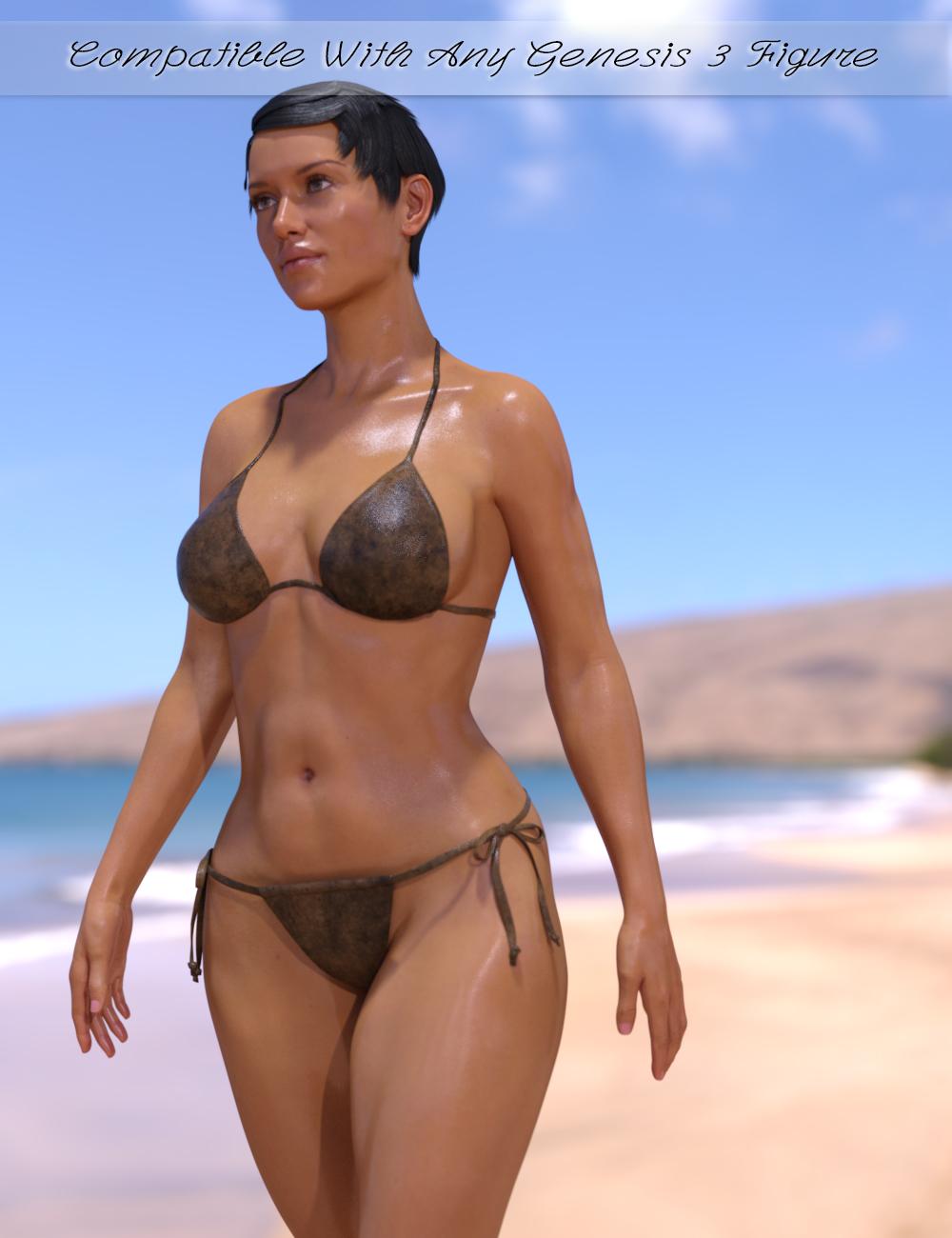
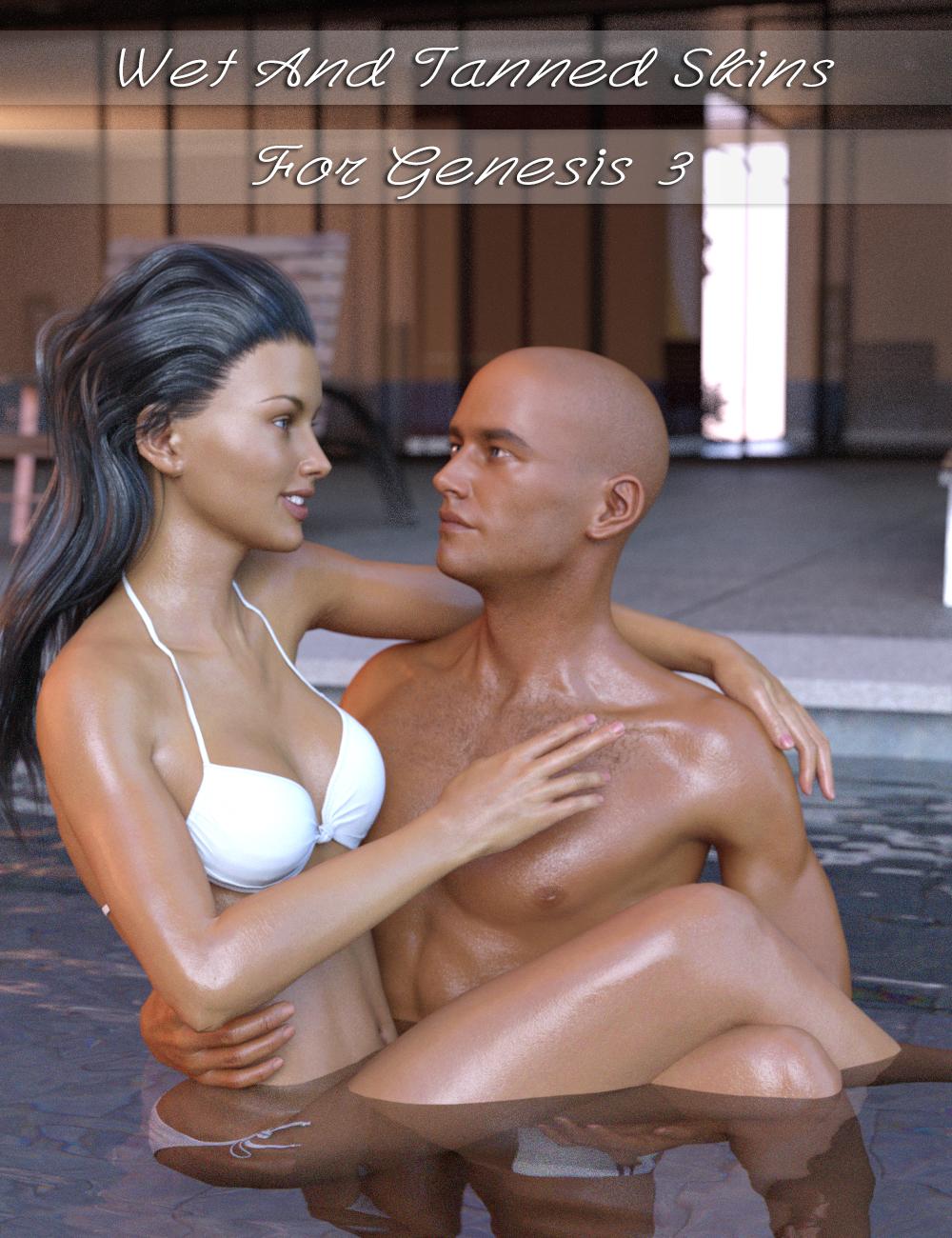
Wet and Tanned Skins For Genesis 3 is a complete solution for rendering many skin tones, from pale to tanned and many wet looks, from dry to very wet. Well the title could have been "Vary from dry to wet and from pale or tanned the skins for Genesis 3, but it was obviously too long). Of course it is compatible with males and females.
This relies on a new shader made in shader mixer especially developped to reach a wide range of tone thanks to additional Hue, Saturation and Lightness controls, and allowing the possibility to include tan lines.
To make is simple and efficient, it works as "materials", meaning that you select the figure and double click a preset or a tool, and all skin / lips / nails will be treated all together. For users of Genitalia, you will find a script which will transfert the skins properties to the Genitalia surfaces.
As usually it has been developped to make everybody happy : tons (TONS!!!) of presets (skin tans / skins wet looks) for the beginners or advanced users in a hurry, and smart managers (tune skin yourself) documented within the manager scripts and in a pdf documentation for advanced users and professionals. Concerning the skin tan/ tones, there are 17 "families" of skin tones with, in each family, 9 tan levels (varying progressively from no tan to strong tan), with 2 suboptions for all presets (more or less brown skin).
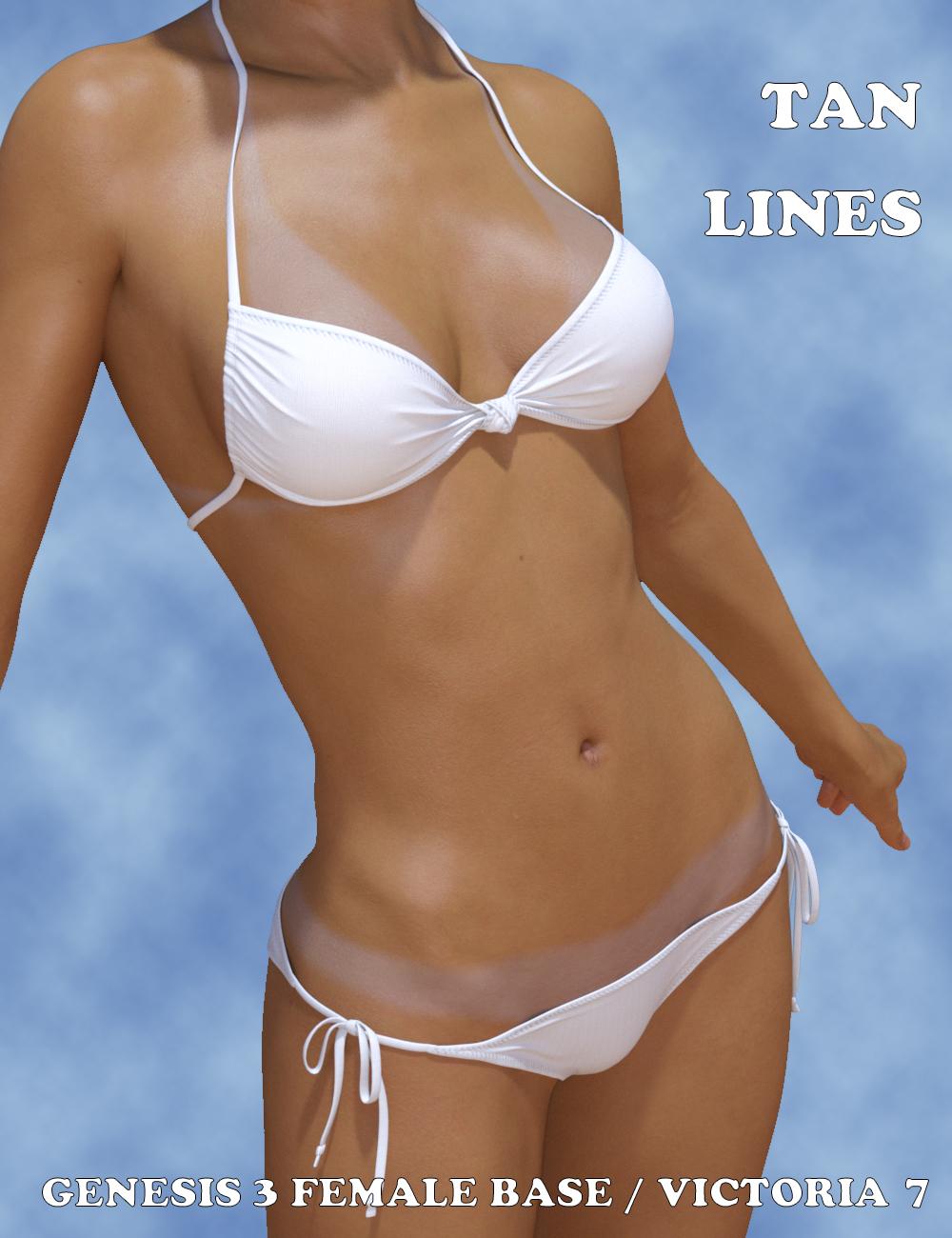
Tan lines is an Addon for wet and tanned skins which is available separately. This is a collection of tan line patterns (from very very small bikinis to monokinis, shorts, tee shirts). The tan lines strength (visibility) can be controlled with a single dial from the surfaces editor tab, or using a dedicated interface. For now the tan lines are provided for Genesis 3 Base female UV sets, and Victoria 7 UV sets. You can try on other Genesis 3 females : depending on the tan line type and the figure you try, it may work pretty well.
I decided to link these two different products in a single topic, as well as in a bundle, the "So Wet! Bundle For Genesis 3", which will include Wet and Tanned Skins For Genesis 3, Tan Lines For Genesis 3 Base Female and Victoria 7, and Drips and Drops For Genesis 3 Female(s). I'll make a different post for Drips and Drops.
The idea behind all that is to have the "full package" for summer or action scenes, or even sports scenes : The shader (from pale to tanned from dry to wet presets), the tan lines, and the additional drops running on the body.
Of course, feel free to use this topic for questions, worries, comments, feedback and render sharing
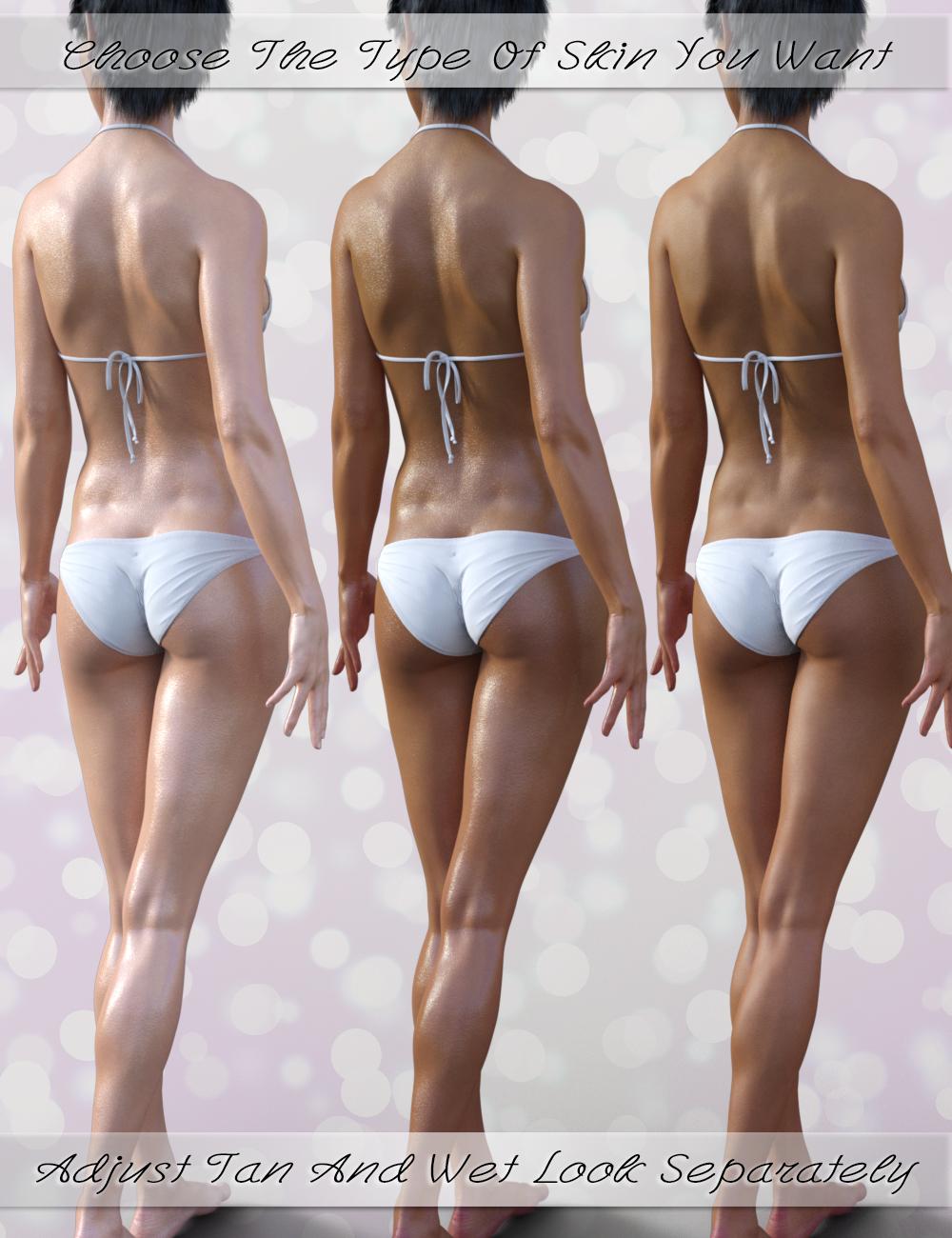
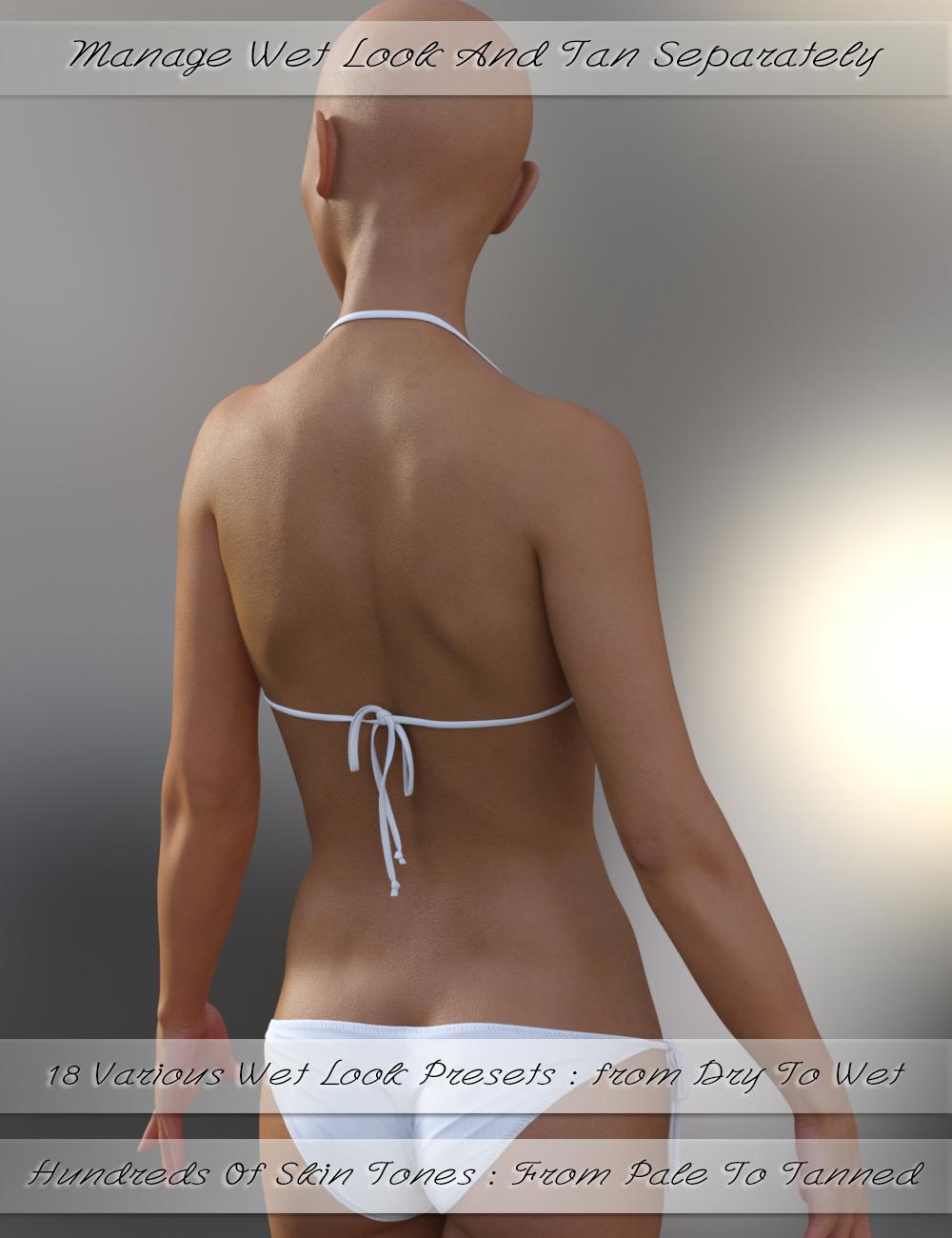
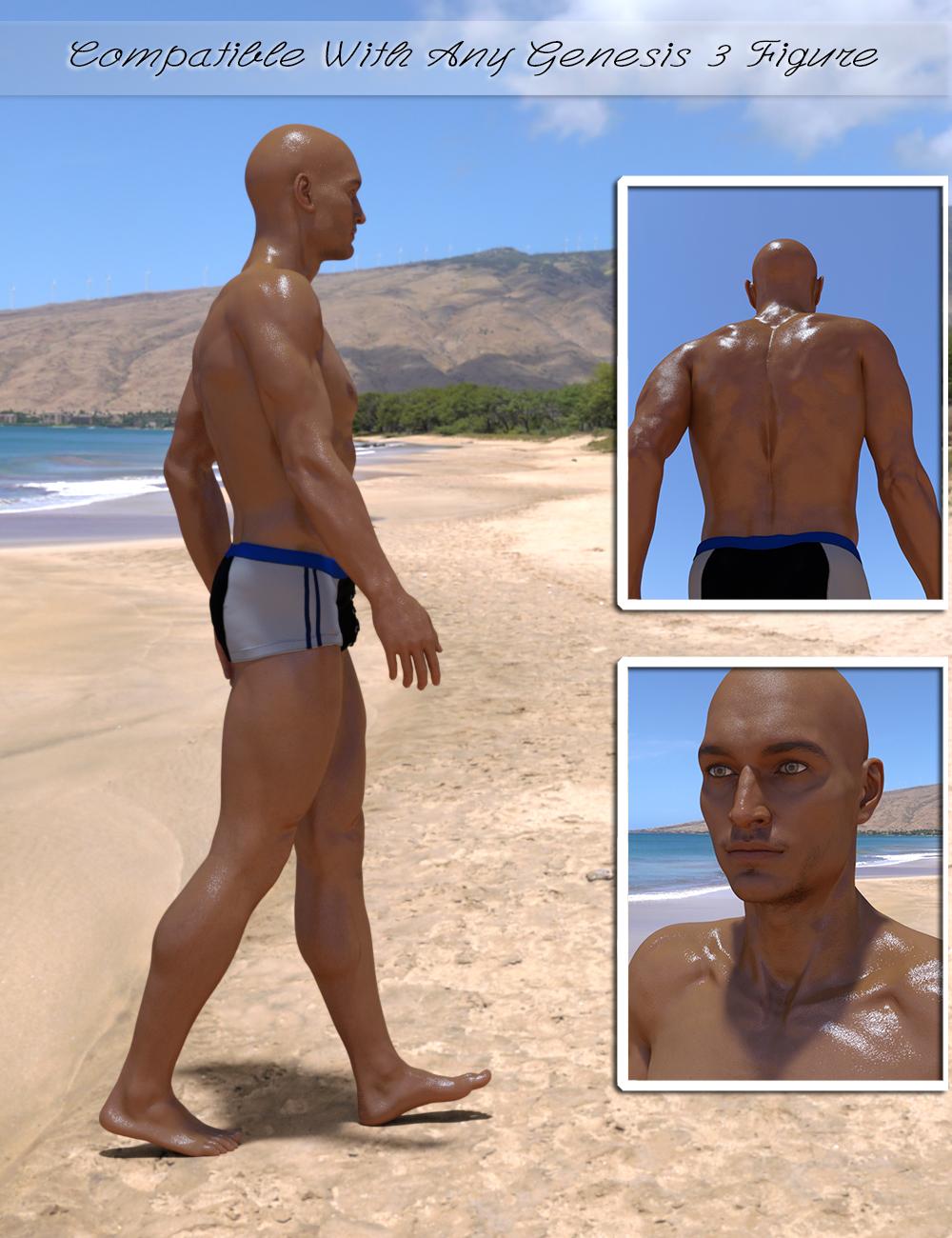
well, that all looks very usefull and I would buy all these products, unfortunatelly I do not render in Iray, so no match for me, sorry.
I understand. I was considering making an "Amazing Skins For Genesis 3" which allows to make tanned skins for 3Delight (amongst other things) but I'm really hesitating because it is not clear at all if many people still use 3Delight.
well, a tanlines working with a geometric shell and for 3Delight I have, I need wet and sweat body effects working for g3f and g3m for 3Delight or I need some tips for values after converting these products into DS Default shaders, I have a wet body tool for Iray I have converted into DS Default and with some fixed values it is not bad but also not perfect

OK understood. Well that was not the original purpose of the 3Delight Amazing Skins for Genesis 3, but I keep this in a corner of my head when (if) I'll develop it.
But I need it as a geometric shell so I can use it on my character with my edited skin
Really newbie question - Why can't I see anything I load into Carrara?One tip that I think might be helpful for people used to Studio when dabbling in Carrara is to tweak the skin shaders until you get something you like, then save that globally to your shader browser. The next time you load that figure, just drag and drop the saved skin shader to the globe of the "actor" level's shader tab. Typically, most Daz skin products are made for Studio so have to be adjusted. An exception is Carrara skin producs by Ringomonfort. Although I am rarely going for a photoreal look so any tips in this area that I give should be taken with a grain of salt (others can give better tips for preferred settings), here are some typical default skin topics to keep in mind.

Carrara's texture system is based on channels in a shader tree. You can find the shader trees for a figure's material zones (face, legs, torso, etc) by selecting the "actor"level of the figure and entering the texture room. You find the texture room by clicking the paintbrush looking icon in the upper right menu. Here you will find a shader tree for each material zone of the figure. Each tree is made up of channels (color, alpha, etc.)
- color - Sometimes Carrara translates this channel as a texture map multiplied by a color. For Victoria 4 that extra color is blue, which almost everyone dislikes. Many people just drag and drop the texture map from the multiply subchannel to the main color level. That will fix it. I prefer to change the multiply from blue to white, which also displays the texture map. I can go back later and play with the multiply if I want for a particular scene. If it loads without the multiply, I add one so that the texture map is multiplied by white.
- alpha - my experience loads fine (meaning no effect, the figure is 100% visible). I do switch from the color white to "none", but that is unnecessary.
- highlight - Carrara does not always load the highlight maps included with skin products, or if it does, the settings should be tweaked. I like to load the map and multiply by a very small number or the effect will be much too strong. Often, the corresponding Daz map will have an S on the end. For example, the Daz PA product Saki comes with a greyscale texture map entitled SakiLimbsS.jpg. I load that in the highlight channel of the legs, arms, etc. I then multiply by a Value (0-100) and choose something small like 5-10 percent. If you can't find the texture maps, you can use DIM to find files that come with a product (if you installed with DIM).
- shininess - I typically do not load a product map here. Instead I typically choose a small value.
- bump - Often, Daz products' bump maps are not loaded by default, but there are usually some choices here. Many Daz skin products come with both a bump map and a normal map. You can use either. Like the highlight map, I find that the bump map will have too strong of an effect if loaded straight. Two ways to adjust. One would be to use a multiply to reduce its effect. The other is to go to the top line of the shader tree (says Top Shader) and look for the "bump amplitude." You can increase or decrease the bump effect here. Carrara can load normal maps in the bump channel (there is a "normal" option in the drop down menu when clickng on any shader chnnel). Again, pay attention if the effect is too strong or weak and consider a modification.
- reflection - I am totally out of my depth here. The best Carrara photoreal artists use a microreflection approach and get pretty amazing results. See the various tests by Magaremoto in the renders thread. http://www.daz3d.com/forums/discussion/comment/1520296/#Comment_1520296 ; I just generally choose a small number here.
- transparency - I set this to none
- refraction - there is a refraction option in the drop down menu. I select this and then use "other" with a setting of 1. It is worth exploring the other options for refraction for other uses (caustics).
- glow - I set this to none. I remember old tutorials in which people experimented with slight glow for skin but will leave that to others.
- subsurface scattering - I do not load a Daz SSS map here. I'd be curious if anyone else has gotten good results that way. Most importantly, if you want to use SSS in Carrara, you have to make sure the enable box is checked here. You will see options for diffuse reflection, color, translucncy, etc. Skin tone matters a lot. In the attached, I used a pinkish color. In the attached, diffuse reflection (45), translucency 25 ,intensity 20, refraction index 30, fresnel effect 22. Again, I am no expert on realistic skin, but those are settings you can start with and then experiment.
- translucency - I've been using none.
Now, it is important to think of other material zones that use the same shader. Just copy the finished (legs or whatever) to other zones that share the same limbs maps, such as forearms, shoulder, etc. You will have to go through once and optimize other areas, such as the face and torso. Once you have something you like, click and drag the global shader (ball at the top) to your shader browser. There is a plugin (by Fenric) to help with many tedious shader tasks.
In the future, you only have to click and drag the saved global shader to your figure. But there is a one-time conversion cost when adapting Daz skin shaders to Carrara, except for specific PAs, such as Ringomonfort's products.
Wet And Tanned Skins For Genesis 3 / Tan Lines For G3F and V7 UV Sets (Commercial)Find them here :
http://www.daz3d.com/wet-and-tanned-skins-for-genesis-3
http://www.daz3d.com/tan-lines-for-genesis-3-female-and-victoria-7
http://www.daz3d.com/so-wet-bundle-for-genesis-3
Wet and Tanned Skins For Genesis 3 is a complete solution for rendering many skin tones, from pale to tanned and many wet looks, from dry to very wet. Well the title could have been "Vary from dry to wet and from pale or tanned the skins for Genesis 3, but it was obviously too long). Of course it is compatible with males and females.
This relies on a new shader made in shader mixer especially developped to reach a wide range of tone thanks to additional Hue, Saturation and Lightness controls, and allowing the possibility to include tan lines.
To make is simple and efficient, it works as "materials", meaning that you select the figure and double click a preset or a tool, and all skin / lips / nails will be treated all together. For users of Genitalia, you will find a script which will transfert the skins properties to the Genitalia surfaces.
As usually it has been developped to make everybody happy : tons (TONS!!!) of presets (skin tans / skins wet looks) for the beginners or advanced users in a hurry, and smart managers (tune skin yourself) documented within the manager scripts and in a pdf documentation for advanced users and professionals. Concerning the skin tan/ tones, there are 17 "families" of skin tones with, in each family, 9 tan levels (varying progressively from no tan to strong tan), with 2 suboptions for all presets (more or less brown skin).
Tan lines is an Addon for wet and tanned skins which is available separately. This is a collection of tan line patterns (from very very small bikinis to monokinis, shorts, tee shirts). The tan lines strength (visibility) can be controlled with a single dial from the surfaces editor tab, or using a dedicated interface. For now the tan lines are provided for Genesis 3 Base female UV sets, and Victoria 7 UV sets. You can try on other Genesis 3 females : depending on the tan line type and the figure you try, it may work pretty well.
I decided to link these two different products in a single topic, as well as in a bundle, the "So Wet! Bundle For Genesis 3", which will include Wet and Tanned Skins For Genesis 3, Tan Lines For Genesis 3 Base Female and Victoria 7, and Drips and Drops For Genesis 3 Female(s). I'll make a different post for Drips and Drops.
The idea behind all that is to have the "full package" for summer or action scenes, or even sports scenes : The shader (from pale to tanned from dry to wet presets), the tan lines, and the additional drops running on the body.
Of course, feel free to use this topic for questions, worries, comments, feedback and render sharing
well, that all looks very usefull and I would buy all these products, unfortunatelly I do not render in Iray, so no match for me, sorry.
I understand. I was considering making an "Amazing Skins For Genesis 3" which allows to make tanned skins for 3Delight (amongst other things) but I'm really hesitating because it is not clear at all if many people still use 3Delight.
well, a tanlines working with a geometric shell and for 3Delight I have, I need wet and sweat body effects working for g3f and g3m for 3Delight or I need some tips for values after converting these products into DS Default shaders, I have a wet body tool for Iray I have converted into DS Default and with some fixed values it is not bad but also not perfect
OK understood. Well that was not the original purpose of the 3Delight Amazing Skins for Genesis 3, but I keep this in a corner of my head when (if) I'll develop it.
I figured it out; I was expecting it to show up at least somewhat more in the main window than it does. I did finally do a bit of a render and saw how it works. Will do one later on and post it.
Oh! I thought I specified it somewhere that to preview the result, you either have to have the "Nvidia Iray" activated in the preview port, or you have o render. The "main window", if you are not in an iray preview mode, but if you are in texture mode for instance, will only "estimate" what it has to show you basing it on the "base color", gloss weight and color, and a few other parameters. All the tweaks made to the base color are not evaluated in the "main window" (i.e. tan and tan lines will not be previewed, except in "Nvidia Iray" preview mode. If it is not in the documentation, I'll update the documentation.
Just a little tip : What you can do if you want to be faster in Iray preview mode is to set the resolution of the figure to base resolution 0 subdivision levels while you customise the skin, and set it back to high resolution and 1/2/3 subdivision levels when you "final render";
Really newbie question - Why can't I see anything I load into Carrara?Thank you, guys! That was it. I can now see Genesis. Now, I just have to figure out all of the rest. Not tonight, though. Oh, thanks for the tip, Jay! I wondered if there was a way to do that, but I hadn't gotten quite that far yet.
Cool! Yes... patience in the beginning is key to getting used to Carrara - and it pays off exponentially in the future!
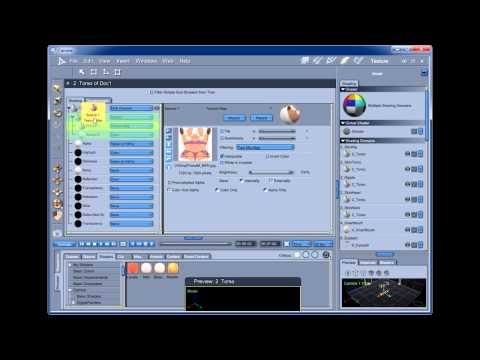
When you say that you're following one of my Genesis videos, I take it you're probably watching this one?
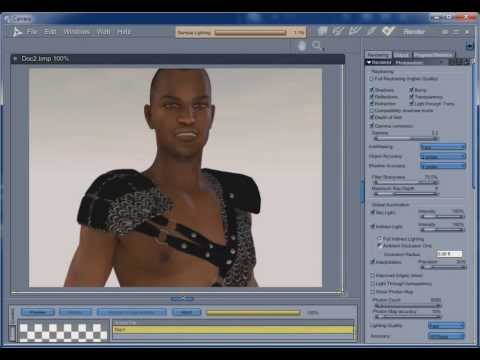
If so, first of all, I kind of apologize for babbling so much and somewhat changing the subject here and there without coming to a point at many places... I was really pretty new at working with Genesis at that time and was really just winging it - messing around trying to get to the point of adding Genesis and related content into Carrara - and then what? Well we have to add textures to those clothes, which loaded in without any shaders, etc., Add the Carrara-optimized shaders to Genesis and then - the all-important "Consolidate Duplicate Shaders", which is VERY important!
Also new to me was the new interface additions to handle the immense collections of morphs we acquire for Genesis, along with new features, like the Zeroing menu under the Animation menu... so I was a bit distracted as to where I should take this on-the-fly babble session.
Anyways, I think that if you can make it through, relax and pick up what I'm doing in there, you'll see what we can do with loading in Genesis and getting the figure ready for rendering.
Now, I know you've mentioned Genesis, but one video that I really like, except perhaps for my usual babble-on and on style, is this one, which is using Victoria 4 as the figure, but I'm actually discussing Consolidate Duplicate Shaders, using the Directors Camera, and making and understanding some important changes to the shaders - which was why I chose V4 for the video, because the way she (and many other models from her generation and earlier) comes in default - really NEEDS those shader changes - and knowing what those shader channels do to the appearance of your figure is very important for rendering ;) here's that video:
 Okay, I didn't actually mean to come in and show videos... especially mine! LOL I do want to make some new videos that are much more efficient and just focusing on specific points to save the viewer from all of that babble time! LOL
I actually wanted to say: WELCOME TO CARRARA!!! And then offer this thread as a place to frequent for info and ideas:
Learning Carrara and need some help?
Still a lot of babble... I just can't seem to help that. But it has a lot to offer in the subject of Finding Answers and learning new ways to have fun and render with Carrara.
It basically leads us around to a bunch of various threads within this Forum and other places, offers advice, links to help ideas... and it'll keep growing.
It is hoping to eventually replace my earlier tome of help:
►►► Carrara Information Manual ◄◄◄
which was made in the earlier forum software and isn't quite as easy to use in this newer forum - but it's still the place where I go to grab links to help other folks with questions - which brings up my next point:
When you run into a snag or come up with something cool that you want to share, come into this forum and start a new thread (like you just did with this one) and you'll see that you'll get all kinds of answers and replies! This is an excellent place to hang out and learn and share accomplishments in Carrara!
Welcome aboard and Have Fun!
Dartanbeck
Why are 3 year old characters still $45?Isn't this where some forum veteran posts a gif clip of Michael Jackson with his feet across the back of the movie theatre chairback eating popcorn with some witty words of wisdom?
Truth is the way the DAZ Store is done is antiquated. While the old $1.99 PC+ things I'll buy I'll buy with old ad copy the way new ad copy is presented gives me no confidence in the products. There need to be a standardized series of renders in a standardized lit environment for these products really. I've pretty much decided I needed buy any more Generation 3 products because they aren't differentiated enough to justify the expense or at least that appears to be the case based on the ad copy. I only own two Pro bundles. Oh, I don't know - render them from 4 sizes bald and wearing the Genesis 3 Starter Essentials underwear and then the PA / DAZ chosen glamous shots for the main flyers.
Sone of the older products have use to have 5 to 10 promo images, with makeup differences, The model in different poses and hairs; to having One promo shot. Due to the lack of images it is hard differentiate between products. Some of the Products like the V3 Morphing Face Mask textures which work on the Genesis Face mask, have been re-rendered and updated. I often look at the Texture sets for products, for they give a better idea of what the clothing, footwear, or what have you, looks like.
Want to have fun, take Victoria 3 with the High Res skin, take the texture through something like Crazy bump and make a Normal Map and several others. Then assemble a PBR Iray skin using them. Makes Victoria 3 something new.
Why are 3 year old characters still $45?It is a time factor. Yes new promos for an older product MIGHT get a few more sales BUT the time is better spent making new content. Especially if you make content for the figures. The vast majority of new customers are NOT going to get the older generations that dont come with Daz Studio. Again, for myself, I simply did it to learn Iray. It was also good for me cause I got to do something else with my time other then just building models.
And the ones that do buy them are often using Poser anyway, so the material settings are already correct and may render just fine in newer versions without any changes.
Where do you get that data? As a strictly Daz user that buys more older content than new, I wonder why that's the assumption.
The word the poster used was "often", not "always" or usually". And, by default, people who are using Poser do tend to buy the older products here for the simple reason that many of the newer products aren't easily poser compatible. Personally I use just about everything I can get my hands on, from Poser and DAZ specific products to .objs, .vobs, .3dss and even the occasional .skp, and I suspect that most of the people on this forum tend to be the same way, but I've met enough DAZ users in the real world to know that there are a lot of them who'e unlikely to ever use anything that's not plug and play.
Correct, and on top of that, I've been here long enough to remember when Victoria 4 was the best female figure available for DAZ Studio or Poser. And at that time, one of my favorite product vendors did all of their products in Poser, including the freebies they gave away on the forum site they used to run.
Victoria 4.2 eyes wont close or open in Poser???The solution Akin_ came up with at the RDNA forum is:
edit the file in your Victoria 4 Runtime\libraries\!DAZ\Victoria 4\head: 05-ps_pe069_DAZ_ERC.pz2
Search for PHMEyelid - look for the line: deltaAddDelta. The number should be an integer value between -2 to 2.
The upper eyelids should be -2 or 2 and the lower -1 or 1.
This should be a onetime fix.
I could attach the file to this post, but am not sure if it would be a violation of the eula?You saved me with this!! I hope I did it properly!! About the open PoserPro14 and see!!! Thank you so very much!!!
Could Daz Store let us rate/review products?I am sure that PAs are kept pretty busy building new products. It would take far too much time to expect them to go back and rerender promos of back cat stuff TBH.
Then I'll turn that around; why have it still for sale (especially at the full price) if updating how it will look is too much trouble?
Because there are still users who will buy it, even if there's no updated promos or materials, so having it in your store is still worth it. Taking time to create new materials and promos though? The vendor would maybe get a few more sales after update, but on the other hand they could have spent that time to create the materials and promos for a new product, which should generate way more revenue.
When you have bills to pay the choice is quickly done....You ignored the part in brackets, which you haven't addressed. :) I've commented on it elsewhere myself.
Not really; using Victoria 4.2 as an example, DAZ can give it away as a free item or sell it at lower cost because they've already made enough on it to cover what it cost to buy it from the creator. Updating the promotional images likely won't make a significant difference in sales since it's such an old figure now. And, I think most would consider 60% off of whatever the current store price is to be a better deal than 60% off of a substantially lower base price.
Wet Skin & Shtuff issues...Glossary of terms can be found here: http://www.daz3d.com/forums/discussion/46/glossary-of-terms-for-those-new-to-digital-art-and-daz-3d#latest
First of, I don't have that product (ar eyou sure it's "All Wet" or "So Wet" Bundle?). Are you sure that the character has the product applied to already when it loads, or is this a pre-render look?
Second, how did you install? DIM? Manual? Connect?
Third, ARe you rendering in Iray engine (default) or 3Delight? Also, which character in particular are you trying to render?
Handling: Have you tried the manual that comes with the product? If it is the "So wet Bundle", the online version of the product (offline version should be in the Runtime--> REadme folder on your PC
Controls for Wet & Tanned can be found:
Wet and Tanned Skins for Genesis 3 (Core)
-
You can find new icons for loading this product in the following DAZ Studio Folders:
-
“People:Genesis 3:Materials:Wet And Tanned Skins”
-
“People:Genesis 3:Materials:Wet And Tanned Skins:01 Tone Options”
-
“People:Genesis 3:Materials:Wet And Tanned Skins:02 Wet Options”
-
“People:Genesis 3:Materials:Wet And Tanned Skins:03 Bump Adjustment Options”
-
“People:Genesis 3:Materials:Wet And Tanned Skins:04 Geograft Transfer”
-
- http://docs.daz3d.com/lib/exe/fetch.php/public/read_me/index/33931/33931_wet-and-tanned-skins-for-genesis-3.pdf
- http://docs.daz3d.com/lib/exe/fetch.php/public/read_me/index/33933/33933_tan-lines-for-genesis-3-female-and-victoria-7.pdf
For the Tan Lines, please also check out the REadme: http://docs.daz3d.com/doku.php/public/read_me/index/33933/start
EDIT: In case you are refering to the "Wet Body Iray" bundles ( http://www.daz3d.com/genesis-3-female-s-wet-body-iray), please check out the Readme that can be found with the product: http://docs.daz3d.com/lib/exe/fetch.php/public/read_me/index/23272/23272_wetbodyiraygenesis3female.pdf
Like the readmes above, it comes with a step-by-step description of how to use the product.
Genesis 3 Female(s) Wet Body Iray (Core)
-
You can find new icons for loading this product in the following DAZ Studio Folders:
-
“People:Genesis 3 Female:Materials:Wet Body Iray”
-
“People:Genesis 3 Female:Materials:Wet Body Iray:Decals”
-
“People:Genesis 3 Female:Materials:Wet Body Iray:Shells”
-
-
You can find new icons for this product in the following DAZ Studio Categories:
-
“Materials:Iray:Feminine:Genesis 3 Female(s) Wet Body Iray:Arms & Hands”
-
“Materials:Iray:Feminine:Genesis 3 Female(s) Wet Body Iray:Head & Neck”
-
“Materials:Iray:Feminine:Genesis 3 Female(s) Wet Body Iray:Legs & Feet”
-
“Materials:Iray:Feminine:Genesis 3 Female(s) Wet Body Iray:Torso”
-
“Materials:Iray:Feminine:Genesis 3 Female(s) Wet Body Iray:_Decals”
-
“Materials:Iray:Feminine:Genesis 3 Female(s) Wet Body Iray:_Full Body”
-
Daz 3D is part of

Connect
DAZ Productions, Inc.
7533 S Center View Ct #4664
West Jordan, UT 84084Licensing Agreement | Terms of Service | Privacy Policy | EULA
© 2026 Daz Productions Inc. All Rights Reserved.