-
Infinite Insanity - There's ALWAYS Another Sale! (Daily Sale Talk)
:sigh: why is it all 4 of the "7s" that have turned up in the megagrab are ones I have? Aiko 7, Teen Josie 7, Victoria 7, Micheal 7....maybe it's a sign I should stop buying the 7s? I keep hoping maybe Rune will turn up there....
Why Is So Much Cool Stuff for Older Generation Figures?That's exactly the reason why getting Victoria 4 for Genesis 2 was by far my best purchase to date. It lets you use V4 clothes on G2F (and if you save it as a wearable then you can have G3F wear it as well). And not only does it let you wear V4 clothes on G2F (and via autofit G3F) but it also lets you use V4 textures/skins on G2F as well. It's an awesome product that I can't recommend enough. :)
How well does this product work in practice? Do they need lots of tweaking to fit right?
There are indeed a lot of cool things for M/V4 that don't seem to have an equal. Its a bit irritating to me, especially when there are so many things that look strikingly similar to each other for newer generations (figures and clothes.)
For V4 to G2F, textures/skin transfer is pretty much flawless. Clothing transfers usually work extremely well on tight fitting outfits while more finagling is required with looser items. Shoes are okay, much better than the V4 to Genesis 1 process, but for tight closeups and things like solid shell items, like suits of armor, or accessories lke swordbelts/scabbards, you may find you get better results manually placing the item rather than using autofit or the transfer utility.
So this item is all that's required for getting M/V4 clothes to G2? No extra addons? I'm just looking at this for clothes. I have managed getting some skins transfered, but stayed away from clothing.
Why Is So Much Cool Stuff for Older Generation Figures?That's exactly the reason why getting Victoria 4 for Genesis 2 was by far my best purchase to date. It lets you use V4 clothes on G2F (and if you save it as a wearable then you can have G3F wear it as well). And not only does it let you wear V4 clothes on G2F (and via autofit G3F) but it also lets you use V4 textures/skins on G2F as well. It's an awesome product that I can't recommend enough. :)
Agreed. There are workarounds for almost all generations clothing to be used on newer figures. I can't imagine buying many new items remade for newer figures when so many work well already.
Especially when DAZ keeps runnning 80% off sales on the back catalog. At those prices I'll buy an entire outfit just to get a pair of shoes or a hat I like. :)
Why Is So Much Cool Stuff for Older Generation Figures?That's exactly the reason why getting Victoria 4 for Genesis 2 was by far my best purchase to date. It lets you use V4 clothes on G2F (and if you save it as a wearable then you can have G3F wear it as well). And not only does it let you wear V4 clothes on G2F (and via autofit G3F) but it also lets you use V4 textures/skins on G2F as well. It's an awesome product that I can't recommend enough. :)
How well does this product work in practice? Do they need lots of tweaking to fit right?
There are indeed a lot of cool things for M/V4 that don't seem to have an equal. Its a bit irritating to me, especially when there are so many things that look strikingly similar to each other for newer generations (figures and clothes.)
For V4 to G2F, textures/skin transfer is pretty much flawless. Clothing transfers usually work extremely well on tight fitting outfits while more finagling is required with looser items. Shoes are okay, much better than the V4 to Genesis 1 process, but for tight closeups and things like solid shell items, like suits of armor, or accessories lke swordbelts/scabbards, you may find you get better results manually placing the item rather than using autofit or the transfer utility.
Why Is So Much Cool Stuff for Older Generation Figures?That's exactly the reason why getting Victoria 4 for Genesis 2 was by far my best purchase to date. It lets you use V4 clothes on G2F (and if you save it as a wearable then you can have G3F wear it as well). And not only does it let you wear V4 clothes on G2F (and via autofit G3F) but it also lets you use V4 textures/skins on G2F as well. It's an awesome product that I can't recommend enough. :)
Agreed. There are workarounds for almost all generations clothing to be used on newer figures. I can't imagine buying many new items remade for newer figures when so many work well already. With the dynamic script, I have also been using poser, TY2, and Miki clothing on GF3, LOL.
Why Is So Much Cool Stuff for Older Generation Figures?That's exactly the reason why getting Victoria 4 for Genesis 2 was by far my best purchase to date. It lets you use V4 clothes on G2F (and if you save it as a wearable then you can have G3F wear it as well). And not only does it let you wear V4 clothes on G2F (and via autofit G3F) but it also lets you use V4 textures/skins on G2F as well. It's an awesome product that I can't recommend enough. :)
How well does this product work in practice? Do they need lots of tweaking to fit right?
There are indeed a lot of cool things for M/V4 that don't seem to have an equal. Its a bit irritating to me, especially when there are so many things that look strikingly similar to each other for newer generations (figures and clothes.)
Teen Josie 7I used her skin on a Victoria 7 morph in this image; in case you were wondering how it could look.
Never would have thought of doing that, but the results are quite nice.
Why Is So Much Cool Stuff for Older Generation Figures?That's exactly the reason why getting Victoria 4 for Genesis 2 was by far my best purchase to date. It lets you use V4 clothes on G2F (and if you save it as a wearable then you can have G3F wear it as well). And not only does it let you wear V4 clothes on G2F (and via autofit G3F) but it also lets you use V4 textures/skins on G2F as well. It's an awesome product that I can't recommend enough. :)
Why Is So Much Cool Stuff for Older Generation Figures?A good part of it is simply a factor of time on the market. DAZ's 4th generation was at the top of the market, by itself, for as long as all three of the Genesis generations combined... that's 2006-2011 for Victoria 4, for example, as compared to 2011 to 2013 for Victoria 5, 2013- 2015 for Victoria 6 and 2015 to present for Victoria 7), and for various reasons the 4th Generation has continued to be the go-to figure for many Poser users. That's 10 years worth of content just for the V4 generation without even counting the four years that the Victoria 3 generation was the dominant figure (2002-2006), wheras none of the newer Generations has had more than 2 years at the top of the pyramid. For the artists who opted to support the Poser market, that meant coming up with ever newer variants on themes which breeds variety. And that meant filling out every possible niche and subniche to weasel every last possible penny out of the market. Look at the more recent V4 characters and you see a lot of things like elaborate tatoowork and multiple skins to make the new characters stand out, as they've pretty much hit the end of what can be done with the standard morphs of the base mesh.
The other thing is that since one of the big perks of the Genesis generations is that, except for shoes, they can use any of the previous generation's clothing, so for the smaller niche products there's the question of whether doing a new G3F or whatever version will really sell that well, or whether the existence of the Gen3/Gen4 version will satisfy that need to the point where they cannabalize any potential sales of newer versions. For some of the major products like the MFD and the Mech suit we have seen upgrades for the newer generations, and the G3s are still less than two years old so there are probably still upgraded versions of older outfits in the works, but I doubt that we'll ever see a generation of figures with the depth of support that V4 and her kin enjoyed.
Teen Josie 7I used her skin on a Victoria 7 morph in this image; in case you were wondering how it could look.
Oh that's quite lovely!
Teen Josie 7I used her skin on a Victoria 7 morph in this image; in case you were wondering how it could look.
Why Is So Much Cool Stuff for Older Generation Figures?Was looking for really cool sci-fi uniforms, and it seems like for the military look most of the really cool designs are for older characters such as M4 and V4 and even older. For instance the entire Space Defender line, which is a really cool concept is for V4.2. and probably one of the neatest militeristic designs, Starship Crew an add-on for the MOS Invasion bundle is for Michael 3. Good Grief !
But this is the case with a lot of stuff. Want some gowns circa the French Revolution -- Victoria 4.2. Want some classic scuba gear? V4 or Genesis. We're finally starting to see some decent Western gear, but instead of another pair of platform shoes, or yet another bathing suit, it would be really nice if someone could update some of this stuff for genesis 3.Poserpro 11 frustrationIMO, Poser is a more versatile and more powerful package than DS. The problem for users who grew up with Poser with DAZ/others furiously supporting cross-platform figures and products is that "the war" has begun. Smith Micro was never really an organized "producer" of quality Poser Content and most high-end Poser content was provided solely third-party, with SM not engaging producers to secure a solid stable of content providers. DAZ took its position in the relatively small marketplace and used quality guerrilla-marketing to leverage its position so that it could be independent of third-party programs. This is as it should be for any business. Unfortunately, in any product conflict, there are... victims.However, Poser is a powerful program. Straight from the "box" you have a highly effective toolset.
Most longtime Poser users didn't learn how to use the program through reading the manual or watching Youtube vids. They learned how to use it because they really wanted to do something with it and banged away at it with a hammer until, finally, they figured it out. Along the way, they became a much more knowledgeable Poser user. Some even became content producers, churned out freebies by the boatload, saved people on various forums by giving them answers to obscure questions, etc..
PS - What has always been a problem between DS and Poser are their various material sets. However, out of the box, Poser's material room is extremely powerful. There won't be anything that can be done in DS with materials that you can't "make happen" in Poser's Mat Room and/or in Firefly/Superfly or, if you prefer, Reality (paid exporter for LuxRender). Integrate the free DS package into your workflow, if necessary, and don't forget about free tools out there, like Blender, UVMapper, Wings3D, GIMP, etc, that can broaden your experience and use of Poser.
First off thank you for your thorough explanation and your statements in favor of Poser. I have been a Poser user since Poser 4. I too, cannot work in DS. I have tried...a number of times. And not having a NVidia card and DS dependence of creating quality renders using IRAY just doesn't work for me. I love your comment about hammering it out back in the day. But Poser's toolset made that possible.
I rarely purchase from Daz anymore as they have gone their own way. That's business and their decision. They only thing I really do buy from Daz anymore is props because I can use the material room to adjust things to the way I like them. As for vendors not supporting Poser...an above statement could be very true...that they simply do not own Poser as you have to pay for it and DS is free, so I'm not going to blame the vendors here.
Also the merry-go-round of creating more chartacters and new clothing, improving characters (for example what version of Victoria is the latest, 7?) I just can't afford the "Always New and Always Now more Awesome!" products that keep trending at Daz.
I just purchased Poser Pro 11 just a couple of days ago and am excited to delve into it. I will always be a Poser content creator...but not here. You'll be able find me under this user name in a place I cannot link too.
Anyhow that's my 2 cents worth.
is victoria 4.2?is vic 4.2 a daz product.....DAZ original? should i be able to find her in the DAZ directory,,,is she is not ...whats up with that and where is she?
Necklaces, Bracelets, (Ear)rings and stuff...I'm constantly looking for nice Jewelry for G3 (male and female). There are not many jewelry products as far as I found out... of those that are there I bought what I can use, but still... there's mostly big stuff and not to much variability. For example: Fabiana's Bettines Secrets for V4, I'd love to have those for G3. What I am looking for mostly are contemporary everyday things. Not to big, not to exclusive. I know there's much that can be done with shaders, but that doesn't give me more forms. Scaling helps with size, but doesn't always look good.
'older' Examples:
http://www.daz3d.com/elegant-curves-for-genesis-2-female-s
http://www.daz3d.com/genesis-2-wedding-ring-set
http://www.daz3d.com/bits-n-pieces-necklace-and-pendants-for-michael-4 & http://www.daz3d.com/bits-n-pieces-necklace-and-pendants-for-victoria-4
http://www.daz3d.com/bits-n-pieces-dogtags-and-chain-for-victoria-4 & http://www.daz3d.com/bits-n-pieces-dogtags-and-chain-for-michael-4
http://www.daz3d.com/jewelry-box-everyday
and things like these also :)
http://www.daz3d.com/metal-madness
Especially with the low down neckline of shirts, necklaces would be much appreciated :)
These are just examples, that doesn't mean I want exactly those for G3... I just looked through the store to see if I could find something to about show what I'm looking for.
Thanks!
Dracorn's Render ThreadOkay, Here are my counts and what I split up:
DS Shaders - 119 regular shaders
Advanced Metal Shaders
Advanced Wood Shaders
AElflaed's Fancy - Shaders for DS and Poser
Antique Grunge Shaders for DAZ Studio
Artist Studio Poses and Shader Presets
Beyond Boudoir Shader Presets for DAZ Studio
Bone and Fantasy Scale Iray Shaders
Cloth Shaders Vol 1 - Gingham
Colored and Broken Glass Iray Shaders
Colorways: Peacock Shader Presets
DA Iray Fabric Shaders Leather and Cloth
Dark Corrosion Shaders
Day Job Shader Presets for DAZ Studio
DAZ Studio 4 Cliff Face Shaders
DAZ Studio 4 Gritty Shaders
DAZ Studio 4 Grunged Shaders
DAZ Studio 4 Historical Flooring Shaders
DAZ Studio 4 Natural Ground Shaders
DAZ Studio 4 Winter Shaders
DAZ Studio Dirt Shaders
DAZ Studio Environment Shaders
DAZ Studio Environment Shaders 2
DG Brocade and Satin Shaders Iray
DG Dual Layer Shader - Architectural
DG Iray Art Glass Shaders
DG Iray Deco Metal Shaders
DG Iray Fabrics of Asia Shaders
DG Iray Sci-Fi Surface Lights Shader
DG Shader Essentials
DG Shader Essentials 2
DG Shader Essentials 3
DG Toon Style Hair Shaders
DLD High Gloss Metallic Shaders for DS
DLD Leather Shaders for DAZ Studio
DLD Marble Shaders for DS
DLD Stone Shaders for DAZ Studio
DP - Carrara Shaders For Aiko 5
E1 Fantastic Plastic - Iray Synthetic Shader Presets for Daz Studio
EcVh0 Iray Skin Shader for Karen 7
Elaborate Metals Iray Shaders
Elegant Fabric Iray Shaders
Elite Human Surface Shader
Everyday Fabric Shaders Iray
Fabulous Fabrics: Combat Preset Shaders for DAZ Studio
FSL Filthy Dirty Iray Shaders
Fun With Yarn - Awesome Argyle and Patterned Knit Shaders
Fun With Yarn - Nifty Knitting Shaders
Glass Gambit: Chess Set and Shader Presets for DAZ Studio
Glittering Shaders
Grass Shader for DAZ Studio
Ground Shaders for DAZ Studio
Historical Masonry DAZ Studio Shaders Vol 1
Historical Masonry DAZ Studio Shaders Vol 2
Homestyle 2 Iray Shaders
Homestyle Iray Shaders
IDG Iray FX - Props and Shaders
IDG Iray Hair Essentials Shaders
IDG Portrait Studio 2 Props, Poses, and Shaders
IDG Shiny Scales Shaders
IDG Silk and Lace Shaders
IG Iray Lights and Shaders - Architectural Lights
IG Iray Lights and Shaders - Table Lamps
Industrial Floors DAZ Studio Shaders
Industrial Walls DAZ Studio Shaders
Ingenious Rock Shaders
Iray Shaders - Glass
Jeans and Tees Shaders
Latex Shaders
Layer Shader for DAZ Studio
Leather and Fur Iray Shaders
Leather Factory Shaders for DAZ Studio
Luxury Fabric Shaders
Magical Granite Shader
Manga Style Shaders
Marble Shaders for Iray
Mec4d PBS Shaders vol.1 for Iray
Mephistopolis Noir Shaders
Metal Abounds Iray Shaders
Metalized Glass Shaders for DAZ Studio
Nature Shaders
omAreaLight Light Shader for DAZ Studio
Orimono Elegance Fabric Shader Presets
Paint and Suede Shaders
Parquet Floors Shader Presets for DAZ Studio
Pd Iray Shader Kit 1
Pd Iray Shader Kit 2
Perfectly Patriotic Cloth Shaders for DAZ Studio
Rock Shader for DAZ Studio
Scale Shaders
Seaside Shore Shaders
Shader Mixer Tutorial I
Simple Fabric Iray Shaders
Subsurface Goop Shaders
Subsurface Gummy & Plastic Shaders
Subsurface Shader Base
Subsurface Shader Basics
Subsurface Toon Shaders
Subsurface Workshop - SSS Shaders for Iray
Super Shaders - Armor & Fabric
Super Shaders - Great Grids
Super Shaders - Mesh Magic
Super Shaders - Scales & Ridges
Super Shaders - Sci-Fi & Tech
Tarnished and Polished Shaders
Tiler Shader for DAZ Studio
Tree Bark DAZ Studio Shaders
UD Cement Shaders
UHT Hair Shaders for Iray
UltrueViolet Light and Glowing Shaders for DAZ Studio
Underwater Relics Shaders
Urban Decay DAZ Studio Shaders
Urban Environment Shaders for DAZ Studio
Useful Fabric Iray Shaders
Velvety Print Shaders
Vintage Tiles and Carpet Shaders
Visual Style Shaders
Wireframe and Hologram Shaders
Woodland Floors DAZ Studio Shaders
Woodland Leaf Floors DAZ Studio ShadersMerchant Resource - 9
DG Iray Surface Builder - Cotton Denim Wool - Shaders and Merchant Resource
DG Iray Surface Builder - Leather Suede Velvet - Shaders and Merchant Resource
DG Iray Tropical Fabrics Shaders
FabTex Iray Shaders Classic Textiles
FabTex Iray Shaders: Ellie
FabTex Iray Shaders: Violetta
Hand Knits: Shader Presets and Merchant Resource
Mane Attraction
Mec4d PBS shaders for Iray vol.3 MRCarrara Shaders - 31
Carrara Skin Shaders For David 5
Carrara Surface and Skin Shaders
Digital Painters Shaders
DigitalPainters Exotic Shaders
DigitalPainters Shaders Vol II
DigitalPainters Shaders Vol III
DP Aiko 6 Carrara Shaders
DP Ambie Carrara Skin Shaders
DP Carrara Master Collection Shaders
DP Darius 6 Carrara Shaders
DP DAZ Dragon 3 Carrara Shaders
DP Genesis 2 Male(s) Shader Bundle Vol. I
DP Gia 6 Carrara Shaders
DP Giselle 6 Carrara Shaders
DP Keiko 6 Carrara Shaders
DP Lee 6 Carrara Shaders
DP Lilith 6 Carrara Shaders
DP Mei Lin 6 Carrara Shaders
DP Michael 6 Carrara Shaders
DP Monie Carrara Skin Shaders
DP Monique 6 Carrara Shaders
DP Olympia 6 Carrara Shaders
DP Stephanie 6 Carrara Shaders
DP Teen Jayden 6 Carrara Shaders
DP Teen Josie 6 Carrara Shaders
DP The Girl 6 Carrara Shaders
DP Victoria 6 Carrara Shaders
M4 Elite Jeremy Carrara Shaders
M4 Elite Lee Carrara Shaders
M4 Elite Rob Carrara Shaders
M4 Elite Sol Carrara ShadersUber Environment Shaders - 5 UberEnvironment Shaders
UberEnvironment Light Shader
UberHair Shader Upgrade for UberSurface
UberPoint Light Shader for DAZ Studio
UberSpot Light Shader for DAZ Studio
UberSurface2 Layered Shader for DAZ StudioTotal for just DS shaders if you don't count the Uber stuff or the Carrara shaders: 128, if my counting is correct. I'm sure I've missed some, too. As they don't all pop up in a search in the product library. I have some old textures, too, that I didn't count as they aren't technically shaders.
I guess that means it's Sonja's turn! :)
iray skin needs its own base mixing.and for fun the sss settings of victoria 7 (no maps obviously) Why is it green? there's nothing green anywhere?
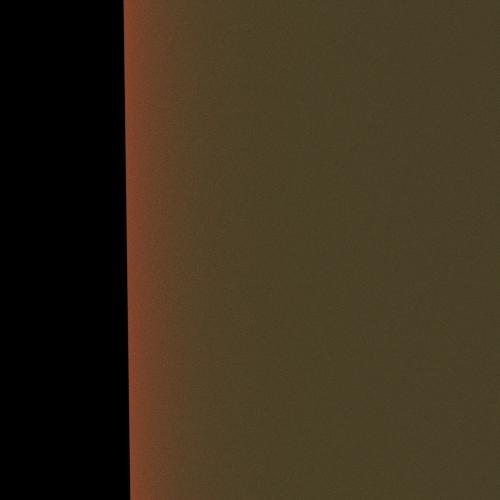
I'm wondering if this has something to do with needing to set one of the governing colors to its complement. That is, the settings are actually blocking out the very wavelength (on either the initial scatter or the rebound to the surface) that you're expecting to show through.
I don't know how applicable it is to DAZ's rendering, but my stray (and criminally context-free) speculation arises from a comment made by a graphic artist in a lengthy video demoing skin substance design in the new Substance Designer. Of course now I'm trying to find that video (which I thought I'd bookmarked) so that interested parties can have a look, and of course I can't.
Fiddling with Iray skin settings...So I've been talking skin elswhere, but I thought I'd consolidate it here, especially since the one part has a fun demonstration of why translucency color should not be red in Iray (and even if we all already agreed, its nice to have a strong visual demonstration)
Some fun experiments!
My current skin settings (more or less) applied to a cube lit with a single light coming from the side. left is the surface of the skin right is what happens as you get "further in"
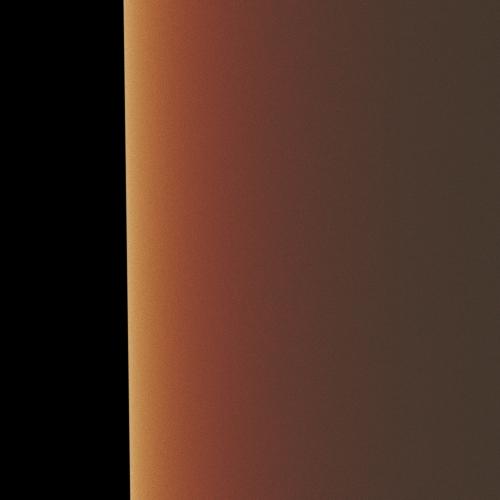
Now the same settings but with a red in the translucency color slot the transmitted color is actually bright green, but as long as the color was lighter than the translucency color the effect was absolutely microscopic. I did some experimenting on G3 and as far as I can tell if translucency color is darker and more saturated than transmitted color, it completely overpowers it, so once again onto my soapbox.
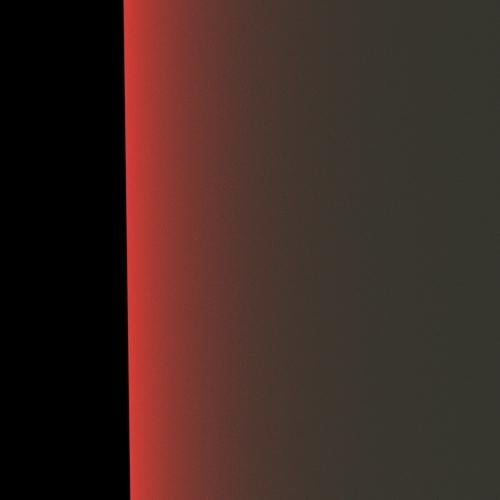
and for fun the sss settings of victoria 7 (no maps obviously) Why is it green? there's nothing green anywhere in the material settings?
Flash Sale Alerts IIFor those that are finding a love for Aiko3: http://www.daz3d.com/forums/discussion/8629/gen3-aiko-and-hiro-appreciation-thread
or for the older generations: http://www.daz3d.com/forums/discussion/108001/the-older-generation-victoria-2-3-michael-2-3-and-their-children-renders
iray skin needs its own base mixing.Some fun experiments!
My settings applied to a cube lit with a single light coming from the side. left is the surface of the skin right is what happens as you get "further in"
Now the same settings but with a red in the translucency color slot the transmitted color is actually bright green, but as long as the color was lighter than the translucency color the effect was absolutely microscopic. I did some experimenting on G3 and as far as I can tell if translucency color is darker and more saturated than transmitted color, it completely overpowers it, so once again onto my soapbox.
and for fun the sss settings of victoria 7 (no maps obviously) Why is it green? there's nothing green anywhere?
Daz 3D is part of

Connect
DAZ Productions, Inc.
7533 S Center View Ct #4664
West Jordan, UT 84084Licensing Agreement | Terms of Service | Privacy Policy | EULA
© 2026 Daz Productions Inc. All Rights Reserved.