-
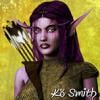
AOBB's Babyface for G8.1F head morph based loosely on Jean Harlow. No materials nor textures.
Thank you for the kind words, AOBB. I am glad you like the image - the morph itself is gorgeous so wasn't that hard to make her look good. Your other morphs are on my free time to do list, I have to balance them in between projects so that's partly why it takes so long. But I definitely have plans to do some renders with them, I have some of Perlk's dresses and outfits I want to play with too, so you will definitely see more of your morphs in renders from me. ^.^ I had a lot of fun doing this one.
AOBB's Babyface for G8.1F head morph based loosely on Jean Harlow. No materials nor textures.@K8sGraphics - Very stylish and you really made Babyface look good! I am so pleasantly surprised as frankly I was quite disappointed with this morph. This picture looks like a B&W Tamara de Lempicka painting - not in the least because of the very stylized hair. Congratulations! Thank you for finding time to make it. It would be lovely to see your other works with "my" head morphs (hint, hint). I'm sure you would do something fascinating with them!


 AOBB's Babyface for G8.1F head morph based loosely on Jean Harlow. No materials nor textures.
A glamourous night in Hollywood
Freebies:
AOBB Babyface head morph
Most Digital Creations Noir HDRi
Lunaires Beauty Marks - This was originally a christmas freebie but is now offered on Sharecg *I think*Paid for Items:
Daz3d.com
Film Noir (1st one) - Monochrome settings
Perfect Portrait Lights - Star Eye Lights & Left Rim Light
Zarah Hair
Altern8 Skin SettingsRenderosity:
Heatherlly MbM Yvette (Skin & Eyebrow Textures)
Dyeable Make by LexaKiness (Eyeshadow)
Dyeable Nail Styles by LexaKiness (Nail color)
GCD Anastasia Necklace (and earrings you can't see)
Lully's Butterfly Dress
Twizted Metals Jewelry Crafter Shaders
DMs Close Ups 3 (Pose & Camera - tweaked the position a little)
(Took about 5 hours of set up, fiddling, and 20 minutes of rendering)I promised AOBB that I would use this morph in an image and so here it is. I will probably come back to this again to do some more tweaking at a later date (like tone down the skin texture a tad) but I have a few other things to finish first. But for a quick render to showcase what these morphs are capable of...I am quite happy with it.
 Looking for tough girl outfit that still works in a business/office setting
kyoto kid said:
...while shopping I saw a good "tough girl" outfit today that could work by Linday that has braces (suspenders) and a tie, as well as a nice array of textures, but the downside is the shirt doesn't have a button up morph and shows too much cleavage. Might be able to used a different shirt or blouse to keep it more "business-like".
https://www.daz3d.com/satine-detective-outfit-for-genesis-3-female-s
Thanks again for the suggestion!!
 Muscularity Morphs from SimonWM - What does LTD mean?
You're welcome, gerster. :)
Yeah, I think of Swole LTD as a "lite" version of the Swole characters. It was nice of SimonWM to include it in the Muscularity morph product as a sort of tease for what's in the Swole sets.
Lee
[Released] Look At Me II Pose Control [Commercial]I apologize for insisting, but I'm still facing the same error :(
2022-09-05 20:22:59.648 [DEBUG] :: LookAtPosition [object Object] [4.96275,123.653,331.46] [1,1,1] [0,0,0] [0,0,0] [1,1,0] false false Abdomen,Chest,Head,Eyes
2022-09-05 20:22:59.648 [DEBUG] :: BodyPartLookAtPosition Abdomen [object Object] [4.96275,123.653,331.46] [1,1,1] [0,0,0] [0,0,0] [1,1,0] false false
2022-09-05 20:22:59.653 [DEBUG] :: BodyPartLookAtPosition Chest [object Object] [4.96275,123.653,331.46] [1,1,1] [0,0,0] [0,0,0] [1,1,0] false false
2022-09-05 20:22:59.659 [DEBUG] :: BodyPartLookAtPosition Head [object Object] [4.96275,123.653,331.46] [1,1,1] [0,0,0] [0,0,0] [1,1,0] false false
2022-09-05 20:22:59.669 [DEBUG] :: UpdateBoneRotation neckUpper [-0.061021,-0.00596595,-0.0899771,0.994055] [0.5,0.5,0.5] true
2022-09-05 20:22:59.703 [DEBUG] :: UpdateBoneRotation head [-0.0616823,-0.00600324,-0.0900403,0.994008] [0.5,0.5,0.5] false
2022-09-05 20:22:59.753 [DEBUG] :: BodyPartLookAtPosition Eyes [object Object] [4.96275,123.653,331.46] [1,1,1] [0,0,0] [0,0,0] [1,1,0] false false
2022-09-05 20:22:59.764 [DEBUG] :: Error TypeError: Type error
2022-09-05 20:22:59.907 [INFO] :: Loaded morph deltas: 0m 0.5s - /data/DAZ 3D/Genesis 8/Female/Morphs/DAZ 3D/Base Correctives/pJCMNeckBack_27.dsf
2022-09-05 20:23:02.670 [DEBUG] :: LookAtPosition [object Object] [4.96275,123.653,331.46] [1,1,1] [0,0,0] [0,0,0] [1,1,0] false false Abdomen,Chest,Head,Eyes
2022-09-05 20:23:02.670 [DEBUG] :: BodyPartLookAtPosition Abdomen [object Object] [4.96275,123.653,331.46] [1,1,1] [0,0,0] [0,0,0] [1,1,0] false false
2022-09-05 20:23:02.675 [DEBUG] :: BodyPartLookAtPosition Chest [object Object] [4.96275,123.653,331.46] [1,1,1] [0,0,0] [0,0,0] [1,1,0] false false
2022-09-05 20:23:02.680 [DEBUG] :: BodyPartLookAtPosition Head [object Object] [4.96275,123.653,331.46] [1,1,1] [0,0,0] [0,0,0] [1,1,0] false falseMuscularity Morphs from SimonWM - What does LTD mean?SWOLE LTD = SWOLE Limited. As you noted, it's one full body morph (SWOLE LTD) that's been shaped similarly to the SWOLE product. It provides a nice way to dial in the general Swole shape without needing to dial up the individual morphs. I use the Swole set and the Muscularity morphs quite often and find them essential parts of the characters that I dial up.
Lee
Muscularity Morphs from SimonWM - What does LTD mean?Maybe latissimus dorsi? That's on the back, maybe why you don't notice when applying the morph, from the lower scalpulas (shoulder blades) to the base of spine at the junction of the pelvis.
Muscularity Morphs from SimonWM - What does LTD mean?In short, I found in
https://www.daz3d.com/muscularity-morphs-for-genesis-8-malesa morph called SWOLE LTD
This morphs seems to add all the muscle morphs at once.
But I have no clue was the abbreviation LTD means. Any ideas?[Released] dForce2Morph [Commercial]For the life of me I cannot get this to work with the Ezra Hair DForce Genesis 8 Female. I always get a Cannot Find Morph error.
Issue with Leonard / Torment Veins@Jukingeo just had a play around with it, I get your point now. I tried recreating the head shot from the promo and I could see that as being doable and looking good but changing the lights just by a bit creates loads of points that look inverted while other bits looks fine. the vampire skin rather than the pale skin seems to work better on the face and body but obvioisly is not as dramatic.
the amount of messing around to get a decent image is just too high imho for this product it really needs a HD veins morph to get the best of it and be consistent. getting the lighs and angles to look good on one bit destroys another bit so unless you are doing heavy shadow play where the darkness covers the crappy bits it seems a waste of time.
but ofcourse maybe i just can't get the best out of it.
Unlock Exclusive Access to a FREE Mousso Character (and more) With Noa 8.1 and the Demigod SeriesIf she's supposed to be either a goddess or an elf (the alternate ear morph), then near-flawless skin is very fitting. I don't know who was naming this character, but mythological Antheia was one of the three Graces. That makes her fit with the rest of the bundle. The face shape already is a good match.
Edit:
Although I do not think this exlusive unlock was driving the sales much. Majority of the sales probably happened because of Noa and more G8+M content. Some more probably because of the theme. There's a scarcity of renders of this figure, far fewer than of Noa. It's been only five days, but new shiny characters start appearing on renders much faster than that.
Unwanted Dforce Behaviors1. Regarding poke-through -- does the clothing have smoothing modifier? Also, collision default is 4, not 5.
2. Shoulder is definitely weird -- some morph or JCM interfering? Check show hidden items on the clothing and try zeroing them out one by one until it disappears.
[Released] Legacy Set Converter * Commercial *Havos said:
Totte said:
Havos said:
Totte said:
Havos said:
I real shame this will not convert the pz2 material files to duf, as that is what I wanted the most. I would not have cared if they remained with the default shader, but just being able to apply them via the DS content library tab would have been great. I have converted a lot of older hair to G8, and being able to store the hair shaders in the same directory as the duf for the converted item would have been very helpful.
As pz2 files as a starter are not really materials, but poses, the use of them to set matrials is and has always been, a clever hack.
Whan I saw it the user interface nightmare defining which .pz2 files for which .cr2/.pp2 that are to be applied to be converted without ending up with a ton of "materials" that does nothing was the were really poses or morph injectors, not marerial settings at all i kind of back off the whole idea.
Whilst I understand your points I think your concerns are really issuers for the users, not the programmers. If the script converts too many files that is something we, as users, can worry about, and delete the ones we don't want or need. On the whole I know which files are the material presets I want converting, and so I would get the script to convert those. The script should just take a list of files and convert them, what those files are, and what they are used for is not the scripts problem. What matters to the end users are that we can convert mc6 or pz2 files into roughly equivalent duf files. The same duf file as we would get from simply applying the MAT file inside DS and then saving as a duf material preset file. Naturally it would be nice to have an option that converts it into an Iray shader, but that is optional, and likely out of scope of a converter.
I'm working on a script to convert materials from Poser. it does require that item and each of the material files, so it can load the Poser Materialk (in case of Pz2) and then convert all surfaces to Iray Uber (for Iray), and do some adjustments like invert the Glossiness from Poser Mats. I'm aslo working on grabbing the maps from mt5 and mc6 materials.
Still very much work in progress.Sounds interesting.
I am surprised you need the CR2/PP2/HR2 that the items apply to, since the names of the materials are right there in the PZ2 file. What is it you need from those other files? I assume it is to actually use DS to do some of the conversion work, rather than reformatting the source text file.
To be able to setup a correct Iray and/or 3Delight materials and save it out in a way that DS can read it back correcty. I know you can create those files yourself, but that is much more work, and much more error prone, than to setup the materials and save them out using DSs ways.
Is it possible to achieve such levels of realisticity simply with Daz Genesis 8 figure?Phoenix1966 also has some very realistic characters. I recently purchased https://www.daz3d.com/phx-andie-hd-and-accessories-for-genesis-8-females The character itself is a very “average person” type morph but I used the skin on a more model type character with my own morphs and it looks great!
There are a lot of great skin textures here and if you don’t like the morphs, there are tons of morph packages. The whole fun is creating your own characters with resources here, not just using everything “out of the box.”
[Released] Legacy Set Converter * Commercial *Totte said:
Havos said:
Totte said:
Havos said:
I real shame this will not convert the pz2 material files to duf, as that is what I wanted the most. I would not have cared if they remained with the default shader, but just being able to apply them via the DS content library tab would have been great. I have converted a lot of older hair to G8, and being able to store the hair shaders in the same directory as the duf for the converted item would have been very helpful.
As pz2 files as a starter are not really materials, but poses, the use of them to set matrials is and has always been, a clever hack.
Whan I saw it the user interface nightmare defining which .pz2 files for which .cr2/.pp2 that are to be applied to be converted without ending up with a ton of "materials" that does nothing was the were really poses or morph injectors, not marerial settings at all i kind of back off the whole idea.
Whilst I understand your points I think your concerns are really issuers for the users, not the programmers. If the script converts too many files that is something we, as users, can worry about, and delete the ones we don't want or need. On the whole I know which files are the material presets I want converting, and so I would get the script to convert those. The script should just take a list of files and convert them, what those files are, and what they are used for is not the scripts problem. What matters to the end users are that we can convert mc6 or pz2 files into roughly equivalent duf files. The same duf file as we would get from simply applying the MAT file inside DS and then saving as a duf material preset file. Naturally it would be nice to have an option that converts it into an Iray shader, but that is optional, and likely out of scope of a converter.
I'm working on a script to convert materials from Poser. it does require that item and each of the material files, so it can load the Poser Materialk (in case of Pz2) and then convert all surfaces to Iray Uber (for Iray), and do some adjustments like invert the Glossiness from Poser Mats. I'm aslo working on grabbing the maps from mt5 and mc6 materials.
Still very much work in progress.Sounds interesting.
I am surprised you need the CR2/PP2/HR2 that the items apply to, since the names of the materials are right there in the PZ2 file. What is it you need from those other files? I assume it is to actually use DS to do some of the conversion work, rather than reformatting the source text file.
How to use Base Figure Morphs (MCMs, JCMs) on other figuresMorph Controlled Morphs and Joint Controlled Morphs are specifically designed to fix problems with posing and combined morphs for the character they come with; a necessity with how the rigging works on the Genesis figures.
These morphs have to be built on and used with their specific character shape to work correctly, and so are not intended to be used with other figures. Most of the time, they contain a few small morph deltas to smooth out something like the armpit when the arm is raised. You may occasionally find some of them might look nice on other figures, but this will be a minority of these corrective morphs; most will just distort some vertices.
Hence, they have a "multiplicative" controller; you cannot dial them in when their intended parent morph is zero, because whatever their "raw" value is, if you multiply it by the parent morph of zero, then you get zero. Changing this control type would cause massive problems with how your figure works, so you shouldn't attempt it.
(About the only time I ever control these MCMs manually is the "Breasts Gone" MCMs for the core figures; as it has to help dial out the breast shape, this morph can be used to broadly reset the breast shape of that specific character morph, from which you can then dial in things like shapes from the standard morph packages, which are generally more widely supported with clothing fits).
How to use Base Figure Morphs (MCMs, JCMs) on other figuresRecently discovered that some of my Gen8 Base figures come with nice additional morphs.
Like Rosa Maria 8 comes with a "MCMRosaMaria8_1_Nipples_HDLv4" morph or a "PBMRosaMaria8_1BraFriendly" morph.
I would like to use those on other figures but found a few problems:
-> If I only install the Nipple-Morph of Rosa Maria and not the figure itself/its other Morphs the MCM becomes always dialed in 100% by default. I can dial it out but that is just one step I would like to avoid.
-> If I have the full character installed I cannot dial in the MCM/JCM Morph without dialing in Rosa Maria for at least 0.1% first.How do I need to alter the MCMs/JCMs so that I can safely use them on other figures without having to dial in parts of that figure before? Any ideas?
How do i change the base position of something attached with fit-to?hansolocambo said:
Daventaki said:
Maybe im missing something here but you could not fit to instead add it into the scene make sure it its not fit to the character, position where you want, then parent it to the character. Yes its kinda a pain to have to manually position it but once it is parented it should follow the character.
If the content creator does not provide props, unrigged, and loaded at X,Y,Z 0,0,0.0 Then loading the asset without selecting a G8 first will still load the asset with a bones hierarchy and moving it around freely won't be possible.
Easiest solution : export the asset as obj. Load it back in Daz. Resetting its position beforehand to 0,0,0, scale and rotation in a third 3D app is the clean way, although not mandatory. And now you get a real prop that can be move around freely, positionned and parented.
If the object is not resetted in a 3D app, then its axis may be wrong. For Daz users only who don't know anything else, then a very useful script will help a lot ! positionning the axis properly :
Move Origin by DeltaX15
i'm honestly a little surprised one has to go way off-grid and under the hood to be able to just change something as simple as
There's not 1 way to reach an aim in 3D. But always dozens. With so many tools available nobody can think like everyone else. I used many 3D apps so I have workflows in mind that look for efficiency juggling with all tools from all 3D apps I know. But it's not an obligation. You'll get advices and opinions from different minds on forums and you'll choose the one that seems reachable for you. It's impossible to help properly as we don't know everybody' skill level in 3D. We (everyone here) just provide ideas, ways we'd do if we were doing what you try to do.
This being said "i'm honestly a little surprised one has to go way off-grid" : don't be surprised. Daz is a great tool for human meshes in 1 click. But it's not an all-in-one 3D solution. It's not a 3D modeling tool. Each and every asset you buy on the store has NOT been made with Daz. Daz becomes at the very end a "let's put it all together and render" solution, very efficient at it. But Daz is just, like any other 3D app, one step in a worflow.
So it should be obvious, not surprising, that to adapt those assets, it's sometimes necesarry, to go "off-grid" to a real 3D modeling app and make some changes.
of course. i more meant to say that since a lot of the appeal of daz is about placing and fitting things, i found it surprising that it lacks the ability to move the base positions of fitted objects inherently. just an off-hand observation, nothing more
 i'm very happy with daz so far and having fun.
still looking into the different routes based on the answers here so far, thanks again
Sven Dullah said:
Well luckily you don't need zBrush or Blender etc to fix something like re-positioning armpit hair. The key is re-rigging.
First memorize the Genesis figure shape.
With the armpit hair fitted to your character, zero the character. Re-position the hair using dFormers or/and hidden morphs. When done, convert the hair to prop, which will delete the rigging. Use transfer utility to re-rig and re-fit to your character. Finally reset your Genesis figure to your preferred shape.
will look into this, thanks!
How do i change the base position of something attached with fit-to?Well luckily you don't need zBrush or Blender etc to fix something like re-positioning armpit hair. The key is re-rigging.
First memorize the Genesis figure shape.
With the armpit hair fitted to your character, zero the character. Re-position the hair using dFormers or/and hidden morphs. When done, convert the hair to prop, which will delete the rigging. Use transfer utility to re-rig and re-fit to your character. Finally reset your Genesis figure to your preferred shape.
Daz 3D is part of

Connect
DAZ Productions, Inc.
7533 S Center View Ct #4664
West Jordan, UT 84084Licensing Agreement | Terms of Service | Privacy Policy | EULA
© 2026 Daz Productions Inc. All Rights Reserved.