-
HD Morphs for Generation 4
Since a lot of customers still have a lot of generation 4 assets, how about giving us HD morphs for Michael and Victoria 4? Also, more facial morphs for better expression articulation.
Novica & Forum Members Tips & Product Reviews Pt 7Wearing Anjou Hair.
Not sure what is going on with the site earlier, but I only posted once (then got a Cloudfare error.) I'll put other renders in these repetitious spaces tomorrow, so check back as you won't get notifications if you've subscribed. It's 3:30am so that's it for tonight.
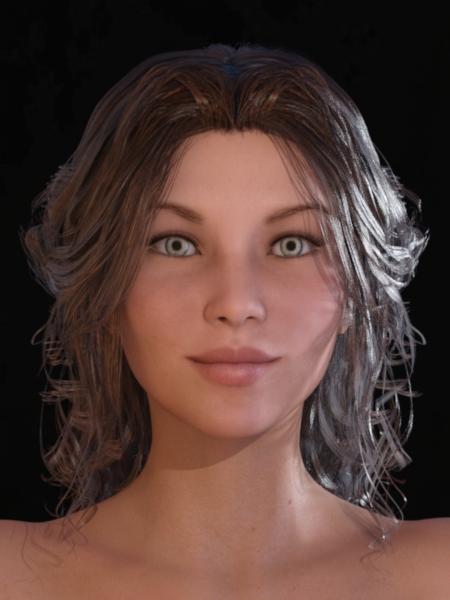
Man, her face sure went chubby! Don't like this at all, would definitely take out a lot of that cheek.
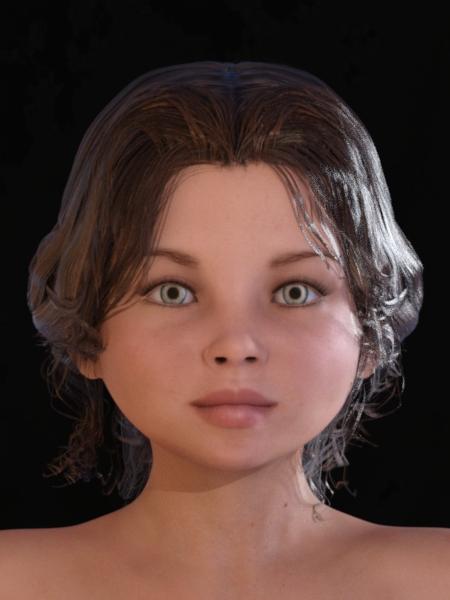 Novica & Forum Members Tips & Product Reviews Pt 7
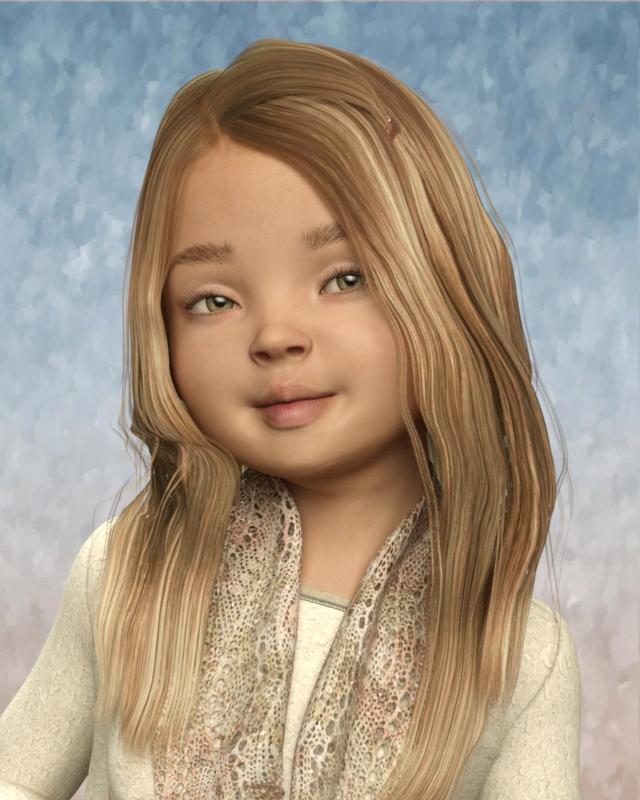
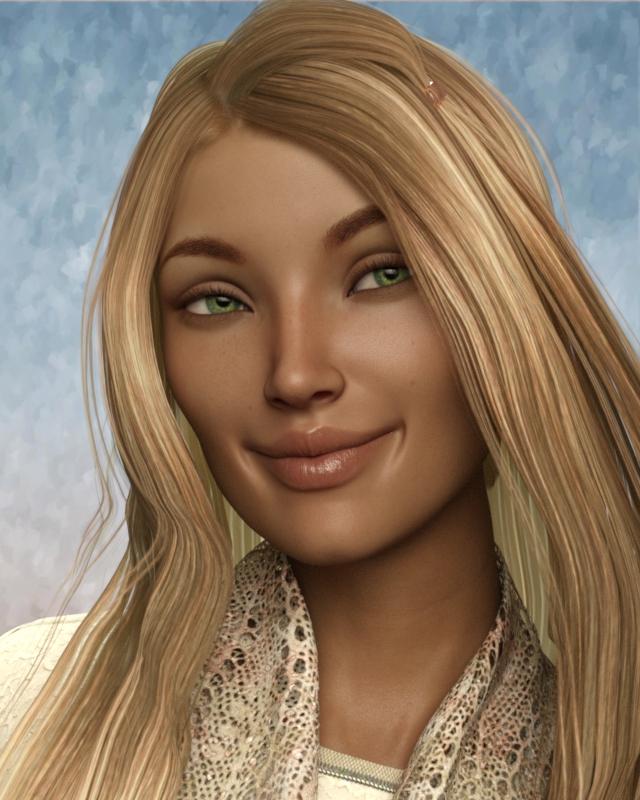
Chiyo For Victoria 7 Going to do the adult as more close-up.
Wearing Anjou Hair. Is the child adorable!
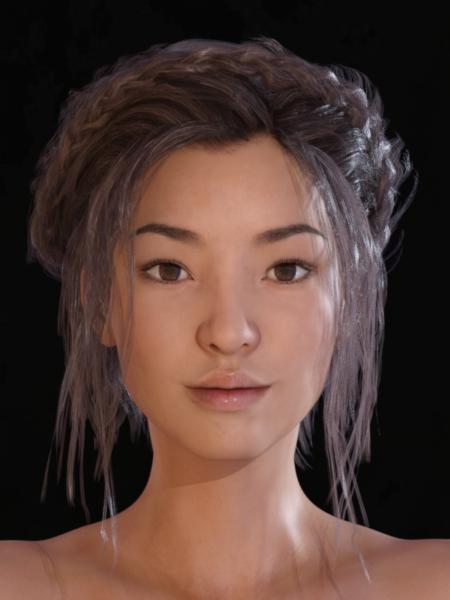
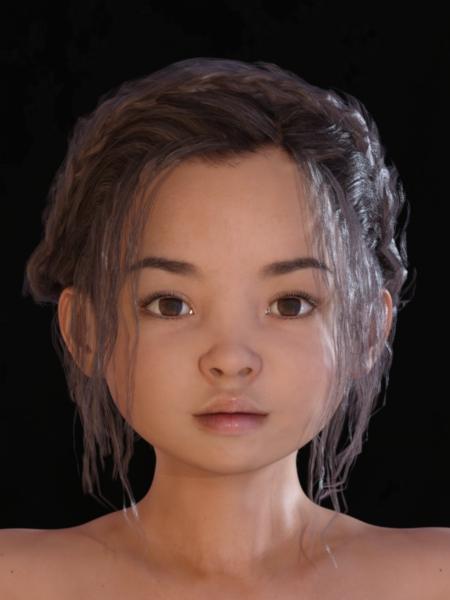 Novica & Forum Members Tips & Product Reviews Pt 7Hey, we should do a Kid-A-Thon and show the adults as they were "years ago."
Thanks for the explanation! I haven't done all that many portrait renders, so I haven't paid attention to details like you do.
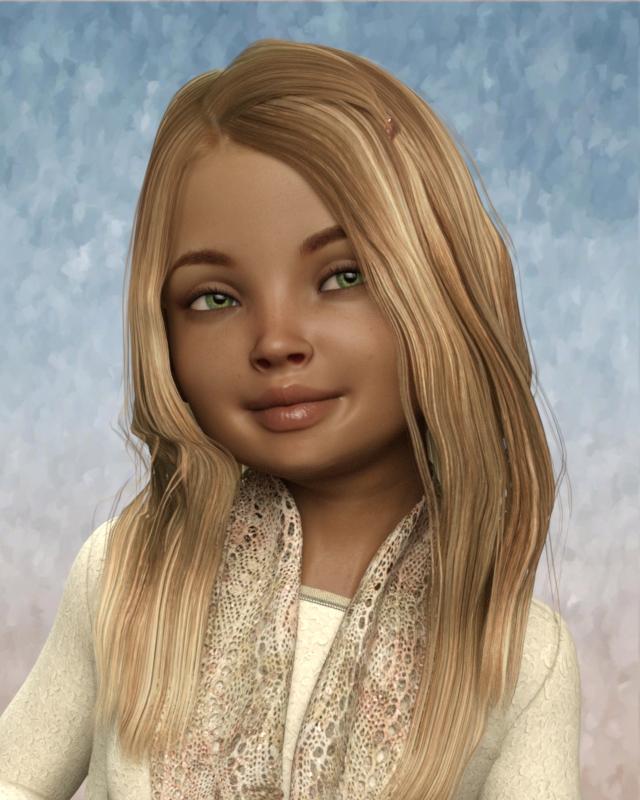
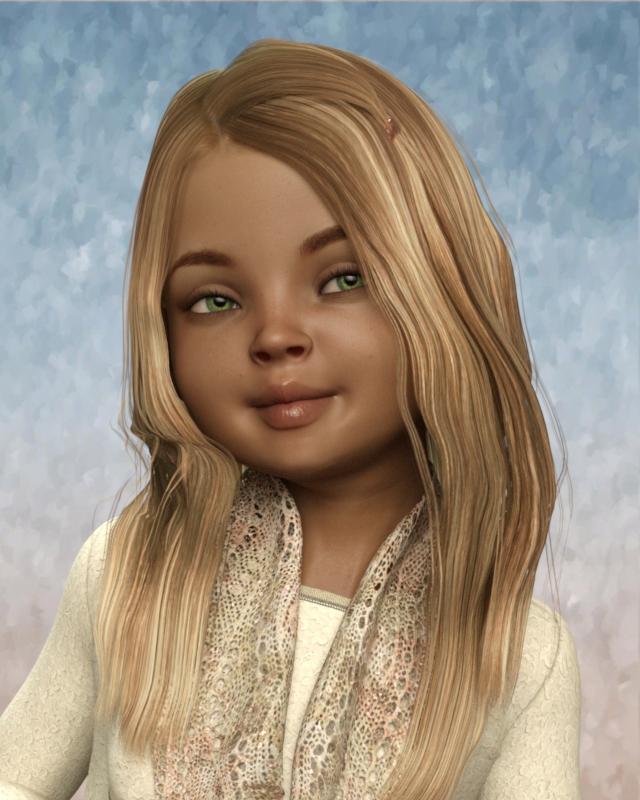
I'll take up your Kid-A-Thon suggestion. Here's FW Brooke using the Age 5-6 year old Growing Up preset. The face in the first image looks too old to me, so the second image shows a few adjustments: narrower mouth, shorter nose, eyes slightly lower, cheeks slightly bigger. I'm not sure how much all that helped but it seems better. The eyebrows have that "penciled-look brow" so I used The Growing Up skin with added eyebrows for the third image. I made it a little more red than the original shader using Iray Smart Converter but it's still less glossy and more yellow than the first two versions (shows how little I know about modifying skin). If you have any suggestions, I'm all ears.
EDIT: Added a 4th image, the original version of Brooke
 How to make that a figure moves on its axis?
In the first one, click the Hip bone (in the Scene pane or using the button at the top of your screen shot labelled Victoria 7), then hold down the Alt key (Windows) or Opt key (Mac) and click on the X Translate and Z Translate sliders - that should zero them and the figure will snap to its origin. Now you can rotate and translate with Victoria 7 selected and get the expected results. But as I said, please report the pose sets from the Daz store that need thiss tep to Techncial Support (who are going to love me for that).
Fantasy dynamic robe problem (Solved)The product is designed for Michael 4 and also fits Victoria 4. It is possible to use with other generations of figures, but takes a little bit of work. Please see the documentation supplied with the Dynamic Clothing Control plug-in for more information.
Is there documentation supplied? I can't seem to find it.
Fantasy dynamic robe problem (Solved)The product is designed for Michael 4 and also fits Victoria 4. It is possible to use with other generations of figures, but takes a little bit of work. Please see the documentation supplied with the Dynamic Clothing Control plug-in for more information.
Typographical error ? victoria-4?No typo, the Poser version is for Victoria 4.
Typographical error ? victoria-4?Novica & Forum Members Tips & Product Reviews Pt 7Thank you L'Adair, I like those for that same reason. Variety is wonderful!
Hope folks who wanted Silo noted the Silo thread I started awhile back- it was on sale today for around $12 (from $119) I didn't see the thread as I have been offline most the day, or would have told you. I haven't done Silo recently but may piddle with it to refresh my memory. There is a thread here in Art Studio about the Humble Bundle Clickteam Game Developer bundle (about $1100 of stuff for $15) if you want to putz making video games. See the thread that has making video games in the title.
Here's a few from today:
Elven is a DO so you get that extra discount if you have the orange banner. Add it to a New item and your price drops another 10% too. The movement morphs in the lower part look fluid.
Jolina has thicker eyebrows, probably would also be a good one to be a kid.
FWSA Imogen has freckles and a different material look- not a perfect babe. Eyebrows are thicker too, although a bit more penciled than the others mentioned previously.
FWSA Eliya is a steal as a DO-(with banner, $4.24) and I think she'd make an awesome bad-girl!
Jurou for Lee 7- different looks, that's for sure. Note third thumbnail to see him as a regular guy.
Sport Sneakers and Textures (but if it's only colors, I wouldn't do the textures.)
Russian Clothing- for men's clothing. Has a few open/close morphs for the jacket, wrinkling in the pants and waist, etc.
All of Streetwear's store! We've showcased that a LOT when it first came out. Well made, and practical.
Lauran Hair- can shrink that hair on top so seems versatile, can remove the bow and keep the band
Sally Hair- a lot of layers and in the side level- meaning, if you don't want to mess with long hair laying on the chest, this hair has a lot of layering in the lengths that are to the shoulders. Face it, sometimes you just don't want to mess with getting hair off the shoulders and chest. This gives you a lot of details above the shoulder level, but with length.
Hanna Hair has nice flow and thickness.
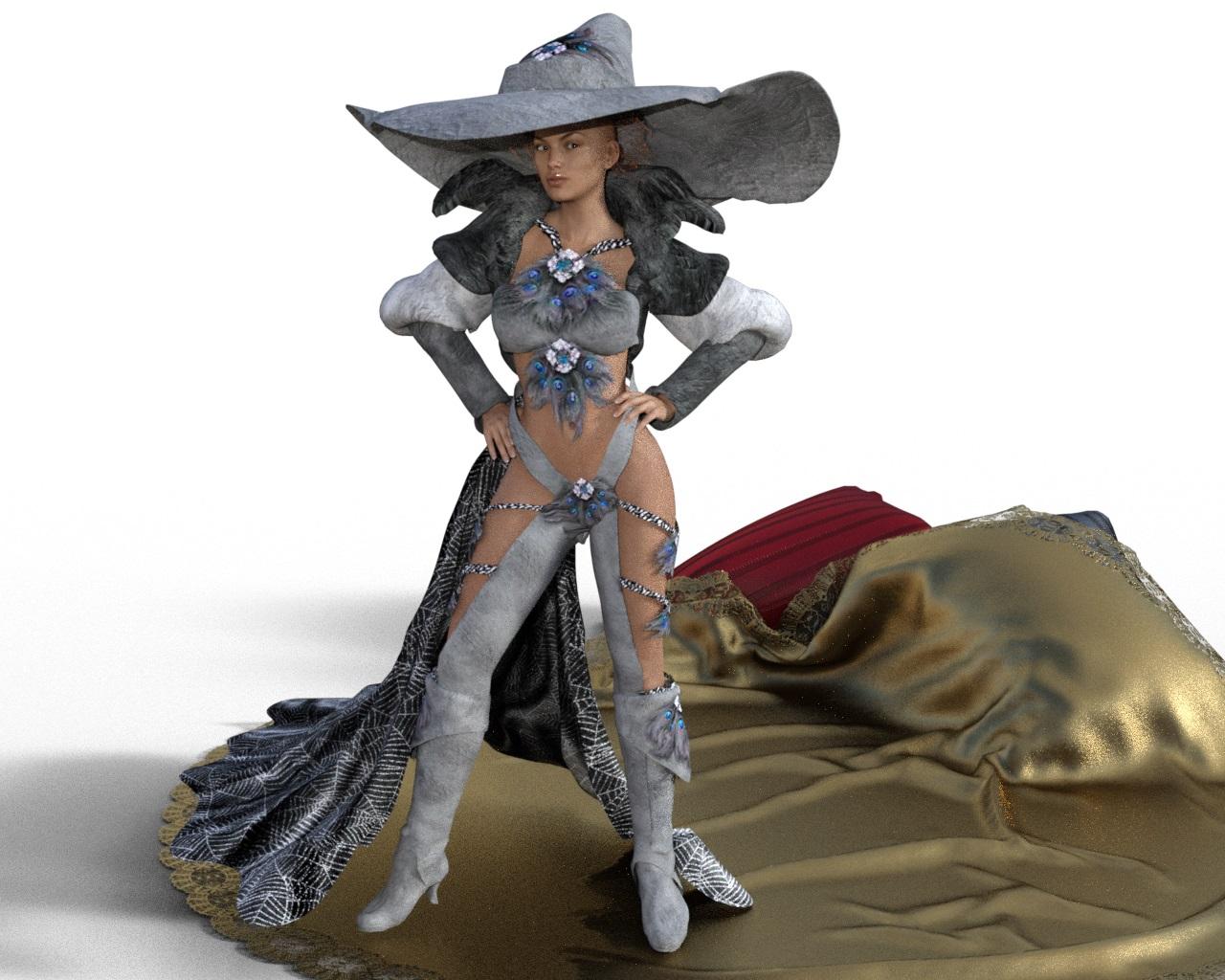
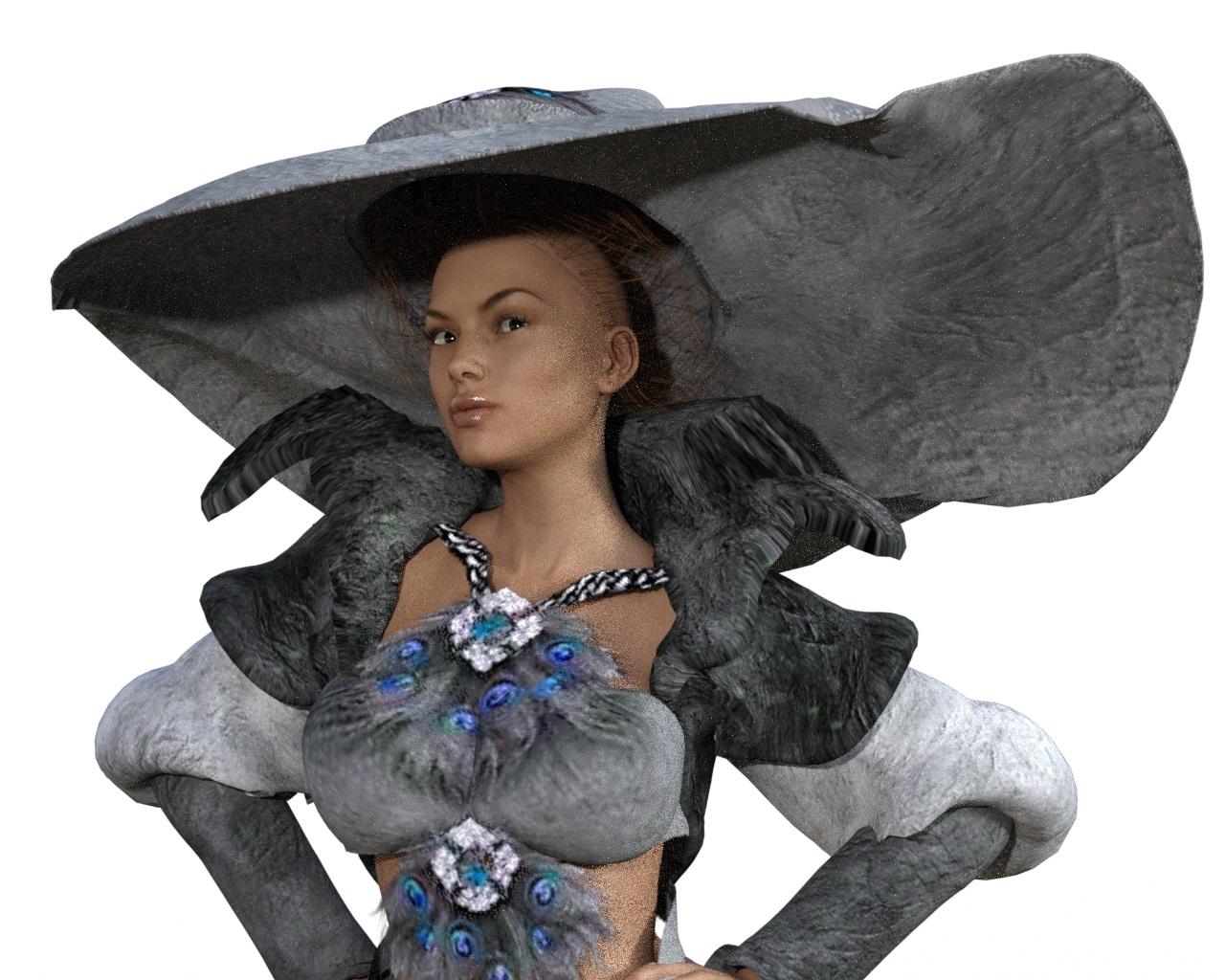
Blacker Magic for Millennium Girls: PTI have converted the one for Koshini with CrossDresser to Victoria 4 and then autofitted to Victoria 7. Not the best conversion (jacket, hat and hair).
Rendered in Daz Studio iray.
Artini, I haven't used CrossDresser in ages, so I can't remember exactly how the licensing works. They say you need license to convert TO a figure from any supported figure. But you converted FROM Koshini and I'm not seeing her listed in the From drop-down. It sure looks like both the From and To figure list is what I've got licenses for.
You don't need a license for the FROM figure, but you do need to have it installed.
Blacker Magic for Millennium Girls: PTI have converted the one for Koshini with CrossDresser to Victoria 4 and then autofitted to Victoria 7. Not the best conversion (jacket, hat and hair).
Rendered in Daz Studio iray.
Artini, I haven't used CrossDresser in ages, so I can't remember exactly how the licensing works. They say you need license to convert TO a figure from any supported figure. But you converted FROM Koshini and I'm not seeing her listed in the From drop-down. It sure looks like both the From and To figure list is what I've got licenses for.
Victoria 7 Reflection/Roughness Maps don't fit!?Do you guys really think that there is an issue with Victoria 7 and it hasn't been reported / fixed by now? The OP said Victoria 7 / Jeanne, not some other PA product.
Blacker Magic for Millennium Girls: PTI have converted the one for Koshini with CrossDresser to Victoria 4 and then autofitted to Victoria 7. Not the best conversion (jacket, hat and hair).
Rendered in Daz Studio iray.
 DAZ Studio importing .3ds file
I understand the comment that it's easier to texture manually rather than go through the hassle, but the import with texture should work. I am a complete noob at Daz3D, so texturing manually will be very hard for me. I can load scenes, Genesis 3 and Victoria 4.2 figures, and pose them etc, but I want to create my own items, particularly jewelry and shoes.
On the other hand I am moderately comfortable with 3ds Max, and I have several decades in the software engineering world behind me, and back then I was a wizz at PD/PSI (Problem Determination/Problem Source Identification).
So ...
I created a minimal box in 3ds Max, converted it to an editable poly, and textured it with a free tilable skin texture I found on the interwebs. I saved it as max, but then I also exported it as obj, and I did set the image path to ./ as suggested elsewhere. I put the skin texture jpg in the same folder as the obj and mtl. I have screenshots, but how to post them here?
Still in 3ds Max, I reset to a blank workspace and imported the same obj file. It imported correctly, with its texture. As it should. So 3ds Max can at least do the round trip, but that doesn't completely rule it out as a source of the problem, it just says look elsewhere first.
I went to wikipedia and the original doc from Wavefront, to read the definition of the mtl and obj files, and then looked at the actual files. They look to be correctly formatted and correctly related to each other.
I then switched to Daz and imported the obj file into an empty scene. It came up invisible, but it was at 0,0,0 and when I hovered the mouse pointer there, it showed up colored orange. I was able to select it. It showed up as just a bounding box. I set the workspace view to texture shaded, but that made no difference. At this point my Daz3d skill runs out ...
In my (former) world, if this had been the product for which I was team leader, before I retired, that information alone would have made me assign a developer to reproduce this problem and find out why it is happening, and at very least, document a workaround. I know Daz3d is free.
Chris Gage
-- Windows 10 Professional -- Daz3D 4.9 -- 3DS Max 2015 --
-- Core i7 4790K -- 16GB -- Nvidia GTX 970 -- Samsung 850 Pro 512GB SSD -- 2TB HD --
-- Benq 32" WQXD and ASUS HDPro Monitors -- Logitech G710 & G502 --
Victoria 7 Reflection/Roughness Maps don't fit!?How are you loading/applying Victoria 7?
First from the Smart Content Section, afterwards from the Content Library (using DIM Installer to install Vicki 7), and as geometry with the textures selected in the file browser of the surface editor.
Thanks a lot for stopping by and answering me!
I really mean were you loading the figure with the character preset, or applying a materials preset to an already loaded figure, or did you try both? Anyway, mismatched gamma settings should certainly be reported as a bug.
Transition problems - Seems to be a general problem these daysI'm not really sure how texture seaming issues directly relate to whether the figure base is Genesis 3, Victoria 4 or an amorphous blob. Or how a seam issue relates to how one figure generation is better than the next. As they would all use very similar texture mapping systems and how they deal with UV borders or seams is pretty much the same method. If a texture or material zone setting has any slight irregularites across the seam it would create a seam issue no matter what model is used as the base. Most of the improvements from V7 to V4 in the area of skin representation would relate to newer Shader bases and utilising more detailed and varied map types such as normals, translucency or PBR based textures.
From my experience Daz QA checks for seaming on character texture sets are very rigourous and thorough. But on a rare occassion, with any texture seam, you may find a transition problem that was not picked up by the creator or QA. Use of different lighting or a different pose may make something stand out as obvious that wasn't possible to detect with other lighting.
What may seem as a direct increase in the issue you are describing may directly correlate to the complexity of the more modern figure skins which utilise many additional components to add higher levels of detail and photo realness to the skin in comparison to an older more simple V4 skin. These factors could make any slight issue that much more obvious to the eye when put in a scenario that highlights the issue.
As far as not purchasing character sets from Daz 3D that really is your decision, but with a money back guarantee and the fact that any seaming issue would be corrected by the creator once reported, I can't really see the risk.
My advice would be to report any issue you do pick up and to expect an update to correct it.
Where's Vittorio for V4? I need to buy him again.If you right-click on the entry in DIM and choose "Show Installed Files", see if there are files in the path "Runtime/Libraries/!DAZ/Victoria 4". If there are, then it uses ExP.
In any event, please report the missing download options.
Where's Vittorio for V4? I need to buy him again.I may be wrong, but I don't think Vittorio had an OBJ file as it was tied to V4.2, meaning it's tied to V4's OBJ file. It's just morphs and textures for Victoria 4.2. I think you had to use RTE to decode it. http://www.daz3d.com/forums/discussion/34349/how-do-i-decode-files-via-rtencoder
Looking for G2F/Genesis/V4 Asian matsAs I'm procrastinating on my other projects... I'm looking for good (and detailed) Asian mats that I can use for G2F -- so anything from G2F to V4. I have Mei Lin 6 and a couple of related characters, but they're not as good as I'd like them to be.
For reference, the fantastic Chiyo for V7 by Raiya (https://www.daz3d.com/chiyo-for-victoria-7) is extremely close to what I'm looking for. Skin tone is reasonable -- similar to mine after a Canadian winter! -- with tiny moles and blemishes.
Any suggestions? :) Thanks!
Daz 3D is part of

Connect
DAZ Productions, Inc.
7533 S Center View Ct #4664
West Jordan, UT 84084Licensing Agreement | Terms of Service | Privacy Policy | EULA
© 2026 Daz Productions Inc. All Rights Reserved.