-
Show Us Your Iray Renders. Part V
Playing with translucency, this time with Victoria 7. Again, it is a bit too much but it is interesting to discover all that is hidden in the maps provided. Speaking of which, that Hongyu bikini is a work of art now that I look at it up close.
Edit: Default HDRi lighting rotated 40º, no postwork.
Novica & Forum Members Tips & Product Reviews Pt 7If you get a chance to render Anicinabe, would love to see him! I also would be interested to see Warrior Wet Hair. I can see why you got them, I just ran out of money!
Okay, I'm going to cheat and post more than ten- will do the top ten (and definitely cheating by not listing the two I already mentioned, the SheetZ and the Knights Academy, that way I can list ten MORE. (Hey, it's MY thread. I make the rules to break them.)
I have SO many tabs open from my Product Library, it isn't funny. So these were bought during the sale, and what I look forward to rendering. Here goes:
1. i13 New Addition Living Environment With Poses Top honors for this- already rendered, LOVED the open space so you can add what you want, easy to render, very classy. The amount of windows lets in lights, the materials are very nice. You'll feel like you are actually there.
Edit: found the render.
2. Lost World makes me sad, like I just want to explore it. It makes you wonder what happened. A great set, many opportunities for storylines.
3. Parthenon Club Already rendered- has rooms upstairs, tables and chairs are nice, bar is nice, outside of building is good- can't go wrong. Lighting is good too!
4. Pix- Synx for Genesis 3 Female (She's really neat, look at all the promos.)
5. Tokyo Living Attention to detail is exquisite, a lot went in to this.
6. (TIE) Achilles HD Face Add-On for Genesis 3 Males Who doesn't love rugged? Haven't tried him yet. TIED WITH Gweinbleiz HD And Beard for Michael 7
7. MRL Ling Delicate features, nice eyebrows.
8. FWSA Liam HD For Michael 7 Chiseled jaw, nose is longer and turns up a bit at the end. Hunky!
9. Everyday Updo Hair (OOT Hairblending) Sleek, a lot of options, casual to elegant.
10. Couples' Run Poses So versatile, can use for many situations. Really take a look at these, the only poses to make the top 10 list.
Okay, that's ten. Here's some more of the notables:
FWSA Imogen HD for Victoria 7 Her materials aren't perfect, seem nicely realistic. Eyebrows aren't penciled and are thicker.
Medieval Tower Bedroom What good are castles without a great interior room? This is it.
M3D Hero 7 HD Shapes for Michael 7 A lot of extra effort in these, read the description.
Jade Tiger Hair Very shiny, easy to pose- great for fantasy. Edit: the render is here
Tatum Hair for Genesis 3 Females I just love AprilYSH's approach to the hairline/crown- the braid worked into it. Kudos!
FW Phoenix HD for Victoria 7 Features are very nice, not exaggerated, but ethnically well done.
P3D Brita for Tween Julie With Zev0s Growing Up, what a cutie pie she'd be as a 5-6 year old. Eyebrows would work.
Jackyline for Genesis 3 (Already rendered it, love it- put Supersuit "bra" under it and it's classy, family friendly. EDIT: found the render and the main one here
French Ski Resort If you want a holiday scene, winter scene, or resort, here it is!
Sawmill has to make the list because look at all those nooks and crannies you can use!
[Links] Victoria2 / Michael2 V2/M2 freebie listCreating Victoria 2 iRay Material Files
This is a material preset for Arrow3D's Victoria 2 Textures. (Found here: https://web.archive.org/web/20130807120808/http://arrow3d.com/files/V2textures.zip). Textures must be downloaded to make the preset work. There is also a requirement of some manipulation to the files. This allows the iray preset to produce a better result. So included in the zip is a small pdf tutorial that will allow the artist to create the additional bump files and guidance on how to modify the material preset so that it can be used successfully. The tutorial does contain an example on how to take other Victoria 2 texture sets and create the iray preset for the set. Contained within the package is the file structure for setting up the Arrow3D texture set, the material preset and the pdf tutorial.
https://www.sharecg.com/v/86560/Genesis 3 a workaroundwhat you need
- GenX by Dimension3D http://www.daz3d.com/dimension3d
- A clone shape product, I used the Genesis 2 male one for genesis 3 male http://www.daz3d.com/genesis-3-male-for-genesis-2-male-s but one that suits figure you are going to convert to will do
what you are doing
converting the mesh to a Carrara compatible figure but keeping mesh and shaping morphs
you need GenX as the pose morphs will not work so you add the morphs for another compatible figure
the workflow
- use GenX to inject the desired facial pose morphs, expressions, visemes, blinks etc it can be from Victoria 4 even as long as morphs not controls,
- load the figure and your desired target, I used genesis 3 male and genesis 2 male
- fit to
- choose full body
- save as support asset actor
thats it
easy
OK it will work in Carrara and use poses in my case for Genesis 2 and with tweaking earlier poses
it can use facial expressions under genX so a mimic dmc for the figure you sourced them from will need those and prob moved to the head in edit mode mover, not tried yet only dialed some in so far.
some textures/materials load most do not depends how the PA saved them, 3DU little ones and Jolab's Torak worked for me most others got an error, resaving in D|S may work I still need to find the best way.
Otherwise load maps manually.
I will add updates to this thread and videos as I play with it

as you see from video some morph presets will load but can tell you now most will crash Carrara to the desktop
dialing the best action
and it can only use those you have when you saved the figure
if you buy more you need to resave it as a support asset

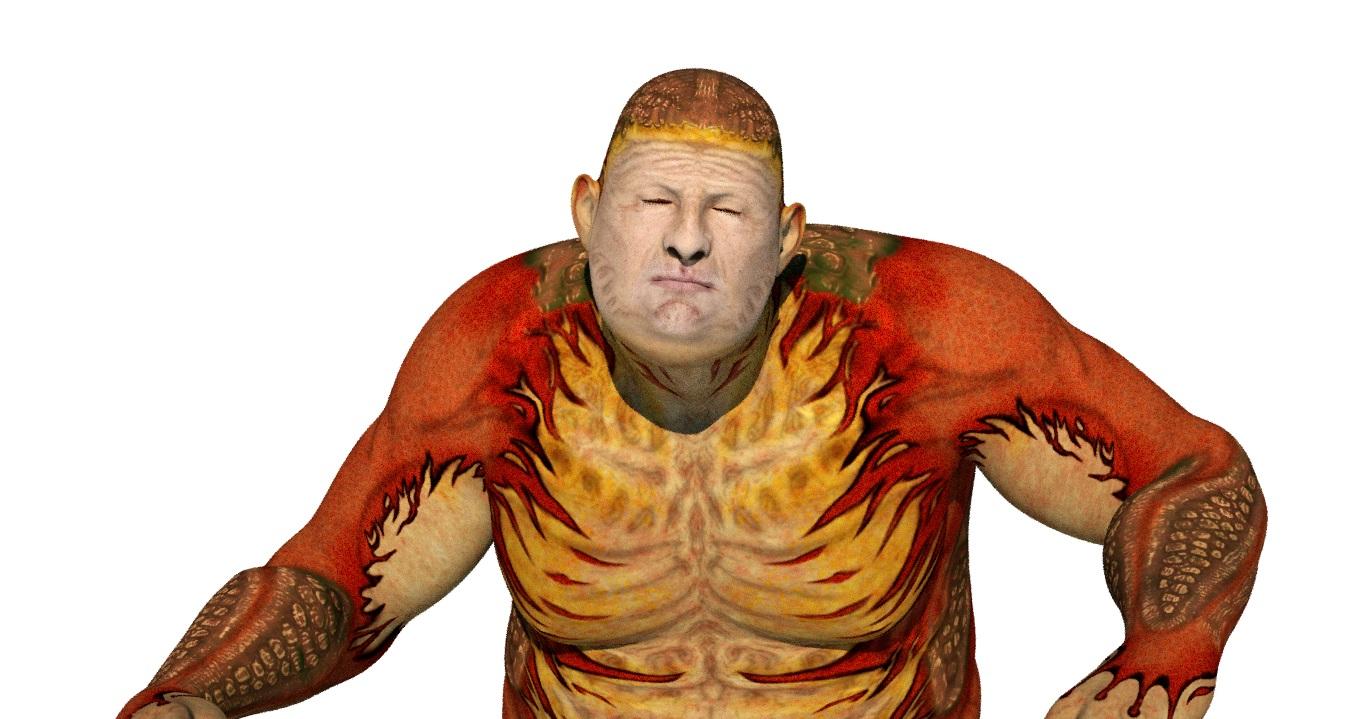
oh it can wear most clothes for your target figure out the box too.
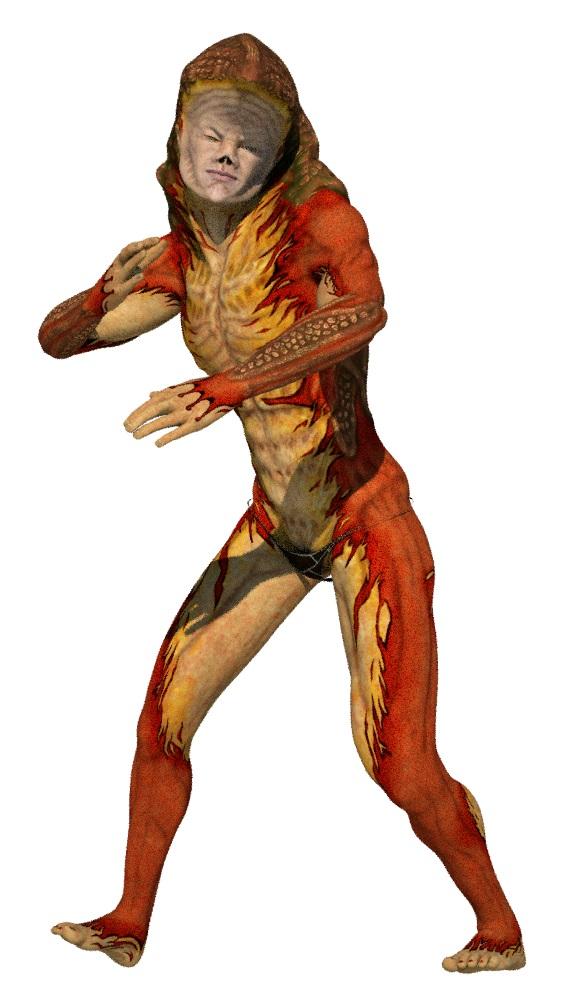 GENERAL FREEBIE REQUESTS Part 2
I was wondering if there was such a thing as any freebie Vamp Morphs for G1 like the teeth and make-up etc....????
Free fang morph for Genesis: http://www.sharecg.com/v/63076/gallery/21/DAZ-Studio/Fang-morph-for-Genesis
Free fangs for V4: https://www.renderosity.com/mod/freestuff/fangs-for-victoria-4-genesis-reposted/69928
Free vampire morph and texture for V4: https://www.renderosity.com/mod/freestuff/?item_id=65999
Free vampire body and head morph for V4: http://www.sharecg.com/v/69161/browse/11/Poser/Vampire-Girl-for-V4.2
Free Vampire nail https://www.renderosity.com/mod/freestuff/?item_id=59360
Vampire character for V4 and Genesis but not free: http://www.daz3d.com/scarlett-black
Thank ou so much for these links Charlie!!!!
I went and d/l all them giggles.
The older generation: Victoria 2/3, Michael 2/3 and their children rendersSo I thought I would help Victoria 2 come into the Studio 4 world and I created a iRay setting for one of her free texture sets. I have packaged it up and have uploaded it to Sharecg (https://www.sharecg.com/v/86560/view/21/DAZ-Studio/Creating-Victoria-2-iRay-Material-Files) if any of you are interested. It has a tutorial that will allow you to take any of the Vickie's texture sets and create an iRay material preset.
A commendable work on the tutorial, DollyGirl! Let's hope people will try their hand at this and expand their creative options.
3D Art Freebie Challenge -- November: I am so THANKFUL I am not... -- Main ThreadIt works! It works! and it was so easy. Here it is fit to Victoria 2.
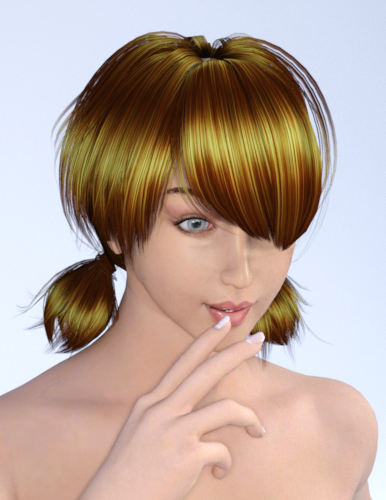 G3F all the same faces?
I agree completely for the majority of models. I am very tired of the "stock sexy lady" look that most of the G3F characters we get have. Of course I want that type of look in my library, but one or two entries are all I need before I want to start building other options.
There are some artists and packs which give good variety, some have already been mentioned in this thread. EmmaAndJordi are good examples of differentiated faces and I like the fact that they include extra fantasy textures + ear or teeth morphs usually too. Just adds a nice bit of variety to your library while giving you some realistic representation. Mihrelle's are high quality and Isabis also includes extra resources but sadly there aren't many to pick from.
For characters of varying ethnicity, I agree there are huge problems with the current library. Why do we have Eve, Karen, Arabella, Gia, Isabella, etc. and no Middle Eastern or (base, Daz Original) Black models for example? Kimo and Kalea are great examples of what I wish we would see more often. I'm not going to name names for what I think are poor representations of ethnicity, but there are a huge amount of morphs that look exactly like Victoria with darker/tinted skin, rather than having detailed, believable features.
For me the main problem is actually G3M, since I find there are about 2.5x as many resources for female characters as there are for male ones. This isn't a huge suprise to me, but that ratio would bother me less if there was a higher overall quantity. There are legitimately 0 Indian characters for G3M for example. As far as black options go, you have Dash for M7 (which sculpt-wise does not look very black, sorry, not trying to call-out), or Darrin. Raoul for Ivan 7 is actually quite good but you need 3-4 other paid resources in order to get the base character, which is less than ideal. That's it without going to G2M or G for a black character.
Maybe it's just that no one has expressed interest in buying varying, diverse characters but consider this message expressed interest!!!Show Us Your Iray Renders. Part VAfter taking a look at DAZ documentation, I have tweaked my skin shader. I switched to specular/glossiness instead of metallic/roughness. The reason: Documentation stated that glossy layered weight is maped with specular maps when converting legacy materials, if not, it's better left at default. Reflectivity is also recommended to be left at default 0.5; so the only relevant property (and is stated that way in documentaion too) is glossy roughness for met/rough and glossiness for spec/glossy. Taking into account that most PA provide only specular maps for glossiness and not roughness, I have switched to spec/glossy to make use of those maps in the property they are planned to be used.
What do you think about it? Did I understand it wrong? Anyway, here are two samples of Victoria 7 materials with those changes in the glossy system. Eyes are from Finley. Lighting is the default HDRi rotated 40º.
They look good without the excessive oily look that one usually has to resort to.
Show Us Your Iray Renders. Part VAfter taking a look at DAZ documentation, I have tweaked my skin shader. I switched to specular/glossiness instead of metallic/roughness. The reason: Documentation stated that glossy layered weight is maped with specular maps when converting legacy materials, if not, it's better left at default. Reflectivity is also recommended to be left at default 0.5; so the only relevant property (and is stated that way in documentaion too) is glossy roughness for met/rough and glossiness for spec/glossy. Taking into account that most PA provide only specular maps for glossiness and not roughness, I have switched to spec/glossy to make use of those maps in the property they are planned to be used.
What do you think about it? Did I understand it wrong? Anyway, here are two samples of Victoria 7 materials with those changes in the glossy system. Eyes are from Finley. Lighting is the default HDRi rotated 40º.
Show Daz that Carrara users are a market worth supporting! How many Product Pages do you have?1.- I dont know what do you mean with "pages" but i have most than 50 products. And i recently buy the expensive Octane Render for Carrara, i think that give a clue of my love for this software.
2.-Carrara!! The only software i love most is Zbrush
-Surface Replicators-Fog effects and volumetric clouds.
-Terrain editor
-Ocean editor
-Amazing plugins
-Fast rendering (both, native and octane renderers)
-Bullet Physics
-Particle emiters
And much more reasons!
3.-Off course! There's many products that i wish from Genesis 3 but i don`t wanna use Poser or DazStudio, REALLY, i prefer stay in Victoria 4 generation until carrara gets a big update for genesis.
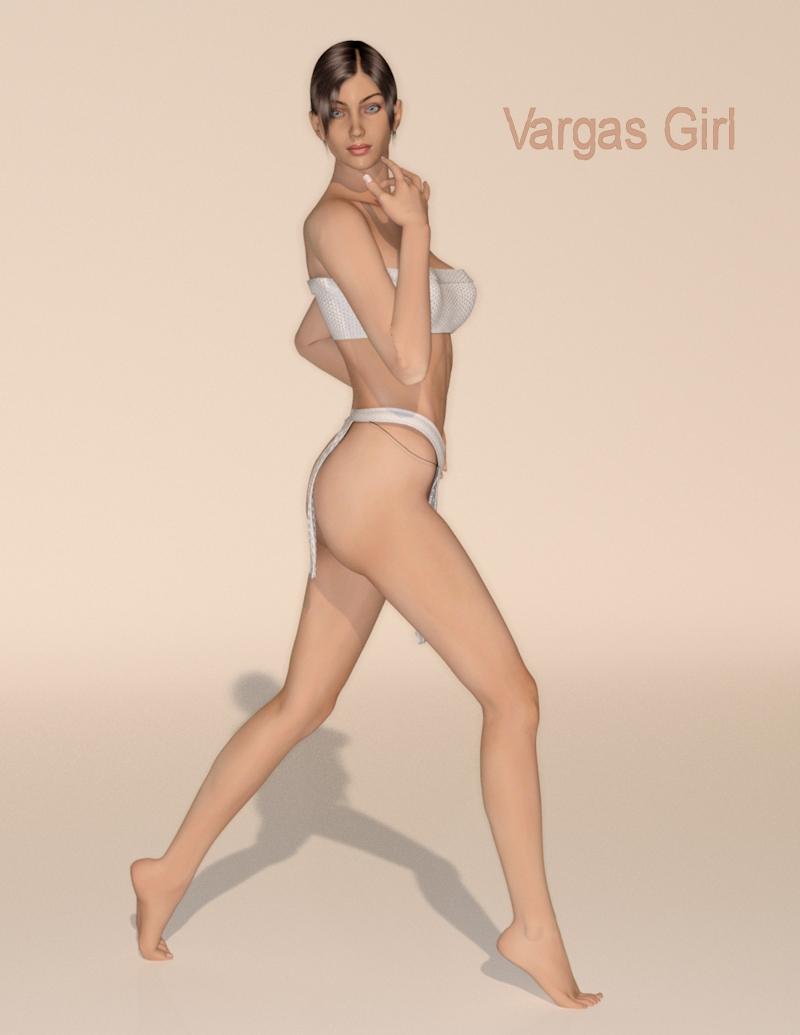
The older generation: Victoria 2/3, Michael 2/3 and their children rendersSo I thought I would help Victoria 2 come into the Studio 4 world and I created a iRay setting for one of her free texture sets. I have packaged it up and have uploaded it to Sharecg (https://www.sharecg.com/v/86560/view/21/DAZ-Studio/Creating-Victoria-2-iRay-Material-Files) if any of you are interested. It has a tutorial that will allow you to take any of the Vickie's texture sets and create an iRay material preset. You will have to download the texture zip from Arrow3D to use the preset. All of this information in included in the package. and now I give you, Victoria 2, as the Vargas Girl.
 Help / suggestions for characters / clothing
Hello all,
I'm not quite a newbie, but it's been quite a while since I last used DS or Poser so I'm effectively starting over. I need to put together a variety of people for a couple of marketing illustrations. I need male/female adults in a range of ethnicities and in a variety of casual everyday clothing (jeans/shirts/skirts etc.).
I currently have the Genesis 2/3 Male and Female models, plus Michael 4 and Victoria 4.2 and I'm looking for suggestions for clothing packs and characters that I could combine to give me a reasonable number of permutations. Although final output will be print, the figures themselves don't need to be that big, so variety is more important than detail.
Can anyone recommend any sort of 'starter pack' type products? I think I'd need:
- Say half a dozen or so different tops/shirts/dresses/trousers/skirts
- 5 or 6 hair styles each for male and female
- 5 or 6 male and female shoes/boots
- Ethnicity skins (morphs?) for, say, caucasian, african, asian/oriental, latino
I had a look through the shop but couldn't really see the kind of thing I was after. I'm afraid I find the plethora of different file types/characters somewhat bewildering, which isn't helped by the time pressures of the job, so I apologise in advance if this comes over as needy, or expecting others to do my job for me, I just feel like I can't see the wood for the trees!!
Whatever help people can offer to point me in the right direction would be gratefully received!
Novica & Forum Members Tips & Product Reviews Pt 7Best deal had to be the Terradome 3, for $6.94, due to the PC+ code to take off that six dollars.
My favorite is a set, Knights Academy. I think the second one would be the WonderSheetZ for Victoria 7 because they look like so much fun to play with! I'll try to get them rendered soon, I am doing Teenage Princess Leila since she got released to the store. Then running to the store around 6am (Walmart), then going to get some sleep.
[Links] Victoria2 / Michael2 V2/M2 freebie listWardrobe
sport outfit
conforming figures from very old abandoned request project. compatiple with victoria 1 only. may require proper rigging and adjustment.
https://www.sharecg.com/v/86557/Edited to add: it's gone again ... dead link
Question for DartanbeckCool breakdown, Dart. It's very useful to see the progression and differences.
I just got the Eyedeas3+ set at your recommendation (PC+ final sale - maybe $3ish... how could I not...) and was wondering if you or anyone else has used them to replace the eye-balls on a genesis1 character?
If not actually done it, does anyone know if it's likely that it *can* work?
Although I haven't (yet) done it, I am absolutely sure it can and will work (more below)
Also, Dart, on the Mil4 'replacement' process - do you parent/adjust the EYEdeas3+ eyes to the existing Mil4 eyeballs, then make them invisible or something similar?
For Mil4 figures (this is really, REALLY cool!) we just load in the appropriate set of EYEdeas (one set uses the original Mil4 eye maps, the other uses custom remapped UVs and maps that come with the kit - see the readme), which conform to the figure. We can either turn the eyes invisible manually (which is what I do) or use the included Pose file to do so.
*Genesis
I have a feeling that the conforming sets will work just fine. However, in the chance that they don't, we can load in individual eye models and parent them to the appropriate eye, then turn the original invisible It's a very complete, flexible kit!
EDIT: Also, there are instructions in there about if they conform and you don't want them to, just use Fit To: None, and then parent them to the head and they work. I'm not sure why we'd want to do that - never tried it.
Tips on Shaders:
Be sure to Consolidate Duplicate Shaders and have a look at what shaders go to which domains - as the names of the domains are different. I'm still not entirely sure about the lens, which is deep inside the eye. We can discuss that later, when I have a chance to look at it.
I like to use a refractive, transparent shader on all of the clear parts of the eye. By having refraction on all such surfaces we get a good refraction depth - whereas, if we only use it on one surface, refraction has infinite depth and can continue working - and we don't want that.
I also like the outer clear surface to be shiny and slightly reflective. I actually prefer to use the Clear preset shader from the Glass shader browser. If I don't want reflection on all surfaces, I drag the shader preset onto the original for that domain, and remove reflection and/or shiny highlight. But I think I'm just using it on all of the clear surfaces.
Since I'm using shiny reflectiveness on the outer surface, I don't use any reflectiveness on any of the clolored parts of the eye.
For the whites I don't use any highlights either - just let the outer surface shader take care of that.
For the iris, I like to use either the color map or a different color map and crank the shininess channel all the way down to somewhere around 3 to 6 for a fairly broad shine, but with some (above 0.00) cutoff.
For the original eye domains (now turned invisible) except the tear (which is still visible), I create an invisible shader and apply to all of them (except the tear, which I'll often use either the same Clear glass, or a variant of it - depending on how 'teary' I need the character at the time)
To make this Invisible shader, I set all channels to "None" except Alpha, which I use Value 1-100 = 0
Sorry for being somewhat vague right now... can't really get at Carrara right now :(
Cool breakdown, Dart. It's very useful to see the progression and differences.
cheers, and ++ on the progression you described - very cool.
--ms
Thanks ms!
Also, be sure to look at the Parameters tab. I did some settings in there, but can't remember what they are.
Note that even the Morphforms (Eyes side-side, Eyes Up-Down) work with these! ;) I think other morphs do too, like pupil size, iris size, eyes size, etc.,
I hope you like them! The last thing I want to do is to have someone buy something I'm all jazzed about - only to find that they don't like them! Ahhhh!!!!
Novica & Forum Members Tips & Product Reviews Pt 7Looking at her, my Nadine sure doesn't look like the promo Nadine. Mine has a much squarer jaw and broader face. I put her on Victoria 7 too. Does she seem different to everyone else?
Novica & Forum Members Tips & Product Reviews Pt 7His Shirt FW Nadine (Connect Only) Hands On! Victoria 7 Attitude Poses
LOL, funny you posted a fabric shader. I JUST finished doing DG Iray Fabrics of Asia! Great minds think alike.
Those ParrotDolphin shaders really caught my eye when released, but I didn't get the PD's shaders because I decided to go for greatly discounted products (like insanely discounted) due to diminishing funds. Thanks for posting- that one looks fantastic! It doesn't look tie-dyed, it looks very elegant. Nice touch! (If you have more, would love to see them!)
I did pick up Terradome 3 because at $7 it would be insane not to try it.
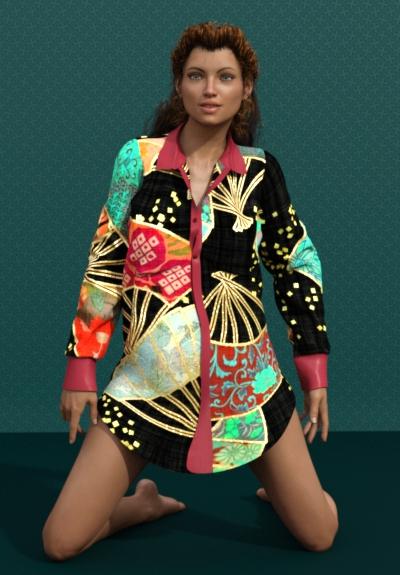
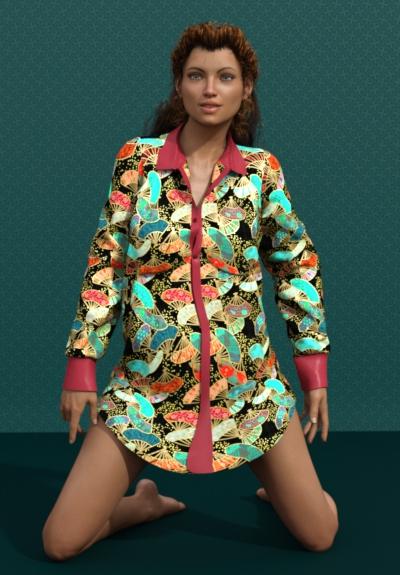
Okay, shown is a large tiled version, then a tiled version of 6. (The higher the number, the more repetitive the pattern.) You can go to 30! (very dainty print.)
I used the shader on the wall too.
The shirt has a lot of morphs, it flows. I made no adjustments to the shirt when she was posed! The buttons, cuffs, neck, and button strip down the front are all different materials zones, and different (obviously) from the shirt. So playtime with shaders!
Frawn Hair is interesting, it's a medieval snood (I think that's the word) that is a lace-like cap on back the head. I REALLY like Hands On. If you want casual hand styles, check that one out! (Look at the hands, I think they look very relaxed and natural. NO tweaking.)
 Question for Dartanbeck
Cool breakdown, Dart. It's very useful to see the progression and differences.
I just got the Eyedeas3+ set at your recommendation (PC+ final sale - maybe $3ish... how could I not...) and was wondering if you or anyone else has used them to replace the eye-balls on a genesis1 character?
If not actually done it, does anyone know if it's likely that it *can* work?
(I'm happy to have this resource for the Mil4 family, so no loss, but curiuous if the eyeball compatibility extends to 'replacement' eyes, etc.)
Also, Dart, on the Mil4 'replacement' process - do you parent/adjust the EYEdeas3+ eyes to the existing Mil4 eyeballs, then make them invisible or something similar?
cheers, and ++ on the progression you described - very cool.
--ms
Question for DartanbeckThough I think this will be their main costumes (below)This is my favorite render of Rosie so far. Our content tastes seem very similar. This costume looks perfect.
Cool! Thanks! The 'real' Rosie likes this one too! ;)
Here's the setup:
The J-Suit by kooknfat (this uses my own leather and custom metals shaders)

Kazai by Val3dart (Skirt, belts and pouches) (using the same leather and metals shaders as above)

Acasia (wow... no longer available? Why? This is an awesome set!) (this particular costume only uses the armwraps - but I often use other elements too)

Swashbuckler Boots by Age of Armour (I also have M4's - these are my favorite boots ever!!!) (I made my own bump, spec, color maps without the fleur de lis)

Her hair is made up of using three (sometimes four) separate, customized variations of Angelina Hair by Goldtassel - each with custom morphs I've made above and beyond the Many morphs that come with the hair. The closest hair I've found so far to 'Real' Rosie's hair. I have others that don't work or render as well.

The skin textures are a combination of several, the main base texture set is also no longer sold here, but like Acasia was just here not long ago. I guess we better not procrastinate buying the Generation 4 items we really need! Yikes!
I'm glad that I've already collected what I need for the most part... but I like Generation 4 figures (and their simplicity of use) so much that I'll continue shopping for them as much as I can.
I've also (as metioned earlier in this thread) recently started using Arki's EYEdeas 3+ for Victoria 4 and Michael 4 (though they'll work for any figure - even animals and monsters, etc.,) and have made some really nice (I think, anyways) shaders for them.

Daz 3D is part of

Connect
DAZ Productions, Inc.
7533 S Center View Ct #4664
West Jordan, UT 84084Licensing Agreement | Terms of Service | Privacy Policy | EULA
© 2026 Daz Productions Inc. All Rights Reserved.