-
Oh, Misty, I forgot my Complaint Thread
Rezca said:
So... The Oso Mosasaur set says that its compatible with the regular Dragon 3 textures and associated morphs. And it is.... But only inside DAZ Studio? If I export it out and then try applying one of the other textures it freaks out and causes a mess like its made for an entirely different UV set. I do the same in DS and it works perfectly fine.
I guess I'll need to export out two different versions then, one for use with the mosasaur-specific textures and one for everything else :/
you can use Map Transfer in DAZ studio
OFFICIAL DazToCinema4D Bridge 2022 (SEPTEMBER UPDATE): What's New and How To Use Itdanielbui78 said:
scobb3_60a649a03a said:
Seeing a LOT of issues with this latest release. The last one worked really well. For one, here is my figure in DAZ post export...
What if I wanted to revert to the last version?
If you would like to help us fix these issues, please include:
- More detailed description of each issue that you are seeing.
- Please also include the version of Daz Studio and Cinema4D,
- the Daz Studio assets, morphs, and/or animations that you used,
- and the steps you performed in Daz Studio and Cinema4D to help us reproduce the problems on our side. Thanks!
Any previous version can be downloaded and installed using this:
Morphs still aren't exporting, and I don't think Oso's Mosasaur is compatible with the Bridge?
Sending it to Cinema 4D as-is with no adjustments, it rejects any of the Dragon 3 textures whjen in DAZ Studio they work fine (And visa-versa, Dragon 3 can't use any of the Oso Mosasaur textures). Secondly, since the Bridge STILL can't export Morphs 99% of the time I have to move them over by hand one by one and once each for both variants of the model - one exported with a Mosa texture and one exported with the Dragon 3 textures, and I do need to do it twice each since this is what happens if I try using a Morph made from one onto the other:Pictured is the "Angry" facial morph exported from the Oso Mosasaur while using Dragon 3 textures, trying to load it onto the Oso Mosasaur using the Mosa textures. The original was sent over with the exact same settings, only the texture was changed.
Can I install Carrara 8.5 on Drive D on my computer?I just copied the Carrara installation folders on C: over to E: then I uninstalled Carrara from c: then reinstalled to the new E: location
I did that about 10 years ago and since then I've done the same transfer from E: to D:
I've never had any problems, just had to put the new install settings into DiM if I use that.
also my Carrara shows it's 16GB in size
 Is there a way to read the contents of a .duf file
jukingeo said:
Richard Haseltine said:
The morphs have to be loaded to get the information so that they can be in the Parameter lists, if theya re not set to a non-zero value on loading then the actual shaping data (which is the biggest chunk) is not kept. But you should not have duplicates of propietary morphs in there anyway, so I don't know what is happening.
I would have been hoping that you might shed some light on the situation as you are the main Daz Studio guru here. When I load a character, there are no duplicated morphs in the list under Parameters and Shaping tabs. However, in terms of FOLDERS on my system, then yeah, I have noticed several data/Daz 3D folders Worse, I have seen data/Daz3D folders without the space. Then somewhere around the transistion from Daz 4.12 to 4.15, they changed My Library to My Daz 3D Library. However, it was because of this that I was able to find an older data/Daz 3D folder string and was able to restore some of my characters.
Presumably the version without the space is a typo when saving.
Documents/Daz 3D/Studio/My Library is the default location for Daz Studio 4 content, Public Documents/My Daz 3d Library is the default location for Install Manager. Neither name has any fucntional significance, and neither should appear in paths in saved files (those should store only the location within the content directory, whatever it is called and wherever it is).
There is nothing wrong with having /data folders in multiple content directories (other than speed in resolving relative paths). Any morph in a data folder in an active content diectory will be found unless there is a second file with the same name in a content directory further up the list.
What I am worried about is that with these extra data/Daz 3D folders that Daz Studio is taking up way more space than it should on my hard drive. This has me worried that when I upgrade to 4.2 as to what THAT version is going to do with the directory structure.
I guess you took a look at those folder paths, right? It seems that every time I save a character, it is dumping a bunch of morph files into the data/Daz 3D/jukingeo directory. In the missing files that I posted above, I sometimes see the same ones that it cannot find, yet the morphs themselves are still on my system. So, really, if you don't know what is going on, I for sure don't.
That is because you are selecting those morphs (or failing to deselect them) when saving, which I thought had already been covered)
The thing is, if the morphs are not saved with the scene when I save one, what is being saved there?
Thanks,
Geo
OFFICIAL DazToCinema4D Bridge 2022 (SEPTEMBER UPDATE): What's New and How To Use ItVizer said:
Hi Daniel, thank you for all your hard work on this. Unfortunately I've been having little luck, even for what I assume are very basic, vanilla exports. I really would like to export a character and preserve a morph, any morph.
Basic Genesis 8.1 Male, in default pose, exported with a handful of facial expression morphs (see screenshot).
And even though I'm exporting morphs, C4D never shows me the "Morph Controller Group" which I assume is supposed to appear after importing. Am I missing something?
DazToC4D 2022.1 / Cinema4D r26 / Daz Studio 4.20.17 / Mac Studio M1 Max with OS 12.5 Monterey
That's just a long-running problem with the C4D Bridge. Most of the time Morphs aren't actually included with the Import, regardless of options picked or model used. Past versions had that problem, this version has that problem.
Unrelated; I just had a weird thing happen with this dragon model. While easily solveable within Cinema it's still a tad annoying. I load the figure in D|S, make sure its at a reset/unedited pose, but then when I import it into Cinema 4D the mesh takes a completely different pose than what was seen + what the joints are doing. Attached is what 's happening - Reset Figure Pose, nothing changes. Once I click OKAY the wing mesh changes position.
Are the Daz body morphs merchant mesources?Mellone said:
So I'm not allowed to bake them into a singel morph by exporting an reimporting but I can apply multiple base morphs ERC Freeze them into one slide and Sell that Slide that apllies all the morphs?
Or is it still ok to bake them into one morph when I do change things with Blender?
Even if it were allowed, which as others have said it isn't, it would be making a lot of extra work as you would have to redo all the adjustments to rigging and corrective morphs (e.g. to make expressions work with the new shape) thata re already set up in the morph packages when used directly.
Are the Daz body morphs merchant mesources?Mellone said:
Or is it still ok to bake them into one morph when I do change things with Blender?
Kind of - you can do it for your editing purposes, but to make it redistributable, you will need to reimport it into DS over the morphed shape with Reverse Deformations on so that the morph you create is only your changes to the shape and it only works correctly when dialled in over the other morphs.
[Released] Turbo Loader Booster Utilities [Commercial]I've run into a problem while trying to use "Turbo Loader Open File.dse" to load a character. I often personalize the Property paths (I re-group/move properties for easy access by changing the property path), would the script have issues with that?
Here is the error:
2022-08-09 14:28:12.165 [DEBUG] :: 0 morphs were searched for
0 Enabled (0 failed to enable)
0 Disabled (0 failed to disable)
0 unchanged
0 skipped
in 39 secs 7 msecs
Note: Multiple files may exist for a morph if you use Daz Connect
2022-08-09 14:28:12.165 [WARNING] :: Script Error: Line 381
2022-08-09 14:28:12.165 [WARNING] :: TypeError: Result of expression 'group' [undefined] is not an object.
2022-08-09 14:28:12.165 [WARNING] :: Stack Trace:
<anonymous>()@G:/3D/DazStudio/Libraries/DAZ Content Library/data/RiverSoft Art/Common/RSTurboLoaderFunctions.dse:381
What are the steps to send animations that use morphs to UE5?Video worked, cheers.
The only difference between what I'm doing and your instructions, is that I'm not effectively exporting a 30 frame animation. I'm posing my character the way I want as a still frame/pose and export it as an animation file as a single frame.
Previously on the older plugin, whatever morphs I applied (like a smile) would transfer over perfectly into the single frame animation. It doesn't anymore in the updated plugins.
This is what it does (or doesn't do in this case anymore)
And this is what it used to do. It perfectly added the morphs on the animation curve.
Thanks for having a look!Are the Daz body morphs merchant mesources?Mellone said:
So I'm not allowed to bake them into a singel morph by exporting an reimporting but I can apply multiple base morphs ERC Freeze them into one slide and Sell that Slide that apllies all the morphs?
Or is it still ok to bake them into one morph when I do change things with Blender?
nope...not allowed
Are the Daz body morphs merchant mesources?So I'm not allowed to bake them into a singel morph by exporting an reimporting but I can apply multiple base morphs ERC Freeze them into one slide and Sell that Slide that apllies all the morphs?
Or is it still ok to bake them into one morph when I do change things with Blender?
How to change the iris size?chamco0531 said:
murgatroyd314 said:
I generally use the Iris Size morph from the Genesis 8 Female Head Morphs pack
Hey, thanks for your response! I actually own this but can't fing this "Iris Size" morph. Is this the actual morph name?
Don't write too much into the filtering box, if you just write Iris there, it will filter just the dials that have Iris in their label.
Genesis 8 Female Slow Loading - DIM Doesn't Fully Delete Figures.Had some time on my hands...
Base folder
Base Folder for a content library can reside just about anywhere, but not recomended to place it on the same drive with the OS (Space will eventually run out and it is the most likely drive to corrupt files due to the constant activities of the OS, also worst drive for any rescue operations).
The name of the base folder can be just about anything, default folder names have been 'Content', 'My Library', 'My Daz 3D Library' or whatever if you have given the folder a name by yourself. DS doesn't care what the name of the folder is, as long as the folder is set as a content folder in 'Content Directory Manager'
Within the installation (Zip) files, this folder is named 'Content', which was used as the name of the base folder in ancient times.
It is also better to keep the path to the base folder as short as possible, preferably put it straight into root of the drive where you want to put it, for example 'D:\My DAZ3D Library'
Inside the base folder, there are a number of sub-folders, the most important ones for DS are 'Data' and 'Runtime'
‘Data’ folder
'Data' folder contains the geometry of the characters, environments, props, whatever (=assets) together with the information on how the morphs are changing the assets they are meant for (=morph deltas)
In general, one should not move any files under the 'Data' folder, nor make any corrections to misspelled names of files/folders or delete anything inside the 'Data' folder or the sub-folders in there.
If changes are made inside the 'Data' folder or it's sub-folders, it can cause the assets to load as gray cubes because they can't find the needed geometry information anymore.
‘Runtime’ folder
'Runtime' is a remnant of ancient times, it is the base folder for Poser content, but still holds two important sub-folders for DS as well, these folders are 'Support' and 'Textures'
'Support' folder contains the metadata and thumbnails for assets that are installed by DAZ Install Manager (DIM), DAZ Central or Manual Installation. One should not make changes inside this folder.
'Textures' folder contains all the textures and maps for the assets that are installed by DAZ Install Manager (DIM), DAZ Central or Manual Installation. Any manual changes inside this folder or it's sub-folders can cause assets not finding their textures anymore.
The ‘Textures’ folder is sometimes misspelled, I have seen it spelled Texture, Texutre, Texturen. One should not correct these misspellings, as the same errors are most likely written inside the files that load the assets into DS with their textures.“Scripts” folder
The ‘Scripts’ folder contains the scripts one has installed by DAZ Install Manager (DIM), DAZ Central or Manual Installation. One should not make manual changes inside this folder as that can render the scripts non functional.
The rest of the folders contain what is called ‘User facing files’, which are used to load assets into a DS scene, these files can be seen in the ‘Content Library’ inside DS, under ‘DAZ Studio Formats’ with the same folder structure that can be seen with the Windows Explorer on the drive they are installed in.
With two exeptions, the names of the 'User Facing files' and folders and their locations can be changed as long as the files and folders are not moved outside the base folder of the Content Library or into the ‘Data’ or ‘Runtime’ folders as those folders have a special meaning and are hidden within the ‘Content Library’ inside DS.
The two exeptions for renaming/moving the user facing files/folders are when those files are called by scripts (for example the UtraScenery files) or one wants to preserve the possibility to uninstall assets with the DIM or DAZ Central.
Attached also instructions for manual installation, which will help in understanding how DS knows about where to find the assets and how one can help DS to find them
What are the steps to send animations that use morphs to UE5?ezrhk said:
It used to work on an older version of the dzunrealbridge.dll. Not sure what happened or what the reason was to remove that functionality from animation files. I can't use any of the newer updated plugin versions because it's a really labouress task to manually add all morph curves in the UE5 animation file. If I go back to the older version I backed up, all the morph curves are always included and available at exactly the pose I set originally in DAZ by simply enabling the morph tickbox on export.
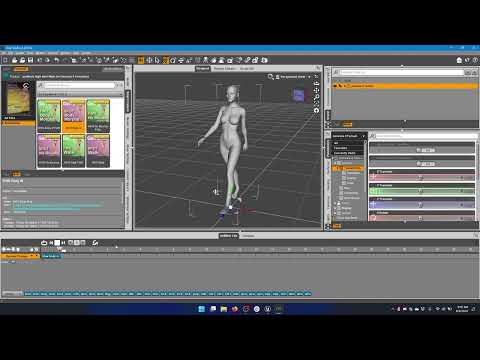
I've made a step by step video from start to finish, showing how to import animated morphs into Unreal Engine 5. Please review the video, try to follow it exactly and let me know what errors or differences you get at each step. If you have a different process that you are using, please make a video and post it so I can try to reproduce your problems and maybe fix whatever is not working with the bridge for you. Thank you.
 Are the Daz body morphs merchant mesources?
Mellone said:
Have you any tips for character creation
It would take 5 pages to answer that in depth. But basically, you can :
Do that in ZBrush with Layers, in Blender with Shape Keys, or in any other 3D modeling app that manages morphs. Basically you import the deafult Genesis 8 (no SubD) in one of those apps. You define a first morph for that Genesis 8 base. Then you make your morphs/modifications on different layers (ZBrush) or Shape Keys (Blender). Being sure that you don't modify in ANY way the polycount and vertices position of the base Genesis mesh.
When done, you import back your custom Genesis in DAZ with morph Loader Pro. Dissociate head and body with D-Former. Create FHM and FBM sliders (head and body) and a third slider (CTRL) that controls them both. Tons of tutorials on the subject.
Mellone said:
Can I use the basic morphes in Daz for G8 and these products as Merchant Resources?
Yes indeed you can. That's the easy way (but way less precise control that you'd get doing it by hand in a 3D modeling/sculpting app).
Use your installed bundles, Merchant Resource or not. With DAZ sliders, put 30% of this head, 25% of that other head, 60% of that body, etc. Also use body and head morphs bundles to modify nose, chin, ribs, muscles, breast, feet, etc. This way you create a morph made out of multiple other characters and/or morphs bundles. When you're happy with the result, all vertices being in a position that doesn't exist anywhere else : this morph becomes your own creation.
Mellone said:
Do you know any videos, tutorials or have tips [...]
Best one (in my humble opinion) being :

Many written tutorials around. Hard part being to find the rare good ones :
https://www.laylo3d.com/creating-characters-and-morphs-for-daz-3d-figures-using-zbrush-goz/
DAZ being an app used by tons of amateurs, there are sadly tons of inaccurate statements in forums, videos, etc. This makes it hard and time consuming to skim through junk info and extract only what's correct and necessary.
Personal advice : open a Word document. Take notes, make tests. And patiently write down your own workflow. It takes time to get used to the "right" and clean way of doing things in DAZ, especially on the content creation side. But it's strongly advised as, by doing so, you understand DAZ under the hood and suddenly see things so much more clearly.
is it possible to build a scene in ue5 and import it into daz?It'd be good to extract scenes and characters from Unreal and edit them in 3D software.
In Unreal The SK meshes can be exported to FBX by right click - Asset Actions - Export, FBX Export Options window will open with few options including Morph Targets and ASCII option, it exports empty material slots without textures.
There're game modding tools e.g. Umodel that can better extract the contents, but most Unreal contents are only allowed to be used within Unreal projects.
[Released] Bone Minion for Genesis 3 Poses [Commercial]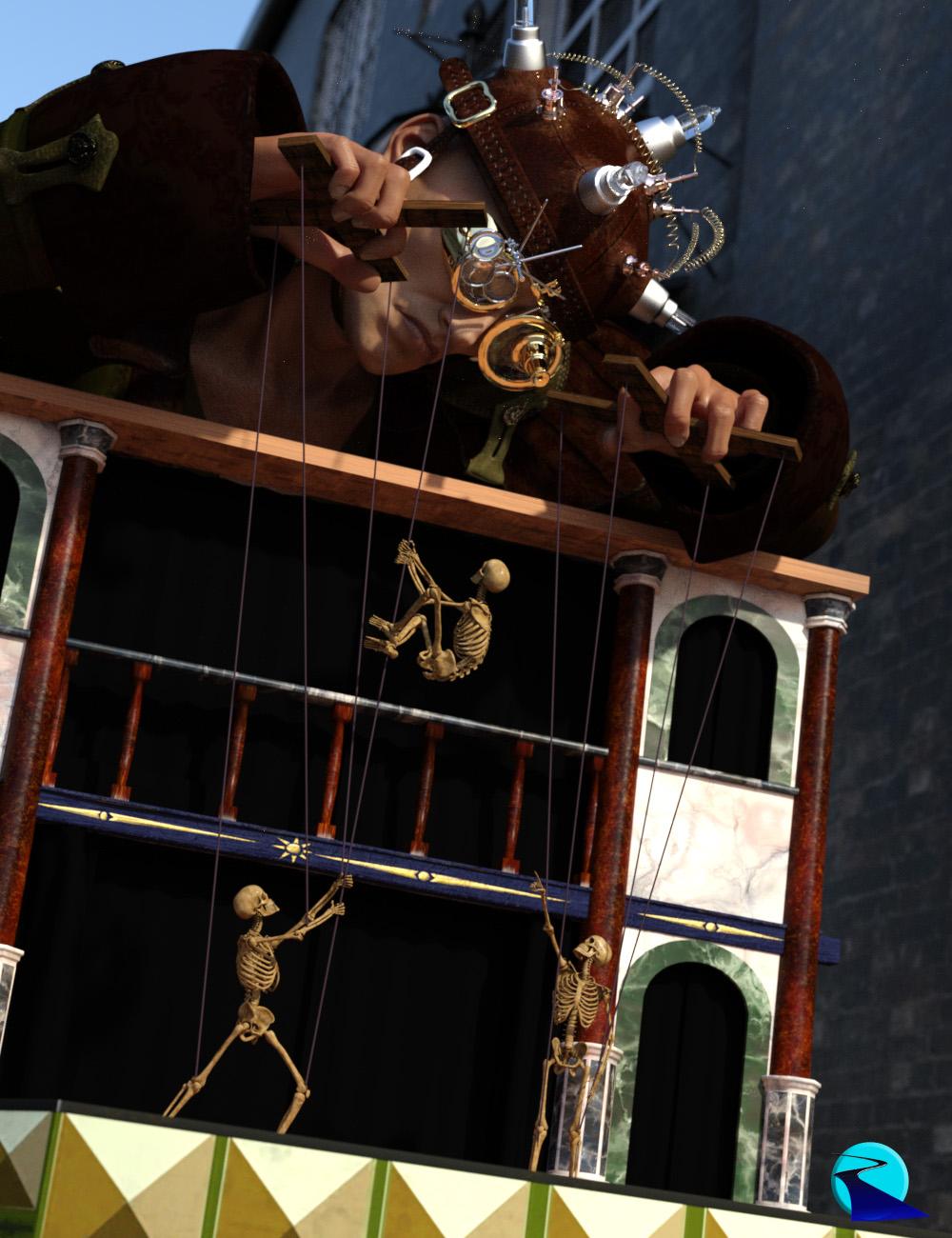 Introducing the revolutionary new way to use poses from Genesis 3! Stop wasting time and hard drive space converting pose presets, just use them! With Bone Minion, you can directly use Genesis 3 poses for other generations without first converting and saving them to a preset. Your Bone Minion will do the hard work for you by acting as a bone "catcher" for a pose and then transferring (and converting if necessary) the pose to its parent Target Figure*. Simply load the desired Bone Minion (i.e., Genesis 3 Female Bone Minion for Genesis 3 Female poses) on your Target Figure (Genesis 8.1 Male), select the Bone Minion, and start applying poses!
- On-the-fly conversion of poses to your Target Figure
- Directly convert from the Source generation to the Target generation without converting to intermediate generations
- Works with full poses, partial poses**, hierarchical poses***, and even AniBlocks!
- Automatically applies full poses when they are loaded**
- Cross-gender pose conversion
- Supports Pose Properties (using the Create Heavyweight Bone Minion script)
- Use Pose Details on the Bone Minion to apply partial poses
Note that converted poses (and especially props if they are hierarchical poses) may not be perfect and may require tweaking. Facial Bones (i.e., expressions) except for the eyes are not transferred.
* Requires purchase of the correct Bone Minion product.
** Any pose that sets the hip of the Bone Minion will be automatically converted on the fly and applied to the Target Figure. The Apply Changes script can be used to transfer any pose (including partial poses) on the Bone Minion to its Target Figure.
*** Hierarchical poses require the props loaded on both the Bone Minion and the Target Figure. The prop will be properly rotated for the pose but may need to be manually translated to the correct location.
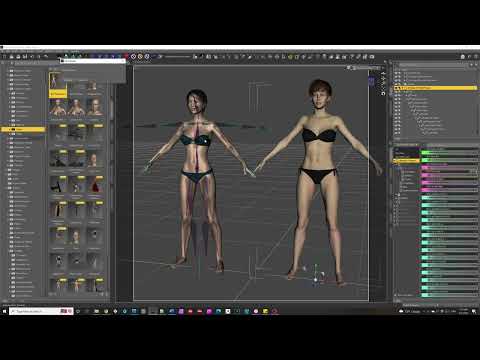 [Released] Turbo Loader for Genesis 8 and 8.1 [Commercial]
Leticia said:
I just want to second the request for a method to add a product in the morph list to the filtered list without needing to manually retype the name. Especially since it's case sensitive, I've been having a very frustrating time with that. "Oh, it's female(s) not female. Oh, the with is capitalised. Oh..."
I'd also like the option to completely exclude a content library.Otherwise, still figuring out my best workflows with Turbo Loader but desperately need it. I have 37000+ morphs for Gen 8 female, Turbo Loader tells me, and only about 10k less for Gen8 male, and it can be pretty much impossible to work sometimes. (About 25 minutes this morning to load an bog standard Genesis 8 Basic Female.)
Not remotely Turbo Loader's fault but I find it somewhat disheartening to find random products that Turbo Loader finds as 'included' in a scene that I definitely did NOT dial up on a figure (such as that completely out of the box Genesis 8 Female this morning). Daz quality control is... better than some other sites out there, but it's not everything it's supposed to be, clearly.
Ok, I have been struggling for where I would put a button to add a product to the Filtered Product list. I have decided in the next update that what I will do is add the name to the Add Filtered Product Name text box when you double-click on a product name. Then, you can click the Add button to actually add it.
I will consider adding an exclude Content Library function.
How to bind bones to a mesh?This seems a relevant thread. I have a bespoke figure, essentially an articulated cylinder for this part of it. The problem I'm having is that parts of the mesh do not appear to be binding to the relevant bone. The screenshot shows two segments. The left-most bone has been translated and the right-most translated further again. You can see from the image that neither mesh appears to have moved with the bone as might be expected. The right mesh segment (yellow surfaces) has had it's right most edge move, but not the other rings of edges. The left mesh segment (red surfaces) is even more problematic as parts of the 3rd and 4th ring of edges appear to have bound to the bone hence moved with it and other parts do not, giving a very jagged outcome to the translated mesh.
Does anyone have any idea what is happening and how I might go about fixing it? In the joint editor, the association of the mesh face groups with their bone appears "clean", although this was an after edit as the rigging was done by transfer utility from another figure. In Weightmap, there is no map for translation, only rotations and scale.
Thanks in advance for any insights. Lx
AIUTO...CHI CONOSCE L’ITALIANO? PARTE TREDICIImago said:
Cornelius said:
Infatti glielo chiesto ma come ripeto non mi ha risposto. Evidentemente non ha intenzione di rivelarmi la sua "formula"..!Allora vuol tenersi il personaggio per i suoi promo e basta.

Ma puoi sempre tentare di replicarla con un paio di morphs.
Si hai ragione. D'altronde è anche giusto così. In effetti con un po di lavoro e un po di pazienza credo di poterci arrivare, mescolando come tu suggerisci un po di morph e scegliendo una texture della pelle di qualità. Anche se il risultato sarà simile e non uguale è sempre una soddisfazione..!

Daz 3D is part of

Connect
DAZ Productions, Inc.
7533 S Center View Ct #4664
West Jordan, UT 84084Licensing Agreement | Terms of Service | Privacy Policy | EULA
© 2026 Daz Productions Inc. All Rights Reserved.