-
Need help fitting/transferring an obj file
I gather the clothing is in the T pose, so it's for G3M??
Load G3M and import that .obj file ... it "has to be" landing exactly where it should be. If it isn't, fix that first. Export out fixed size, then import that back in.
Then load G8M and leave it at the default A pose. Skip your step 2.
Run transfer utility G8M is donor, clothing .obj is target. G8M is clone -- select the T to A pose G3M [or whatever I called it]. Clothing leave as is.
After that has run, IF I'm remembering the steps correctly, that should now be on G8M default pose A, now forget the weights stuff, just apply whichever shader you wanted on the clothing [or not], but select the clothing and save it as a figure/prop file. Then delete it from the scene, select G8M and load that newly saved clothing file. It should be loading in place and hopefully fitted to G8M. If it isn't fit to, right-click on the clothing and apply the fit to option. CLOUD FLARE, DOING NOW A SAVE FILE AND MAYBE THIS POSTS AND MAYBE IT DOESN'T. I DO WISH THEY'D FIX THIS FORUM SOFTWARE.
'nite.
Need help with making outfit for genesis2!!I would fix it by creating a custom morph.
The process I would use load both the figure and the item.
Make sure the item was at base resolution and also not fitted to the figure.
I'd then send via the bridge to zbrush.
I'd use the scale function to increase the size if need or the move brush. Lots of tricks I use in zbrush to make sure it comes out nicely using masking in conjunction with the deformation menu. Especially the polish functions which gives more control than just using the shift key to smooth.
Then in Daz studio I'd use fit to with the zeroed figure. Make sure to remove the character morph first so you don't create an autofollow morph.
Then when you've done your custom morph send it back to ds and ensure that you call it by the same name as the character morph. You can find this in the parameters tab under currently used on the figure.
Then dial the character in and it should autofollow.
Need help fitting/transferring an obj fileI haven't used Genesis 8 much but I do use the transfer utility a lot.
Some questions:
1. If this is Genesis 8 shouldn't the arms on the figure be halfway between where they are and the side of the body when doing this as their zero position is different to Genesis 2 and before? See the attached image.
2. Which figure is the object file for? Is it all one piece? Eg. trousers and jacket separate? Are there gloves also?
3. What settings did you use in the transfer utility? You say you set base to weighted, how did you do that?
Auto-dial morphs for clothes?If the shape you're using has a single dial when loading your custom morph to the figure you need to give it the exact same name on the new morph. That way it will automatically be dialled in when you dial the morph in the character.
If your character is made up of multiple dials you can create a new slider that dials them all in.
An example...sorry not genesis as I don't use the current figures much.
When I'm making clothing for the Diva morph for Dawn I will create a custom morph and name it plDiva and when people dial diva in Dawn it automatically follows in the clothing.
When loading the morph something you need to be careful about is that if you have dialled the character into the clothing if it's a single dial it will already have created an autofollow morph in the parameters. You can find this in the Currently used section and will need to delete it before loading your custom morph.
If you want me to walk you thru the process step by step I can but I will need to know more about your morph first and you will need a single slider for it before we can begin.
Here's a video if you need to combine multiple sliders
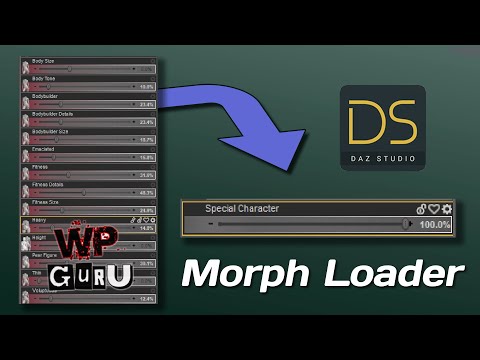 Daz Studio Pro BETA - version 4.21.0.5! (*UPDATED*)
jbowler said:
barbult said:
The problem I had was not with OBJ Export, OBJ Import, or Morph Loader. It was with Update Base Geometry, which does not seem to remember its last settings. Even when I change it to Daz Studio, the next time it is Custom with that huge percentage.
I can't actually get "update base geometry" to work at all. It claims that the vertext and facet counts are not the same even though I created the .obj by exporting Victoria 8.1 as wavefront then importing the resultant file then exporting again from the new figure/object and finally using that .obj in update base gemetry! Update Base Geometry isn't saving the scale settings, but that might be because it is failing.
Are you sure it was just the base? It's very easy to get add-ons, such as the lashes, or to forget to set the resolutuion to Base.
Auto-dial morphs for clothes?Is the shape you are matching a single morph or multiple, possibly with a control slider on top? AutoFollow simply depends on having matching names (names, not labels) which derive, on loading, from the file name.
Need help fitting/transferring an obj fileI have been trying to do this for so long that it is hard to remember which thing work and which did not, but that is why I am asking for help
BTW, this is an old obj file, so maybe this is why it is not working as expected
1) Import obj file
2) Apply Iray Uber and set Base to weighted
3) Apply texture
4) Run the transfer utility tool and you see the result
I have taken these similar steps before and file initially looked fine, but then once a pose was applied, the textures broke apart
Not only that, but when I try to open the file that was successful (I have proof, because I took the screenshot) now it just shows the G8M standing in an A pose
I am tired and if you are good at making old obj file fit to G8M chars, please let me know
How do I save a texture created with Zbrush spotlight?Richard Haseltine said:
WendyLuvsCatz said:
Zbrush sees UDIM but the imporrted obj has to have them
DAZ GoZ exports for me never do
GoZ drops all grouping, both surfaces and group-groups. UDIMs require separate surface groups.
I do an obj export at high resolution for polypaint and don't collapse the UVs in the export dialogue
I also use the Multimap exporter plugin to create my maps, I don't create texture from Polypaint as that kills that option
Surface groups can be recreated using the polygroup uv function and then merge similar. I do that all the time with figures as it makes it easier to morph them and hide the parts you need to.
When exporting from zbrush it keeps the groups and surfaces and can be imported into DS as an object.
I'm not familiar with udims as I haven't used them in zbrush as I mainly play with other figures. But Wendy does and I would think there would be a way to export them especially if they are the type of maps used in games.
Auto-dial morphs for clothes?Making a cloth, bringing it in and transfering the Genesis bones to it is just the very beginning of the process. Then the real nightmare begins ;)
I guess the beginning would be to look for info about JCM and Reverse Deformation. You can find some info here :
http://docs.daz3d.com/doku.php/public/publishing/adding_jcm_clothing/start
What you're asking here is one of the things I still have to work on so I won't be able to answer clearly. Hopefully someone else will provide a detailled and exhaustive answer. But out of the bookmarks I saved for my "to-work-on-list" before I can say I'm ready to become a published artist, I believe this bookmark explains what you need to practice. The example given is about a prop, but if I'm not mistaken, glasses or a fitted dress doesn't matter, the idea is to make the imported item follow a morph. It's a process content creators should do for at least all the Daz Original bundles as it helps to position things properly no matter what character or partial face/bodymorph is dialed in. Hope this will help :

Transfer Utility will do its best to follow the vertices movements when morphs are loaded. But on top of having to create morphs for extreme Genesis' limbs movements, you'll have to create morphs morphs that'll help Daz finding the best vertices position so that your cloth adapts properly to more extreme body shape differences.
If what you're doing is only for 1 character it won't take long to make that 1 extra morph, but if it's to sell the cloth, it'll be a lot more work ;) That's why, often on Renderosity, some clothes creators like to show a promo pic with very small, very tall, very fat, etc. Genesis morphs, to show that they worked on hidden morphs sliders that auto-slide to help the cloth follow skin deformation.
Torian 8.1Daventaki said:
His eyes seem a little to small to me but other than that, I really like him!
Generally, Daz characters have larger eyes than the normal human range. Punching in the average palpebral fissure length (31.08mm +/- 1.79mm for males and 29.90mm +/- 2.18mm for females) tends to make the whole eye look too small. Iris diameter is typically between 10 and 13mm. I find anything less than 12mm doesn't work.
I don't know the measurements of Torian but, using the Eyes Size* and Eyes Iris Size morphs, try the changing to the figures above for a potentially more 'realistic' size.
* I prefer the Eyes Scale morph from 200 Plus as the falloff around the morph is smoother at more extreme values.
Auto-dial morphs for clothes?Hello guys, Iam making an outfit for a custom character. I make the outfit based on the base genesis 8 female body, and I used transfer utility to fit it to the base g8f. Problem is the custom character is very big so when I load the outfit it look deformed. So I exported the outfit and fix it in blender, and then using morph loader to import it as a morph.
Now everything is working fine, and my question is, is these any way to make my outfit to auto-dial this newly created morph whenever I dial in the big character morph?
Daz Studio Pro BETA - version 4.21.0.5! (*UPDATED*)barbult said:
The problem I had was not with OBJ Export, OBJ Import, or Morph Loader. It was with Update Base Geometry, which does not seem to remember its last settings. Even when I change it to Daz Studio, the next time it is Custom with that huge percentage.
I can't actually get "update base geometry" to work at all. It claims that the vertext and facet counts are not the same even though I created the .obj by exporting Victoria 8.1 as wavefront then importing the resultant file then exporting again from the new figure/object and finally using that .obj in update base gemetry! Update Base Geometry isn't saving the scale settings, but that might be because it is failing.
Daz Studio Pro BETA - version 4.21.0.5! (*UPDATED*)Richard Haseltine said:
barbult said:
Richard Haseltine said:
barbult said:
jbowler said:
NorthOf45 said:
It is also the conversion from 1 Poser unit (8 ft.) to DS units (cm) as a percentage. (8 ft * 12 in/ft * 2.54 cm/in) = 243.84
That explains it; it's dimensionally correct.
Arre OBJ files always in units of 1 == 8ft, or is it something that is specified in the file?
When I exported the OBJ, I selected Daz Studio 1 unit = 1 CM. When I import the OBJ with that same scale, it works fine. It is only the Update Base Geometry from file that opens with that huge percentage.
OBJ Export, OBJ Import, and Morph Loader remember the last settings used in their own dialogue, they don't talk to each other (and OBJ itself doesn't have a marker, which is why we need to set the values ourselves).
The problem I had was not with OBJ Export, OBJ Import, or Morph Loader. It was with Update Base Geometry, which does not seem to remember its last settings. Even when I change it to Daz Studio, the next time it is Custom with that huge percentage.
We are told this is a known issue, and is being investigated.
Thanks.
Daz Studio Pro BETA - version 4.21.0.5! (*UPDATED*)barbult said:
Richard Haseltine said:
barbult said:
jbowler said:
NorthOf45 said:
It is also the conversion from 1 Poser unit (8 ft.) to DS units (cm) as a percentage. (8 ft * 12 in/ft * 2.54 cm/in) = 243.84
That explains it; it's dimensionally correct.
Arre OBJ files always in units of 1 == 8ft, or is it something that is specified in the file?
When I exported the OBJ, I selected Daz Studio 1 unit = 1 CM. When I import the OBJ with that same scale, it works fine. It is only the Update Base Geometry from file that opens with that huge percentage.
OBJ Export, OBJ Import, and Morph Loader remember the last settings used in their own dialogue, they don't talk to each other (and OBJ itself doesn't have a marker, which is why we need to set the values ourselves).
The problem I had was not with OBJ Export, OBJ Import, or Morph Loader. It was with Update Base Geometry, which does not seem to remember its last settings. Even when I change it to Daz Studio, the next time it is Custom with that huge percentage.
We are told this is a known issue, and is being investigated.
Body part disappeared and can't get it to re appearFor some reason my character's armpits have disappeared and i have tried doing the geometry editor, but as soon as i select the geometry editor tool they magically re appear, and anytime i am not using the geometry editor tool they are invisible. I have selected the invisible parts anyway and right clicked and chose show all polygons and they still do not re appear. I have tried re applying that character's skin, re applying the character's whole body morph, and nothing has fixed it
Daz Studio Pro BETA - version 4.21.0.5! (*UPDATED*)Richard Haseltine said:
barbult said:
jbowler said:
NorthOf45 said:
It is also the conversion from 1 Poser unit (8 ft.) to DS units (cm) as a percentage. (8 ft * 12 in/ft * 2.54 cm/in) = 243.84
That explains it; it's dimensionally correct.
Arre OBJ files always in units of 1 == 8ft, or is it something that is specified in the file?
When I exported the OBJ, I selected Daz Studio 1 unit = 1 CM. When I import the OBJ with that same scale, it works fine. It is only the Update Base Geometry from file that opens with that huge percentage.
OBJ Export, OBJ Import, and Morph Loader remember the last settings used in their own dialogue, they don't talk to each other (and OBJ itself doesn't have a marker, which is why we need to set the values ourselves).
The problem I had was not with OBJ Export, OBJ Import, or Morph Loader. It was with Update Base Geometry, which does not seem to remember its last settings. Even when I change it to Daz Studio, the next time it is Custom with that huge percentage.
Daz Studio Pro BETA - version 4.21.0.5! (*UPDATED*)barbult said:
jbowler said:
NorthOf45 said:
It is also the conversion from 1 Poser unit (8 ft.) to DS units (cm) as a percentage. (8 ft * 12 in/ft * 2.54 cm/in) = 243.84
That explains it; it's dimensionally correct.
Arre OBJ files always in units of 1 == 8ft, or is it something that is specified in the file?
When I exported the OBJ, I selected Daz Studio 1 unit = 1 CM. When I import the OBJ with that same scale, it works fine. It is only the Update Base Geometry from file that opens with that huge percentage.
OBJ Export, OBJ Import, and Morph Loader remember the last settings used in their own dialogue, they don't talk to each other (and OBJ itself doesn't have a marker, which is why we need to set the values ourselves).
Sclera (morph)hansolocambo said:
In Blender you used Proportional Edit to create your custom skin morph. But you did not hide (I guess) the eyes at all time and some of the skin shape modifications you did also influenced parts of the eyes' wireframe.
Eyes are composed of multiple layers of geometry and what you see here is the eyemoisture pulled inside the sclera (or the sclera pulled out). It's a geometry issue.
You need to edit your mesh again in Blender and be sure that both sclera and eyemoisture meshes do not intersect each other.
My advice would be to import the base genesis again in Blender. Create a shape key. Then import your custom morph, define it as a second shape key on the base genesis, but limiting your modifications to the skin (and gums/teeth eventually if it's ok down there). You can then create a third shape key to position the eyes properly in their socket, but selecting the whole eye with all its different parts, not moving its geometry with Proportional Editing.
Thank you very much !!!!
Heads and Faces...Can we, at least, keep our Heads???What I would suggest is using a sculpting engine that has some way to move one set of vertices 'sticking' to the surface of another figure.
So do the transfer, then bring a subdivided original figure (so it's more dense and accurate) and the new raw transfer shape to a sculpting app. Then adjust the new shape to appropriate points that are still within the flow of the original.
(To expand on what Gator said at the end)
Need help with making outfit for genesis2!!Hey guys thanks so much for your awesome advice! I'll have to try everything written here.... and btw below is the actual outfit I'm having trouble with. One above is the outfit applied on a the basic gen 2 female figure, and below is the one with the body morph applied.
https://drive.google.com/file/d/1D1Qwaxy8hQUHCELwXpiEPU1NuOPSX6e9/view?usp=drivesdk
As you can see, the morph makes the collar deformed, and that's where I want the fix for.
Is this an easy fix for you guys, or is this going to be quite complicated? Out of all sorts of fixes written above I'm very curious how would you guys work on this one!
Daz 3D is part of

Connect
DAZ Productions, Inc.
7533 S Center View Ct #4664
West Jordan, UT 84084Licensing Agreement | Terms of Service | Privacy Policy | EULA
© 2026 Daz Productions Inc. All Rights Reserved.