-
GenX2 question: A3 or V3 to G3F?
GenX will transfer Generation 3 morphs to Genesis, Genesis 2, or Genesis 3. It's not quite as easly as transferring between the three iterations of Genesis, but it is do-able. I've transferred She-Freak (the Victoria 3 version) to Genesis and G2F with no trouble.
This video may help:
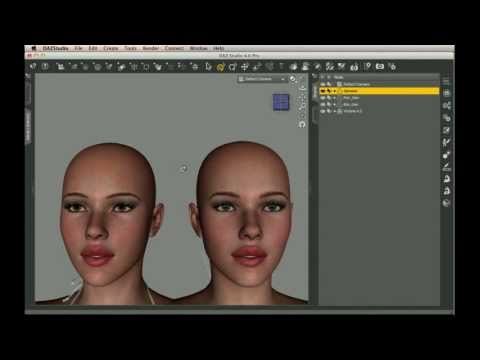
He's using V4, and transferring to Genesis 1, but the procedure is the same. I'm not near my own computer, or I could find some other tutorials on the subject. Another decent video is here:
 It's also transferring from V4 to Genesis 1, but it's still worth watching. It's Raining Men Again Competition -- Winners Revealed!!!!
It's Raining Men Again Competition
Entry 1 and only -
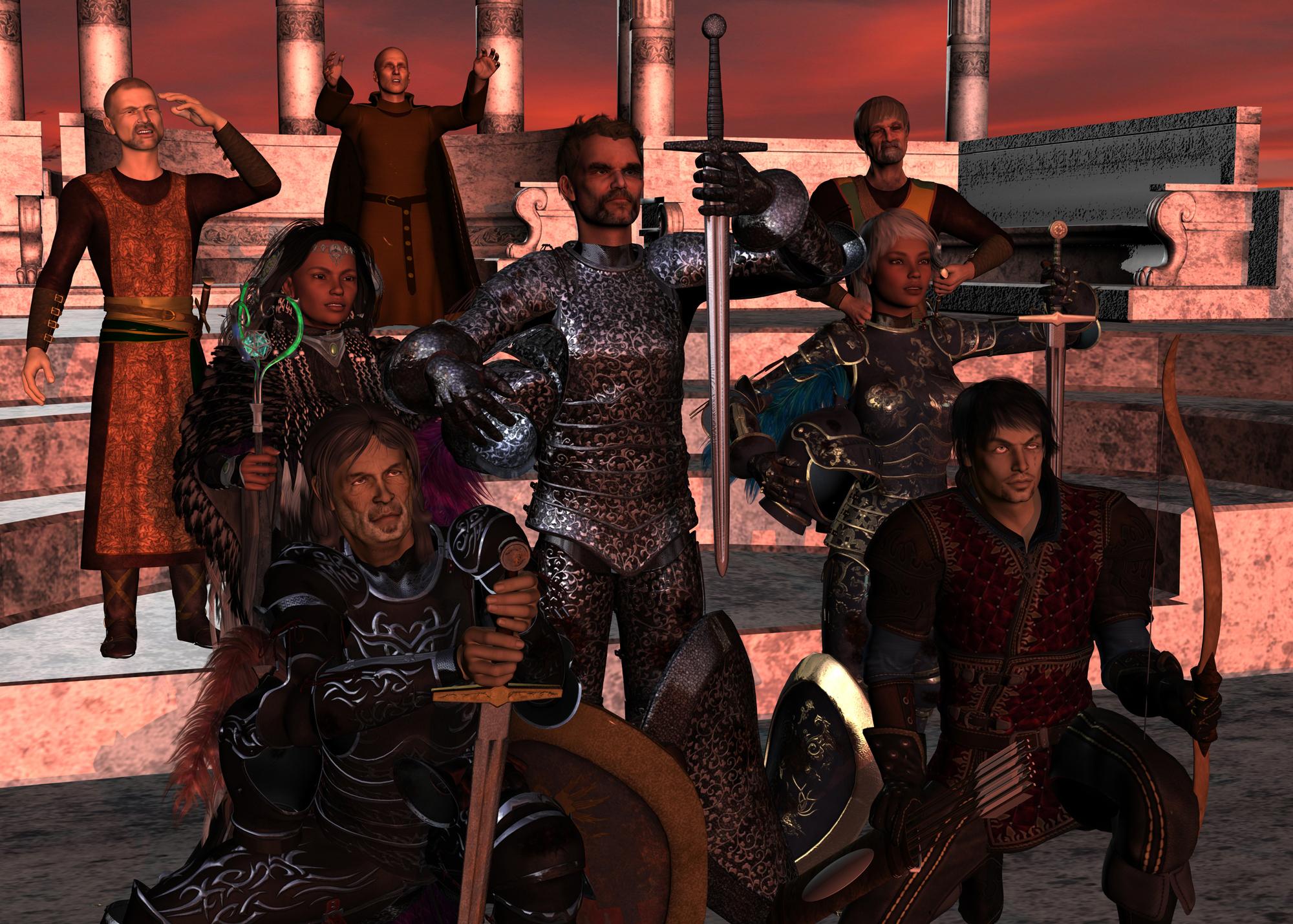
Title: Ritual#Re-purposedRe-purposed Historical Armor for V4 By DAZ Originals/Arien
http://www.daz3d.com/historical-armor-for-v4
Sword Sisterhood texture pack for Historical Armor
http://www.daz3d.com/sword-sisterhood
Fitted to M4Rendered in DAZ Studio with 3Delight, no postwork.
I decided that if I was going to try to re-purpase a piece of female clothing to a male figure, I would
make it somewhat challenging. Since I always liked the Victoria 4 Historical armor, especially when used
in conjunction with the Swird Sisterhood texture pack, and the given the fact that it seemed like a
suitably difficult item given its form-fitting nature, I decided to try fitting it to Michael 4. Let me first say
this: Aarrgh!
It was a fairly long and tedious process, with many false starts. The most problematic parts would be
associated with the torso armor I guessed, particularly the chest/breast and waist areas. I pulled it into a
modelling program to see if I could make the necessary adjustments there, but discovered that the mesh
was more complex than it seemed, and would require far more work than a few simple deformations,
especially without breaking some of the movement/posing morphs. So back to DAZ Studio.
Long story short, after a great deal of trial-and-error, I ended up managing a passable fit as seen in the
central character in my render, through a combination of some of the built-in morphs in the armor, some
sizing/scaling, use of mesh smoothing and collision and finally a few deformers.
Unfortunately, the result did not allow the armor to self-adjust to changes in the figures morphs or poses,
and more tweaking was required each time I made a change to these. So certainly not a permanent fit
by any stretch of the imagination. Not having punished myself enough, I decided to go through it all
again with a second M4, crouched in the lower left of the render. The extreme pose here caused me
even more grief than with the first character, but I managed to beat it into shape in the end. I was
unpleasantly surprised when the extremities (arms and legs) caused me more difficulties here than with the torso.
There may be some outfits that can be re-purposed relatively easily, but this certainly isn't one of them.
To do it properly might leave one asking whether it wouldn't be easier to make a new outfit from scratch.
Ah well, I did say I wanted a challenge. :)
I included a V4 in the render wearing the armor for comparison purposes.
Good luck everyone, and Happy New Year to all!
 Question about DSON Importer for Poser
Moved to Poser Discussion
Victoria 4 is a native Poser figure and does not require any additional software to use, though you will have to run the update utiltiy to make the morphs work.
If you do want to install the DSON Importer, fro Genesis and the Genesis 2 figures, then how are you isntalling? If using Install Manager you need to add your copy of Poser to its list of installed applications - click the gear icon at top-right to open preferences, then in the Applications tab click the + button to add an application, enter the details for Poser 11, and click the ... to set the path to the application - the DSON Importer should then install.
Converting G3 Poses to G2! IT WORKS!Yep, and between this and Zev's G2 to G3 converter, now your Genesis 2 and 3 figures can totally play nice together in the same scene! Like couples poses between figures, you can now very easily use the same poses for a G2M and a G3F happy couple. I bet Kenji 7 has eyes for Victoria 6! (Aiko 7 looks too much like his mom and it creeps him out...)
BOOYA!!!
Another 'what is this outfit' questionI >think< I saw the claws (or something very like them) over at rendo
Edit - can't find it now

There are several outfits that come with claws here at Daz. :)
Here are some for V4 (they probably don't transfer very well to other figures):
http://www.daz3d.com/the-lilithai-strigoia-outfit-for-victoria-4
http://www.daz3d.com/the-qabbalah-accessories
http://www.daz3d.com/y-stylez-katey-s-accessories
Here's one for G3F:
http://www.daz3d.com/2075-feral-assassin-x-for-genesis-3-female-s
Question about DSON Importer for PoserI am not sure if this is related to DAZ Studio, but it was about sojmething I purchased through the DAZ 3D site.
I just downloaded the DSON Importer for Poser, but I am unable to install it into Poser 11. A message said something along the lines of only installing into the most recent versions of Poser Pro,and all I got is Poser 11.
The reason I ask is because I would like to import a Victoria 4 figure from DAZ Studio into Poser 11. Any ideas on where I went wrong?
Novica & Forum Members Tips & Product Reviews Pt 7Now that I'm done shopping for the year (holy cow!!!) I can start thinking about my top ten. Got some great deals today and really need to stay off the sales page and start using this stuff. It's hard to narrow it down to just ten. There are so many great PAs and products, but here's what I've used and loved the most this year:
Llynara's Top Ten List
#1: NGS Anagenesis 2 Revolution Shaders - These skin shaders are a game changer, especially for older items. They literally breathe new life into characters who were not designed for Iray. Sometimes takes some tweaking but a very worthwhile investment.
#2: Epic Props: Dynamic Lens Flare and Starburst Prop for Iray : I love Philopher's products, everything I've used has been excellent so far and his support is fantastic. He often makes video tutorials too. I used his lens flare in the pic below for the redo of the cover of my first book (still a WIP) as well as the Anagenesis Shaders on M4 and V4:

#3: Iradiance: The entire line of products by Dimension Theory as freaking amazing. I use the HDR Light Probes a lot, and I used the IRadiance Sunset HDRIs as the background and lighting in the scene above.
#4 Lilith 7 - I didn't buy her at first, but she has really grown on me. She's versatile and interesting. I think she has a "presence" about her that's mesmerizing. Some people have Naked Vicky in a Temple with a Sword (NVIATWAS), I've got Lilith! She's my go to girl now. I wuv her so.
#5 GDI Dome for Iray and 3Delight: Just got this and LOVE it! OMG, I can't stop playing with it and it's HUGE, for both rendering engines. Can't beat that! It's a soft light, and pairs very well with a glow in Photoshop. I love how it made Lilith's skin look, and this is without any additionals shaders.

#6 Wear Them All: I can't live without the product. It makes my entire Product Library useful.
#7 Cayman's UV Products- all of them. I think I have most of them, and it's wonderful to be able to use older skins on newer characters.
#8 BD Esther for V7 HD: I loved her enough to make her my Black Kat and put her on my first book cover. Belladzines makes some incredible characters.

#9 Ron Deviney's Brushes: all of them. I use them a LOT. They make postwork an absolute joy. You can take a half way decent render and turn it into something really special with his brushes. I used the fog brushes in the book cover above. I used his Light Fusion brushes here to do the special effects, along with item #10. I can't wait to play with his latest Fireflies brushes.

#10 Marshian's Back Rim Light Rig: All of Marshian's products are fantastic. I haven't even begun to play with all his stuff I've picked up recently, which is the only reason they aren't all on the Top 10. He does amazing, unique products. I just wish this one was for Iray. It works great in 3Delight and comes with these incredible hair shaders. Combined with Ron's brushes, it really made Jacob, my energy shifter, come to life.
Honorable mentions:
- Parker for Lucian 7: Probably one of the best male characters I've ever seen. He just came out and I haven't had a chance to play with him yet. All of Darwin's characters are fabulous, and it's great that he lets us watch over his shoulder at what he's doing next. Can't wait to play more with his current peeps and to see the new ones!
- Toons Generation 2: Just came out and I am loving them! So much fun! They are a game changer for making anything more toony in DAZ.
- Hex Arcanum- Iggy's work is gorgeous as usual, I just haven't had time to play much yet
- Iray Ghost Light Kit- same, just bought, will probably be a fave of 2017, along with ElianeCK's HDRI set that I just picked up today.
Novica & Forum Members Tips & Product Reviews Pt 7Here's a lot to look at, thought I'd mention them in my never-ending quest to get you to spend $ with me. I went for variety, and thought while I was testing the cart, I'd link to the ones that I know are correct. The only one that isn't is the first one. Perhaps because it is a DO, some of those are hiccupping the Holiday discount.
For the "new" item to trigger the 50% in the stores- I went with Fantasy Thief. That hood is ADORABLE. I like the way it fastens in front, and look at the first thumbnail- how it is drawn up in the back.It's looser fitting too so quite a few hairs will work with it. It's 1.75 for the 30% Holiday discount folks, and slightly more for others. That hood alone is worth it. Give it a look for your "new" item to trigger the discounts, and take a peek at these...First, this one is not doing the Holiday discount, so you'd need to submit a ticket. Because it's a set/scene, it'd be worth it IMO. If you have a 30% discount, you can just copy/paste this for the ticket:
Molto Bello SKU 34357 is 51% off at 8.80 and is not taking off my Holiday of 30%. Should be 8.80 x .70= $6.16
or with 25% Holiday Should be 8.80 x .75= $6.60 or with 20% Should be 8.80 x .80= $7.04Here it is and that's an excellent price.
********************* All these are 30% Loyalty and with a new release in cart. Some may require PC+ membership
Next: Super Hero Cape Set because capes come in handy for many outfits. Nice variety- long and short. ($3.17)
Mountain Track Grab it! $5.93 for a trail and vegetation! Figured most of you wouldn't get to the V vendors. I happen to have it in my wishlist.
Tiles 2- Mosaic Same vendor, and you get TABLES and a vase too. Cute tables!!! $4.88 Don't miss this one!
Moped Side Car Because well, it's just so darned cute. $1.75
SS Marcoor Medbay Poses Can be used for many scenarios $1.40
On the Fringe If I read that right, the fringe comes off. Top is cute, can possibly be old fashioned swimsuit (use lingerie bottoms that are higher topped.) $1.74
Male Swimsuit (Gen3M) $4.64 It's a good price if you may need a swim team outfit This video gives you an appreciation for these: Regular People Try Olympic Swimsuits
Kylie Hair $4.40 Using it for kids and that price, I'll try it.
Epic Heroine Poses $1.40 and that page links to the male poses. What the heck, the crouching poses will save you time/give a good starting point
Sighni Outfit $1.75 LOOK at the morphs on that! With shaders, so many possibilities. 3DL and Iray!
Gen's Dressing Room $6.98 If you have the mall or a store of any kind, this will make a clothes store easy to do. Has rack to hang clothes, hangars, etc. Cute props!
Mikaela for V7 $6.28 Would make adorable child
Forsaken Village and Construction Set Every single thing is moveable- windows, doors, walls. $8.73 Has trees, bushes, well, lantern posts- nice props.
Camp Dining Hall $8.74 Has nice serving line setup (things you put the food on) and industrial appliances too! (again, think mall cafeteria)
Ancient Temple Ruins $8.38 You may have missed this, thinking "I've got temples." But it's one from Cambodia, with exotic markings on things/architecture.
Clown Wigs $7.68 If you have toon characters, consider these. Quite a variety.
VYK Morwenna For Lavinia $5.94 even if just for those materials, look at the thumbnails.
BD Nadira $6.28
Faded Memories Chateau $8.37 Love the tower section, the windows in the building are unique with the scroll/pointed parts.
Airport Island $9.79 (and the entire series, linking to this one) You do get a lot with these sets.
Luxurious Chair and Sofa $6.63 Very classy, different. Perry does a nice job. In case you didn't get to the W's, I scoped out the latter part of the alphabet first.
PW Treatment Chair $5.23 and if you need a dentist scene, Dental Tools (Also get the scrubs so you have the mouth covered, just don't use the pants.)
Art Nouveau Bathroom $7.69 Gorgeous! Take out certain things and you may be able to kitbash it to a hotel corridor, a home setting, etc.
TreadZ for Genesis 3 and Genesis 2 $5.23 Look at the variety- the heels. I don't like messing with the different generations when it comes to shoes, so linked both.
Parthenon Bank $4.89 Because you know eventually you'll need a bank. Where else would your robbers go?
City Chic Too $7.68 Nice jacket, lots of morphs, includes shoes and jewelry. Can't lengthen skirt though, would put leggings or something with it possibly.
Eyewear Pack 3.0 Glam $6.98 Variety and modern.
Sci-Fi Rover Titan $1.74 Reminds me of futuristic military vehicle.
Llamaghini (whatever) $11.54 One of the more expensive ones on the list. But would you rather drive a Rover or a Llamaghini?
DE Nomadic Tentz $5.23 (After you buy that car, this is where you'll be living after you pay that sucker off.)
SciFi Sentry $7.68 A good outlook post, versatile
Vintage Tech $5.23 Good for parts too, even for sci fiSo this should keep you busy. (Wicked cackle.)
What file formats can Daz Studio 4 importFor base meshes, obj, fbx, dae, and poser formats(cr2 etc),
As for " high quality and detailed..." the genesis series, g1 g2F, g3f, have lots of options that provide potential for photorealism.
Victoria 4 still is very usefull, but requires some add-ons to fix certain rigging and mesh problems.
It's just going to depend on what you're going for in your project.
Thank you very much for your response. That is what i was looking for. I have been looking at a few .obj or .fbx that has a high polycount and very realism female model, both anatomical correct and realistics looking. Are there other places to look for models? I found 2 that I like on TurboSquid.
Thanks,
Generation X2 and Morphs, Characters, Presets and Poses?Let's try the same thing as above with Sephanie 4. Ok... that all works...
I load G2F, change to Vic 4, find the slider for Stephanie4forG2F, slide it... and everything disappears, including the grid, in the viewport. Dial it back down to 0, and everything reappears. The Aiko4 morph still works fine.
Let's try it this way instead. In the content library I click on the Stephnie 4 script in the poser DAZ People folder. PowerLoader launches... I check the S4 morphs, uncheck the Aiko 4 morphs. Leave Base Morphs and Morphs++ checked. Click accept. S4 loads in the Viewport, I select her in the Scene tab. Go into the GenX tab...
Now, interestingly, in the Source button, originally it only said Genesis, Genisis 2 Female, Genesis 2 Male, Genesis 3 Female, Genesis 3 Male, and a line separating additional entries for Victoria 4.2 and the Kids 4 - evidently source figures don't show there until you load them the first time. OK... I'm not going to select Stephanie 4, because she didn't work. I'm going to select Victoria 4.2 as the source...
In "Select" "On for All Non Zero values" confirm nothing is selected, all values are zero.
"Select" "Get Values from Figure In Scene" with Stephanie 4 selected. Still all values are zero. "Select" "Transfer for all Non Zero Values," again. Still nothing.
I mean, in my viewport, either way, I'm seeing Stephanie 4 - but she won't transfer right. Why? I don't know.
So, I tried using 3D Universe's Teen Ashley. That character is located in the Poser POSE folder and the icon has the word, "Shape" in the upper right hand corner over a bar running up the side that says "Character Pose".
If I use S4 as the source base figure, as designed, and transfer via GenX, I get the same problem. The minute I touch the dial everything in the viewport goes grey. If I use Victoria 4, it works as a GenX2 morph for G2F.
BUT... I have to use "Apply Pose" in GenX - so even though she changes the entire look of V4.2, she isn't actually a moprh, she is a POSE, right?
But other Freebie Characters I try the same way... load Victoria 4 as the Source Character, click Apply Pose, navigate to the folder and load the "pose" morphs for V4 head and body...
They don't cause any signifcant change in the target G2F character I create.
I can't figure that out. Why does the Akio4 Character Script work fine, but the S4 character script doesn't?
Why does the Ashley Character Pose work fine, but many freebie character poses don't?
, now I have options for Aiko 4 and Stephanie 4.
before it only said
And what is the best way to delete the test morphs I create that don't work? Up until this point I've been navigating in the directory to where those morphs are and deleting them from the file system, but today I noticed a morphs tab. I can select the generation from the pulldown menu... G2F in this case...
Then there are buttons beneath that for GenX or All. Let's select GenX...
Now I have a folder hierarchy view in the workspace window... Folders, Genesis, Genesis 3 Female, Victoria 4, Victoria 4 (clone) and Victoria 4 (Legacy) and a bunch of transfered morphs beneath that in the root. They all have checks enabled by them.
If I expand the folders, I see the names of the test morphs I created as I wrote this up.
In the Victoria4 (Legacy) folder I see "Stephanie 4". If I click on that entry it highlights.
Beneath the workspace window are 5 buttons...
Morph: Enable Disable
Backup: Restore Remove
File: Delete
Ok... the Morph: Enable / Disable buttons add or remove the checks next to the morphs.
So I'm going to guess that File: Delete removes the highlighted Morph from the file system. Ok... that worked. At least, that morph is gone from the list yet. I haven't checked to see if it is actually removed as a file.
Generation X2 and Morphs, Characters, Presets and Poses?I'm fairly new to all of this, so clearly I don't understand all the terms or technological frameworks going on with DAZ Studio, and I think that is part of the problem I am experiencing with Generation X2.
Sometimes I transfer a morph or a character and it works great on the destination. Sometimes it turns the destination figure into a monster when I activate the morph, and other times, nothing happens at all... or you know, maybe the eyebrows raise or the lips change shape - but the actual character or morph I was trying to transfer isn't the end result.
Playing around with it today at some length, I feel like I'm near some sort of realization of what I am doing wrong, as well as getting a better understanding of the difference between figures, characters, poses, presets, morph injections, and legacy poser formats versus DAZ studio formats... which, I think are ALL going to have some sort of impact on if what you want to transfer from one generation to another will work right or not.
I'm hoping some of the old pros around here can help me better understand this and if my thinking is on the right track.
We'll use a transfer from a source figure of Victoria 4 to a target shape of Genesis for this example....
I load Victoria 4.2 either using the GenX plugin "source" button
or by loading her in DAZ studio (using PowerLoader to select V4.2 Aiko 4 Morphs and V 4.2 base Morphs and Morphs++, with Generate ExP Files checked, including support for all listed products)
If I look at BODY and head nothing is selected. If I "Select" "On For All Non Zero Values", still nothing is selected. All values are zero.
Now... if I have loaded the Victoria 4 character in DAZ studio, select her in the scene tab, and in the Parameters tab I dial Aiko4 to 1.00... Victoria 4.2 base's BODY changes to Aiko4.
If I then select HEAD in the scene tab, then drill down to Morphs/Shapes in the Parameters tab and dial Aiko4 to 1.00, her HEAD changes to Aiko 4 too.
Go back into the GenX tab and "Select" "Get Values From Figure In Scene", *still* nothing is selected. Then "select" "transfer for all non zero values"...
And STILL nothing is selected. OK. So that is a bust. If I select Mode "Select morphs (with properties), Shape, Victoria 4 (Legacy) and Target Genesis and click Transfer, I get the dialog...
"No morphs selected for transfer. Continue anyway? (Creates clone Morphs if missing.)"
So I delete Victoria 4 from the Scene tab. and click reset in the GenX tab.
Now, in the content library tab, I open Poser Formats\My DAZ 3D Library\Figures\DAZ People and drag the Aiko 4 icon there (which has a little icon of a Script in the upper left hand corner), into the Transfer tab of the GenX tab...
I get a loading dialog that reads "resolving script calls" and it loads Victoria 4 as the source, In the window below, if I expand Body and head, I see that the Aiko4 morphs are now listed, where they weren't listed above. If I "select" "On for all non zero values" I see that in Body Aiko4 has a check and in head Aiko4 has a check.
Below in Mode I select "Selected morphs (with properties)
In Shape I select Victoria 4 (Legacy)
Target Genesis and click Transfer I get a dialog "Target figure is not supported for selected source or shape". Ok... WTF... So... INSTEAD...
I click OK, and in Target I select Genesis 2 Female and click Transfer...
This is more like it... I get a dialog, Transferring morph: Aiko4 and then a Morph Properties Dialog with an identifer, a name, a group, a region... all the good stuff.. I click accept, I get a Morph Properties dialog for the base head.
clear the scene and load Genesis 2 Female Base... Switch to the main viewport... select Genesis 2 Female in Scene tab, select parameters... Drill down to Actor\Generation X... select Victoria 4 (Legacy) and dial to 1.00... Yup, there she is...
Dial Aiko4 to 1.00 - yup, there is her body... No head though... Can't find a different morph dial for her head anywhere, even if I just select the HEad from the Scene tab. There is no Generation X subcategory there. If I select "All" in the Parameter's tab and filter by Aiko, I see Aiko 6 body, (2) Aiko4, Aiko 6 head and Aiko 6 as the only filtered results.
So, back to GenX... maybe I should have just slected "Mode: Create single morph." That sounds right, if I don't want to have separate controls for the body and head, to at least get this working...
I'll change Mode and leave everything else alone, and click Transfer again.
Morph Properties comes up again. Identifier "Aiko4test" Name "Aiko4_test"
Click accept.
New scene... reload Gen 2 base female...
Select G2F in Scene, in Parameters, drill down to Generation X. Set Vic4 Legacy to 1. There she is...
Scroll down a bit, I see Aiko4_test. Let's dial that up to 1...
THERE she is... big head, huge eyes, curvy body, on G2F. Something has gone terribly wrong with her genital crease. That is frightening. I'll have to figure that out later.
Follow up post with some questions coming. Stick around if you might have some answers, because I've got some questions...
Infinite Insanity - There's ALWAYS Another Sale! (Daily Sale Talk)Genesis 3 Starter bundle for under $8 total purchase. See Attached; 'nough said.
That V4 for G2F product is really cool! It lets you wear V4 textures on G2F characters as well as lets G2F wear V4 clothes, hair, etc. :)
I still haven't quite figured it out, but I knew I wanted it. :)
The V4 Skin/Textures has to be saved as a file type that is compatible with Genesis. Sadly many V4 skins aren't, so you have to manually load those to G2F. But once you load it manually you can save it as a "material preset" so you won't have to load it manually ever again.
The first time doing it can be a pain though, but with some of the really great V4 skins, it's worth it for those, imo. What I do is:
1) Load G2F and V4 onto a scene.
2) First check to see if the skin you want loads onto G2F (some of them will, but most won't). If it won't, load the skin/texture that you want onto V4 instead.
3) Once it's on V4, you can copy the surfaces in the surfaces tab from V4 to G2F. Like under V4's surfaces tab, go to "SkinFace" and right click "Copy Selected Surfaces". You can then click on G2F and go to her surfaces tab and select "Face" and right click "Paste to Selected Surface". You can do that for all of the surfaces that you need to transfer.
It's kind of a pain so I only recommend it for your favorite V4 skins. Once the skin/texture is on G2F you can then save it as a Material Preset and that way you never have to load it that way again. :)
If you just want the product for wearing V4 clothing on G2F, then that is a LOT easier. lol When you go to load V4 clothes onto G2F and it asks you "What figure was the item originally designed for" just chose Victoria 4 and chose what type of item it is and it usually loads just fine. :) The only exception is shoes, as it sometimes has trouble fitting V4 shoes onto G2F. But that can be said for transferring shoes from any figure - shoes are just a pain in the bottom. lol
I hope that helps! :)
Or you can apply V4 textures to Genesis 1 and save it as a preset, then apply to Genesis 2. There is also a batch converter for sale.
Have you tried Cayman's UV products? They make moving skins over super simple, just a few clicks. I have most of his products and they are very good.
*CLOSED* RRRR Alternative Holidays Render ContestGopherus #6
Raw Cyclops
RDNA Egyptine Feather Fans
Grace for Eva7
Bal a Verseilles
Denim and Leather (LB)
Feel It Mix and Match Expressions V7 (LB)Everyone's a Critic
King Louis was enthralled by American baseball, so he decided to declare the Seven Games of the World Series national holidays, and to have the final game take place in Versailles. He casually mentioned to his Minister of Culture that he had a secret desire to experience a homer. Being clueless about sports the minister booked the Royal Greek Ballet for a performance of Homer’s Odyssey instead of the final championship game. And that is how King Louis came to be known as the King of Swat!
 Novica & Forum Members Tips & Product Reviews Pt 7
#6 - Char Hair
I really like this hair! I usually use my own custom hair shaders on it, but the morph options and it's natural messy look makes me like it. :)
#8 - Nature Shaders
This product really breaths new life into older trees, rocks, etc. It has really nice bark, leaves, ground, and rock settings. Oh and the water options are great!
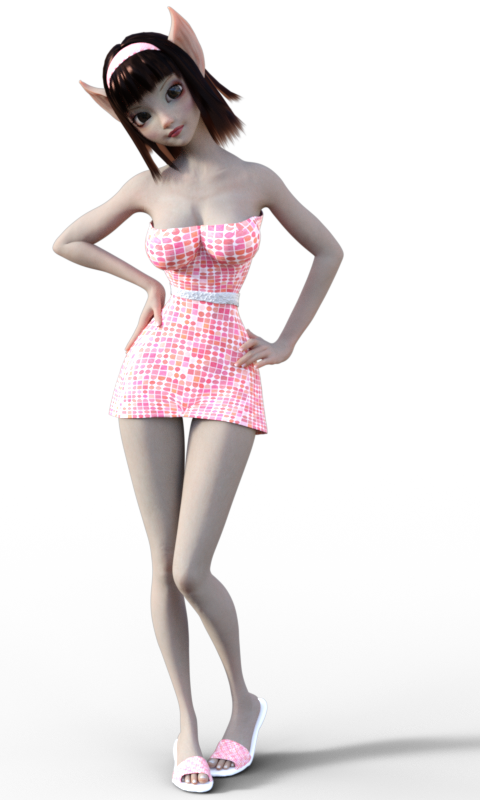
#9 - Star 2.0
She's such a unique character! Her shape is VERY toon so even just a little bit dialed into other figures helps me create some fun toon type characters! :)
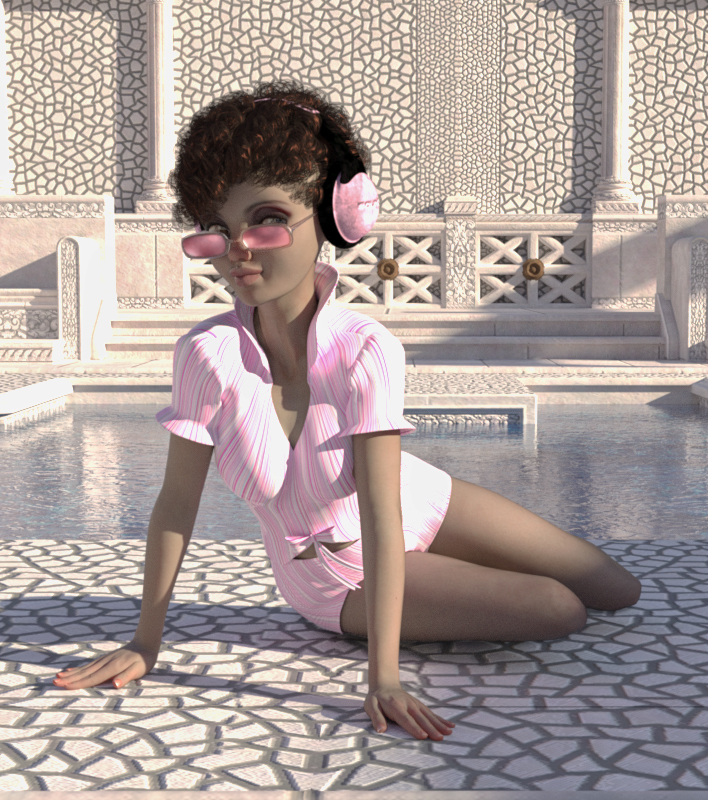
#10 - Last by not least is Gwennili HD for Victoria 7
She is, by far, the best character I've ever bought. She's AWESOME, Imo! :) I posted quite a few renders of her in over in this thread.
What file formats can Daz Studio 4 importFor base meshes, obj, fbx, dae, and poser formats(cr2 etc),
As for " high quality and detailed..." the genesis series, g1 g2F, g3f, have lots of options that provide potential for photorealism.
Victoria 4 still is very usefull, but requires some add-ons to fix certain rigging and mesh problems.
It's just going to depend on what you're going for in your project.
Dracorn's Render ThreadHere are my latest new user contest entries.
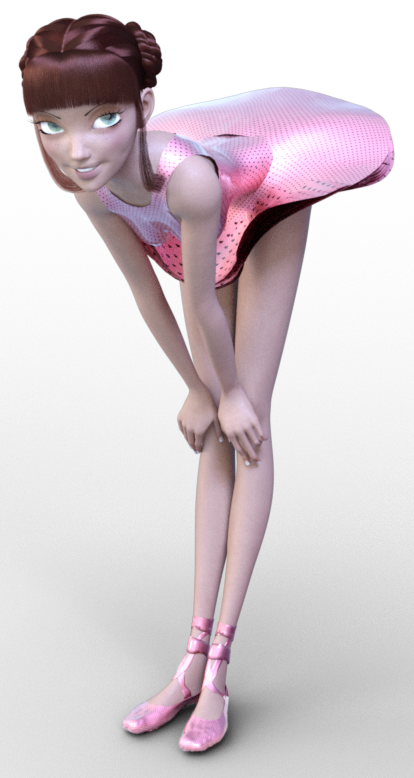
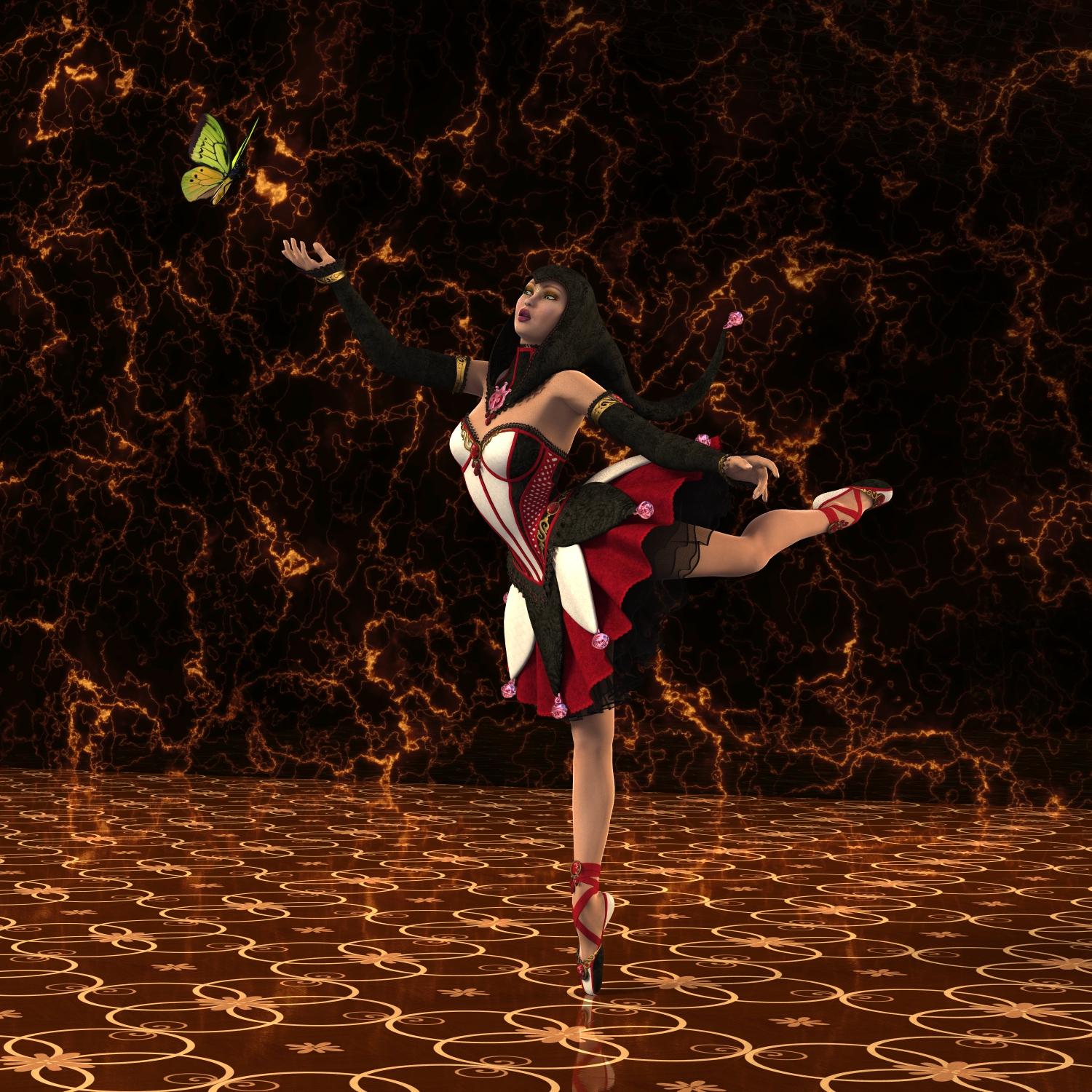
The first one is Victoria 4 wearing the Jester in a classic ballerina pose. I used InaneGlory's Photo Studio for 3Delight and added my own backdrop textures. There is no postwork for this one.
Ballerina Butterfly
 Novica & Forum Members Tips & Product Reviews Pt 7
Here's my list (in no particular order):
#1 - Victoria 7
Getting V7 allowed me to take my art to the next level.

Working on her skin settings taught me a LOT.
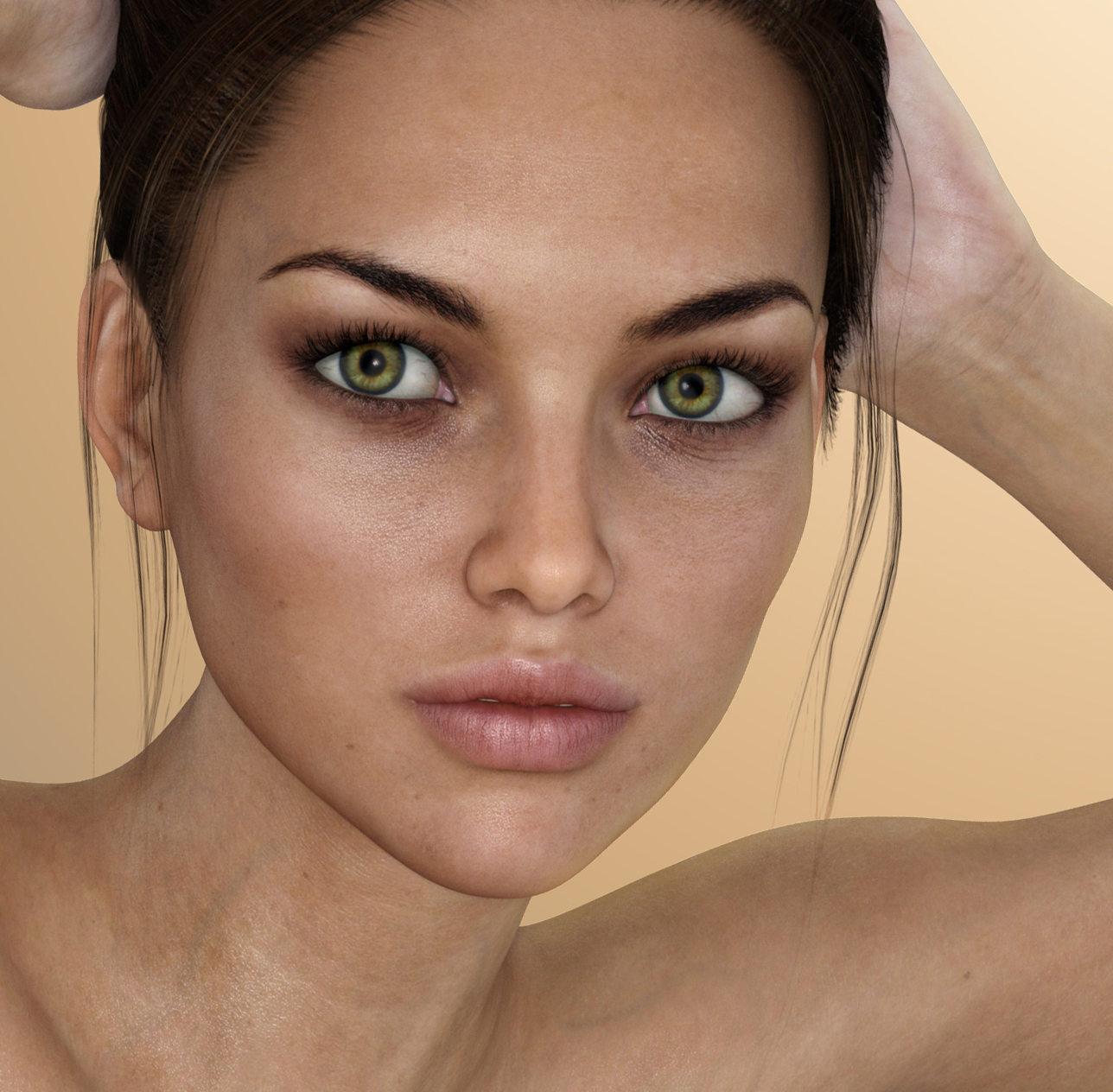
And helped me create some custom skin shaders and even a custom skin texture with a mix of V7 skin texture and G3F skin texture.
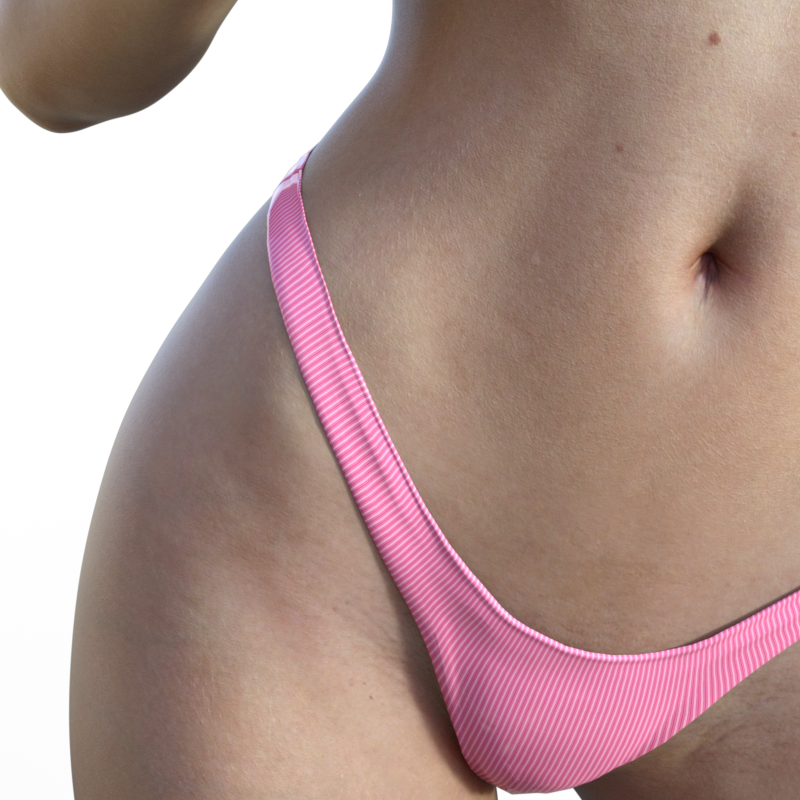
V7 is DEFINITELY on my top 10 list! :)
Infinite Insanity - There's ALWAYS Another Sale! (Daily Sale Talk)Genesis 3 Starter bundle for under $8 total purchase. See Attached; 'nough said.
That V4 for G2F product is really cool! It lets you wear V4 textures on G2F characters as well as lets G2F wear V4 clothes, hair, etc. :)
I still haven't quite figured it out, but I knew I wanted it. :)
The V4 Skin/Textures has to be saved as a file type that is compatible with Genesis. Sadly many V4 skins aren't, so you have to manually load those to G2F. But once you load it manually you can save it as a "material preset" so you won't have to load it manually ever again.
The first time doing it can be a pain though, but with some of the really great V4 skins, it's worth it for those, imo. What I do is:
1) Load G2F and V4 onto a scene.
2) First check to see if the skin you want loads onto G2F (some of them will, but most won't). If it won't, load the skin/texture that you want onto V4 instead.
3) Once it's on V4, you can copy the surfaces in the surfaces tab from V4 to G2F. Like under V4's surfaces tab, go to "SkinFace" and right click "Copy Selected Surfaces". You can then click on G2F and go to her surfaces tab and select "Face" and right click "Paste to Selected Surface". You can do that for all of the surfaces that you need to transfer.
It's kind of a pain so I only recommend it for your favorite V4 skins. Once the skin/texture is on G2F you can then save it as a Material Preset and that way you never have to load it that way again. :)
If you just want the product for wearing V4 clothing on G2F, then that is a LOT easier. lol When you go to load V4 clothes onto G2F and it asks you "What figure was the item originally designed for" just chose Victoria 4 and chose what type of item it is and it usually loads just fine. :) The only exception is shoes, as it sometimes has trouble fitting V4 shoes onto G2F. But that can be said for transferring shoes from any figure - shoes are just a pain in the bottom. lol
I hope that helps! :)
Or you can apply V4 textures to Genesis 1 and save it as a preset, then apply to Genesis 2. There is also a batch converter for sale.
Ohhh Nice! I didn't know you could do that! Awesome, thank you! :D That sounds loads easier!
Infinite Insanity - There's ALWAYS Another Sale! (Daily Sale Talk)Genesis 3 Starter bundle for under $8 total purchase. See Attached; 'nough said.
That V4 for G2F product is really cool! It lets you wear V4 textures on G2F characters as well as lets G2F wear V4 clothes, hair, etc. :)
I still haven't quite figured it out, but I knew I wanted it. :)
The V4 Skin/Textures has to be saved as a file type that is compatible with Genesis. Sadly many V4 skins aren't, so you have to manually load those to G2F. But once you load it manually you can save it as a "material preset" so you won't have to load it manually ever again.
The first time doing it can be a pain though, but with some of the really great V4 skins, it's worth it for those, imo. What I do is:
1) Load G2F and V4 onto a scene.
2) First check to see if the skin you want loads onto G2F (some of them will, but most won't). If it won't, load the skin/texture that you want onto V4 instead.
3) Once it's on V4, you can copy the surfaces in the surfaces tab from V4 to G2F. Like under V4's surfaces tab, go to "SkinFace" and right click "Copy Selected Surfaces". You can then click on G2F and go to her surfaces tab and select "Face" and right click "Paste to Selected Surface". You can do that for all of the surfaces that you need to transfer.
It's kind of a pain so I only recommend it for your favorite V4 skins. Once the skin/texture is on G2F you can then save it as a Material Preset and that way you never have to load it that way again. :)
If you just want the product for wearing V4 clothing on G2F, then that is a LOT easier. lol When you go to load V4 clothes onto G2F and it asks you "What figure was the item originally designed for" just chose Victoria 4 and chose what type of item it is and it usually loads just fine. :) The only exception is shoes, as it sometimes has trouble fitting V4 shoes onto G2F. But that can be said for transferring shoes from any figure - shoes are just a pain in the bottom. lol
I hope that helps! :)
Or you can apply V4 textures to Genesis 1 and save it as a preset, then apply to Genesis 2. There is also a batch converter for sale.
Infinite Insanity - There's ALWAYS Another Sale! (Daily Sale Talk)Genesis 3 Starter bundle for under $8 total purchase. See Attached; 'nough said.
That V4 for G2F product is really cool! It lets you wear V4 textures on G2F characters as well as lets G2F wear V4 clothes, hair, etc. :)
I still haven't quite figured it out, but I knew I wanted it. :)
The V4 Skin/Textures has to be saved as a file type that is compatible with Genesis. Sadly many V4 skins aren't, so you have to manually load those to G2F. But once you load it manually you can save it as a "material preset" so you won't have to load it manually ever again.
The first time doing it can be a pain though, but with some of the really great V4 skins, it's worth it for those, imo. What I do is:
1) Load G2F and V4 onto a scene.
2) First check to see if the skin you want loads onto G2F (some of them will, but most won't). If it won't, load the skin/texture that you want onto V4 instead.
3) Once it's on V4, you can copy the surfaces in the surfaces tab from V4 to G2F. Like under V4's surfaces tab, go to "SkinFace" and right click "Copy Selected Surfaces". You can then click on G2F and go to her surfaces tab and select "Face" and right click "Paste to Selected Surface". You can do that for all of the surfaces that you need to transfer.
4) Once you've copied the surfaces to G2F it will look odd - but that's because she's using the wrong UV set. Just change the UV Set on G2F from "Base Female" (or whatever UV set your character uses) to "Victoria 4".
It's kind of a pain so I only recommend it for your favorite V4 skins. Once the skin/texture is on G2F you can then save it as a Material Preset and that way you never have to load it that way again. :)
If you just want the product for wearing V4 clothing on G2F, then that is a LOT easier. lol When you go to load V4 clothes onto G2F and it asks you "What figure was the item originally designed for" just chose Victoria 4 and chose what type of item it is and it usually loads just fine. :) The only exception is shoes, as it sometimes has trouble fitting V4 shoes onto G2F. But that can be said for transferring shoes from any figure - shoes are just a pain in the bottom. lol
I hope that helps! :)
Edit - Wonderland suggests a WAY easier way to transfer the skin textures: http://www.daz3d.com/forums/discussion/comment/1949016/#Comment_1949016
Thank you, Wonderland! :D
Daz 3D is part of

Connect
DAZ Productions, Inc.
7533 S Center View Ct #4664
West Jordan, UT 84084Licensing Agreement | Terms of Service | Privacy Policy | EULA
© 2026 Daz Productions Inc. All Rights Reserved.