-
Using DAZ environments in realtime engine
a. I've used the Blender decimater to good effect but it's been a while as I've since bought DAZ Studio's Decimater.
Well most DAZ models decimate to 25% - 33% of their original polygons and look good, even with morphs included. If the morphs don't look good you can decimate to about 50%.
If you don't include morphs and export the clothings as part of the character to Unity then it is even smaller sizes.
The standard shader in Unity is PBR but you will have to manually adjust & resize textures from DAZ models for Unity or use DAZ Studio's Atlas Texture tool and resize too.
Don't forget, HW & SW is becoming more capable every year, so you needn't do like some and get so carried away with 'optimizing assets' that you never actually make a game or animation in Unity.
b. You want Victoria 4.2 Plus Morphs or better the Victoria 4 Pro Bundle or you can use Genesis with a Victoria 4 Shape Morph addon. Personally, if you weren't going to buy Genesis 3 then I'd buy Genesis as you get male & female from one model so you save money and there is a lot of $1.99 PC+ clothing and arch sets from the Genesis & V4/M4 timeframe.
Finally, there is a cheaper dress like the one you point out for Genesis 3:
https://www.daz3d.com/belle-dress-for-genesis-3-females
morphs:
https://www.daz3d.com/belle-dress-morphs
and you can buy these optional texture add-ons:
https://www.daz3d.com/beauty-for-belle
https://www.daz3d.com/garden-party-for-belle-dress
OK, it is not much cheaper once you buy the morphs too and if you buy all the extra textures then it costs more.
c. Unity does have Cloth Simulation but it's very HW & SW intensive so much that I've not tried it on my 5 year old laptop - however as I said, new HW & SW is getting more capable so you should check in the Unity forums for that if you have new HW.
d. Never used 3D-Coat but I've heard more good things about that SW by more different people than any other SW. As I said earlier though Blender will decimate DAZ Models if you export them to Blender correctly and then export to Unity. It works good for some models and not so good for other models. If you can afford it I'd buy the DAZ Decimator.
Using DAZ environments in realtime engineOk searching here and there I didn't find anything better than the beautiful DAZ clothing.
Some questions about using the Decimator and importing the asset into Unity
- Interested into this will be possible to export all the clothing and textures and import into Unity
- will be difficult for a total newbie- Reading the asset require Victoria 4, but I did find Victoria 4, 4.2, 4 for Genesis 2....what's the difference and what I need
- Arriving in Unity will be possible to animate the clothes so that they didn't appear rigid
- the Victoria model is ready for lipsync and eye animation- Instead of Decimator might I use 3D-Coat to optimize the mode, or this will make the whole workflow much more complex
Daz First product?The earliest products at Daz go back to the days of zygote - the company that originally made products for Poser. So Millennium Man Michael 1, Millennium Woman Victoria 1, the cow, turtle, and the other early animals were amongst the first products. Those that left zygote when it disbanded and came to form DAZ (Digital Art Zone), they brought over their products and made them the first products here at Daz.
Ironically, I only just looked into this the other day from the Cow thread discussion and had a chat with a person on the inside regarding the beginnings of the cow. I knew about the zygote team transitioning to form DAZ, but I didn't realize that the Cow was one of their creations they brought over.
Daz First product?The earliest I could find is #3 (Millennium Man Michael 1):
http://docs.daz3d.com/doku.php/public/read_me/index/3/start
What was product #1?
Probably Victoria 1.
Carrara Sale Email Message Alert threadToday's sale has a couple of Carrara-specific items by PhilW and Dartanbeck.
Featured Michael 4 & Victoria 4 Items - 80% OFF* with purchase of a “Southern Charm” New Release above
dynamic hair bundle by PhilW and Swordworks for M4 for Dartanbeck
Novica & Forum Members Tips & Product Reviews Pt 7Someone PMd and wanted to know the character. It's Cathy
4.9 Upgrade Loads Vic 5 instead of Genesis - SolvedRecently upgraded to 4.9 and still occasionally use Genesis (G1) figures. There's now an issue on the load of ANY G1 figure in that the defaults include Victoria 5 parameters. Even if I zero the figure .. then apply all new shapes then save. When I re-open the new file... victoria 5 is still re-applied. Thought it might be a problem with the genesis file so zero'd a regular figure shape.. then saved it as 'Genesis' and replaced the genesis reference in C:\Users\Documents\DAZ 3D\Studio\My Library\People\Genesis ... still no dice.
Even tried re-naming the victoria 5 file in \Documents\DAZ 3D\Studio\My Library\People\Genesis\Characters ... no effect
How do I get the original genesis figure to be used as a reference instead of victoria 5?
SOLVED:
Found an old character file (Sirena) that wasn't properly installed and as a result ... was loading (at the end of the log file) after the default genesis figure loaded. Just uninstalled the character and all is well.
Selbsthilfegruppe DAZ Studio - Beispiele, Fragen, Diskussion und sonstiges GequatscheMein Ziel ist es "einfach" die GEN3 figuren mit eigenem MoCap so realistisch wie möglich zu animieren. Gelingt mir einfach nicht. Die MoCap Datei (aufgenommen mit Kinect v2) speichere ich als fbx oder bvh und importiere sie in den GEN3 Char. Das Ergebnis ist grauenvoll. Hoffe, ihr könnt mir paar Tipps geben. Wie zum Henker macht das SKAmotion? Wohl kaum die Keyframes per hand in die Timeline... bin ratlos....
Der direkte Import von MoCaps, erstellt mit den handelsüblichen Saftwarelösungen, ist leider aufgrund der von den allgemeinen Normen abweichenden Skelett- und Node-Struktur von Genesis 3 derzeit nicht möglich (und wird es wohl auch nie). Genesis 3 verwendet seperate Nodes für das Beugen und Drehen ["Bend"/"Twist"] der meisten Gelenke, im Gegensatz zu der Kombination in einem einzigen Node bei den Millennium Figuren, Genesis und Genesis 2.
Im DAZ Shop gibt es Konverter, die die Animation von einer Vorgängerfigur auf Genesis 3 transferieren: Animation Conversion Genesis 2 to Genesis 3 und Animation Conversion V4.2 to Genesis and Genesis 2 Female. Letzteren würde man benötigen, wenn man die in DAZ Studio mitgelieferten und zusätzlich erhältlichen aniBlocks von GoFigure! für Victoria 4 und Michael 4 nach Genesis 3 über den Umweg über Genesis 2 konvertieren möchte.
Eine kostengünstigere Lösung wird in diesem Forenpost angeboten, und dieses Script arbeitet auch etwas flotter.
An Deiner Stelle würde ich es mal damit probieren, die BVH in Genesis 2 zu importieren und dann mit einem Konverter-Script die Animation nach Genesis 3 zu transferieren. Wenn Du dann auf das aniMate2 Tab rechtsklickst, kannst Du mit der Option "Create aniBlock From Studio Keyframes" daraus dann einen aniBlock für Genesis 3 machen, den Du zum weiteren Gebrauch abspeichern kannst (siehe Bild).
Wenn man die GoFigure! aniBlocks mit Genesis/Genesis 2 verwenden will, gibt es hier "Justierungs" aniBlocks für die Verwendung in einem Sub-Track von aniMate2. (Wow, ist das schon wieder fast vier Jahre her?! Junge, Junge, wie die Zeit vergeht...).
Gern geschehen.
 *CLOSED* RRRR Alternative Holidays Render Contest
My first pull:
995 Morrigan Outfit for G3F
235 Stylin for M4
879 Aiko 4 Isa, Real Textures
684 Alicia for Victoria Iven
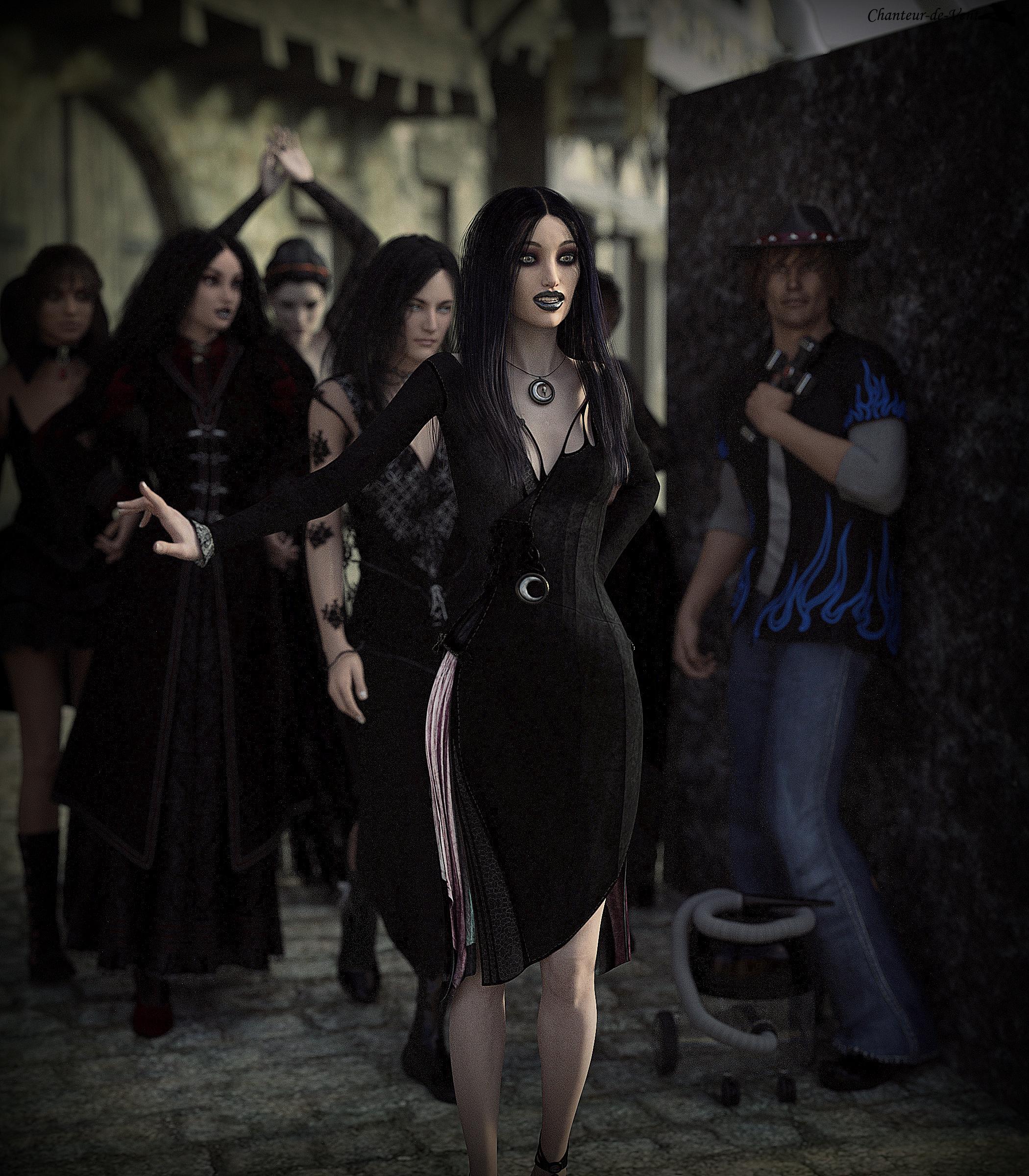
920 Barrel Vacuum Cleaner (LB)Looks like it's going to be a lot of ladies... Damn those freebies, taking like half of the pull. I should grab less free stuff.
Chanteur-de-Vent #1
Title: Witch liberation day
In memory of all the burned witches during the Medieval Ages, the witches now got their own celebration day, the "Witch liberation day" celebrating their freedom to practice their crafts without being killed or accused. The day usually starts with a big parade, when all the witches of the town go on the streets, showing some minor tricks and playing magical jokes on the people they meet. Therfore the local church advise normal people to stay at home and carry a cross at all times when forced to be outside.
 Dials for Victoria 4 Morphs++?
Here was issue:
"You can't inject morphs into a character you saved before the morphs were installed. You need to save a character preset (which includes the morphs and textures you used), and a pose preset if you want the pose saved, and then load a fresh V4 from the Victoria .2.cr2 and apply the presets and clothing to it."
http://www.daz3d.com/forums/discussion/42264/v4-muscle-morphs-problem
I was able to get it working!
Novica & Forum Members Tips & Product Reviews Pt 7FM Gym Poses Dumbbells and Barbells Adapt them for other things, there's the typical laying flat on the back, reaching above the head, etc. (It's weight lifting)
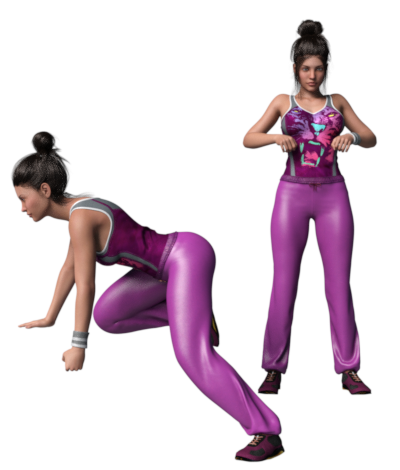
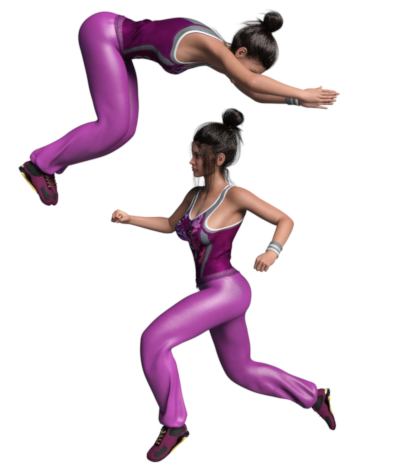
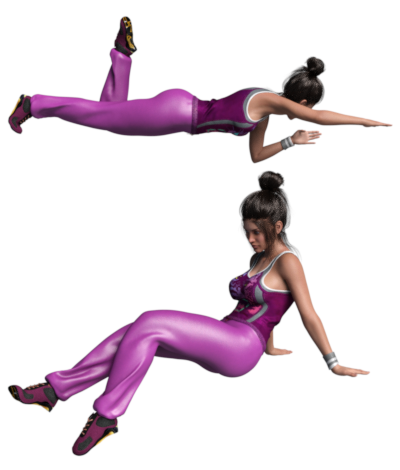
Free Running Poses (V7 / Gen3F) Wow- action packed!
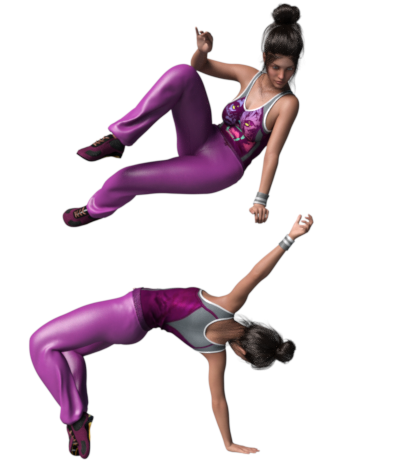
Okay, so only through the F's. Since I said I was going to be strict on budgeting my time and spent all evening on this, I am going to Zbrush and perhaps do some more here-and-there. Have a great evening!
Novica & Forum Members Tips & Product Reviews Pt 7So going to go do Zbrush, but will go through some poses and note my observations. What I'm going to do is just click through using Content Library, and only stop when I see a set full of action or a good variety. Here goes:
Blooming for Josie 7: the sitting poses have variety and mirrored.
Only so-so: Capsces: Classy Eva 7, Cute and Flirty Bethany 7, Fun and Flirty Victoria 7.
Go for the Poses for Aiko 7 or Teen Josie 7 instead. The body/ legs are stretched, turned, and make good starter poses. You'll have better poses to work from.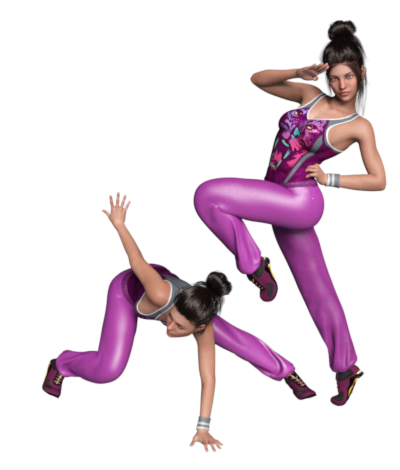
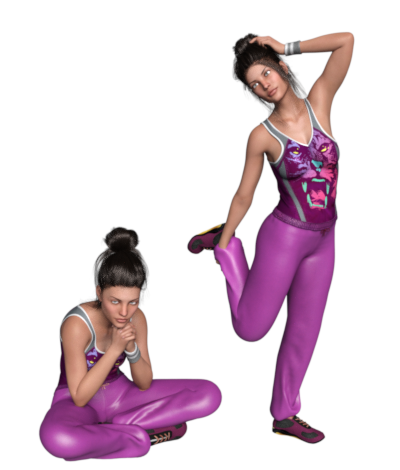
Champion Poses for Tween Julie 7 Another dragonfly3d set. Good variety, attention to detail.
Classical Dance Poses (Gen3F) (no surprise there for action poses)
Couples' Run Poses- I've used this for holding hands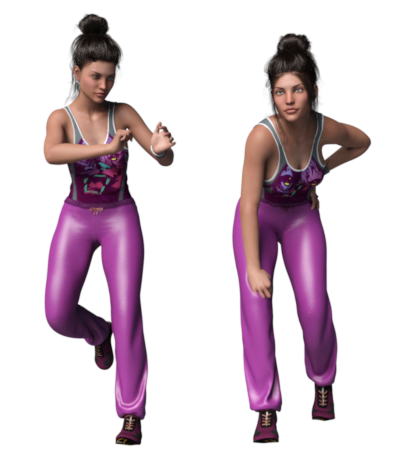
Speaking of interacting with props, check out SereneNight's signature for her FREE POSE SETS.
Novica & Forum Members Tips & Product Reviews Pt 7At The Pool-Poses for Victoria 7 Grade A @sedor
These are just versatile- and broken down nicely into different actions. Can't even begin to show you the variety. There are a lot of horizontal poses for swimming and laying, there's sitting poses, stretching- this is a great set!
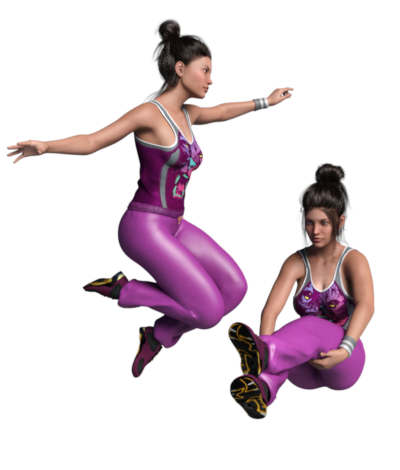
 DAZ3D Figures (Pre-Genesis Era)
There was also Victoria 4.2 WM as well, basically some enterprising people got together and weightmapped Victoria 4.2.. If you google Victoria 4.2 WM you should get some hits..
Dials for Victoria 4 Morphs++?I purchased Victoria 4 Morphs++.
I have them installed in Windows, DS 4.9. I see them in folder: /MY Daz 3D Library/Pose/Daz's Victoria 4/Morph Injections/Morph++/
But I do not see the dials/sliders under the parameters or pose tab. For example, when I click pose tool, click on Victoria's hand, and I go to parameters for the hand, there is no dial/slider for grasping hand or any of the other dials. I also looked in the pose tab and there are no dials there.
Any suggestion on where to find the dials/sliders? Are the morphs installed in the correct folder and if not, where should they be and what is the method of moving them? Thanks for any help.
request Lavinia with "normal" textures or clay render?With Victoria 7 skin and Render Studio for iray lights.
 DAZ3D Figures (Pre-Genesis Era)
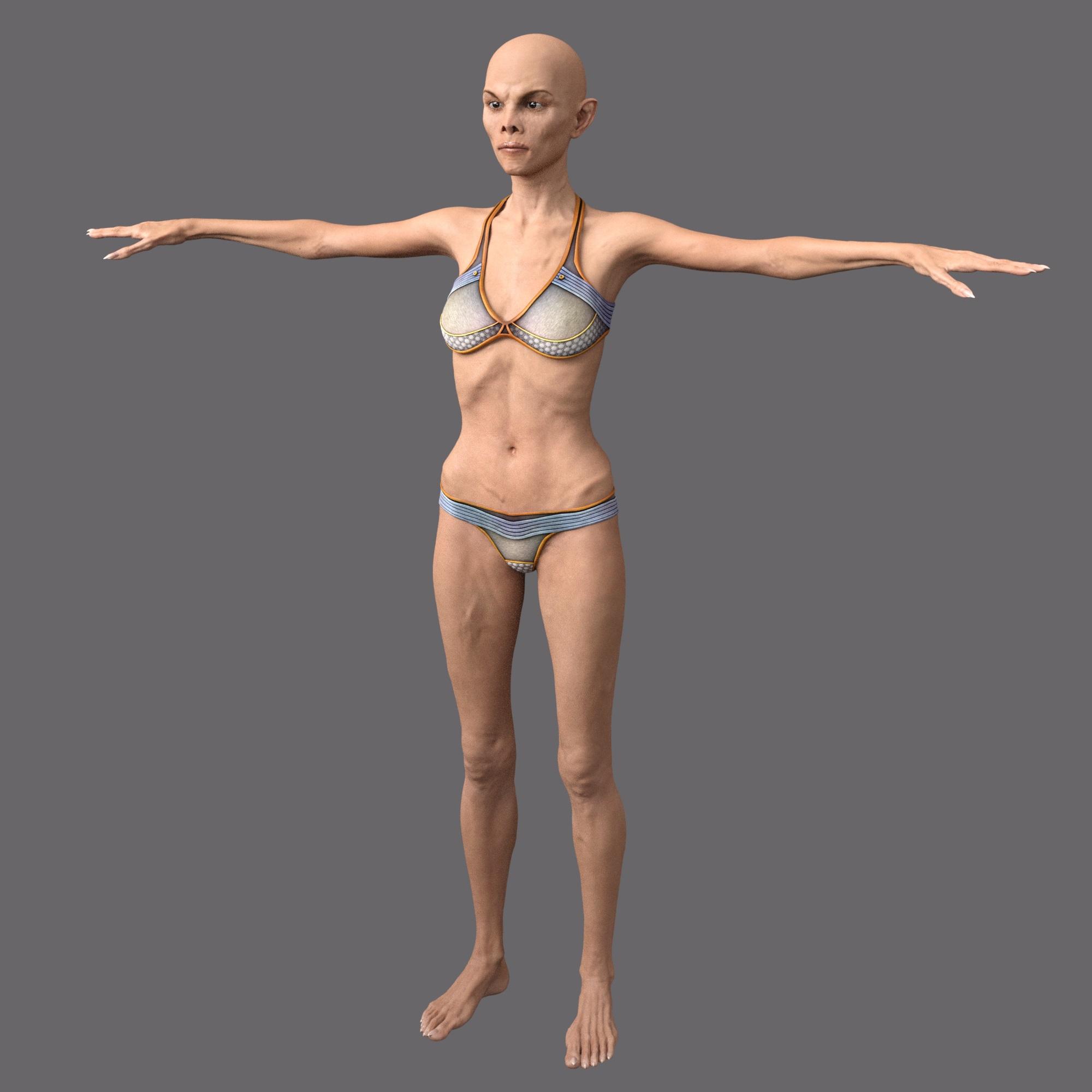
Genesis was a game changer. Of course, Smith-Micro changed their game at roughly the same time. Both programs intorduced weight-mapped figures as the default, practically concurrently. (i.e., 2010) And they each adopted a different, incompatible systems of weight-mapping.
Gen4, with its legacy rigging is usable in both programs without issue. Ergo; a lot of people who are using either program (particularly older versions of either program) may still have all kinds of older content which is still in service, and a lot of Poser users *still* prefer DAZ gen4 models to the ones which have shipped with Poser from Smith-Micro. Upon the whole, the DAZ figures are far better supported. And given that Victoria 4 has been around for a decade, there is a *lot* of content for her to choose from.
Compatibility with other modelsYes. What Spotted Kitty said. Any character that is designed for Genesis 3 (and any of it's constituent shapes ie: Victoria 7, Aiko 7, etc.,) will work regardless if you have the "required" shape (in this case you can use the character dial even when you don't have Victoria 7 in your runtime.) You might not get the same looking character as is promised in the promos of that character's product, however, you will get a decent looking character since most PAs keep in mind that not everyone will have the required shape and so they provide a good looking character none-the-less.
That's a long-winded way of saying, yes, the character will work without Victoria 7 installed. Lol.
The beauty of the Genesis technology is that you can easily blend different characters, even without having "required" ones on board. Unless, of course, you're looking to recreate the character exactly as the product render shows. In that case, yes, you'll need the required shape.
Compatibility with other modelscan i still use the same morphs on aiko or would the Aiko 7 and Victoria 7 model morphs would have to be applied to Gen 3
The morphs aren't installed to the character (Aiko, Victoria), they're installed to the base figure (Genesis). Both characters are Genesis figures, so they will both be able to use any G3F body shape you have installed.
Genevieve 7After fixing problem with her nose (dialled down some of the morphs used) I have made some render tests of the same scene in iray
with different skins. All tests were rendered on GTX 1080 (GPU only) in the latest release version of Daz Studio.
I have used: Oleander hair http://www.daz3d.com/oleander-hair-for-genesis-3-female-s
and Retro Skirt http://www.daz3d.com/retro-skirt-for-genesis-3-female-s
Also applied Cornea Bulge 150% to her eyes.
First Pepper: http://www.daz3d.com/fwsa-pepper-hd-for-genevieve-7
Rendering Time: 7 minutes 48.87 seconds (1012 iterations)
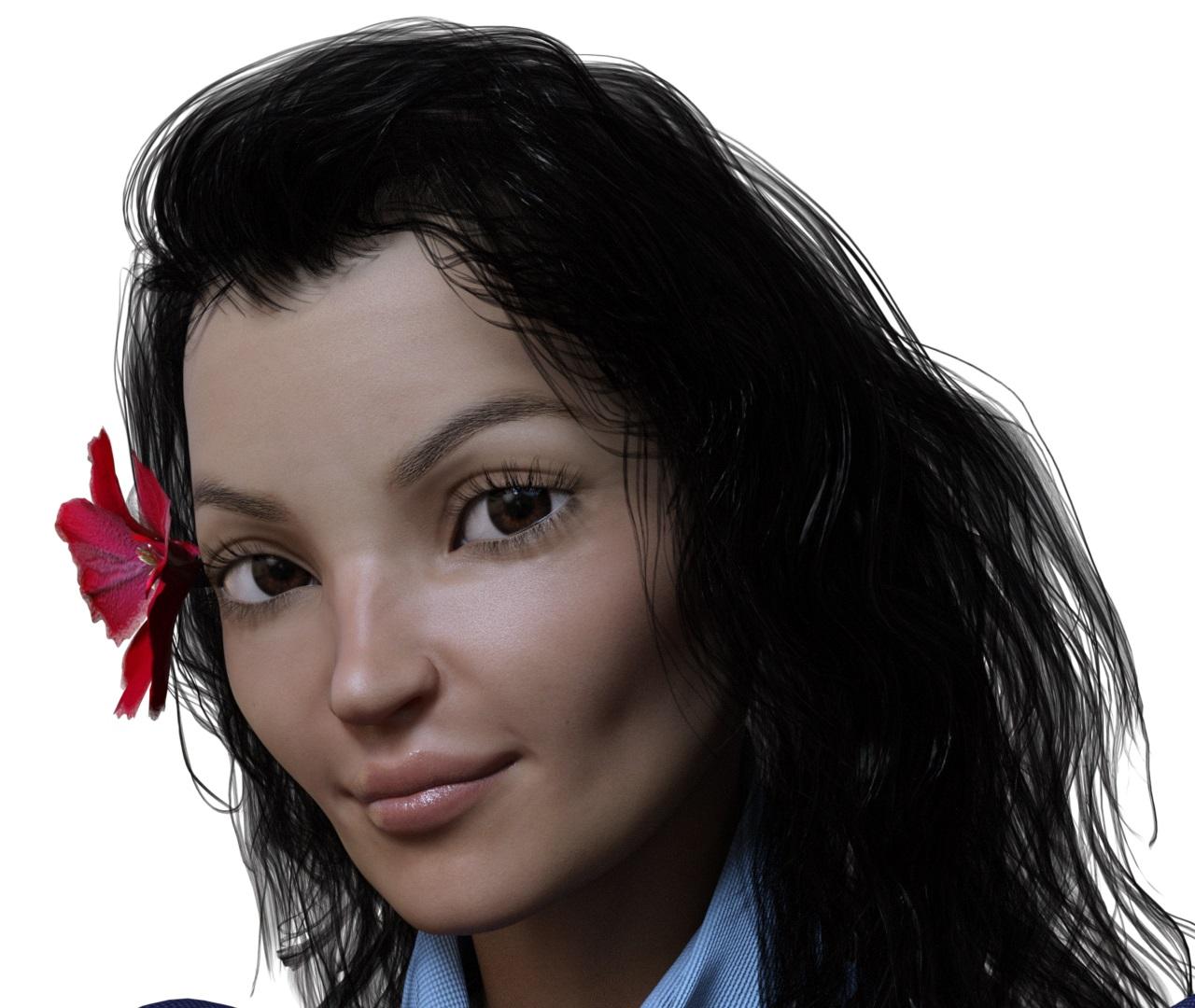
Valiona: http://www.daz3d.com/valiona-for-genevieve-7
Rendering Time: 7 minutes 28.96 seconds (1160 iterations)
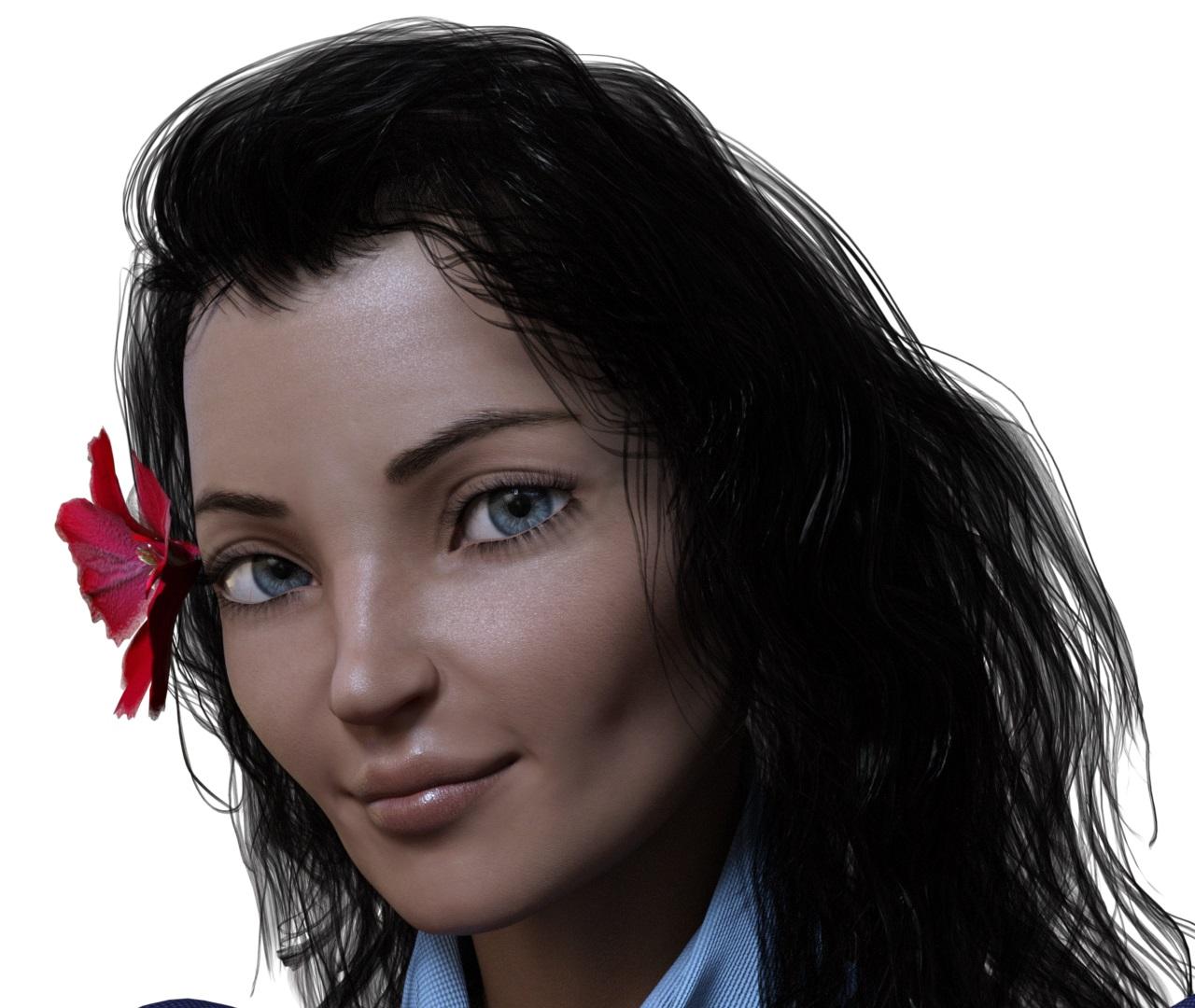
Halina: http://www.daz3d.com/fwsa-halina-hd-for-kalea-7
Rendering Time: 8 minutes 7.38 seconds (1049 iterations)
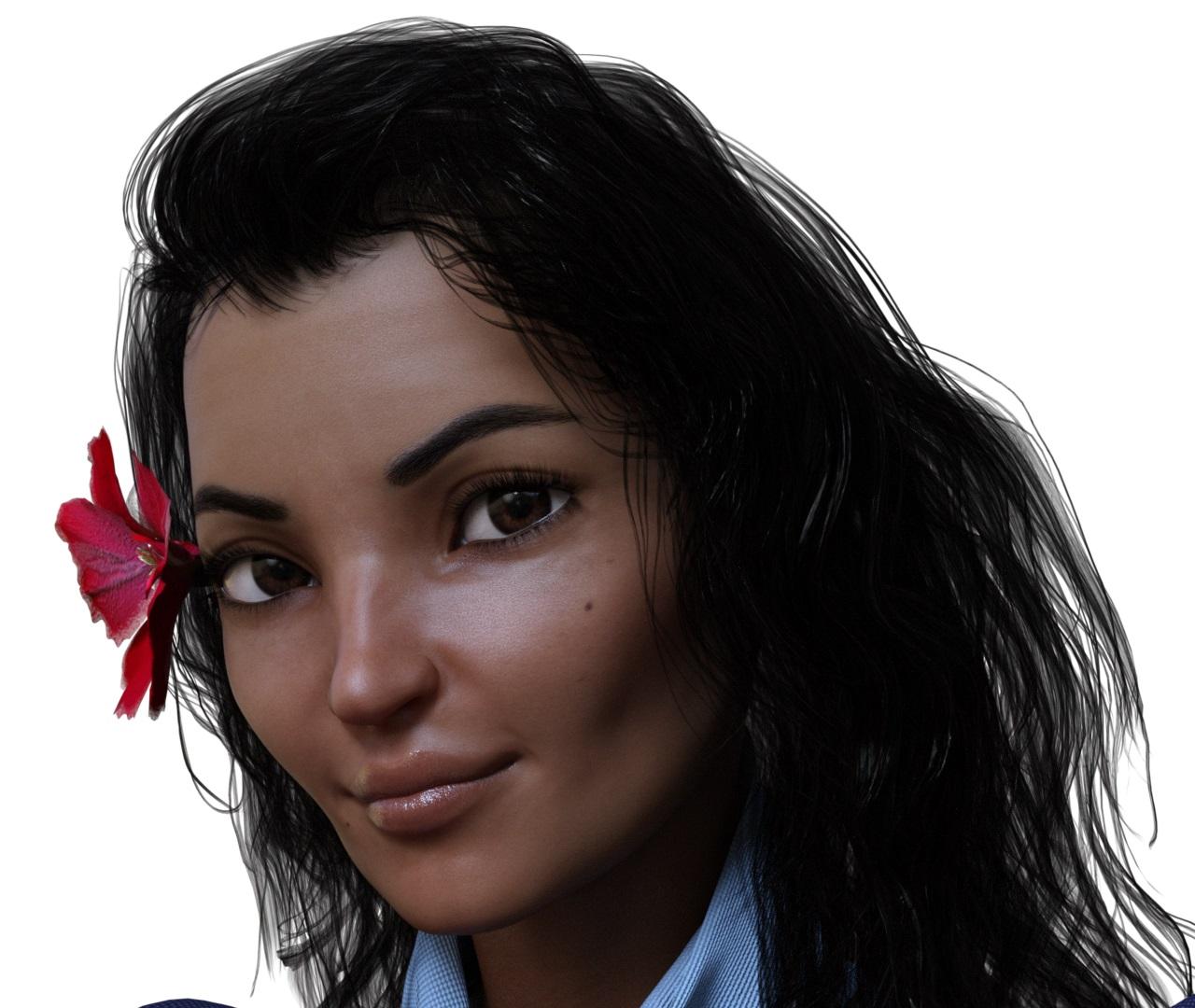
Taia: http://www.daz3d.com/fwsa-taia-hd-for-victoria-7
Rendering Time: 7 minutes 1.82 seconds (1008 iterations)
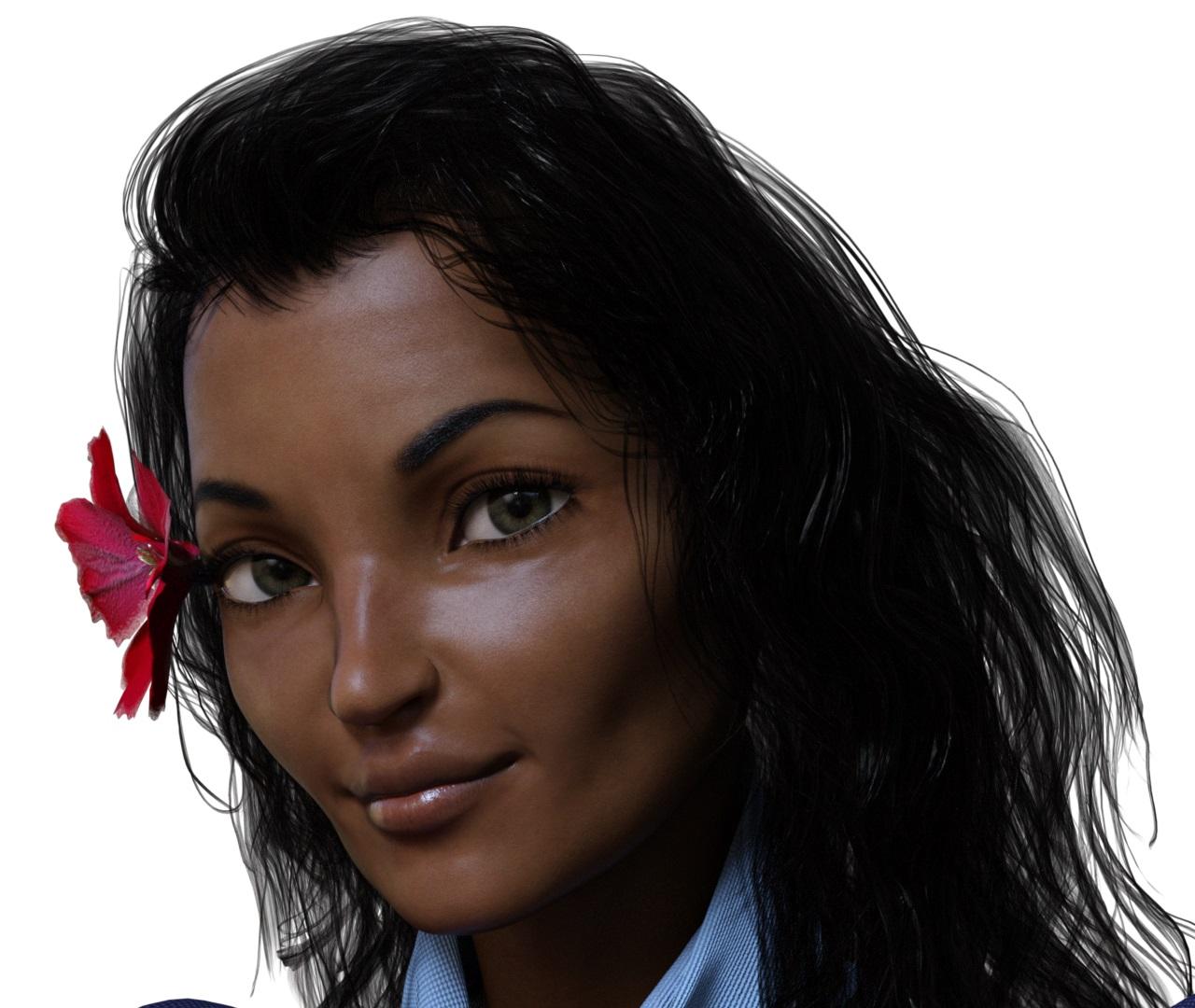
Priya: http://www.daz3d.com/priya-for-genesis-3-female-s
Rendering Time: 7 minutes 14.28 seconds (1058 iterations)
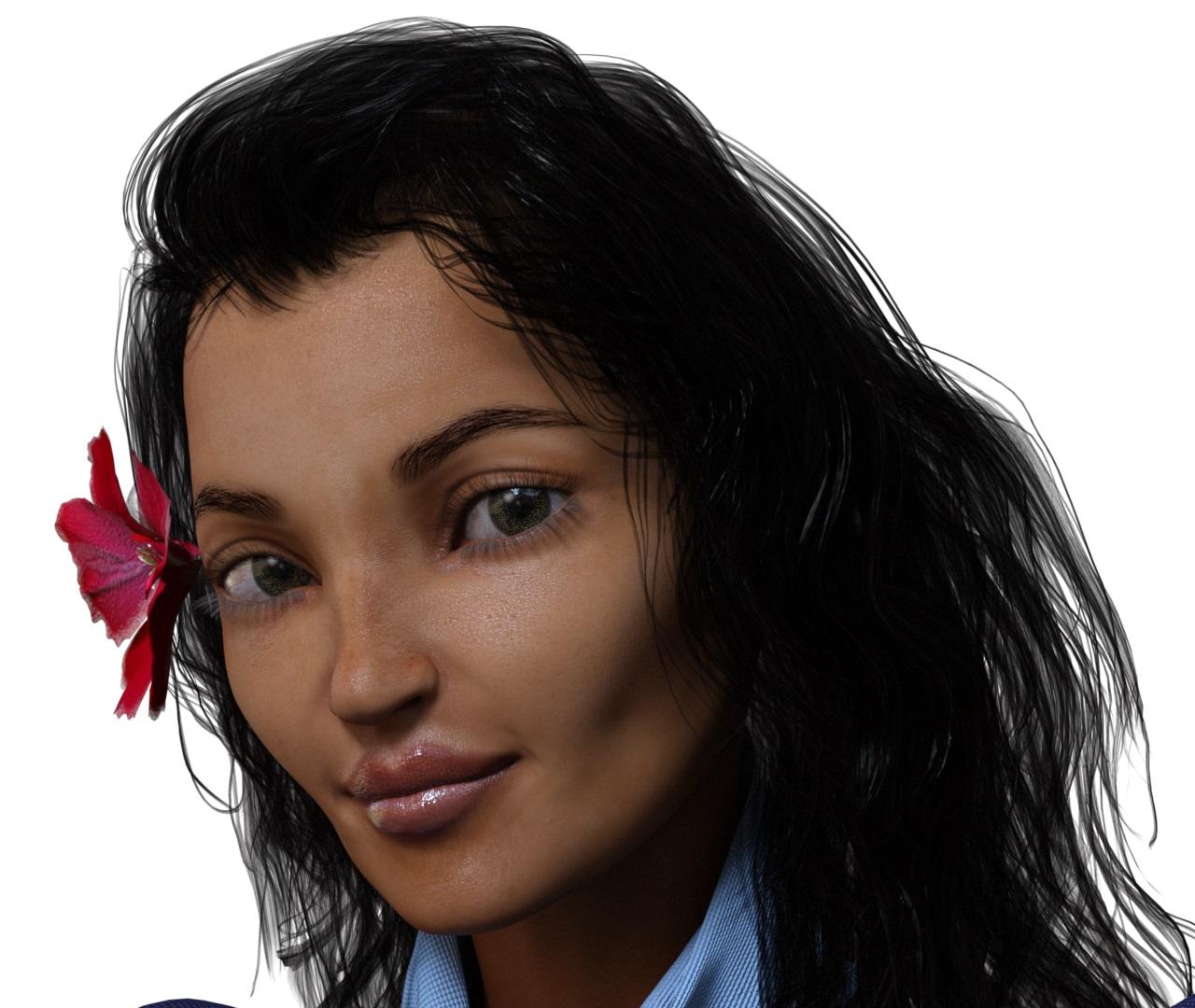
Opal: http://www.daz3d.com/opal-for-genesis-3-female with Priya eyes
Rendering Time: 9 minutes 49.58 seconds (1423 iterations)
One of the Opal eyes has strange artefact on it, that is why I have applied Priya eyes material
Daz 3D is part of

Connect
DAZ Productions, Inc.
7533 S Center View Ct #4664
West Jordan, UT 84084Licensing Agreement | Terms of Service | Privacy Policy | EULA
© 2026 Daz Productions Inc. All Rights Reserved.