-
IK target helpers in NLA
I thought this was simple, but it is not. I have imported an aniblock to Victoria in Carrara. There was a small amount of unwanted foot movement. It does not show in DS. So Carrara does something wrong. I have corrected that in two ways.
1) Corrected it manually by correcting the hip translation. Result is very good. So tried to put in in NLA. But when I add the NLA to the same Victoria in a new scene, all edits from me are gone. The foot moves again. And it gets weirder. The values of the hip from the editted version (which is fine) and the one from the NLA (which is wrong) are the same.
2) Corrected it with IK helpers. Result is also very good. But how do I get IK helpers info into an NLA clip.
I hope this clear, because it could be sounding confused.
Sounds clear to me. Hmmm... So the IK helper isn't actually changing the keyframes of the individual joints which are affected by it... that seems strange to me.
Are you adding the IK Helper to a Vicky who is using an NLA clip, or imported aniBlock keyframes?
If you're using the Helper against a Clip, try going to Vicky's NLA tab and use "Load Data from Clip" to convert the clip to keyframes (without the clip being in the timeline - just in the Clips tray)
If that's not working, I'd submit a Bug ticket. I'm sure we could still find a work-around for you, but IK should affect keyframes.
Another possibility is that aniBlock keyframes do not line up perfectly on my 30fps timeline. So IK keyframes wouldn't change those many keyframes that are not on an actual frame, but would make a new one instead. I tried to correct this once by turning on 'snap to grid' in the sequencer, selecting all keyframes and nudging them along time - it didn't work. The only way ws to do each key individually or all keys in the same time slot individually - something I was not willing to do.
I've never tried fixing aniBlock data with IK - I always prefer the Graph Editor, which is fast and effective. We may either edit a few keyframes of a joint or all of them.
I select the joint in question with the rotation tool active, so I can clearly see which axis I want to manipulate. Change the Sequencer into a Graph editor, find the joint along the Hierarchy and open the tiny triangle next to it. Go to Motion Method > Translate > Rotation, and then I select the axis that I've confirmed, use the editor's zoom tool and zoom out to see all keys, (switch back to selection tool) select them all for that axis, zoom back in, and carefully move them up or down to correct the rotation.
I usually do this for arms that tend to poke into the body for certain motions - like Martial Arts with Rosie. The thing I like about this sort of editing is that I can do so anywhere along the timeline - like right where the problem occurs.
Sometimes we might not want to edit all of the keyframes - but just in a certain amount of time.
To do this, I select all of the keys in that span of time, and then (using the Shift key) deselect one key every 5 or so frames, then delete the rest. By deselecting those few in between, I'm still keeping the gist of the animation information. But now I have far fewer keys to work with, making life much easier. here is where I'll snap those remaining keys to the timeline before I start editing. For this method, I never even switch to the graph editor - just stay right in the Sequencer.
Confused about LODThanks. The rendering is not my biggest problem. Too many characters slows down my Assembly room movements too much. A ten second walk becomes a one minute walk. It is not realistic anymore.
I agree, it was not easy to find LOD (for Victoria). The manuals fail. I had to do a Google search to find the right thread in the DS forum. Because of that I found the folder name and with that I searched my computer.
Ahaaa! Gotcha. Just so happens Carrara has the perfect solution to your (our) woes! ;)
"Show in 3D View"
Deselect that on one before bringing in another. We can always turn them all on at once to see where everything is, but then shut off any of them that we don't need on right now - they still show up in the render though. So use Visible instead if you aslo don't want to test it in the render.
To help with this, Every character I even make ends up in its own Group. This enables me to quickly and easily move, rotate, hide, whatever, all at once. It also just makes it easier for me to always keep track of things.
I also use simple target helper object to help mark out in the scene where some of these hidden things are to make it easier for positioning.
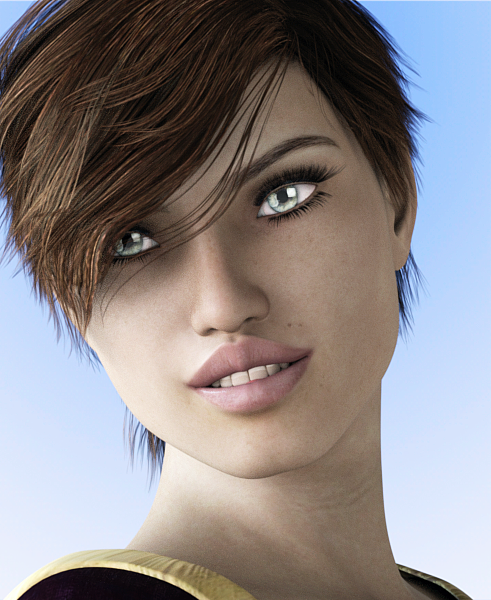
Novica & Forum Members Tips & Product Reviews Pt 8BD Novarys (Gen3F) has the same eyelash setup, they don't go far enough over. This is using Feel It for the expression. Includes a touch of asymmetrical movements so it appears more realistic. I did not change the lighting so you could see Novarys is definitely more blue/gray than the first two, wanted you to compare apples and apples. Smoothing iterations were 13 for the Force Hair. Needs it, and could probably go to 20-25, there's still crinkles on our left, the bangs.
 Skin Batch Converter and Morph Transfer for Generation4,Gn,Gn2 to Gn3?
Fortunately, there are corresponding converter and Morph tools for the Generation 4, Genesis and Genesis 2 Generation, which I also all possess. But why is it, after nearly one year after the release of Genesis 3, that there is still no Skin Batch Converter and Morph's transmission tools for the Genesis 3 generation? I want to convert a Victoria 4 Character with skins to the Genesis 3 Female and have been sitting there for days without success. It does not really matter anymore, does it? It is understandable that you want to use characters, dresses, morphs, skins, etc. from previous generations with the current genesis generation and DAZ Studio version - why is not this supported by DAZ and offered the necessary tools with the release of new figures .
I do not always buy new things when I have to throw older things into the garbage or sitting for days and hours to convert something from one to the other generation..Confused about LODThanks. The rendering is not my biggest problem. Too many characters slows down my Assembly room movements too much. A ten second walk becomes a one minute walk. It is not realistic anymore.
I agree, it was not easy to find LOD (for Victoria). The manuals fail. I had to do a Google search to find the right thread in the DS forum. Because of that I found the folder name and with that I searched my computer.
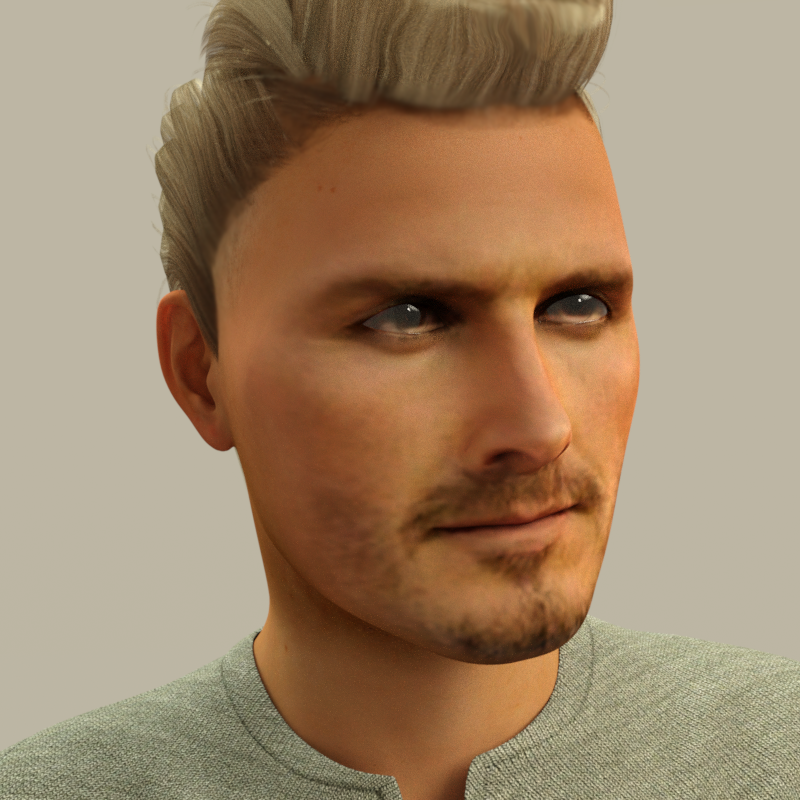
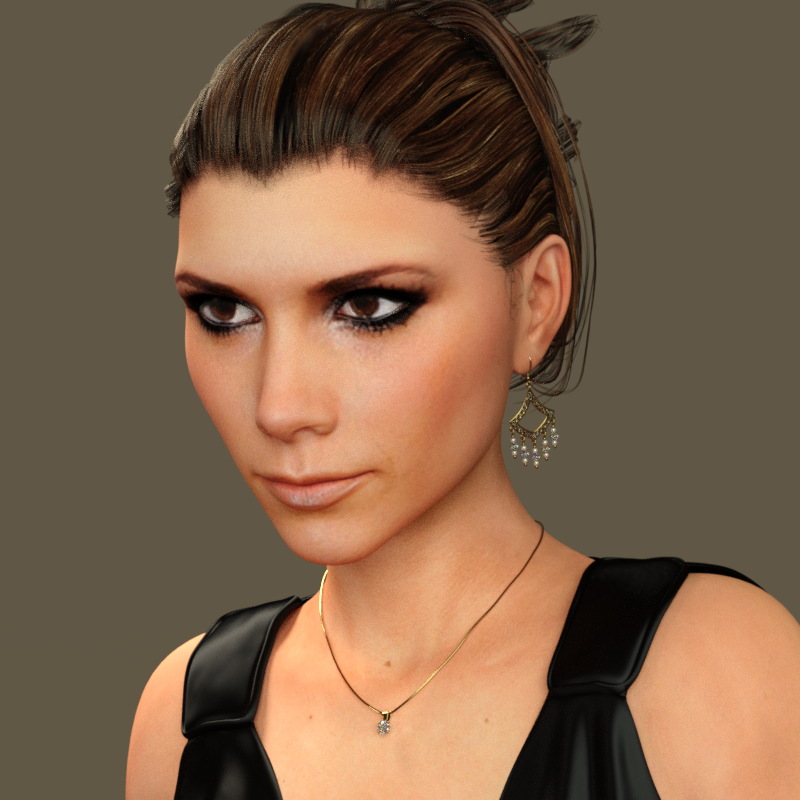
Facegen now on sale...get it!Again, I don't know how well-known these two are outside the UK, but here are former England international footballer David Beckham and his wife Victoria, AKA 'Posh Spice' of The Spice Girls. Both were made from images which had to be resized (although it wasn't difficult to find a photo of Victoria where she wasn't smiling!), but I thought the program did really well with them in spite of it. I didn't have to do a thing with either of them once I got them into studio and thought I could easily see who they were meant to be. David needed a bit of postwork along his hairline, but that was down to the hair and not Facegen.
 Product suggestions for Anatomical elements
Since there is no nudity allowed in promotional materials for store products, you will not find any extra add-ons for the genitals that come with the Pro Packs in Daz Store.
The genitals that come with the Pro Packs have the following properties:
Male:
- Default Pose (used to simulate erection).
- Penile Length
- Penile Width
- Testes Asymmetry
Plus the ability to manually scale the penis or testicles up by scaling up individual parts of the genitalia (bones).
Female:
I believe the female genitalia has no extra properties and no custom bones to simulate movement or adjust shape (correct me if I'm wrong).
Also, the genitals ONLY come in Pro Bundles (such as Olympia 7 Pro Bundle, Victoria 7 Pro Bundle, Michael 7 Pro Bundle....) and they do not come in Pro Bundles for Younger/Teen figures.
They are universal meaing that they can be used with any character that comes with Genitalia textures so you only need to buy one Pro Bundle (for each gender).
IK target helpers in NLAI thought this was simple, but it is not. I have imported an aniblock to Victoria in Carrara. There was a small amount of unwanted foot movement. It does not show in DS. So Carrara does something wrong. I have corrected that in two ways.
1) Corrected it manually by correcting the hip translation. Result is very good. So tried to put in in NLA. But when I add the NLA to the same Victoria in a new scene, all edits from me are gone. The foot moves again. And it gets weirder. The values of the hip from the editted version (which is fine) and the one from the NLA (which is wrong) are the same.
2) Corrected it with IK helpers. Result is also very good. But how do I get IK helpers info into an NLA clip.
I hope this clear, because it could be sounding confused.
Confused about LODI am going to use many Victoria's in my scene. Figured out how to insert LOD. But the 17Kb LOD for instance ads almost 2 Mb to Victoria. Does this mean it only uses 17Kb in the scene? Because the file size gets bigger, saving will take longer. This looks like a disadvantage to me with many Victoria's.
Does it make a difference to use LOD? Will the scene become faster?
I am not talking about the duplicators. That is a different story.
PROBLEM: Importing OBJ file to Victoria 4 figure - everything is blackI have no problem importing an OBJ file to attach to my Victoria 4 figure in DAZ Studio. But when it is successfully imported, everything - including hair, figure and attachment - is pure black. Is there any way to remove the solid blackness and appear normally? Thanks in advance. :)
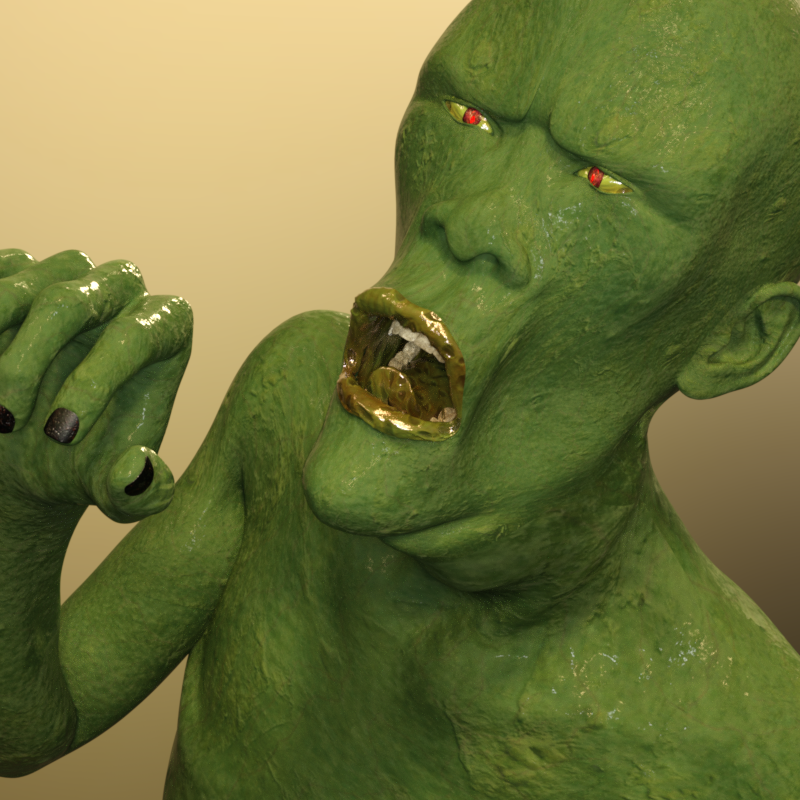
Facegen now on sale...get it!Yup, thanks to Facegen another studly hunk joins the 'beautiful people'. He's single and looking for lurve - exciting times ahead for Victoria 7! :)
 Cross-Generation Facial Morphs in Zbrush
I have the Genesis Generation X2 plug-in, plus http://www.daz3d.com/victoria-4-for-genesis-2-female, as well as some other scripts so I think I can at least get my morphs and skin textures to work on Genesis 2 Female. Skin textures aren't really an issue, as I can cobble something together for the time being while I'm making my own, it's the morphs that I'm wondering about.
I doubt my morphs will be going to Genesis, as I think I will be working primarily on the Genesis 2 and Genesis 3 figures, so the fewer polygons on Genesis won't be bothering me for these projects.
So, the bottom line basically is: yes, I can use my morphs on Genesis 2, but I will be better off making a decision on each project and character, for which figure I use as my base - V4 if I think I'm going to need to use the character in Poser, and Genesis 2 or 3 if the character is going to be DS based.
Thanks for the input everyone!
Nyarai!!!I have to be honest: I tend to roll my eyes at the vast majority of female character releases, because to me they all seem like "Victoria 7, but with very minor lip/nose jobs". But Saiyaness puts out some of the best female characters (along with RawArt), IMHO (probably because they look like they could be people IRL, for one), and this character is no exception. Stunning work, as always!
Novica & Forum Members Tips & Product Reviews Pt 8Those two go quite well together, I like the rippled water too. Very nicely done!
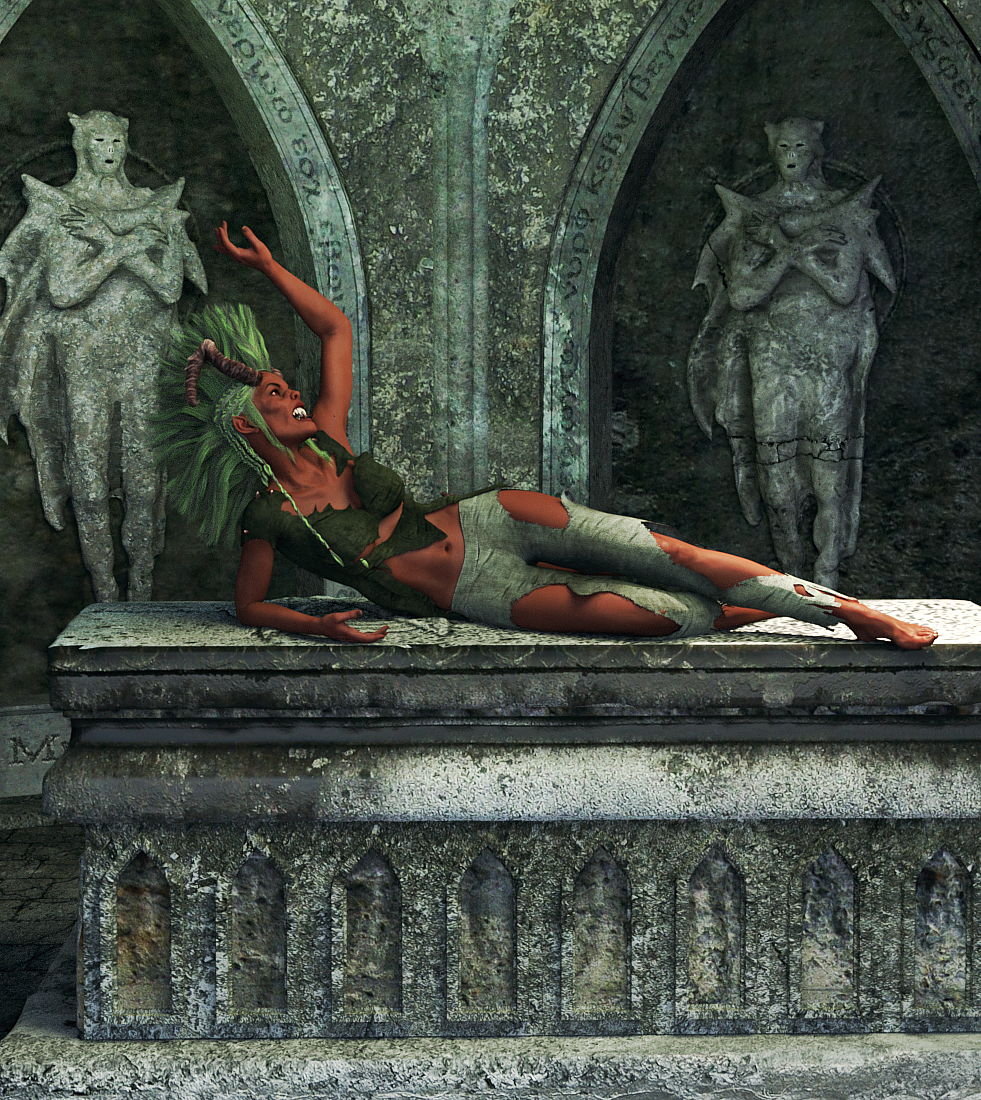
I didn't combine two sets, just a quickie I did this morning of Crypt of the Damned. The building is one piece so you can't hide the walls, but it's fairly easy to get in there and swing around as the front is entirely open. I used Ghost Lights (one from our left, one from our right, above) and colored them green. I increased the bump on the tomb and sharpened in post work to create a gritty feeling. That's Tara & Sachra HD (V7) wearing Nox Hair (Gen3M/F) and the Soulless Outift (Gen3F).
I mentioned a few posts back, those statues can be hidden, and the lid of the tomb opens. That pose is from Capsces Vampy Arabella Poses and Expressions.
Click to enlarge.
I'll try combining two more sets for the next one, sometime tomorrow. You and I buy a lot of the same things Rich, lol! (Seriously, they changed Fast Grab again sometime this morning/today while I was offline. Wow. Love the shirt in this one and it's a separate item. The wrinkles are very realistic. The Rash Guards (see last thumbnail) makes an excellent 1960's-ish swimsuit. )
 hi can someone please tell me where i can find these outfits and hair
http://www.daz3d.com/forums/uploads/FileUpload/0a/f6e2d8d5c663d4632d62a7fc924160.jpg
Head down :
Hair : https://www.renderosity.com/mod/bcs/samira-bob-hair-for-victoria-4-and-genesis-3-females/116521/
Studded Jewelry : https://www.renderosity.com/mod/bcs/?ViewProduct=118784
Chocker : http://www.daz3d.com/deadly-night-shade-for-genesis-3-female-s
Top : https://www.renderosity.com/mod/bcs/semi-scarf-top-for-genesis-3-females/110633/
Top Textures : https://www.renderosity.com/mod/bcs/trendy-for-semi-scarf-top-g3/110642
Belly Chain : https://www.renderosity.com/mod/bcs/heart-belly-chain-for-g3f/114631/
Shorts : http://www.daz3d.com/traced-outfit-for-genesis-3-female-shttps://www.renderosity.com/mod/bcs/blaze-bikini-for-genesis-3-female-s-/115718/
Bikini : https://www.renderosity.com/mod/bcs/blaze-bikini-for-genesis-3-female-s-/115718/
Shoes : https://www.renderosity.com/mod/bcs/dms-petite-heels/117360/http://www.daz3d.com/forums/uploads/FileUpload/5f/67cfcb1cc926c5ff49ba0a73eea338.jpg
Hair : http://www.daz3d.com/sheridan-hair
Necklace : http://www.daz3d.com/bloodcrystal-for-genesis-3-female-s
Jacket and Corset : http://www.daz3d.com/deadly-night-shade-for-genesis-3-female-s
Poses from DM .. random packs lol
Hope it helps! Cheers~!Adiene is the best!!! thank you!!
Resolved - GenX problem; no M4 Source option, no drag and drop M4 "body"The Source dropdown shows all the Genesis figures, G1, G2F, G2M, G3F, G3M, and also includes Victoria 4.2. There's no Source option for M4. No way to load M4 from Source.
Drag and Drop of M4 from Content Library only moves "Head," not "Body," so there's no way to transfer any body morphs. That can't be right. Body morphs, drag and drop, have no place to land. I should mention that M4 entire loads into 4.9 from Content Library without any trouble at all.
If you open up the "Body" morph list for V4 inside GenX, are you seeing what I see (only 3 morphs) or a long list? I only see the morphs which load as part of the Base figure, which is to say three morphs in the "Body" section and a bunch of expression morphs in the "Head" section.
If M4 doesn't appear under the "Source" button, that's probably just because you haven't succesfully transferred from M4 yet. He is in my "Source" list, but I have transferred from him before - I noticed that Freak 4 was not in my list until I tried to transfer Vincent (more about that later) after which Freak 4 suddenly appeared there.
Like you, my M4 Base loads with a "Head" section (similar list of expressions to V4) and no "Body" section. But I can drag-and-drop morphs into that pane and the appropriate body part is added to the list. So when you say it doesn't work for you, what exactly are you trying to drag in and from where?
I have a whole pile of M4 add-ons, including Morphs++, Elite Ethnic Faces, Aged for M4, Creature morphs. To transfer them I can drag any of the "morph injection" files from
Content Library --- Poser Formats --- Poses --- DAZ's Michael 4 --- Morphs++ (for example). I'll add screenshots of that below.If you are not seeing anything like this please post what you are seeing?
Resolved - GenX problem; no M4 Source option, no drag and drop M4 "body"Hi,
I'm using Studio 4.9. and have the Dimension3D products for Genesis, G2, and G3, and I have all the Daz figures, including M4 & V4,2, etc.
I've used GenX mostly to transfer morphs from/to female characters, so I've only just noticed a particular problem with the male side. Maybe I'm doing it wrong?
The Source dropdown shows all the Genesis figures, G1, G2F, G2M, G3F, G3M, and also includes Victoria 4.2. There's no Source option for M4. No way to load M4 from Source.
Drag and Drop of M4 from Content Library only moves "Head," not "Body," so there's no way to transfer any body morphs. That can't be right. Body morphs, drag and drop, have no place to land. I should mention that M4 entire loads into 4.9 from Content Library without any trouble at all.
In one case, with Soto's famous, free, and very cool F4 Vincent character, I tried dragging F4 in from Content Library, which did add Body to the Transfer area, and then did a drag and drop of Soto's body morphs, but it crashed Studio 4.9 every time I tried it. This happened before any actual transfer, Just dragging and dropping the Vincent body or hand morphs crashed Studio instantly. Boom. Tried several times. I caught one subliminal error msg window before the Please Wait meltdown msg, that suggested a path error. I can try to fix that. But it doesn't explain the no Source thing.
Incidentally, the Vincent Beast head morph, when I tried that by itself, transferred to G3 perfectly. That was my main objective, but the hand morphs are cool, too, and I'd like to transfer them as well. Can't.
Transferring between any Genesis figure, such as I've tried it, works really well, and I'm delighted by the GenX product and add-ons, but it's supposed to work with M4, and M4 is more than just a Head. So, something's awry.
Just in case, I reinstalled the Genesis figure from Genesis Essentials, as the pdf mentions the gen4 clones come with that, but it made no difference. I can't get the M4 body, and there's no Source option.
Any suggestions?
hi can someone please tell me where i can find these outfits and hairhttp://www.daz3d.com/forums/uploads/FileUpload/0a/f6e2d8d5c663d4632d62a7fc924160.jpg
Head down :
Hair : https://www.renderosity.com/mod/bcs/samira-bob-hair-for-victoria-4-and-genesis-3-females/116521/
Studded Jewelry : https://www.renderosity.com/mod/bcs/?ViewProduct=118784
Chocker : http://www.daz3d.com/deadly-night-shade-for-genesis-3-female-s
Top : https://www.renderosity.com/mod/bcs/semi-scarf-top-for-genesis-3-females/110633/
Top Textures : https://www.renderosity.com/mod/bcs/trendy-for-semi-scarf-top-g3/110642
Belly Chain : https://www.renderosity.com/mod/bcs/heart-belly-chain-for-g3f/114631/
Shorts : http://www.daz3d.com/traced-outfit-for-genesis-3-female-shttps://www.renderosity.com/mod/bcs/blaze-bikini-for-genesis-3-female-s-/115718/
Bikini : https://www.renderosity.com/mod/bcs/blaze-bikini-for-genesis-3-female-s-/115718/
Shoes : https://www.renderosity.com/mod/bcs/dms-petite-heels/117360/http://www.daz3d.com/forums/uploads/FileUpload/5f/67cfcb1cc926c5ff49ba0a73eea338.jpg
Hair : http://www.daz3d.com/sheridan-hair
Necklace : http://www.daz3d.com/bloodcrystal-for-genesis-3-female-s
Jacket and Corset : http://www.daz3d.com/deadly-night-shade-for-genesis-3-female-s
Poses from DM .. random packs lol
Hope it helps! Cheers~!V4.2 with morphs++ does not work properlyHi SixDs,
thank your for your response. But that does not help with my problem. The basics that you describe are clear, but my problem ist beyond hat:
As i wrote:
" After injecting the morph++ to Victoria 4.2 things do not work as they should (or as I think they should - I am quite a newbie):
- When injecting morphs for figures, all head morphs work , but
- most the body morphs do not work (although some do I am referring to ones that are supposed to work with V4.2 / morph++)"So´, if I do not misunderstand anything I have done everything that is required: What I do see, is the parameters in the parameter pane, when clicking on a respective body part. But when applying a (full) body injection they do not work for some of the figures, while other morphs work (all meant to be used with morph++). At the same time all head morphs work when being injected. It is a bit like there ist some kind of partial missconfiguration.
Daz 3D is part of

Connect
DAZ Productions, Inc.
7533 S Center View Ct #4664
West Jordan, UT 84084Licensing Agreement | Terms of Service | Privacy Policy | EULA
© 2026 Daz Productions Inc. All Rights Reserved.