-
Another "which character" question - solved
Hi everyone I can answer your questions, The morph is From TMHL Veshti for Genesis 9 and the skin is from one of DAZ's base skins The Feminine skin 04 to be exact and the lipstick was from my Twizted Makeup set for Genesis 9.
G9 WoesMatt_Castle said:
In this respect, I have asked many times what people complaining about G9 actually want. (I usually get ignored).
Easy.. a product that allows me to transfer the look (form and textrues) of a G9 HD figure to a G8 figure, even if I lose the HD part when doing it. That's all I want to make G9 a product I would pay money for.
How Do I Move Things in the Parameters Tab?Technically, you just need to change the Path of each property. For instance, I take Bloody Rayne in your screenshot as an example.
- You select Bloddy Rayne, right-click to turn on Edit Mode.
- Click into property list on the right, Ctrl + A. Right-click > Set > Property Group..., Select a Path from the drop-down list. You can further modify the path to make it more correct as needed. Accept.
(Be noted, you need to make sure the property going to a correct path. For example, a full body morph should go to: Actor/Full Body/... A head morph should go to: Actor/Head/... A thigh morph should go to: Actor/Legs/... etc. )
- Go to: File > Save As > Support Asset > Save Modified Assets...
- Confirm the list then Accept.Be aware that I use Windows. But the process should be the same on a Mac.
Another way is to directly modify DSF files in data folder by using Notepad++... but that way will take more time ~~~
How to fix asymmetrical eyes?A charcater face morph comes loaded in with one eye higher than the other which I dont prefer. Are there any addons or built-in techniques in order to change the height of each eye INDIVIDUALLY? I swear, it seems like all eye morphs out there affect BOTH eyes when what I want is to be able to control the height of each eye indicidually. Truly a shame, I didnt want to ask for help since I thought there would be a readily available addon for this exact issue but I couldn't find it yet.
Creating Shape PresetJoe.Cotter said:
There's no way to scale it in the app, then lock in the scale and update the morph asset?
Sorry, I don't understand what you mean by "there's no way to scale it in the app" ~~~ Scale is a Pose rather than a morph. You can save a Properties Preset for the character so as to include both Shape and Pose.
Outlet storetsroemi said:
I've just discovered this really really nice jewelry set in the outlet store, for those who don't already own / know of it: https://www.daz3d.com/dragon-horde-jewelry-for-genesis-3-female-s. The cute dragons even have morphs to change their wing positions! It's Iray and for G3, so will probably transfer to younger figures nicely.
thank you for the heads up...they are so CUTE!
You Have Face Transfer, How About Prop TransferFace Transfer copies a photographed human face onto a 3D human face. Anything beyond that, like turning a photo of a room into a 3D set, is a much, much bigger ask.
Creating Shape PresetThere's no way to scale it in the app, then lock in the scale and update the morph asset?
Creating Shape PresetYes, Shape Transfer may change G9's Proportion Height and Scale. You need to either keep their values (screenshot 1), or export the figure to OBJ, reset Scale / Proportion Height and import OBJ as a morph with Morph Loader Pro to update Body Morph (screenshot 2). Then you'll only have Head and Body morphs with correct figure's size. Then save morph assets.
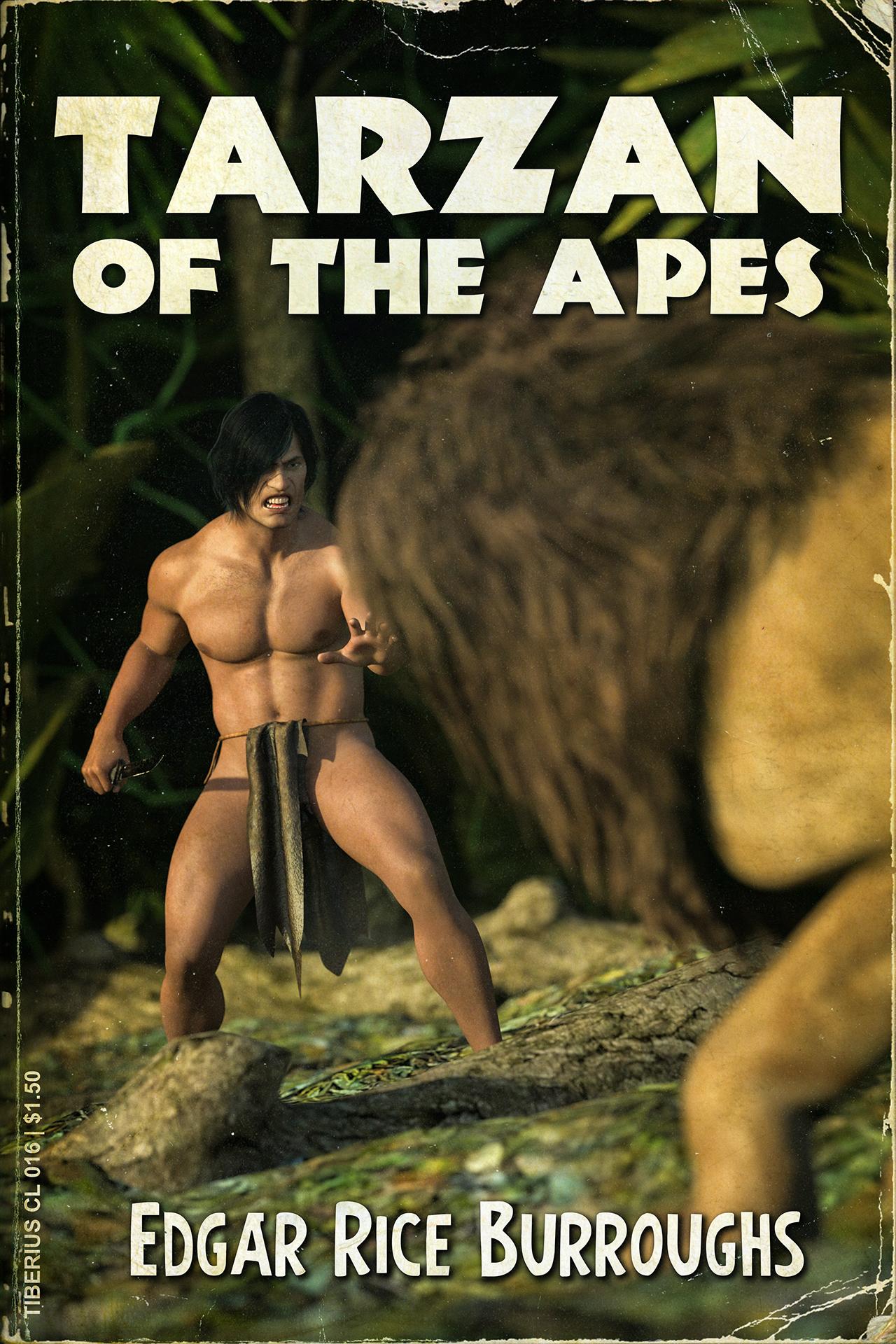
Freebie Challenge July 2025 - "Design a Book Cover" - Entries ThreadTarzan of the Apes by Edgar Rice Burroughs
Finished Cover:
This image has been resized to fit in the page. Click to enlarge.
Freebies:
Tarzan: https://www.renderhub.com/aglassdarkly/agd-erik-8-morph-only
Hair: https://www.renderhub.com/intheflesh/v-dmc5-hair-for-genesis-8-male
Loincloth: https://www.deviantart.com/sickleyield/art/SY-dForce-Free-Rag-Loincloths-Genesis-8-Iray-823642315
Knife: https://www.deviantart.com/amyaimei/art/Combat-Knife-for-DAZ-Studio-1190160424
Jungle: https://www.renderhub.com/shredder/jungle-props-for-daz
Paid items:
Lion: https://www.daz3d.com/daz-big-cat-2
Post work was done in Photoshop. The distressing was acheived by scanning some of my own books and removing text and graphics until just the creases and dust were left over and overlaying those images on the render.
Outlet storetsroemi said:
I've just discovered this really really nice jewelry set in the outlet store, for those who don't already own / know of it: https://www.daz3d.com/dragon-horde-jewelry-for-genesis-3-female-s. The cute dragons even have morphs to change their wing positions! It's Iray and for G3, so will probably transfer to younger figures nicely.
Thanks for sharing! If you get it, do you mind reporting back how does it do on G9? (if you use G9)
Outlet storeI've just discovered this really really nice jewelry set in the outlet store, for those who don't already own / know of it: https://www.daz3d.com/dragon-horde-jewelry-for-genesis-3-female-s. The cute dragons even have morphs to change their wing positions! It's Iray and for G3, so will probably transfer to younger figures nicely.
Creating Shape PresetOk, so here's another one... I just realized some of the saved morphs are setting the scale to the size of the G9 character rather than keeping the original scale. I'm assuming I need to change something in the save dialog box. Also, is there a way to fix the morphs without reconverting all of them?
I checked the save dialog and "Auto-adjust proportional height" is checked and the proportional height for this morph shows -14.5% but when I save it and check, the morph is the same size as the default G9.
This is very frustrating. When creating the morphs, they showed as creating the proper size, but when I go back and test them they all show as not altering the size from the standard G9.
Toon Eye ProblemMoved to technical help as it is not a Daz Studio application topic.
What exactly are your steps? I am not seeing this loading the Genesis 9 Toon Female base, which renders better in Filament, do you see it then? If so it is probably an effect of another shape or character triggering something like a jointy adjustment or corrective morph when it shouldn't.
 Freebie Challenge July 2025 - "Design a Book Cover" - Main Thread
jldischert said:
Tarzan of the Apes by Edgar Rice Burroughs
Finished Cover:
Freebies:
Tarzan: https://www.renderhub.com/aglassdarkly/agd-erik-8-morph-only
Hair: https://www.renderhub.com/intheflesh/v-dmc5-hair-for-genesis-8-male
Loincloth: https://www.deviantart.com/sickleyield/art/SY-dForce-Free-Rag-Loincloths-Genesis-8-Iray-823642315
Knife: https://www.deviantart.com/amyaimei/art/Combat-Knife-for-DAZ-Studio-1190160424
Jungle: https://www.renderhub.com/shredder/jungle-props-for-daz
Paid items:
Lion: https://www.daz3d.com/daz-big-cat-2
Post work was done in Photoshop. The distressing was acheived by scanning some of my own books and removing text and graphics until just the creases and dust were left over and overlaying those images on the render.
Entry is approved! Please move to Entries Thread
ISO Genesis 8 Female Facial Elasticity MorphsThere are no icons for the individual morphs. Only for reset.
The file locations can be found in the file list document ( http://docs.daz3d.com/doku.php/public/read_me/index/56201/file_list ). The morphs are located here on your computer:
<<location of your runtime library>>\data\DAZ 3D\Genesis 8\Female\Morphs\SimonWM\SWM_XtremeMorphs
You could make icons if you require that, however the morph dials, under shaping - genesis 8 female - face - SWM Elasticity (as shown in my previous picture) are how you are meant to envoke the morphs on your character.
The location also applies to G8.1, however the caveat I mentioned previously still applies. Since 8.1 was specificly made to enhance the "elasticity" of the 8.1 face these morphs were not designed for that figure. They will work but maybe not as intended.
Creating Shape PresetJoe.Cotter said:
crosswind said:
Ah, that's the culprit ~~ Shaping pane only shows you the morphs under Actor path while the morphs created by Shape Transfer are under the path of Shape Transfer. I personally never use Shaping pane and Posing pane ~~
Well, if you want them to be shown in Shaping pane, remember to change, in Parameter Settings, Path to Actor/Full Body or with other sub-path. Then save the morphs by using File > Save As > Support Assets > Modifier Asset(s)...
Thanks, but what's the part about "morphs by using File > Save As > Support Assets > Modifier Asset(s)..." ... I don't understand that part
Also, have you had any luck with doing G3? The arms get all messed up. I'm sure it has to do with the difference between the T-Pose and A-Pose, but I'm not sure how to get around it. Some type of ERC Freeze?
(screenshot 1) > It's the DS standard function of saving morph asset. When you click Save Morph Assets button in Shape Transfer popup, it does the same action but just automate the process.
As for G3 > G9, yup ~~ head shape has no issue but there're artifacts on the body shape cuz T-Pose is the culprit. I've found no way so far to make the body shape 100% correct. I would suggest you just convert head shape, and shape G9's body by using other full body morphs or partial body morphs.
Or, you can convert G3 to G8 firstly than convert G8 to G9.
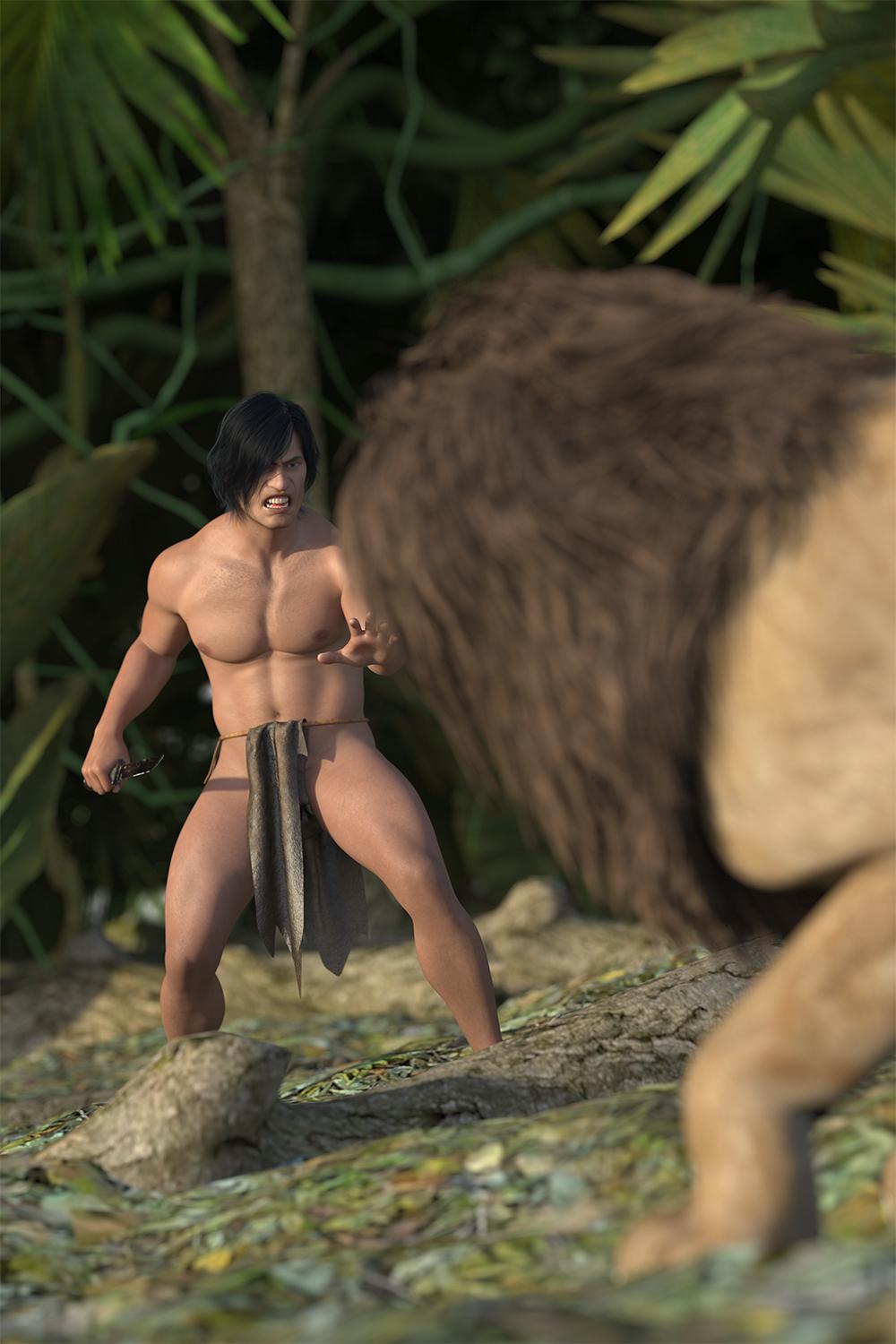
Freebie Challenge July 2025 - "Design a Book Cover" - Main ThreadTarzan of the Apes by Edgar Rice Burroughs
Finished Cover:
Raw Render:
Freebies:
Tarzan: https://www.renderhub.com/aglassdarkly/agd-erik-8-morph-only
Hair: https://www.renderhub.com/intheflesh/v-dmc5-hair-for-genesis-8-male
Loincloth: https://www.deviantart.com/sickleyield/art/SY-dForce-Free-Rag-Loincloths-Genesis-8-Iray-823642315
Knife: https://www.deviantart.com/amyaimei/art/Combat-Knife-for-DAZ-Studio-1190160424
Jungle: https://www.renderhub.com/shredder/jungle-props-for-daz
Paid items:
Lion: https://www.daz3d.com/daz-big-cat-2
Post work was done in Photoshop. The distressing was acheived by scanning some of my own books and removing text and graphics until just the creases and dust were left over and overlaying those images on the render.
Creating Shape Presetcrosswind said:
Ah, that's the culprit ~~ Shaping pane only shows you the morphs under Actor path while the morphs created by Shape Transfer are under the path of Shape Transfer. I personally never use Shaping pane and Posing pane ~~
Well, if you want them to be shown in Shaping pane, remember to change, in Parameter Settings, Path to Actor/Full Body or with other sub-path. Then save the morphs by using File > Save As > Support Assets > Modifier Asset(s)...
Thanks, but what's the part about "morphs by using File > Save As > Support Assets > Modifier Asset(s)..." ... I don't understand that part
Also, have you had any luck with doing G3? The arms get all messed up. I'm sure it has to do with the difference between the T-Pose and A-Pose, but I'm not sure how to get around it. Some type of ERC Freeze?
Creating Shape PresetJoe.Cotter said:
I figured it out... I was looking under the shaping pane... you know, the logical place one would look for reshaping a character... not the parameters pane since that would make no sense, unless I'm missing something.... why are they under the parameters pane rather than the shaping pane?
Btw, ty... I only looked there because I was rereading your comments (very closely, as if I was debugging code) and noticed you said parameters pane...
Ah, that's the culprit ~~ Shaping pane only shows you the morphs under Actor path while the morphs created by Shape Transfer are under the path of Shape Transfer. I personally never use Shaping pane and Posing pane ~~
Well, if you want them to be shown in Shaping pane, remember to change, in Parameter Settings, Path to Actor/Full Body or with other sub-path. Then save the morphs by using File > Save As > Support Assets > Modifier Asset(s)...
Daz 3D is part of

Connect
DAZ Productions, Inc.
7533 S Center View Ct #4664
West Jordan, UT 84084Licensing Agreement | Terms of Service | Privacy Policy | EULA
© 2026 Daz Productions Inc. All Rights Reserved.