-
Young Teen Laura
Named character bases (other than Victoria and Michael) started with gen3 I think. I do remember that Laura has the same UV as V3, and there are a few add-on character skins which had promos of Laura, V3 and (I'm pretty sure) Stephanie Petite all wearing the same skin.
All of the generation 3 figures, ie male and female are based off a single mesh and UV, so can wear each others skins.
But they are not the same figure. We did get at least Stephanie as a separate figure in the previous generation, and I think also Aiko.
They are different figures in the sense that they all have a separate obj file and cr2 file, but the they are all based on the same underlying mesh, just morphed differently to create the obj for each one. Thus the UV layouts are identical, and hence they can share skins.
Young Teen LauraNamed character bases (other than Victoria and Michael) started with gen3 I think. I do remember that Laura has the same UV as V3, and there are a few add-on character skins which had promos of Laura, V3 and (I'm pretty sure) Stephanie Petite all wearing the same skin.
All of the generation 3 figures, ie male and female are based off a single mesh and UV, so can wear each others skins.
I didn't know this. Thanks for posting that info!
Where on daz is this model?Looks like a kit bash built around Xurge's Heavy Suit for Victoria 4.
Young Teen LauraNamed character bases (other than Victoria and Michael) started with gen3 I think. I do remember that Laura has the same UV as V3, and there are a few add-on character skins which had promos of Laura, V3 and (I'm pretty sure) Stephanie Petite all wearing the same skin.
All of the generation 3 figures, ie male and female are based off a single mesh and UV, so can wear each others skins.
But they are not the same figure. We did get at least Stephanie as a separate figure in the previous generation, and I think also Aiko.
Young Teen LauraNamed character bases (other than Victoria and Michael) started with gen3 I think. I do remember that Laura has the same UV as V3, and there are a few add-on character skins which had promos of Laura, V3 and (I'm pretty sure) Stephanie Petite all wearing the same skin.
All of the generation 3 figures, ie male and female are based off a single mesh and UV, so can wear each others skins.
Young Teen LauraNamed character bases (other than Victoria and Michael) started with gen3 I think. I do remember that Laura has the same UV as V3, and there are a few add-on character skins which had promos of Laura, V3 and (I'm pretty sure) Stephanie Petite all wearing the same skin.
Secret GemsA lot of the same. These are the ones I use most:
- Mec4D shaders
- OOT's hair shaders
- DG's fabric shaders
- NGS Anagenessis 2
- BOSS Portrait Lights
- Flipmode Easy Environments
- Sveva Lights- every set I've tried has been incredible. Loving Lumiere, Flux and Sci Fi sets
- Dimension Theory- everything that PA makes is incredible and useful. Love the lightprobes and HDRs
- Wear Them All
- Cross Dresser
- Cayman's UV sets
- GenX2 (occasionally)
- Generation 3 Iconic Shapes for Genesis (I use this as a bridge to bring V3/A3/SP3/H3/M3/F3 clothing forward.)
- Toons Generation 2
- MFD (Morphing Fantasy Dress, all generations)
Lately I've been using Victoria 3 and LOVE the characters and clothing made for her. Many translate well into Iray (see my art thread.) Totally fun to discover the incredible work put into some of these items over a decade ago. The amount of morphs in some of them compete with much of what's made today. Very nice stuff.
Interesting. I don't have any DG fabric shaders. Which is your favorite among them?
Also how does one go about loading up on inexpensive V3 clothing? From memory, the $1 ish daz sales tend to have mostly V4 stuff, not V3. Then again, maybe I just glossed over the V3 stuff when shopping.
Secret GemsA lot of the same. These are the ones I use most:
- Mec4D shaders
- OOT's hair shaders
- DG's fabric shaders
- NGS Anagenessis 2
- BOSS Portrait Lights
- Flipmode Easy Environments
- Sveva Lights- every set I've tried has been incredible. Loving Lumiere, Flux and Sci Fi sets
- Dimension Theory- everything that PA makes is incredible and useful. Love the lightprobes and HDRs
- Wear Them All
- Cross Dresser
- Cayman's UV sets
- GenX2 (occasionally)
- Generation 3 Iconic Shapes for Genesis (I use this as a bridge to bring V3/A3/SP3/H3/M3/F3 clothing forward.)
- Toons Generation 2
- MFD (Morphing Fantasy Dress, all generations)
Lately I've been using Victoria 3 and LOVE the characters and clothing made for her. Many translate well into Iray (see my art thread.) Totally fun to discover the incredible work put into some of these items over a decade ago. The amount of morphs in some of them compete with much of what's made today. Very nice stuff.
Is there any way to save a Daz scene and render in Poser?Here's a tutorial I found very helpful for getting Genesis 2 into Poser, using Studio to start the scene. I hope it helps!
http://fwart.deviantart.com/art/Victoria-4-clothing-for-Victoria-6-in-POSER-390697623
Regarding getting a less expensive computer, I took a chance on a refurbished HP from Ebay, and it turned out very well for me.
Novica & Forum Members Tips & Product Reviews Pt 8Hey @Wonderland It doesn't matter if a product has been shown before or not, we love seeing the renders. I've done two characters, one is Shayla, and I'll post her in the next day or two. Want to get started with Grace.
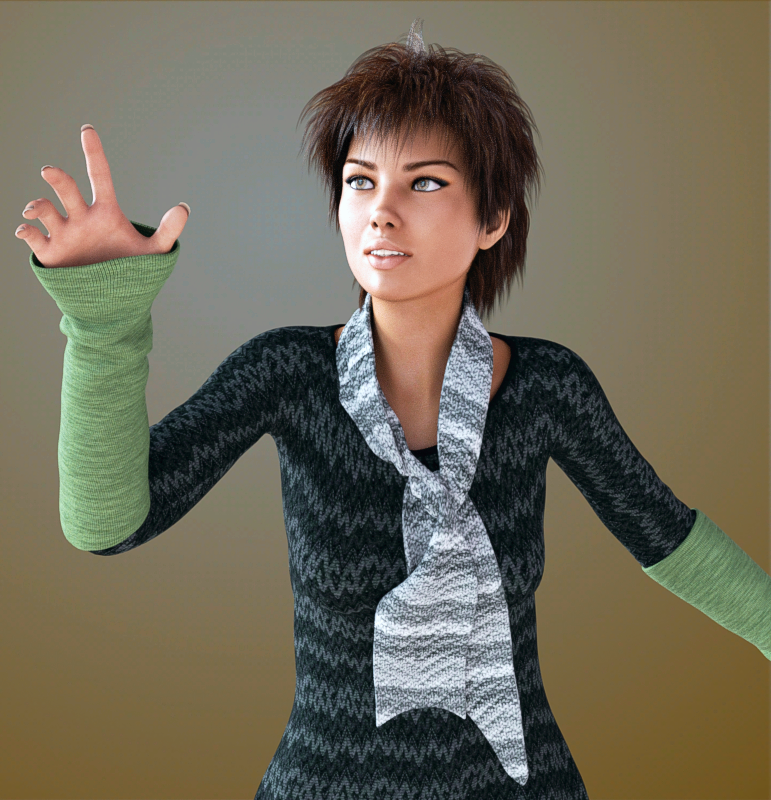
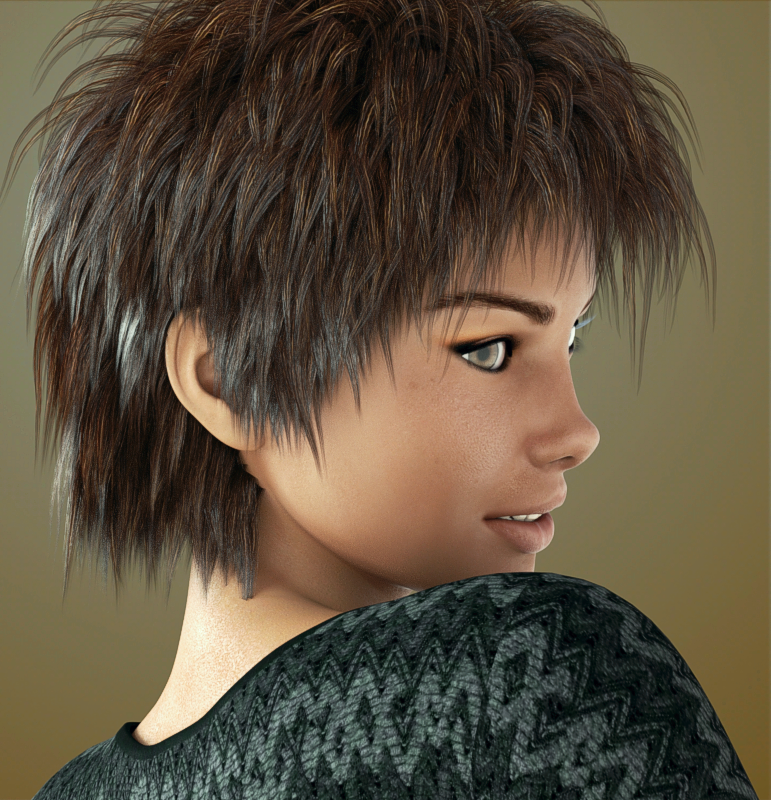
FWSA Grace for Victoria 7 Frosty Winter (Gen3F)
I wanted Grace because she has a different nose than most of the Gen3F, particularly from the side view. She's wearing Vidra Hair, which we've showcased many times. I am still looking, but the front morphs seem lacking, there's no way to tweak the front. It looks like a stiff bell, with the front raised up a bit. I went into Scene and broke it down all the way through the bones, I tried Parameters. I didn't find a good movement or morph for the front but they must be hiding somewhere.
Edit: nope, no good morphs for the front. It's got loosen sides, loosen this and that, but really not much else for any part of the shirt.
 Question about use of DAZ products for Demo Reel
The use of content to create 2D images and animations is permitted under the EULA - the only partial exception is the old Anne Marie Goddard Digital Clone for Victoria 3, which has additional restrictions noted on the product page. This would apply both to your show reel and to any work you did for clients, as long as it was only 2D imagery or animations that you supplied. Creating new content - real world or 3D - that directly copied the Daz store items would not be allowed, but if you had customised the content and if the content was more of an inspiration for a general look rather than a single clone source then it would be more likely to be acceptable.
Question about use of DAZ products for Demo ReelHello,
I am a Storyboarder and I was wondering if I can use my bought DAZ 3D Models for my Storyboard Demo Reel?
I have bought models like Michael 6 and Victoria 5. I also have bought things like Home One House, Room Creator Version 2, Mood Lights, Portrait Lights, and Fashion Lights.
I’ve been meaning to animate the DAZ 3D models and use my bought environments for 3D Previsualization in my Demo Reel.And if I were to work with a client, am I allowed to use DAZ3D products in my Storyboards to give them an idea on how their project would look? I would only use them in the pre-production Storyboarding Stage. Later, they would use their own made 3d models and environments. Or act out with real people.
Quickest way to change the color of a character's skin?I know I asked this when I first got here...
The last thing I did was switch the character's material...I think that's what I did. I believe now, I would go into the surfaces tab for all options like ears and face etc, and pick a different color OR pick someone else's texture (maps?) from a same-generation folder. Like to make a dark-skinned Victoria, use one of the variation character's....stuff(s). If you buy the demon michael, there must be somewhere in his settings where the skin goes from white to red. I know this is trivial for most of you experienced heads, but what's my best approach and why aren't there more products just based on changing skin color across (alien) ethnicities?

http://www.daz3d.com/fantasy-features-for-genesis-3-bundle
This fast grab item has a blue version promo'ed, but doesn't say wether or not that's one of your morph options.
The color is different in ALL of them. That should be a feature then....
Any ideas?
RRRR - It could be true - 5th anniversary contestPull #6
- Timeless Male Hair for Genesis
- Body Expressions for Genesis 3 Female and Victoria 7
- David 3 for Genesis
- WORN-TORN for the Genesis Supersuit
- Summer Dress for Genesis DS
Wow, 4 things for Genesis. How cohesive. Where are all the big environments and ... motorcycles?
Tag: barbult #6
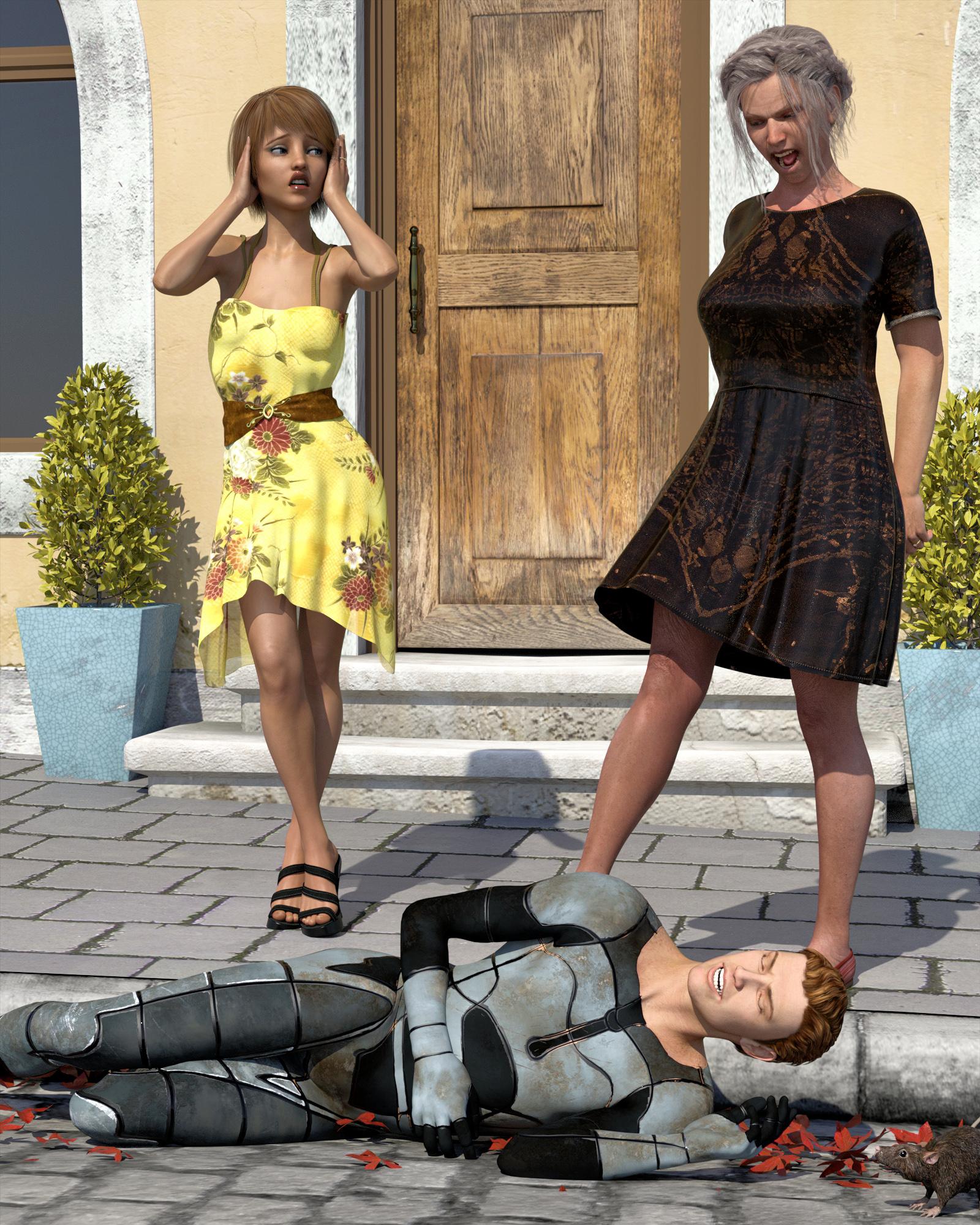
Woman Kicks Daughter's Fiancé to the Curb
Opal had enought of that scum her daughter was engaged to. She kicked him to the curb. "You can do better than that dirty lowlife, dear", she told her daughter.
 Genesis 3 AniBlocks?
Yeh, G3 doesn't have much in the way of animation. Here are a couple including walking:
http://www.daz3d.com/genesis-3-female-s-victoria-7-flat-foot-walk-aniblock
http://www.daz3d.com/ambient-moves-volume-1
Mixamo has hundreds of free g2 animations. Too bad they can't really be converted to g3. The conversion tools are less than perfect.
Legacies Beauties Question.http://www.daz3d.com/genesis-2-legacies-for-genesis-3-female-beauties
Ok so could a G3F Morphed for say Gia or Victoria 6 use clothing originally Developed for that Charactor (after AutoFit of Course)
Or is she still bound to base GF2, GF3 Clothing?
RRRR - It could be true - 5th anniversary contestPull #6
- Timeless Male Hair for Genesis
- Body Expressions for Genesis 3 Female and Victoria 7
- David 3 for Genesis
- WORN-TORN for the Genesis Supersuit
- Summer Dress for Genesis DS
Wow, 4 things for Genesis. How cohesive. Where are all the big environments and ... motorcycles?
GenX2 Update / Genesis 3 Add-On [Commercial]There are two folders Victoria 4 and Victoria 4 (Shape) because you used the according transfer target shapes. The shape defines which base morph you want to use to turn the target figure into the shape of the source. In general, the differences between transfer targets are rather subtle, because each base morph comes close to the original figure. However, there can be important differences in some regions, mainly the hand and feet. Try transferring nail length morphs and you will see, that they only work if you combine the correct base morph and target shape selection. But for many body or head morphs, the differences will be too subtle to be visible.
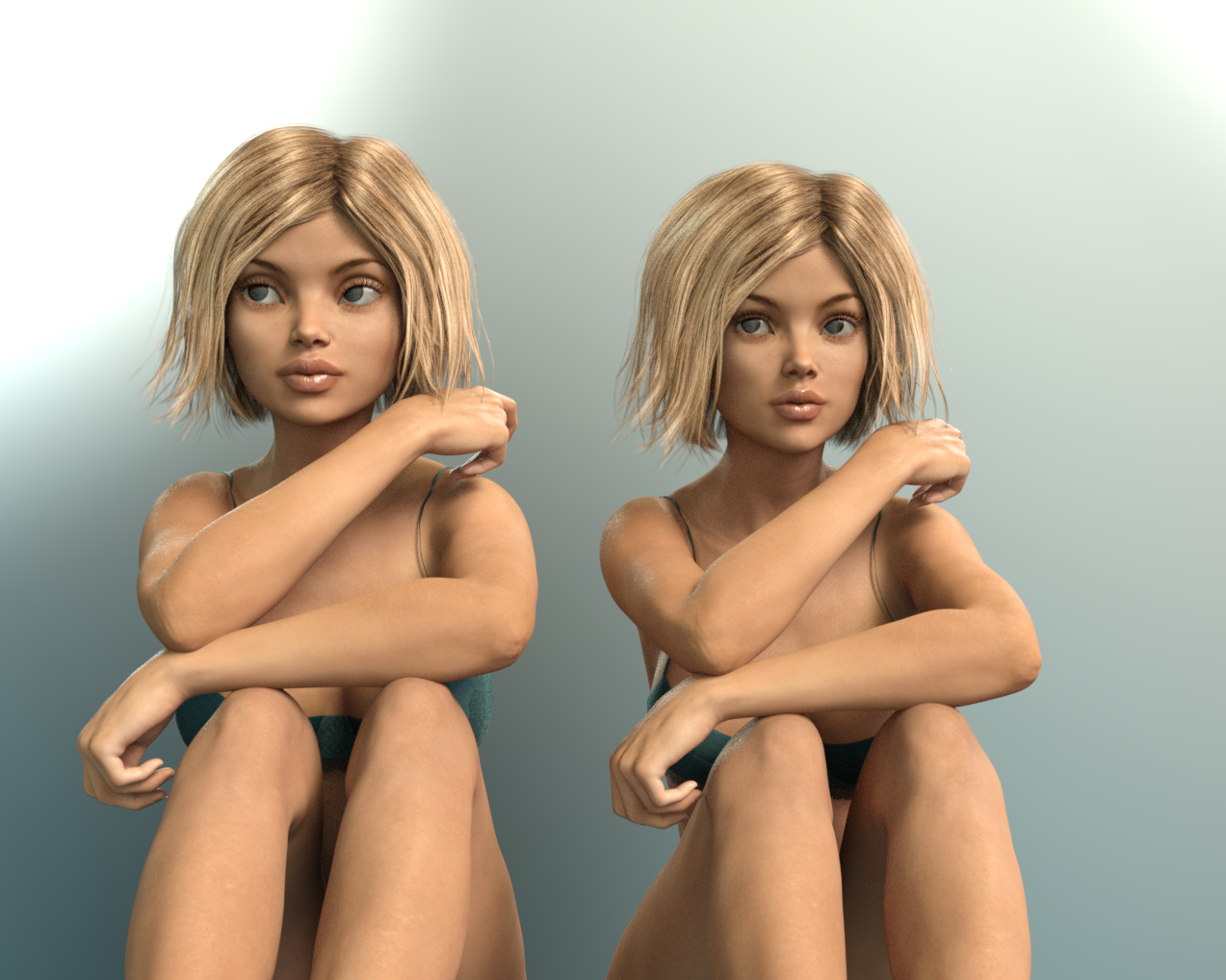
Mika Mika!OK. I've generated side by side comparisons of the Mika 'genetic' morph with a handful of other characters. They're all on a base of Victoria, mixed in at 50%; Mika is always the one on the right.
The Girl and Mika, in Vicky's skin:
Star and Mika, in Star's skin and with Star's eyes. No idea why Star is floating.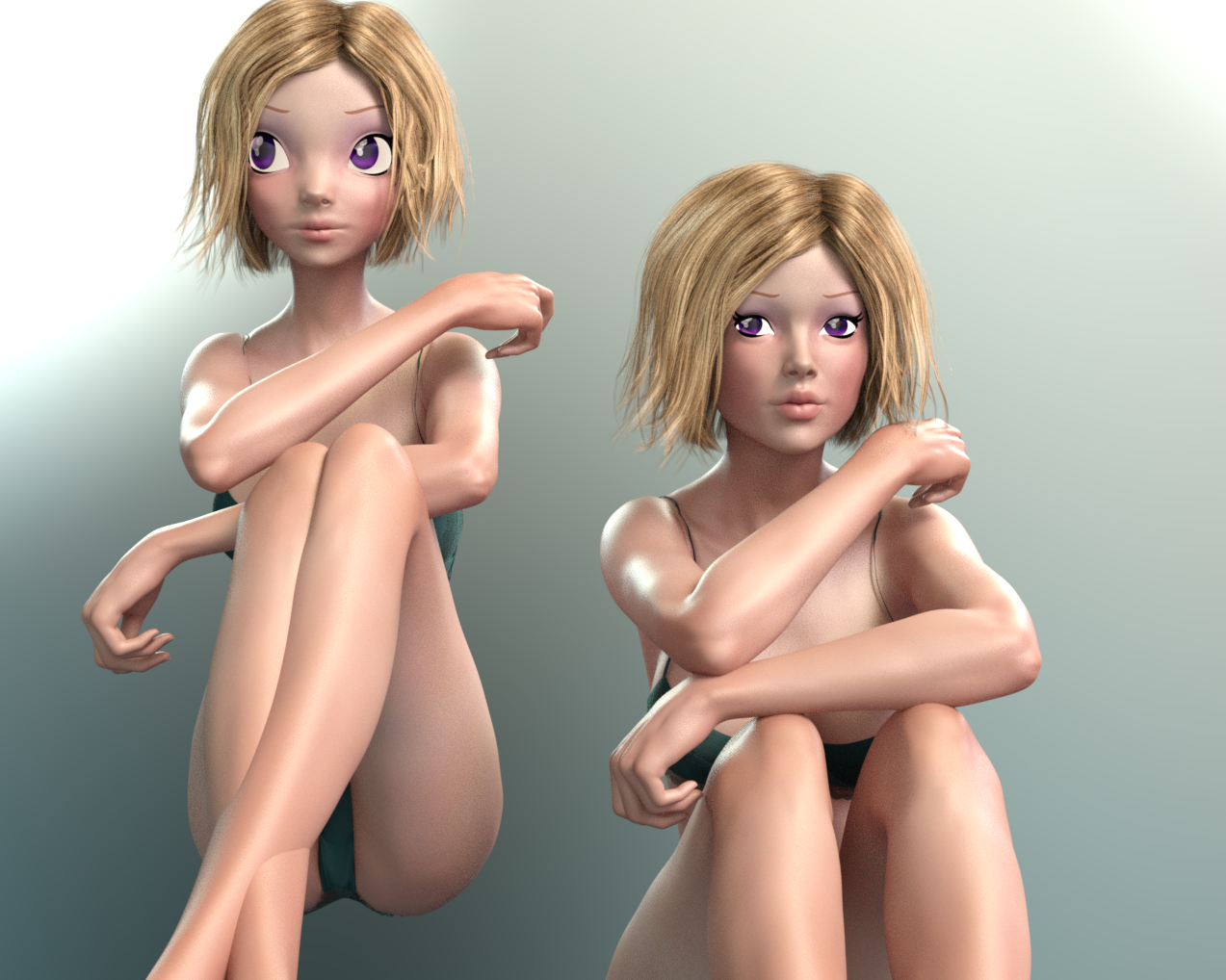
Aiko and Mika, in Mika's skin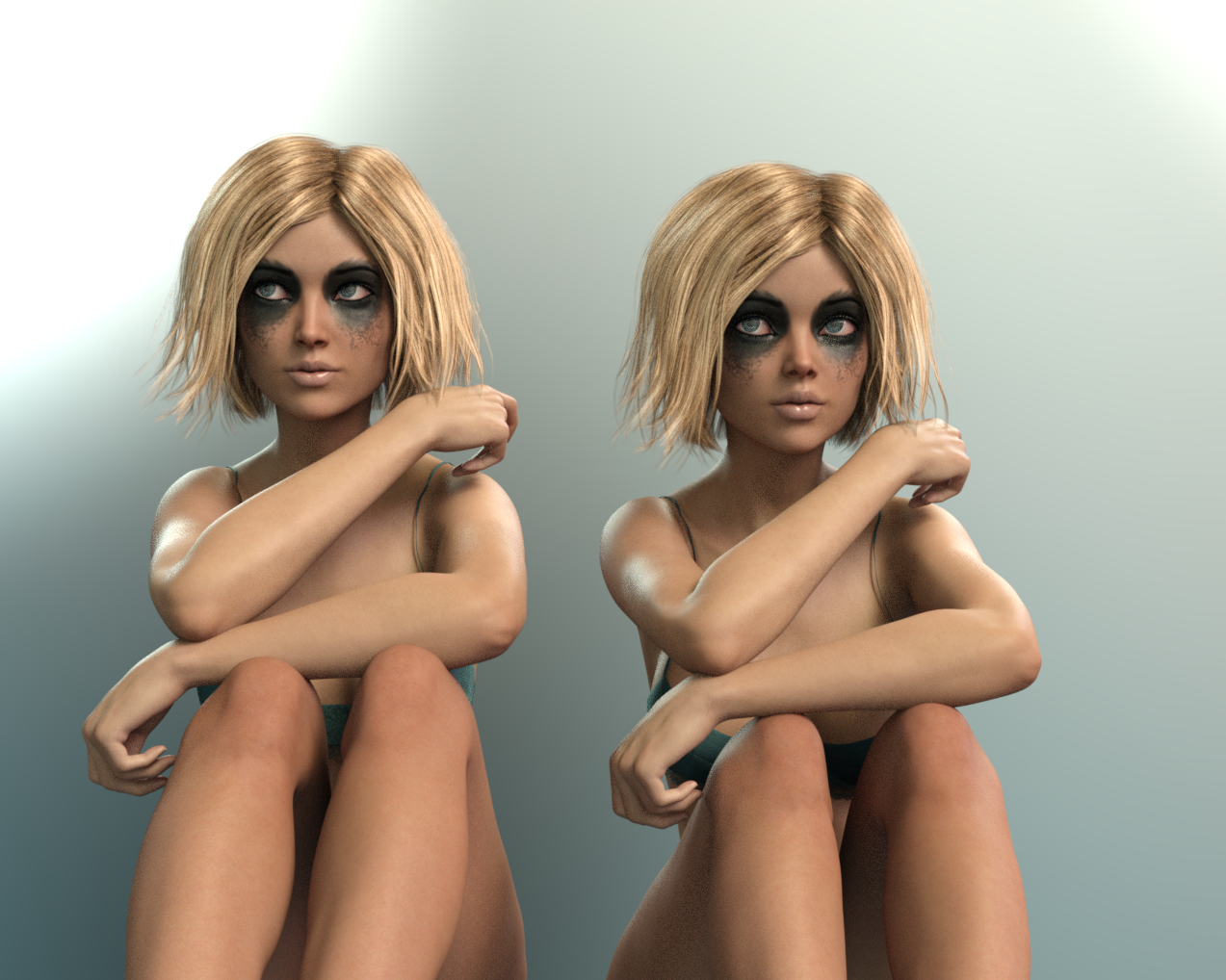
Izabella and Mika, in Sparkle's skin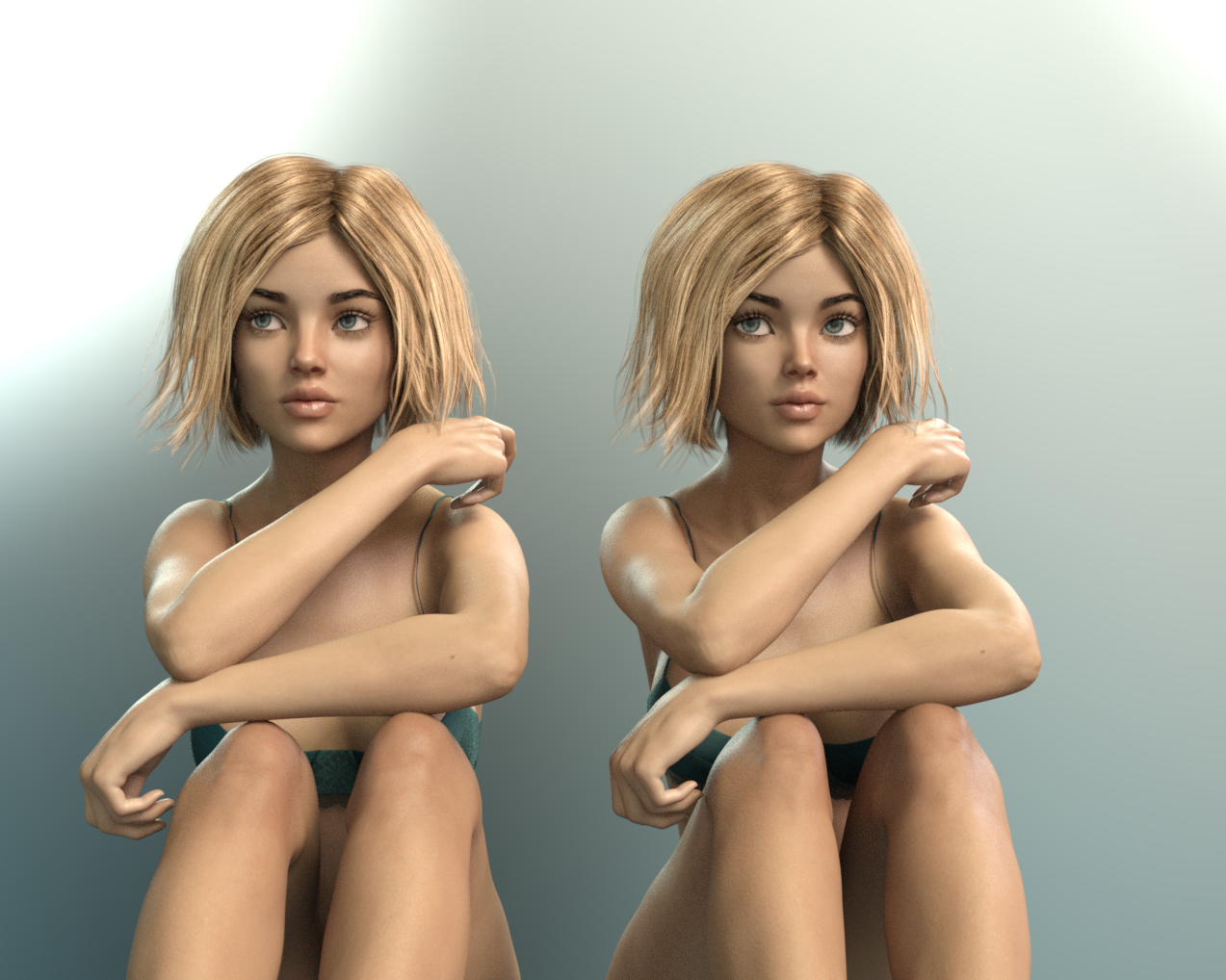
The recent Grutilda and Mika, in Grutilda's skin.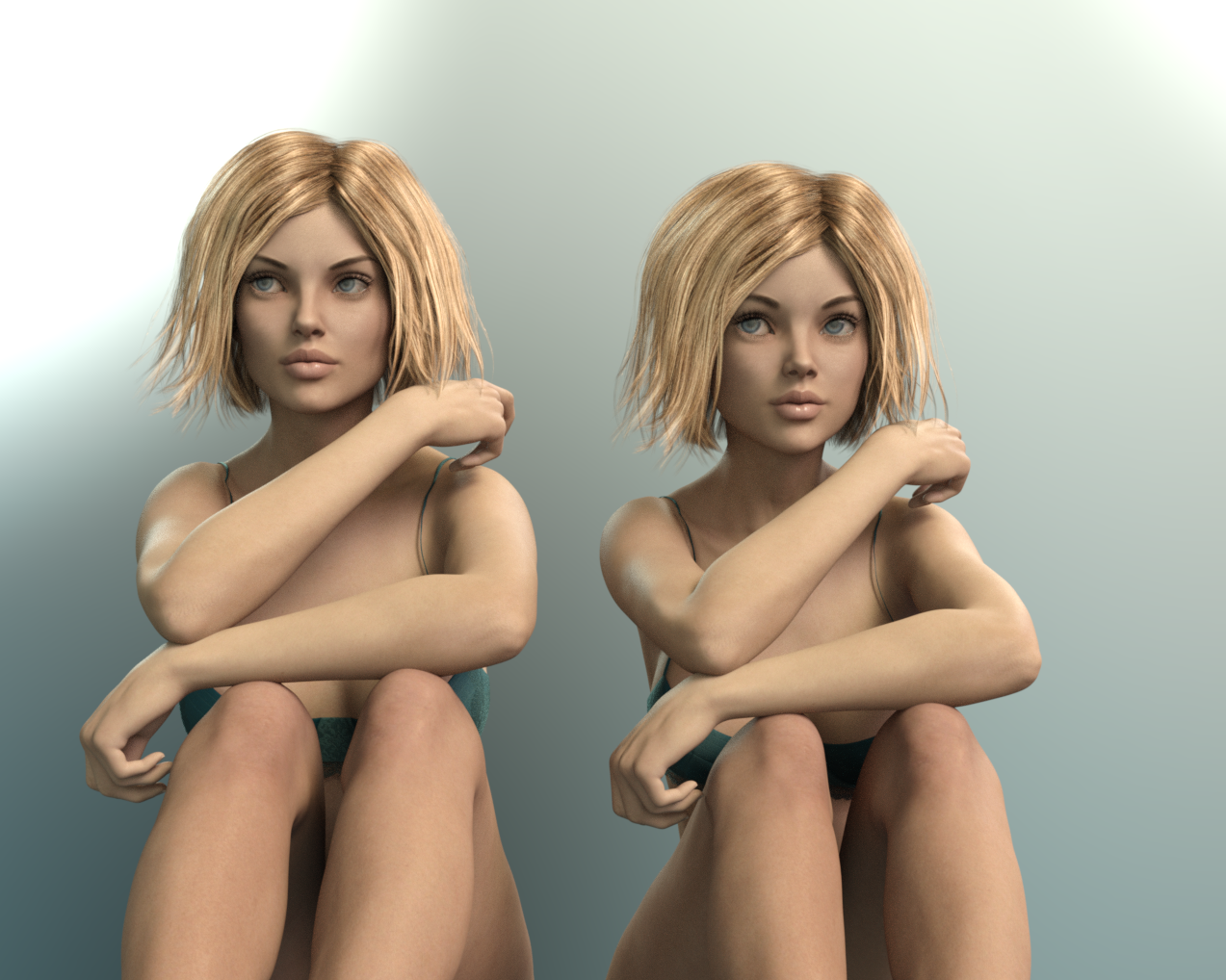
My conclusion is that while she's certainly not exotic, she has really good eyes. For my purposes, anyhow. And yeah, she looks like Izabella's younger sister.
(I don't have Sunny, alas.)I think if you took the Grutilda one and used Growing Up morphs to make her younger, they would look really similar!
Mika Mika!OK. I've generated side by side comparisons of the Mika 'genetic' morph with a handful of other characters. They're all on a base of Victoria, mixed in at 50%; Mika is always the one on the right.
The Girl and Mika, in Vicky's skin:
Star and Mika, in Star's skin and with Star's eyes. No idea why Star is floating.
Aiko and Mika, in Mika's skin
Izabella and Mika, in Sparkle's skin
The recent Grutilda and Mika, in Grutilda's skin.
My conclusion is that while she's certainly not exotic, she has really good eyes. For my purposes, anyhow. And yeah, she looks like Izabella's younger sister.
(I don't have Sunny, alas.)Daz 3D is part of

Connect
DAZ Productions, Inc.
7533 S Center View Ct #4664
West Jordan, UT 84084Licensing Agreement | Terms of Service | Privacy Policy | EULA
© 2026 Daz Productions Inc. All Rights Reserved.