-
Novica & Forum Members Tips & Product Reviews Pt 8
Here is an example of how the UltraGenesis presets differ if you don't have the required character morphs. I have also discovered that the product requires Genesis 3 Female Head Morphs, which are not listed on the product page.
This is Edith, which dials in some of Victoria 7 and some of Eva 7 as well as various morphs that I believe are from Genesis 3 Female Head Morphs.
This is Edith, without Victoria 7 or Eva 7. You can see that she looks quite a bit different, but not bad.
I bought the set for a song in the sale and this is my rendering of Gumdrop Granny. I don't have Eva or karen so I just dialed her in to a standard G3F. The skin is Ceridwen and that's Toulouse hair with UHT2 shaders.
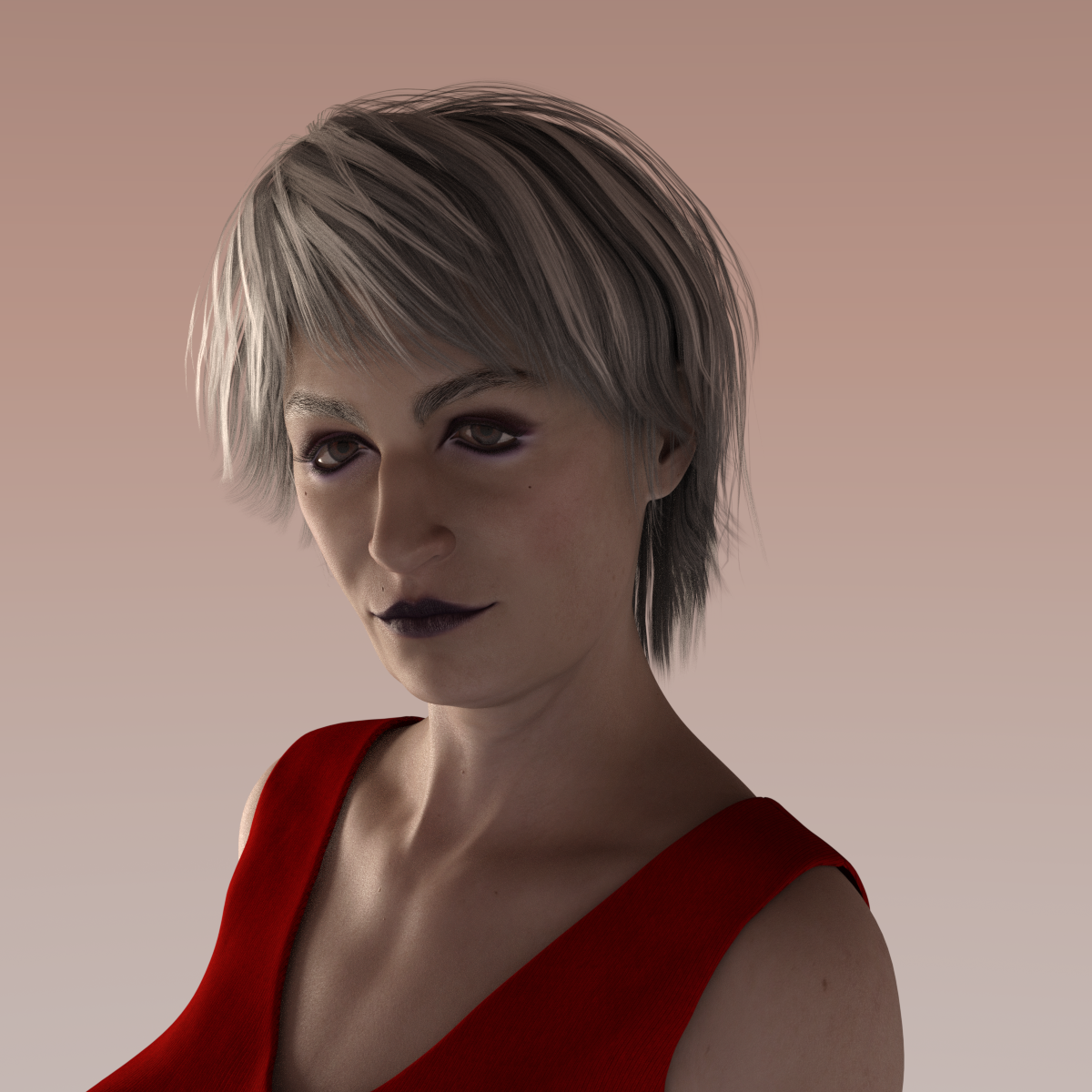
She looks pretty good even without the "required" character morphs. The only thing that looks a little off is her eyes. They seem to be very angled down toward the outer edges. Or is it just her makeup that gives that effect?
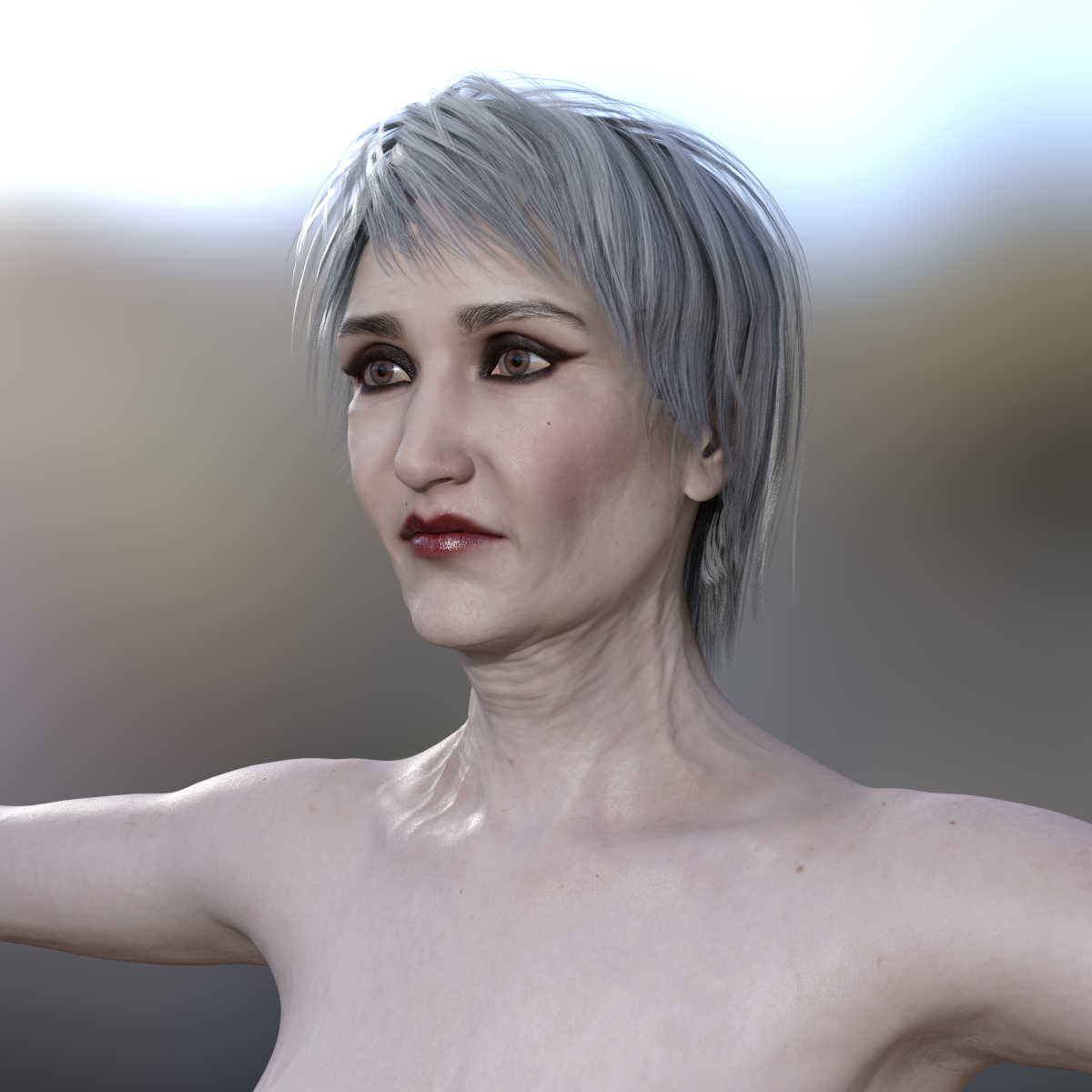
OK, I had another try with Gumdrop Granny. Fixed the eyes and added a little Zev0 magic appropriate for her age. No portrait lights this time, just a quickie render with the standard environment.
 Victoria 3 clothing for Genesis 3 model converter?
Hi guys, I wanted to know is there such a thing to convert Victoria 3 clothing for female genesis 3 model?
Thanks :)
Novica & Forum Members Tips & Product Reviews Pt 8Here is an example of how the UltraGenesis presets differ if you don't have the required character morphs. I have also discovered that the product requires Genesis 3 Female Head Morphs, which are not listed on the product page.
This is Edith, which dials in some of Victoria 7 and some of Eva 7 as well as various morphs that I believe are from Genesis 3 Female Head Morphs.
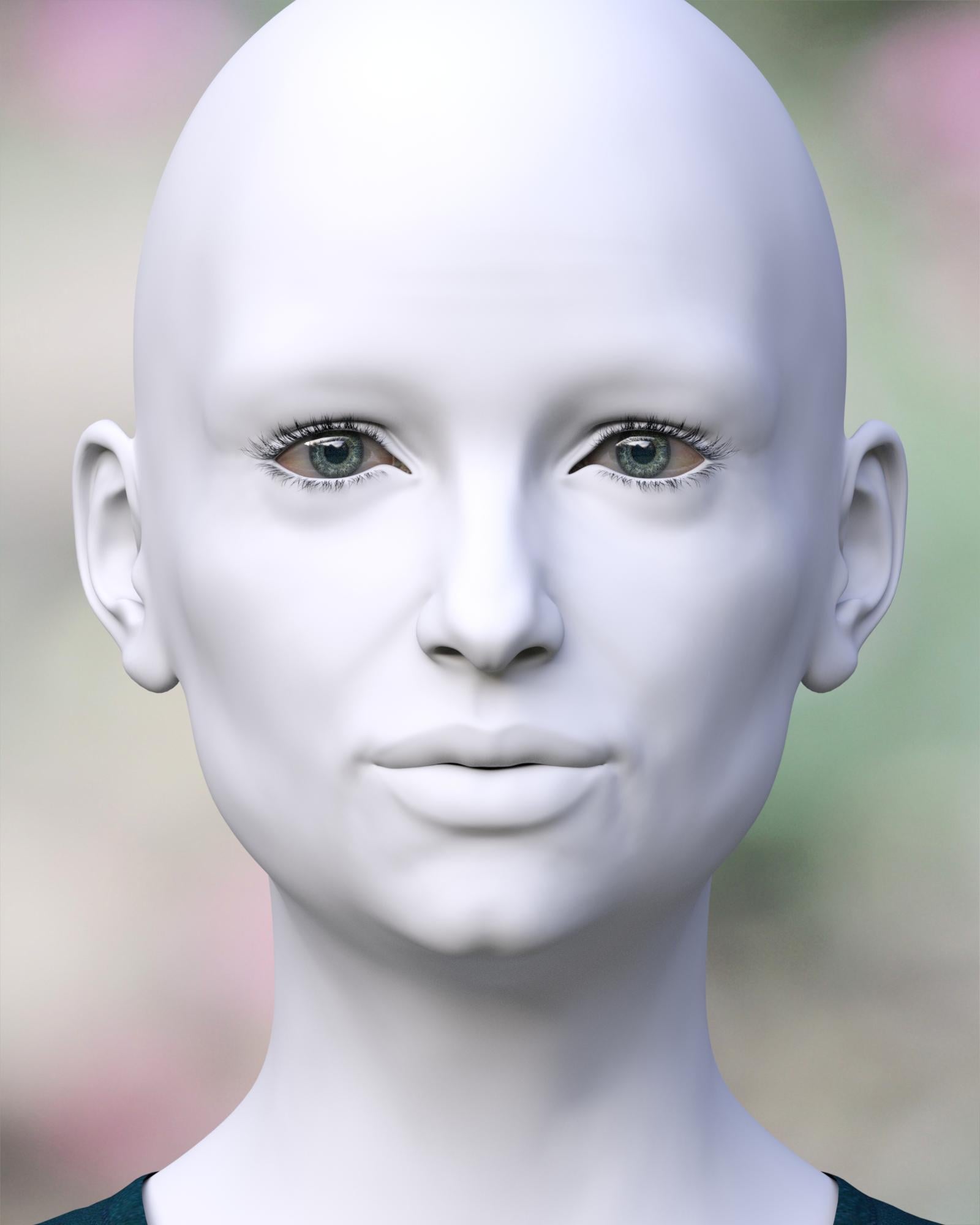
This is Edith, without Victoria 7 or Eva 7. You can see that she looks quite a bit different, but not bad.
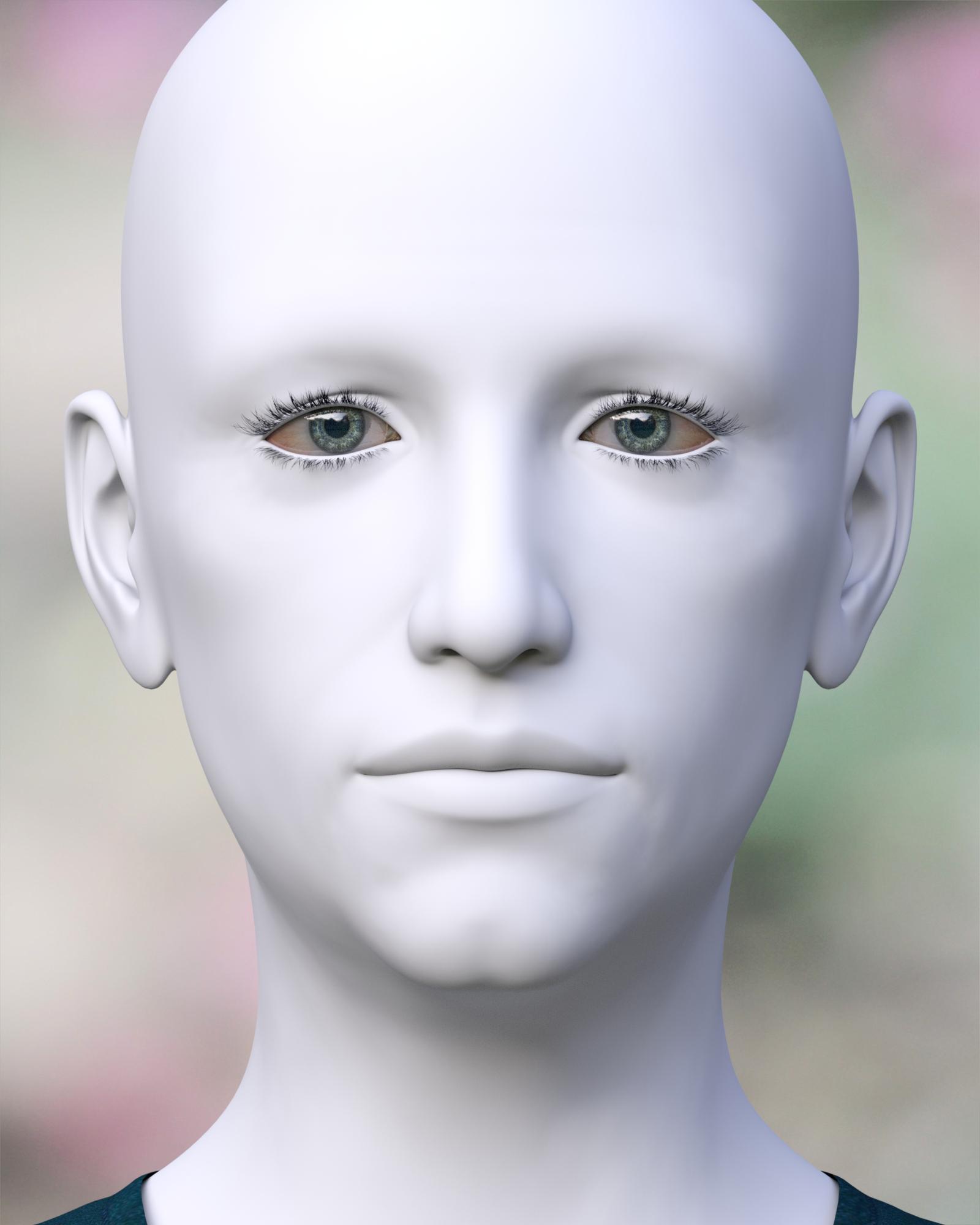
I bought the set for a song in the sale and this is my rendering of Gumdrop Granny. I don't have Eva or karen so I just dialed her in to a standard G3F. The skin is Ceridwen and that's Toulouse hair with UHT2 shaders.
She looks pretty good even without the "required" character morphs. The only thing that looks a little off is her eyes. They seem to be very angled down toward the outer edges. Or is it just her makeup that gives that effect?
Yes, I wasn't happy with the eyes either. They also seem a little crossed to me. I guess I could work on those bits though should I need to use her in a scene. I wish we had some more mature skins to select from though. I can add ageing morphs and a few veins but, apart from Opal, I don't have anything to suggest an older woman.
Novica & Forum Members Tips & Product Reviews Pt 8Here is an example of how the UltraGenesis presets differ if you don't have the required character morphs. I have also discovered that the product requires Genesis 3 Female Head Morphs, which are not listed on the product page.
This is Edith, which dials in some of Victoria 7 and some of Eva 7 as well as various morphs that I believe are from Genesis 3 Female Head Morphs.
This is Edith, without Victoria 7 or Eva 7. You can see that she looks quite a bit different, but not bad.
I bought the set for a song in the sale and this is my rendering of Gumdrop Granny. I don't have Eva or karen so I just dialed her in to a standard G3F. The skin is Ceridwen and that's Toulouse hair with UHT2 shaders.
She looks pretty good even without the "required" character morphs. The only thing that looks a little off is her eyes. They seem to be very angled down toward the outer edges. Or is it just her makeup that gives that effect?
Novica & Forum Members Tips & Product Reviews Pt 8Here is an example of how the UltraGenesis presets differ if you don't have the required character morphs. I have also discovered that the product requires Genesis 3 Female Head Morphs, which are not listed on the product page.
This is Edith, which dials in some of Victoria 7 and some of Eva 7 as well as various morphs that I believe are from Genesis 3 Female Head Morphs.
This is Edith, without Victoria 7 or Eva 7. You can see that she looks quite a bit different, but not bad.
I bought the set for a song in the sale and this is my rendering of Gumdrop Granny. I don't have Eva or karen so I just dialed her in to a standard G3F. The skin is Ceridwen and that's Toulouse hair with UHT2 shaders.
Victoria 42 Base -- file does not existWell, whem I go to C:\Users\Public\Documents\My DAZ 3D Library\ and look in the People folder, I see the folders for Genesis, Genesis 2 Female, Genesis 2 Male, Genesis 3 Female, Genesis 3 Male, Miachael 4, Stephanie 4, and Victoria 4. Upon going into the Genesis folder, I see folders for Characters, Clothing, Hair, Materials, Poses, and Props. Upon going into the Victoria 4 folder, I see a folder for Materials and one for Poses, no other folders.
edit: I *think* the items in the dir screengrabs might be the items with the exclamation points.... but shouldn't there be more stuff in there than what I'm seeng?
Need DIM helpAny uninstalled items should still show up - but a lot of older content is in Poser format (including Victoria 4 etc.) so the files you have isntalled are the Poser files, plus possibly some native presets for materials etc.
Yes, you can delete the zips and .dsx files from the Downloads folder - in fact there's an option to do so autimatically in the ready to Install tab. The Manifests folder is, however, needed or DIM will think nothing is installed.
Getting Going With Posting FreebiesI've recently been active on ShareCG, posting some freebies for people to enjoy. But as I was doing so, it completely slipped my mind that there was a forum here on Daz for people wanting to advertise their freebies. So now that I've been reminded of that fact, I figured that I'd take a moment to share with you all what I have available over on ShareCG.
First, I'll start off with some oldies I posted a while back. The first is a Green Lantern-style texture that I created for the old V4 Bodysuit. My very first attempt at creating such a texture. Hope there are at least a few people who like my Green Lantern for V4 texture.
Next, the second oldie was a bit more ambitous. It's a set of glasses with ice and straws, a pitcher, set of coasters, and a tray. It's an older item, but it should still be good for your renders. So please check out my Beverage Service Set.
Now let's move on to the much more recent items. This next item might appeal to fans of superheroes of the cosmic variety; the Silver Surfer's surfboard. So if you're interested, please give my Silver Surfboard a spin.
For those of you who are fans of bodybuilders of the female persuasion, I have the perfect set of poses for you. It's aimed at Victoria 6 because, well...I haven't fully upgraded to Genesis 3 figures yet. But still, I hope you'll at least look at Flex It for Victoria 6.
Finally, a small merchant resource for clothing sculptors. I've done a lot of hunting for starter meshes to make clothing with, and while I've found a good many, I've had abysmal luck in tracking down starter meshes for shoes and boots. So after stumbling upon a nifty tutorial on Youtube, I decided to make one. And I've now made it available for everyone out there. A set of footwear starter meshes for Genesis 2 and 3 figures, I hope you'll at least take a look at G2 & G3 Boot Bases.
I hope that at least some of you like my efforts. And if you do, please rate and comment on ShareCG. Let me know what you think. I would really appreciate the feedback.
No man today....They can always do a Scott 6 and put out a guy after Victoria 8 but before Michael 8.
I still wonder how much that impacted his sales, considering how many comments of "I'll pass and wait for M7" were made.
Victoria 42 Base -- file does not existI'd installed this ages ago, then mostly poked Daz with a stick occasionally. This was on Win7 64 Pro, but I've since updated the machine to Win10 64 Pro. I'd heard that sometimes updating to Win10 borks some, particular, previously-installed programs. I don't have any really strong memories of exactly how Daz was installed, but likely I installed it the usual unpack-the-archive-and-let-it-install-everything manner. My more recently bought content shows their respective thumbnail pictures, however. I'm only now really getting into working with Daz, though, and am working my way through a teach-yourself-Daz book which was written back when Daz still had a MyStuff tab instead of a Smart Content tab. It was when I got to the part that said "Okay, go load Victoria from the Library tab and add clothes..." stage that I noticed the above files-missing problem. Another oddity I noticed is, I have the default Genesis Man character loaded in scene, and I was following the instruction in the book on adding some clothes made for Genesis Male to it, selected from MyStuff (now Smart Content).... and the book telling me the loaded clothes should then adjust themselves to the slider adjustments made to the Genisis character.... only they don't. The clothes place themselves as if attached to the body, but if I move him around, the clothes don't move with him, and if I change the sliders in the figure -- say, make him fatter -- the clothes don't enlarge accordingly either, as if they're not tied to the character at all. I wonder if this is another aspect of what's gone borkified with my installed content.
No man today....They can always do a Scott 6 and put out a guy after Victoria 8 but before Michael 8.
Questions about v7 and m7I strongly agree with Jestmart. At the very least get the V7/M7 Starter bundles. It will pay off later when you see a character you really want and it is based off of one of them. Buying a character with a V7/M7 base without having the ACTUAL base is a bummer. As far as the anatomical elements go, you really have to ask yourself how much use you're going to get out of those bits. The Pro Bundles themselves are worth the money given that they come with extra characters/hair/clothing/poses. I bought my V7/M7 Pros when there was a big sale in Feb 2016 so it was a real steal! However, I find that I rarely have need for anatomical elements so they are just a bonus. It really all depends on what your plans are and how much money you have to spend. You'll always know the ones that come with adult parts because the product will say PRO Bundle. If it says STARTER Bundle or just Victoria 7(for instance) it won't.
And something else to keep in mind just in case you didn't know already, don't fall in love with a characters Promo Pictures. The first few I bought, I was devastated when I loaded them and they were bald and naked. You are only buying the character unless it's a bundle. That said, here is one last word of warning though since you're new...try not to become addicted!! lol It's hard but maybe you can figure out how. I am on my 2nd day in a row of NOT buying something from the store. But I will still be awake for 9 more hours, I have 3 items in my cart and my resolve could crumble. Have fun and don't be afraid to ask questions. Everyone is always pretty happy to help!
Pose ConverterI was talking about a pose converter that would convert poses to work with figures other than those in the Genesis line.
Which figures in particular? I'm not sure what other figures would be easily compatible with G3 and the others.
I don't know. Hiro? Aiko? Perhaps Michael or Victoria? I didn't think compatibility mattered if a converter could make it work.
Doesn't really answer my question, as there are several different versions of each character. However, there is a free pose converter that should help you as long as you're willing to fine tune the output.
Questions about v7 and m7Not all figures here are adult. It worth getting Victoria 7 and Michael 7 bundles when they are on sale. Quite a few characters use either their base shape as a starting point or use their UVs.
Pose ConverterI was talking about a pose converter that would convert poses to work with figures other than those in the Genesis line.
Which figures in particular? I'm not sure what other figures would be easily compatible with G3 and the others.
I don't know. Hiro? Aiko? Perhaps Michael or Victoria? I didn't think compatibility mattered if a converter could make it work.
Victoria 42 Base -- file does not existOkay, I've run into a problem. I've opened up Content Library and looked under V to find the Victoria character, and I see Victoria 42 Base listed there, when I click on that, I see a bunch of squares, each of them having a picture-frame symbol containing a triangle with an exclamation point in it. If I click on one of these squares, I get asked if I want to save changes to the current scene (and I tell it No), and then it pops up a dialog box saying Resource Error, Could not open file : File does not exist.
I have seen a lot of other content on my Daz Studio Pro showing that same picture frame with triangle-exclamationpoint symbol.
What is going on here, and what do I do about it?
Novica & Forum Members Tips & Product Reviews Pt 8Ok, my very first purchases were on 9/9/2006 and all were free. There are 5 separate orders on that day - i have no idea why I did them separately.
- DAZ Studio Beta
- Garden Deluxe Pt 2
- Bryce 5 (and never ever used)
- Aiko 3 base
- Victoria 3 & Micheal 3 base
Then my first 'paid' orders on 11/09/2006 (11th Sept)
Tisa's Weekend Adventure for V3 $2.50
12/09/2006
Victoria 3 Head & Body Morphs $29.95 (whoa! that's expensive! ha ha...I remember I borrowed my mother's credit card for that, as I didn't have on or a debit card back then)
13/09/2006
- Lynara for V3
- The Knight Errant for M3
- V3 Day at the Beach
- Marako
- Xiu
Total $10.30
14/09/2006
Fun in the Sand Free
Then from the 20/09/2006 to 23/01/2007 orders that were ALL free. The early days of my orders there are a LOT of free ones. LOL. My first purchase of the PC membership was May 17 2007 and it was all over then. LOL. That's when the real buying started in earnest.
I started with Victoria 3 - I look at her now and shudder. Those elbows!! Her bends! Holy cow.
Novica & Forum Members Tips & Product Reviews Pt 8My first 3 orders:
- May 19, 2001 Victoria 2.0 SKU 83 $49.95
- August 9, 2001 Millenium Girls SKU 366 $19.99
- August 10, 2001 Millenium Girls Clothing Pak 1 SKU 369 $16.22
Novica & Forum Members Tips & Product Reviews Pt 8First order (March 13, 2005) Didn't get any spectacular deals unfortunately

Millennium Dragon Textures
Multi-Sword Pack
M3 High Fantasy Character & Clothing Bundle
V3 High Fantasy Character & Clothing Bundle
Millennium Horse Bundle
Feline Discovery Poses
Michael 3.0 Base
Victoria 3.0 Head & Body Morphs
Millennium Dragon
V3 Morphing Fantasy Dress
Millennium Horse Unicorn
Millennium Dragon Poses
Dragon Skeleton (Articulate Vertebrae)
Michael 3.0 Head & Body Morphs
Victoria 3.0 BaseSecond order:
Millennium Cat BundleThird order:
Unicorn Horns
Millennium Dragon 2.0 Upgrade
Millennium Dragon 2 TexturesNovica & Forum Members Tips & Product Reviews Pt 8One order had 23 things and several bundles, the cost averaged out to 3.27 per item. There were large sets in addition to the bundles. The rest was characters, no hair. Another order had 15 things and averaged 2.89 and it was mostly Genesis and K4 (keep in mind this was years ago, they were the figures in use.) Funny to see all the Unimesh products, I had forgotten about those.
So this has been discussed elsewhere, but I'm curious. What was in your first order? Actually, your first three?
Leaving out the common ones like Decimator, Hexagon, Bryce, etc that were free at the time, here's mine:
The first order was: (Please give date, this is fun! Sept 10, 2012)
Aiko 3 Base Anime Girl
EmotiGuy
Millennium Dog
Millennium Horse
Millennium CatSecond order:
The Medieval series- the Tavern, Market, Shop, Docks
LeVillage
Predatron trees galore. I got all the Pred Packs.
And one of my favorite sets of all time Opus Magnum.
Willow Spring
Ancient PropheciesThird order:
Victoria 5 Pro Bundle
Full and Feathered Hair for Genesis
Pharoahs of the Sun for Genesis Female
Classic Rolled Hair for Genesis
Astral for GIS
Pajamas for Genesis
and more hair/outfits- all Genesis.So what are the highlights of your first three orders?
OMG, November 2004! And I remember I actually paid a lot for those Millenium Girl, I asked my mother for money for them as part of an early Christmas gift LOL. And I did have to pay for Bryce which is not even usable on a Mac anymore, Hexagon was cheap, like $4.00, and still have not used it, and Decimator was not free and I still don't have it.
Daz 3D is part of

Connect
DAZ Productions, Inc.
7533 S Center View Ct #4664
West Jordan, UT 84084Licensing Agreement | Terms of Service | Privacy Policy | EULA
© 2026 Daz Productions Inc. All Rights Reserved.