-
Let's appreciate/discuss today's new releases - more ongoinger thread
I picked up the new bundles today and have been very impressed with them. The cell shading style works with other assets and it's great to have a different style. The anime morphs are well done and can be used with other models, even Face Transfers.
The best part? Because you need to render the filament style in your active viewport, the renders are instant!
Question regarding updates in DIM and DS 4.23You can install the latest essentials and default resources, the only thing is that you won't be able to use the new filament options without 4.23 if I understood it correctly.
With the essentials and defualt updates you have more morphs and shapes and other things you can use with 4.22
Anime Toons and Filatoon Shader Q&Ajoanna said:
Shimrian said:
I don't have Filament in my Shaders in Smart Content. I'm using the lastest Daz Studio 4.23 public build (beta). I do have the new Base Anime figures in the G9 Starter Essentials.
Did you check the shaders section of the smart content? They are there for me, in the Daz Default resources section. They do not appear when you try to search for them, only when you manually navigate to them.
Edit: Maybe try reinstalling Default Resourcer then?
That did it! I uninstalled Default Resources for DAZ studio 4.23+ and reinstalled them. The shaders are there now!
Anime Toons and Filatoon Shader Q&AShimrian said:
I don't have Filament in my Shaders in Smart Content. I'm using the lastest Daz Studio 4.23 public build (beta). I do have the new Base Anime figures in the G9 Starter Essentials.
"Filatoon"
I never use Smart Content pane, so I'm of no help there. But they're under:
Shader Presets > Filatoon
Inside Filatoon are various other presets we can use!
Anime Toons and Filatoon Shader Q&AShimrian said:
I don't have Filament in my Shaders in Smart Content. I'm using the lastest Daz Studio 4.23 public build (beta). I do have the new Base Anime figures in the G9 Starter Essentials.
Did you check the shaders section of the smart content? They are there for me, in the Daz Default resources section. They do not appear when you try to search for them, only when you manually navigate to them.
Edit: Maybe try reinstalling Default Resourcer then?
FilaToon / Cell shaded rendering with FilamentDid you see the new Filament Options?
FilaToon / Cell shaded rendering with FilamentDartanbeck said:
Torquinox said:
The Tom shade gives a good reason to take a look at filament. I like the idea of filament, especially its speed. Would be nice if it could be more all around capable, not trip on little things like transparency.
Something cool that I've discovered -
When I convert things like Rosie 8.24 to FilaToon, I deselect anything that's supposed to remain transparent - like the cornea and eye moisture, then convert.
I still get my overall Toon outline
If clothing looks best with a touch of translucency, etc., I don't convert it.
Turns out pretty darned nice!
Cool! Translucency is another kettle of fish - That involves subsurface scattering and becomes too render-intensive for something that's supposed to work in real time. I'd be very happy if Filament could handle mundane opacity maps. Filament doesn't know what to do with those! At least that's my observation. And I like opacity maps. But hey, a decent filament-based toon shader is a very nice bonus for DS.
Anime Toons and Filatoon Shader Q&AI don't have Filament in my Shaders in Smart Content. I'm using the lastest Daz Studio 4.23 public build (beta). I do have the new Base Anime figures in the G9 Starter Essentials.
Anime Toons and Filatoon Shader Q&Aesha said:
Here are some experiments:
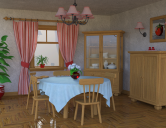
This is my Toon Dining Room (https://www.daz3d.com/toon-dining-room) with its default Iray shaders:
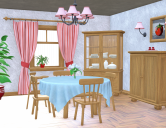
The same scene rendered in Filament:
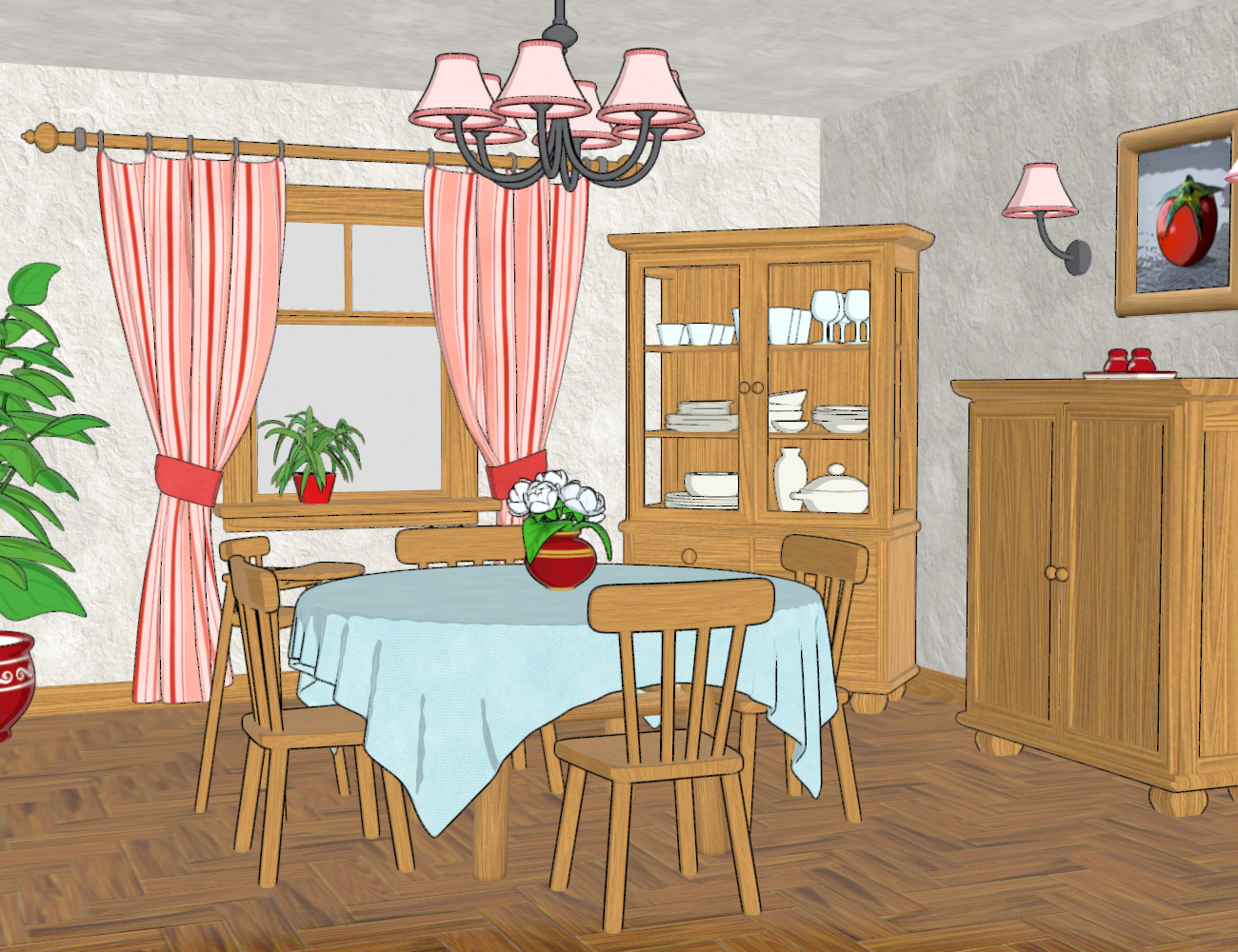
And here rendered in Filament, with the Toon Shader and Outlines applied but without major tweaks:
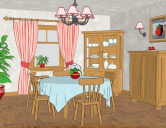
This is pretty much out of the box.
I only switched off the outline for the glass parts in the window and the cupboard doors because those went completely black. I also set the outline offset to 0.5 (default is 0.1 which was barely noticeable).
As you can see, it still needs a little more work; I'd need to play with the ambient and rim settings and tweak the lighting to get a better result. I should also move the furniture up a little so the outline shows at the bottom, too.
I'd also need a different wood texture, I think, for a more toonish look.But as it is, it gives decent results out of the box, a solid starting point for further tweaks.

This is Fantastic, Esha!!! Very nice!
 Anime Toons and Filatoon Shader Q&A
Ok, found them. In smart content, Shaders > Filament > Toon. Hopefully that helps everyone get to where they are in whatever content manager they use inside of Daz. They're bundled under the Daz Default Resources product.
Anime Toons and Filatoon Shader Q&AHere are some experiments:
This is my Toon Dining Room (https://www.daz3d.com/toon-dining-room) with its default Iray shaders:
The same scene rendered in Filament:
And here rendered in Filament, with the Toon Shader and Outlines applied but without major tweaks:
This is pretty much out of the box.
I only switched off the outline for the glass parts in the window and the cupboard doors because those went completely black. I also set the outline offset to 0.5 (default is 0.1 which was barely noticeable).
As you can see, it still needs a little more work; I'd need to play with the ambient and rim settings and tweak the lighting to get a better result. I should also move the furniture up a little so the outline shows at the bottom, too.
I'd also need a different wood texture, I think, for a more toonish look.But as it is, it gives decent results out of the box, a solid starting point for further tweaks.
FilaToon / Cell shaded rendering with FilamentUmi no Senshi no Ishi said:
thank you Dartanbeck. I'll check out your video when i get home. I'm stuck waiting to get my car worked on on my day off and of course I'm itching to play with this.
I'm also thinking this might be a fun way to get Daz characters into CA5 by reallusion for animating in 2D.
You could try - but I'm wondering why - aside from having the CA5 animtion tools.
Filament in Daz Studio is Fantastic for this. Try it out before getting too huge of a headache trying to make this Daz Studio Optimized system work in something else.
But that's just my two-cents. I mean, hey... if it works... Ultra Cool, right?!!!
Hair makes my Animations lagThere is an eye icon in the Scene tree - find the hair and hide it. The goal is to get he major animation work done without the lag, right?
Once that is done, then unhide the hair, do whatever animation you need on the hair (if needed), then render. If your hair is complex, playback of the animation will be slow. Rendering should not be an issue. Are you using Iray or Filament?
FilaToon / Cell shaded rendering with FilamentHere's the thing - Daz 3D developers have given us a Lot more to work with in the Filament Draw Options as well as this ingenius new shader and figures setup.
For a real Anime/Toon/Manga look, I find it best to start with the Toon presets - like Base Anime Male or Female, Vicky 9, etc., and work out the changes from there.
The Anime Anatomy pieces that were skillfully developed for them really make the whole thing work Very VERY well. Those freaking Eyes!!!! :)
That said, seeing how it all works, converting our favorite actors from any generation will not only be a fairly simple process - but it's an Amazing amount of fun!
Just remember that we have a "Save" option and a "Save As" option. Swapping to entirely new things does come with its whole learning curve and we're bound to try things that just don't work to our liking.
Load the last favorite save or start over - this system is Hugely Powerful!!!
We can go Waaaaay beyond just Anime/Manga with this. We can make comic characters, props and envirnoments in a multitude of styles.
Oh... and if your stuff has any illumination... don't forget to scroll to the bottom of the Filament Draw Options settings to find the Bloom slider!
FilaToon / Cell shaded rendering with FilamentI'm an absolute newb when it comes to filament.
But I tried anyway to adapt some of the postwork techniques I use for my typical comic work.
Also, I wanted to see what a converted G9 toon would like compared to Vicky 9.
The first one is the plain Filament render the second one is my first shots in Ps with it.
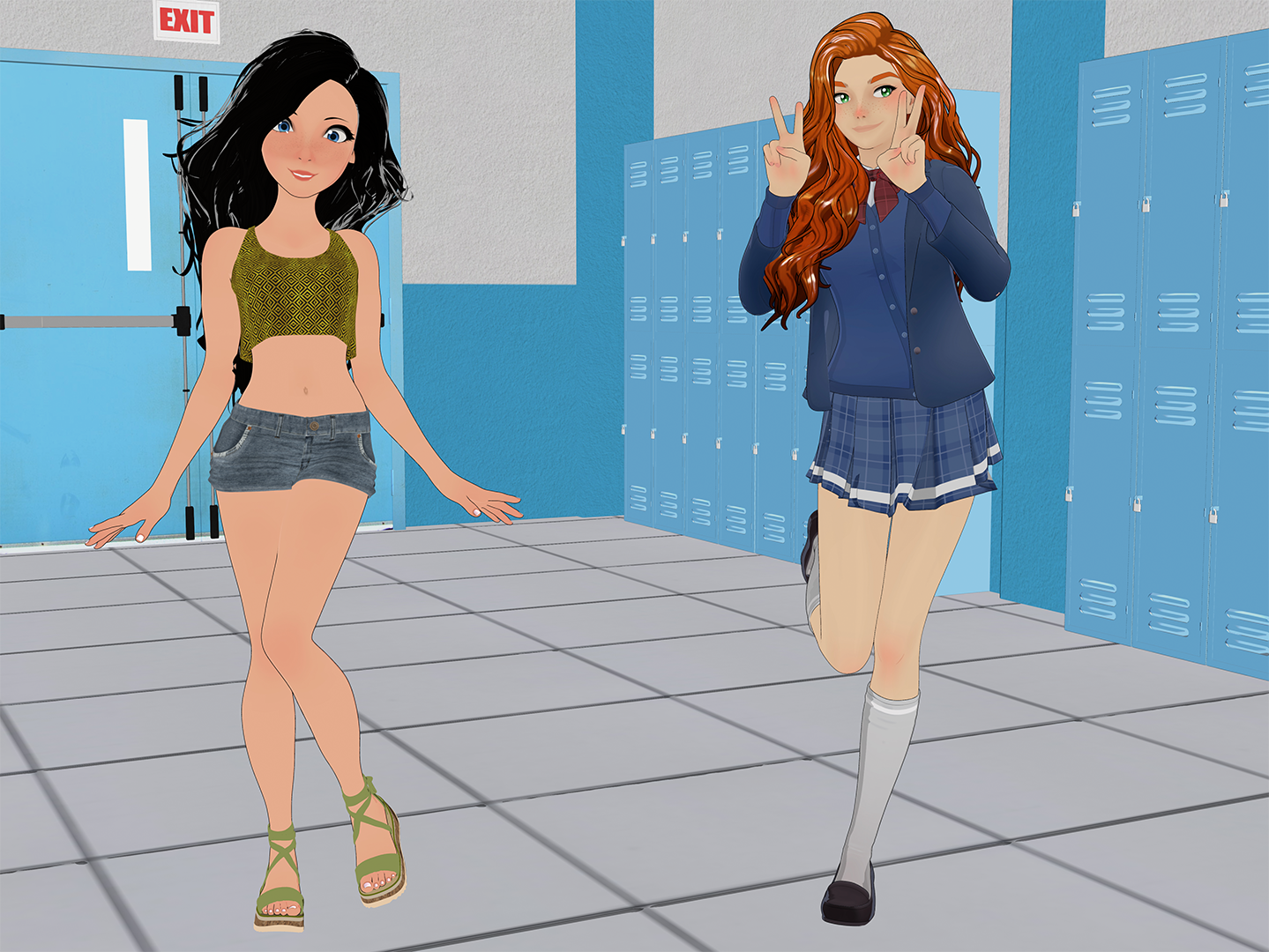
 Anime Toons and Filatoon Shader Q&A
I'm excited for this. I liked using Filament before, except for the hair problems. I would set the opacity maps for hair on none, and the hair would render, but then you'd have semi-realistic skin textures with blocky, cartoon-looking hair.
FilaToon / Cell shaded rendering with FilamentTorquinox said:
The Tom shade gives a good reason to take a look at filament. I like the idea of filament, especially its speed. Would be nice if it could be more all around capable, not trip on little things like transparency.
Something cool that I've discovered -
When I convert things like Rosie 8.24 to FilaToon, I deselect anything that's supposed to remain transparent - like the cornea and eye moisture, then convert.
I still get my overall Toon outline
If clothing looks best with a touch of translucency, etc., I don't convert it.
Turns out pretty darned nice!
FilaToon / Cell shaded rendering with FilamentUmi no Senshi no Ishi said:
This looks great. Can't wait to try it. Ironicallly i was playing with the iray toon render using canvases yesterday after discovering it existed.
Question, as i've never played with filament. Does it have a canvas type function like iray? I'm guessing not.
What I'm thinkin is it might look cool to use this shader then use an AO render from the toon iray to add some depth and layer them in PS.
Anyone have any feedback?
It may not have those options, but since it renders straight from the viewport, it would work Great for what you want to do!
An example being all of the sweet new options in the Filament Draw Options settings. There's a LOT in there.
Make a preset for yourself for each of the different passes you'd like to run - so that any (Any) scene you want to run in this way, just load, get it all set up, then apply This preset (Filament Draw Options) and run that pass - load That preset and run that, and so on.
In my video you'll see that I've converted entire environments.
Running various 'passes' using different settings would be an absolutle Blast to play with!
I do animation work, so I use Fusion instead of PhotoShop, but the principles behind it are exactly the same.
FilaToon / Cell shaded rendering with FilamentThis looks great. Can't wait to try it. Ironicallly i was playing with the iray toon render using canvases yesterday after discovering it existed.
Question, as i've never played with filament. Does it have a canvas type function like iray? I'm guessing not.
What I'm thinkin is it might look cool to use this shader then use an AO render from the toon iray to add some depth and layer them in PS.
Anyone have any feedback?
FilaToon / Cell shaded rendering with FilamentThe Tom shade gives a good reason to take a look at filament. I like the idea of filament, especially its speed. Would be nice if it could be more all around capable, not trip on little things like transparency.
Daz 3D is part of

Connect
DAZ Productions, Inc.
7533 S Center View Ct #4664
West Jordan, UT 84084Licensing Agreement | Terms of Service | Privacy Policy | EULA
© 2026 Daz Productions Inc. All Rights Reserved.