-
Gen8 Poses on Gen9?
With enough research and patience (and trial/error experimentation) we can make our own clothing convertors, which work with both Auto-Fit and Transfer Utility.
I'm totally Jazzed about Genesis 9! Doesn't mean we need to abandon anything. I still use some pretty early generations still.
Genesis 1 blew me away with how much could be done with it. It wasn't perfect, but it's still awesome to this day.
Genesis 2 through 8 made leaping advances, and 9 is no different.
I think I'm going to love the FACS on dials!
Just the Free Essentials pack (all I have so far, but that'll soon change, I think) comes with a really nice setup! Free!!!
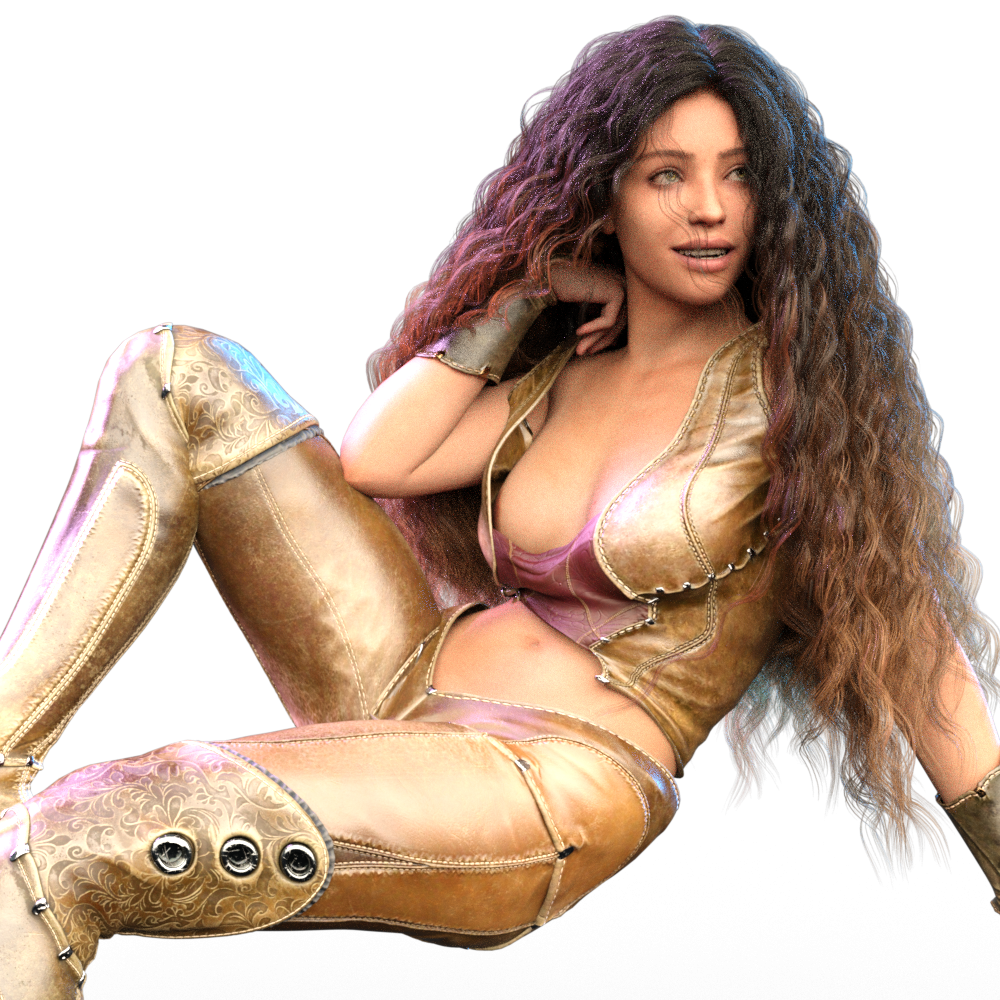 Genesis 9 Character Essentials - Woman figure not included ?!?
stefanocalcetto said:
BeeMKay said:
The figure is an in-beteween between the male and female shape. Go to the shaping tab, there should be a slider for the male/female morph.
A SLIDER????? The difference between men and women is a slider?????
I'm a man not a SLIDER!!!!!
Please remember, you only speak for yourself.
Genesis 9 Character Essentials - Woman figure not included ?!?stefanocalcetto said:
BeeMKay said:
The figure is an in-beteween between the male and female shape. Go to the shaping tab, there should be a slider for the male/female morph.
A SLIDER????? The difference between men and women is a slider?????
I'm a man not a SLIDER!!!!!
Biologically, there is one chromosome that is different between males and females, so think of the sliders as those chromosomes.
 Ok, So this is Gen 9
Wonderland said:
I tested just G9 without V9 and am frustrated without morphs and expressions yet but played with what there was, mostly just assymetry morphs and pose controls for face. The first two are the same character one with female skin/morph, the other male with male skin but the same character, interesting..The second was using hair for V8 which loads sideways and you have to conform the hair as a full body suit (no option for hair) and it loses all its bones.You can't even load it so it's upright so you can manually adjust it with XYZ and parent! Also the worst thing are there is no lip or iris surfaces so you can't adjust colors or gloss to lips or irises which is something I do on most renders! I like most everything else about it and when there are morphs/expressions it will be much better but the lack of separate facial surfaces kills it for me. Hoping PAs come up with ways to fix these issues! My use of G9 will be very limited unless these things are addressed!
I changed the texture of the hair which looked too dark and dry to me but the skin textures are default. and use the default HIDRI that looks much better on G8 than on G9. Will definitely have to use different lighting but I was still using DS4.14 beta before this which I hope still works!


Quick partial render with default HDRI with more extreme tone mapping settings.It drives me crazy that I can't add gloss or color to lips! This really kills it for me!
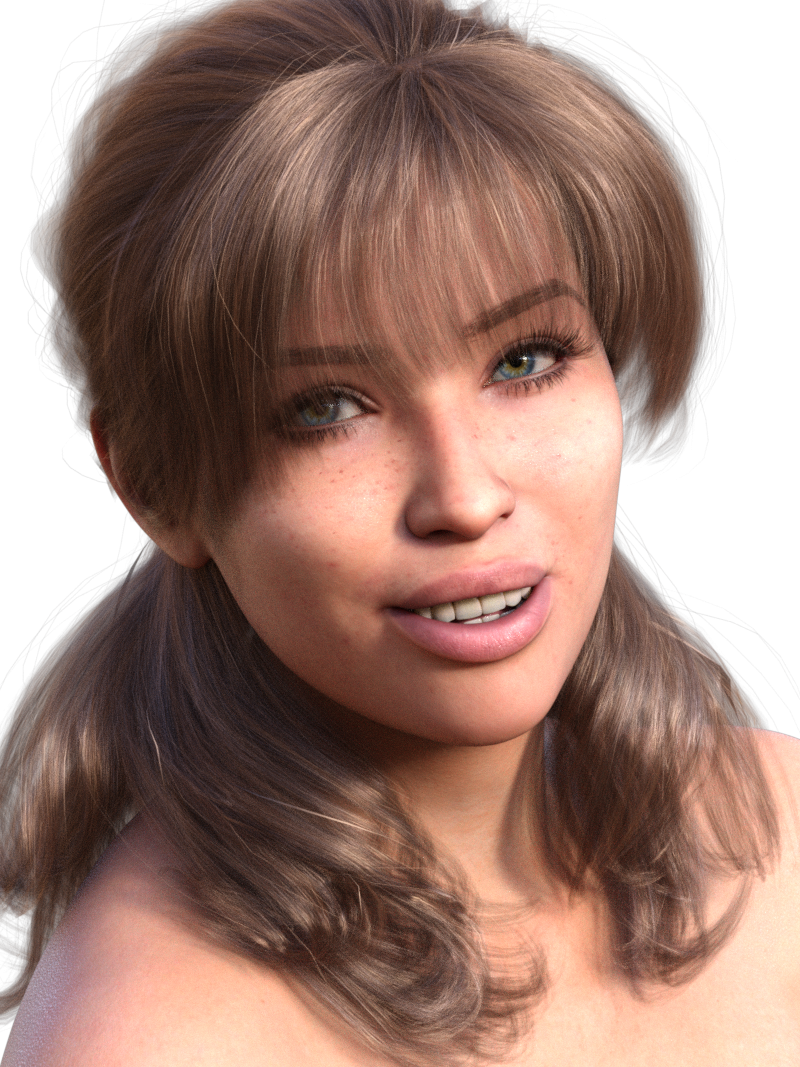
In regard to the hair, I still use G8 hair, I just parent it when G9 is in the default pose and then I can still use all the settings for the hair :)
Normal maps issueRichard Haseltine said:
This looks like the Shadow Terminator issue, not unique to Daz Studio. I don't have links to hand but it has been discussed in the forum and, in a broader context, elsewhere.
It's clear. Then there is no point in this program. If I need to transfer the character to another application to render it. Genesis 9 was done, but Shadow Terminator could not be added to the program. Cool.
Ok, So this is Gen 9Child morph is always done by Zev for every genesis.
Yes, I agree the morphs that come with it are very basic. The basic female shape is also way more muscular looking than the original genesis iirc.
Genesis 9 body shapes morphsWhere are the G9 morph packages?
I mean, it's the first thing people buy when a new figure generation comes out, why would you NOT release them alongside your new figure debut?
I'm not really impressed by the fact that the bend morphs have not been improved, looks like we'll have to wait until K.H.Image studio comes out with a G9 version of their anatomically correct bend morphs!
But on a positive note, kudos for having backwards-compatible clothing and hair!
Ok, So this is Gen 9I tested just G9 without V9 and am frustrated without morphs and expressions yet but played with what there was, mostly just assymetry morphs and pose controls for face. The first two are the same character one with female skin/morph, the other male with male skin but the same character, interesting..The second was using hair for V8 which loads sideways and you have to conform the hair as a full body suit (no option for hair) and it loses all its bones.You can't even load it so it's upright so you can manually adjust it with XYZ and parent! Also the worst thing are there is no lip or iris surfaces so you can't adjust colors or gloss to lips or irises which is something I do on most renders! I like most everything else about it and when there are morphs/expressions it will be much better but the lack of separate facial surfaces kills it for me. Hoping PAs come up with ways to fix these issues! My use of G9 will be very limited unless these things are addressed!
I changed the texture of the hair which looked too dark and dry to me but the skin textures are default. and use the default HIDRI that looks much better on G8 than on G9. Will definitely have to use different lighting but I was still using DS4.14 beta before this which I hope still works!
Quick partial render with default HDRI with more extreme tone mapping settings.It drives me crazy that I can't add gloss or color to lips! This really kills it for me!
It's finally VICTORIA 9 babyarks0ng said:
Toyen said:
Hello everyone and happy launch day to Genesis 9 and V9!
I have written a tutorial on how to use your previous gen hair items with custom rigging on Genesis 9 - https://www.deviantart.com/toyen-art/journal/Tutorial-How-to-Fit-Poseable-Hair-to-Genesis-9-933611835
I believe many people might find it useful! Happy rendering!
Thanks for the very simple-to-follow tutorial ^-^ (With pictures too!!!!)
Thanks but it's not really that simple since just loading G8 takes about 45 minutes with all my morphs and I often change my mind, trying different hairstyles and hair colors. I really hope a PA creates a simple solution!
I haven't tried V9 yet but I played around with G9 and like a lot of it except the fact that there's NO SURFACE SELECTION FOR LIPS! One of the first things I usually do is add a bit more shine to lips and often alter the color of the lipstick or add a bit of color to bare lips. This seems impossible with G9! This is going to be a big problem for me as well as the hair issue.
I'll probably get the bundle and I actually like everything in it, and morphs/expressions when it comes out but unless these two issues are fixed, I can't see using G9 female much although the male seems fine and won't require shiny lips or bones in short hair. I own so many great G8 characters as well as G3 and older, I can't see buying into this unless there's an easy way to transfer morphs and textures to G9 as well as hair fits and a way to change the lips. Hoping PAs come out with all this but I have enough older content to last 5 lifetimes!
Genesis 9 Coming Soon! Preorder Victoria 9 HD TodayI'm impressed by how well the clothing follows the body when the Base Masculine Body morph is applied.
 Genesis 9 Coming Soon! Preorder Victoria 9 HD Today
Jay Versluis said:
tombraider4ever said:
I have a few questions: there is no autofit clone for G9 to G8, is there any such clones on 4.21 or is it the same? will there be clones later for purchase? Do anyone know if there will be a character converter g8.1 to G9 at some point? sooner rather than later as I love the realistic soft expressions, and the skin converter G8 to G9 anyone knows when that will be avaliable to buy? and head and body morphs and expressions, the base daz originals packs, when? And will there be converters both ways for outfits/poses/chs/ skins ect? love G9 but I need my Lara characters to work on it and all the TONS of stuff I bought for previous generations to work, just plain insanity if I have to invest all that again, and again when G10 turns up! Thanks in advance for answers about this!

There is an autofit clone in the figure, but it's hidden. The autofit mechanism uses it (search for Genesis 8 Male and Female, with "show hidden properies" enabled in the Parameters Tab).
I've heard that a 3rd party vendor is working on both skin and shape converters, but it's likely not going to be released for several months. Likewise, there are two pose converters I've tried that can use G8 poses and apply them on G9. I have no details on the release dates. I doubt these will work both ways, usually converters are designed to use older content on the newer figure.
And yes, there will be Head and Body Shapes product available very soon, as well as an Expressions product I believe, those will add the sliders I've shown you in the streams (and they won't cost the price of a car).
Thank you so much for the replies to my questions, I really apreciate it!
How do I do when trying to autofit G9 clothes to G8? I will have a hard time waiting to buy new outfits for my G8.1 character until I can convert them to G9, if I can auto fit outfits fr G9 to G8.1 I can still buy a few clothes to use w my G8.1 characters, will be hard to have to wait for months to buy new outfits, and I saw some I like allready today but it says only for G9. I'm thinking most will make G9 clothes only now. The skin and shape converter on it's way sounds amazing, Thank you so much for giving me hope to convert my Lara models to g9, I love the expressions on the G9, can't wait to see how my Lara will look on G9 and using expressions, and I will love using my fav G8 skin on G9 also. Pose converters sound great also, the more G8 content I can use on G9 the happier I will be
 , and the other way around, but I'm thinking that once I got my characters to work on G9 there will be no going back to G8.1, that's the way it's worked for me before. And morphs packs and expressions sound great also so I can begin playing w making my Lara. One question: the starter essentials for G9 works for me on Daz 4.15, will it be so for the morph packs? or do I need to update? I would rather not, can I use the beta 4.21 the same way, will it work w those morph packs if 4.15 wont? sorry for all the questions, I'm just so excited for how the G9 expressions looks, can't wait to make the move to g9 once all is avaliable, all converters. Gen8 Poses on Gen9?
In the prelaunch video they talked about there was several converters for poses going to be released, and most likely one would be for release day. They showed one working. I can't speak about the JCM's if they are automatic or not but it's really just a matter of renaming the bone labels for the morph as far as I recall...why this isn't a built in function just like torso -> body/head was internally mapped for loading 8 skins on 8.1 when 8.1 was launched.
Ok, So this is Gen 9Daywalker Designs said:
So far, my only two complaints are a lack of a child morph (which Genesis had) and the default female standing/walking poses mostly being set up for high heels.
I really dislike poses that don't come with flat foot poses.
Ok, So this is Gen 9So far, my only two complaints are a lack of a child morph (which Genesis had) and the default female standing/walking poses mostly being set up for high heels.
Face transfer VS headshopI've started playing around with the free basic version of face transfer and plan to buy the unlimited version. how does face transfer compair to headshop? are they pretty much the same or is one better?
AIUTO...CHI CONOSCE L’ITALIANO? PARTE TREDICInel senso che fai un unico morph... se vuoi il corpo maschio lo metti al 100%, se vuoi un corpo femmina al 0%.
Che senso ha avere un morph corpo femminile e un'altro corpo maschile ? Stesso discorso per i capezzoli (ci sono 2 morph.. capezzoli femminili e maschili) e per tutte le altre parti del corpo...
E cmq mi hai dato un'idea per un morph facilmente fattibile What's in "Genesis 9 Character Essentials"?
daveso said:
yeah - that's why I said I'm not happing on that train this time. it appears morph packages will be essential though.Fair enough!
I know I got into Genesis bandwagon, then delayed quite a bit until I got into genesis 2. I was still building up genesis 2 library when genesis 8 came out, so I skipped genesis 3 entirely. Now I have stopped buying any genesis 8 items except the $1.99 deals while waiting for some Genesis 9 stuff to come out that actually interests me. I can still do a lot more with Gen 8 than with Gen 9 and I've spent ridiculous amounts of money on this stuff even when counting the discounts, so I'm not in a hurry.
As for Gen9, so far I got only the character essentials and now I'm trying to figure out which previous generation stuff converts well and which ones I've to replace. Personally I prefer the unimesh approach as it opens a lot more possibilities. There's tons of nice female stuff (mostly headgear) that require too much tweaking before they work even decently on guys.
Genesis 9 Character Essentials - Woman figure not included ?!?BeeMKay said:
The figure is an in-beteween between the male and female shape. Go to the shaping tab, there should be a slider for the male/female morph.
A SLIDER????? The difference between men and women is a slider?????
I'm a man not a SLIDER!!!!!
[Solved]Where can I learn to solve about unexpected stretch of fibermesh hair from ZBrush?hansolocambo said:
Any object attached to an armature has to be weighted.
By transfering the Genesis rig onto your imported mesh, Daz did its best to also transfer the weighting of Genesis vertices onto your mesh vertices.
But as good a job as Daz's Transfer Utility does, there is always vertices weighting to do. This is the same in any other 3D app. Especially in areas such as crotch or armpits where there is a shared influence from multiple adjacent bones.
After rigging any mesh to any armature, second part of the job is weighting. Which vertices move with which bone ? Is my mesh's vertices influenced by one bone only, or multiple bones ? How strong is the influence of each bone ? etc.
- Select your mesh in the Scene Tab, select the Weight Brush Tool (Alt+Shift+W)
- Go down the bones list for your mesh until you reach Chest upper, maybe chest lower, Left Collar, Left Shoulder Bend, etc. Basically any bone in the mesh's area.
- Now if you go to the Tool Settings Tab you'll see, in the Weight Maps Tab : General Weights. Select that and you can now see the inluence (red/blue) of your selected bone unto the vertices.
- Now use the Weight Brush Tool and all its different functions to solve the problem, by assigning the proper influence from the proper bones.
P.S : If your hair are not all attached to a common base mesh hidden in the body, you might suffer a bit with weighting. And prefer Weighting tools such as Directional Gradient, or Sphere Gradient (I tried once and didn't manage, yet, to make those work so far, so I can't really advise).
Thank you for your teaching!
If you had not told me today, I would not have realized the importance of the "Weight Brush Tool".
Because in all my 5 years of using DAZ, I have never used that.I will learn it and try to rescue his fibermesh armpit hair!
What's in "Genesis 9 Character Essentials"?beregar said:
daveso said:
initial comments
i like separate male female characters. this is just adding steps. No morphs. Yes, there are asymetrical morphs ... but no facial/head or body adjustments...its all very basic I guess.
It leads to another train of products that need to be purchased, which atr this point in time, I'm not too sure this will happen for me.
I did install the essentials. The overall look is cool. the posing looks good. I guess from reading there are some eyebrow things missing or something, but I did try to add the brows that are in materials, but they just overlay the brows already there when you load the character, or the skin, which I think looks fine, 4k or not.
There may be some great additions to this product from previous characters, but overall its another character/figure, which tend to all look pretty much the same in a scene. Oh, I did apply some G8 hair and clothing. The fit was very good.Yes, well, this is how it has been done for every previous generation. It starts with the base figure which will soon be followed with commercial characters and various add-ons ranging from the head and body morph pack and other anatomical improvements to actual characters and clothing items - as well as third party converters. As far as I can recall anyway. The males usually follow the women by a half year to year so if you are looking for Michael 9 chances are it comes around next year. Admittedly with common base model we will probably see male characters earlier than that though they might be pushed further down the pipeline so there's extra male content to release at the same time. Before that it will be a collection of female characters to add into your library. At least we have some options using old content with autofit.
yeah - that's why I said I'm not happing on that train this time. it appears morph packages will be essential though.
Daz 3D is part of

Connect
DAZ Productions, Inc.
7533 S Center View Ct #4664
West Jordan, UT 84084Licensing Agreement | Terms of Service | Privacy Policy | EULA
© 2026 Daz Productions Inc. All Rights Reserved.