-
Here is my trick to quickly select and adjust two eyes at once
if staring off in the distance, the eye pose controls work. if looking at an object, have the eyes point at that object.
however, theres several issues.
staring at a point is not actually realistic (they'll seem a bit crosseyed), it's better to offset them little bit. the g9 has this offset (called Eye Resting Focal Point) that is on by default (not the dev version). I tried to replicate this morph on the g8 but it crashes when looking at something but thats a different story
also on g8.1 and g9, there are corrective morphs for the eyelids that dont work right when the eyes are pointed at something. for exmaple, the circled morph gets locked at a value while moving around the pointed-at object. i'm trying to figure out why that is
I use mcjStareAtTheCam for g8.1, the corrective morphs stil work, but it doesnt work for g9 (will crash DAZ)
Two questions regarding anatomical elements for all genesis versions.marcus.ames said:
I possess some of those dangly bits in real life, so I feel I can speak to this with authority. You don't want clothes athat are going to fit around them in their default state, because they would look at best like specialized garments for guys with a hernia, or at worst like midieval codpieces. The only contemporary clothing you'll find that fits around it like that is held on by a string and worn by "exotic" dancers. You'd need a method that meets halfway, our junk does get somewhat compressed in lower-body garments. The anatomical elements would need a morph that brings them closer to the body (and tucks the long part to the side in some fashion, the length determining whether sideways or down the pant leg), and the clothes should go over that. With loose-fitting jeans, there's not real bump needed. With tighter garments, all you need is the aforementioned "bulge" setting. But Daz don't make those morphs, and as far as I know, no one else has either. Though there are a couple of third-party things that make the equivalent of d-force face shields for the male groin that help bulge the jeans more naturally.
Well, I possess those bits too, and I hear what you're saying, and I agree. It's certainly less a problem with shorts, pants, and trousers, but definitely a problem with tighter fitting underwear, and most especially if that item is in any way sheer to any extent. Opacity permits the hiding of a lot of issues, I certainly agree with 3141592654 comments above, that artists don't give the same attention to male clothing as they do female clothing because it's just not profitable, and I can understand that..Oh well, you can't have everything I suppose, not even in an app as versatile as Daz.
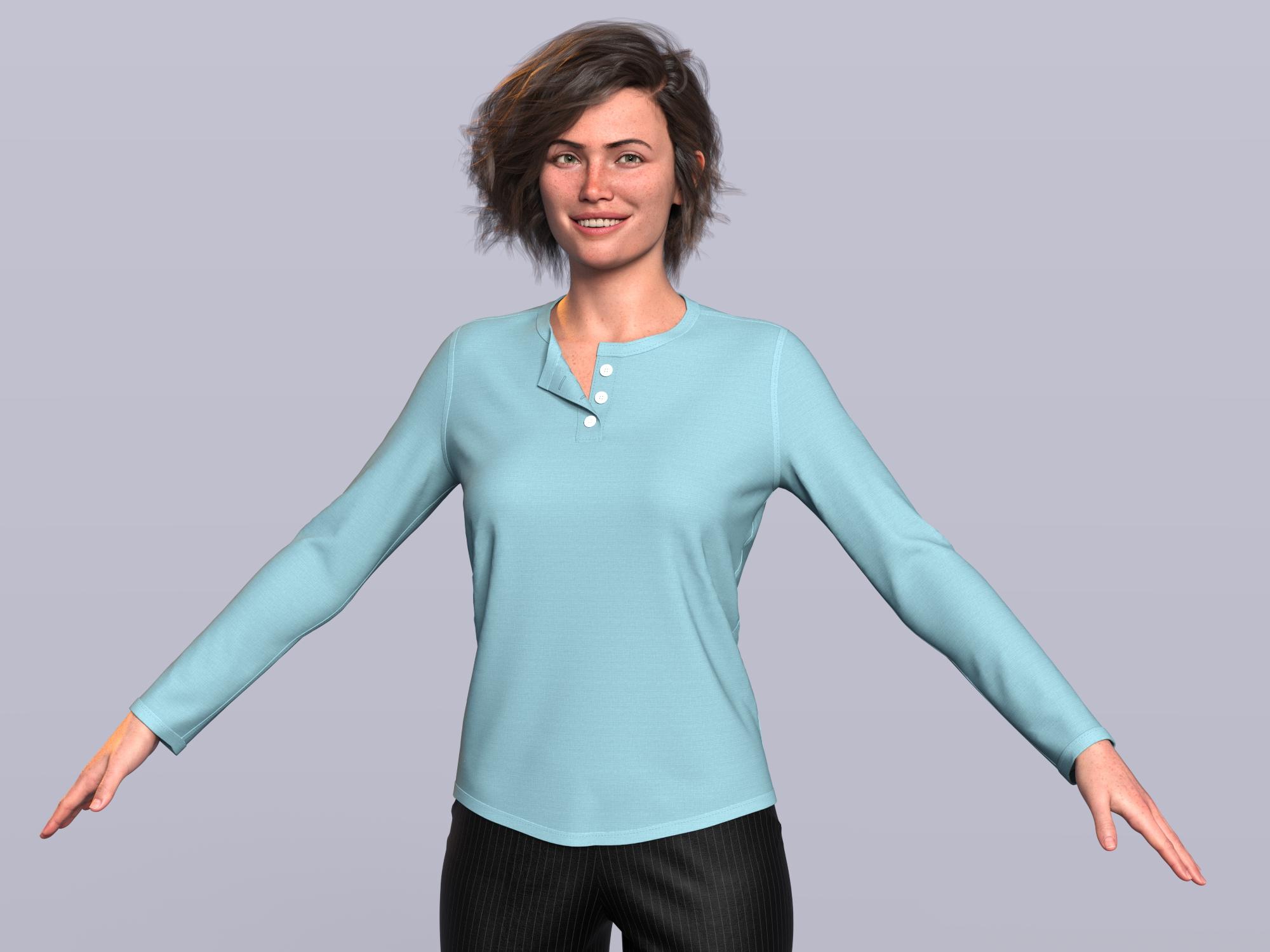
DAZ, MD, and Traditional Pattern Making - GraduationThis looks fantastic @barbult - she looks happy to have a new shirt. This is no small feat and you should be proud of yourself.
I hope these videos are helping you understand the principles behind pattern making, not just creating one garment ;) You are the head of the class right now. Now as an extra credit challenge - see if you can simulate and interactively pull up her sleeve a little so they are halfway up her forearm and drape some wrinkles around the elbow - this will create more visual interest. If all goes well, you should be able to bring it in using morph loader pro and not have retexturize it all again. (be sure not to change any geometry, only drape)
I will be posting a video later to show this. Again, great job! And nice job reversing the buttons for a woman's garment - small touches like this all add to realism.
barbult said:
I made it all the way through!
 Two questions regarding anatomical elements for all genesis versions.
I possess some of those dangly bits in real life, so I feel I can speak to this with authority. You don't want clothes athat are going to fit around them in their default state, because they would look at best like specialized garments for guys with a hernia, or at worst like midieval codpieces. The only contemporary clothing you'll find that fits around it like that is held on by a string and worn by "exotic" dancers. You'd need a method that meets halfway, our junk does get somewhat compressed in lower-body garments. The anatomical elements would need a morph that brings them closer to the body (and tucks the long part to the side in some fashion, the length determining whether sideways or down the pant leg), and the clothes should go over that. With loose-fitting jeans, there's not real bump needed. With tighter garments, all you need is the aforementioned "bulge" setting. But Daz don't make those morphs, and as far as I know, no one else has either. Though there are a couple of third-party things that make the equivalent of d-force face shields for the male groin that help bulge the jeans more naturally.
*Released!* Natural Eyes 9 For Genesis 9 {Commercial}The iris body morph should only be used at what its locked at. Full Strength is 25%. What it does is add thickness to the iris and pulls the hd morphs outward some.
The iris inset morph you can use at whatever you prefer, but in my opinion, I wouldn't go crazy with it, which is why I say it only needs go above 25 % for certain situations.
It's an option you will need to fiddle with as you do renders.
Getting on the 9 train, or notGordig said:
ArtAngel said:
nonesuch00 said:
It also means that infants to about age 3 or 4 will be much easier to make realistic shaped. I know lots of people have complained about past efforts being down right scary.
Hopefully some decent infants/toddlers come down the pipeline . . . or better still, some long hair breeds, like Shih Tzus, Yorkies and Maltese pups for the Daz Dog . . . then I'd be hopping on the train in a heartbeat.
Daz Dog has nothing to do with G9. Even if someone adventurous (looking at you, @Oso3d) made a dog morph for G9, that wouldn't implicate Daz Dog at all.
That would be cool technically but I think the rig doesn't have enough bones in the correct places.
Skin body G8 to G9Could you use the Data Transfer modifier to bring over Genesis 8's mouth and eye textures to Genesis 9's? Or this UDIM process? I've tried an old Blender baking method to get the main textures moved over but it kind of craps out on transferring eyes and mouth textures. Anatomy textures are a bit of hit or miss with this old process too.
Two questions regarding anatomical elements for all genesis versions.You're quite welcome. The nice thing about projection morphs is that there is no poke through. The figure itself is selected and the morph dialed in. There is no physical change seen on the figure - the morph though is projected into the clothing.
*Released!* Natural Eyes 9 For Genesis 9 {Commercial}it says in the pdf to use the iris body morph at full strength when using the style morphs but as default it is restricted to 25%... the pdf then goes on to say the iris inset morph only needs to be above 25% in certain situations.
is it possible that the 25% restriction should have been applied to the iris inset morph and not the iris body morph?
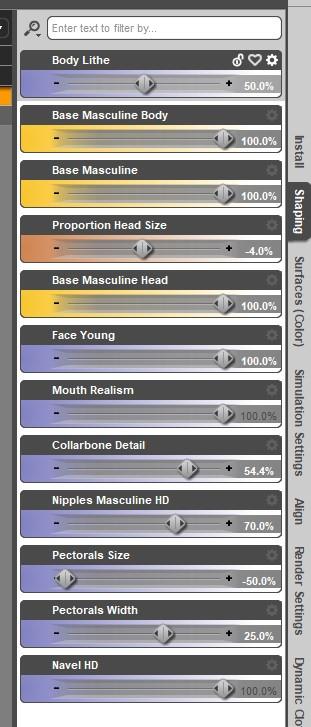
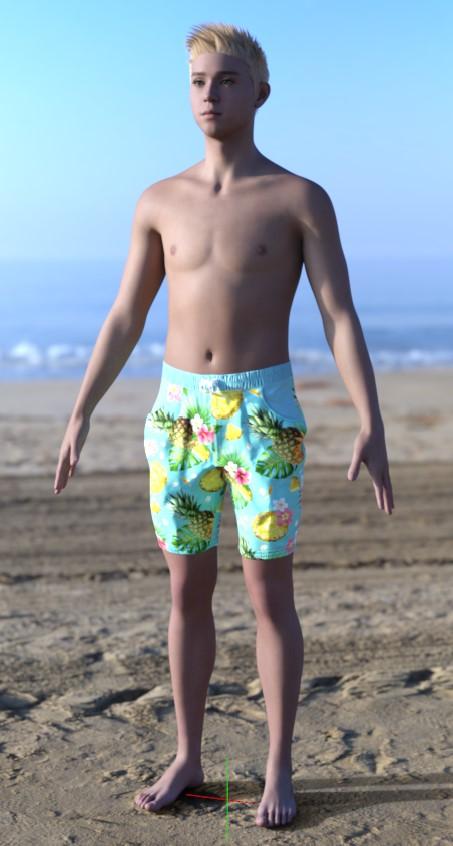
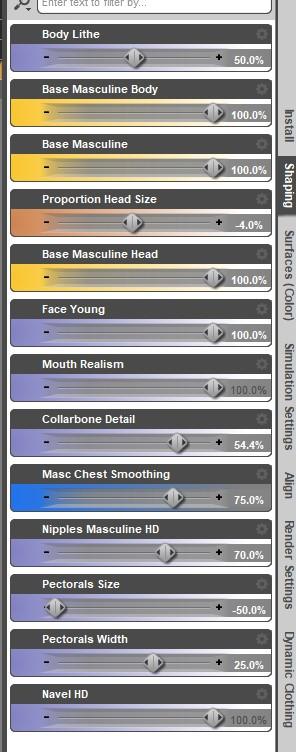
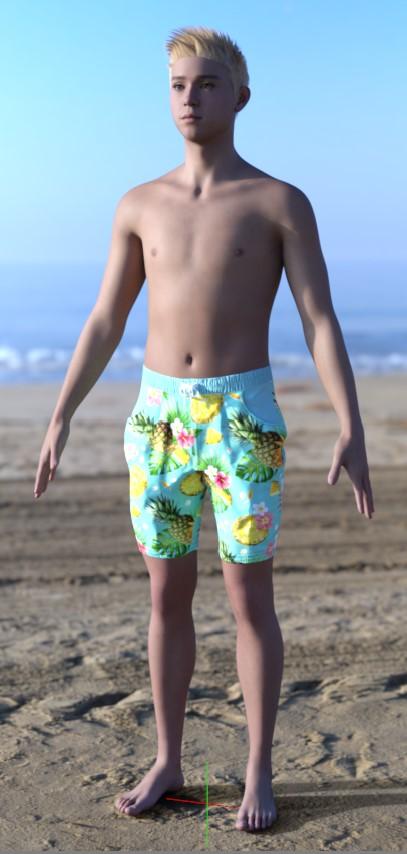
G9 Masculine Chest Smoothing MorphHeya, folks! I'm dropping this here in case it's helpful to anyone having this issue who didn't catch this thread. The G9 masculine shape has a sharp crease in the chest geometry to define the shape of the pecs, and it shows up even on shapes that would usually not have developed muscles there (H/T to @Timbales and @xyer0 for pointing it out and providing examples). This is just a simple chest morph to get rid of the crease and create a flatter chest shape.
This is an example of the Lithe morph from Genesis 9 Body Shapes with the chest smoothing:
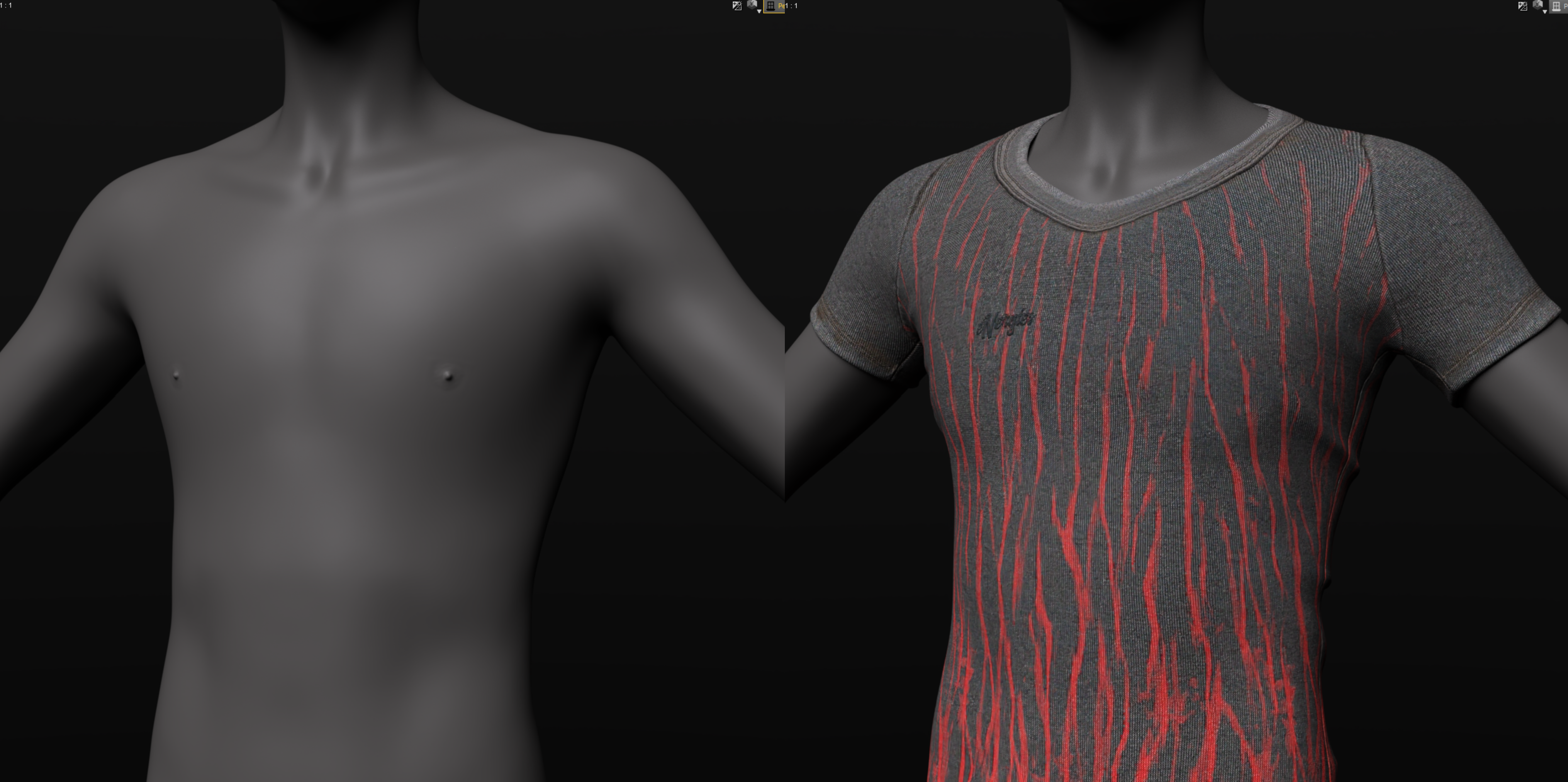
Just unzip it and copy the data folder into the place that folder is located in your Daz content library (by default it should be C:\Users\Public\Documents\My DAZ 3D Library). The morph dial is located under Actor > Chest > Masculine, and you'll need to dial in the Base Masculine body morph. I'm new to sharing morphs, so please let me know if there are any problems!
Getting on the 9 train, or notPendraia said:RAMWolff said:
So with this new mesh set to be "inbetween" folks will be able to make small breasted women, trans folks, little kids and all that with no issues with how the clothing fits. That's the idea any ways. I've read this thread and a couple of others and folks seem so upset that nipples and navels are now just a morph and hi def map. SO WHAT! I think what it boils down to is folks don't like change but are intrigued enough to check it out and then complain about X Y & Z until they get used to the new way! LOL Cracks me up!
Agreed Ram...happens with every new figure.
Whether someone likes a change depends on whether that person thinks the change is good or bad. Just like everyone has the right to say something and we might not like what they say. G9 will always be the apple of some people's eyes...
Hylas' cornerI've been screwing around with GenX again lately. I barely know what I'm doing. I just about manage to (very inaccurately) transfer most Gen4 characters to G8 and might be showing some of them off in the coming days.
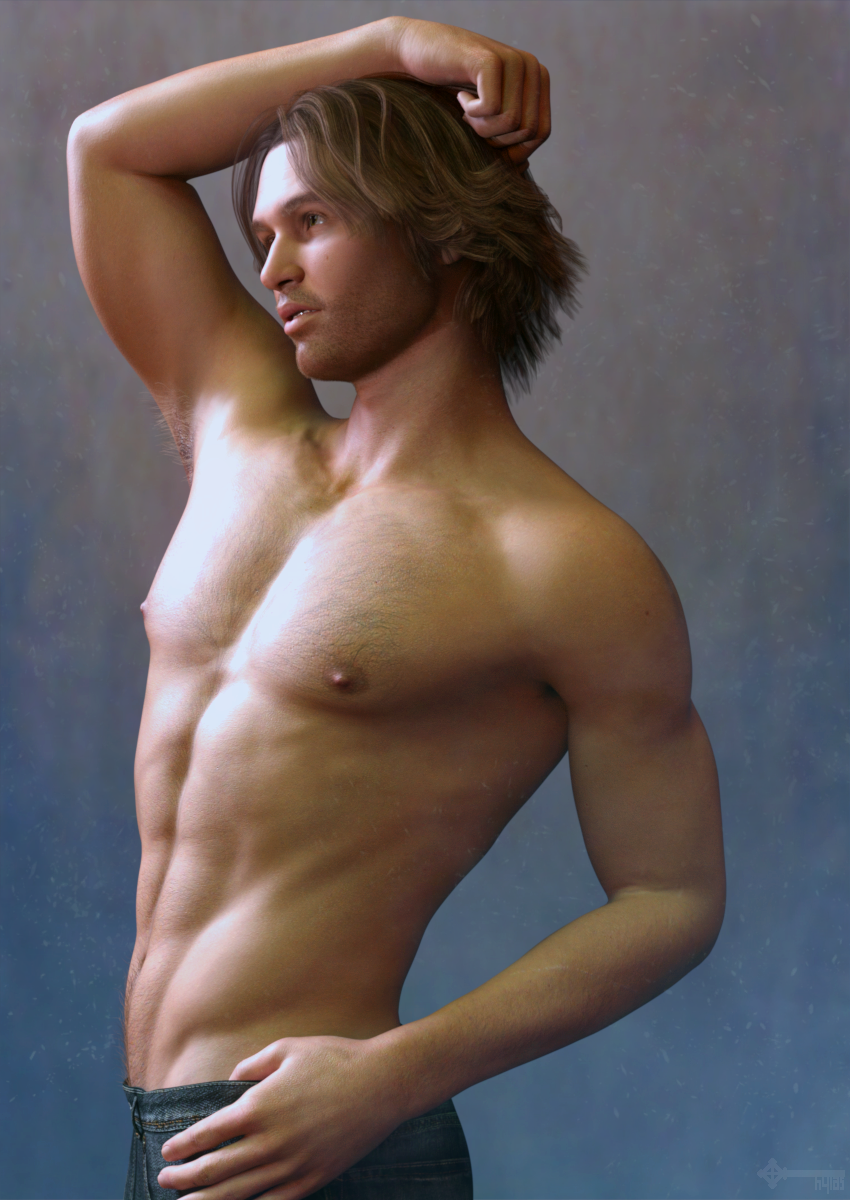
But some characters just won't transfer for whatever reason. Like Nick over here. So I tried to approximate his shape using various dials. What I ended up with here is not all that accurate but I still quite like him. Nick's skin is by Jenny Morris so of course no complaints there.
Genesis 9 Males?plasma_ring said:
Timbales said:
plasma_ring said:
Okay I have next to no experience sculpting or rendering kids, but this is my attempt with something cool I've just discovered called "actually looking at reference instead of winging it." >.> Is this close to what folks are looking for or is the issue still present here?
That does take care of the issue I have seen and can't find a way to dial out - the creases under the breasts.
Someone else is definitely going to make a better version of this with actual characters or morph packs, but if the crease is bugging you in the meantime here's the morph I used to flatten the chest shape out. I am super terrified of trying to package morphs to share with other people, but if I followed the instructions I found correctly and didn't miss anything in testing it, this should work and be under Chest > Masculine. Please let me know if you try it and it doesn't.
xyer0 said:
@plasma_ring That's it! I wonder why they didn't do this on the Lithe and Emaciated morphs from the beginning? Good work!
Sweet, and thank you! ᐠ( ᐛ )ᐟ I didn't really notice it before because I haven't messed with those shapes much, but when I was looking at it to smooth it out...yeah the crease really does look odd on those.
Thank you, that was very kind of huge and it makes a big difference. I've attached a pictures with and without your morphs with the shaping settings I used.
 Getting on the 9 train, or not
ArtAngel said:
nonesuch00 said:
It also means that infants to about age 3 or 4 will be much easier to make realistic shaped. I know lots of people have complained about past efforts being down right scary.
Hopefully some decent infants/toddlers come down the pipeline . . . or better still, some long hair breeds, like Shih Tzus, Yorkies and Maltese pups for the Daz Dog . . . then I'd be hopping on the train in a heartbeat.
Daz Dog has nothing to do with G9. Even if someone adventurous (looking at you, @Oso3d) made a dog morph for G9, that wouldn't implicate Daz Dog at all.
Getting on the 9 train, or notRichard Haseltine said:
Pendraia said:
kyoto kid said:
..so a few question after trying to digest t all I've read.
1. Are G9's skin textures (even non HD ones) 8K?
No, only some are that large.
2. If so, can one reduce the skin map resolution back to 4K using a script like The Scene Optimiser?
Sorry I don't know with this one.
Yes, Scene Optimiser handles Genesis 9, including the detail maps - I just tested it, though I didn't doubt that it would.
3. Do non HD textures look worse than HD ones when rendered?
There are bound to be differences when you render with different resolutions.
4. Is G9 radically different enough to the point that there will be no morph/shape transfer utilities from older generations like G3 an G8 (meaning you will have to buy all new figures/characters)?
A method for this has already been found and I've done and seen conversion of morphs from not only Genesis 8 but also earlier figures using the clones to assist with the transfer. Catherine has a thread on how to do it and from memory Jay has a video.
Given the return to the unimesh, am hoping to see the next release of the Skin Builder utility will work for male characters as well since G9 uses the same UV for both. Hopefully we'll see a number of utilities that embrace both genders in the same package.
I hope you're right this would be really good.
Thanks Richard...I was hoping someone could answer that for Kyoto.
Getting on the 9 train, or notPendraia said:
kyoto kid said:
..so a few question after trying to digest t all I've read.
1. Are G9's skin textures (even non HD ones) 8K?
No, only some are that large.
2. If so, can one reduce the skin map resolution back to 4K using a script like The Scene Optimiser?
Sorry I don't know with this one.
Yes, Scene Optimiser handles Genesis 9, including the detail maps - I just tested it, though I didn't doubt that it would.
3. Do non HD textures look worse than HD ones when rendered?
There are bound to be differences when you render with different resolutions.
4. Is G9 radically different enough to the point that there will be no morph/shape transfer utilities from older generations like G3 an G8 (meaning you will have to buy all new figures/characters)?
A method for this has already been found and I've done and seen conversion of morphs from not only Genesis 8 but also earlier figures using the clones to assist with the transfer. Catherine has a thread on how to do it and from memory Jay has a video.
Given the return to the unimesh, am hoping to see the next release of the Skin Builder utility will work for male characters as well since G9 uses the same UV for both. Hopefully we'll see a number of utilities that embrace both genders in the same package.
I hope you're right this would be really good.
Genesis 9 Males?Pendraia said:
plasma_ring said:
Okay I have next to no experience sculpting or rendering kids, but this is my attempt with something cool I've just discovered called "actually looking at reference instead of winging it." >.> Is this close to what folks are looking for or is the issue still present here?
NIce job!
Thank you very much! <3
I should note that this is with the Lithe morph dialed in, so to use the smoothing morph to get this shape you'll need to have that package. I might try to make some shapes that aren't dependent on other morphs if I didn't break anything with this one. :V My usual workflow is send to ZBrush > send back to Daz > save the scene the morph is in and forget to save it as an asset ever so I'm a little rusty.Getting on the 9 train, or notPerttiA said:
RAMWolff said:
PerttiA said:
RAMWolff said:
I've read this thread and a couple of others and folks seem so upset that nipples and navels are now just a morph and hi def map. SO WHAT! I think what it boils down to is folks don't like change but are intrigued enough to check it out and then complain about X Y & Z until they get used to the new way! LOL Cracks me up!
So, what is the method you use to make your own morphs to the G9 pokies and navel?
Well I'm not a PA here, I work mostly in Poser but have developed for DS in the past and Genesis 9 is wooing me back to the fold as I really really loved Genesis 1 for the male/female ease of use. I'm a ZBrush person so for me making nips and navels are no big deal and then just add in a Normal map and you have what you need.
So, you don't have an answer.
Whatever the PA's can do is of no interest, it's about what we the users can do and normal maps are not the solution.
Well users can create geografts for areas like the navel and nipples or even use displacement maps. Would it be nice to be able to create hd morphs? Sure, but is it necessary to get the same or similar results? No....
Getting on the 9 train, or notMada said:
xyer0 said:
Timbales said:
I am specifically talking about the creases and shapes that are still visible under the breast, not the shoulders. And they get even worse when you dial in the male shape.
If I'm the only person in the world that cares that these are there, that's fine. But it's starting to feel like I'm being gaslit and being told they aren't there when they clearly are, and that I'm at fault for not thinking this is a good look.
This was my first concern when I saw the G9 Base. After the Growing Up promos came out, I was disheartened. I still haven't seen a chest with zero underboob cleavage. I don't do nudes, but I wonder how a t-shirt will behave without cranking up the smoothing.
This is with the breasts gone morph dialed in and shoulders down. Smoothing at default. Checker pattern used to show distortions :)
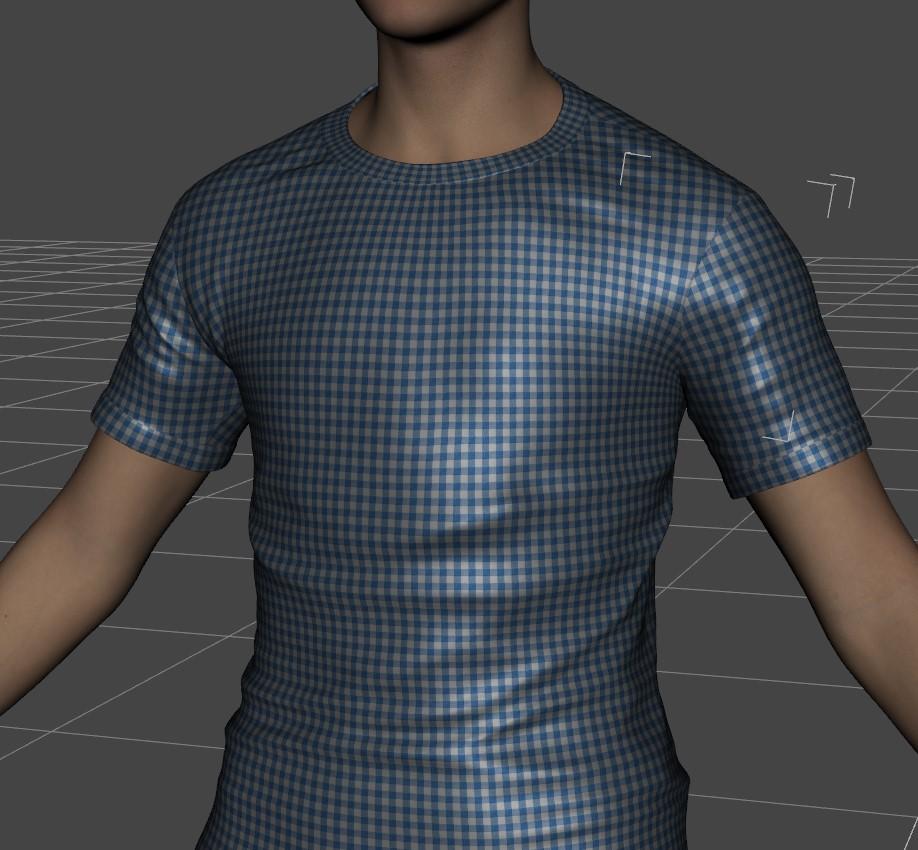
Plasma_ring managed to make a decent morph that seemed to hit the spot in dialing out the crease, I am sure there will be more :)
https://www.daz3d.com/forums/discussion/comment/7843001/#Comment_7843001Looks totally normal shaped.
Getting on the 9 train, or notRAMWolff said:
So with this new mesh set to be "inbetween" folks will be able to make small breasted women, trans folks, little kids and all that with no issues with how the clothing fits. That's the idea any ways. I've read this thread and a couple of others and folks seem so upset that nipples and navels are now just a morph and hi def map. SO WHAT! I think what it boils down to is folks don't like change but are intrigued enough to check it out and then complain about X Y & Z until they get used to the new way! LOL Cracks me up!
It also means that infants to about age 3 or 4 will be much easier to make realistic shaped. I know lots of people have complained about past efforts being down right scary.
Daz 3D is part of

Connect
DAZ Productions, Inc.
7533 S Center View Ct #4664
West Jordan, UT 84084Licensing Agreement | Terms of Service | Privacy Policy | EULA
© 2026 Daz Productions Inc. All Rights Reserved.