-
What the heck is up with Cloudfare these past few days
RAMWolff said:
Good LORD I've spent more time refreshing pages and just giving up trying to post here with Cloudfare constantly misstepping. Why DAZ chose this company to run their company through I will never ever understand. I don't have this issue ANYWHERE else.
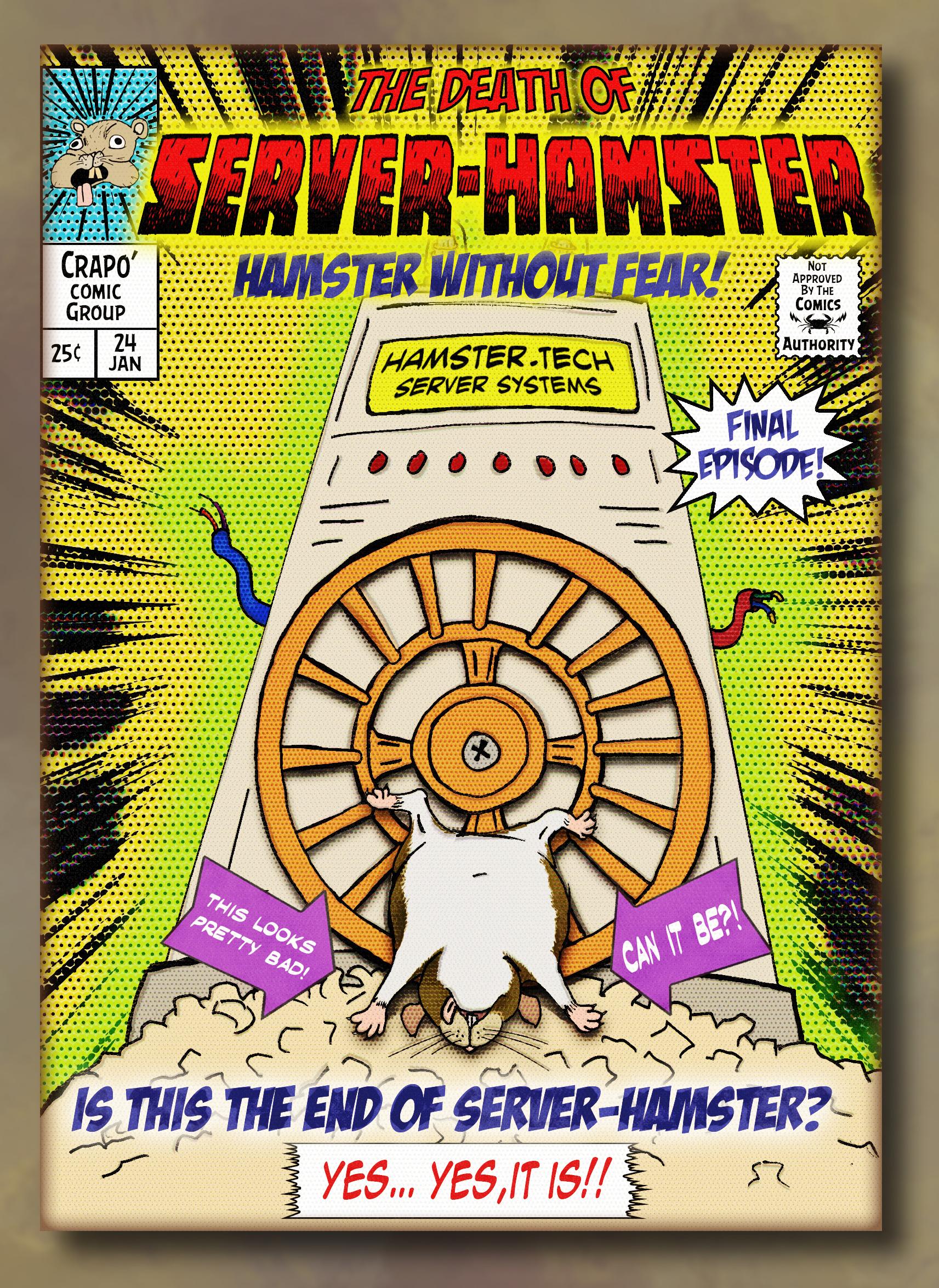
The primary reason is the servers are powered by one poor little, somewhat physically challenged hamster...
(Forgive my for reprinting this, as by now many have heard the tale...)
THE TRUE STORY OF BERT THE SERVER HAMSTER
Perhaps some of you have never heard of the Server Hamster...
Poor little Bert was never the fastest hamster, nor was Bert the smartest hamster, but Bert had something other hamsters at Hamster Depot didn't...
Bert had three extra toes on his left foot and a really weird looking patch of missing fur in the shape Guatemala on his back... But that's not what made Bert different... it wasn't even his strange odor or his spontaneous narcolepsy whenever he heard loud noises...Bert had heart.
Well, technically 3/4 of a functional heart, but Burt had spunk and determination which nothing, not even his chronic flatulence or his lazy, much larger right eye could interfere with.
From the moment he was eaten by his mother and subsequently spit out, he was determined to become the best hamster ever... to show everyone that by underestimating or trying to eat him, they were wrong and one day they'd wished they had gotten to know him or had treated him better.Bert was dead set on being adopted by a nice school teacher who would make him the class pet and that he'd teach all the little children about the true meaning of determination and courage... and that generations of little children would grow up to be better people for having known Bert.
But no matter how much Bert tried, he was never adopted... not even by the evil mad scientist who wanted hamsters to experiment on.Bert was heartbroken, but he persevered.
Every time someone came by his Hamsterarium, he'd run on the exercise wheel as fast as he could... usually he'd fall off or get his head jammed in between the bars, but he sure did put on a show... yet always after he'd wake up from one of his narcolepsy episodes he'd inevitably experience while putting on a show, it was the other more handsome or less drippy hamsters with no missing fur in the shape of any Central American nation that were chosen.
Bert was always rejected.
But he never stopped trying.
Then one day one of the hamster wranglers that worked at Hamster Depot was passing by and spotted Burt... he bent down and looked right at him!
"This is it!!" thought Bert... "Someone called in an order for a spunky hamster with courage and determination!!"... "I've got a home!!"
Bert started doing his signature hamster dance knowing it might trigger his narcolepsy, but regardless, he'd have to risk it.The hamster wrangler shook his head and winced and started putting on some rubber gloves... "That's odd..." thought Bert.
But undeterred, he continued doing his little hamster dance so the hamster wrangler wouldn't grab the wrong hamster.The hamsters wrangler opened the hamsterarium reached right for him and picked him up.
Bert was overjoyed!
The hamster wrangler held him up and examined him... "Ugh, what's that weird cheese smell?"
Burt blushed a bit, he was proud of his odor and no one ever complimented it before.He held Bert up by the scruff of his neck turning him all around... "Yup... just as I thought... missing patch of fur the shape of Nicaragua, leaky orifices and uncontrollable seizures... Terminal Deranged Hamster Syndrome...
"Wait... What?" thought Bert, "that was dancing, not a seizure and it's Guatemala, not Nicaragua!..."
But it was too late... the wrangler shook poor Bert a little to see if any parts would fall off and then said "Sorry little fella, but it's the hamster compactor for you... we can't have diseased hamsters like you infecting all the other handsome hamsters"...
And with that he tossed Bert into a bucket labeled "Hamsters For Compacting".
Burt landed with a squishy thud... he lay there in abject sadness... his tiny drippy weird smelling soul crushed like a spoiled grape under the wheel of a shopping trolley in the grocery store.
He lay there for hours awaiting compaction... maybe it was better this way he thought... "Who wants a drippy, smelly hamster who keeps falling off his exercise wheel?"... "I'm probably more useful as a fine paste used in cosmetic products"... "I was a fool for thinking I'd ever amount to anything"...
The hamster wrangler came by two more times with customers looking for "adorable hamsters"... Bert heard the other hamsters being adopted and silently cried at the bottom of the compaction bucket.
The wrangler passed by one more time and looked down at Bert... "Oops, sorry... I didn't forget about you... I'll be back for you as soon as I take care of this next customer..."
Burt cried uncontrollably... he barely heard the wrangler and the customer talking over his hysterical sobs...
"Well, they told me to pick up a new hamster... the adorable ones keep dying", said the new voice... "But these ones are all too expensive... are you sure there is nothing cheaper?"
"No, that's it, those are the cheapest entry level hamsters we have... they are sold as is, no warranty or repairs... fairly disposable actually"...
Bert sobbed harder... he wasn't even "disposable quality"!
"Okay, I guess that's it... the cheap bastards won't spring for a halfway decent hamster, I guess we'll just have to use a diseased sewer rat to power our servers... it's the worst case scenario, but they are determined not to spend money on their forums, so..."
The voice paused... Bert looked up at the strange face staring down into his death bucket...
"What's going on with that one?" the voice asked.
"Oh... he's got deranged hamster syndrome... he's not for sale." said the wrangler to the customer with the strange face.
The man with the strange face replied "So does that mean he's free?"
"No, no it doesn't... but you know what... I'm busy and turning on the hamster squasher takes five minutes for it to warm up... you know what, you can have it... just get it out of here now", said the hamster wrangler.
Before Bert knew it he was snatched up and dropped into a mostly empty Starbucks matcha green tea latte cup and taken away.
After a long journey in the cup holder of a high mileage late nineties Saturn SL sedan, Bert was brought into a janky old brick building way across town and brought down into the basement into a dark room that smelled of mildew and burning electrical insulation.
The man with the strange face dumped Bert out on a table littered with old scratch-off lottery tickets and Settebello Pizzeria menus.
He took an old sweat sock and dabbed off the whipped cream and green tea from Bert’s fur and grabbed him by the scruff of the neck.
He then carried Bert over to a old machine made of yellowing beige plastic and dented up metal… on the side was a hamster wheel with a handsome looking hamster laying dead on the wheel.
The strange faced man picked up the dead hamster and unceremoniously tossed it in the recycling bin far across the room.
It landed with a muffled "thump".
“Damn, I was aiming for the trash bin”, he said… and without a proper greeting or introduction, he tossed Bert on the wheel.
“Well, you know what to do…” said the man.Bert knew exactly what to do... he ran... he ran with all his three quarters of a functional heart, he ran as fast and as best as he could... he ran because he knew who he was... he was now the Server Hamster.
And with that Bert began his origin story as “Server Hamster".
Bert started running and hasn't stopped... aside from when he falls off the wheel or has a seizure or gets his head stuck in the bars.
But Bert has a purpose and he'll never give up... because he finally has a home and he's gonna show everyone he's the best damn hamster ever.So now you know… the forums are wonky because they are powered by a spunky, funny smelling, drippy hamster with a patch of missing fur the shape of Guatemala, who frequently has narcoleptic episodes whenever someone slams a door or the water cooler compressor turns on, or even if someone sneezes on the third floor… the servers may freeze, they may falter and really suck because of it, but they always come back because of plucky and courageous Server Hamster… or as we know him…
Burt.
His demise has been prematurely reported many times... but he still keeps going...
 Help me to move my installation without moving content
If you are using DIM/Daz Central and have move yoru content and the manifest folders then you will be fine, as long as the reisntall uses the same drive letters for the contnet - jusdt reimport the metadata. That will also restoer any user data you haev exported. If you want to keep the whole database, without having to export userdata, then move the database. Your layouts would be lost unless you backed up the Appdata folder for Studio, and you would probably have to reinstall plugins and reenter your serial numbers even if you moved the aplication (at least some of the third-party ones with more complex activation procedures)
Installation Issue: Installation will begin after previous installationsI had this issue too. De-installed Daz to Blender bridge which was the only other install attempted at this stage. Restarted DAZ Central and it worked after that.
I've messed up so bad I don't even know what I've done.barbult said:
Perhaps it is time to upgrade. 12TB and larger external drives are not uncommon now.
ONOZZ this whole process all over?
 *cries in ded* I haven't even seen larger than 3 TB drives in stores in Norway!
 - Have you emptied your Recycle Bin? It may be holding on to old deleted items.
Yes, that's cleaned out.
- Don't you still have those Genesis 1, Genesis 2, Genesis 3, Genesis 8 custom folders sitting on G?
Nope! They're gone the way of the Dodo.
- If they just contain Daz Store products, all that content is being duplicated now when you install the same thing with Daz Central. If you are no longer going to use those custom folders, and Daz Central installations are working well, and you are running out of space, you may need to start deleting those custom folders. If the custom folders also contain items from other stores, like Renderosity, then it is much more difficult to sort out. If you decide to delete the custom folders, empty the Recycle Bin afterwards to get the space back.
Well, I did, and things still look bigger than they ought to be. The good news is that I must be most of the way through installing everything, and it looks like I'll have some space left for a while. If I'm just very careful about only adding new content I really want, that I know I'll use a lot, and preferably need for the kind of pictures I like doing, maybe I can at least postpone another reinstall on another drive until next year's dangerous sales.
AIUTO...CHI CONOSCE L’ITALIANO? PARTE TREDICIImago said:
Cornelius said:
MA CHE DIAVOLO SUCCEDE..??Succede che, come ho detto tante volte, Central à sfondato e conviene usare il caro vecchio DIM almeno finchè lo supportano, per poi passare a Connect che è un pò meno frantumato di Central.
Dai retta alla lunga anzianità (parecchio lunga...) dello Zio Imago e installati il DIM. Non devi fare nulla perchè se hai Central installato pesca da solo tutti i dati necessari e persino i prodotti installati. E puoi gestire gli aggiornamenti come preferisci, applicandone uno e lasciando gli altri in sospeso. Puoi perfino scaricare i pacchetti e non installarli subito, per fare backup o solo per fare una cosa alla volta. Oppure per testare varie release, se serve.
Central è solo una finestrella con colori sgargianti che non offre alcun vantaggio nella gestione delle librerie.
Si hai ragione. Credo di aver già discusso con te una volta sull'argomento Central. In effetti c'è una risonanza in quello che dici anche se comunque fa sempre piacere risentire dei consigli pratici come i tuoi

A proposito di DIM, l'altro giorno ho fatto un'esperimento usando DAZ Studio senza questi software esterni, da solo, installando i prodotti manualmente. Ad essere sincero mi son trovato abbastanza bene, se non fosse per la libreria che ci ritroviamo sul sito principale, un po spratica direi.. A me da fastidio molto il fatto di dover installare "forzatamente" tutti quei prodotti che non mi servono. Genesis 9 ad esempio occupa oltre 1,5 giga di spazio.
AIUTO...CHI CONOSCE L’ITALIANO? PARTE TREDICICornelius said:
MA CHE DIAVOLO SUCCEDE..??Succede che, come ho detto tante volte, Central à sfondato e conviene usare il caro vecchio DIM almeno finchè lo supportano, per poi passare a Connect che è un pò meno frantumato di Central.
Dai retta alla lunga anzianità (parecchio lunga...) dello Zio Imago e installati il DIM. Non devi fare nulla perchè se hai Central installato pesca da solo tutti i dati necessari e persino i prodotti installati. E puoi gestire gli aggiornamenti come preferisci, applicandone uno e lasciando gli altri in sospeso. Puoi perfino scaricare i pacchetti e non installarli subito, per fare backup o solo per fare una cosa alla volta. Oppure per testare varie release, se serve.
Central è solo una finestrella con colori sgargianti che non offre alcun vantaggio nella gestione delle librerie.
AIUTO...CHI CONOSCE L’ITALIANO? PARTE TREDICICiao ragazzi!
Ma qualcuno di voi utilizza come me il Daz Central? Non so se sono io che non lo usare ma a me pare che questo software dia i numeri..! Ogni giorno che passa è sempre più difettoso. Ad esempio, ho provato ad eliminare Genesis 9 ma, appena riaperto mi appare una finestra dove dice che c'è un aggiornamento di DAZ Studio. Io da stupido lo faccio e boom.. di nuovo Genesis 9 installata..!! Lascio andare la cosa; stamattina riapro il software e come d'incanto mi ritrovo un'altro di questi aggiornamenti anonimi e mi installa "dice lui" una versione DAZ 4.20.0.2 mentre in realtà continuo ad utilizzare l'attuale 4.21.0.5..!
MA CHE DIAVOLO SUCCEDE..??
I've messed up so bad I don't even know what I've done.1.8 TerraByte is not a big drive these days. Perhaps it is time to upgrade. 12TB and larger external drives are not uncommon now.
- Have you emptied your Recycle Bin? It may be holding on to old deleted items.
- Don't you still have those Genesis 1, Genesis 2, Genesis 3, Genesis 8 custom folders sitting on G? If they just contain Daz Store products, all that content is being duplicated now when you install the same thing with Daz Central. If you are no longer going to use those custom folders, and Daz Central installations are working well, and you are running out of space, you may need to start deleting those custom folders. If the custom folders also contain items from other stores, like Renderosity, then it is much more difficult to sort out. If you decide to delete the custom folders, empty the Recycle Bin afterwards to get the space back.
I've messed up so bad I don't even know what I've done.Leana said:
The files won't increase in size, but you might have both the download files and the installed files on the drive?
(I don't use DAZ Central so I don't know where it stores the downloads, or if it deletes them after install)
Daz Central deletes the zips once done installing, Daz Install Manager can delete or keep as the user prefers.
--------------------
If the previous installation was doen witrh Daz Connect, which always compresses the files, and the new one with Daz Central or Install Manager, which may have compressed or uncompressed files, then the disc space used could increase noticeably.
I've messed up so bad I don't even know what I've done.Leana said:
The files won't increase in size,
I was pretty sure they couldn't. But I did come into this world a little daft, so I figured it was best to ask.

but you might have both the download files and the installed files on the drive?
(I don't use DAZ Central so I don't know where it stores the downloads, or if it deletes them after install)
Oh no?! Well, if I can find the uninstalled extra downloads, I can safely delete them?

Edit: I don't think there's a double set of files on the drive, but look at this. 590 GB of files use 840 GB of disc space. I'm confused.
I've messed up so bad I don't even know what I've done.The files won't increase in size, but you might have both the download files and the installed files on the drive?
(I don't use DAZ Central so I don't know where it stores the downloads, or if it deletes them after install)
Daz to Unity not workingwinmath said:
I got it to work by reinstalling the DAZ to Unity software and restarting DAZ Studio
Thanks, something is wrong with this daz central. It crashed and after a reinstall half my asset disappeared. This method showed the bridge. Thanks again
I've messed up so bad I don't even know what I've done.When you get to the point of testing old scenes, if you get a pop up telling you that missing products need to be installed, DON'T let Daz Studio install them! That will use Daz Connect. Just go to Daz Central and install those products yourself, so all of your installations are done the same way.
I'm having trouble installing the latest version of DAZ.The white interface indicates that Daz Studio was still running when the enw version was installed. Uninstall it, through DIM or Daz Central if that is what you used to install, and then reinstall (assuming it will let you).
I've messed up so bad I don't even know what I've done.barbult said:
If you install a product, can you find it right away in the Content Library, where you expect it to be? (Just to confirm the the Daz Central installations are going to the place you expect them to go.)
So far I've been able to find everything. Jinx!
Oh right, I forgot to reply to this: It seems to me that Daz Central makes you click everything you want to install separately. I'm being picky about what I'm installing though, so I don't have to wade through tons of sci-fi and fantasy themed items I hoarded because they were free.
 I've messed up so bad I don't even know what I've done.
That's looking pretty good! In the Daz Studio Formats section, I think My Library should be above My DAZ 3D Library. You can move it with the Move controls on the left side of the Content Directory Manager pane.
There is no need to check for missing scene files now, if you know that lots of content is not yet installed. Does Daz Central have a way to install everything at once, like DIM does, or do you have to install products one by one?
If you install a product, can you find it right away in the Content Library, where you expect it to be? (Just to confirm the the Daz Central installations are going to the place you expect them to go.)
I've messed up so bad I don't even know what I've done.barbult said:
So, to edit the Content Directory Manager, it sounds like you should remove the F:/Users/Public/Documents/My DAZ 3D Library from both the DAZ Studio Formats and Poser Formats sections. And remove the G:/Shader Presets, G:/Genesis 1 and G:/Genesis 2 custom folders that you aren't going to use any more.
I've done that. :)
Don't delete the folders from your hard drive yet, though.
I didn't, just in case. x)
It also looks strange to me that your G://Applications/Data/DAZ 3D/My DAZ 3D Library has G:// instead of just G:/ but maybe that is something Daz Central does, so leave it alone, at least for now.
Oh deer.
After editing the Content Directory Manager, close Daz Studio and reopen it. Go to the Content Library pane. Expand the DAZ Studio Format section and Poser formats section with their triangles. Take a screenshot of the contents of the Content Library pane so we can check that the correct libraries are shown there now.
Then open a saved scene. Do you get missing file errors? If so, what are they?
Let me check in a few hours. I woke up in the middle of the night and decided to check forums. Very smart, I know.... I really do appreciate your patience and tolerance with me!

barbult said:
Do you know that when you close Daz Studio 4.20, you can't restart it immediately? It takes time to close down in the background. If you try to restart it too soon, it won't open. That doesn't mean anything is wrong. You just have to wait a little longer. You can use Windows Task Manager to see if the Daz Studio process is still running, but don't kill it off in the Task Manager. That can cause problems.
I did know that, but I'm not sure if you meant to post this here or in another thread.
 How to move the tabs to the side in editor [SOLVED]
Richard Haseltine said:
Drogo Nazhur said:
Richard Haseltine said:
Window>Workspace>Orient Tabs Along Top unchecked.
Thank you. How do I fix this error ...

Is PostgreSQL installed? is it in the list of background processes when Daz Studio is running (you will need to turn on the More detail in Task manager to see - that can be launched from a right-click on the Windows task bar)? What security software are you running?
I didn't start it or install it. I used DAZ central. where do I find it and where do I put it so it starts up when I go into the editor?
Sexy Red Riding Hood for Halloween? Seriously?benniewoodell said:
Burbank. There is a large are where people really go out with the Halloween and Xmas stuff. There are even front yard haunted houses. On Halloween nights kids from NoHo come over to trick and treat. NoHo, on the other hand, is a complete dead zone.
Gotcha, that's really cool. If I ever went to Burbank on Halloween, I'd just drive right to the parking garage behind Islands and go to the AMC. Burbank is actually my favorite place to be in LA, but I mostly just stuck to that one small pocket.
Hehe, the mall is my least favorite area. The nice residental areas are on the otherside of the freeway, between Magnolia and Verdugo. Clark Street is Halloween Central.
IM will not let ready to download tab openOnly the current versions of DIM and Daz central can connect, and so show anything that needs downloading. If you don't update DIM will be limited to the Ready To Install and Installed tabs, both of which show local files. As I recall ctrl-click the refresh button in DIM to fgget it to try to connect and do the version check again.
Daz 3D is part of

Connect
DAZ Productions, Inc.
7533 S Center View Ct #4664
West Jordan, UT 84084Licensing Agreement | Terms of Service | Privacy Policy | EULA
© 2026 Daz Productions Inc. All Rights Reserved.