-
Carrara Community Art Gallery - Show us your Renders!!!
Attached is an entry in a Swimsuit Image contest, done in Carrara. The crew (not all) jumping off a carrier is a real thing, although maybe not the captain of a 5,000 +/- person crew.
Coming soon: Mesh Grabber 4.0 [Commercial]jim_doria said:
WendyLuvsCatz said:
it apparently never did what I always wanted to be able to do in DAZ studio but never could, freely move vertices around like I can in Carrara...
Not a Carrara user so not sure on that score, but otherwise this is EXACTLY what this plugin does. Its selection is a bit janky, but if you use the mesh editor tool, select vertices, edges or faces, and then switch to the Mesh Grabber tool, the selection is preserved and you can move or rotate them.
I was already used to the Daz to OBJ to Blender to OBJ to Daz workflow when I got MG3. It's hard for me to overstate what a joy it is to be able to skip that whole rigamarole and just fix stuff right in Daz. Both workflows have their place, MG is not "Blender (or Carrara) in Daz Studio" but for quick adjustments to clothing (best poke-thru fixer ever!) or minor prop alterations, or other basic touch-up or customize work MG really can't be beat.
The big gaps in it are scale and smooth. If you need those you're round-tripping to your external modeler. That's what makes the prospect of MG4 so exciting. With those features, 80-90% of what I'd have to jump to Blender for will be only a shortcut key away. It's really how Daz Studio should have worked all along.
well I was saying MG4 sounds like it actually does what I want which includes scale and smooth, both of whch do in Carrara (Carrara smoothing imports into D|S with Wavefront obj too unlike many programs)
so yes, if it ever hits the store I would seriously consider buying it, meanwhile Send to hexagon isn't hard (except I am less fond of Hexagon
 )Coming soon: Mesh Grabber 4.0 [Commercial]WendyLuvsCatz said:
it apparently never did what I always wanted to be able to do in DAZ studio but never could, freely move vertices around like I can in Carrara...
Not a Carrara user so not sure on that score, but otherwise this is EXACTLY what this plugin does. Its selection is a bit janky, but if you use the mesh editor tool, select vertices, edges or faces, and then switch to the Mesh Grabber tool, the selection is preserved and you can move or rotate them.
I was already used to the Daz to OBJ to Blender to OBJ to Daz workflow when I got MG3. It's hard for me to overstate what a joy it is to be able to skip that whole rigamarole and just fix stuff right in Daz. Both workflows have their place, MG is not "Blender (or Carrara) in Daz Studio" but for quick adjustments to clothing (best poke-thru fixer ever!) or minor prop alterations, or other basic touch-up or customize work MG really can't be beat.
The big gaps in it are scale and smooth. If you need those you're round-tripping to your external modeler. That's what makes the prospect of MG4 so exciting. With those features, 80-90% of what I'd have to jump to Blender for will be only a shortcut key away. It's really how Daz Studio should have worked all along.
Buy Something That Doesn't Work in Carrara? Post your Questions and Workarounds here. (please)I am quite tempted by the Manitou,
https://www.daz3d.com/manitou
Which would be a pretty good werewolf, I think. The other ones I see do not seem that convincing...
Has anybody tried it in Carrara?Coming soon: Mesh Grabber 4.0 [Commercial]I have refrained from comment on this product simply because it apparently never did what I always wanted to be able to do in DAZ studio but never could, freely move vertices around like I can in Carrara (or even to an extent in Poser with the morph brush) it did address some but not all of my needs, send to Hexagon semed still a better option.
but
it always was something I wanted to be able to do directly in DAZ studio and it's moving closer to actual 3D sculpting by what I have read, I may well buy this version if it ever materialises.
If it means getting an actual robust 3D sculpting plugin like the Poser morph brush then I support and appreciate ManFriday wanting to get it right.
So many plugins I don't even bother with regardless of how awesome they are simply because other applications I use do it better, a case in point being animated textures a thing I use a lot but never in DAZ studio if I can, I will always avoid it even with free scripts let alone paid ones that are still subject to the same API limitations.
Animated IBL is something even Poser7 did, you cannot use a series or even just animate rotation or intensity of HDR images in DAZ studio with any plugin.
I do this surprisingly a lot in Carrara and even iClone 6 with spherical render png series or videos as backgrounds
Likewise physics, booleans, metaballs, fluids etc, the work done by PAs getting such stuff into DAZ studio is tremendous don't get me wrong but it's just so much easier to do elsewhere.
I honestly thought I wanted a decent FBX importer too until it was possible and I realised it's still easier to export the DAZ content instead and render in other software.
yes getting way off topic but if I am going to delurk a bit, I honestly don't care
somebody could even add machine learning functionality to DAZ studio for that matter
unsure of ManFriday's stance on this but very aware a lot of people totally against it to the point of leaving DAZ over just adding DAZAI to the site
personally
I would kill for something generative that could mask and affect only parts of animated renders easily, something I cannot easily do with all the generative fill AI apps I use, realistic hair movement and water interaction being the big one, what I can get out of Stable Video diffusion on my own PC using a 3D rendered image is sometimes pretty awesome but totally uncontrollable, unpredictable, not actually promptable. Even things like Luma Dream Machine with prompts are more miss than hit but when it hits it goes hard.
90% of things I do using AI start out as a 3D render BTW, to flesh out the scene I want, also I use actual photography, editing in Gimp etc
We live in interesting times.
Using Carrara and Zbrush is likely to still remain my preferred option for shaping stuff, MeshGrabber would only ever be a handy quick fix for a poke through or something pn the fly and I still have to think about how badly I really need that.
I still actually do more 3D rendering than AI rendering BTW
I am just not against it
Llola Lane’s RENDER A MONTH Challenge 2024 (ALL are welcome to join) (CLOSED)Llola Lane said:
Stezza said:
the Gathering in Carrara

took the fam to see the lion king at the pictures when it was released... 30 years ago wow!

OMG Stezza... you always amaze me with your artwork... You are awesome with that Carrara.. I've still not opened it. LOL. Not sure where you got all the characters... but this is great! Thanks for helping keep this thread alive!
Thanks Llola , all the characters I modelled in Carrara, the background image I created in photoshop.
Dartanbeck's Journey - CG FilmmakingBehind Schmehind!
We do what we can, when we can! :)
Thanks Diomede! Having a Blast over here!!! :)
I was just going through the 3DXtract e-zines on my website. Hmmm, I thought to myself. These issues should be in their proper proportion. Makes it easier to scroll through their contents with the mouse wheel. So... Bam! Done.
So cool going through new techniques to try in Carrara, written for Carrara from way back - and we can still be inspired by all of this genius! :)
Llola Lane’s RENDER A MONTH Challenge 2024 (ALL are welcome to join) (CLOSED)Stezza said:
the Gathering in Carrara
took the fam to see the lion king at the pictures when it was released... 30 years ago wow!
OMG Stezza... you always amaze me with your artwork... You are awesome with that Carrara.. I've still not opened it. LOL. Not sure where you got all the characters... but this is great! Thanks for helping keep this thread alive!
Carrara Non Photo Realistic Works 2Diomede said:
I like the wake for Andrea. Did you get that with a Carrara function, or add it in post? Either way, nice. And good to see G9 in Carrara.

Thanks !!! Bow wave was included by PhilW in Carrara Realistic Seas - https://www.daz3d.com/carrara-realistic-seas-2
Am building up a library of G9 stuff now, also converting G8/G8.1 clothes to G9 except high heels which have troubles finding the right position on the feet.
Carrara Non Photo Realistic Works 2I like the wake for Andrea. Did you get that with a Carrara function, or add it in post? Either way, nice. And good to see G9 in Carrara.
Carrara freebie/sale render and discussion threadAstra Outfit for Genesis 3 Female(s) - https://www.daz3d.com/astra-outfit-for-genesis-3-female-s
The clothes were autofitted to G2F and converted to blended weight in DAZ Studio, they were then saved as scene Subsets, which were then opened in Carrara.
The Torso Protections clothing kept coming up with an error has occurred so was left out of the render.
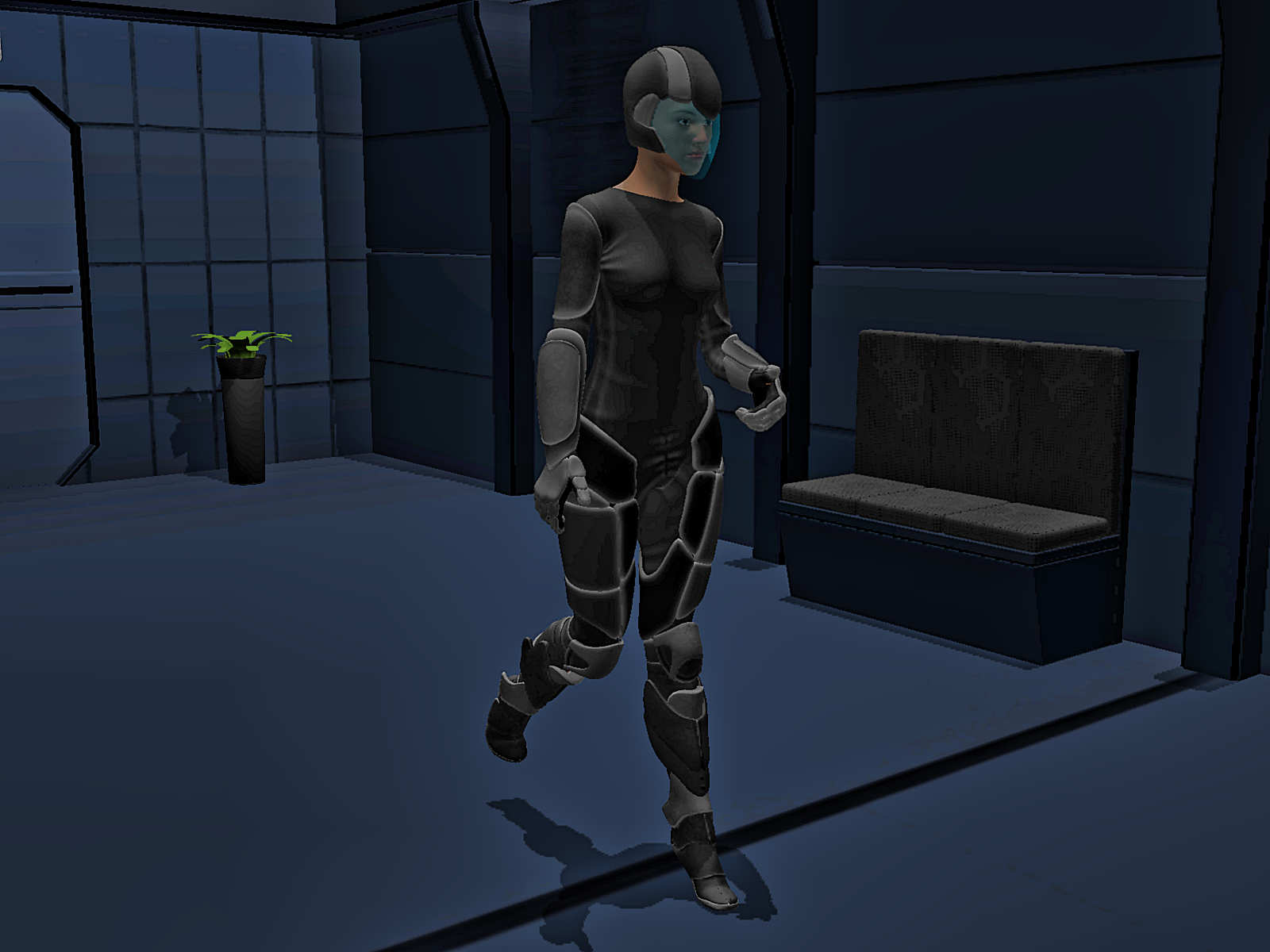 Carrara freebie/sale render and discussion thread
Wilding Outfit for Genesis 3 Female(s) - https://www.daz3d.com/wilding-outfit-for-genesis-3-female-s
The clothes were autofitted to G2F and converted to blended weight in DAZ Studio, they were then saved as scene Subsets, which were then opened in Carrara.
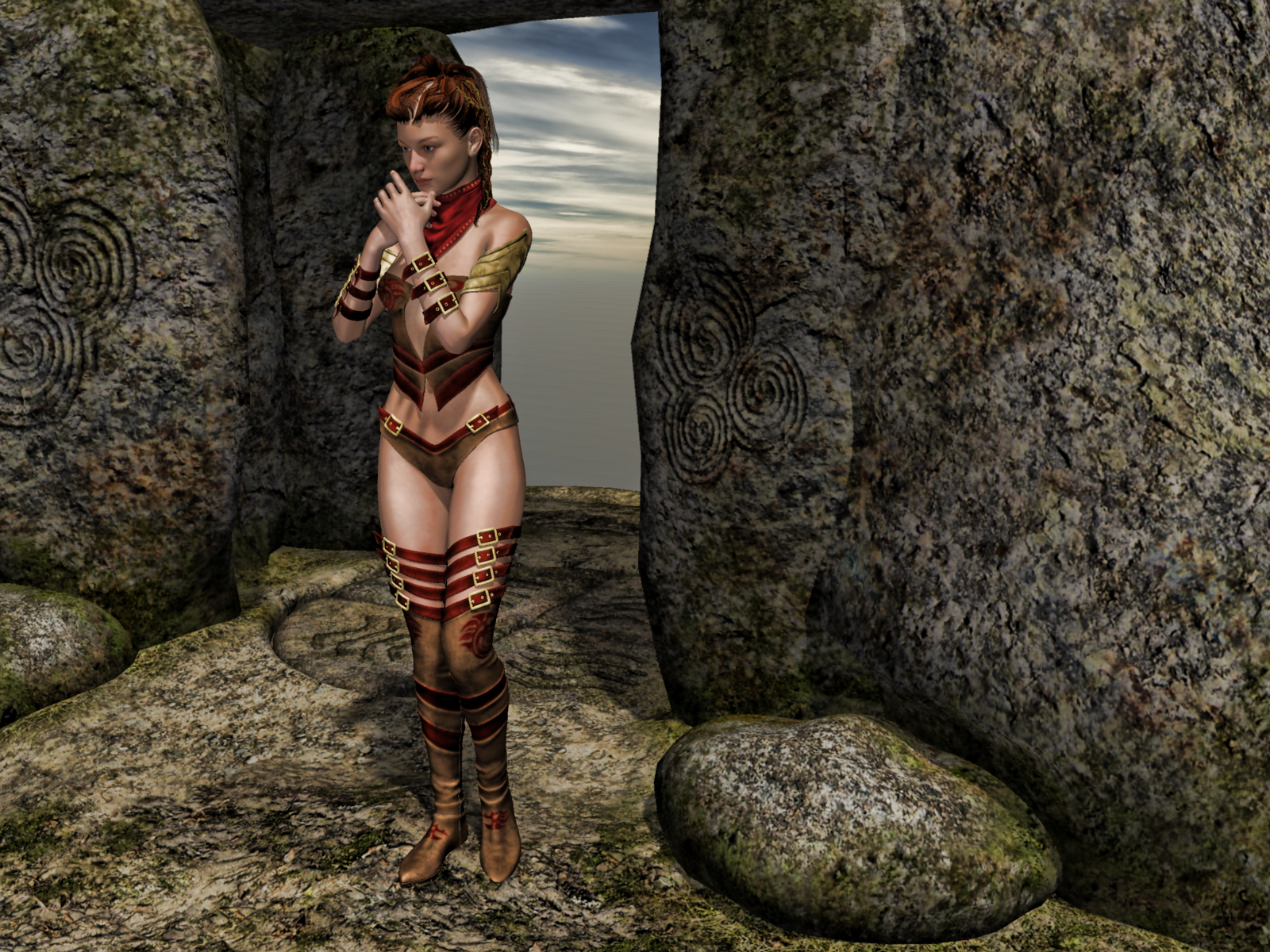 Omni Shader Hair Thread
I recently learnt about convert tubes to lines and have been using it on Carrara hair imports
the resulting shader has root and tip thickness and UV width like SBH
So since others have tried LAMH with Omni Shader, I am wondering if it adds anything to line hair
( I honestly cannot tell)
Buy Something That Doesn't Work in Carrara? Post your Questions and Workarounds here. (please)Fletcher Class Destroyer - Edit - Tried Collada .dae export from DAZ Studio
File size 396 MB. Took a while for it to load into Carrara.
When loaded all of the armament, radar, and fittings were invisible depite being shown as visible in Carrara. Turning them off then back on again worked for some of the items.
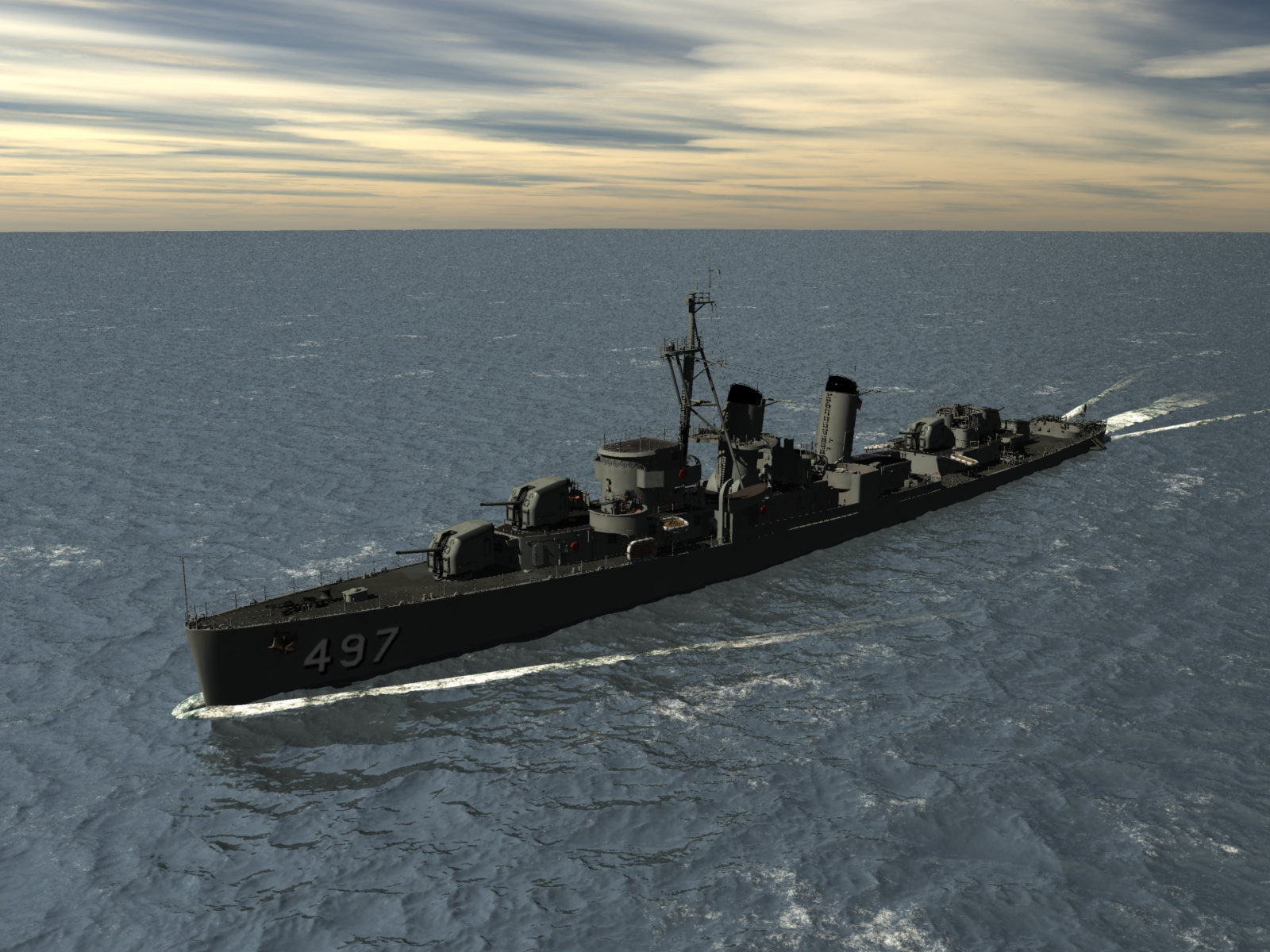 Buy Something That Doesn't Work in Carrara? Post your Questions and Workarounds here. (please)
Fletcher Class Destroyer - https://www.daz3d.com/fletcher-class-destroyer
This model is made up of lots of components.
Tried converting the Main Hull which is at the top of the directory in DAZ Studio to blended weight.
When opening in Carrara got an error message. Will be a pain if you have to convert every component to blended weight.
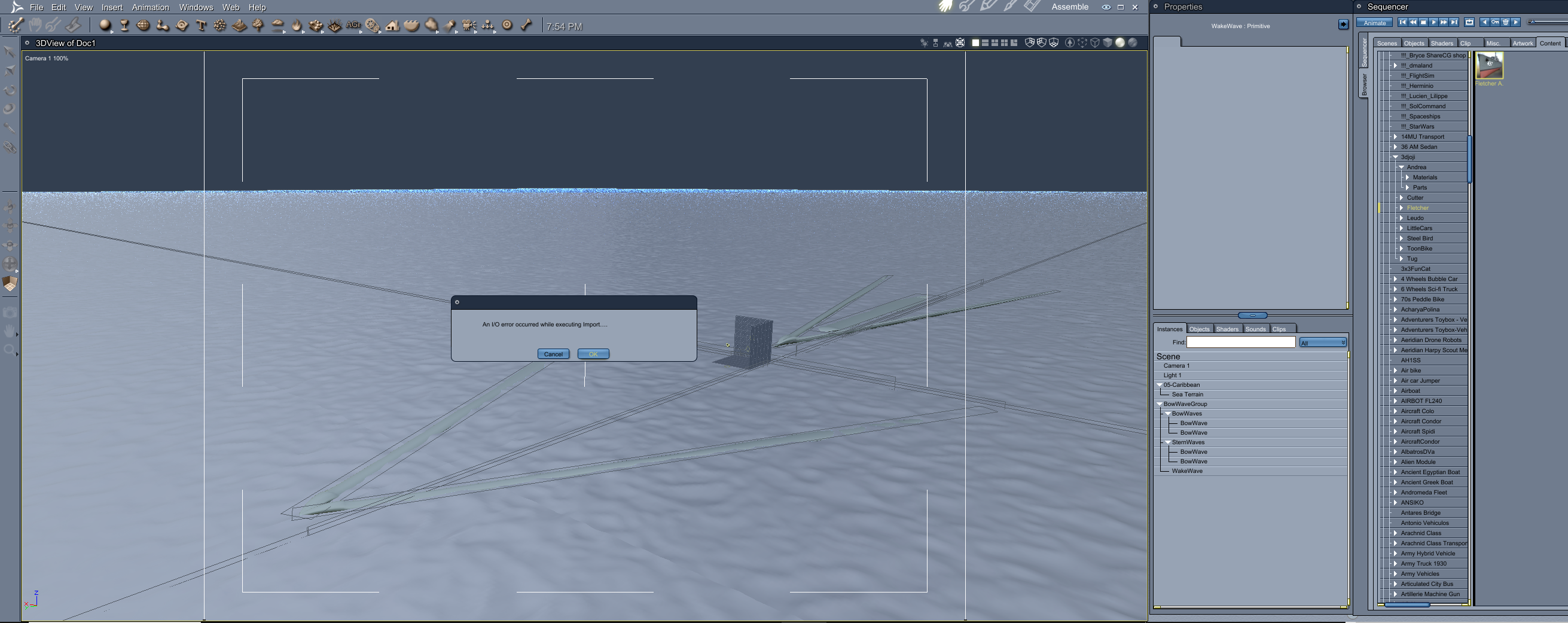
Tried exporting out of DAZ Studio as an fbx, got an error message.
Exported out of DAZ Studio as an obj, took a long time and the resultant obj file was 12GB in size !!!
Looks like this one is for DAZ Studio renders ....
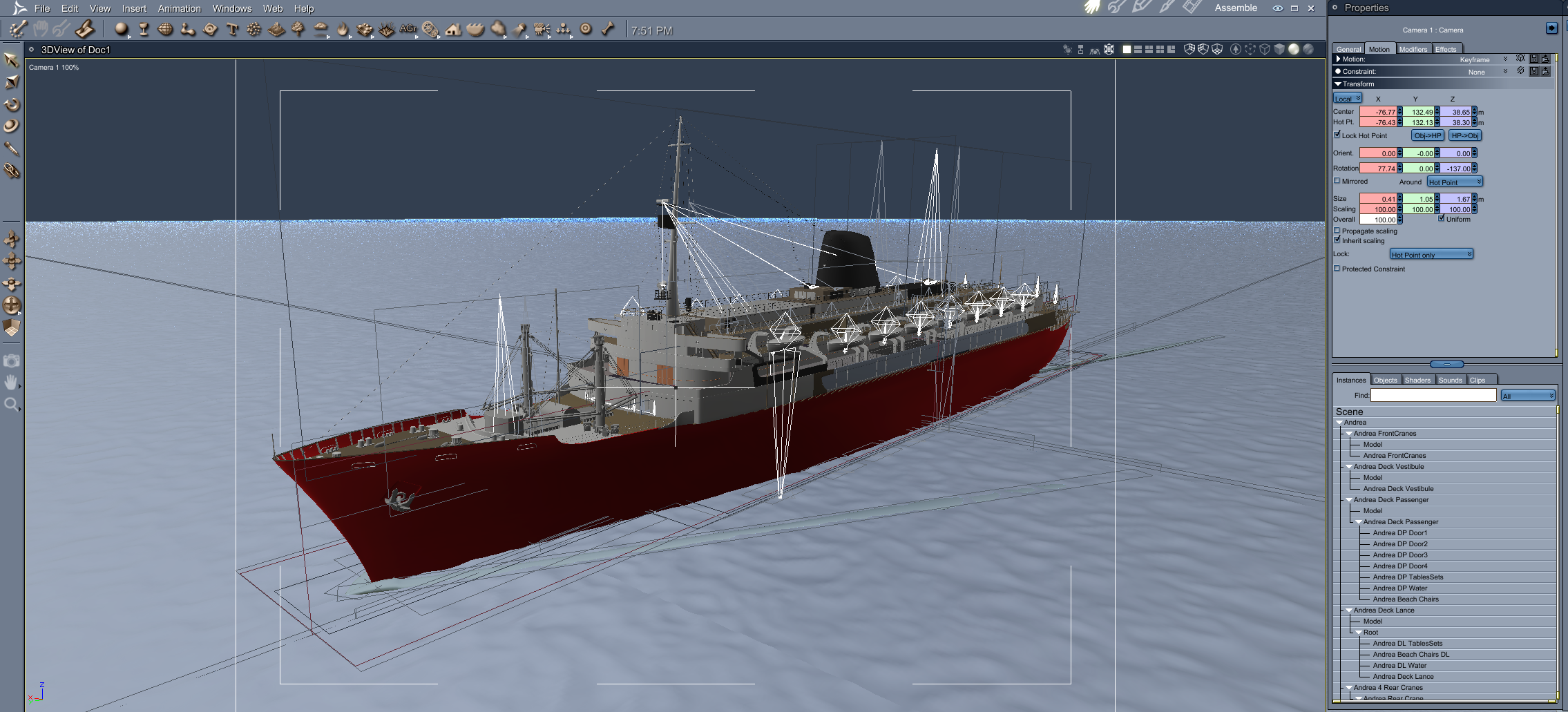
Andrea ship loaded okay.
 Llola Lane’s RENDER A MONTH Challenge 2024 (ALL are welcome to join) (CLOSED)
Wacky1 said:
the Gathering in Carrara

Awesome! You managed to get so many cool characters into the scene ... and clippy is there too.
can I import curve based hair from blender to daz(particle or extrapolated)OMG have to pop in and thank you for this thread and UncannyValet for their suggestion
which also works on Carrara hair exports

(one of Jon Stark's hairs but also now doing all of mine)

almost 6mil vertices before

just under 2mil afterwards, yay!!!
of course it only renders in iray not filament but I still have the original for that
Is Daz studio useful in any way?Masterstroke said:
DAZ is an obsessive hobby, but a highly frustrating obsesssive hobby recently, since the release of Genesis 9, because all of the progessive items like dforce strand based hairs are for Genesis 9 only.
This DAZ-Train is running without me.
I don't see a way right now for migrating to Blender either, for it is a way to steep learning curve. I've invested years to add custom blend shapes and expressions to my custom character and have to rely on geografts and and geo shells. Yup, so good luck bringing THOSE into Blender.
I feel trapped in DAZ Studio and DAZ Studio is letting me down by almost exclusivly supporting Genesis 9 with all the new good stuff.
For the first time since I am using DAZ Studio, my wishlist is empty here and in other 3d market places.I really get you. I have a huge library of content starting with V4 over G3 and G8. In the past, I tried to get the content to Cinema 4D with self written scripts, but then Cinema 4D changed to a regular payment system and the development of features somehow went into the wrong direction for me. Since Blender V3.0 I really started to like it. My goal is to get the Daz content to Blender, improve it and make it native. I will not be able to use everything, but it will be a great base for pictorials that I'm working on combined with native Blender content. I also love to add Bryce, Carrara and Vue generated HDRI for backgrounds of the scenes.
Buildings and Props with good geometry (quads) and UV mapping are still interesting. Jumping on Genesis 9 makes no sense for me though. Complicated poses and expressions, I still can do in Daz and then just export the OBJ to Blender and adjust the materials. Daz content has a certain value for me. Daz Studio unfortunately not really.
Is Daz studio useful in any way?
Luckily I didn't really get going until after iray was introduced, so 99% is all G3 or newer. I stopped buying new characters awhile back, so really just clothes, hair, and props which I only use maybe 5% of what I have. I think Daz needs to create an "in-house" reason to give a little more purpose and incentive, like a digital art league. Sounds crazy but heck, Video games did it.kyoto kid said:CASINC said:
background said:
If you could get permission to transfer your DAZ assets, which you say are about 40K, do you know anyone who would be willing to pay a significant amount for them? Some of them must be 10 year old assets. Someone new to DAZ is unlikely to want to commit to hundreds of dollars of content. Someone who is heavily 'into' DAZ may already have a lot of the same assets.
Just brainstorming options, whether or not I could find a buyer and for how much is up in the air. That would be very subjective to the buyer. I wouldn't expect to get full retail value, type of thing. I would rather be able to sell access to my account based on monthly subscriptions, but.....indeed. over the 16+ years I've been at this I've accumulated a total of (retail value) 1.145 million USD in content software (also have Carrara Hexagon and Bryce), plugins, & such.. Current Value is a little over 61,000 USD (enough for a down payment on a nice house). A large portion is old pre-Genesis content so it likely is worth even less.today.
Is Daz studio useful in any way?CASINC said:
background said:
If you could get permission to transfer your DAZ assets, which you say are about 40K, do you know anyone who would be willing to pay a significant amount for them? Some of them must be 10 year old assets. Someone new to DAZ is unlikely to want to commit to hundreds of dollars of content. Someone who is heavily 'into' DAZ may already have a lot of the same assets.
Just brainstorming options, whether or not I could find a buyer and for how much is up in the air. That would be very subjective to the buyer. I wouldn't expect to get full retail value, type of thing. I would rather be able to sell access to my account based on monthly subscriptions, but.....indeed. over the 16+ years I've been at this I've accumulated a total of (retail value) 1.145 million USD in content software (also have Carrara Hexagon and Bryce), plugins, & such.. Current Value is a little over 61,000 USD (enough for a down payment on a nice house). A large portion is old pre-Genesis content so it likely is worth even less.today.
Daz 3D is part of

Connect
DAZ Productions, Inc.
7533 S Center View Ct #4664
West Jordan, UT 84084Licensing Agreement | Terms of Service | Privacy Policy | EULA
© 2026 Daz Productions Inc. All Rights Reserved.