-
Getting on the 9 train, or not
Keiku said:
Art2Eager said:
I've been thinking it over, and in retrospect, it's pretty obvious what they're going for with 9. Instead of making a figure that looks great out-of-the-box, they're making a base figure for content developers to sculpt in Zbrush/Max/Maya/Blender/whatever. In the long run, this will lead to lots more HD characters in the store, since developers won't have to waste time cancelling out G8F's details an instead can just start sculpting.
This is good for Daz, as a company, because HD characters are a big-ticket item that are time-consuming to produce. It's also good for Whales who throw money at their Runtime instead of actually learning 3D.
But it's bad for middle-of-the-road hobbyists who only dabble in character customization. The days of downloading a base character, making a few quick tweaks to the sculpt in blender and the textures in krita, and having something more or less production-ready, yet distinctly a new character, are pretty much over. No quickly-made characters means no cheap, low-end content. And all of this is happening during a period in human history where nearly everybody's personal income has been backsliding.
In this context, asking if we're "getting aboard the 9 train" basically boils down to asking us how much disposable income we think we're going to have over the next few years. Like... moreso than usual. For the first time in years, we know for a fact that non-premium content for a flagship Daz character simply won't exist. I mean, you could make a traditional morph from G9F, but it wouldn't really work in production. Look how hard it is to make a belly button.
Spend or subdivide. Retopo or retreat. There is no longer a third option.
Fortunately, Blender is free, and some of the tutorials for how to use it are also free, so there might yet emerge a space for hobbyists, indies, and casual end-users.
Leaning how is going to be work, though.
And once people get used to using Blender, they're not going to want to go back to Daz Studio. Oh, don't get me wrong, they will, because they kind of have to, but the UX is worse in every way. The only advantage DS has is your Runtime is already over here. When the old content becomes obsolete and the new content becomes too expensive to buy at scale because everything's HD... what does that leave?
That's not rhetorical. I genuinely do not have an answer. All I know is the future of Daz is changing. Open your wallets or open your search engines, folks. It's time to go watch some tutorial videos...
This perfectly sums it up. Perhaps this is the push for many of us to finally learn Blender in full. But once we do, where does that leave Daz? Initially importing characters into Blender will still be a thing, but as we learn more, eventually, that won't be necessary. But for now, I will stick with G8 (with some blender learning on the side) until such a time comes where I just can't use it anymore.
...indeed.
I'm not the best at modelling, actually rather bad at it, even for props & such. My goal is to create high quality detailed scenes and illustrations which is enough work in and of itself without having to sculpt #, create morphs, or model what i need. Granted since Blender 2.8 the UI has been improved to be a bit easier to learn and work with, but it takes a certain mindset to do 3D digital modelling (and this is coming from someone who worked with sale model display and radio control aircraft). it's different when you can actually touch the object you are working on.
Having to translate from "old school" painting and drawing to digitial 3D art has been quite the learning curve in and of itself.(which II am still on 15 years later). It has even involved learning how to build a workstation as back then, "off the shelf" systems were inadwquate while custom built ones were extremely expensive.
I pretty much have settled with G3 and G8 for now as they are easier to work with out of the box, even for the extent of morph and character mixing I do.
Still the one part of G9 that attracts me is the return to the unimesh (and a more refined one than G1), for as MattyManx illustrated, as it allows for more realistic breast scaling for younger or more petite female characters wihout all the struggles i've been going through for years. However I'll have to wait until more merchant resource and utility content is released, along with some way to bring in head and full body morphs of older generation characters as desired (like an update of Zev0s XTransfer or a resuscitated GeneraionX).
All of a sudden my Genesis 8 figures are not loading properly.nicstt said:
As I'm using mosly G9 now, I removed all characters and some morphs for G8, and load times are now amazing; if I want something, it's quicker to save the morph I have, delete the G8 figure, load the item, reload G8 and apply the morph than it is to wait while G8 loads with all the stuff I rarely use.
It also means that loading G8 is much more straightforward when needed to copy a pose over.
... The reason for my story; unload lots of stuff and be surprised how little you use it.

i pretty much do that with my laptop... when i bought it i just added a couple of my favorite models and anything else as and when i need it.
The problem i have with my desktop is something different... after playing with some new programs it now is acting up.
pupils won't morphI am mixing several G8M characters and have tried a handful of different character morphs and morphs eyes sets, and for some reason, my figure's pupils refuse to morph into slits (like a snake). None of the products 'require' anything besides G8M on the sale page. What am I missing?
update: I've re-installed
Genesis 8 Male Body Morphs
just in case, but I'm still stumped
All of a sudden my Genesis 8 figures are not loading properly.As I'm using mosly G9 now, I removed all characters and some morphs for G8, and load times are now amazing; if I want something, it's quicker to save the morph I have, delete the G8 figure, load the item, reload G8 and apply the morph than it is to wait while G8 loads with all the stuff I rarely use.
It also means that loading G8 is much more straightforward when needed to copy a pose over.
... The reason for my story; unload lots of stuff and be surprised how little you use it.
All of a sudden my Genesis 8 figures are not loading properly.Everything fine in Content Directory Manager, no nested folders there.
Had a new look at the log, and Bejaymac is right. In the title you talk about Genesis 8 characters not loading right, but you are actually loading Genesis 8.1 characters - Not having removed the dummy expressions in the G8.1 morph folders, makes G8 base expressions not accessible to the PA made expressions for G8 that would use them.
Remove the dummy files or those lines will be pestering you everytime you load a G8.1 character.
Getting on the 9 train, or notGhostofMacbeth said:
You can then decide if you need to go up in resolution
Us normal users don't have that option if one intends to bring it back to DS as a morph for the (G9) figure
The cleaner mesh allows for better bends
Even with having checked that the joint corrections is fully enabled, I'm not seeing better bends. On the contrary the G9 torso bends like it has 4 steelbars as the backbone, which doesn't look natural.
Please help me identify hair used in outfit render!Chibimonchichi said:
Looks kinda like this one with the Length morph applied? Maybe?https://www.daz3d.com/blair-hair-for-genesis-8-males-and-females.

Awesome! I think this is it! One of the screenshots even has the same colors. As you impied, the only thing off is the length (at the back) and hopefully I can figure out how to get it looking the same. In any case, this is now on my wishlist. Thanks so much!!
Getting on the 9 train, or notThe thing is that so many people are obsessing about HD but the best way to sculpt is to sculpt on the base and go until you can't go any further. You can then decide if you need to go up in resolution or create an option for a normal map, or some other avenue. There was an example of the muscular morph posted way back in the thread by the creator (that was sculpted on the base res) and it was ignored. Additionally, there are landmark maps that are provided to all that can guide the user in creating new content for those that are missing the topology.
The cleaner mesh allows for better bends and better folding of clothes, etc. (as I understand it). It also allows for more adventurous sculpts snce you no longer have to fight that nipple geometry when trying to create something other than mammalian, etc.
All of a sudden my Genesis 8 figures are not loading properly.Bejaymac said:
Log shows you loaded Arianna 8.1 and Victoria 9, but this "/data/DAZ 3D/Genesis 8/Female/Morphs/Elianeck/Lolo/PHMMouthRealism_HD_div2.dsf" is the only morph being loaded that shouldn't be.
Most of the log shows G8F expression correctives failing to load when loading G8.1F, this is normal for the default set up of G8.1F/M as it uses a different system to G8F/M, and blocks access to those files.
G8F expressions correctives failing to load...is that what all them warnings are in my first screen shot in my first post, and as such nothing to worry about?
All of a sudden my Genesis 8 figures are not loading properly.Log shows you loaded Arianna 8.1 and Victoria 9, but this "/data/DAZ 3D/Genesis 8/Female/Morphs/Elianeck/Lolo/PHMMouthRealism_HD_div2.dsf" is the only morph being loaded that shouldn't be.
Most of the log shows G8F expression correctives failing to load when loading G8.1F, this is normal for the default set up of G8.1F/M as it uses a different system to G8F/M, and blocks access to those files.
Getting on the 9 train, or notPerttiA said:
This is something I don't understand, how does the topology make it any easier or harder to sculpt?
Ok, I don't have ZBrush or any other heavy duty professional sculpting tools, just Blender in which I have done morphs for my private use (also the pregnant morph) and I can't see how the G9 topology would make it any easier or the G8/G8.1 topology make it any harder, when talking about the character still being somewhat human and not being transformed into a mailbox.
In my eyes the G9 topology makes it harder because of the missing hints about the location of the details
From my extremely limited time scultping G8 in Blender, one thing that I noticed would have been beneficial for sculpting is a more detailed, "tighter" mesh. G9 appears to be an improvement in some areas, and a step back in others as far as that goes. But of course I'm a novice in that area,
Getting on the 9 train, or notMattymanx said:
From the start, the Genesis figures were meant to be a multi-use figure that could be 1001 different people of all shapes and sizes. So lets say the stomach area is defined for muscles, then morphing it into a pregnant belly or someone who is very heavy set becomes a problem as you have to sculpt out the detailed areas. But doing a well toned body who is fit is much easier in this example. Where as in the case of Genesis 9, with the mesh the way is it, is much easier to sculpt the body into either.
This is something I don't understand, how does the topology make it any easier or harder to sculpt?
Ok, I don't have ZBrush or any other heavy duty professional sculpting tools, just Blender in which I have done morphs for my private use (also the pregnant morph) and I can't see how the G9 topology would make it any easier or the G8/G8.1 topology make it any harder, when talking about the character still being somewhat human and not being transformed into a mailbox.
In my eyes the G9 topology makes it harder because of the missing hints about the location of the details
Getting on the 9 train, or notDiomede said:
On topology and edge loops. - Reply to Oso3D but really a clarification for people less advanced than Oso3D.
Why do vintage modelers emphasize edge loops? Recall the picture of the G9 torso mesh does not have any edge loops outlining the oval stomach musculature on the front of the human torso, nor does it have edge loops for the lower border of the rib cage. Instead it has a flat grid. As a result, if one were to just shrink wrap the base torso to a slim and healthy adult human, the edges of the grid do not line up with the edges of the rib cage or stomach oval. It may still look OK depending on how dense the mesh is, which subdivision can aid, but major features would be dependent on internal deformation of squares, not outlines by edge loops. (See attached pic). However, that is inefficient if you know ahead of time that the shape you want has an oval stomach and a slope for the lower rib cage. The same shape could be achieved with fewer polygons, less subdivision, less strain on computer resources. In practice, people who struggle to have 3 or 4 Daz figures in a scene could have 7 or 8 if the mesh was more efficient.
Other examples of issues include several joints. There have been complaints about rubbery joints reminiscient of V4 and M4. Some of that is due to JCMs being occasionally deactivated, a bug which I am sure will be fixed (Thank you, Mada, for monitoring the forums and helping diagnose and solve that problem for users). But another part of the issue comes from poor edge flow of the mesh in the joints. If the edge loops better matched human skeletal and musculature structure then the rigging and weightmapping would have better results and there would be less need for morph fixes like JCMs.
I have used the word 'vintage' in the term vintage modelers to try to signal that I know Daz believes the mesh of G9 is a step forward, not backward. Daz3D is well aware of the points I have made about edge flow, and consciously chose the G9 mesh as is. One possible good reason to do so would be a decision to rely more on mesh density and sculpting to define shape than selecting and manipulating individual edge loops.
Just clarification. I am on the Genesis 9 train. I have had occasion to dabble in ZBrush and similar. Looking forward to the people who open ZBrush for the first time and who can't figure out why they can only replicate a seemingly infinite number of spheres instead of sculpting the starting sphere. :)
There is a right time and place for doing edge loops to define a specific shape in any model, but Genesis 9 is a canvas to be built on top of, and it's mesh is the way it is to allow more creative freedom to those who build on it. From the start, the Genesis figures were meant to be a multi-use figure that could be 1001 different people of all shapes and sizes. So lets say the stomach area is defined for muscles, then morphing it into a pregnant belly or someone who is very heavy set becomes a problem as you have to sculpt out the detailed areas. But doing a well toned body who is fit is much easier in this example. Where as in the case of Genesis 9, with the mesh the way is it, is much easier to sculpt the body into either.
All of a sudden my Genesis 8 figures are not loading properly.A sample from your log;
Formula output property not found: Genesis8Female:/data/DAZ%203D/Genesis%208/Female/Morphs/DAZ%203D/Expressions/eCTRLShock_HD.dsf#eCTRLShock?value - in file: /data/DAZ%203D/Genesis%208/Female/Morphs/Gustef/101%20EL/G%20101%20EL%20Fear%20Worry.dsf
The line is saying that when reading file "/data/DAZ 3D/Genesis 8/Female/Morphs/Gustef/101 EL/G 101 EL Fear Worry.dsf", DS found a reference to a formula in file "/data/DAZ 3D/Genesis 8/Female/Morphs/DAZ 3D/Expressions/eCTRLShock_HD.dsf", which it can't find.
The eCTRLShock_HD.dsf is part of G8 starter essentials, which you should have installed, unless you have removed it.
If you removed them in trying to get G8 expressions working on G8.1, you missed a warning in the instructions;
"Please make sure you are removing the files from G8.1 morph folders and not G8 morph folders."When you reinstall Genesis 8 Starter Essentials, the files will be installed back (together with the dummy files for G8.1)
The instructions for getting G8 expressions to work on G8.1 (read twice, do once);
Making the G8 base expressions (and any expressions that are using them) work on G8.1 requires removing dummy/placeholder expressions that are installed to G8.1 morph folders - These dummy/placeholder expression files have no other function than to prevent the base G8 expressions from loading.
The dummy/placeholder files are located in;
...\Data\DAZ 3D\Genesis 8\Female 8_1\Morphs\Daz 3D\Base Pose Head\ (255 files, can be more if you have additional DAZ expression packs)
...\Data\DAZ 3D\Genesis 8\Female 8_1\Morphs\Daz 3D\Expressions\ (24 files, can be more if you have additional DAZ expression packs)
...\Data\DAZ 3D\Genesis 8\Male 8_1\Morphs\Daz 3D\Base Pose Head\ (255 files, can be more if you have additional DAZ expression packs)
...\Data\DAZ 3D\Genesis 8\Male 8_1\Morphs\Daz 3D\Expressions\ (24 files, can be more if you have additional DAZ expression packs)Please make sure you are removing the files from G8.1 morph folders and not G8 morph folders.
Note 1; If you are logging in to DS and letting DAZ Connect (within DS) to install/update your content, you may have these also in an other location that has "\Data\Cloud\" in it's path
Note 2; Do not remove any files from "FACS" or "FACSExpressions" foldersCelebrity Look-a-Likes for 3D figures part 3robertswww said:
Lolman said:
Does anyone know a good Uma Thurman G8 Model?
@Lolman For a Uma Thurman look-alike, check out: Celebrity Series 91 for Genesis 3 and Genesis 8 Female
And for an alternate morph check magnus1781
Getting on the 9 train, or notI thinik G9 is great for what I do.I'm not a clothing maker, morph creator, or anything else. I just grab a figure, slap on some clothes, hair, and light up the scene .. viola. I cannot justify or afford going all out on this G9 when I have already so much invested in earlier versions. M9 is pretty darn good looking, versatile in the face and body. Some new morphs came out as well today, but my wallet is empty.
Getting on the 9 train, or notOn topology and edge loops. - Reply to Oso3D but really a clarification for people less advanced than Oso3D.
Why do vintage modelers emphasize edge loops? Recall the picture of the G9 torso mesh does not have any edge loops outlining the oval stomach musculature on the front of the human torso, nor does it have edge loops for the lower border of the rib cage. Instead it has a flat grid. As a result, if one were to just shrink wrap the base torso to a slim and healthy adult human, the edges of the grid do not line up with the edges of the rib cage or stomach oval. It may still look OK depending on how dense the mesh is, which subdivision can aid, but major features would be dependent on internal deformation of squares, not outlines by edge loops. (See attached pic). However, that is inefficient if you know ahead of time that the shape you want has an oval stomach and a slope for the lower rib cage. The same shape could be achieved with fewer polygons, less subdivision, less strain on computer resources. In practice, people who struggle to have 3 or 4 Daz figures in a scene could have 7 or 8 if the mesh was more efficient.
Other examples of issues include several joints. There have been complaints about rubbery joints reminiscient of V4 and M4. Some of that is due to JCMs being occasionally deactivated, a bug which I am sure will be fixed (Thank you, Mada, for monitoring the forums and helping diagnose and solve that problem for users). But another part of the issue comes from poor edge flow of the mesh in the joints. If the edge loops better matched human skeletal and musculature structure then the rigging and weightmapping would have better results and there would be less need for morph fixes like JCMs.
I have used the word 'vintage' in the term vintage modelers to try to signal that I know Daz believes the mesh of G9 is a step forward, not backward. Daz3D is well aware of the points I have made about edge flow, and consciously chose the G9 mesh as is. One possible good reason to do so would be a decision to rely more on mesh density and sculpting to define shape than selecting and manipulating individual edge loops.
Just clarification. I am on the Genesis 9 train. I have had occasion to dabble in ZBrush and similar. Looking forward to the people who open ZBrush for the first time and who can't figure out why they can only replicate a seemingly infinite number of spheres instead of sculpting the starting sphere. :)
 Getting on the 9 train, or notI am pleasantly surprised by Michael 9's release. He looks good. Based on the Genesis 3 and 8 launches, I was expecting at least one more female character to come out before him. And with the morph package SF-Design released today as well, this may get me onto the G9 train sooner than I thought.[Released] Ultimate Pose Converter Bundle for Genesis 9 [Commercial]
 Stop wasting time and hard drive space converting pose presets, just use them! Bone Minion will do the hard work for you by acting as a bone “catcher” for a pose and then do a just-in-time conversion of the pose to its parent Genesis 9 Figure*. You can directly use ANY pose (from Victoria 4 and Michael 4 to Genesis 8) with your Genesis 9 Figures. Simply load the desired Bone Minion (i.e., Genesis 8 Female Bone Minion for Genesis 8 Female Poses) on your target figure (Genesis 9), select the Bone Minion, and start applying poses!
- On-the-fly conversion of poses to your target figure
- Directly convert from the source generation to the target generation without converting to intermediate generations
- Works with full poses, partial poses*, hierarchical poses**, and even AniBlocks!
- Automatically applies full poses when they are loaded*
- Cross-gender pose conversion
- Supports pose properties, e.g., Right Hand Grasp poses (using the Create Heavyweight Bone Minion script)
- Use pose details on the Bone Minion to apply partial poses
Note that converted poses (and especially props if they are hierarchical poses) may not be perfect and may require tweaking. Facial bones (i.e., expressions) except for the eyes are not transferred.
* Any pose that sets the hip of the Bone Minion will be automatically converted on the fly and applied to the target figure. The Apply Changes script can be used to transfer any pose (including partial poses) on the Bone Minion to its target figure.
** Hierarchical poses require the props loaded on both the Bone Minion and the target figure. For Genesis 9, the bone names ARE VERY DIFFERENT and you will need to move the props to the correct bones manually. The prop will be properly rotated for the pose but may need to be manually translated to the correct location.
Tutorial
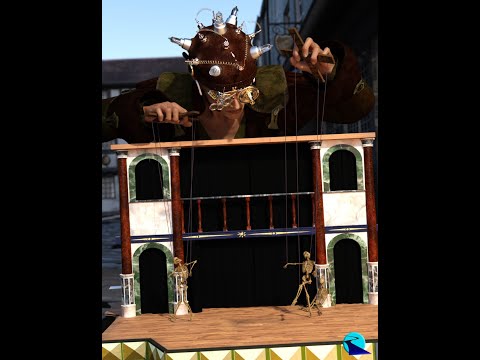
What's Included and Features
- Bone Minion for Generation 4 Poses for Genesis 9
- Bone Minion for Genesis Poses for Genesis 9
- Bone Minion for Genesis 2 Poses for Genesis 9
- Bone Minion for Genesis 3 Poses for Genesis 9
- Bone Minion for Genesis 8 and 8.1 Poses for Genesis 9
Removing morph data and using old scenesThe scene file or preset contains a reference to those morphs (if only to say their value is 0), so it's normal you get an error when loading them when the morph doesn't exist anymore.
If the morph was not actually used, you can always ignore the message and resave the scene.
Daz 3D is part of

Connect
DAZ Productions, Inc.
7533 S Center View Ct #4664
West Jordan, UT 84084Licensing Agreement | Terms of Service | Privacy Policy | EULA
© 2026 Daz Productions Inc. All Rights Reserved.