-
Items disappearing from product library
alienarea said:
Richard Haseltine said:
WendyLuvsCatz said:
fight for what you paid for
but
honestly I can understand not wanting to give them any more, that is truly shoddy treatment you got
That implies it is deliberate, rather than an account glitch of some kind.
Instead of logging a ticket for each item that's gone as soon as I find out I would appreciate a support person to look into this.
- items are missing.
- sometimes it's a whole order, sometimes only one of multiple items.
- in parallel, I cannot connect to my product library through DIM or Daz Central because of some JSON error.
- Logged a tech ticket and provided a log.
- Deinstalled and reinstalled DIM and Daz Central, nothing changed.
What else am I supposed to do? Get a lawyer?
Have you been going item by item? I would certainly make a general ticket if so, this certainly shouldn't be happening - however, I don't believe it can be a general issue or there would be far more complaints so it seems most likely, at the moment, that there is an issue with your account (which needs to be sorted out).
Oh, Misty, I forgot my Complaint ThreadGoogle is my friend: I got curious about "Five and Dime stores". and found out that the original idea for the first "Five and Dime" was just as a "five", as in a whole store dedicated to the idea of a 5-cent bargain table already in vogue, but quickly evolved to "five and dime". Who would'a thunk it?
 And they originated in Central NY State not too awfully far from me (well, maybe 200 miles), Items disappearing from product library
Richard Haseltine said:
WendyLuvsCatz said:
fight for what you paid for
but
honestly I can understand not wanting to give them any more, that is truly shoddy treatment you got
That implies it is deliberate, rather than an account glitch of some kind.
Instead of logging a ticket for each item that's gone as soon as I find out I would appreciate a support person to look into this.
- items are missing.
- sometimes it's a whole order, sometimes only one of multiple items.
- in parallel, I cannot connect to my product library through DIM or Daz Central because of some JSON error.
- Logged a tech ticket and provided a log.
- Deinstalled and reinstalled DIM and Daz Central, nothing changed.
What else am I supposed to do? Get a lawyer?
Genesis 3 and 8 to 9 Pose Converter (Commercial)Totally confused. I used Daz Central for install. When I got the intial error message, I used the cog to set the scripts menu option. Now, I'm getting "please select only one pose" error. I have only one pose selected. I closed DAZ out to make sure nothing else was selected. Got the same error after restart. Just to be clear, I am using the sequence, select gen9, select pose, then script from scripts menu
Items disappearing from product libraryWendyLuvsCatz said:
let me get this straight
when you say they are missing from your library you mean they are missing from here
https://www.daz3d.com/downloader/customer/files
and not showing a Red purchased logged in browsing to the product in the store.
if they are there and purchased it's an error on your computer
if not yes you legitimately have a huge problem with customer service and honestly need to go through your entire order history with a spreadsheet application and submit a complaint
They are missing from my product library and not showing a red purchased flag.
I am spending hours going through my order history (which is not really searchable), making screenshots and logging tickets.
Reinstalled DIM and Daz Central, they still fail to connect to my product library. The log, which I provided, states a JSON compiler error. Nobody replies to my tech ticket.
[SOLVED] How to change where Daz saves its metadataJudging by what you wrote, it sounds like you are installing your content with DIM, but also logging in to DS... You should not be doing both.
DIM installs the metadata to \Runtime\Support\, but that is not where the metadata updates during starting DS are saved. See the attachment for how to set your DS startup options to stop logging in to DS.Wrote this on another thread;
The structure of (traditional) DAZ Content Library is actually quite logical, but when trying to find a simple "push button" solutions for new users, DAZ has created a situation where different default functions do not play well together.
-At first the (new) user is offered DAZ Central for downloading and installing DAZ Studio and all the content that comes with it, no other alternatives are offered or even mentioned.
-When the user has downloaded and installed everything with the default settings/options and starts DS the first time, one is presented with a dialog that asks the user to log in, with the default option to keep logging in automatically in the future, giving the user the impression that logging in is necessary.
-Once the user is in DS and starts browsing the available content in 'Smart' Content, one is told that the content is not installed (with DAZ Connect), giving the user the impression that the content needs to be installed again, when in fact it is not necessary.
-If the user does as is suggested, the content gets downloaded and installed the second time to another location, taking twice the storage space. The installation location is non-traditional, which does not work with scripts and older content, and whatever gets installed by DAZ Connect, overrides the installations made by the other installation methods (DIM/DAZ Central/Manual installation), even when the DAZ Connect installations fail to work due to for example decryption failures.The general concensus is that the DIM is the best tool for installing DAZ content.
DAZ Central is just a simplified version of DIMDAZ Connect inside DAZ Studio was created at a time DAZ experimented with encrypted content, which did require logging in to DS/DAZ servers to verify the users licence for that content. The experimentation with encrypted content was ended some 5-6 years ago, but the user is still asked to log in without being told why or being warned about the possible consequences and side effects - The decryption errors are due to the content still being encrypted at DAZ servers that are used by DAZ connect to download them.
Personally I use manual installation as it gives me total control over the installations without having to track down settings in an installation program to get it to do what I want. The only thing the installation programs have is the ability to uninstall content with a push of a button, otherwise everything works just as if the content was installed by any other method.
Can't remove asset reference for most productsNotice the little square at top-right of the product thumbnail for the one that will let you rmove the file, and that it is absent fror the other. Thatv indicates a product that can be isntalled through Daz Studio but isn't, compared to one that was installed through Daz Studio. Right-click on the container (the pseudo folder with the product name) for the latter and you should be able to Uninstall it, leaving the Daz Central install showing and with deletable files.
Items disappearing from product librarySome items were fixed, some are still missing, and I'm discovering new ones missing and logging new support tickets.
I really need to understand what is going on.
I still cannot access my product library either through DIM or Daz Central. Nobody is replying on my tech ticket on this.
If I delete or merge Runtimes...If you delete then they will fail, for the most part scenes and presets are pointing to the data in the content directories. Merging two content directories, however, is fine as the scenes and presets store only the relative paths - the locations within the content directory - and not the location of the original content directory. Do note, however, that Install Manager and Daz Central do record the absolute location, starting from the drive idenitifer, of the files they place.
Items disappearing from product libraryAllenArt said:
Are you saying the items disappeared from your COMPUTER????
One of the missing items was Genesis 8 Female Body Morphs which I bought again today to avoid getting stuck with projects.
As soon as I re-bought it, it was back without installation.
In parallel to items gone, I cannot connect with DIM or DAZ Central.
Five open tickets and no reply.
I guess I'll return anything I still can.
How to update Daz Studio to 4.21?I never used Daz Central nor Daz Connect, Daz Install Manager does the job very well. Manual install for 3rd party content.
Besides of that, I never use Smart Content, it's far from being "smart". Content Libraries are easy to manage, backup, move to other PCs or share via a network.
How to update Daz Studio to 4.21?I can't launch Daz Central. It just says "not responding", uninstalled, re-installed, same. Is there a way to update Studio without Central?
Daz Central going Wacko!Daz Central won't even open for me anymore. Removed it, re-installed, no luck. Just get "not responding"
G8 morphs not loading with 8.1 figuresI never used CMS.
Installing Ds with Daz Central instead of the stand alone installer seems to have fixed the issue. Don't know why / how.
Daz Central - Genesis 9 EssentialsRichard Haseltine said:
Is there not a check box at lower left to stop the product check from running at start?
In DIM? There is, but each time I uncheck the popup box it seems to re-enable itself when next I start it. Central is the worst though, because it claims I don't even have the studio installed, which means I can't uninstall it or even run the thing through Central.
October, 2022 - Daz 3D New User Challenge - Atmosphere, Ghosts and Special Effectsbohemian3 said:
Everyone is doing a great job - here are a few of the images that really caught my eye this go-round.
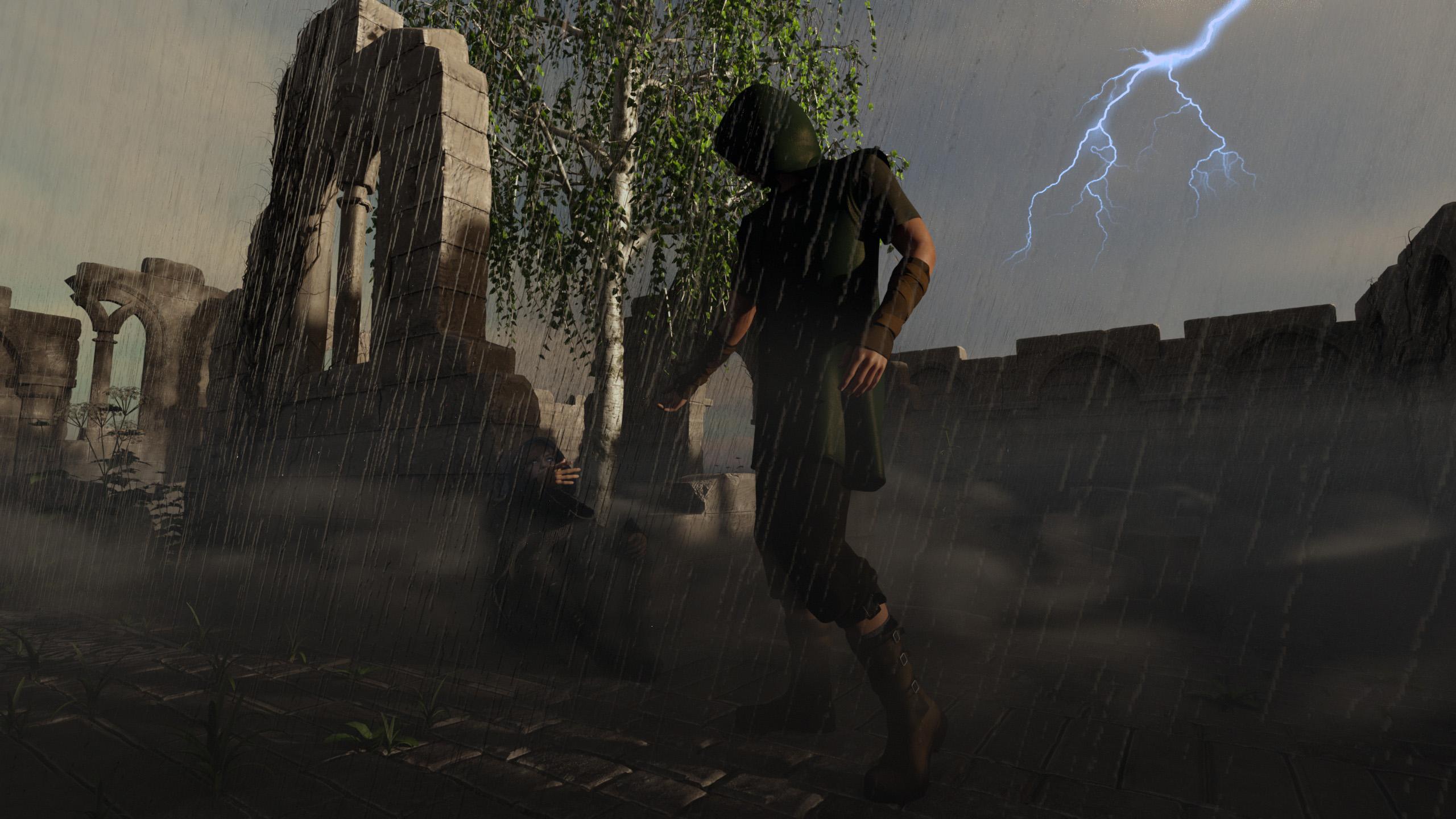
@Shimrian This is terrific - moody - the lightening and rain very well done and convincing. It's great as is - one small suggestion. Perhaps you can think about make the central character a little lighter (not much) - for me blends too much into back ground and 'competes' with the ruins for attention. Because the ruins are better lit, my eye is pulled more to them. Again, great job as is.
Shimrian said: Title: The coming storm Intermediate challenge
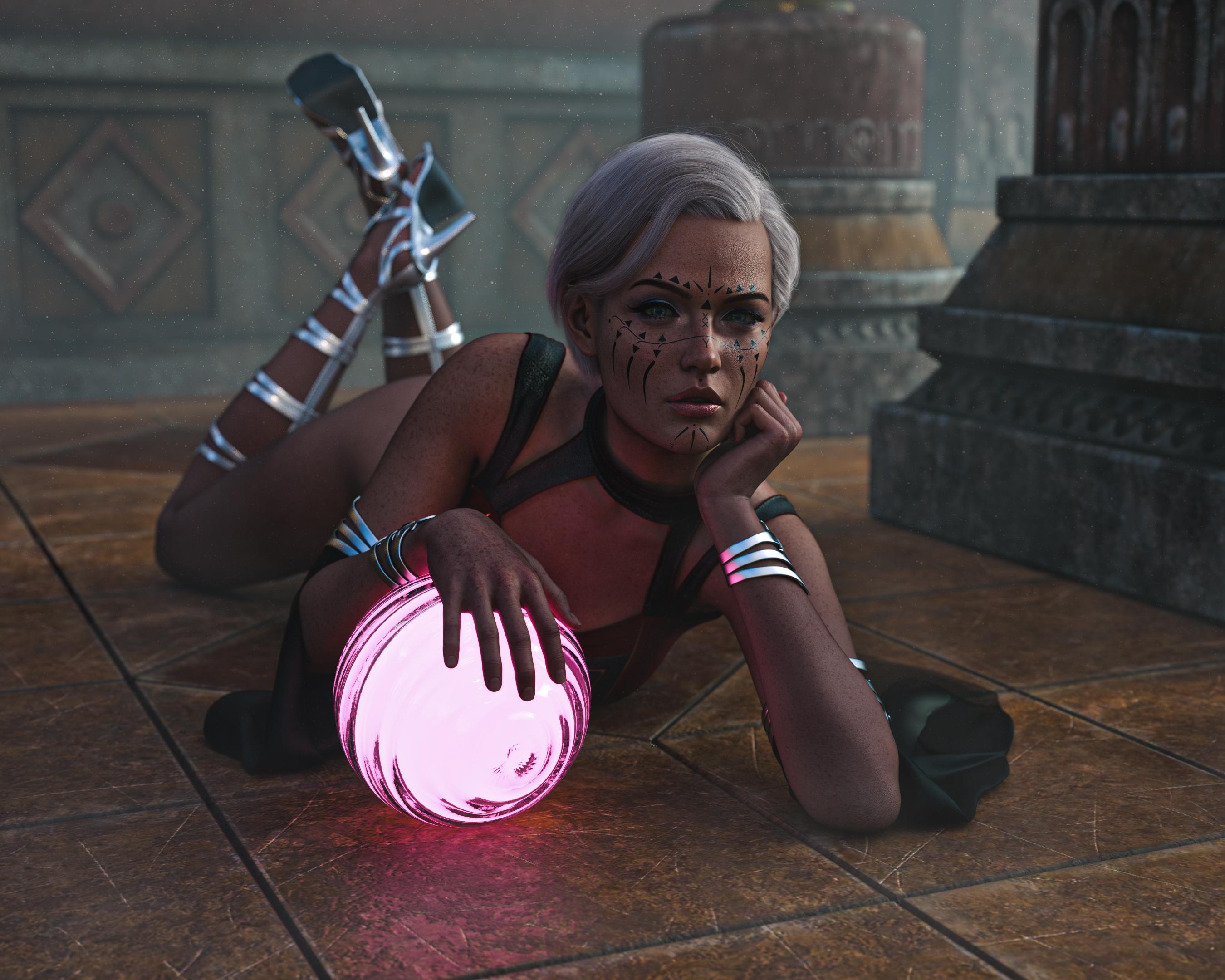
@Daedalus-7 Everything is working here for me - the posing, the lighting of the orb. Your use of fog is really good here - the background elements are artistic and intentional, keeps our eye focused on the foreground, helping to the 'guide' the eye the way a good photographer or director does. Very well done.
Daedalus-7 said: Magic Crystal Ball
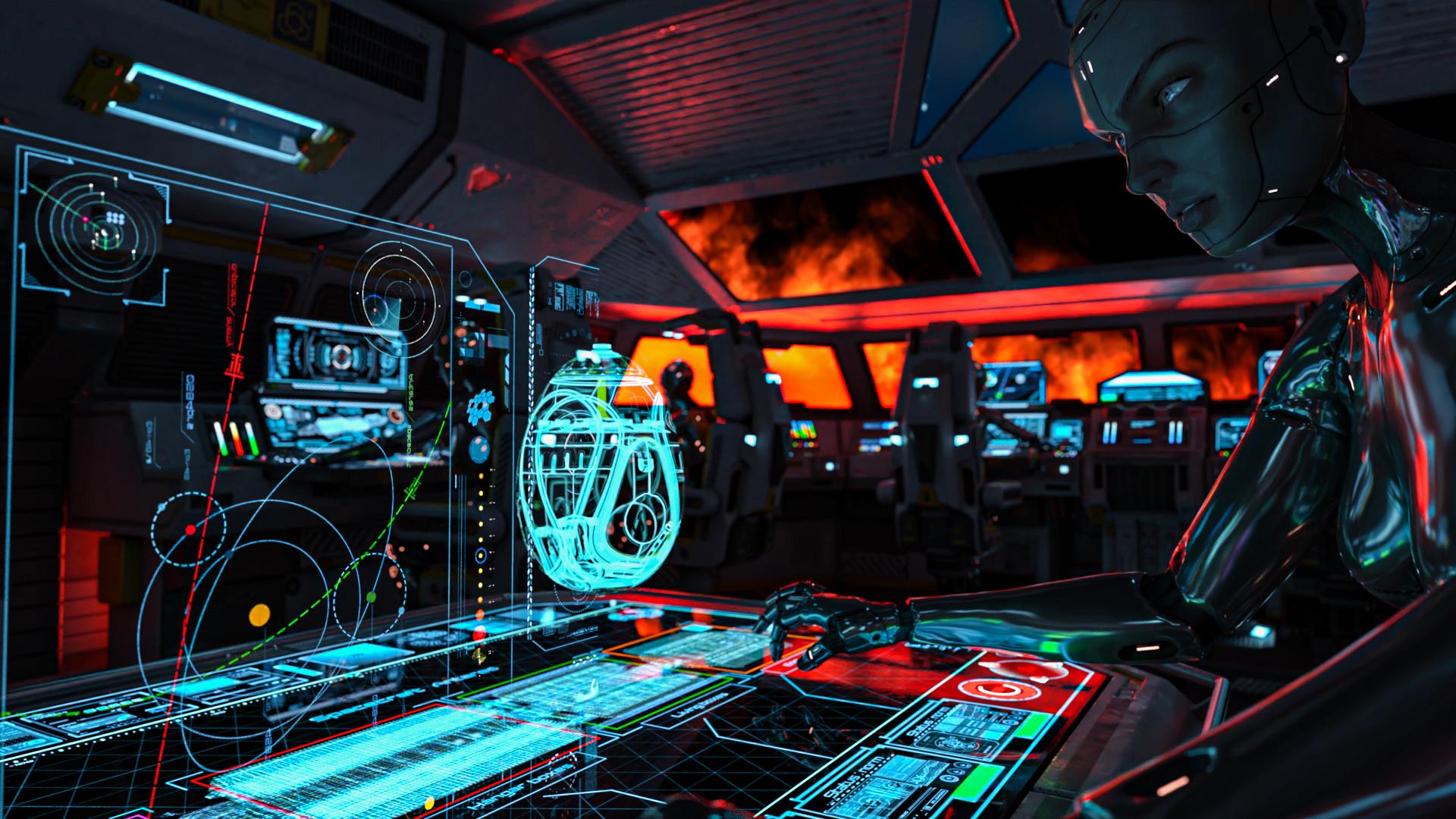
@aki3d Amazing detail work - vivid, atmospheric. Just a thought - the color rim on the right side of the face is perfect, really well done - perhaps a subtle brightening of the left side, not much. It fades into the background while the metal of the body suit 'pops.' Also, the GUI graphics are excellent, convincing and really artistic. Overall terrific job.
aki3d said: mission to the sun intermediate challenge
All the work here is really great - thanks all of you for 'putting yourself out there' to grow and inspire others.
I agree. Everyone is doing a great job.
And I would like to thank everyone for taking the time to create these wonderful images and share them with us.
October, 2022 - Daz 3D New User Challenge - Atmosphere, Ghosts and Special EffectsEveryone is doing a great job - here are a few of the images that really caught my eye this go-round.
@Shimrian This is terrific - moody - the lightening and rain very well done and convincing. It's great as is - one small suggestion. Perhaps you can think about make the central character a little lighter (not much) - for me blends too much into back ground and 'competes' with the ruins for attention. Because the ruins are better lit, my eye is pulled more to them. Again, great job as is.
Shimrian said: Title: The coming storm Intermediate challenge
@Daedalus-7 Everything is working here for me - the posing, the lighting of the orb. Your use of fog is really good here - the background elements are artistic and intentional, keeps our eye focused on the foreground, helping to the 'guide' the eye the way a good photographer or director does. Very well done.
Daedalus-7 said: Magic Crystal Ball
@aki3d Amazing detail work - vivid, atmospheric. Just a thought - the color rim on the right side of the face is perfect, really well done - perhaps a subtle brightening of the left side, not much. It fades into the background while the metal of the body suit 'pops.' Also, the GUI graphics are excellent, convincing and really artistic. Overall terrific job.
aki3d said: mission to the sun intermediate challenge
All the work here is really great - thanks all of you for 'putting yourself out there' to grow and inspire others.
Daz Central going Wacko!I am experiencing the same issue as well with Daz Central.Hopefully it will be resolved one day soon. Perhaps I should just reinstall the program.
Why does Daz Studio constantly need updating and why does it always stick at 78%?It seems that every time I open up Daz Central it wants me to update Daz Studio which always takes forever because it keeps getting suck. First at 78% and then I have to close it down and re-open it after which it gets stuck at about 85% and so on. Then lately it says 'installation will begin after previous installations' ??
So I close it and re-open it and again... it's stuck back at 78%!
Installation Issue: Installation will begin after previous installationsI have had the same problem, before.
I attempted to install the program using Daz Central several times.
I opened a support ticket, the guy told me to use DIM, I did that and I never go back using Daz Central.
My reccomendations to all those to want using Daz Studio is to avoid to all cost using Daz Central and use Daz Install Manager.
In the navigation ribbon, click the the top right Green Icon.
Click the Product Library Icon, once you are at the Product Library page do this:
Below Filter:
Type in the space "Install Manager" without quotation marks and click FILTER Button
Now you have landed on that page, click the corresponding installer for your Operating System, in the example screenshot I got the 64-bit version for Windows
In the page for the Install Manager, you have the choice of either Zip or Exe file to download to your computer.
Click the exe file, this is the fastest way to get the things done for you.
Once downloaded in the location of your choice, locate the file and launch it.
Accept the defaults if you are using a single disk, for the other way to install it if you have an SSD, I can't give you an answer because I did try to do a custom install but failed.
Hope this can help you!
Daz 3D is part of

Connect
DAZ Productions, Inc.
7533 S Center View Ct #4664
West Jordan, UT 84084Licensing Agreement | Terms of Service | Privacy Policy | EULA
© 2026 Daz Productions Inc. All Rights Reserved.