-
Daz Studio 5 development update
marble said:
wsterdan said:
marble said:
wsterdan said:
For Linux users, Mac or PC people could install Blender on their machines (or a spare, super-low-end machine), move their DAZ content to Blender, then use that Blender content on one of the Linux flavours that Blender supports.
Wow, talk about easier said than done! Unless you know of a way to move content into Blender (Asset Browser, I assume you mean) en-masse, then the only way I know is to create scenes and then use Diffeomorphic to transfer to Blender and then select each object in the scene individually and add it to the Asset Browser. I would think it would probably take years and years to move my library.
Oh, I never said it was *easy*, but neither is building a Linux verson of DAZ studio. If Linux is important enough to ask DAZ to invest tens of thousands of dollars to create a special version of DAZ Studio (I'm making assumptions, but I don't see one programmer, working full time, to get it done overnight) *and* maintain that version through every iteration of updates, the person asking can at least consider the options.
I think if I were considering it, I'd move only those assets needed to get started on a project, then add more as I need them. Like you, it would take far too long to move my library (16,000+ packages from DAZ alone) but then, I only ever use a very, very small portion at any given time. My current animaton project uses less than two dozen assets, for example.
Well, you did start by saying Linux, Mac and PC so I took the point to be more general. I too would love it if I could just point Blender at my DAZ Content Library and load stuff natively but I doubt that will ever happen. Maybe DAZ could make the software truly open-source and allow Blender developers to find a way to integrate the two but DAZ are far too proprietary to consider that.
Ah, I see. No, I meant, "For Linux users", people currently using DAZ Studio on their Macs or PCs could...". I could have been clearer, my apologies.
Why G9 is not good for blender (or any other 3d app)Padone said:
Apart that, we normal users can't do HD morphs, only PAs can, so forget of using blender or other apps to do morphs for G9. That is, with the daz morph loader we are limited to the base mesh, so G9 will not allow us to sculpt detailed morphs.
One of the things to remember is that Daz Studio is made for RENDER ARTISTS ... it was not really designed for people who can actually model, map, texture, rig, and animate. It was designed for rendering scenes using someone else's models ( PA merchandise ).
The goals of Daz / Tafi are mixed among commercial, liberal, gaming, and possibly NFT related slants and what we end up with is ... Genesis 9. It will have some benefits and some deficits (just like each generation) ... but it seems to follow what one might expect with those mixed goals.
As a maturing 3D artist (who started with only rendering), my desires and needs have changed through the years. For myself, Daz Studio still covers a lot of ground in my powerpoint illustrations ... but in other work, I am increasing turning to other resources.
G8.1 tear clipping with the eyesAndrewJJP said:
This is essentially a dial spun 8.1 character
A bit of context, I made this character about 6 months ago for a request to make her based on a real person, so I assumed the 9% Dannie was 9% based on the position of the dial. In order to recreate the character, I needed 100% of Dannie, so for reasons I don't understand, the dial setting was wrong.
https://www.daz3d.com/hid-dannie-for-genesis-81-female
Dannie's character has the same problem, although it's not as bad. She's essential to get the look I want, so I'm still after correction suggestions as this looks really horrible when I render (iRay preview attached).
I can move the eyeball but then I get horrible shadows around the edges. I'm going to try and make a on-HD version with a morph export to see if that fixes it, otherwise I'll probably have to use a G8.
Am I the only person that's ever had this? Possibly a fault with this character?
Thanks :)
EDIT: I had already made an SD morph, presumably because I wanted to get rid of some of Dannie's HD details. That is why the dialo was 9%. And I remembered the difference - I don't want to use a G8 because the expressions are not as good!
If nobody has any ideas, I'll need to raise a ticket and wait forever I guess
 Daz Studio 5 development update
wsterdan said:
marble said:
wsterdan said:
For Linux users, Mac or PC people could install Blender on their machines (or a spare, super-low-end machine), move their DAZ content to Blender, then use that Blender content on one of the Linux flavours that Blender supports.
Wow, talk about easier said than done! Unless you know of a way to move content into Blender (Asset Browser, I assume you mean) en-masse, then the only way I know is to create scenes and then use Diffeomorphic to transfer to Blender and then select each object in the scene individually and add it to the Asset Browser. I would think it would probably take years and years to move my library.
Oh, I never said it was *easy*, but neither is building a Linux verson of DAZ studio. If Linux is important enough to ask DAZ to invest tens of thousands of dollars to create a special version of DAZ Studio (I'm making assumptions, but I don't see one programmer, working full time, to get it done overnight) *and* maintain that version through every iteration of updates, the person asking can at least consider the options.
I think if I were considering it, I'd move only those assets needed to get started on a project, then add more as I need them. Like you, it would take far too long to move my library (16,000+ packages from DAZ alone) but then, I only ever use a very, very small portion at any given time. My current animaton project uses less than two dozen assets, for example.
Well, you did start by saying Linux, Mac and PC so I took the point to be more general. I too would love it if I could just point Blender at my DAZ Content Library and load stuff natively but I doubt that will ever happen. Maybe DAZ could make the software truly open-source and allow Blender developers to find a way to integrate the two but DAZ are far too proprietary to consider that.
Daz Studio 5 development updatemarble said:
wsterdan said:
For Linux users, Mac or PC people could install Blender on their machines (or a spare, super-low-end machine), move their DAZ content to Blender, then use that Blender content on one of the Linux flavours that Blender supports.
Wow, talk about easier said than done! Unless you know of a way to move content into Blender (Asset Browser, I assume you mean) en-masse, then the only way I know is to create scenes and then use Diffeomorphic to transfer to Blender and then select each object in the scene individually and add it to the Asset Browser. I would think it would probably take years and years to move my library.
Oh, I never said it was *easy*, but neither is building a Linux verson of DAZ studio. If Linux is important enough to ask DAZ to invest tens of thousands of dollars to create a special version of DAZ Studio (I'm making assumptions, but I don't see one programmer, working full time, to get it done overnight) *and* maintain that version through every iteration of updates, the person asking can at least consider the options.
I think if I were considering it, I'd move only those assets needed to get started on a project, then add more as I need them. Like you, it would take far too long to move my library (16,000+ packages from DAZ alone) but then, I only ever use a very, very small portion at any given time. My current animaton project uses less than two dozen assets, for example.
Daz Studio 5 development updatewsterdan said:
For Linux users, Mac or PC people could install Blender on their machines (or a spare, super-low-end machine), move their DAZ content to Blender, then use that Blender content on one of the Linux flavours that Blender supports.
Wow, talk about easier said than done! Unless you know of a way to move content into Blender (Asset Browser, I assume you mean) en-masse, then the only way I know is to create scenes and then use Diffeomorphic to transfer to Blender and then select each object in the scene individually and add it to the Asset Browser. I would think it would probably take years and years to move my library.
I'd love: A better Measure Metrics for Genesis 9, and a Down Syndrome character morph (like Bonnie).Hey! I make clothes for people with physical disabilities and atypical body morphology. I use software like CLO3D and Browzwear. Neither of those does a good job of creating avatars for people with atypical body morphology. I've been using DAZ3D with Measure Metrics to make a client's base avatar, sometimes a tweak or two in Blender, before bringing it back into CLO3D to make the clothes. Working this way and creating a great first pattern, or even being able to go straight into production, by using a good avatar really helps us keep our costs down. It would be great to see DAZ3D build real world size sliders into Genesis 9 to help create better, true to life avatars. It's really empowering when clients see avatars that represent themseleves and their bodies. A Down Syndrome character morph built directly into Genesis 9 would be great too. As would the ability to assign amputations. You can learn about our brand and mission at [Link removed] Have a great day, Matthew
Identify this makeup/facepaint?tsroemi said:MimicMolly said:
I think I found it. https://www.daz3d.com/patty-for-star-2-0
Cool, thank you!
Maybe there's even a way to transfer Patty's UV set to Genesis 8, I know there's one transfer set at least for many of the other Genesis 3 custom UVs ... Or maybe a 'Star 2 for G8' product or something ...Usually, this can work with just Map Transfer to G3F Base UVs. The shape is probably transferred over too, unless the headdress got parented to G3F. After all, the product is showing off the textures for the headdress, so it doesn't matter which figure is using it.
Bone joint oriantation wrong in UnityThank you ARealiti. It will solve partial my problem. But, I dont understant why Daz do not transfer right bones orianations to Unity as it did with Genesys 3 on T-Pose
Identify this makeup/facepaint?MimicMolly said:
I think I found it. https://www.daz3d.com/patty-for-star-2-0
Cool, thank you!
Maybe there's even a way to transfer Patty's UV set to Genesis 8, I know there's one transfer set at least for many of the other Genesis 3 custom UVs ... Or maybe a 'Star 2 for G8' product or something ...No one asked me - Diomede screenshots on whatever - Warning AI Discussion OKWendyLuvsCatz said:
apparently the correctives get turned off zeroing the figure and likely we cannot turn them on again in Carrara since it's obtuse enough in DAZ studio
a saved preset may be needed which may or may not work
Thanks. That is definitely one source. For the zero problem, the generous Mada has made a correction script available. See first post in this thread, after the sentence "Since its easy to zero the base joint correctives with zero figure (to avoid the issue use restore figure instead) I made pose presets to turn them on quickly - this will be added to my top menu bar for sure :) ".
https://www.daz3d.com/forums/discussion/597726/genesis-9-clothing-questions-answers/p1
Unfortunately, that is not the only source of the noodle joint problem. My guess is that the joint problems are an unavoidable consequence of emphasizing a consistent sculptable mesh grid. The edge flow does not follow skeletal and muscular forms. Only a guess. I think it is a problem specific to G9, which is less of a problem with the other genesis generations. At least until Zevo and other PAs do their magic. My genesis 9 enthusiasm is starting to swing back toward not enthusiastic. On the other hand, I admit that the square grid is good if I want to abandon modeling my own silly claymation figures and instead morph a Daz figure. Then I'd be able to use my Daz catalog with my silly figures. Could swing back toward enthusiastic again.
Is it possible to create an interesting G9-Character?plasma_ring said:We've never had the ability to make our own HD morphs, so I'm not sure if it's something about how G9 was marketed that's convincing people they can't make it look good without HD tools (there are still people on other sites who think the 8k maps thing is a mandatory feature). There just isn't a lot available for G9 yet compared to G8/8.1 as far as character morphs go. G3 characters with really distinctive HD-sculpted details lose a lot in the conversion to G8, too.
Seems like most users complaining about the need for HD just want to make adult-oriented renders and don't pay much attention to the faces. They want to have variety when using/making chest morphs, for example. (If my answer gets deleted, that's fine, but being indirect just makes the conversation more confusing.)
I never liked those custom morphs. They made fitting clothes tricky. For example, on G8F, you might find a fit morph that's exactly how you like but the chest is too stylized that you can't really fix it by dial-spinning, because it makes a distorted mess.
Head gamesKnittingmommy said:
Playing around with Victoria 9 and the Face Morphs Kit for Genesis 9. Started with Victoria 9, dialed her head back to about 75%. Stated adjusting morph dials from the Face Morphs Kit to get the look I wanted. I don't know why it's so satisfying watching a new person emerge as I move dial around, but it is. Very much so!
I'll be honest I was missing the mark of what I was seeing in my head. So I then I added VYK Sydney for Genesis 9 at 15%. That little bit gave me what I was looking for. I just couldn't quite get what I wanted with the morphs dials only. Sometimes, you just have to mix other character heads in and see how they react. In this case, it gave me what I wanted. I rely on morph dials because my morphing skills in other programs are almost nonexistant. I can do small things, but not whole heads or their various parts. I'm looking forward to more morphs showing up in the store.
The skin is the Vitctoria 9 default skin. Eyes are from Natural Eyes 9 for Genesis 9.

Tremendous! I need to give myself some time also to have a play but it's results like this one, together with some explanation of 'how' that's inspiring me to dive in! Great result and great composition of the render.
Getting on the 9 train, or notalienarea said:
nwleee_a52bfead84 said:
I got on the 9 train, but I think I want to get off at the next stop.
As others have mentioned, there are a few things that seem like a step back from G8/8.1
But one of the biggest turn-offs for me is G9's breasts (female). They seem to point unnatrually outward (like the reverse of cross-eyed), I can't seem to improve the shapes to make them look more "normal", even though I have several morph packages for G9.
Anyway, I'm not really here to complain about that, I'm just wondering if anyone else has an issue with this?Yes.
+1
Getting on the 9 train, or notnwleee_a52bfead84 said:
I got on the 9 train, but I think I want to get off at the next stop.
As others have mentioned, there are a few things that seem like a step back from G8/8.1
But one of the biggest turn-offs for me is G9's breasts (female). They seem to point unnatrually outward (like the reverse of cross-eyed), I can't seem to improve the shapes to make them look more "normal", even though I have several morph packages for G9.
Anyway, I'm not really here to complain about that, I'm just wondering if anyone else has an issue with this?Yes.
200 Plus Head and Face morphs for Genesis 8 (Commercial)Is there any chance that 200 Plus Head and Face Morph be released for Genesis 9 figures? Thanks in advance.
Getting on the 9 train, or notnwleee_a52bfead84 said:
I got on the 9 train, but I think I want to get off at the next stop.
As others have mentioned, there are a few things that seem like a step back from G8/8.1
But one of the biggest turn-offs for me is G9's breasts (female). They seem to point unnatrually outward (like the reverse of cross-eyed), I can't seem to improve the shapes to make them look more "normal", even though I have several morph packages for G9.
Anyway, I'm not really here to complain about that, I'm just wondering if anyone else has an issue with this?Make sure you are using the feminine and not the masculine torso material set.
Genesis 9 clothing questions & answersMada said:
Its the video by Josh Darling yes - use the transfer utility, not autofit - there's a script called create follower in dev tools that should do that quickly and fast.. Since the shape should be set to G8 female already it should give you a good fit that you can then dial back to the base shape. I'm in the middle of a render so can't take screen shots right now
In following the Josh Darling video, when I clicked on Create Follower in the Dev Utilities, it complained that the item was already rigged. It is a G8F item that I am trying to refit to G8B, so of course it is already rigged to G8F. I tried using the Transfer Utility instead, but I wasn't sure what settings to use. Do I use G9 Current Shape an reverse shape from follower? I don't know.
So I finally stumbled upon something that worked, but I'm sure it is not the most straightforward approach. I exported the G8F garment as an unrigged OBJ and brought that back in to DS to process with Josh's instructions. Then I exported the result after Josh's instructions as another OBJ. At this point I am confused about the next steps I did. (I'm getting too old for all this.
 ) I think I autofit the original G8F dress to G9B and used the second OBJ to update base geometry. Anyway, I finally got something the doesn't have those artifacts. But I did have to apply a bunch of smoothing during the Josh Darling steps, as he did in the video. I imagine if I had done the same thing to my original autofit, it might have had the same result.
So, I'm not sure I could ever repeat this! But I won't give up. Victoria 9 wants to know why this is so hard! Mad props to you Mada, for all the skills you have and the wonderful clothes you produce!
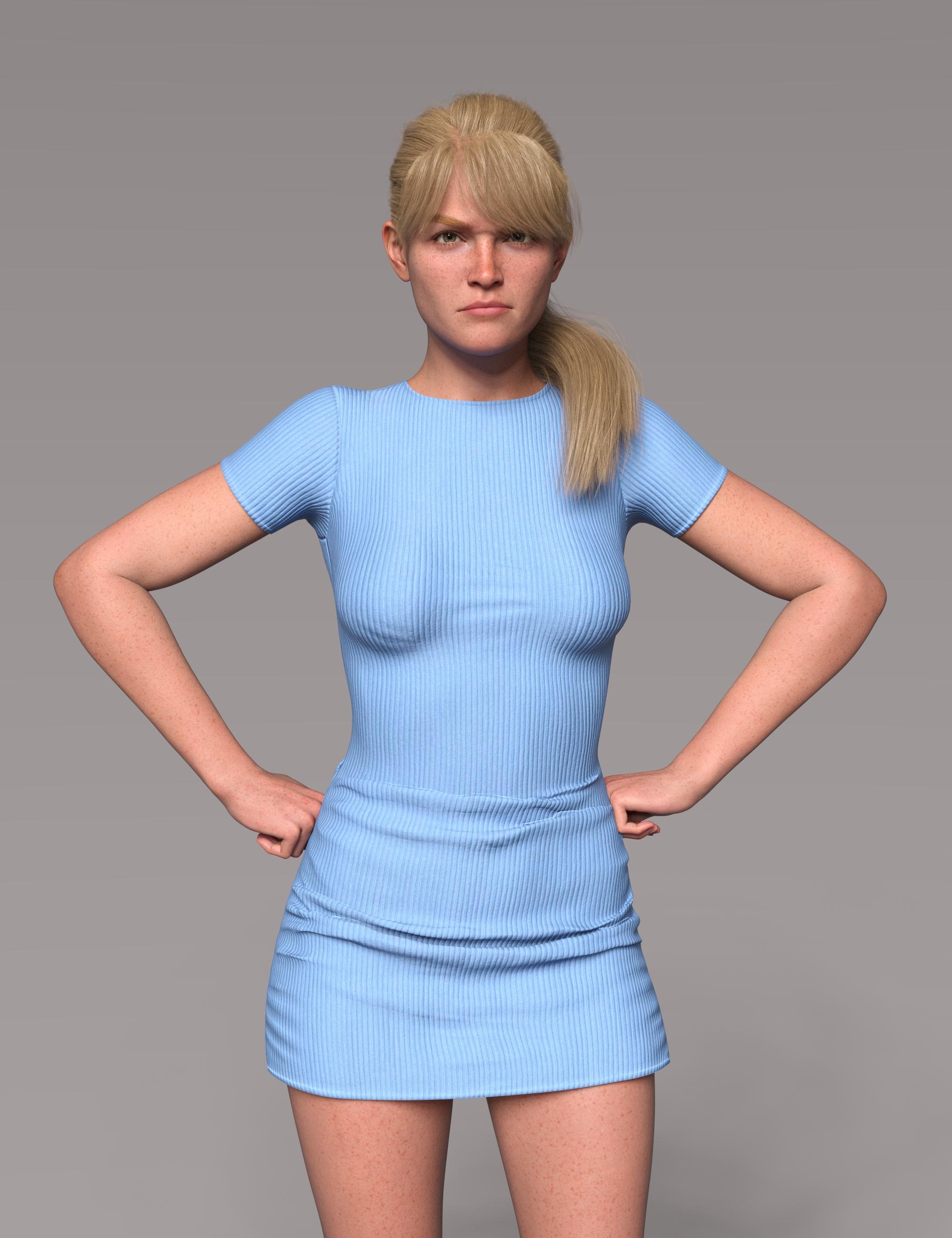 Genesis 9 clothing questions & answers
Its the video by Josh Darling yes - use the transfer utility, not autofit - there's a script called create follower in dev tools that should do that quickly and fast.. Since the shape should be set to G8 female already it should give you a good fit that you can then dial back to the base shape. I'm in the middle of a render so can't take screen shots right now
Clothing not fitting after morphDaz Studio comes with a collection of "content creation tools" ... all those morph dials, etc. that come with the products we buy here were created by the PAs. We also can create a lot of things either for our own models [made from scratch] or as additional perks for the items we have purchased.
In my DA Gallery I have a Tutorials folder which has includes one called "Making Replacement Full Body Morphs"
https://www.deviantart.com/catherine3678ab/gallery/74400506/tutorials
As what you've shown is all one piece, then if you are using Hexagon, I would recommend making and saving several little morphs - and then combining all of them into one Full Body Morph for the character figure. {this is for reasons concerning the limits of Hexagon - if using Zbrush or similar, then hopefully you could do it all in one session.} As you mention that the 'smoothing modifier' almost corrects most of the issues, then certainly use that first so that there would be less work to do in a modeller if you want to try making a morph.
About renaming the dials - the tutorial on Making pJCMs for Clothing in Daz Studio covers that.
Renaming a generated morph as I mentioned, is okay as is. However if the generated morph was saved, then the renamed morph also has to be re-saved and then manually deleted from the data folders when D/S is closed.
Daz 3D is part of

Connect
DAZ Productions, Inc.
7533 S Center View Ct #4664
West Jordan, UT 84084Licensing Agreement | Terms of Service | Privacy Policy | EULA
© 2026 Daz Productions Inc. All Rights Reserved.