-
Expanding an object like a bracelet over clothes?
Blender is not the "best" tool. It's a good tool. For some more-so. For others less-so.
Used it extensively for a year and found it unintuitive. 'Hated' the UI/names/logic layout. Bears repeating - again.
Not everyone needs all the supposed features of Blenders. DS has alot of cool features/ui etc too. And could be argued some features are better. That's another thread.
Agree complex will become intuitive and simpler. But is very important to stress it takes tons of time to achieve that. Not everyone has time nor interest in that.
Getting back to OP's thread:
Hexagon with its native bridge and following Wendy's instructions works just almost instant, when you get familiar with it.
Most morph-making is so fast in Hex. Or use zBrush, or other 3D app.Or just use internal DS dFormers, like Richard lays out.
Measure MetricsUse for what? Each measure neds its own associated morph, ideally one that will not conflict with other measures you want adjusted though that isn't always possible. So the answer would depend on what you were trying to achieve - it certainly isn't desirable or practical to hav a morph for every property in every use, and the ideal morph to use will likely be situation-dependent.
Rotating bones after creating new figureThe widgets for moving the end points ar emeant to stay oriented to world space, as far as I know, since manipulating them will - among other things - determine the bone's orientation. One option might be to simply spawn a morph for each translation; since morphs are linear they are perfectly suited to this, unlike rotation and scale. That is, move the mesh using the Translate or Universal tool, with the model otherwise zeroed and the coordinate system set to local, export as OBJ, and import as a morph target (Edit>Figure>Morph Loader Pro, taking care to use the same preset for both export and import). Hide the native transaltion sliders and place the morph sliders in their slot (or just use them from the figure node).
Measure MetricsRichard Haseltine said:
The thing about Measure Metrics that has always bugged me is that it offers you an enormous amount of information, measures a host of figure dimensions. But only allows you to adjust a small subset of them, regardless of which version of the script you load. I was initially excited by the apparent utility of the script, but while I still use it with virtually every character I build I find myself feeling cheated somehow. Why give me all those other measurements and not allow me to adjust them?
You can adjust them, by specifying which morph or property to use, and you can then save your set-up for future use.
There is documentation for Measure Metrics and, lined near the bottom of the page, Figure Metrics http://docs.daz3d.com/doku.php/public/software/dazstudio/4/referenceguide/plugins/measure_metrics/start
So what morph do you use? Can you recommenda a complete set so i can use them all ?
formula operation add and mult the same?Thank you, Richard, for your fast answer. While I try here to explain why I thought it performs an addition rather than a multiplication; I understand my misapprehension :)
The snippet is taken from a morph file for Genesis 8 Female, which is called "G3F Pose". If you load a G3F Pose on G8F, her arms and legs are in the wrong positions. If you now activate this morph, 45.75 degrees will be added to the left shoulder rotation and everything is fine. What I did not understand so far is that this addition DOESN'T HAPPEN IN THIS SNIPPET. This snippet renders only the multiplication between the 45.75 degrees and the position of the "G3F Pose" slider which has to be set to 1.0 so that the correction is working. The ADDITION HAPPENS THEN IN THE FORMULA STACK as described in the documentation of "formula".
Thank you again for triggering my thinking!
(What remains is the error in the documentation but I think this is no real problem.)
Freebie Challenge DEC 22 - "The Night is Darkest..." - Entries Thread Only3D Art Freebie Challenge December 2022 "The Night is Darkest..."
"Moonlit Desire"
[Best watched at full size for details.]Starring: TaylorLasha and Walther 2.0
The tale: (Entirely fictional)
The Night is Darkest... when there is no moon... "It was a clear black night, a clear white moon" [*2] thought Walther R. when he was walking towards TaylorLasha who was standing in the middle of the field looking at the moon. Tonight it's a full moon... [*2] © Warren G - Regulate
Non-Motion Picture (and even more theme) Soundtrack:
Shakatak - Dark Is The Night (© 1983) https://www.youtube.com/watch?v=wzTElDr46UY
COUNTABLE FREEBIES: (Alphabetic order)#01! 33 Eyes Materials for the Genesis 8 + 8.1 people by LevKornowska
https://www.renderosity.com/freestuff/items/88372/33-eyes-materials-for-the-genesis-8-81-people **#02! Chameleon ROse2 for Genesis 8 Female by zoro_d
https://www.renderosity.com/freestuff/items/85859/chameleon-rose2-for-genesis-8-female **
[Lashes morph used]#03! Dante DMC5 Free Stubble for Genesis 8 Male by InTheFlesh
https://sharecg.com/v/94752/gallery/21/DAZ-Studio/Dante-DMC5-Free-Stubble-for-Genesis-8-Male **#04! EA Sidecut Hair for Genesis 3 & 8 Female(s) by EichhornArt
https://www.renderosity.com/freestuff/items/82972/ea-sidecut-hait-for-genesis-3-amp-8-femela-s- **
[Skullcap used]#05! ED's Brick Shader (Iray) by Edheldil3D
https://www.deviantart.com/edheldil3d/art/Freebie-ED-s-Brick-Shader-Iray-788871766 **#06! G8M Walther 2.0 by Ruslanomar
https://sharecg.com/v/97276/gallery/21/DAZ-Studio/G8M-Walther-2.0 **#07! Hoop Earrings for Genesis8 Female by Afrodite-Ohki
https://www.renderosity.com/freestuff/items/92631/hoop-earrings-for-genesis8-female **#08! Iray Jewelry Shaders by AllenArt
https://sharecg.com/v/95893/gallery/21/DAZ-Studio/Iray-Jewelry-Shaders **#09! Free Update for Biker Outfit G8F and Sideswept Hair by zoro_d

https://www.renderosity.com/freestuff/items/85860/free-update-for-biker-outfit-g8f-and-sideswept-hair **
[Side Swept ROse Hair update used only]#10! Little Flower Studs for Genesis 8 and/or 8.1 Female by AllenArt
https://sharecg.com/v/98499/gallery/21/DAZ-Studio/Little-Flower-Studs **#11! Maddy for GF8 Charakter Shape by MysticArtDesign
https://sharecg.com/v/98461/browse/21/DAZ-Studio/Maddy-for-GF8-Charakter-Shape **
[LIE Blush Make up & freckles, customized, also used on G8M]#12! Moonlit Golf HDRI by Greg Zaal
https://polyhaven.com/a/moonlit_golf#13! My Heart Necklace for Genesis 8 Female by Amy Aimei
https://www.deviantart.com/amyaimei/art/My-Heart-Necklace-for-Genesis-8-Female-729010047 **#14! Nail Art for Genesis 8 and 8.1 Female(s) by zoro_d
https://www.renderosity.com/freestuff/items/92918/nail-art-for-genesis-8-and-81-females **#15! New Walther 2.0 tanned skin + hair system by Ruslanomar
https://sharecg.com/v/98463/browse/21/DAZ-Studio/New-Walther-2.0-tanned-skin-%2B-hair-system **#16! OnFleek for Genesis 3 & 8 Female(s) by AprilYSH
https://aprilsvanity.com/shop/onfleek-for-genesis-3-8-female-s.html#17! Piercing Gaze for Genesis 8 Females by SWTrium
https://www.renderosity.com/freestuff/items/83703/piercing-gaze-for-genesis-8-females **#18! ShirtDress G8F_FREE by SdeB
https://www.sdebstore.com/collections/free-stuff/products/shirtdress-g8f_free **#19! Side Swept ROse Hair (G3F,G8F) Part 1&2 by zoro_d
https://www.renderosity.com/mod/freestuff/side-swept-rose-hair-g3f-g8f-part-1/79533 **
https://www.renderosity.com/mod/freestuff/side-swept-rose-hair-g3f-g8f-part-2/79534 **#20! Simple Glasses for Genesis 8 Male/Female by GEOmetalics
https://www.renderosity.com/freestuff/items/85459/simple-glasses-for-genesis-8-male-female **#21! "STRONG" for G8M Character Morph & Pose by Mar3D
https://www.renderosity.com/mod/freestuff/strong-for-g8m-character-morph-amp-pose/82833 **#22! SY 200 Morphs for Genesis 8 Head and Body by SickleYield
https://sharecg.com/v/91888/view/21/DAZ-Studio/SY-200-Morphs-for-Genesis-8-Head-and-Body **#23! TaylorLasha For Genesis 8 Female by MagicMaiden
https://www.renderosity.com/freestuff/items/92992/taylorlasha-for-genesis-8-female **
NO-COUNT ITEMS:--- Antique Locket for G8F, G8.1F and G9 by Hypertaf (Holiday Loyalty Sale 2022 Free Item)
--- Hoodie for G3M by Tab
--- Nose Ring 01 for G2F, G3F and/or G8F by AllenArt
--- Scene Lights for Iray by Lali Kamala (Holiday Loyalty Sale 2021 Free Item)
++ Surf's Up Hat from Surf's Up Outfit and Board for G2M by Sarsa [Customized texture]PURCHASED/PAID FOR ITEMS: None 100% Freebies
*1 E-mail address required
** Registration required
#x! Countable Items (Bold ones are used by me for the first time I think.)
--- No longer available freebies
++ Free with DAZ Studio (or the Essentials)
$x. Purchased/Paid For Item
Rendered with DAZ Studio 4.10.0.123 (nVidia Iray®)Other free software used: GIMP v2.10.32 and Irfanview 4.60
Postwork: used the AltaLux Image Enhancement Filter (Effect) by Stefano Tommesani that comes with Irfanview and some filters (oa) that come with GIMP. Also used mcjLut by mcasual (https://sites.google.com/site/mcasualsdazscripts9/mcjlut) with the free FilterGrade Cinematic LUTs Pack (https://filtergrade.com/free-cinematic-luts-video-editing/).
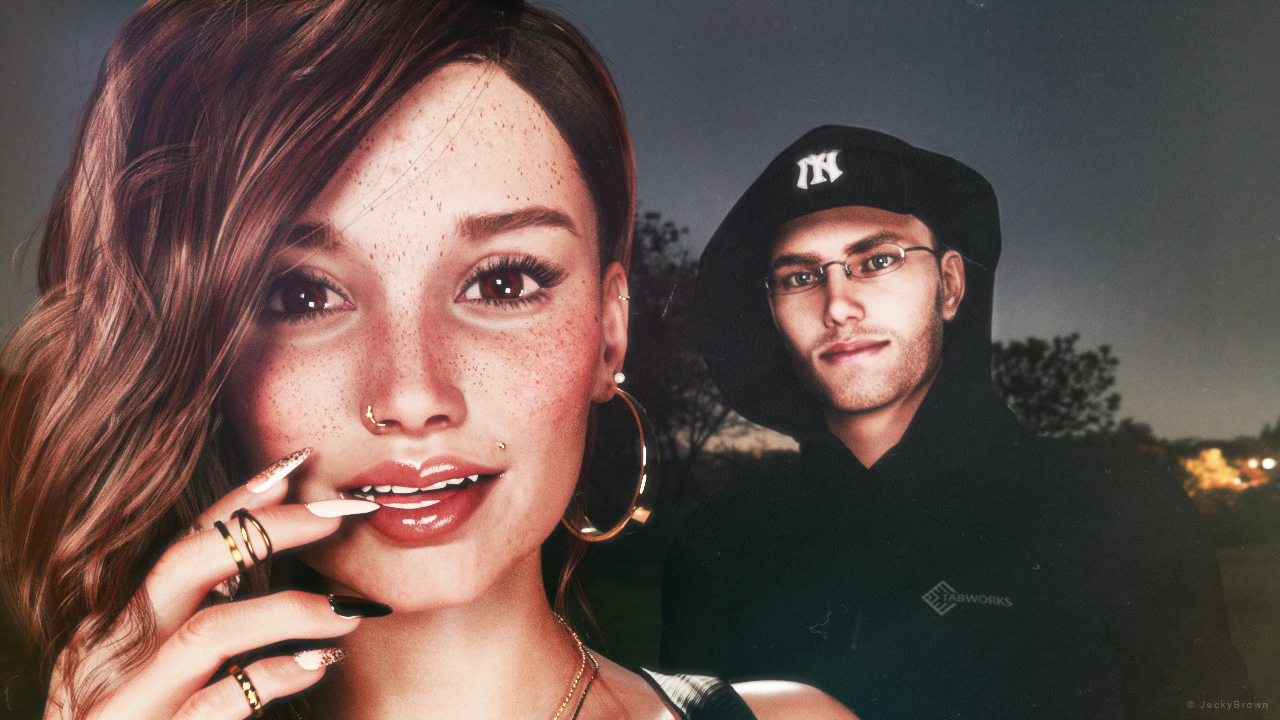
"Moonlit Desire"
Importing hand poses to Blender (DAZ to Blender bridge) – scaleHi,
I've posed and keyframed a Gen 8 character in Daz, and now I need to import it to Blender. The figure is mostly animated with translations and rotations, but I have some necessary hand poses set on.
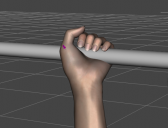
Whenever I tried importing it to Blender with DTB, the hand poses were not executed properly. From what I've found in other discussions, there are plenty of issues with the official Bridge and already came across the Diffeomorphic script, but as a Mac user, it's not an option for me. FBX results are terrifying, so I'm not going to even post them lol
I think scaling might be an issue, but I'm not sure. I've tried many settings, and here are the results for "Export Morphs" checked:
(morph sliders set on 0)
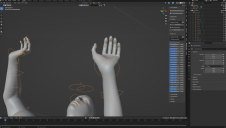
(adjusted morph sliders value)
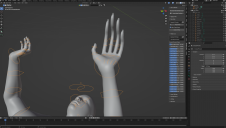
Now, "Export Morphs" unchecked:
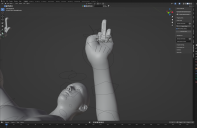
As you can guess, I'm not exactly happy with the results. Is there any way to fix it?
formula operation add and mult the same?That mutliplies two values ( a cosntant and a rotation) together and uses the result - if that is the entirety of the code. I'm not sure why you think it needs to be acting as Add to make sense. certainly mult does generally act as mult, otherwise its role in many cases would fail (e.g. subtracting a morph value from one and multiplying rotations by the result to ensure that the morph can lock certain rotations that would look bad in combination with the morph, or with a correction morph adding one of the morphs involved and mutliplying by the other to get a positive value only if both are non-zero).
Expanding an object like a bracelet over clothes?
If there are two items you can also just duplicate the items. Then hide one of the two on each. Then there will be two seprete item. You can hide parts of figures with the cutout option or geometry editor. If you like to look it up there are tutorials on yt. Then you can modefy each one sepretly. If you don't do the object solution above.stripe6499_9253833ae8 said:Thank you all for the suggestions. One thing I failed to mention, is that it's a pair of bracelets (left and right) not a single bracelet, which makes it a little more complex as it seems that DFormer won't work as normal on each bracelet, only on the object as a whole. However, I did manage to create a morph using the Universal Tool suggestion and the Dformer suggestion. It's a bit clunky, but it does work. Wow, there is so much to learn about Daz. I see it could be a degree subject.
Expanding an object like a bracelet over clothes?Thank you all for the suggestions. One thing I failed to mention, is that it's a pair of bracelets (left and right) not a single bracelet, which makes it a little more complex as it seems that DFormer won't work as normal on each bracelet, only on the object as a whole. However, I did manage to create a morph using the Universal Tool suggestion and the Dformer suggestion. It's a bit clunky, but it does work. Wow, there is so much to learn about Daz. I see it could be a degree subject.
Growing Up for Genesis 9 (Commercial)Is it normal that no dials can be moved in the Growing Up category if the Youth Base Morph isn't dialed first?
DAZ to UE5-Metahumans ReTargeting?This is the easiest and mostly correct tutorial about how to use UE5 IK retargeter:
This tutorial explains more in depth about that:
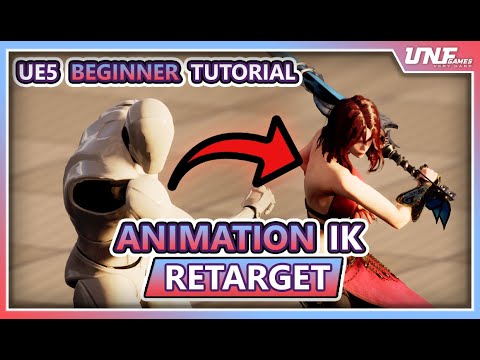
The improved UE5.1 retargeter is very versatile to retarget almost any custom skeleton including G8 skeleton.
UE5 includes the UE4 to UE5 mannequin retargeter, Metahumans or other custom skeleton retargeters not included but easy to create by yourself.Creating IK rig for each source and target skeletal mesh is needed, however not every skeletal mesh uses its own animations, they can share animations based on shared skeleton. If you have many Daz characters it just needs to create the retargeter for the template character, unless you morph them too much to not like human anymore.
Let's appreciate/discuss today's new releases - ongoing threadgalien said:
bluejaunte said:
galien said:
marcus.ames said:
galien said:
marcus.ames said:
Bluejaunte's back on top of their game with Tyler, too.
I like the character, but I've opened a support ticket as the eyeball's tend to poke through the lower eyelid when simple expressions are applied.
Lyra/Young Lyra have the same issue, and before knowing I can do something like a support ticket, I always compensated by scaling the eyes down 3.5%. But yeah, I noticed the same after posing her a bit. Fingers crossed.
Thanks for confirming that you also have this issue.
For Tyler, the best solution I have found is to set the hidden Eyes morph "Eye Whole Size" back to zero. When the character loads this is set to an increase of 20% (I don't understand why).
This is simply me fitting the eyeball to the eye socket. It's always a compromise, do I fit the socket to the eye or the eye to the socket. Probably a combination of both in the end, whatever I feel looks the way I want. Scaling down eye socket is going to make the eyes smaller compared to the rest of the face so this may not be what I want.
As for eyes poking through with some expressions: I just tested with some V9 expressions and indeed I get quite strong poke through with some. I'm so sorry for that, though I'm not sure I can fix this short of making JCM's which I can obviously not do for all expressions ever released. If Lyra had this too I can assume this is because both characters are a bit more goggle-eyed, I think is the word? but I'm sure it's also just a general eye socket shape issue. Naturally we don't want every character to have the same eye socket. Occasional issues with some expressions can be expected I think.
Anyway, with the eyes being separate geometry now the fix is pretty easy. Simply select an eye in the scene, or say "Left Eye" in the Scene tab (not the Genesis 9 Eyes item), then move it around as you would any object. With a somewhat extreme expression it hopefully won't be noticable that the eye is now technically in the wrong place. Case by case I guess.
@bluejaunte, you may be right but I'm not convinced that nothing can be done to fix (or at least improve) this. To give an idea of the scale of the issue, I tested Tyler using a standing pose with the character looking to the left. Out of the 36 expressions in the "Genesis 9 Expressions" pack, 22 showed eyeball poke-through with Tyler. I have five other Genesis 9 characters and none showed any eyeball poke-through in this test.
i think it would be difficult to fix without changing her appearance... the socket falls off steeply under the eye (and i like it a lot for side profile shots) but like you say there is poke-through on many of the expressions.
i hope a decision can be made before the return period expires?
Let's appreciate/discuss today's new releases - ongoing threadbluejaunte said:
galien said:
marcus.ames said:
galien said:
marcus.ames said:
Bluejaunte's back on top of their game with Tyler, too.
I like the character, but I've opened a support ticket as the eyeball's tend to poke through the lower eyelid when simple expressions are applied.
Lyra/Young Lyra have the same issue, and before knowing I can do something like a support ticket, I always compensated by scaling the eyes down 3.5%. But yeah, I noticed the same after posing her a bit. Fingers crossed.
Thanks for confirming that you also have this issue.
For Tyler, the best solution I have found is to set the hidden Eyes morph "Eye Whole Size" back to zero. When the character loads this is set to an increase of 20% (I don't understand why).
This is simply me fitting the eyeball to the eye socket. It's always a compromise, do I fit the socket to the eye or the eye to the socket. Probably a combination of both in the end, whatever I feel looks the way I want. Scaling down eye socket is going to make the eyes smaller compared to the rest of the face so this may not be what I want.
As for eyes poking through with some expressions: I just tested with some V9 expressions and indeed I get quite strong poke through with some. I'm so sorry for that, though I'm not sure I can fix this short of making JCM's which I can obviously not do for all expressions ever released. If Lyra had this too I can assume this is because both characters are a bit more goggle-eyed, I think is the word? but I'm sure it's also just a general eye socket shape issue. Naturally we don't want every character to have the same eye socket. Occasional issues with some expressions can be expected I think.
Anyway, with the eyes being separate geometry now the fix is pretty easy. Simply select an eye in the scene, or say "Left Eye" in the Scene tab (not the Genesis 9 Eyes item), then move it around as you would any object. With a somewhat extreme expression it hopefully won't be noticable that the eye is now technically in the wrong place. Case by case I guess.
@bluejaunte, you may be right but I'm not convinced that nothing can be done to fix (or at least improve) this. To give an idea of the scale of the issue, I tested Tyler using a standing pose with the character looking to the left. Out of the 36 expressions in the "Genesis 9 Expressions" pack, 22 showed eyeball poke-through with Tyler. I have five other Genesis 9 characters and none showed any eyeball poke-through in this test.
Minerva 9Havos said:
I am curious to know why a HD character needs a normal map, apart from adding pores. I assume the large facial wrinkles and the like would be modelled into the HD morph, so should not need a normal map as well to further enhance these.
I see in the two images posted by sid that the one with the normals have deeper and more defined creases, why could that not have been done with HD alone?
normal maps cover details that would be just visible with subdiv7+ so they are necessary
Genesis 9 we are back in the game Carrara usersCouple of options. You can apply materials to the G9 and pieces (mouth etc) in Daz Studio before saving as a character preset. The materials will not be optimized for Carrara but at least some of the maps will preload. Then you can tweak them from there and save as a global shader for future use. Alternatively, you can load a blank G9 as a character preset then load the maps individually. However you do it, save as a global shader after the first time and you can use one-click drag and drop to apply the full texture set in the future.
Another idea is to load one of the existing Carrara optimized shaders and copy elements to corresponding parts of a loaded G9. Then swap out the maps. Here is an example. I loaded a Genesis 1 and a blank Genesis 9 with the base masculine morph dialed to 1. I drag and dropped one of the global Michael 5 skin shaders that came with Carrara to Genesis 1 actor level. I then copied and pasted the leg shader from Gensis 1 to the leg slot for genesis 9. I then navigated to the runtime/texture subfolder that contains the Daz Genesis 9 base male maps. I loaded the diffuse map in the color channel. I loaded the S map in the highlight channel. I chose the 'normal map' option in the bump channel and loaded the leg normal map. I repeated for the other body channels, and for the mouth, etc. For each G9 component (body, mouth, etc...), I dragged and dropped the adjusted global shaders to the browser for future use. The Michael 5 shader had a color in the subsurface scattering channel but it is not enabled by default.
Having to drill down to see dials in "Shaping"It's kind of a weird thing to try and describe in words. It used to be where if I selected a body part in "Shaping", on the right it would show every dial and morph. But recently it's starting doing this thing where I have to select the subcategory before it would show only the morphs associated with that subcategory. (See pic below) It only does this in the "Shaping" tab. The other tabs show everything when you select the parent body shape, which is what I want. Does anyone know how to get it back to that?
G9 older characterslou_harper said:Minerva looks great.
Is there are utility yet to convert G8 morphs to G9? I want Floyd.
No, but it can be done with the hidden clones. (It's tedious and may not be too good of a transfer. But there's no need to wait or even "pay," if you want to do it this way.)
You basically turn G9 into a bodysuit for G8M to wear. That way G9 gets the shape (Floyd 8) and retains its G9 poly count, so you can use the bodysuit as an .obj to load that morphed shape with Morph Loader Pro onto G9. I believe the character transfer utilities do something like this too but they do it quickly and accurately/less likelihood of user error.
Getting "import failed" on all attemptsGordig said:
It probably helps that I've really only used the bridge for G8/8.1 characters, and it's mostly worked great for that.
Yeah, that's probably it. Great support for the humans, "You're on your own lol" for everything else. DAZ Support last told me they don't actually, technically, support the Bridges. Every time I buy something, the "Best way to use your content!" gets shown at the last screen. Come to the Bridges and they're beyond unusable for most products. You saw in the Complaint Thread, trying to get the MilDragon 2 out? The joints are all whacked up, and Morphs don't export unless I do it myself with a standard FBX Export and set up the export rules by hand. But then the thing comes in at a ridiculous scale and the morphs themselves cause issues (More a Cinema problem there than DS's fault, but the initial scaling is definitely the exporter's problem).
Only way I can fix the joints is to delete the morph tag then re-add it later by hand. All this trouble that the Bridges should be fixing for us but aren't
Freebie Challenge DEC 22 - "The Night is Darkest..." - Main Thread3D Art Freebie Challenge December 2022 "The Night is Darkest..."
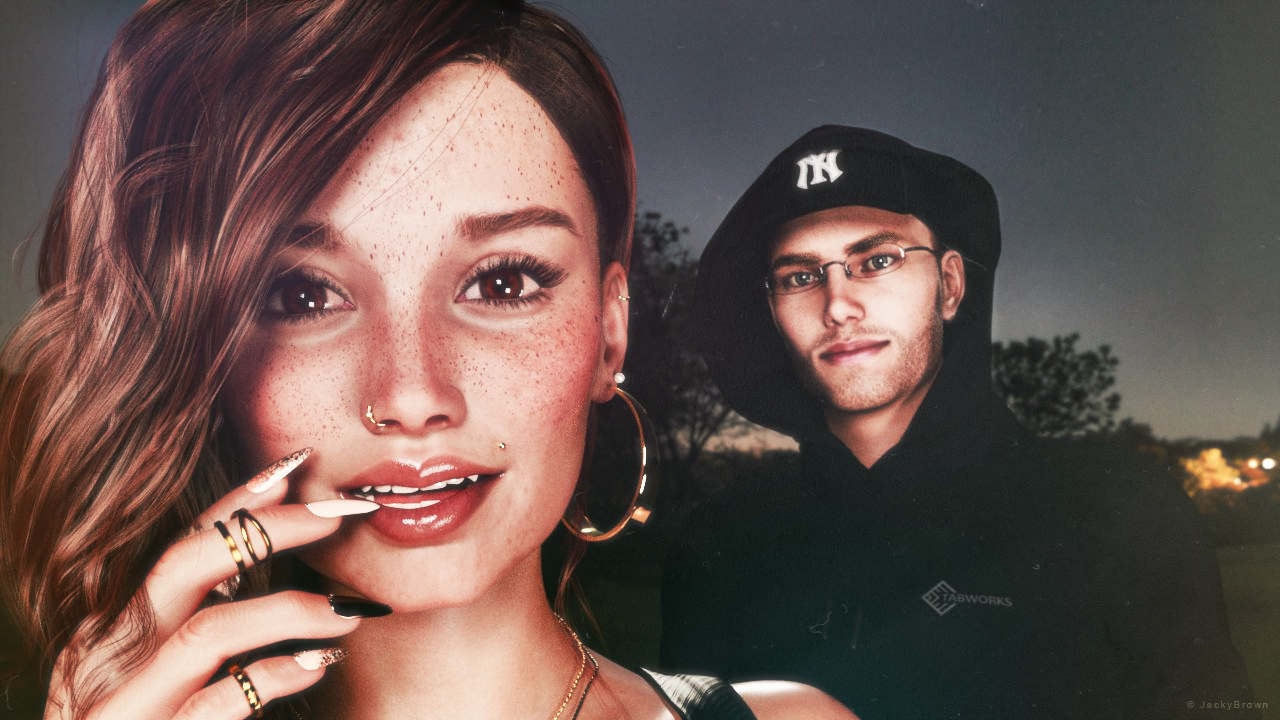
"Moonlit Desire"
[Best watched at full size for details.]Starring: TaylorLasha and Walther 2.0
The tale: (Entirely fictional)
The Night is Darkest... when there is no moon... "It was a clear black night, a clear white moon" [*2] thought Walther R. when he was walking towards TaylorLasha who was standing in the middle of the field looking at the moon. Tonight it's a full moon... [*2] © Warren G - Regulate
Non-Motion Picture (and even more theme) Soundtrack:
Shakatak - Dark Is The Night (© 1983) https://www.youtube.com/watch?v=wzTElDr46UY
COUNTABLE FREEBIES: (Alphabetic order)#01! 33 Eyes Materials for the Genesis 8 + 8.1 people by LevKornowska
https://www.renderosity.com/freestuff/items/88372/33-eyes-materials-for-the-genesis-8-81-people **#02! Chameleon ROse2 for Genesis 8 Female by zoro_d
https://www.renderosity.com/freestuff/items/85859/chameleon-rose2-for-genesis-8-female **
[Lashes morph used]#03! Dante DMC5 Free Stubble for Genesis 8 Male by InTheFlesh
https://sharecg.com/v/94752/gallery/21/DAZ-Studio/Dante-DMC5-Free-Stubble-for-Genesis-8-Male **#04! EA Sidecut Hair for Genesis 3 & 8 Female(s) by EichhornArt
https://www.renderosity.com/freestuff/items/82972/ea-sidecut-hait-for-genesis-3-amp-8-femela-s- **
[Skullcap used]#05! ED's Brick Shader (Iray) by Edheldil3D
https://www.deviantart.com/edheldil3d/art/Freebie-ED-s-Brick-Shader-Iray-788871766 **#06! G8M Walther 2.0 by Ruslanomar
https://sharecg.com/v/97276/gallery/21/DAZ-Studio/G8M-Walther-2.0 **#07! Hoop Earrings for Genesis8 Female by Afrodite-Ohki
https://www.renderosity.com/freestuff/items/92631/hoop-earrings-for-genesis8-female **#08! Iray Jewelry Shaders by AllenArt
https://sharecg.com/v/95893/gallery/21/DAZ-Studio/Iray-Jewelry-Shaders **#09! Free Update for Biker Outfit G8F and Sideswept Hair by zoro_d
https://www.renderosity.com/freestuff/items/85860/free-update-for-biker-outfit-g8f-and-sideswept-hair **
[Side Swept ROse Hair update used only]#10! Little Flower Studs for Genesis 8 and/or 8.1 Female by AllenArt
https://sharecg.com/v/98499/gallery/21/DAZ-Studio/Little-Flower-Studs **#11! Maddy for GF8 Charakter Shape by MysticArtDesign
https://sharecg.com/v/98461/browse/21/DAZ-Studio/Maddy-for-GF8-Charakter-Shape **
[LIE Blush Make up & freckles, customized, also used on G8M]#12! Moonlit Golf HDRI by Greg Zaal
https://polyhaven.com/a/moonlit_golf#13! My Heart Necklace for Genesis 8 Female by Amy Aimei
https://www.deviantart.com/amyaimei/art/My-Heart-Necklace-for-Genesis-8-Female-729010047 **#14! Nail Art for Genesis 8 and 8.1 Female(s) by zoro_d
https://www.renderosity.com/freestuff/items/92918/nail-art-for-genesis-8-and-81-females **#15! New Walther 2.0 tanned skin + hair system by Ruslanomar
https://sharecg.com/v/98463/browse/21/DAZ-Studio/New-Walther-2.0-tanned-skin-%2B-hair-system **#16! OnFleek for Genesis 3 & 8 Female(s) by AprilYSH
https://aprilsvanity.com/shop/onfleek-for-genesis-3-8-female-s.html#17! Piercing Gaze for Genesis 8 Females by SWTrium
https://www.renderosity.com/freestuff/items/83703/piercing-gaze-for-genesis-8-females **#18! ShirtDress G8F_FREE by SdeB
https://www.sdebstore.com/collections/free-stuff/products/shirtdress-g8f_free **#19! Side Swept ROse Hair (G3F,G8F) Part 1&2 by zoro_d
https://www.renderosity.com/mod/freestuff/side-swept-rose-hair-g3f-g8f-part-1/79533 **
https://www.renderosity.com/mod/freestuff/side-swept-rose-hair-g3f-g8f-part-2/79534 **#20! Simple Glasses for Genesis 8 Male/Female by GEOmetalics
https://www.renderosity.com/freestuff/items/85459/simple-glasses-for-genesis-8-male-female **#21! "STRONG" for G8M Character Morph & Pose by Mar3D
https://www.renderosity.com/mod/freestuff/strong-for-g8m-character-morph-amp-pose/82833 **#22! SY 200 Morphs for Genesis 8 Head and Body by SickleYield
https://sharecg.com/v/91888/view/21/DAZ-Studio/SY-200-Morphs-for-Genesis-8-Head-and-Body **#23! TaylorLasha For Genesis 8 Female by MagicMaiden
https://www.renderosity.com/freestuff/items/92992/taylorlasha-for-genesis-8-female **
NO-COUNT ITEMS:--- Antique Locket for G8F, G8.1F and G9 by Hypertaf (Holiday Loyalty Sale 2022 Free Item)
--- Hoodie for G3M by Tab
--- Nose Ring 01 for G2F, G3F and/or G8F by AllenArt
--- Scene Lights for Iray by Lali Kamala (Holiday Loyalty Sale 2021 Free Item)
++ Surf's Up Hat from Surf's Up Outfit and Board for G2M by Sarsa [Customized texture]PURCHASED/PAID FOR ITEMS: None 100% Freebies
*1 E-mail address required
** Registration required
#x! Countable Items (Bold ones are used by me for the first time I think.)
--- No longer available freebies
++ Free with DAZ Studio (or the Essentials)
$x. Purchased/Paid For Item
Rendered with DAZ Studio 4.10.0.123 (nVidia Iray®)Other free software used: GIMP v2.10.32 and Irfanview 4.60
Postwork: used the AltaLux Image Enhancement Filter (Effect) by Stefano Tommesani that comes with Irfanview and some filters (oa) that come with GIMP. Also used mcjLut by mcasual (https://sites.google.com/site/mcasualsdazscripts9/mcjlut) with the free FilterGrade Cinematic LUTs Pack (https://filtergrade.com/free-cinematic-luts-video-editing/).
"Moonlit Desire"
Daz 3D is part of

Connect
DAZ Productions, Inc.
7533 S Center View Ct #4664
West Jordan, UT 84084Licensing Agreement | Terms of Service | Privacy Policy | EULA
© 2026 Daz Productions Inc. All Rights Reserved.