-
Comparing Daz AI to Midjourney - thoughts
In the current beta version of Daz AI Studio an Upscaler is not yet implemented.
The upscaler does not only increase the resolution of the image by a factor of 2x or 4x but can also add or remove (skin) details.
I used the upscale model
4x_foolhardy_Remacri
for most Stable Diffusion images featuring characters
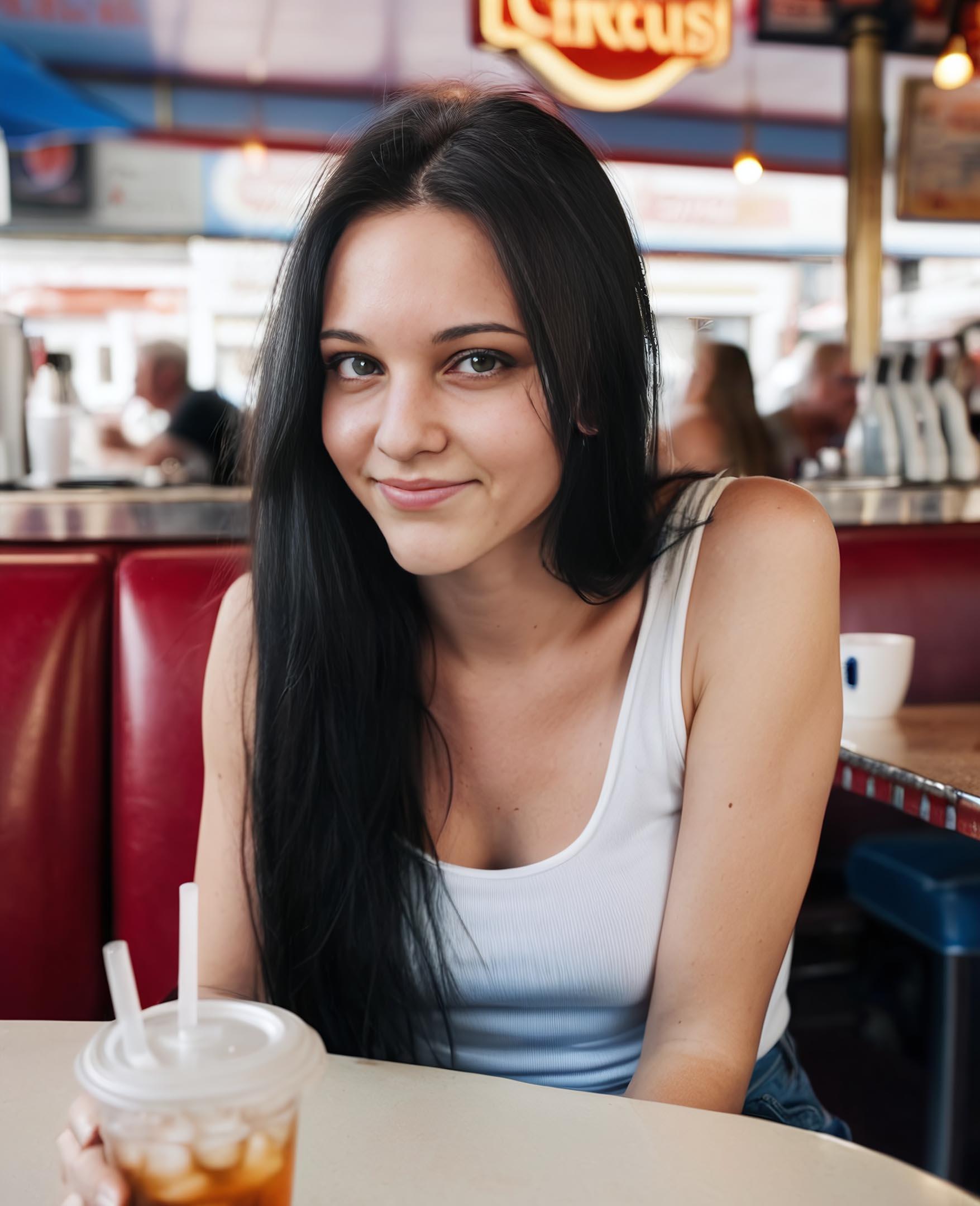
Some examples showing what can be achieved with custom Stable Diffusion XL workflows using licensed Daz 3D characters as img2img source:
Genghis Khan 9 HD (Daz 3D store promo image)
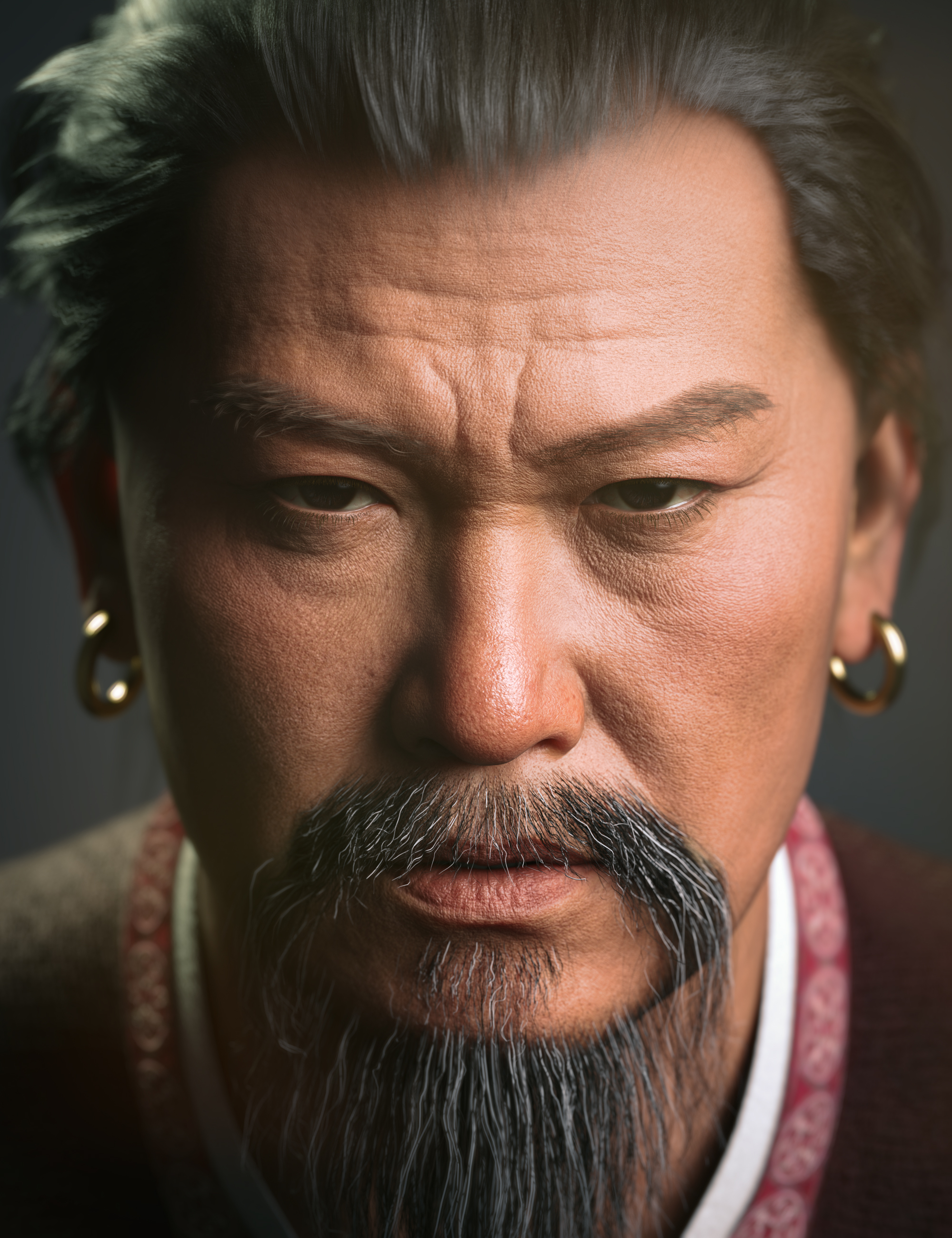
Stable Diffusion XL with checkpoint Copax TimeLessXL:

Giana HD with Expressions for Genesis 9 (Daz 3D store promo image)
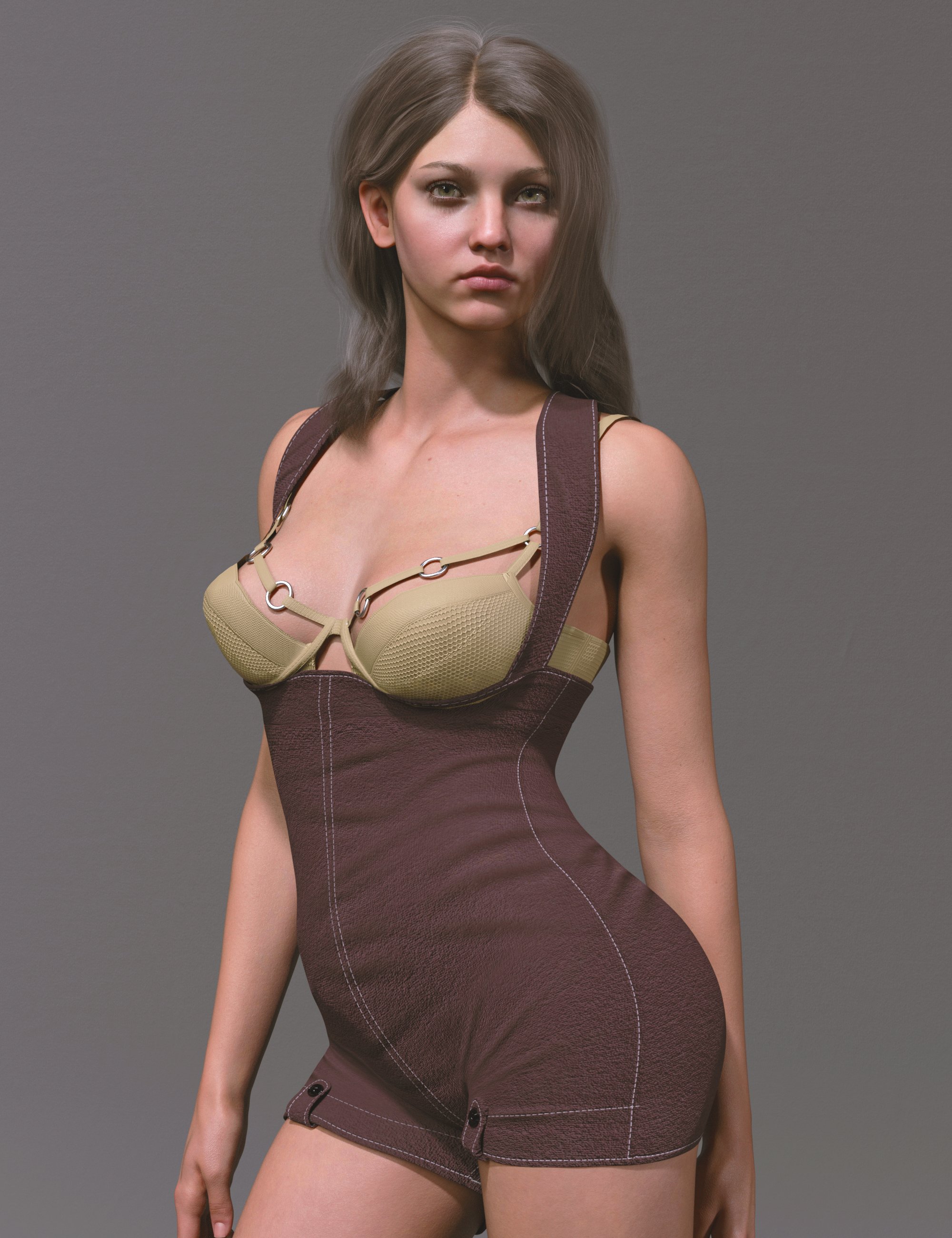
Stable Diffusion XL with checkpoint epicrealismxl:
KOO Virgil HD for Genesis 9 (Daz 3D store promo image)
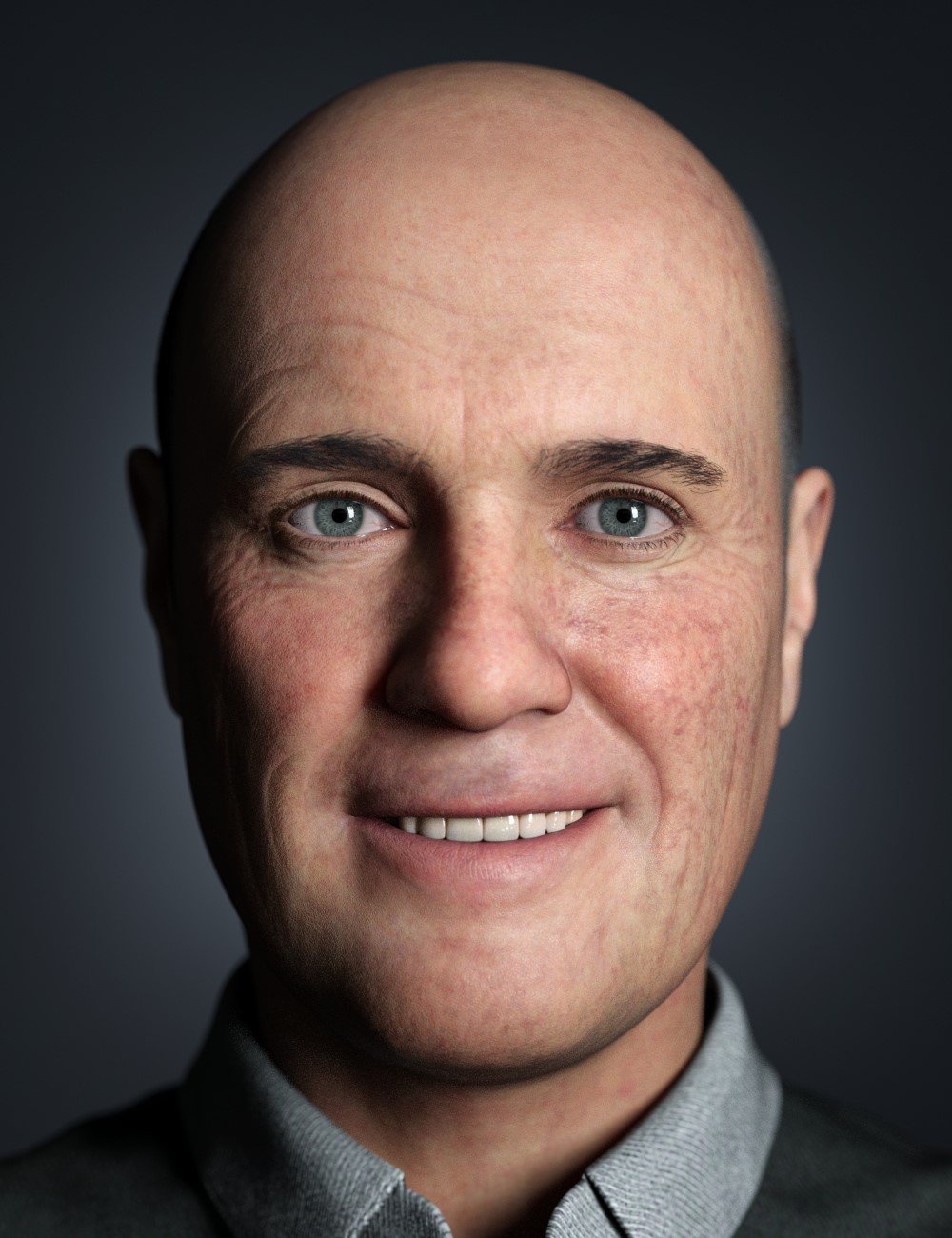
Stable Diffusion XL with checkpoint Copax TimeLessXL:

###
My current guess is that Daz 3D trained a custom "checkpoint" for Stable Diffusion XL.
Michael and Victoria could be "LoRA" (Low Rank Adaptions) trained with a few images.
The possibilities of Daz AI Studio will depend on which additional features Daz 3D makes available to their customers.
- choosing different upscalers,
- choosing advanced layouts that use two KSamplers instead of just one to generate additional details but take longer to calculate
- choosing different samplers, schedulers, etc.
- create an indivudial UI with custom nodes
###
My personal preferences would be to
- pay Daz3D a license fee to use their trained checkpoint and LoRA.
use them
- in an offline version of ComfyUI
or
- a dedicated offline version of Daz AI Studio.
In any case I am happy that Daz 3D choose Stability AI as partner.
 Daz AI Studio Discussions
If you refresh the page, you lose everything on the page. It does not save anything. So if you want to save your pics, you need to save them from the browser before you close the tab or do any refresh. If you want to save a prompt, maybe whip out the old Note Pad.
Daz would need to add training data for a crazy number of products. With well over 20,000 products, it just isn't possible. Even limiting it to G9 items and more recent environments/props/vehicles ect would be a challenge. It takes time to train a Lora. And in this situation, they need to also render all the images first before doing any training. That's a pretty serious project.
There are people on CivitAI who somehow upload multiple Loras every week, but they are dedicating all their time to do that...making Loras has become their full time job (they typically have something like Patreon to support them).
But that raises some questions. While Daz stated this is being developed by a different group of people outside of Daz, I would assume these people get paid to do this work. Thus one would conclude these are resources that could perhaps be used to help improve Daz Studio by adding more developers to the team. I would think getting Daz Studio 5 across the finish line would be a bigger priority than chasing after AI generation. Daz AI is extremely limited, and even if they add a bunch of stuff it is always going to have some guardrails attached. Meanwhile people can go to CivitAI and use any number of custom checkpoints and loras, not only can they can download locally, they can also generate images online through CivitAI itself. That gives people far more options and freedom. Maybe they do not have Victoria 9, but they certainly have loras that specialize in redheaded women with freckles. Yes, you can get consistent characters using already available loras, plus many more. So Daz is not offering anything that is truly new here.
I will add that CivitAI is priced higher. Like DazAI it has a free plan, but you are limited by a currency called "buzz". You use buzz points to generate an image. There are of course paid plans, but they start at $10 and go all the way up to $50 PER MONTH, while DazAI is $4 (for now). So there is that, but as I said, you can download these to use locally without any restrictions. If you have a PC that is decent for Daz Iray, chances are it will also be decent for Stable Diffusion. You can even use GPUs with just 4GB of VRAM. To use SDXL, which is what DAZAI is based on, it is better to have 8GB or more. But it is possible to use small capacity cards and you even use AMD GPUs. Though I must warn you, AMD is not great for rendering AI, but the option is there, they will function, just slowly. Even the lowly 4060ti can run AI very close to the fastest AMD GPU available (7900XTX,) which is kind of sad. But at least it is possible to use AMD.
All that said, AI still has a lot of problems. It is pretty much only good at basic poses. Anything besides "standing straight and still for a portrait" starts to get funky. You want an action shot, good luck with that. You can use image to image as a pose template, which can be very cool when it works. In fact, in theory you can even draw a stick figure and use that as a guide pose. But it doesn't always work (rather it kind of rarely seems to work as well as you hope). If you really want consistency, you want true 3D models. But AI can be fun to play with. It can scratch that loot box/gambling itch, because sometimes you never know what you are going to get next. You might get something really cool and unexpected, or you might get another mutant freak to haunt your nightmares. That element of not knowing can be part of the fun for some people.
What happens to vendors now, we done?!artxtap said:
Psycho said:
The same things that expose the problems in all the current AI image generators expose the problems in this one too (loading a model like Victoria 9 doesn't seem to make any difference at all: the weird, mutant hands and feet with oddly shaped and/or too many fingers and toes, so notorious as one of the giveaways of AI image generation, and the asymmetrical inhuman-looking eyes, and all the rest... as far as I can see, none of that has been fixed, this is just bog-standard AI image generation that is not being constrained by Daz 9 metrics/textures/etc. as the marketing suggests... though perhaps that's in development, if Daz are working closely with the developers of the AI tools...). So content creators still have a role, for now at least.yes the hand and feet are dead give aways. and i read somewhere why and it made sense. now if daz could some how force the AI to follow the bones system of it's genesis models ....well than ....... but i don't think that is how AIs work right now. right now they are 'dumb', but that is what coders are for :-)
ControlNet OpenPose
What happens to vendors now, we done?!Psycho said:
The same things that expose the problems in all the current AI image generators expose the problems in this one too (loading a model like Victoria 9 doesn't seem to make any difference at all: the weird, mutant hands and feet with oddly shaped and/or too many fingers and toes, so notorious as one of the giveaways of AI image generation, and the asymmetrical inhuman-looking eyes, and all the rest... as far as I can see, none of that has been fixed, this is just bog-standard AI image generation that is not being constrained by Daz 9 metrics/textures/etc. as the marketing suggests... though perhaps that's in development, if Daz are working closely with the developers of the AI tools...). So content creators still have a role, for now at least.yes the hand and feet are dead give aways. and i read somewhere why and it made sense. now if daz could some how force the AI to follow the bones system of it's genesis models ....well than ....... but i don't think that is how AIs work right now. right now they are 'dumb', but that is what coders are for :-)
Show us your Daz AI Studio Imagesvictoria sitting in the surf
Show us your Daz AI Studio ImagesVictoria is fixing a pipe because the tap is leaking water. I got this image, a bit strange..
Daz AI Studio DiscussionsThis is the official press release, and it makes it clear it is indeed using Stable Diffusion XL as a base. Then they use Loras built by Daz on top to give us this Daz AI.
The biggest issue I see is how poorly it handles things not close to the camera, a problem with all AI generators. Just looks at all the pics shown so far. The best looking ones are all portraits of the face, where the face is closer to the camera. That is all well and good, but the moment you try to make a full body shot it all goes downhill. The person no longer looks like Victoria or even an actual human for that matter.
It comes down to pixel counts. The more pixels dedicated to an element, the better the results gets. Just like the denoiser in Daz. The more pixels your image, the better the denoiser performs. When you have a person farther from the camera, there are fewer pixels dedicated to their features, thus the AI has less to work with.
One way to work around it is to create your intended image, then crop the image you want to fix, and use 'image to image' on the cropped shot. Render the cropped shot at full resolution, and that should create a better pic. Take the output and resize it back into the original image. That takes some work, but that is one way to get it done. You can do this with the hands and face, and whatever needs fixing.
Daz AI Studio - Official Beta Launch!Hai...say wot iz the pointz of this tool?
I iz attach 2 samples using Victoria 4 in a simple pose, rendered in studio and run through the AI platform I currently use
Iz rush this off soon as I gotz home...so no background etc
One iz Photo realistic nd one uses an Anime setting...sure the handz iz need a little work but...Victoria...4...lookz pretty neatz huh?
Wot I iz expect from a Daz AI iz an interface that helpz me imporve my pipeline...an AI director of cinematography wot iz interface with my entire daz library of stuffz...not just G9...and allow me to render and tweak scenes using my stuffz nd promptz
Iz not get why we iz getting another 2d AI generative enginez when we iz a 3d community???
Show us your Daz AI Studio ImagesDAZ_ann0314 said:
caravelle said:
Prompt: A laughing, horned red demon dances with a laughing nun in a cave
Apparently your demon was contagious

Sin is always contagious... ;-) His fingers and her face are the worst affected. I didn't choose Victoria 9, though. The more precise the details for the figures are, the fewer mistakes there are, I think. On the other hand, I really like their robes; the red one in particular is perfectly draped.
Comparing Daz AI to Midjourney - thoughtsLiliumVA said:
xyer0 said:
What would happen if you added "photorealistic" to the prompt?
Prompt :"Photograph of a gorgeous 20 year old model with long black hair , green eyes, freckled face, photorealistic, 8k, taken with Canon R5"
Generated with Victoria :

The 8 generations with Victoria:

Generation without Victoria:
 '
'The 8 generations without Victoria:

The biggest issue with this when it comes to realism, is that Daz models inherently have normal maps ingrained within them. So using said model for the prompt does up the chance of 'realisim' in the results. Like with the first one, it looks really nice, but it can be done IN Daz Studio already. However, with more intracate prompts, realisim is tossed out due to how SD struggles with it. The learning process that they have used is very different than that of Midjourney, or any other AI platform. That said, SDXL and SDXL Turbo looks somewhat better, but looking at what Daz AI is using, it's probably old SD. Even then, those still suffer from the whole 'glamour shoot' style skin blurring.
There's also the issue of not being able to dictate the aspect ratio, that the AI does not follow the prompt, even with strictness to include a 'full body' shot, and most of these are on plain backgrounds.
*edit* I want to also show the 4 results from Midjourney for the 'freckle' one that was generated so you can see how realistic the results are.

I also want to add when it comes to AI, details are important, thus why the 'taken with Canon R5' etc.. was added. to the other examples. When I do Midjourney it usually is prompts with taken with X camera, 8k, 100 ISO, 85mm ( or whatever focal length I want to use) etc... simply because of the results wanted.
@LiliumVA Thanks so much for the detailed response.
Show us your Daz AI Studio ImagesSo I finally got to play with this a little bit (just poking around with it) and thought I would share a thread where people can share their prompts and their results etc.
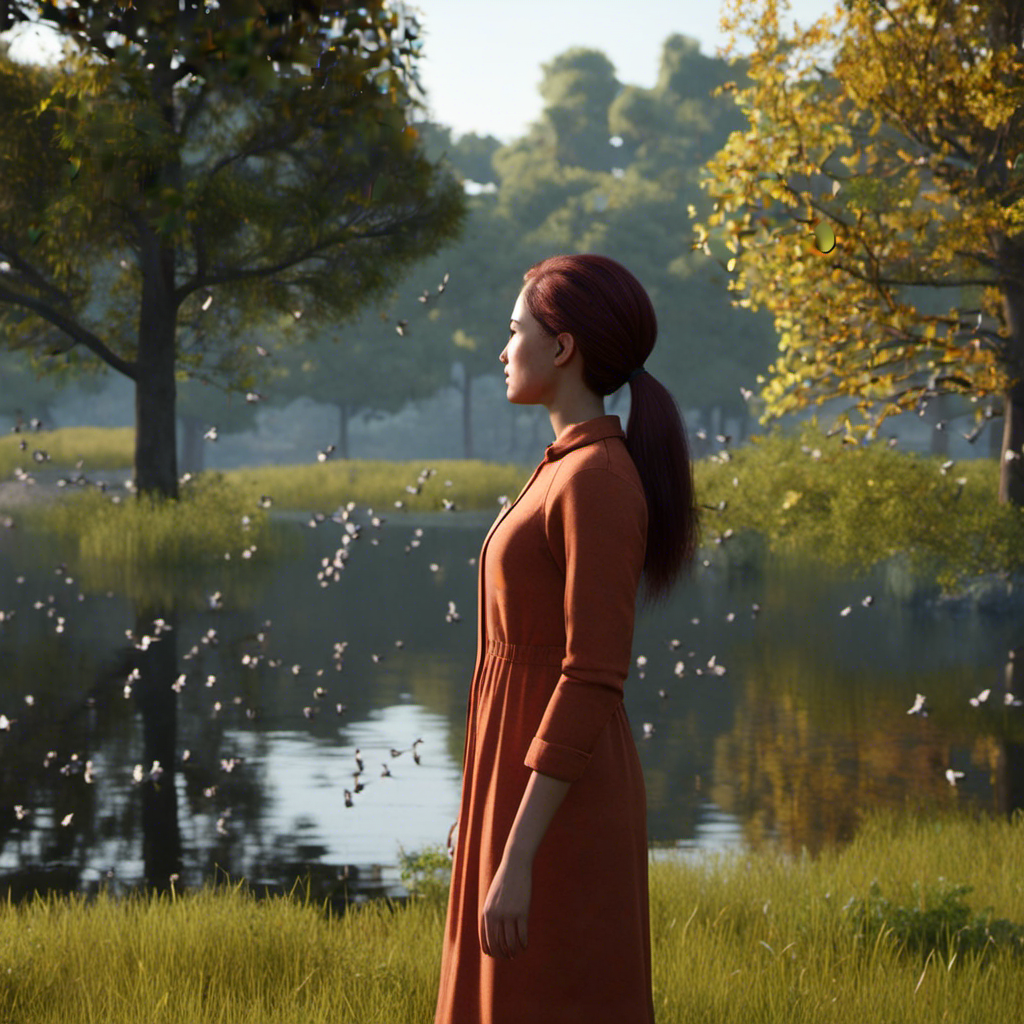
So here are two I tried (Selected Victoria 9 as a base to look at for both):
Prompt: Closeup of a woman standing looking at scenic lake with trees in the background and birds flying overheard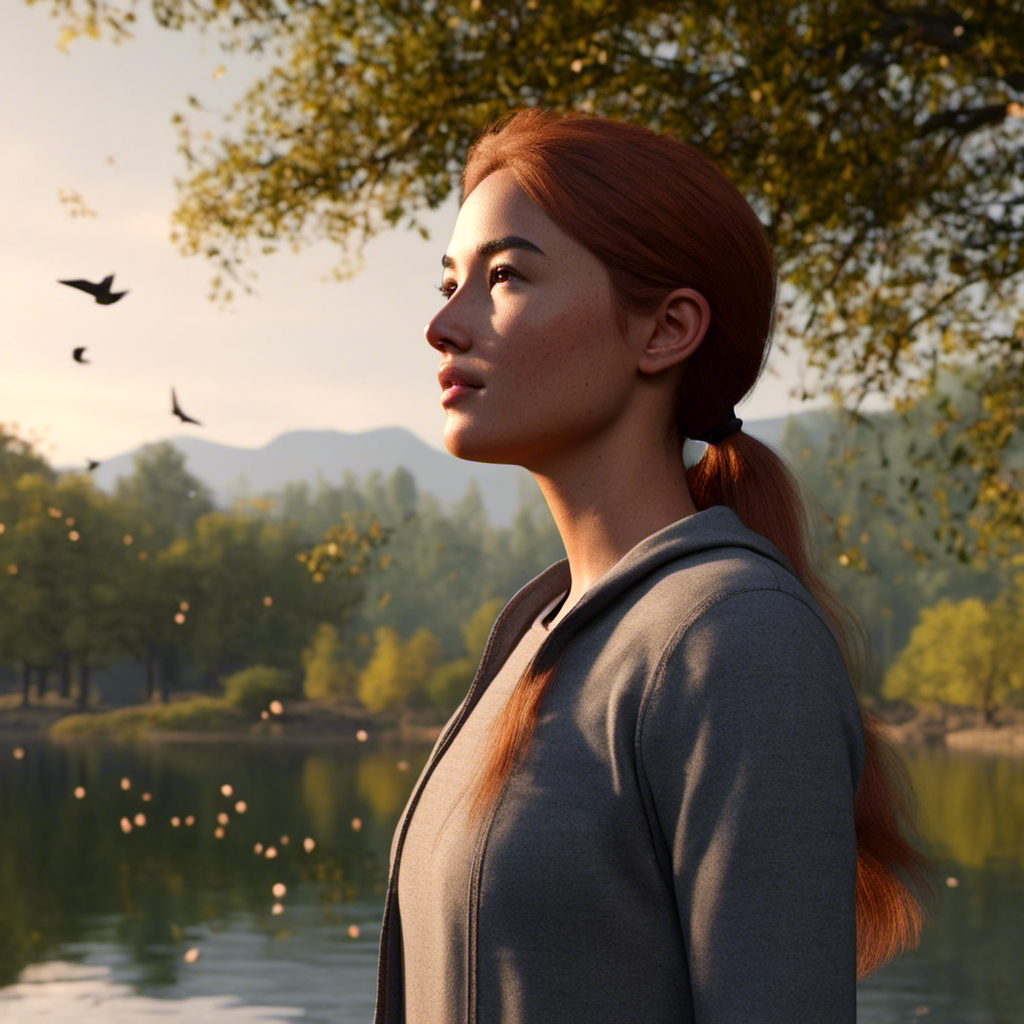
Prompt: Closeup of a woman with purple hair standing in front of a green neon sign with a large cityscape in the background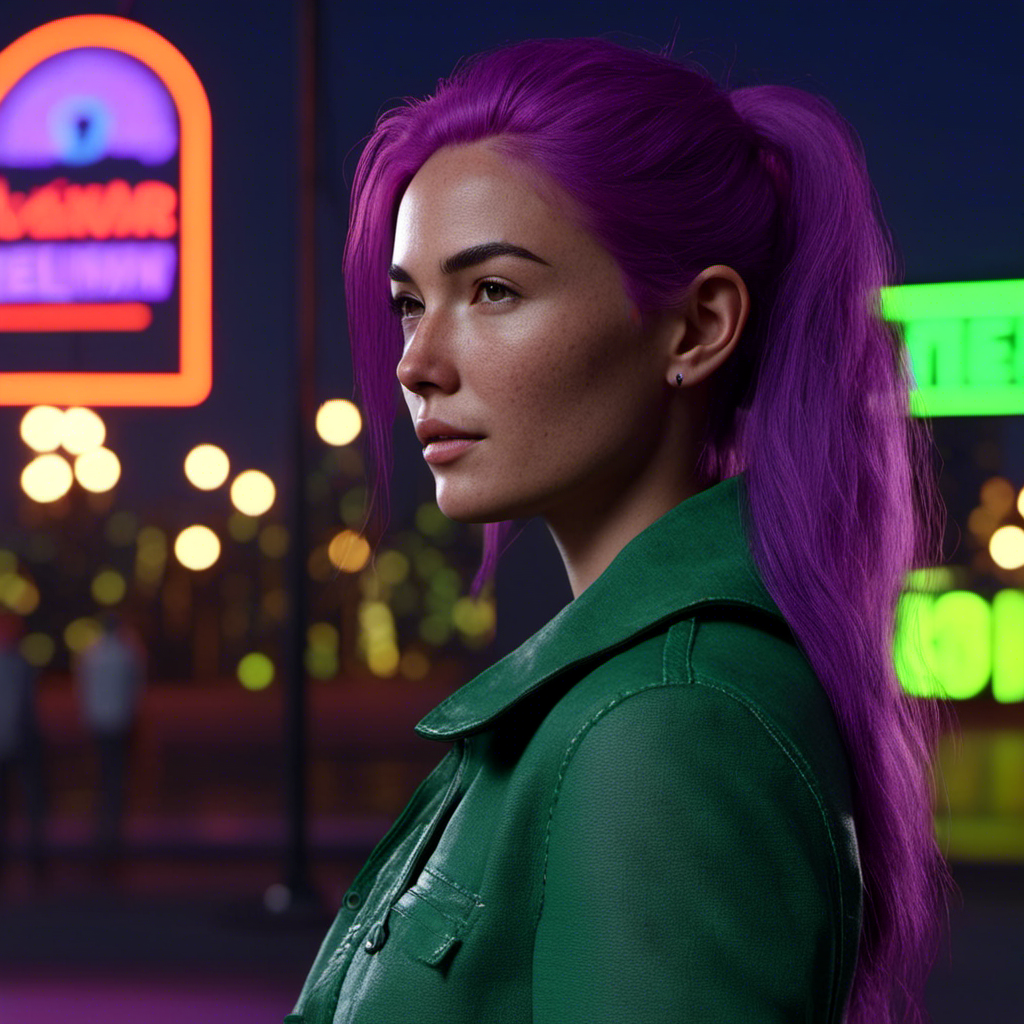 Comparing Daz AI to Midjourney - thoughts
xyer0 said:
What would happen if you added "photorealistic" to the prompt?
Prompt :"Photograph of a gorgeous 20 year old model with long black hair , green eyes, freckled face, photorealistic, 8k, taken with Canon R5"
Generated with Victoria :
The 8 generations with Victoria:
Generation without Victoria:
'The 8 generations without Victoria:
The biggest issue with this when it comes to realism, is that Daz models inherently have normal maps ingrained within them. So using said model for the prompt does up the chance of 'realisim' in the results. Like with the first one, it looks really nice, but it can be done IN Daz Studio already. However, with more intracate prompts, realisim is tossed out due to how SD struggles with it. The learning process that they have used is very different than that of Midjourney, or any other AI platform. That said, SDXL and SDXL Turbo looks somewhat better, but looking at what Daz AI is using, it's probably old SD. Even then, those still suffer from the whole 'glamour shoot' style skin blurring.
There's also the issue of not being able to dictate the aspect ratio, that the AI does not follow the prompt, even with strictness to include a 'full body' shot, and most of these are on plain backgrounds.
*edit* I want to also show the 4 results from Midjourney for the 'freckle' one that was generated so you can see how realistic the results are.
I also want to add when it comes to AI, details are important, thus why the 'taken with Canon R5' etc.. was added. to the other examples. When I do Midjourney it usually is prompts with taken with X camera, 8k, 100 ISO, 85mm ( or whatever focal length I want to use) etc... simply because of the results wanted.
Daz AI Studio DiscussionsWendyLuvsCatz said:
Richard Haseltine said:
naughtyroad said:
Urgh, more AI.
 They better not have used my gallery entries (such as they are) to train this abomination. I'm taking my gallery down now.
It used only Daz-owned art for the training, not PA or general member art.
well at least the ones with ethical objections cannot complain about it
I am certain it won't stop others though

getting my popcorn ready...
As noted later, what Daz is using is called a Lora. A Lora is an add on to an already existing Checkpoint model. The base model checkpoint is built off of billions of images, I rather doubt Daz or any modest sized company has the ability to do that. A Lora can be trained on far fewer images, even just a dozen. I am sure Daz used a lot more than that, at least I hope so. At any rate, Daz did not create a checkpoint. So the concerns about where the data was collected still remain for the checkpoint Daz is using. Considering that the output images are around 1024 pixels in size, I am guessing they are using Stable Diffusion XL. That is just a guess. They could be using a custom version of SDXL. They may also be using multiple Loras, too. It would make sense to have a dedicated Lora for each product. So Victoria could be her own Lora. This would allow Daz to expand what is offered. Instead of remaking the Lora every time they just add a new Lora with the new stuff.
That is my guess for what is happening when you click on each item. When you click on V9, it adds her Lora. Click on Alchemist Shop, it adds another Lora. Click on Candle Light, another Lora. Each get added.
The images that have been shown so far look nothing like images rendered by Daz Studio Iray. That could be a positive or a negative depending on your view. The data in the checkpoint is a factor in that, and of course there are going to be things people prompt that have never been a Daz product before.
Comparing Daz AI to Midjourney - thoughtsTheKD said:
I just mean a A vs B comparison, I think dazai looks better. The fisrt one, the skin on the daz one looks more like a real person, while the second one looks like an amateur touchup photo from the 90's, when people used to smudge brushed away all the details. The second one, both faces are not that good, but dazai didn't cheat and add hide hands into the prompt, and actually seems to have the correct number of digits lol. I think I do like the midjourney dress a bit better though, but it doesn't scream futuristic to me.
I think on the grand scheme of things, the only reason that the first Daz one looks better with 'realisim' is because Victoria was used as a base,so a normal map would have been engrained in that, and the Midjourney has no reference. That said, the quams you have with Midjourney is something that they have corrected over time with the upgrades. SD still has major issue with realistic skin.
For examle the prompt "a gorgeous 20 year old model with long black hair , green eyes, freckled face" used with both Daz AI and Midjourney shows that Daz creates that 'glamour model' affect from the 80's with the overly soft skin.The resulting images of two attempts(16 generations) presented all soft skin. All 4 generations for Midjourney resulted in realistic results.
Daz AI

Midjourney
 Comparing Daz AI to Midjourney - thoughts
All I am seeing, despite upgrading, is two options when it comes to prompts, and only an extension of the generated work. No enviroment, or other options. Anyway...*edit* I went right to the AI studio, and had not seen the 'about' page first. I sub'd there. So, I've paid $4 for this and not all features are there. Again, what is the point at this point?
So I have used Midjourney for a while. I also use ChatGPT for prompt descriptions when generating specific works. That all said, I wanted to see how it Daz's AI studio would compare to Midjourney with a pretty basic prompts.I did use Victora 9, and without. I selected the best, most accurate, and realistic (in terms of what should be expected), image generated.
The prompt used :
Gorgeous elf female with chesnut updo hair and blue eyes wearing a black sparkly dress
The results:
DAZ AI

Midjourney

Another prompt :
Model in a long black dress, in the style of futuristic imagery, dark cyan and red
Daz AI:

Midjourney:

Thoughts:
I understand this is still in BETA. I understand there will be a learning process for the AI. I completely get that. However, SD is an absolutely terrible AI model to pair Daz with. It lacks the capacity to render faces, and body parts properly. Granted, the first image with Victoria is good, but it is something that can easily be done within the actual Daz software, so it begs the question of what can this be used for? How is this worth it to consumers that use Daz, if the results are sub-par compared to competitors? What is beneficial to consumers if the overal result of the product is more work with post-production, and continued generation to get accurate results?
I was not able to use environment, inpainting or anything else, despite(again) upgrading. So I cannot judge those. As it stands now, for $3.99, with so few options, I find this lacking, and not worth it. Others may feel that this is something that may be worth it, especially given the cost of Midjourney or other AI platforms.
my DAZ AI threadbecause everyone needs their own thread

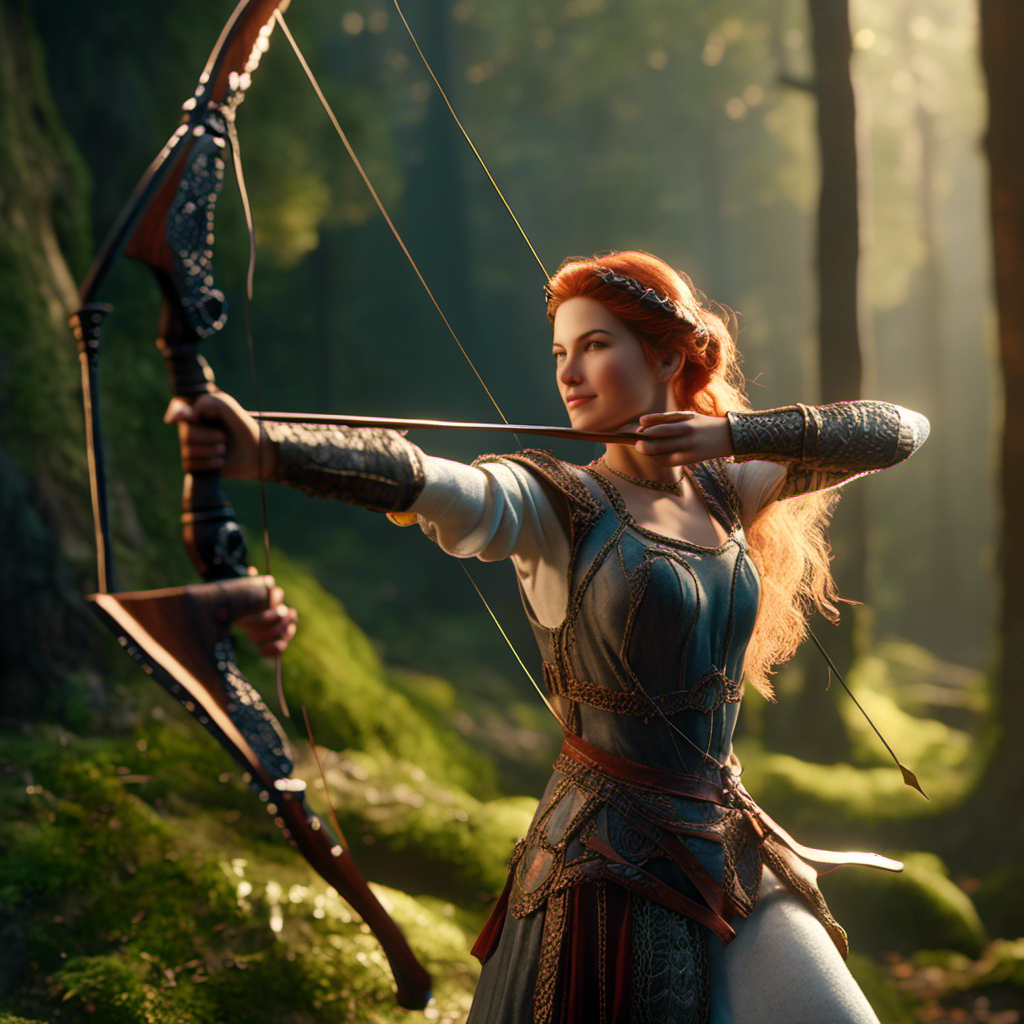
Maid Marian in the forest shooting her bow and arrow
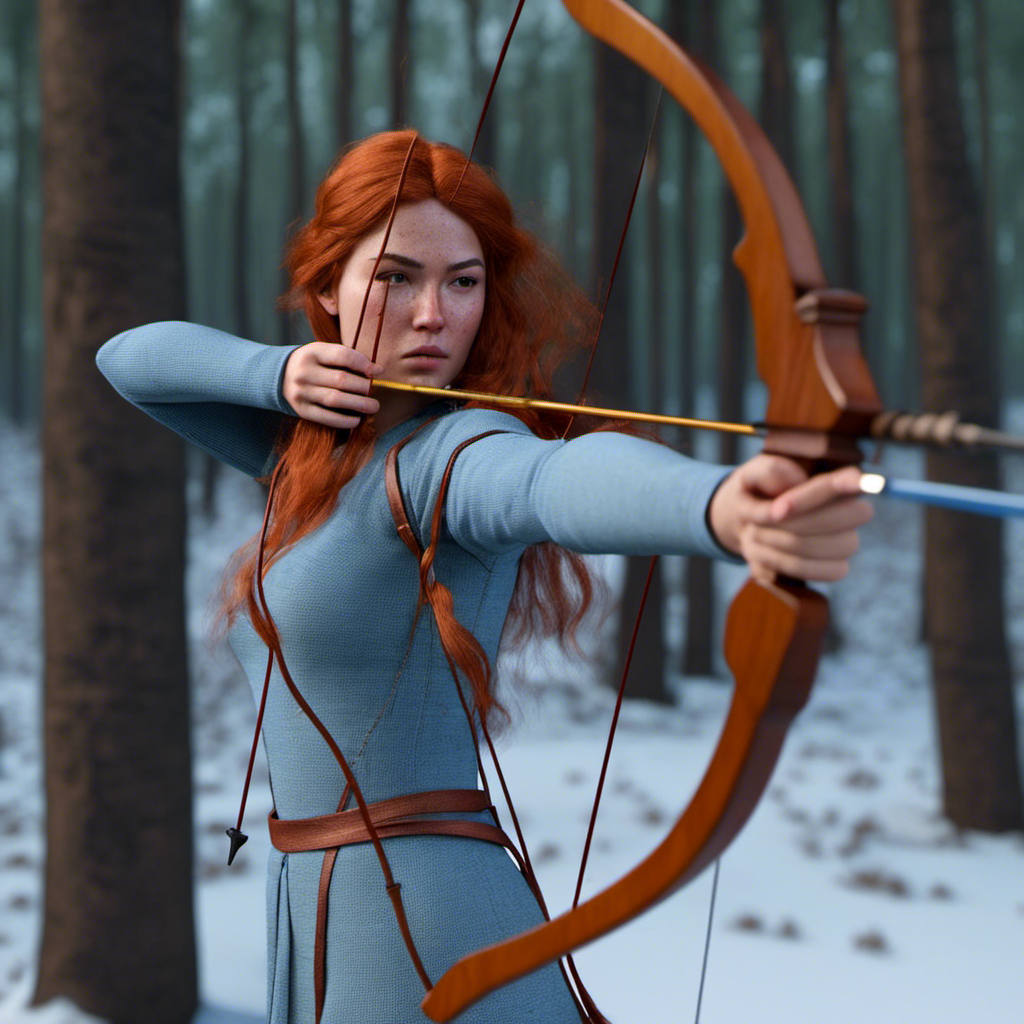
same as above but with Victoria 9 checked
I think I prefer V9 in DAZ studio even with my poor animation using the poses from the bundle I bought
the AI bow has crazy issues
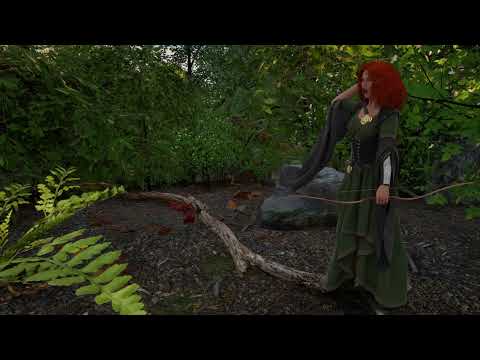 First AI Image
First image using the new Daz AI Studio. Neat but there are only two options to chose from Victoria 9 and Michael 9. Question is this really "art" as I didn't do anything other than type some words.
Will products already owned work in AI Studio?inmymoonsuit said:
From the FAQ: "Our Free and Paid users will have access to our core characters Victoria 9 and Michael 9 with other characters available for purchase from the store in the future that you can add to your account."
Sounds like another purchase, maybe like 3D print licenses or the meta-mixer tools.
This whole thig is a big, big, big no for me. It really makes me regret money I've spent with Daz, and makes me strongly suspicious of whether to trust or spend more money with this compay. As if the NFT mess wasn't enough of a warning...I've thousands of dollars in my current library. I'm disappointed they want to charge me again. :(
What happens to vendors now, we done?!Well, the situation here is very different in the short term and the long term. In the long term, of COURSE it's the end of the kind of content creation digital artists having been doing up until now: anyone who's been paying the slightest attention to the pace of AI development can see that within about ten years, at the very most, these tools will be creating photorealistic full-motion video complete with sound effects and dialogue and so on, and responding to whatever prompts the directors give ("yeah, like that, but make the soldiers taller and the armour a bit less shiny and more rusty-looking")... the idea that anyone will be employed to spend hours creating 3D scenes that AI can create immediately is absurd. Whatever fine-tuning and control digital creators currently have, through tools like Daz Studio, is going to be completely eclipsed by the power of AI tools, within the next few years. So for Daz to start shifting into AI-assisted creation doesn't merely make sense, it's essential if they're to survive in any form at all.
On the other hand, right now, no, this "Daz AI" product looks to be (from my testing, at least) exactly like all the other current AI image generators: so strikingly obviously flawed that there is still a need for the kind of content creation we do in Daz Studio. The same things that expose the problems in all the current AI image generators expose the problems in this one too (loading a model like Victoria 9 doesn't seem to make any difference at all: the weird, mutant hands and feet with oddly shaped and/or too many fingers and toes, so notorious as one of the giveaways of AI image generation, and the asymmetrical inhuman-looking eyes, and all the rest... as far as I can see, none of that has been fixed, this is just bog-standard AI image generation that is not being constrained by Daz 9 metrics/textures/etc. as the marketing suggests... though perhaps that's in development, if Daz are working closely with the developers of the AI tools...). So content creators still have a role, for now at least.
There are already AI tools to create 3D models from 2D photographs, and based on what I've seen of them (people dancing and changing their facial expressions, all derived from a single 2D photo as input), they are already vastly superior to the facegen tools in Daz Studio. The idea that vendors will be able to continue to make money from 3D figures like Victoria, when AI is going to be able to create photorealistic 3D people from verbal instructions, instantly and with no need for any skills at all from the user (other than the ability to articulate what s/he wants to see) is nonsensical: digital content creation, in its current forms, is enjoying the last few years of its existence. No doubt the new tech will open up new forms as it always has, so I'm not saying all the Daz vendors need to retrain as massage therapists... maybe Daz AI will eventually integrate the manual control of Studio with the automation of language-based AI, and this will offer a pathway into a new income stream for some artists (though I certainly wouldn't count on that, given the ease with which everyone in the world will be able to create new content)... but seriously, if anyone still can't see what's coming, at the rate that AI is improving, and imagines that in another five years they'll be rendering and selling art the way they are today... well, maybe ignorance is bliss.
Will products already owned work in AI Studio?From the FAQ: "Our Free and Paid users will have access to our core characters Victoria 9 and Michael 9 with other characters available for purchase from the store in the future that you can add to your account."
Sounds like another purchase, maybe like 3D print licenses or the meta-mixer tools.
This whole thig is a big, big, big no for me. It really makes me regret money I've spent with Daz, and makes me strongly suspicious of whether to trust or spend more money with this compay. As if the NFT mess wasn't enough of a warning...Daz 3D is part of

Connect
DAZ Productions, Inc.
7533 S Center View Ct #4664
West Jordan, UT 84084Licensing Agreement | Terms of Service | Privacy Policy | EULA
© 2026 Daz Productions Inc. All Rights Reserved.