-
Daz Central Arbitrarily Changes Order On Items
I'm experiencing frequent inconsistencies in my Daz Central >> My Library >> Daz Studio Assets view, namely the Order Date seems to arbitrarly change almost ever other time I load Daz Central. What's worse is that the order date rarely seems to follow any logical, consistent pattern; sometimes items I ordered months ago will show up at the very top of the Order Date listing, and most of the time the order is wildly out-of-sync (and unordered) with regards to the *actual* purchase date of my items. Nothing seems to have precipitated these sudden alterations (no new downloads of the software program, etc.) so I'm at a loss at understanding what exactly is happening behind-the-scenes. It's frustrating because my catalog is massive and I'd appreciate some stability from the app.
Files could not be found.What way did you install your content?
Manual
Connect (logged in to Studio and installed inside running Studio)
Daz Install Manager (DIM)
or
Daz Central ?
ROG Red Crow Inn doesn't show upIf you have the Update option then the active install is through Daz Studio itself, not the Daz Central install (and it failed, in whole or in part). Right-click on the product and Seelct Uninstall to get rid of that. If you still have no fiels showing then most likely Daz Studio is not set to use the Daz Central install location as a content dierctory - download this script (link above the code) and drag into the Viewport http://docs.daz3d.com/doku.php/public/software/dazstudio/4/referenceguide/scripting/api_reference/samples/file_io/install_manager_config_import/start
ROG Red Crow Inn doesn't show upHello everyone!
I don't really know why this is happening, because all other products work perfectly fine.
I used the DAZ Central Software to download the ROG Red Crow Inn environment, which seems to finish normally, but when I start DAZ studio it doesn't appear anywhere under the
Files -> Environments section.
I can see it in the Products though, which also gives me an Update button.
That button seems to do something (maybe a download) but then still nothing shows up.
This is the only product out of many, which is giving me this issue.
Can anybody please help? Is this problem maybe known somehow?
daz studio installation issuesabhilash2179 said:
Unable to install daz studio 4.x pro using daz central. The installation is stuck at 44% and does not progress. Am using windows 10. Please help
Daz to Maya not showing up in the Daz studio Scripts tab.SpaceCoyote said:
I'm having the same problem. I've tried to install/uninstall Daz Studio and Daz to Maya using Daz Central in every possible order I can think of, without and with Studio being open, and I never get the "Script" menu in the top menu bar.
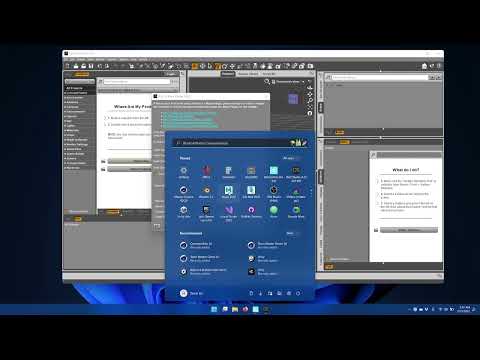
Oh my, after quite a day of trying to get all this to work, I've finally had success. Turns out the documentation on the Daz to Maya help page is outdated and there is no longer a "Scripts" menu in the menu bar after installing the Daz to Maya bridge. Instead, sending your Daz model is done by going to File > Send To > Daz to Maya. This will open a window that has updated instructions on how to install the bridge in Maya, including this very useful YouTube video:
I also had to do one extra step in order to launch the Daz Import window in Maya, which was to install PyMEL, otherwise Maya would give me an error. I think PyMEL was an optional install that I chose not to install when I updated to the latest version of Maya so others may not encounter this problem.
Daz to Maya not showing up in the Daz studio Scripts tab.I'm having the same problem. I've tried to install/uninstall Daz Studio and Daz to Maya using Daz Central in every possible order I can think of, without and with Studio being open, and I never get the "Script" menu in the top menu bar.
Re-Organising Similar ContentLindsey said:
marble said:
As I said above, I have been avoiding DAZ Connect (DAZ Central??) mainly because I like to organise content myself, not how DAZ thinks it should be organised. However, you make some interesting points so I'll take a look. Obviously I buy from other stores too so that's extra work to try to fit those products into the DAZ Connect scheme but then I already install those products manually anyway. I'm also wary of something that requires me to be online and connected - I really do not like the idea that something or someone has access to my disk space all the time I am online.
Unlike DIM and DAZ Central, DAZ Connect only installs into the DAZ Connect designated folder and displays on the Smart Content tab.
DAZ Connect does not install any files into the DAZ Studio Format library.
The content installed through Connect is aggregated into the virtual Daz Connect "content directory" immediately under Daz Studio Formats (and Poser Formats) as if it was in a single folder.
YOU do that by creating short cuts, into the DAZ Studio Format library folders YOU create.
YOU control where files (aka links/shortcuts) show up in the DAZ Studio Format library folders.Just think of DAZ Connect as a way of installing content into the Smart Content tab purchased from DAZ3D store and notification of product updates.
Smart Content tab is the source for populating your DAZ Studio Formats library with links/shortcuts. You never need to use/look at the Smart Content tab once you create links/shortcuts into your DAZ Studio Format library other than to check for updates.
Nothing gets installed into the DAZ Studio Formats library unless YOU put it there with links/shortcuts.
daz won't install on a new computerI just bought a new computer and wanted to test it in daz. But daz won't install on a new computer. Daz Central starts to install the program but the installation stops at ~78 percent and won't go any further. What to do?
My pc- windows 11, i3 12100f, zotac rtx 3060
Off Topic Thread #2Stezza said:
Bunyip02 said:
Stezza - trust those wet feet moments are bypassing you this time around !!!
yep, so far missing us though we had a few drops last night.. but central NSW is flooding bad!

Very wet on the news !!!
Re-Organising Similar Contentmarble said:
As I said above, I have been avoiding DAZ Connect (DAZ Central??) mainly because I like to organise content myself, not how DAZ thinks it should be organised. However, you make some interesting points so I'll take a look. Obviously I buy from other stores too so that's extra work to try to fit those products into the DAZ Connect scheme but then I already install those products manually anyway. I'm also wary of something that requires me to be online and connected - I really do not like the idea that something or someone has access to my disk space all the time I am online.
Unlike DIM and DAZ Central, DAZ Connect only installs into the DAZ Connect designated folder and displays on the Smart Content tab.
DAZ Connect does not install any files into the DAZ Studio Format library.
YOU do that by creating short cuts, into the DAZ Studio Format library folders YOU create.
YOU control where files (aka links/shortcuts) show up in the DAZ Studio Format library folders.Just think of DAZ Connect as a way of installing content into the Smart Content tab purchased from DAZ3D store and notification of product updates.
Smart Content tab is the source for populating your DAZ Studio Formats library with links/shortcuts. You never need to use/look at the Smart Content tab once you create links/shortcuts into your DAZ Studio Format library other than to check for updates.
Nothing gets installed into the DAZ Studio Formats library unless YOU put it there with links/shortcuts.
Re-Organising Similar ContentAs I said above, I have been avoiding DAZ Connect (DAZ Central??) mainly because I like to organise content myself, not how DAZ thinks it should be organised. However, you make some interesting points so I'll take a look. Obviously I buy from other stores too so that's extra work to try to fit those products into the DAZ Connect scheme but then I already install those products manually anyway. I'm also wary of something that requires me to be online and connected - I really do not like the idea that something or someone has access to my disk space all the time I am online.
Re-Organising Similar ContentI would appreciate any ideas on how to re-organise content so that similar assets can be filed together in the Content Library.
1. I don't use Smart Content
2. I don't like the Categories sub-folders because, on more than one occasion, I've spent hours (days) creating categories only to lose them completely after a DAZ software update.
3. I do use DIM but I don't use DAZ Central. I am happy to install products manually but that is usually how I install content from other stores.
4. I have been copying duplicates to folders which fit similar descriptions (e.g. outfits that have separate shoes, underwear, etc.). This is taking up a lot of disk space and is not very satisfactory.
Preferably I would like to be able to create links - something like symbolic links you find in operating systems - however, one script (Create Asset Links) that was suggested might work like this does not seem to do anything at all.
Install optionsDaz Connect (installing through Daz Studio itself) or Daz Central (separate installer application)?
How to import custom categories from one PC to another with a new installationThat is the point of Daz Central, it aims to avoid cinfusion by having only the oen path setting. If you want fine-grained cotrnol use Daz Install Manager, which will pick up the central setting but then allow customisation https://www.daz3d.com/get_install_manager/
How to import custom categories from one PC to another with a new installationhello.
how do i get control of Daz Central?
when dazCentral tries to install daz studio, it does not ask me for anything, neither the installation directory, nor the directory where to put "My Library" nor which products to install.How do I do this?
do i try to install daz studio manually?
thank you.Help installing to SSD but library to my external drive?Richard Haseltine said:
Daz Central does not support setting separate install locations - that is part of its point, it greatly simplifies the uer experience. In yor case you want to use Instal manager, which will inherit the Daz Central settings but allow you to change them individually, by clicking the gear icon at top right and going to Advanced Settings. https://www.daz3d.com/get_install_manager/
Legend thank you Richard :)
How to import custom categories from one PC to another with a new installationHello, everyone.
I have purchased a new PC. Now, I should install Daz on the new PC, have the content directory point to the old hard drive, but import the custom categories where I have all the model material before genesis 3.
Daz on the old PC is version 4.20, on the new one DAZ 4.21 will be installed with the DAZ Central utilityDaz Studio will be installed on disk C, while the MyLibrary directory is on disk Y (it has always been called that since Daz Studio version 3)
How can I do this?
Should I first export something from the old PC and then re-import it on the new PC?Thank you, I would like to avoid losing the old categories. It took me years to get them right.
Tagan
Help installing to SSD but library to my external drive?Daz Central does not support setting separate install locations - that is part of its point, it greatly simplifies the uer experience. In yor case you want to use Instal manager, which will inherit the Daz Central settings but allow you to change them individually, by clicking the gear icon at top right and going to Advanced Settings. https://www.daz3d.com/get_install_manager/
Help installing to SSD but library to my external drive?Hey everyone, I've had to come to the forums because I'm completely lost. So I really do appreciate any help

I downloaded Daz Central initially then relealised everything was on my SSD whereas I want the library to save to my external hard drive but Daz studio run from the SSD if that makes any sense? So I changed the base location that then made the CMS error start to happen and no data found and I couldn't open files I've bought.
I have completely wiped Daz from my computer in the hopes to get some help in installing it right from the start, thanks for any help!
Daz 3D is part of

Connect
DAZ Productions, Inc.
7533 S Center View Ct #4664
West Jordan, UT 84084Licensing Agreement | Terms of Service | Privacy Policy | EULA
© 2026 Daz Productions Inc. All Rights Reserved.










