-
script not finding the model in the scene
私も同じ問題を抱えていました。
私は解決策を見つけました。
スクリプトの問題ではありません。
3DStorobist のコードは一文字たりとも間違っていません。
まず、前提として FBX to Mixamo を作成しておく必要があります。
次に、アニメーションを Genesis2 から Genesis8 に転送できます。
ここからが本題です。
みなさん、共同編集に切り替えてスクリプトを適用していますか?
これは私たち全員が陥る罠です。
ほとんどの人はそれをユニバーサルにしてスクリプト化します。
共同エディターでスクリプトを実行してみましょう。(Edited by mod to add translation)
i had the same problem. i found a solution. It's not a script issue. 3DStorobist's code is not a single letter wrong. First, you need to create FBX to Mixamo as a prerequisite. Then you can transfer the animation from Genesis2 to Genesis8. Here is the main issue. Have you all switched to co-authoring and applied scripts? This is a trap we all fall into. Most people make it universal and script it. Let's run the script in co-editor.
Importing a suit from Blender. Need help with transfer utility.I'm trying to import a suit from Blender. First, I imported a Gen 8 Female body to Blender and made the "suit" to comform to the body. Then, I exported the suit to FBX (and OBJ as well). The FBX one fit right away when I imported to Daz, but the OBJ one needed some transforms (i.e. scaling, moving, etc). When I used the transfer utility, I was expecting the suit to be somewhat fitted to the Gen 8 female body. But instead, it just fell on the floor. I noticed that the hierarchy got messed up (see image. "helmetTorso" was the original name of "suit" before I renamed it). It looks like it tried to map part of the suit to some other part of the body. I'm not sure what's going on here. Any tips? Thanks.
(Image removed by mod due to nudity. Please refer to https://www.daz3d.com/forums/discussion/3279/acceptable-ways-of-handling-nudity#latest )
Experimenting with ML Deformer in UE5.1Just an update after some more testing.
I originally said above that the number of frames in the training animation didn't seem to make much difference, but it turns out that it does is some situations.
It's deceptive when you're just looking at the tests in the ML Deformer setup as everything looked good, but it's obvious when looking at the character with a "real" animation.
Using the knee as an example, I was originally training with just the knee straight and the knee bent, with no inbetween poses, but the inbetween poses are absolutely necessary it turns out.
Now, I'm using 30 frames inbetween each pose in the training animation and getting much better results.
Another thing I've notived is that training with the vertex delta model is generally giving me better results than training with the neural morph model, both on default settings. The Nearest Neighbour model doesn't seem to work at all but to be fair, it does warn you that's it still very experimental.
I'll post my final training model for genesis 9 once I've fixed it up a little.
how to make genesis 9 EYES works ( eye look up/down and eye loop side/side)Hello!
Please i have a super important question, watched tons of videos but they all hide the fact that once you import a morph with morph loader pro, the eye look up/down and eye loop side/side original genesis 9 doesn't work properly anymore.
any idea please?
thank you so much!
Old .daz scene can't find empty morphs - how to locate or recreate? [SOLVED]I'm trying to load an old .daz scene, probably saved out from Daz Studio 3.1 or earlier, from a PC long ago retired. I have a copy of most of the data, but apparently missed a few key files.
I'm working from a newer PC, with relatively fresh installs, including I think all the relevant assets. For simplicity, I'm working only with a very simple scene that was basically just Victoria 4.2, with a texture and some unmodified morphs injected, as that was my starter scene that most of the rest are based on.
It failed to load correctly when I attempted to load it into Daz Studio 4.21, so I installed Daz Studio 3.1 again to try my luck there. That also fails with similar errors. The key error messages seem to be related to some missing empty morph files, such as:
Unable to find file for storable: data/blMilWom_v4b_68498/hip/modifiers/morphs/EMPTY-HipsCrest_0.dsd'
I've done a ton of experimentation and scouring the internet for solutions, but nothing I've found yet seems to quite fix this. I've read that somehow you can use DS 3.1 to regenerate missing .dsd and other files for the data folder. Is that what I need to do here, and if so how?
Deformations between higher res HD Morph and Geograft figure need advise for better transitionI have tried adding the subD property to my geograft. It still seems to have an odd line of deformity that seems to be the same line that is used for creating the geograft. I have tested this myself using Genesis 9 with the Victoria 9 HD morphs on and a geograft I created as a replacement for the arm. Its the same arm geometry I just made it into a geograft instead to be used as an example.
I'm having trouble uploading the images to the forum for some reason.
The line is even more pronounced with higher levels of subdivision. I had suspected that it is due to the way that the HD Morphs are deforming the mesh in a different way than the Geograft geometry since the Geograft Geometry doesn't have an HD Morph to it. Or maybe I need to do something else to accomodate the higher resolutions?
Steps taken
Export G9 at base resolution with Zeroed shape in obj and import to blender.
Remove all polygons except for the arm and export to obj.
Import the arm as obj and apply subD to the imported arm.
Use transfer utility to transfer rigging from G9 to the arm.
Go into geometry tools and select the geograft faces on G9 corresponding to the faces that will be replaced by the arm's edge and assign for grafting.
Add the faces for the rest of the arm for hiding and assign for auto hiding.
Unfit and fit the arm to G9 figure.
Apply the PBR Skin shader to the Arms surfaces.
Copy the G9 surfaces to the Arm figure.
Apply Victoria 9 HD Morph
You should be able to see the line deformation that happens to align with faces used for the grafting.
This should allow you to reproduce the issue, but hopefully others may provide some more suggestions on how to fix this or how to mitigate this. Crossing fingers that someone in the forum might know.
Diffeomorphic DAZ Importer version 1.6.0 released.Figured out how to save the pose and import it into Daz, by using the option in the Blender add-on for Daz importer section.
EDIT: I noticed that the ankle, wrist is not able to be bent nicely in Blender, but when its imported into Daz, it looks smoother and much better, I wonder how do we fix this in Blender, with the Genesis 9? Could it be the HD morph thing? As thats what I think might be the issue, that we don't have HD morph in the Blender importer addon?
Dimensional Scaling of BonesPickle Renderer said:
I would strongly recommend not doing any non-uniform scaling on any rig, ever. It's almost guaranteed to mess up animation, morphs and so on. Uniform scaling is usually OK. Far better to do a morph to shorten the fingers than a non-uniform scale. If you aren't sure how to do that, it would be a good skill to learn (Blender, for example).
One of the reasons is non-uniform scaling breaks batching (in game engines at least). The matrix math can also make weird things happen in the renderer, especially to surface normals.
Well, I disagree. I do non-uniform scaling all the time, in order to set proportions for my character. The trick is to control all these scalings with one master dial.
So, do all the scaling you need, then ERC-freeze command and save this morph asset. This works even a little bit better than morph targets, for there are less unwanted distrortions.Will metamixer work across Genesis 8 and 9 figures?RexRed said:
Hello Barbult, I thougth metamixer used muscle groups instead of morphs.
As one can see in the file lists of the metamixer addons, the head morphs are divided into almost 70 partial morphs which the metamixer is using
Sample: http://docs.daz3d.com/doku.php/public/read_me/index/85092/file_listIn principle, one could dial these morphs even from the Parameters Tab, without the Metamixer Toolkit, they may be hidden but they are there, adding to the character's morph load.
Custom Morphs for Anatomical Elements GeoshellsYou can't morph a geoshell, as a geoshell is a copy of the underlying mesh with an offset.
As far as I know you can displace the geoshell.
Custom Morphs for Anatomical Elements GeoshellsThere must be a special way to apply a custom morph to anatomical elements geoshells that I can't figure out. In addition, I want to be able to use these custom morphs on different charaters.
BTW - For doing partial morphs for a charater, the DAZ tutorial on making "partial body" morphs looks out dated. The latest version of DAZ doesn't have a "region" option in the Morph Load Pro window, and I have to use the reverse deformation option to the surface that is effected so it doesn't morph the entire charater.
What is the best face transfer tool?Blando Calrissian said:
I own Face Transfer and Face Gen, and they both have their pros and cons. [...]
I appreciate these recommendations with succinct pros/cons.
I just recently purchased HeadShopPRO because it was on sale and I had a coupon code on top of that, but now I wish I had used in on your Face Gen recommendation.
- I've already spent 3 days just trying to install HeadShopPRO.
- The installation instructions that come with the product are completely outdated. You have to find the updated instructions on their website, but only the PDF, because their YouTube video is still out of date.
- Then, after (or if) you get it installed properly, the face image doesn't apply to the head properly, despite following the instructions.
- Then, an entire menu for editing the texture/geometry is missing.
- I haven't been able to find any sort of support forums, updates, FAQs, etc.
So I will be returning HeadShopPRO and hoping to get Face Gen when it's on sale, if possible.
Question about using DS from a different computerhansolocambo said:
My way to do that : I store (synchronize) my Daz Libraries on a MEGA drive (I pay yearly for 8TB). And I use Raidrive to map the MEGA cloud locally, so that it can access it in my file manager like any local hard drive.
This way I can start Daz anywhere in the world basically and have access to the Library in the cloud.
But of course moving around with an hard drive. Installing Daz on different computers. And simply configuring the Content Directory Manager to point where are the libraries, works perfectly fine too. Even better if your external drive is a Solid State Drive (SSD).
How do you handle updates to items that are installed outside your content library?
Some of the following items only install partially in the content library the rest is installed in the program folder or my documents:
Accelerator for UltraScenery for DAZ Studio 4.5+ (Win 64-bit) 74497
Advanced Ambient Light 17031
Advanced Distant Light 18516
Advanced Spotlight 17409
Atmospheric Effects Cameras DS 13926
Breast Control Puppeteer Support 23183
C66 Graphics Plugin for DAZ Studio 4.5+ (Win 64-bit) 83341
Dagger Dancer Interactive Lesson for DAZ Studio 4.8+ 15813
Day at the Beach Guided Tour for DAZ Studio 4.8+ 18735
DAZ Studio 4.21 (Win 64-bit) 13176
DAZ Studio 4.21 (Win 64-bit) Public Build +BETA+ 12000
Daz to Blender 70891
Daz to Unity 72265
Daz to Unreal 4 (64-bit) 72003
Decimator for DAZ Studio 4.21+ (Win 64-bit) 10673
dForce Companion 2 for DAZ Studio 4.5+ (Win 64-bit) 82365
dForce Companion for DAZ Studio 4.5+ (Win 64-bit) 67493
Dynamic Clothing Control for DAZ Studio 4.21+ (Win 64-bit) 9032
Dynamic Clothing Control for DAZ Studio 4.21+ (Win 64-bit) Public Build +Beta+ 16591
EJ UIs and Styles For Everybody (layouts and Styles) Win 68979
EJ UIs and Styles For Everybody (Lesson Strips) Win 68979
Figure Metrics for DAZ Studio 4.6+ 16684
FLUIDOS Companion for DAZ Studio (Win 64-bit) 57257
FLUIDOS for DAZ Studio (Win 64-bit) 54155
GamePrint 3D Print for DAZ Studio 4.5+ (Win 64-bit) 45471
Genesis Generation X2 for DAZ Studio 4.5+ (Win 64-bit) 18321
GenX AddOn Gen3 for A3 and H3 14325
GenX AddOn Gen3 for S3 D3 and F3 14324
GenX AddOn Gen3 for V3 and M3 14326
GenX2 AddOn for Genesis 2 18322
GenX2 AddOn for Genesis 3 32599
GenX2 AddOn Gen3 for A3 and H3 14325
GenX2 AddOn Gen3 for S3 D3 and F3 14324
GenX2 AddOn Gen3 for V3 and M3 14326
GenX2 AddOn Gen3 Kids 18827
Gescon: Constructive Solid Geometry for DAZ Studio 4.5+ (Win 64-bit) 81368
graphMate for DAZ Studio 4.5+ (Win 64-bit) 15480
HedgeMaker for DAZ Studio 4.5+ (Win 64-bit) 80936
Histogram for DAZ Studio 4.5+ (Win 64-bit) 80927
IBL Master for Daz Studio (1of2) 48959
IBL Master for Daz Studio (2of2) 48959
Inside the Asylum Guided Tour for DAZ Studio 4.8+ 18732
Install Manager Default Filters 14811
Iray GeoLocator for DAZ Studio 4.8+ (Win 64-bit) 36921
keyMate for DAZ Studio 4.5+ (Win 64-bit) 15390
LAMH Player for DAZ Studio 4.5+ (Win 64-bit) 16151
LAMH2Iray Catalyzer for DAZ Studio 4.8+ (Win 64-bit) 44935
LineRender9000 34653
Materia MeshMaker for DAZ Studio 4.5+ (Win 64-bit) 79983
Measure Metrics for DAZ Studio 4.21+ (Win 64-bit) 16684
Measure Metrics for DAZ Studio 4.21+ (Win 64-bit) Public Build +Beta+ 16686
Mesh Grabber for DAZ Studio 4.5+ (Win 64-bit) 65751
Mesh Grabber Morph Editor for DAZ Studio 4.5+ (Win 64-bit) 73685
Mesh Grabber Rotations AddOn for DAZ Studio 4.5+ (Win 64-bit) 68547
Michael 4 Base Puppeteer StudioCF 7877
Mimic Live for DAZ Studio 4.21+ (Win 64-bit) Public Build +Beta+ 16596
Mimic Live! for DAZ Studio 4.21+ (Win 64-bit) 13000
Orbital Lights for DAZ Studio 4.5+ (Win 64-bit) 80933
pwCatch for DAZ Studio 4 4464
pwGhost for DAZ Studio 4 4345
Real Fur for DAZ Big Cat 2 LAMH 17843
Render Queue for DAZ Studio 4.5+ (Win 64-bit) 59787
Render Throttle for 3Delight 64317
Render Throttle for Iray 50257
Rock Shader for DAZ Studio 18994
Rodents by AM: Squirrels of Eastern Hemisphere LAMH 38539
Scene Builder for DAZ Studio 13176
Scene Builder for DAZ Studio Public Build +Beta+ 12000
Sci-Fi Warrior Guided Tour for DAZ Studio 4.8+ 18731
Slaying the Dragon Interactive Lesson for DAZ Studio 4.5+ 18736
Thickener for DAZ Studio 4.5+ (Win 64-bit) 82267
Turbo Content for DAZ Studio 4.5+ (Win 64-bit) 62619
UberSurface2 Layered Shader for DAZ Studio 4 12700
UltraSceneryXT for DAZ Studio 4.5+ (Win 64-bit) 84924Cat 9...Mark_e593e0a5 said:
hjake said:
Vyusur's Zeus and Mars kitties are playing at RenderHub com
Yes. some new cats have been released based on Mars or zeus. But don't expect any support. The "Savannah for Cat Zeus" has some serious issues (requesting morphs from Cat Mars), but the issues are not fixed in a couple of months.
A user at Rendo helped me resolve these issues. I'll just paste the instructions I was given:
"The female morph for it (Zeus) can be made to work if one edits the morph file replacing all calls for the Mars cat with references to the Zeus cat {if one has purchased the S.C. for Zeus}. Also change the locations calls inside the file so it can find itself"
Weird feet lines on Genesis 8Starkdog said:
The most obvious answer... they were in the bathtub too long!
Other than that, either the bump map/normal map is too strong, or the foot morphs are too strong. Might want to check the hidden dials to see if a morph is over-blown.
Thx I will check it out and come back with an answer.
Deformations between higher res HD Morph and Geograft figure need advise for better transitionHello Everyone,
I have a question to see if someone may be able to share the answer.
When I have a geografted figure attached to a Genesis Figure, then I increase the mesh resolution of the Genesis Figure, there is a very noticeable seam that is just awful to look at. Being unable to enjoy high resolution characters from the DAZ Store with Geografted parts almost becomes a dealbreaker as any geografted prop will have a bad seam to work with.
Is there any way to improve this especially now that we have the Genesis 9 figure with the higher poly counts.
When looking at geografted props from DAZ first party like the Female Anatomy props they are 100% perfect at higher resolutions. I don't know why other than maybe it's a limitation of the HD Morphs or something.
I'm hoping we wouldn't have to have the HD Morphing tools for the PA devs. It would be great if there was something that could help to work with the geografted items to the HD Morphed characters.
Could anyone provide some advise?
Weird feet lines on Genesis 8The most obvious answer... they were in the bathtub too long!
Other than that, either the bump map/normal map is too strong, or the foot morphs are too strong. Might want to check the hidden dials to see if a morph is over-blown.
How to separate body & head1- Incredibly fast and super efficient way to do it. With an objectively impressive script :
Amazing product to do that perfectly, even for much smaller morphs of Genesis (always tricky) : Shape Splitter
It creates the morph sliders in no time for head/body morphs. And do much more as you can basically separate any morph into multiple sliders.
Nicely explained there by Jay Versluis :
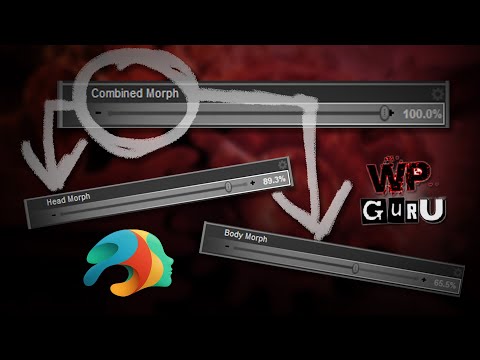
----------------------------
2- Manual way to do it. With D-Former, ERC Freeze, etc.
If you want to do it manually, understand how it works, there's an excellent tutorial on the subject by Benalive. It comes with a handy morph slider (link in the Youtube Description) that helps with smaller morphs too. But not as small as what Shape Splitter can do :
 Question about using DS from a different computer
Wonderland said:
hjake said:
Wonderland said:
outrider42 said:
I was going to suggest Splashtop myself. I have used it for about 5 years now. You can also use Splashtop on a phone or tablet through their Google/Apple apps, basically any device that has a screen can probably run Splashtop. I have used Splashtop on my phone several times in a pinch, and on every phone and tablet I have had over the years. I even used it on an Amazon Fire tablet. So this could be an option for you, too, and you wouldn't even need their laptop.
....'Wait, does this mean I could use DS or Photoshop on an iPad Pro and do everything with the Apple Pencil? If that would work, it would be life changing! I.would do that from home even!
I have not used the Apple iPad Pro so I don't know Splashtop's ability to run on the iPad. You could use the trial version to see. I do not know if pressure sensitivity or stylus angle will be recognized on the remote computer even if drivers are installed on local and remote. The stylus might just be considered a mouse. All work is done at the remote computer. The local computer/phone/tablet is operating the remote through a browser-like window.
My bigger concern would be input lag for something as sensitive as sketching and filling in an area where pressure and angle might be an issue.
Next is screen size. I have logged into the remote on my Samsung android phone but that was more to check on rendering or syncing status or to grab a file from the computer when I am away from a computer. Unless I use Samsung Dex to connect to a TV or monitor and my bluetooth a mouse and keyboard to my phone, then, voila, instant computer as grandma's cottage in the wood. Assuming you have wifi or plenty of data. :-)
I have used Daz Studio, Affinity photo, publisher, and designer, but not with a stylus. A wacom tablet is on my wishlist.
To work with Daz effectively I use the View tab for scene manipulation when I am not in full screen. If you are not in full screen mode, then long drags of the local mouse can take you off the remote screen and cause in predictable behaiour because Daz Studio thinks you are still dragging the mouse but at the edge of the remote screen.
Also you should be able to do your artwork on the iPad and file transfer to the remote.
If you intend to use the stylus as the mouse, not as a fine art tool, then it should work just fine.
Really everything depends on your internet connection speed at both ends versus your patience for input lag.
Actually, I use Splashtop at home all the time. Editing on my local computer. Rendering, video converting, and office work on my remote computers. With the headless video display adapter outrider42 suggested, and I ordered today, it means none of the computers have to be attached to a monitor and if they are then I may be able to use multiple screens from remote to local without actually having to connect a second screen to the remote.
I could use Windows RDP at home no problem but I find Splashtop a better fit for me.
I'd be using the pencil just like a mouse.
DS is, to put it mildly, not well optimized for a touch interface. To put it less mildly, it feels almost deliberately hostile to a touch interface. I went through a phase where I was working mostly on a Surface Pro, and C4D was great to use with a stylus, but I quickly gave up trying to use it with DS.
How to separate body & headIf a product comes with a full character morph (no separate head and body option), is there a SIMPLE way to extra only the body and / or only the head? Thanks in advance.
Daz 3D is part of

Connect
DAZ Productions, Inc.
7533 S Center View Ct #4664
West Jordan, UT 84084Licensing Agreement | Terms of Service | Privacy Policy | EULA
© 2026 Daz Productions Inc. All Rights Reserved.