-
FilaToon / Cell shaded rendering with Filament
noshobawolf_f994bf986d said:
Definitely need some tuts on filament lol. But the first go.
Awesome!
As for the tutorials - I have to say, Jay's MasterClass is an Excellent way to learn a whole lot in no time - though Filament has just switched gears in a Big way since then
FilaToon / Cell shaded rendering with FilamentDefinitely need some tuts on filament lol. But the first go.FilaToon / Cell shaded rendering with FilamentHere's my first try at this, now that my library is redownloaded. Just need to learn how to work with lighting in Filament, and how best to convert various materials.
AIUTO...CHI CONOSCE L’ITALIANO? PARTE QUATTORDICIImago said:
Kainjy said:
Imago said:
Kainjy said:
Non voglio l'HDRI come sfondo ma una semplice bitmap. Come ho fatto con l'immagine sotto
Nel senso che vuoi usare una immagine al posto del HDR nel Dome o che posizioni un plane, un cube o una sphere con applicata una texture e lo usi come sfondo?
Voglio che il Backdrop di Daz funzioni.. va con Iray ma con Filament no... Inoltre se uso piani ecc.. poi devo sempre controllare che:
- il piano sia inclinato verso la camera (se ne ho 3-4 camere è una rottura..)
- il piano abbia le stesse proporzioni dell'immagine sennò viene stretchiata.In più poi il piano riceve ombre e effetti di luce.. invece lo preferisco neutro e pulito (come nell'immagine sopra dove ho messo solo la nebbia a coprire i piedi per non avere problemi)
Allora una un billboard automatico, ne trovi un pò in giro gratuiti.
Altrimenti utilizzi un plane imparentato alla telecamera. Io lo faccio spesso è una buona soluzione anche per certi effetti speciali
A questo punto faccio prima a renderizzare con la trasparenza e appiccicarlo con photoshop... se devo fare tutti sti giri.
E poi il piano mi riceve/proietta ombre e devo settare bene il materiale per non avere riflessi o altri effetti indesiderati. In più se uso 3-4 camere devo fare 3-4 piani diversi.AIUTO...CHI CONOSCE L’ITALIANO? PARTE QUATTORDICIKainjy said:
Imago said:
Kainjy said:
Non voglio l'HDRI come sfondo ma una semplice bitmap. Come ho fatto con l'immagine sotto
Nel senso che vuoi usare una immagine al posto del HDR nel Dome o che posizioni un plane, un cube o una sphere con applicata una texture e lo usi come sfondo?
Voglio che il Backdrop di Daz funzioni.. va con Iray ma con Filament no... Inoltre se uso piani ecc.. poi devo sempre controllare che:
- il piano sia inclinato verso la camera (se ne ho 3-4 camere è una rottura..)
- il piano abbia le stesse proporzioni dell'immagine sennò viene stretchiata.In più poi il piano riceve ombre e effetti di luce.. invece lo preferisco neutro e pulito (come nell'immagine sopra dove ho messo solo la nebbia a coprire i piedi per non avere problemi)
Allora una un billboard automatico, ne trovi un pò in giro gratuiti.
Altrimenti utilizzi un plane imparentato alla telecamera. Io lo faccio spesso è una buona soluzione anche per certi effetti speciali
AIUTO...CHI CONOSCE L’ITALIANO? PARTE QUATTORDICIImago said:
Kainjy said:
Non voglio l'HDRI come sfondo ma una semplice bitmap. Come ho fatto con l'immagine sotto
Nel senso che vuoi usare una immagine al posto del HDR nel Dome o che posizioni un plane, un cube o una sphere con applicata una texture e lo usi come sfondo?
Voglio che il Backdrop di Daz funzioni.. va con Iray ma con Filament no... Inoltre se uso piani ecc.. poi devo sempre controllare che:
- il piano sia inclinato verso la camera (se ne ho 3-4 camere è una rottura..)
- il piano abbia le stesse proporzioni dell'immagine sennò viene stretchiata.In più poi il piano riceve ombre e effetti di luce.. invece lo preferisco neutro e pulito (come nell'immagine sopra dove ho messo solo la nebbia a coprire i piedi per non avere problemi)
Anime Toons and Filatoon Shader Q&AWendyLuvsCatz said:
MarcCCTx said:
How do I set the lens distortion type to cylindrical or spherical when rendering VR images with FilaToon?
There's a problem that this is a single image. There are no objects to outline, for the toon effect. You can attach the image to a sphere and make the it a filatoon, but it is still a background image.
I think they mean why can't they render a spherical lens scene
short answer that's iray only
I had the same frustration with 3Delight too when I wanted to do one, the preview window which Filament uses still does spherical in iray
So it is only iRay?
I would like to see the ability to use VR spherical distortion lenses in Filament as well.
As a visual for animation and games, I am sure it can do many interesting things.AIUTO...CHI CONOSCE L’ITALIANO? PARTE QUATTORDICIImago said:
Kainjy said:
Almeno mettessero una funzione per avere lo sfondo in Filament...
Una roba strana tipo "Draw Dome" nelle opzioni di Filament...?

Hai provato a creare il nodo Filament Draw Style?
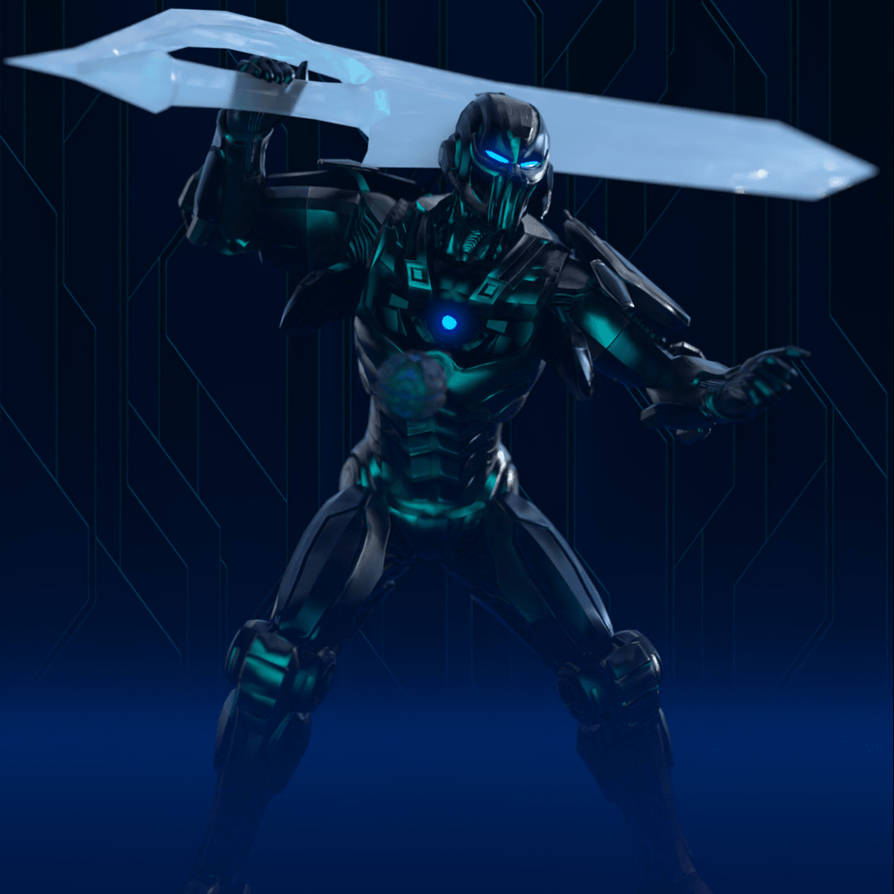
Non voglio l'HDRI come sfondo ma una semplice bitmap. Come ho fatto con l'immagine sotto
 Anime Toons and Filatoon Shader Q&A
MarcCCTx said:
How do I set the lens distortion type to cylindrical or spherical when rendering VR images with FilaToon?
There's a problem that this is a single image. There are no objects to outline, for the toon effect. You can attach the image to a sphere and make the it a filatoon, but it is still a background image.
I think they mean why can't they render a spherical lens scene
short answer that's iray only
I had the same frustration with 3Delight too when I wanted to do one, the preview window which Filament uses still does spherical in iray
FilaToon / Cell shaded rendering with FilamentPax Asteriae said:
ainm.sloinneadh said:
Pax Asteriae said:
WendyLuvsCatz said:
Pax Asteriae said:
Rendered out this as a video to see how it was going and... well...
https://youtube.com/shorts/nMsdT9K-zSU
I suppose it's one way to fix pokethrough. Not quite sure why Filament decided he and his pants needed to vanish, but it definitely gave me a laugh.
it does that in animation sometimes if you have geografts, reloading the scene and rendering sometimes fixes it
There's no geografts though.
 It just decides it's had enough. It did also did it twice in viewport (well, the render's just the viewport anyway, so...) when I was fiddling around with the camera. I never know what it's going to hide either; the first time, the top and his body went and just left his pants, and the second time it was everything but eyes, teeth and hair. It just amused me that it was halfway through the video and suddenly he became The Amazing Dancing Teeth.
I saw similar issues when I left the animation rendering in the background while I browsed. Another one I had while browsing was the animation was sliced in two vertically, with the top half on the bottom and the bottom have on the top. I don't know if switching to another task is the cause, but there is a pop-up warning that tells you not to block the viewport while rendering an animation using filament.
Haha, not that either: it was the main app with nothing obscuring the viewport, and Windows knows better than to go to sleep (after severe words previously). I had it rendering on my render PC while I was working on a different one, so I could keep an eye on it. It's just a weird Filament bug. It's nice that it's not persistent though, so even if you save after it's happened, it reloads just fine. It's just the funniest DS bug I've encountered in a while, and Filament renders video so quickly that it's not a problem to redo it. (This video is ~361 frames and even though it's pretty basic, it rendered to video in around 10 minutes.)
Right. Luckily, even if we save the scene while in this state we can restart Studio and render, and it will work.
It's a known issue that they're working on.
For some crazy reason, working for a long time on animations does this - and working for a long time on animations is what I do! LOL
So I work everything out and, when that happens, I save. If the animation is otherwise ready to render, I just restart Studio, load the scene and render it right away.
They'll fix it. I know they will. These developers are absolutely amazing! Love 'em!
AIUTO...CHI CONOSCE L’ITALIANO? PARTE QUATTORDICIKainjy said:
Almeno mettessero una funzione per avere lo sfondo in Filament...
Una roba strana tipo "Draw Dome" nelle opzioni di Filament...?
Hai provato a creare il nodo Filament Draw Style?
There's Always Another Sale Thread -- Discussions Only Pt 3I like the filament toon stuff for the reason that it provides another art style for folk to enjoy. It's not my thing, but it's cool when more people are invited to the party.
So far I haven't spent a blessed cent on this sale. At this rate, I'm holding out hope there will be something special for Halloween itself -- and that the monthly coupons don't deactivate early if that's the case.
Betting that Nov 1-2-3 will be a surprise extension "final-final-no-really-we-mean-it-this-time-final weekend" catch up sale.
SereneNight’s Sci-Fi Fun Thread 3Serene Night said:
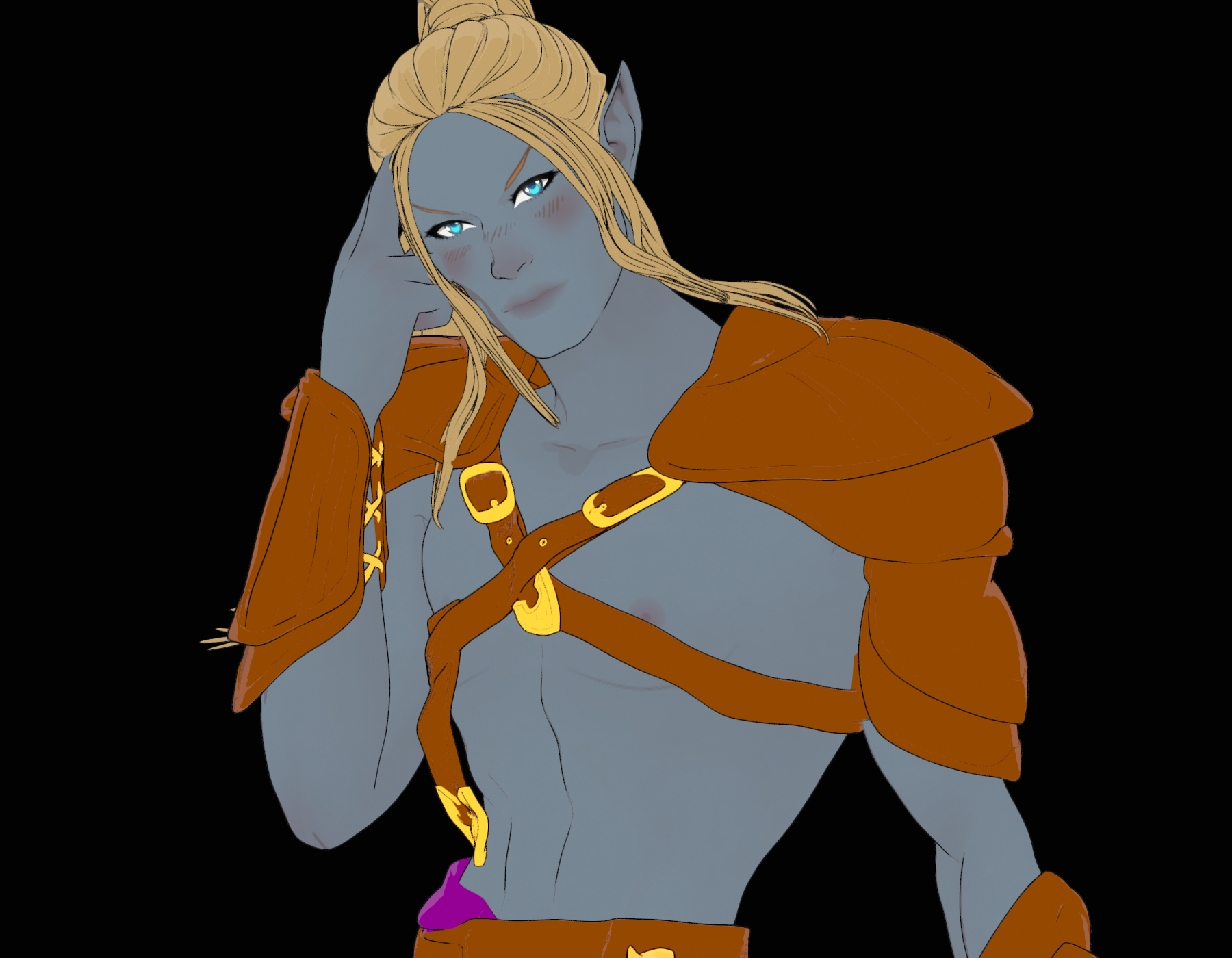
The new shader is very interesting to me. I'm not sure overall how great it will be without providing more content, but its pretty fun to mess around with. Here is an Elf done in the anime/filament style
That looks great. I bought the Vicky 9 Bundle and the Filitoon Genesis 9 Anime Shape Extension Pack and am quite happy with it.
AIUTO...CHI CONOSCE L’ITALIANO? PARTE QUATTORDICITiziano said:
L'unico modo per usare FilaToon in Filament è quello di lasciare la headlamp on?
In realtà basta che clicchi sul setaggio di base presente nelal cartella toon per l'environment e il gioco è fatto
SereneNight’s Sci-Fi Fun Thread 3The new shader is very interesting to me. I'm not sure overall how great it will be without providing more content, but its pretty fun to mess around with. Here is an Elf done in the anime/filament style
There's Always Another Sale Thread -- Discussions Only Pt 3i decided to use the premier membership to get as much as possible prior to expiration. Its free so why not, but then that is all folks. I've already spent my alottment of cash for October, so thats it folks for this month. Still have my FREE character bundle yet. Hoping something else beside filament toon stuff wil be added. thats the problem with subscribing to something where you have no clue if anything will even be needed or even wanted, even as free itms.
Anime Toons and Filatoon Shader Q&ALet's appreciate/discuss today's new releases - more ongoinger threaddaveso said:
OrangeFalcon said:
I picked up the new bundles today and have been very impressed with them. The cell shading style works with other assets and it's great to have a different style. The anime morphs are well done and can be used with other models, even Face Transfers.
The best part? Because you need to render the filament style in your active viewport, the renders are instant!
dont want to derail, but how do you keep a new window from popping up. My side view does render, but so does a new window. The main viewport isn;t rendering.
Two places
1. Open Tool Setting Pane. Click the Spot Render and uncheck new window. However for the Filatoons it's best imho to render in new window. They don't want you opening other apps or docs in front of the viewport but the window render is fine.
2. Render Settings>General>Render Target has two options Direct to file or Render Window.
Just a personal preference but I like choosing which drive based on if its a test render, for a project, a scene, a subset etc. And based on now I'll probably create one called canned toons for non-custom anime out of the boxish toons
FilaToon / Cell shaded rendering with Filamentainm.sloinneadh said:
Pax Asteriae said:
WendyLuvsCatz said:
Pax Asteriae said:
Rendered out this as a video to see how it was going and... well...
https://youtube.com/shorts/nMsdT9K-zSU
I suppose it's one way to fix pokethrough. Not quite sure why Filament decided he and his pants needed to vanish, but it definitely gave me a laugh.
it does that in animation sometimes if you have geografts, reloading the scene and rendering sometimes fixes it
There's no geografts though.
It just decides it's had enough. It did also did it twice in viewport (well, the render's just the viewport anyway, so...) when I was fiddling around with the camera. I never know what it's going to hide either; the first time, the top and his body went and just left his pants, and the second time it was everything but eyes, teeth and hair. It just amused me that it was halfway through the video and suddenly he became The Amazing Dancing Teeth.I saw similar issues when I left the animation rendering in the background while I browsed. Another one I had while browsing was the animation was sliced in two vertically, with the top half on the bottom and the bottom have on the top. I don't know if switching to another task is the cause, but there is a pop-up warning that tells you not to block the viewport while rendering an animation using filament.
Haha, not that either: it was the main app with nothing obscuring the viewport, and Windows knows better than to go to sleep (after severe words previously). I had it rendering on my render PC while I was working on a different one, so I could keep an eye on it. It's just a weird Filament bug. It's nice that it's not persistent though, so even if you save after it's happened, it reloads just fine. It's just the funniest DS bug I've encountered in a while, and Filament renders video so quickly that it's not a problem to redo it. (This video is ~361 frames and even though it's pretty basic, it rendered to video in around 10 minutes.)
FilaToon / Cell shaded rendering with FilamentPax Asteriae said:
WendyLuvsCatz said:
Pax Asteriae said:
Rendered out this as a video to see how it was going and... well...
https://youtube.com/shorts/nMsdT9K-zSU
I suppose it's one way to fix pokethrough. Not quite sure why Filament decided he and his pants needed to vanish, but it definitely gave me a laugh.
it does that in animation sometimes if you have geografts, reloading the scene and rendering sometimes fixes it
There's no geografts though.
It just decides it's had enough. It did also did it twice in viewport (well, the render's just the viewport anyway, so...) when I was fiddling around with the camera. I never know what it's going to hide either; the first time, the top and his body went and just left his pants, and the second time it was everything but eyes, teeth and hair. It just amused me that it was halfway through the video and suddenly he became The Amazing Dancing Teeth.I saw similar issues when I left the animation rendering in the background while I browsed. Another one I had while browsing was the animation was sliced in two vertically, with the top half on the bottom and the bottom have on the top. I don't know if switching to another task is the cause, but there is a pop-up warning that tells you not to block the viewport while rendering an animation using filament.
Daz 3D is part of

Connect
DAZ Productions, Inc.
7533 S Center View Ct #4664
West Jordan, UT 84084Licensing Agreement | Terms of Service | Privacy Policy | EULA
© 2026 Daz Productions Inc. All Rights Reserved.