-
Daz Studio 2026 Beta - version 6.25.2026.4408! (Updated February 18, 2026)
JD said:
barbult said:
Richard Haseltine said:
barbult said:
DoctorJellybean said:
barbult said:
TromNek said:
I still have a problem with turning off the 'Display in Viewport' in Daz 2025.
When I do that the light does not emit light in my scene (it used to emit in 4.x)
I like a lot of lights to light up small little areas in my scene. But without the ability to 'Display in Viewport'->Off, they clutter up my scene and I can't see to manipulate objects well.
Is there anyway to change the display of the 'white lines' to be invisible ?
Like add a material to the light and then set transparency to zero ?
Yes, I have the same issue. I am interested to hear that I am not the only one unhappy with the change. I believe the developers are aware of it. I don't think it has been determined whether it is a bug in DS6, or a correction to an error in DS4, or something else. We'll have to wait for the developers to investigate it.
It is not a bug in 6.x, it is a correction to a bug (unintentional) in 4.x
What 4.x did would be a feature request (making it intentional) for a "Display Avatar" property that could be used to toggle display of a node's avatar - to align it with the Drawing > Draw Avatars property in the Draw Settings pane for the Filament DrawStyle, and the Drawing > Draw Node Avatars property in the Draw Settings pane for the NVIDIA Iray DrawStyles). So explaining that reveals an inconsistency in the labeling of the Draw Avatars vs Draw Node Avatars properties - the Filament DrawStyle property needs to be relabeled to Draw Node Avatars to be consistent.
Unfortunately, I don't understand any of that. I don't know what avatars and node avatars are, or what Filament has to do with the issue I see in Texture Shaded mode. I think I initially misunderstood the message I responded to. My problem is with cameras, not spot lights. If the camera selected in the viewport has its visibility eye closed (visibility off) the scene is unlit (black). Toggling Show Preview Lights has no effect. Camera visibility did not affect Texture Shaded scene lighting in DS4. Is that an intentional change in DS6? It has been confusing and frustrating to figure out that camera visibility can make the viewport black and impossible to work in.The avatar is the little camera or light mesh that appears in the scene view. You are wanting to be able to hide that, but keep the effect (in this case the light coming from the camera), which is also part of the node drawing, visible.
Dr. Jellybean's reply to me talks about Filament and Iray Preview, neither of which I am using. I am using Texture Shaded. His reply talks about Draw Settings pane labeling discrepancies. I don't understand how any of that applies to the problem of the Texture Shaded viewport going black when the selected camera's visibility is off.
Richard, thank you, now I understand that a "node avatar" refers to the little line drawing representation of that node in the viewport. For example, a camera's location in the viewport is represented by a little drawing of a camera. You can see that camera's node avatar in the viewport when you are viewing the scene from a different camera.
But Richard, I am not wanting to keep light coming from a camera. The headlamp is the only light I know that comes from a camera. Even if headlamp is on, it doesn't illuminate the scene when the camera visibility is off. I am wanting a camera whose visibility is OFF to be able to see the scene. I am using Texture Shaded draw style in the viewport. I want the viewport to have the same appearance when viewed through the camera, regardless of whether that camera has its visibility On or Off. I cannot work in a viewport that is all black. I can't imagine a scenario where that is an advantageous implementation of camera visibility. I'm not trying to be argumentative. I'm trying to clarify what I see as a DS6 problem and understand how that could be the intended implementation. There must be something I don't understand yet, maybe related to the statement about "light coming from a camera".
The reason I noticed this problem in DS6, is that BJ Camera Manager plugin (which I use in DS4) sets camera visibility fo OFF by default for any new camera it creates. The explanation for this is that it reduces viewport clutter. If you have a scene with 10 cameras, when you view your scene through one camera, or perspective view, having 9 or 10 camera node avatars cluttering the viewport makes it more difficult to see the elements you are trying to work with. This works fine in DS4. When the camera visibility is Off, the Texture Shaded view is still visible and toggling Preview Lights works as expected. Now, when I open that saved scene in DS6, the viewport is suddenly black and I can't see my characters, or environment, or props, or anything. Toggling Preview Lights does nothing. It took a long time to figure out that this had to do with CAMERA visibility.
Although I understand what a node avatar is now, I still don't understand what that has to do with the selected camera not being able to see what is in the scene. Why would camera's node avatar visibility affect what that same camera can see? I never expect to see the selected camera's node avatar in the viewport, because I am viewing the scene through that camera (My "eye" is behind that camera, looking through its viewfinder.)
I would like a feature request to bring back the behavior of the camera and spotlight to behave the same as in 4.24.
My main issue is when I switch to spotlight, with the preview lights off, the whole scene is black. I want it to behave like the perspective where it will see everything lit. Having my scene turn dark provides no benefit when I switch to a spotlight's POV with the preview lights off. The point of going to a spotlight's POV for me is to set up the spotlight easier in the scene.
barbult's issue is close to mine, as both the camera and spotlight seems to behavior similarly. Reverting to how it behaved in 4.24 as the unintentional bug feels more beneficial compared to the current behavior in the ALPHA build. It doesn't help to have the scene turn dark.
These are the testings I did on ALPHA build 6.25.2025.32308
When in perspective view with the...
- preview lights off,
- scene is evenly lit (good)
- preview lights on,
- you can see the scene with any active lights.
When in camera view with the...
- preview lights off,
- scene is evenly lit (good)
- preview lights on,
- you can see the scene with any active lights.
- camera visibility off
- scene is dark.
Because the camera is off. A way to handle this, as has been mentioned, would be to allow the camera avatar (the thing that appears in the Viewport) to be off separately from having the camera itself on.
When in spotlight view with the...
- preview lights off,
- scene is dark. (bad) (I want it to work like the perspective and camera view)
The light is off (Preview Lights off) in this view, though not in renders. I'm not sure this copuld be resolved by splitting avatar and function since it is the function that is being switched off.
- preview lights on,
- you can see the scene with any active lights.
- spotlight visibility off
- scene is dark.
This one could be resolved by separating avatar visibility and function.
I believe this issue arise because of scene clutter and control. Giving the user more control will help set up their scenes with a better experience. I mentioned clutter because as TromNek mentioned, there is clutter when setting up a scene with all the display lines. This is something I experienced, which I found a decent solution, but ideally, there can be something better. I like the way Blender does it by having a way to uncheck certain nodes' visibility in order to reduce the clutter in the working viewport, but it shouldn't disable the nodes in the "Scene" tabs.
Doing this would give the users more control to set up their scenes easier, which I think is what barbult is aiming for with their workflow.
I think Daz ALPHA is able to build these features to expand more on the "Viewport" tab options. It would help to give a list of spotlights/cameras/etc and you can disable its display visibility in the "viewport" without affecting if it is on/off in the "scene" tab. It would be great for each viewport to have its own "options" to remember. Because I like to work with a 2-4 viewports at various angles. One viewport lets me see the camera's POV which will be the render and it helps to see how the render will look as I adjust the scene around. It helps to disable the clutter of one viewport while allows the display in other viewports in order to move things around as needed.
Daz Studio 2026 Beta - version 6.25.2026.4408! (Updated February 18, 2026)barbult said:
Richard Haseltine said:
barbult said:
DoctorJellybean said:
barbult said:
TromNek said:
I still have a problem with turning off the 'Display in Viewport' in Daz 2025.
When I do that the light does not emit light in my scene (it used to emit in 4.x)
I like a lot of lights to light up small little areas in my scene. But without the ability to 'Display in Viewport'->Off, they clutter up my scene and I can't see to manipulate objects well.
Is there anyway to change the display of the 'white lines' to be invisible ?
Like add a material to the light and then set transparency to zero ?
Yes, I have the same issue. I am interested to hear that I am not the only one unhappy with the change. I believe the developers are aware of it. I don't think it has been determined whether it is a bug in DS6, or a correction to an error in DS4, or something else. We'll have to wait for the developers to investigate it.
It is not a bug in 6.x, it is a correction to a bug (unintentional) in 4.x
What 4.x did would be a feature request (making it intentional) for a "Display Avatar" property that could be used to toggle display of a node's avatar - to align it with the Drawing > Draw Avatars property in the Draw Settings pane for the Filament DrawStyle, and the Drawing > Draw Node Avatars property in the Draw Settings pane for the NVIDIA Iray DrawStyles). So explaining that reveals an inconsistency in the labeling of the Draw Avatars vs Draw Node Avatars properties - the Filament DrawStyle property needs to be relabeled to Draw Node Avatars to be consistent.
Unfortunately, I don't understand any of that. I don't know what avatars and node avatars are, or what Filament has to do with the issue I see in Texture Shaded mode. I think I initially misunderstood the message I responded to. My problem is with cameras, not spot lights. If the camera selected in the viewport has its visibility eye closed (visibility off) the scene is unlit (black). Toggling Show Preview Lights has no effect. Camera visibility did not affect Texture Shaded scene lighting in DS4. Is that an intentional change in DS6? It has been confusing and frustrating to figure out that camera visibility can make the viewport black and impossible to work in.The avatar is the little camera or light mesh that appears in the scene view. You are wanting to be able to hide that, but keep the effect (in this case the light coming from the camera), which is also part of the node drawing, visible.
Dr. Jellybean's reply to me talks about Filament and Iray Preview, neither of which I am using. I am using Texture Shaded. His reply talks about Draw Settings pane labeling discrepancies. I don't understand how any of that applies to the problem of the Texture Shaded viewport going black when the selected camera's visibility is off.
Richard, thank you, now I understand that a "node avatar" refers to the little line drawing representation of that node in the viewport. For example, a camera's location in the viewport is represented by a little drawing of a camera. You can see that camera's node avatar in the viewport when you are viewing the scene from a different camera.
But Richard, I am not wanting to keep light coming from a camera. The headlamp is the only light I know that comes from a camera. Even if headlamp is on, it doesn't illuminate the scene when the camera visibility is off. I am wanting a camera whose visibility is OFF to be able to see the scene. I am using Texture Shaded draw style in the viewport. I want the viewport to have the same appearance when viewed through the camera, regardless of whether that camera has its visibility On or Off. I cannot work in a viewport that is all black. I can't imagine a scenario where that is an advantageous implementation of camera visibility. I'm not trying to be argumentative. I'm trying to clarify what I see as a DS6 problem and understand how that could be the intended implementation. There must be something I don't understand yet, maybe related to the statement about "light coming from a camera".
The reason I noticed this problem in DS6, is that BJ Camera Manager plugin (which I use in DS4) sets camera visibility fo OFF by default for any new camera it creates. The explanation for this is that it reduces viewport clutter. If you have a scene with 10 cameras, when you view your scene through one camera, or perspective view, having 9 or 10 camera node avatars cluttering the viewport makes it more difficult to see the elements you are trying to work with. This works fine in DS4. When the camera visibility is Off, the Texture Shaded view is still visible and toggling Preview Lights works as expected. Now, when I open that saved scene in DS6, the viewport is suddenly black and I can't see my characters, or environment, or props, or anything. Toggling Preview Lights does nothing. It took a long time to figure out that this had to do with CAMERA visibility.
Although I understand what a node avatar is now, I still don't understand what that has to do with the selected camera not being able to see what is in the scene. Why would camera's node avatar visibility affect what that same camera can see? I never expect to see the selected camera's node avatar in the viewport, because I am viewing the scene through that camera (My "eye" is behind that camera, looking through its viewfinder.)
I would like a feature request to bring back the behavior of the camera and spotlight to behave the same as in 4.24.
My main issue is when I switch to spotlight, with the preview lights off, the whole scene is black. I want it to behave like the perspective where it will see everything lit. Having my scene turn dark provides no benefit when I switch to a spotlight's POV with the preview lights off. The point of going to a spotlight's POV for me is to set up the spotlight easier in the scene.
barbult's issue is close to mine, as both the camera and spotlight seems to behavior similarly. Reverting to how it behaved in 4.24 as the unintentional bug feels more beneficial compared to the current behavior in the ALPHA build. It doesn't help to have the scene turn dark.
These are the testings I did on ALPHA build 6.25.2025.32308
When in perspective view with the...
- preview lights off,
- scene is evenly lit (good)
- preview lights on,
- you can see the scene with any active lights.
When in camera view with the...
- preview lights off,
- scene is evenly lit (good)
- preview lights on,
- you can see the scene with any active lights.
- camera visibility off
- scene is dark.
When in spotlight view with the...
- preview lights off,
- scene is dark. (bad) (I want it to work like the perspective and camera view)
- preview lights on,
- you can see the scene with any active lights.
- spotlight visibility off
- scene is dark.
I believe this issue arise because of scene clutter and control. Giving the user more control will help set up their scenes with a better experience. I mentioned clutter because as TromNek mentioned, there is clutter when setting up a scene with all the display lines. This is something I experienced, which I found a decent solution, but ideally, there can be something better. I like the way Blender does it by having a way to uncheck certain nodes' visibility in order to reduce the clutter in the working viewport, but it shouldn't disable the nodes in the "Scene" tabs.
Doing this would give the users more control to set up their scenes easier, which I think is what barbult is aiming for with their workflow.
I think Daz ALPHA is able to build these features to expand more on the "Viewport" tab options. It would help to give a list of spotlights/cameras/etc and you can disable its display visibility in the "viewport" without affecting if it is on/off in the "scene" tab. It would be great for each viewport to have its own "options" to remember. Because I like to work with a 2-4 viewports at various angles. One viewport lets me see the camera's POV which will be the render and it helps to see how the render will look as I adjust the scene around. It helps to disable the clutter of one viewport while allows the display in other viewports in order to move things around as needed.
Daz Studio 2026 Beta - version 6.25.2026.4408! (Updated February 18, 2026)TheNathanParable said:
f7eer said:
I should say it was and is no longer an issue when using the "NVIDIA Iray" option in the DrawStyle options menu.
f7eer said:
This issue was fixed in 6.25.2025.32308 (currently the latest version). It was not remarked on in the change log, as far as I could tell.
TheNathanParable said:
I'm sorry if this has been asked before, but am I the only one experiencing issues with the viewport not updating unless I move my mouse over the camera controls?
For some reason, most of the shader and environment parameters (including FilaToon's Shadow Softness and Opacity controls, and most of the Environment's Color Correction and Tone Mapping controls) won't actually show any changes in the viewport unless I wiggle my mouse over the camera controls in the top right corner afterwards, making it incredibly tedious to do any kind of visual tweaks (especially color correction). This was never an issue with the previous version of Daz, so I can't imagine what would be causing this in the 2025 version. I have a GeForce 4090 GTX graphics card, so that shouldn't be the issue.
I should've clarified, my issue is with the Filament view mode. But i'll update and see if that fixes it.
EDIT: Ok, there isn't an update, so unfortunately this is still an issue for me in the current version and hasn't been fixed.
I just experienced a similar problem with the texture shaded view while adjusting a sphere obj's opacity. I had to move the view slightly just like you explained for it to update the obj's surface opacity adjustment.
Edit: I adjusted a skin texture's opacity on both Genesis 8 male and female figure, and it appears that there is a few second delay in the surface opacity being updated. The behavior of the surface update is not consistent. Sometimes it updates with a delay. Moving the view does help, but sometimes you don't need to for it to update. Sometimes doing nothing after adjusting it does nothing.
Daz Studio 2026 Beta - version 6.25.2026.4408! (Updated February 18, 2026)f7eer said:
I should say it was and is no longer an issue when using the "NVIDIA Iray" option in the DrawStyle options menu.
f7eer said:
This issue was fixed in 6.25.2025.32308 (currently the latest version). It was not remarked on in the change log, as far as I could tell.
TheNathanParable said:
I'm sorry if this has been asked before, but am I the only one experiencing issues with the viewport not updating unless I move my mouse over the camera controls?
For some reason, most of the shader and environment parameters (including FilaToon's Shadow Softness and Opacity controls, and most of the Environment's Color Correction and Tone Mapping controls) won't actually show any changes in the viewport unless I wiggle my mouse over the camera controls in the top right corner afterwards, making it incredibly tedious to do any kind of visual tweaks (especially color correction). This was never an issue with the previous version of Daz, so I can't imagine what would be causing this in the 2025 version. I have a GeForce 4090 GTX graphics card, so that shouldn't be the issue.
I should've clarified, my issue is with the Filament view mode. But i'll update and see if that fixes it.
EDIT: Ok, there isn't an update, so unfortunately this is still an issue for me in the current version and hasn't been fixed.
I hope you like - Using DazYou can sort of fake softer shadows in Filament using Spotlights by setting the spread angle to near 180 deg.
Please help me get back in the game...SofaCitizen said:
...
As far as I am aware Cararra no longer gets updates - however there are some people who still use it regularly for things ...
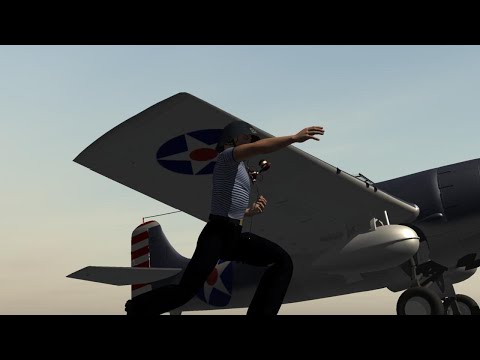
Yes, I am one of those people, using Carrara on a near daily basis for short animations. I'm not a modeler, so I don't feel I'm missing much versus other more up to date programs. I've used Carrara so long it has become second nature, so I can think about what I want to do, rather than how to do it. I am finally getting into DAZ Studio 4.24, but only for still images due to the long render times with the great iRay. Then I use the stills as background in Carrara animations. I have most recently checked out DS with Filament rendering, maybe some animation possible with that fast render time, but the quality is not the same as iRay renders. Here is a short Carrara animation, a 48 second trailer for a 7 minute animation for the 48 Hour Film contest this year:
 3D Printed Action Figures
Thanks for that update on printers and resins.
My work has a filament printer, and at the moment we use ABS as the resin. It's very useful for showing customers new ideas, but even though it's more stable than PLA, it's not useable for any 'real' jobs where a life of 25 years is needed from all materials.
I reckoned my 2k Photon was good enough to do static statues, I'm intrigued to hear the resins are good enough for action figures.
Since Yamato Toys USA disappeared, there appears to be a dearth of decent fantasy statues. Getting the colours on the model (like the attached Luis Royo 'A Touch of Ice' ) is so hard to replicate. Having a range of printable customisable action figures would be really good.
Regards,
Richard
3D Printed Action Figuresrichardandtracy said:
A very intriguing idea.
Can I ask a few things about this?
What printers are required and what print resolution? My experience would suggest that filament printers would require a lot of post work. Are current SLA resins up to much use? I'm trying to ascertain whether these could be robust enough to be toys or more aimed at being posable statues for adults. Also, have you found a minimum/maximum practical size for the models? The knee articulation looks quite clever, but I suspect it would be vulnerable to damage if too small and also have an upper limit on the size (scale effect: cross section area & strength is a squared factor, mass is a cubic factor).
In the past I printed some DS characters on an Anycubic Proton SLA printer, before becoming very allergic to the resin available at the time (2019-20), and have been a bit wary about experimenting further.
Regards,
Richard.
Initially I designed it for FDM printers but filament is terrible for joints (see attached pics). Most thermoplastics, PLA especially, start warping and the joints will become loose even if you don't move them (a phenomenon called "creep"). For this reason I changed to using UV resin exclusively.
UV resin has come a long way since the 2020s. The resin I used is Resione TH-74, which was designed for action figures and it's pretty great but has some downsides. There are a bunch of other alternatives out there but I didn't get the chance to test them all.
As far as a printer goes, any resin printer is fine. The female figure was printed on a 4k printer but 2k works as well though 2k printers have been discontinued for years. Specifically it was printed on an Anycubic 4k printer (not to be confused with the Anycubic 4 printer which is the upgraded version).
The scale is true 1/10. To get an idea, most collector action figures from Marvel or DC are sold as 1/12 but they're actually closer to 1/10-1/11th scale. Import figures from Japan are also sold as 1/12th but they're noticeably smaller in size. There's no real standard in the toy industry but I myself am using the Genesis 9 scale divided by 10.
The figure itself has ~50 points of articulation and I designed it to be a competitor to collectible action figures which aren't really aimed at young kids in the first place. So it can be a toy but the level of poseability is too sophisticated for a small child to manipulate properly. Some figures on the market cost 200$ and they're definitely not child-proof. The advantage of having a 3D printable figure is that even if a kid breaks something, it can easily be replaced for only a few cents.
3D Printed Action FiguresA very intriguing idea.
Can I ask a few things about this?
What printers are required and what print resolution? My experience would suggest that filament printers would require a lot of post work. Are current SLA resins up to much use? I'm trying to ascertain whether these could be robust enough to be toys or more aimed at being posable statues for adults. Also, have you found a minimum/maximum practical size for the models? The knee articulation looks quite clever, but I suspect it would be vulnerable to damage if too small and also have an upper limit on the size (scale effect: cross section area & strength is a squared factor, mass is a cubic factor).
In the past I printed some DS characters on an Anycubic Proton SLA printer, before becoming very allergic to the resin available at the time (2019-20), and have been a bit wary about experimenting further.
Regards,
Richard.
I'm new to daz3D and I'd like your opinion on my renders.lilweep said:
So in the interest of constructive feedback.. in my opinion you will need to work on:
- Render quality. What render engine is that? Is it actually Iray, it looks like filament or 3delight? Iray is what you should be using in Daz for more realistic renders.
- Lighting. The subject isn't lit properly in any of the examples. Maybe some you could argue they are lit okay. Of course, there are 10 million ways to light a scene, and good lighting is subjective obviously, but note that I am not saying blow out the subject with one big large harsh intense light, but rather suggesting you can look at photography or film lighting techniques, or just use your innate artistic intuition to do it. At the moment in all your renders the lighting is flat and not enhancing the renders.
-Skin textures and skin shaders . Again, these look dull and flat. They look like old videogame quality. Where did you get your shaders? They look worse than the default materials that come with characters on Daz store, and seem to be missing SSS and other qualities of skin? Again, is this just because you arent using iray?
- Background asset quality. These look like quality of video games from PS3 era. Please look at using high quality assets from marketplace ecosystems (Daz3d.com being obvious, but there are other places)
- Hair. The hair in your renders is not rendering properly. Again, may be because you are using iray assets while not rendering in iray, or assets you chose are bad quality.
If you intend to sell renders, your competition is people on the front page of Daz gallery, front page of Artstation, etc and increasingly AI. So anything short of that quality wise is not going to be competitive in the marketplace, if there even is one? And I think if you dont have exceptional artistic intuition, then it will take a lot of youtubing and a lot of learning theory to supplement your current render level?
Thanks for the feedback, as I'm a beginner I hadn't paid attention to these bigger issues.
Well, in those renders above I used 3Dlight for my first tests, but I intend to improve, especially in those hair and lighting details you mentioned!
Thanks for the feedback, boss!
I'm new to daz3D and I'd like your opinion on my renders.So in the interest of constructive feedback.. in my opinion you will need to work on:
- Render quality. What render engine is that? Is it actually Iray, it looks like filament or 3delight? Iray is what you should be using in Daz for more realistic renders.
- Lighting. The subject isn't lit properly in any of the examples. Maybe some you could argue they are lit okay. Of course, there are 10 million ways to light a scene, and good lighting is subjective obviously, but note that I am not saying blow out the subject with one big large harsh intense light, but rather suggesting you can look at photography or film lighting techniques, or just use your innate artistic intuition to do it. At the moment in all your renders the lighting is flat and not enhancing the renders.
-Skin textures and skin shaders . Again, these look dull and flat. They look like old videogame quality. Where did you get your shaders? They look worse than the default materials that come with characters on Daz store, and seem to be missing SSS and other qualities of skin? Again, is this just because you arent using iray?
- Background asset quality. These look like quality of video games from PS3 era. Please look at using high quality assets from marketplace ecosystems (Daz3d.com being obvious, but there are other places)
- Hair. The hair in your renders is not rendering properly. Again, may be because you are using iray assets while not rendering in iray, or assets you chose are bad quality.
If you intend to sell renders, your competition is people on the front page of Daz gallery, front page of Artstation, etc and increasingly AI. So anything short of that quality wise is not going to be competitive in the marketplace, if there even is one? And I think if you dont have exceptional artistic intuition, then it will take a lot of youtubing and a lot of learning theory to supplement your current render level?
Daz Studio 2026 Beta - version 6.25.2026.4408! (Updated February 18, 2026)I have DS6 opening up with the Viewport Filament initially and one time in the Aux Viewport I turned it from Texture Shader to Iray to see if I had the character properly on the stage and that the lighting was okay. I then reverted it back to Texture Shader.
Right now after a reboot and with the screen empty, the memory pressure for WindowServer is shifting from 970MB to 1.08GB as I type this message. DazStudio is at 933.9 MB.
Daz Studio 2026 Beta - version 6.25.2026.4408! (Updated February 18, 2026)Depends on how much you scrolled and in your case which screen the Viewport were at. Then Filament Viewport might leak less ( I need to test that)
Daz Studio 2026 Beta - version 6.25.2026.4408! (Updated February 18, 2026)Has DAZ programmers made an update behind the scenes to DS6 to improve performance without a new version being released? I am on 6.25.2025.30407. I know this is a stupid question but I had to ask considering the problem with memory pressure on MacOS. Or did the MacOS update fix our issue?
On my MacMini Tahoe 26.1, I had to use DS6 to test Mikey 9 and loaded him, some Iray clothing (converted to Filament), FilaToon hair and accessory and a FilaToon set and some lights/cameras and moved stuff around until I was happy and didn't see any lag. Started the render and realized that my Memory Pressure was at 18.40 GB and the CPU was at 97 to 98 %. The render completed in 8m 49s. My memory pressure is back to 15.21 GB now.
Genesis 9 skin don't match with GeoshellsI couldn't reproduce the issue on my side with CJ Luna + GP + RDGL Nipples ~~
GP's geoshells have no effect on G9's Body around that pubic area .... So, what drawstyle are you using... Iray or Filament ? And what Tool is activated ? Alt Shift + U to check it again ~
Daz Studio 2026 Beta - version 6.25.2026.4408! (Updated February 18, 2026)
Feature Request for DAZ Studio 6 Alpha:
Please implement **Normal Transfer** and **Custom Normal Input** support in the new MaterialX-based shader system.
Right now, DAZ Studio’s Iray shaders always use geometry normals internally, which makes toon/NPR shading difficult and causes unwanted wrinkle shading on smooth faces.
If DAZ Studio 6 allows overriding geometry normals or baking transferred normals directly (like Blender’s Data Transfer or Unreal’s tangent-space workflow), it will finally solve long-standing issues with toon shading and morph deformation artifacts.
This feature fits perfectly with DAZ 6’s MaterialX and Filament 2.0 roadmap.
Thanks for your work on DAZ Studio 6 Alpha — this improvement would make a huge difference for both NPR and realistic workflows.
 Volumetrics showing up as Black Cubes in iRay
so I'm using @Sickleyield 's Mysterious Magic VDB effects, and everything I load shows up as an opaque cube (Grey in Filament or other view, black in iRay), rather than the effect desired. I have uninstalled/reinstalled the product to no avail. I don't remember how I solved this before.
AIUTO...CHI CONOSCE L’ITALIANO? PARTE QUATTORDICI@Imago grazie per il chiarimento e scusami, io non uso Photoshop per cui perdona la mia ignoranza. E' vero che non ci vuole un PC tanto potente, ma per fare un rendering realistico come piace a me mi ci vuole minimo un'ora. Non uso 3Delight perché non mi piace e Filament lo uso per il preview, ma per un rendering finale uso Iray photoreal (il mio sogno sarebbe poter usare Arnold!).
Secondo me copiare un movimento e copiare un immagine sono due cose completamente diverse, ora non so come funziona l'AI quindi preferisco non dire niente così evito di dire castronerie. Comunque se non modifica il mio personaggio e il movimento risulta fluido e naturale per me va bene.
AIUTO...CHI CONOSCE L’ITALIANO? PARTE QUATTORDICIeman said:
Appunto, Photoshop usa filtri AI... non è in fondo la stessa cosa?
Quelli sono STRUMENTI per agevolare il tuo workflow. Anche io uso un software per creare la base seamless delle textures o creare degli effetti speciali su di esse. Ma non fa nulla da solo nè prende materiale da terzi, fa tutto con i materiali che io ho creato ed io regolo ogni singolo dettaglio per ottenere esattamente quello che mi serve. Poi ci dipingo sopra le ultime cose perchè sia perfetto ed unico con il mio stile.
Gli LLM generativi esaminano un prompt e grattano dai loro modelli pezzetti di immagini (fatte da altri) per darti qualcosa di molto lontano da quello che ti serve. E tu non hai fatto nulla nel mentre se non pigiare un tasto. Quello che esce non ha nulla di tuo o di unico, ti basta guardare DA che ormai è inondata di AI e vedrai immagini tutte uguali con variazioni dettate unicamente dagli errori dei modelli. Sono tutti dritti come pali con sorrisi storti e occhi impastati.
E anche quando animi un tuo still... Di tuo c'è solo la prima immagine, tutto il resto è fatto da altri. Magari vuoi che il tuo personaggio faccia un salto all'indietro e atterri su una piattaforma di pietra alla sue spalle. La AI lo fa chinare e sprofondare nel terreno mentre diventa tutto marrone. Ritenti ma al tuo personaggio crescono altre due braccia che si staccano dal corpo e volano indietro.
Con qualsiasi software ci metti meno di cinque minuti a realizzare una scena del genere ed ottieni esattamente quello che desideri. Ed è completamente tuo, con il tuo stile e il tuo ingegno.E poi, per favore, non ditemi che ci vuole un PC potente... Io realizzo animazioni colossali con un hardware di fascia medio-bassa. Con 3Delight e Filament non c'è nemmeno bisogno di una GPU high-end. Perfino IRay con le giuste impostazioni non ha bisogno di GPU eccessive (tanto non è realistico in ogni caso).
Black screen in DazI made a post earlier but we didn't reach any solution so I try another go with more information.
Out of the blue a few weeks ago Daz "crashes" for me. Its not a blue screen crash because things in the background are still going. E.g if I'm listenting to a Youtube podcast I can still hear it going on and light is still being emitted from the PC and my peripherals. It just turns off the monitors. Only way to fix it is by doing a hard-reset on the PC. I've seen some similar threads were people say its a VRAM issue. Yet why would this happen to me out of the blue? Sure I only got 10gb of VRAM but that has always been enough and these aren't resource intensive scenes we are talking about. I've even done close-up 6 charachter renders before and it have worked fine. It can even occur during me playing around in Filament. I've been using Daz3D for a couple of years now, so I don't really get why this issue have popped up. I can't really troubleshoot the issue cause the screen turns black so I can't tell if Daz is giving me an error message or not. This issue is Daz exclusive. Meaning it doesn't happen to me when I render in Blender. I'm thinking its software based yet the only thing that's new is me downloading assets and updating Daz3D. But it happening out of the blue makes me think it must be something related to that but I don't know and I don't want to give up on my main 3D software. I read some other post about people saying that XTransfer plugins or OOT hair assets causes crashes, I have both of them.
Specs:
AMD Ryzen 5600X 6-Core Processor, 4200mhz
Corsair 16GB (2x8GB) DDR4 3600MHz CL18 Vengeance
ASUS GeForce RTX 3080 10GB TUF GAMING OC
PSU produce 900W, maybe a bit low for this spec but it has never been an issue in the past.
What I have done:
Updated to the latest version of Daz3D
Did a fresh install of the latest Nvidia driver with DDU
Benchmarked and troubleshoot both CPU & RAM (which are stable at 50c)
Cleaned the PC
Checked temps during load and they are about 70-80 at their most intense
Here is a example log:2025-10-20 17:03:20.254 Iray [INFO] - MATCNV:RENDER :: 1.0 MATCNV rend info : found 194 textures, 0 lambdas (0 unique)
2025-10-20 17:03:20.255 Iray [INFO] - IRAY:RENDER :: 1.0 IRAY rend info : Emitter geometry import (1 light source with 2 triangles, 1 instance) took 5.900 us
2025-10-20 17:03:20.255 Iray [INFO] - IRAY:RENDER :: 1.0 IRAY rend info : Updating compiled material code.
2025-10-20 17:03:20.255 Iray [INFO] - IRAY:RENDER :: 1.0 IRAY rend info : Updating material textures.
2025-10-20 17:03:20.258 Iray [INFO] - IRAY:RENDER :: 1.0 IRAY rend info : Updating BSDFs.
2025-10-20 17:03:20.258 Iray [INFO] - IRAY:RENDER :: 1.0 IRAY rend info : Updating volumes.
2025-10-20 17:03:20.258 Iray [INFO] - IRAY:RENDER :: 1.0 IRAY rend info : Updating lights.
2025-10-20 17:03:20.258 Iray [INFO] - IRAY:RENDER :: 1.0 IRAY rend info : Updating object flags.
2025-10-20 17:03:20.258 Iray [INFO] - IRAY:RENDER :: 1.0 IRAY rend info : Updating decals.
2025-10-20 17:03:20.260 Iray [INFO] - IRAY:RENDER :: 1.0 IRAY rend info : Using iray core convergence estimate.
2025-10-20 17:03:20.260 Iray [INFO] - IRAY:RENDER :: 1.0 IRAY rend info : Allocating 1-layer frame buffer
2025-10-20 17:03:20.262 Iray [INFO] - IRAY:RENDER :: 1.0 IRAY rend info : Using interactive scheduling, caustic sampler disabled
2025-10-20 17:03:20.263 Iray [INFO] - IRAY:RENDER :: 1.0 IRAY rend info : Rendering with 1 device(s):
2025-10-20 17:03:20.263 Iray [INFO] - IRAY:RENDER :: 1.0 IRAY rend info : CUDA device 0 (NVIDIA GeForce RTX 3080)
2025-10-20 17:03:20.263 Iray [INFO] - IRAY:RENDER :: 1.0 IRAY rend info : Rendering...
2025-10-20 17:03:20.263 Iray [INFO] - IRAY:RENDER :: 1.14 IRAY rend progr: CUDA device 0 (NVIDIA GeForce RTX 3080): Processing scene...
2025-10-20 17:03:20.302 Iray [INFO] - IRAY:RENDER :: 1.15 IRAY rend info : Importing lights for motion time 0
2025-10-20 17:03:20.302 Iray [INFO] - IRAY:RENDER :: 1.15 IRAY rend info : Initializing light hierarchy.
2025-10-20 17:03:20.302 Iray [INFO] - IRAY:RENDER :: 1.15 IRAY rend info : Light hierarchy initialization took 493.200 us
2025-10-20 17:03:20.305 Iray [INFO] - IRAY:RENDER :: 1.14 IRAY rend info : CUDA device 0 (NVIDIA GeForce RTX 3080): Scene processed in 0.042s
2025-10-20 17:03:20.306 Iray [INFO] - IRAY:RENDER :: 1.15 IRAY rend info : CUDA device 0 (NVIDIA GeForce RTX 3080): Allocated 11.616 MiB for frame buffer
2025-10-20 17:03:20.307 Iray [INFO] - IRAY:RENDER :: 1.14 IRAY rend info : CUDA device 0 (NVIDIA GeForce RTX 3080): Allocated 2.094 GiB of work space (2048k active samples in 0.000s)
2025-10-20 17:03:20.307 Iray [INFO] - IRAY:RENDER :: 1.14 IRAY rend info : CUDA device 0 (NVIDIA GeForce RTX 3080): Optimizing for cooperative usage (performance could be sacrificed)
2025-10-20 17:03:20.329 Iray [INFO] - IRAY:RENDER :: 1.0 IRAY rend info : Received update to 00001 iteration after 62.666 ms.
2025-10-20 17:03:20.330 Iray [INFO] - IRAY:RENDER :: 1.0 IRAY rend info : Rendering...
2025-10-20 17:03:20.374 Iray [INFO] - IRAY:RENDER :: 1.0 IRAY rend info : Received update to 00002 iterations after 102.712 ms.
2025-10-20 17:03:20.375 Iray [INFO] - IRAY:RENDER :: 1.0 IRAY rend info : Rendering...
2025-10-20 17:03:20.418 Iray [INFO] - IRAY:RENDER :: 1.0 IRAY rend info : Received update to 00003 iterations after 142.999 ms.
2025-10-20 17:03:20.419 Iray [INFO] - IRAY:RENDER :: 1.0 IRAY rend info : Rendering...
2025-10-20 17:03:20.462 Iray [INFO] - IRAY:RENDER :: 1.0 IRAY rend info : Received update to 00004 iterations after 182.830 ms.
2025-10-20 17:03:20.464 Iray [INFO] - IRAY:RENDER :: 1.0 IRAY rend info : Rendering...
2025-10-20 17:03:20.507 Iray [INFO] - IRAY:RENDER :: 1.0 IRAY rend info : Received update to 00005 iterations after 226.756 ms.
2025-10-20 17:03:20.550 Iray [INFO] - IRAY:RENDER :: 1.0 IRAY rend info : Received update to 00006 iterations after 268.478 ms.
2025-10-20 17:03:20.592 Iray [INFO] - IRAY:RENDER :: 1.0 IRAY rend info : Received update to 00007 iterations after 309.906 ms.
2025-10-20 17:03:20.634 Iray [INFO] - IRAY:RENDER :: 1.0 IRAY rend info : Received update to 00008 iterations after 352.121 ms.
2025-10-20 17:03:20.675 Iray [INFO] - IRAY:RENDER :: 1.0 IRAY rend info : Received update to 00009 iterations after 393.723 ms.
2025-10-20 17:03:20.717 Iray [INFO] - IRAY:RENDER :: 1.0 IRAY rend info : Received update to 00010 iterations after 435.476 ms.
2025-10-20 17:03:20.759 Iray [INFO] - IRAY:RENDER :: 1.0 IRAY rend info : Received update to 00011 iterations after 477.231 ms.
2025-10-20 17:03:20.801 Iray [INFO] - IRAY:RENDER :: 1.0 IRAY rend info : Received update to 00012 iterations after 519.387 ms.
2025-10-20 17:03:20.857 Iray [INFO] - IRAY:RENDER :: 1.0 IRAY rend info : Received update to 00014 iterations after 575.434 ms.
2025-10-20 17:03:20.925 Iray [INFO] - IRAY:RENDER :: 1.0 IRAY rend info : Received update to 00017 iterations after 643.529 ms.
2025-10-20 17:03:21.006 Iray [INFO] - IRAY:RENDER :: 1.0 IRAY rend info : Received update to 00021 iterations after 725.229 ms.
2025-10-20 17:03:21.101 Iray [INFO] - IRAY:RENDER :: 1.0 IRAY rend info : Received update to 00026 iterations after 819.348 ms.
2025-10-20 17:03:21.194 Iray [INFO] - IRAY:RENDER :: 1.0 IRAY rend info : Received update to 00031 iterations after 912.875 ms.
2025-10-20 17:03:21.287 Iray [INFO] - IRAY:RENDER :: 1.0 IRAY rend info : Received update to 00036 iterations after 1.006 s.
2025-10-20 17:03:21.382 Iray [INFO] - IRAY:RENDER :: 1.0 IRAY rend info : Received update to 00041 iterations after 1.101 s.
2025-10-20 17:03:21.539 Iray [INFO] - IRAY:RENDER :: 1.0 IRAY rend info : Received update to 00051 iterations after 1.259 s.
2025-10-20 17:03:21.724 Iray [INFO] - IRAY:RENDER :: 1.0 IRAY rend info : Received update to 00063 iterations after 1.442 s.
2025-10-20 17:03:21.919 Iray [INFO] - IRAY:RENDER :: 1.0 IRAY rend info : Received update to 00076 iterations after 1.638 s.
2025-10-20 17:03:22.117 Iray [INFO] - IRAY:RENDER :: 1.0 IRAY rend info : Received update to 00089 iterations after 1.836 s.
2025-10-20 17:03:22.311 Iray [INFO] - IRAY:RENDER :: 1.0 IRAY rend info : Received update to 00102 iterations after 2.030 s.
2025-10-20 17:03:22.506 Iray [INFO] - IRAY:RENDER :: 1.0 IRAY rend info : Received update to 00115 iterations after 2.225 s.
2025-10-20 17:03:22.701 Iray [INFO] - IRAY:RENDER :: 1.0 IRAY rend info : Received update to 00128 iterations after 2.421 s.
2025-10-20 17:03:22.898 Iray [INFO] - IRAY:RENDER :: 1.0 IRAY rend info : Received update to 00141 iterations after 2.616 s.
2025-10-20 17:03:23.093 Iray [INFO] - IRAY:RENDER :: 1.0 IRAY rend info : Received update to 00154 iterations after 2.812 s.
2025-10-20 17:03:23.288 Iray [INFO] - IRAY:RENDER :: 1.0 IRAY rend info : Received update to 00167 iterations after 3.007 s.
2025-10-20 17:03:23.483 Iray [INFO] - IRAY:RENDER :: 1.0 IRAY rend info : Received update to 00180 iterations after 3.202 s.
2025-10-20 17:03:23.679 Iray [INFO] - IRAY:RENDER :: 1.0 IRAY rend info : Received update to 00193 iterations after 3.398 s.
2025-10-20 17:03:23.875 Iray [INFO] - IRAY:RENDER :: 1.0 IRAY rend info : Received update to 00206 iterations after 3.593 s.
2025-10-20 17:03:24.071 Iray [INFO] - IRAY:RENDER :: 1.0 IRAY rend info : Received update to 00219 iterations after 3.789 s.
2025-10-20 17:03:24.266 Iray [INFO] - IRAY:RENDER :: 1.0 IRAY rend info : Received update to 00232 iterations after 3.985 s.
2025-10-20 17:03:24.461 Iray [INFO] - IRAY:RENDER :: 1.0 IRAY rend info : Received update to 00245 iterations after 4.180 s.
2025-10-20 17:03:24.656 Iray [INFO] - IRAY:RENDER :: 1.0 IRAY rend info : Received update to 00258 iterations after 4.376 s.
2025-10-20 17:03:24.874 Iray [INFO] - IRAY:RENDER :: 1.0 IRAY rend info : Received update to 00271 iterations after 4.593 s.
2025-10-20 17:03:25.084 Iray [INFO] - IRAY:RENDER :: 1.0 IRAY rend info : Received update to 00283 iterations after 4.802 s.
2025-10-20 17:03:25.258 Iray [INFO] - IRAY:RENDER :: 1.0 IRAY rend info : Received update to 00294 iterations after 4.976 s.
2025-10-20 17:03:25.445 Iray [INFO] - IRAY:RENDER :: 1.0 IRAY rend info : Received update to 00306 iterations after 5.164 s.
2025-10-20 17:03:25.634 Iray [INFO] - IRAY:RENDER :: 1.0 IRAY rend info : Received update to 00318 iterations after 5.353 s.
2025-10-20 17:03:25.820 Iray [INFO] - IRAY:RENDER :: 1.0 IRAY rend info : Received update to 00330 iterations after 5.539 s.
2025-10-20 17:03:26.017 Iray [INFO] - IRAY:RENDER :: 1.0 IRAY rend info : Received update to 00343 iterations after 5.736 s.
2025-10-20 17:03:26.218 Iray [INFO] - IRAY:RENDER :: 1.0 IRAY rend info : Received update to 00356 iterations after 5.937 s.
2025-10-20 17:03:26.420 Iray [INFO] - IRAY:RENDER :: 1.0 IRAY rend info : Received update to 00369 iterations after 6.139 s.
2025-10-20 17:03:26.621 Iray [INFO] - IRAY:RENDER :: 1.0 IRAY rend info : Received update to 00382 iterations after 6.340 s.
2025-10-20 17:03:26.815 Iray [INFO] - IRAY:RENDER :: 1.0 IRAY rend info : Received update to 00395 iterations after 6.533 s.
2025-10-20 17:03:27.012 Iray [INFO] - IRAY:RENDER :: 1.0 IRAY rend info : Received update to 00408 iterations after 6.730 s.
2025-10-20 17:03:27.207 Iray [INFO] - IRAY:RENDER :: 1.0 IRAY rend info : Received update to 00421 iterations after 6.926 s.
2025-10-20 17:03:27.404 Iray [INFO] - IRAY:RENDER :: 1.0 IRAY rend info : Received update to 00434 iterations after 7.123 s.
2025-10-20 17:03:27.606 Iray [INFO] - IRAY:RENDER :: 1.0 IRAY rend info : Received update to 00447 iterations after 7.325 s.
2025-10-20 17:03:27.812 Iray [INFO] - IRAY:RENDER :: 1.0 IRAY rend info : Received update to 00460 iterations after 7.531 s.
2025-10-20 17:03:27.997 Iray [INFO] - IRAY:RENDER :: 1.0 IRAY rend info : Received update to 00472 iterations after 7.716 s.
2025-10-20 17:03:28.193 Iray [INFO] - IRAY:RENDER :: 1.0 IRAY rend info : Received update to 00485 iterations after 7.912 s.
2025-10-20 17:03:28.393 Iray [INFO] - IRAY:RENDER :: 1.0 IRAY rend info : Received update to 00498 iterations after 8.111 s.
2025-10-20 17:03:28.597 Iray [INFO] - IRAY:RENDER :: 1.0 IRAY rend info : Received update to 00511 iterations after 8.316 s.
2025-10-20 17:03:28.786 Iray [INFO] - IRAY:RENDER :: 1.0 IRAY rend info : Received update to 00523 iterations after 8.505 s.
2025-10-20 17:03:28.973 Iray [INFO] - IRAY:RENDER :: 1.0 IRAY rend info : Received update to 00535 iterations after 8.692 s.
2025-10-20 17:03:29.159 Iray [INFO] - IRAY:RENDER :: 1.0 IRAY rend info : Received update to 00547 iterations after 8.878 s.
2025-10-20 17:03:29.356 Iray [INFO] - IRAY:RENDER :: 1.0 IRAY rend info : Received update to 00560 iterations after 9.074 s.
2025-10-20 17:03:29.553 Iray [INFO] - IRAY:RENDER :: 1.0 IRAY rend info : Received update to 00573 iterations after 9.272 s.
2025-10-20 17:03:29.751 Iray [INFO] - IRAY:RENDER :: 1.0 IRAY rend info : Received update to 00586 iterations after 9.469 s.
2025-10-20 17:03:29.948 Iray [INFO] - IRAY:RENDER :: 1.0 IRAY rend info : Received update to 00599 iterations after 9.666 s.
2025-10-20 17:03:30.145 Iray [INFO] - IRAY:RENDER :: 1.0 IRAY rend info : Received update to 00612 iterations after 9.864 s.
2025-10-20 17:03:30.348 Iray [INFO] - IRAY:RENDER :: 1.0 IRAY rend info : Received update to 00625 iterations after 10.067 s.
2025-10-20 17:03:30.717 Iray [INFO] - IRAY:RENDER :: 1.0 IRAY rend info : Received update to 00651 iterations after 10.435 s.
2025-10-20 17:03:31.418 Iray [INFO] - IRAY:RENDER :: 1.0 IRAY rend info : Received update to 00703 iterations after 11.137 s.
2025-10-20 17:03:32.514 Iray [INFO] - IRAY:RENDER :: 1.0 IRAY rend info : Received update to 00785 iterations after 12.233 s.
2025-10-20 17:03:33.760 Iray [INFO] - IRAY:RENDER :: 1.0 IRAY rend info : Received update to 00876 iterations after 13.479 s.
2025-10-20 17:03:35.072 Iray [INFO] - IRAY:RENDER :: 1.0 IRAY rend info : Received update to 00974 iterations after 14.790 s.
2025-10-20 17:03:36.543 Iray [INFO] - IRAY:RENDER :: 1.0 IRAY rend info : Received update to 01084 iterations after 16.261 s.
2025-10-20 17:03:38.172 Iray [INFO] - IRAY:RENDER :: 1.0 IRAY rend info : Received update to 01205 iterations after 17.891 s.
2025-10-20 17:03:39.937 Iray [INFO] - IRAY:RENDER :: 1.0 IRAY rend info : Received update to 01337 iterations after 19.656 s.
2025-10-20 17:04:02.889 [WARNING] :: \src\pluginsource\DzIrayRender\dzneuraymgr.cpp(373): Iray [ERROR] - IRAY:RENDER :: 1.32 IRAY rend error: CUDA device 0 (NVIDIA GeForce RTX 3080): Kernel [13] (MaterialSurface ) failed after 21.400s
2025-10-20 17:04:02.890 [WARNING] :: \src\pluginsource\DzIrayRender\dzneuraymgr.cpp(373): Iray [ERROR] - IRAY:RENDER :: 1.32 IRAY rend error: CUDA device 0 (NVIDIA GeForce RTX 3080): unknown error (while launching CUDA renderer in <internal>:904)
2025-10-20 17:04:02.890 [WARNING] :: \src\pluginsource\DzIrayRender\dzneuraymgr.cpp(373): Iray [ERROR] - IRAY:RENDER :: 1.32 IRAY rend error: CUDA device 0 (NVIDIA GeForce RTX 3080): Failed to launch renderer
2025-10-20 17:04:02.890 [WARNING] :: \src\pluginsource\DzIrayRender\dzneuraymgr.cpp(373): Iray [ERROR] - IRAY:RENDER :: 1.14 IRAY rend error: CUDA device 0 (NVIDIA GeForce RTX 3080): Device failed while rendering
2025-10-20 17:04:02.890 [WARNING] :: \src\pluginsource\DzIrayRender\dzneuraymgr.cpp(373): Iray [WARNING] - IRAY:RENDER :: 1.14 IRAY rend warn : CUDA device 0 (NVIDIA GeForce RTX 3080) is no longer available for rendering.
Any type of help would be appreciated. Thanks in advance!Daz 3D is part of

Connect
DAZ Productions, Inc.
7533 S Center View Ct #4664
West Jordan, UT 84084Licensing Agreement | Terms of Service | Privacy Policy | EULA
© 2026 Daz Productions Inc. All Rights Reserved. - preview lights off,