-
Victoria 8 HD add-on
Will there be a Victoria 8 HD add-on?
Most likely in another month it will be released; I'm sure they've finally completed it and it's making its way through QA.
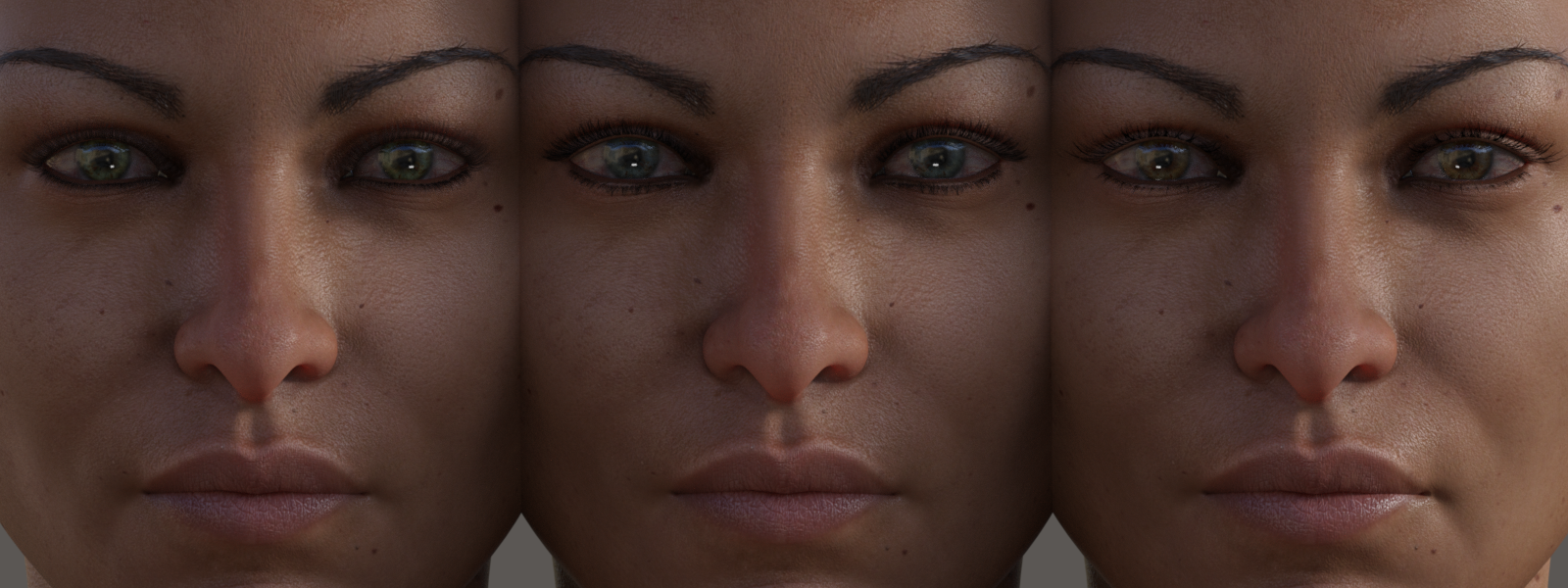
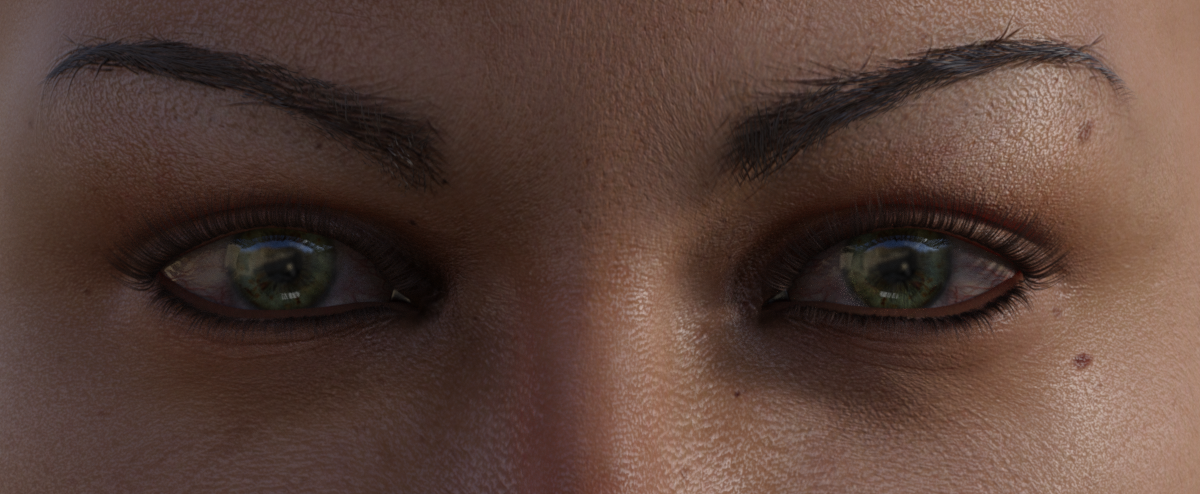
Benita for V8Ohhhh! So you're complaining about G8's eyelashes in general - not just Benita's? :p You're preaching to the converted about transmapped eyelashes, and I know I'm not the best at making them. Drawing them is quite hard! I agree that the bottom lash line can be hard to get to look right.Perhaps one day I'll try fibermesh eyelashes and see how they work, but I'll probably run into the same conforming issues as the current mesh eyelashes. Not to mention blinking, morphs, etc. Yikes. I like making skin, man.
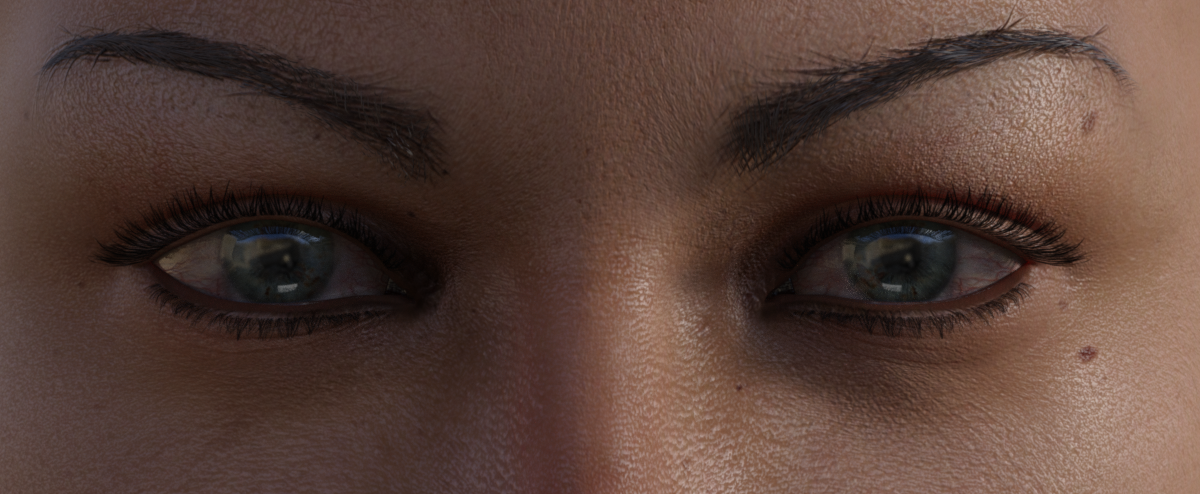
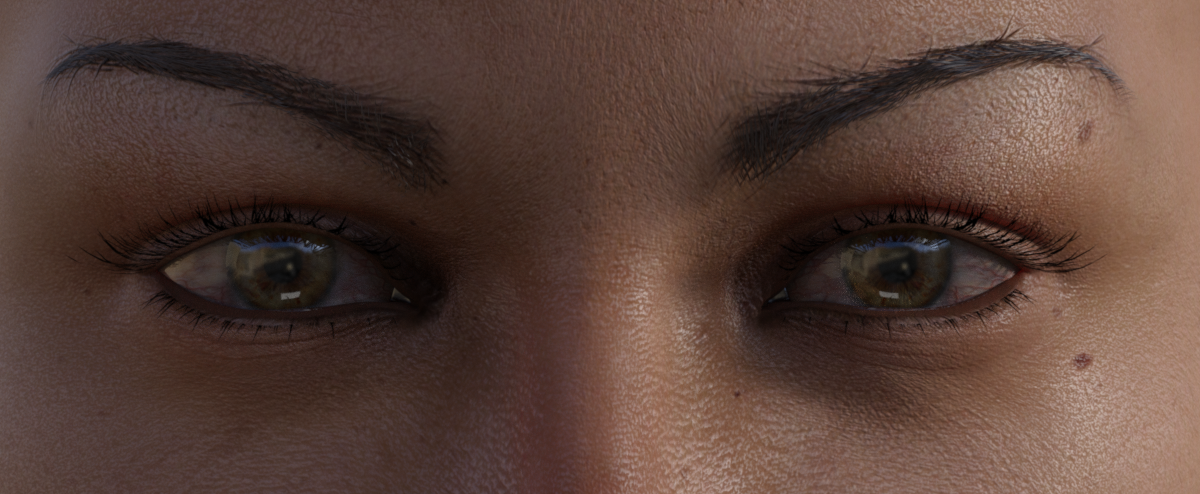
Maybe someone else will come along and come up with a more elegant solution in the meantime! :)Mate, your skins and face morphs are enough for me, tbh. Just keep on giving us that, and she's all right. I tried Lainey HD eyelashes and Great Lashes for Genesis 8 Female(s) on Benita as options. Eyelashes from left to right: Lainey HD (natural), Victoria 8 eyelashes (Benita), Great Lashes for G8F (brown 01). Top to bottom: Lainey HD (natural), Victoria 8 eyelashes (Benita), Great Lashes for G8F (brown 01).
BTW, thanks for the Hivewire3d Cat LAMH presets.
 Victoria 8 HD add-on
Will there be a Victoria 8 HD add-on?
About EULAWhat do you mean by projects? For mdoels or texture sets Chohole is correct, but if you mean finished 2D renders (still images or animations, not textures) then generally you can use the texture images and models as you like (the only, partial, exception I am aware of is the Anne Marie Goddard Digital Clone for Victoria 3).
Not exactly, I was thinking about using a texture for a model of mine to be appearing in a demo reel of a game.
Althought thinking about it; since it is going to be my demo reel I should be making it myself lol. I needed several sci fi screens, my Photoshop skill is severely lacking and I got quite a few packs of sci fi props from this store.
Devil May Deluxe Hair for Genesis 2,3 & 8 Female(s)She looks like the FW Rebekah HD morph which comes with the Victoria 8 Bundle.
Olympia 8Yeah, I the Genesis 8 characters seem to require a bit more thought to lighting and render settings than the previous generations - quite a bit like real life skin. Different lighting and render settings can make a pretty big difference. The first image is Victoria 8's texture with the default lighting and render settings. They all have the same textures and the same skin texture settings, the only thing I changed was the lighting and render settings.


Those all look great but too bad there is no evironmental context to give the viewer an ideal where she is at and what time of day and what day of the year it is.
Let me know which one you liked and I'll see if I can recreate it and share the settings.
The point I tried to get across with the post was to just play around with the render settings and the lighting until you find the settings that suit your tastes and save the settings. :)
I'd be happy to share my settings with you though, let me know which one you liked and I'll see if I can remember the settings for it and share them with you.

I like the render 1 up from the bottom the best although they are all good in proper environmental context.
I think I have some lights from Promo Style Catch Lights in the scene, so I can't include those. But here are a couple of scenes that can get you started: http://sta.sh/01fj7x0wi6vl
Just unzip it, open the folder and drop the "Scenes" folder in your "My Library". You should then find them under Scenes >> Skin Enhancing Scene 1 (and Skin Enhancing Scene 2)
The scenes use V8's mats, but you could, of course, use whatever mats you want. You'd just have to make some adjustments to Tone Mapping. Here's what the scenes/settings look like with V8's mats:


Add some cool light effects, change the Tone Mapping settings, whatever you need to get it to look the way you like. :) One thing I recommend is definitely playing with Tone Mapping >> White Point. That can really help, as well as adjusting "Crush Blacks" and "Gamma". Be careful with "Burn Highlights" as that can make things look really shiney pretty easily.
Sadly, I don't have O8 yet, so I can't set up any scenes for her. But as her skin tends to look a bit orangy from what I've seen in some of the renders, I recommend adjusting the White Point for her (under Tone Mapping).
Once you get the scene the way you want it you can then save it as a Render Setting (File >> Save As >> Render Settings Preset) so that the settings can be applied to any scene.
Devil May Deluxe Hair for Genesis 2,3 & 8 Female(s)Looks pretty much like Victoria 8 to me.
Olympia 8Yeah, I the Genesis 8 characters seem to require a bit more thought to lighting and render settings than the previous generations - quite a bit like real life skin. Different lighting and render settings can make a pretty big difference. The first image is Victoria 8's texture with the default lighting and render settings. They all have the same textures and the same skin texture settings, the only thing I changed was the lighting and render settings.
Those all look great but too bad there is no evironmental context to give the viewer an ideal where she is at and what time of day and what day of the year it is.
Let me know which one you liked and I'll see if I can recreate it and share the settings.
The point I tried to get across with the post was to just play around with the render settings and the lighting until you find the settings that suit your tastes and save the settings. :)
I'd be happy to share my settings with you though, let me know which one you liked and I'll see if I can remember the settings for it and share them with you.
I like the render 1 up from the bottom the best although they are all good in proper environmental context.
Olympia 8The Olympia 8s Verses The Victoria 8s
all three ladies from the Olympia 8 Pro Bundle playing touch football and against the three ladies from the Victoria 8 Pro Bundle with the base Genesis 3 Female from starter essentials cheering them on

Hmmm, seriously, there would be way more spectators (and probably the majority men).

Great job on the poses.
Olympia 8Yeah, I the Genesis 8 characters seem to require a bit more thought to lighting and render settings than the previous generations - quite a bit like real life skin. Different lighting and render settings can make a pretty big difference. The first image is Victoria 8's texture with the default lighting and render settings. They all have the same textures and the same skin texture settings, the only thing I changed was the lighting and render settings.
Those all look great but too bad there is no evironmental context to give the viewer an ideal where she is at and what time of day and what day of the year it is.
Let me know which one you liked and I'll see if I can recreate it and share the settings.
The point I tried to get across with the post was to just play around with the render settings and the lighting until you find the settings that suit your tastes and save the settings. :)
I'd be happy to share my settings with you though, let me know which one you liked and I'll see if I can remember the settings for it and share them with you.
Olympia 8The Olympia 8s Verses The Victoria 8s
all three ladies from the Olympia 8 Pro Bundle playing touch football and against the three ladies from the Victoria 8 Pro Bundle with the base Genesis 3 Female from starter essentials cheering them on
hahah That is fantastic! :D
Olympia 8The Olympia 8s Verses The Victoria 8s
all three ladies from the Olympia 8 Pro Bundle playing touch football and against the three ladies from the Victoria 8 Pro Bundle with the base Genesis 3 Female from starter essentials cheering them on
Olympia 8Has anyone done a side-by-side Victoria 8 & Olympia 8 yet?
Yes, there is one a couple pages back in this thread; there is also a close-up of their faces in this thread.
Olympia 8Has anyone done a side-by-side Victoria 8 & Olympia 8 yet?
Olympia 8Has anyone done a side-by-side Victoria 8 & Olympia 8 yet?
Despite Studio's Popularity, People Still See 'Poser Art'"Poser art", to me was always in the elbows. Past versions of Poser and even DAZ figures had that oddly-bending weird thing on the inside of the elbows. It was most prevalent in Victoria 4 and earlier female figures. Fortunately, that went away, yay!
Poser vs. DAZStarted with Poser when Fractal Design came out with it, back in 1995 (poser1). Then after DAZ Studio came out, I gave it a shot. It was more about the potential of that kind of 3D software than what it was actually able to do back then. Poser always felt clunky to me (the UI) and DAZ much more accessible. I have only been able to recently say that the tools (actually DS) have caught up with my vision and I can finally make what I imagine .... and it looks decent ... about 20 years later. That's a long time to wait.
I agree. I remember trying Daz Studio 2 and, after less than a week, decided it wasn't worth the effort to learn. It just wasn't there, yet. I stuck with Poser, which was really hitting its stride with the Victoria and Michael Elite figures. And then along came the various iterations of DS 4. That was when I felt it had something to offer. And Genesis was a huge leap over what I was capable of doing with the aging V4/M4 figure line. But, then along came Genesis 2 and 3, and I feel something is lacking here at DS. Although it is making huge strides forward in terms of phtorealistic rendering, this toolset seems to be completely ignoring dynamic clothing, non-photographic rendering (it's been ages and we still don't have a competent geometric-edge rendering option). Don't get me wrong, Iray is FANTASTIC. But it's not really what I'm looking for. I've spent lots of time and money exploring scripted cameras and Photoshop filters, and I still can't get what Poser 11 delivers. Despite the fact I'm stuck using ancient figures (V4/M4) or poorly supported modern figures (Paul, Pauline, Dawn & Dusk are nice, but there just isn't sufficient vendor content support for them). For now, I'm an artist being forced to select tools that don't fully deliver on their promise, even after all these years.
Motion capture to animate within DAZIf I ever to build a motion capture studio in my garage, would it be possible to transfer motion capture into a character like Victoria 4 or Genesis ?
eg: When the mocap person moves, the character would as well, likely using the built in tool Puppeter ?
Current Fast Grab Intro PictureAccording to the listing on the original gallery image by Deathknight ; https://www.daz3d.com/gallery/#images/391576/
it's Lydia for Victoria 7 : https://www.daz3d.com/lydia-hd-for-victoria-7
Olympia 8Yeah, I the Genesis 8 characters seem to require a bit more thought to lighting and render settings than the previous generations - quite a bit like real life skin. Different lighting and render settings can make a pretty big difference. The first image is Victoria 8's texture with the default lighting and render settings. They all have the same textures and the same skin texture settings, the only thing I changed was the lighting and render settings.
Those all look great but too bad there is no evironmental context to give the viewer an ideal where she is at and what time of day and what day of the year it is.
Daz 3D is part of

Connect
DAZ Productions, Inc.
7533 S Center View Ct #4664
West Jordan, UT 84084Licensing Agreement | Terms of Service | Privacy Policy | EULA
© 2026 Daz Productions Inc. All Rights Reserved.