-
V8 Sale Like Current M8 Sale
Hey, sorry if this isn't the right place to post this, and I'm sure there's no way of really knowing, but I'll take any amount of insight.
I'm just starting out, signed up for the Platinum Club and have started picking up a few assets. When I saw the M8 Pro bundle deal that also included M4/5/6/7 Pro bundles for free, I snatched it up in a heartbeat. My question is if I already missed the boat on a similar deal on Victoria 8's (and 4-7) Pro Bundles, or if I should hold out hope for one in the future. Thanks!
There was one just like this when V8 was launched.
So then I'm probably SOL? /sigh
We can't know for sure that there won't be anything similar in the future. Maybe they'll do the same thing when V9 comes out.
 Okay, I probably shouldn't think that far ahead. Make-up for genesis 8?
The overlays used for Victoria 8 and Olympia 8 (I think) shoudl work on other materials as they sue the Diffuse Overlay, rather than a modified version of the basic map. The downside is that they don't show in Iray, and don't work in 3Delight (I think the 3delight materials just use LIE).
V8 Sale Like Current M8 SaleHey, sorry if this isn't the right place to post this, and I'm sure there's no way of really knowing, but I'll take any amount of insight.
I'm just starting out, signed up for the Platinum Club and have started picking up a few assets. When I saw the M8 Pro bundle deal that also included M4/5/6/7 Pro bundles for free, I snatched it up in a heartbeat. My question is if I already missed the boat on a similar deal on Victoria 8's (and 4-7) Pro Bundles, or if I should hold out hope for one in the future. Thanks!
There was one just like this when V8 was launched.
So then I'm probably SOL? /sigh
V8 Sale Like Current M8 SaleHey, sorry if this isn't the right place to post this, and I'm sure there's no way of really knowing, but I'll take any amount of insight.
I'm just starting out, signed up for the Platinum Club and have started picking up a few assets. When I saw the M8 Pro bundle deal that also included M4/5/6/7 Pro bundles for free, I snatched it up in a heartbeat. My question is if I already missed the boat on a similar deal on Victoria 8's (and 4-7) Pro Bundles, or if I should hold out hope for one in the future. Thanks!
There was one just like this when V8 was launched.
V8 Sale Like Current M8 SaleHey, sorry if this isn't the right place to post this, and I'm sure there's no way of really knowing, but I'll take any amount of insight.
I'm just starting out, signed up for the Platinum Club and have started picking up a few assets. When I saw the M8 Pro bundle deal that also included M4/5/6/7 Pro bundles for free, I snatched it up in a heartbeat. My question is if I already missed the boat on a similar deal on Victoria 8's (and 4-7) Pro Bundles, or if I should hold out hope for one in the future. Thanks!
What Upcoming Daz Original Genesis 8 Character Are You Waiting For?I never get why people are always going on about needing characters of different heights, with the body morphs and scaling you can make any character any height and proportions, spin some dials folks.
The issue is rendering males and females together. The women are freakishly tall, so after scaling them to an average height all the poses you buy are jacked and need a lot of adjustment - holding a glass, sitting on a chair, etc. If the genesis females were average height, all the PA's poses wouldn't need so much adjustment.Pose presets aren't supposed to be perfect for every single character made, whether the character is "normal" height or not. You're supposed to have to make minor adjustments to them if you alter the size much from the default.
That's the point - it's more than just minor adjustments. Victoria is 5'10", which is quite a rare height for women. To adjust her to an average US height of 5'4" requires quite a bit of adjustment, more than just minor tweaks I'd expect due to differences with morphs.
IMHO, it would be far better to scale the Genesis women to average height, then if someone wants a super tall model they could spin the dials to do so. You don't even notice the height difference until you have other objects for reference.
The morph heights should be based on the base figure and have amy scaling applied on additional dials, which is how past versions of Michael and Victoria have been set up. Meaning that if you dial the head and body into the Genesis 3 Female base, for example, Victoria 7 will no longer be 5'10", but whatever the default height for G3F is.
Black characters for M8??The lack of quality darker-skinned characters is at least partially due to the relative paucity (compared to Caucasian resources) of black photographic full nude models. Raiya (the Queen) seems to have a source that no one else uses, although she has re-used darker skins a few times on different characters—for example, Keira for Stephanie 5 / Sapphire for Victoria 7 and Nala and Nia / Olivia for V5 / Kelly for Victoria 7; (there's a male example as well, but I can't be bothered to find them). A couple of Saiyaness' (the Princess) skin sources betray that their owners may have lived harder lives (Imari's jaundiced eyes and eye bags, Nyarai's darkened lower eyelids and rough soles—are they from the same resource?) than their/her Caucasian counterparts, which could be their/her financial incentive for submission to having their/her entire body photographed. Finally, the primary sources for skin resources are reportedly located in Eastern Europe, which has historically had a lot less inhabitants of African descent.
When lesser character creators release people with non-photographic-looking skin textures, I pass on them (having a hard drive peppered with their previous attempts). Other customers are evidently passing on them as well. And this, I think, is the basis for the oft-repeated, "darker characters don't sell as well." If you peruse Raiya's and Saiyaness' stores, you will see that they apparently have no hesitation at releasing darker-skinned characters (Raiya Genesis 3: 25% dark-skinned, Saiyaness: 9/7 split light/dark); indeed, Raiya told me that she would like to make more, but there are so few skin resources. And she said that her darker-skinned characters sell as well or better than her Caucasian characters, Monique 6 being only one instance of this.
For authentic African-descended morphs, I suggest GenX-ing (the full monty) reciecup's Generation 4 products (which are being retired at an alarming rate) at the other store, and any other African characters that you like from previous generations. reciecup's head morphs alone capture so many previously nonexistent types in Daztopia. And samsil (at the other store) has two characters that provide excellent unseen-in-Daztopia types. I have found his skins to be unusable for my purposes, although his African hair more than atones for this (wish they had more morphs though). After over a decade of Poserverse/Daztopia, there are enough African morphs and skins to fill a big story, but the customer will have to fix their own plate.
Seconding Raiya, Saiyaness, and Reciecup. They are top shelf and then some.
Also worth looking into, insofar as face morphs go, are SickleYield's Faces of Africa sets for G2 and G3.
What Upcoming Daz Original Genesis 8 Character Are You Waiting For?I never get why people are always going on about needing characters of different heights, with the body morphs and scaling you can make any character any height and proportions, spin some dials folks.
The issue is rendering males and females together. The women are freakishly tall, so after scaling them to an average height all the poses you buy are jacked and need a lot of adjustment - holding a glass, sitting on a chair, etc. If the genesis females were average height, all the PA's poses wouldn't need so much adjustment.Pose presets aren't supposed to be perfect for every single character made, whether the character is "normal" height or not. You're supposed to have to make minor adjustments to them if you alter the size much from the default.
That's the point - it's more than just minor adjustments. Victoria is 5'10", which is quite a rare height for women. To adjust her to an average US height of 5'4" requires quite a bit of adjustment, more than just minor tweaks I'd expect due to differences with morphs.
IMHO, it would be far better to scale the Genesis women to average height, then if someone wants a super tall model they could spin the dials to do so. You don't even notice the height difference until you have other objects for reference.
Pose limitsI've seen that with creating some character shapes and I don't know why. Studio 4.9.4.122 64 bit. It sets some value or values incorrectly, at -100. I have no idea why. When I apply them, I get the warning some settings are past the limits. If I select keep limits, I get the proper shape. If I select turn off, it's borked.
Maybe others have seen this other bug, I guess I should submit a ticket. When loading many figures (including those from PA, even Daz, installed by DIM) Victoria 7 morphs are incorrectly applied. Applying the character shape fixes it. Also dialing V7 to 0 typically fixes it (and strangely enough, the V7 values will go to desired I believe - V7 head and/or body morph may not be zero, after dialing V7 to 0).
Moral to the story - perhaps it's a workaround to a bug?
OK, thanks, yes a bug or side effects of a workaround to a bug seems plausible, that this should be normal behaviour just doesn't make sense to me.
Pose limitsI've seen that with creating some character shapes and I don't know why. Studio 4.9.4.122 64 bit. It sets some value or values incorrectly, at -100. I have no idea why. When I apply them, I get the warning some settings are past the limits. If I select keep limits, I get the proper shape. If I select turn off, it's borked.
Maybe others have seen this other bug, I guess I should submit a ticket. When loading many figures (including those from PA, even Daz, installed by DIM) Victoria 7 morphs are incorrectly applied. Applying the character shape fixes it. Also dialing V7 to 0 typically fixes it (and strangely enough, the V7 values will go to desired I believe - V7 head and/or body morph may not be zero, after dialing V7 to 0).
Moral to the story - perhaps it's a workaround to a bug?
August 2017 – DAZ 3D New User Challenge – Free MonthI have taken this pic as far as I can. All suggestions and comments are welcome. No post work, except signature, as I like to try to get as much out of DAZ Studio as I can. Plus, I'm not very good with Photoshop! Thanks!
Title: "Knowing Where You Been"
Software used:
DAZ Studio Pro (64-bit) 4.9.4.122
Hexagon 2.5
LithUnwrap
Paint Shop Pro 7
Model: FWSA Zarina HD for Genesis 3 Female(s)
TS Shirt: Trend Setter Outfit for Genesis 3 Female(s)
Dress: Workday Dress 2 for Genesis 2 Female(s)
Ring and Bracelet: FWSA Ginnifer HD for Victoria 7 and her Jewelry
Hair: Rikki Hair for Genesis 2 Female(s)
Car: Car Roland & Car Roland Iray Addon
Shaders:
Paint and Suede Shaders
Home Style 2 Iray Shaders
Leather and Fur Iray Shaders
Self-created models (Hexagon 2.5):
Ear rings, Purse, wallet, Lipstick, Pen, Kleenex, Gum Package, Phone, and bullets
Car edits: Driver seat pushed back, removed original glove box door, added glove box, and restructured windows created new uvs for console, and seats
House edits: remapped windows
House: Free on www.cgtrader.com created by PaulWall
Colt Python 357: https://www.cgtrader.com/free-3d-models/military/gun/colt-python-8-inch created by alpenwolf
Really well done Garrett. The only thing I can nit pick is the barrel of the gun. I am not sure if it is intersecting the car's console or if it is just the reflection of the console in the shiney gun barrel.
August 2017 – DAZ 3D New User Challenge – Free MonthI have taken this pic as far as I can. All suggestions and comments are welcome. No post work, except signature, as I like to try to get as much out of DAZ Studio as I can. Plus, I'm not very good with Photoshop! Thanks!
Title: "Knowing Where You Been"
Software used:
DAZ Studio Pro (64-bit) 4.9.4.122
Hexagon 2.5
LithUnwrap
Paint Shop Pro 7
Model: FWSA Zarina HD for Genesis 3 Female(s)
TS Shirt: Trend Setter Outfit for Genesis 3 Female(s)
Dress: Workday Dress 2 for Genesis 2 Female(s)
Ring and Bracelet: FWSA Ginnifer HD for Victoria 7 and her Jewelry
Hair: Rikki Hair for Genesis 2 Female(s)
Car: Car Roland & Car Roland Iray Addon
Shaders:
Paint and Suede Shaders
Home Style 2 Iray Shaders
Leather and Fur Iray Shaders
Self-created models (Hexagon 2.5):
Ear rings, Purse, wallet, Lipstick, Pen, Kleenex, Gum Package, Phone, and bullets
Car edits: Driver seat pushed back, removed original glove box door, added glove box, and restructured windows created new uvs for console, and seats
House edits: remapped windows
House: Free on www.cgtrader.com created by PaulWall
Colt Python 357: https://www.cgtrader.com/free-3d-models/military/gun/colt-python-8-inch created by alpenwolf
Amazing

Seconded!
 August 2017 – DAZ 3D New User Challenge – Free Month
I have taken this pic as far as I can. All suggestions and comments are welcome. No post work, except signature, as I like to try to get as much out of DAZ Studio as I can. Plus, I'm not very good with Photoshop! Thanks!
Title: "Knowing Where You Been"
Software used:
DAZ Studio Pro (64-bit) 4.9.4.122
Hexagon 2.5
LithUnwrap
Paint Shop Pro 7
Model: FWSA Zarina HD for Genesis 3 Female(s)
TS Shirt: Trend Setter Outfit for Genesis 3 Female(s)
Dress: Workday Dress 2 for Genesis 2 Female(s)
Ring and Bracelet: FWSA Ginnifer HD for Victoria 7 and her Jewelry
Hair: Rikki Hair for Genesis 2 Female(s)
Car: Car Roland & Car Roland Iray Addon
Shaders:
Paint and Suede Shaders
Home Style 2 Iray Shaders
Leather and Fur Iray Shaders
Self-created models (Hexagon 2.5):
Ear rings, Purse, wallet, Lipstick, Pen, Kleenex, Gum Package, Phone, and bullets
Car edits: Driver seat pushed back, removed original glove box door, added glove box, and restructured windows created new uvs for console, and seats
House edits: remapped windows
House: Free on www.cgtrader.com created by PaulWall
Colt Python 357: https://www.cgtrader.com/free-3d-models/military/gun/colt-python-8-inch created by alpenwolf
Amazing
Morphs from G3 to G8That^.
On the parameters tab, and probably the shaping tab, too, you can type the label of the morph and it will filter out all that are not that morph.
If the morph was, originally "Victoria 7," and you type Victoria 7, then all morphs with Victoria 7 in the label will be displayed and none of those without it in the lable will show.
Update on G8M. I finished yesterday, and determined that, because I tried to account for fingernails, I'd messed up the whole system I use for creating the mapping. The good news is the script seems fully functional to the same degree as the G8F script. The bad news is the mapping is wrong, so the results are crap. Correctly fuctioning crap, but still crap.
I've had to rewrite the script I use to make the map, but I think I have that sorted. So, I just need to make a new mapping. On the upside, I have a more efficient spread sheet, so hopefully I'll have a working beta in the next 2 days.i like it. its workin. just saved in wrong place. i'll await ur fix :)
Morphs from G3 to G8That^.
On the parameters tab, and probably the shaping tab, too, you can type the label of the morph and it will filter out all that are not that morph.
If the morph was, originally "Victoria 7," and you type Victoria 7, then all morphs with Victoria 7 in the label will be displayed and none of those without it in the lable will show.
Update on G8M. I finished yesterday, and determined that, because I tried to account for fingernails, I'd messed up the whole system I use for creating the mapping. The good news is the script seems fully functional to the same degree as the G8F script. The bad news is the mapping is wrong, so the results are crap. Correctly fuctioning crap, but still crap.
I've had to rewrite the script I use to make the map, but I think I have that sorted. So, I just need to make a new mapping. On the upside, I have a more efficient spread sheet, so hopefully I'll have a working beta in the next 2 days.Morphs from G3 to G8AT RISK if you use this script on DAZ Connect products.
Updated the script to support connect but I do not own connect content, so it is not tested.
Somewhat Unpredicitable results when there is more than one Library.
This should not result in breakage, but transfers will fail. However, should is not equal to safe. Breakage of your stff is still possible.
Updates to the script now allow correct handling of main library files if you have 2 or more libraries. It should also properly find and copy files from other libraries, but this is not yet tested. The script will only save files to your main library, so if you want to have the files in a secondary lib, you need to copy them there yourself.
We now return to your regularly scheduled comment, already in progressIT'S DONE!
No, actually it isn't. But it works. Props to mork for doing a lot of the heavy lifting so I didn't have to.
What am I talking about? Well, way up thread I said I had a method for transfering Morphs with their ERC intact. Which I did... Do. You know what I mean. I also said it was too dangerous to be released into the wild. New-queue-lar levels of dangerous. I figured if I could work out a way to automate some or all of the process, then actually do that automation, I'd release that.
Well, I did it.
Let's talk limitations first.
This software is so Alpha it's slightly Omega. Use at your own risk. It probably can't break anything, but they said the same about the RMS Titanic.
Fingernails. Toenails. It won't do them. The geometry was too darned messy for me to work out how to reliably handle them, so I skipped it entirely. The nails will, instead, follow the nailbeds. As a result they should be free of distortion and well shaped, but they may not match exactly, and any special nail morphs won't transfer. However, the script doesn't know about this limit, so if a nail morph file is included in the process, it will process it. The results of that should be, effectivelly, an empty morph, but a possibility for error exists.
The script is not interactive. No UI, no notification. I don't know how to do that stuff. This is my first Daz Script. (I don't think small, unfortnately.) If I do a later release, I may add something, but my main goal has always been just getting it to work. Still no reall UI but Progress bar is implemented. So far the longest time between updates to the bar is 2 minutes 11 seconds. So allow five or six minutes before worrying the script is frozen. At this point, try the cancel button on the bar. Note, it make take sometime before the cancel takes effect.
One user reported total fubar after forcequitting. I can't say how this script could cause that directly, but even so, it implies that Daz might be doing important stuff while it seem frozen, so only force quit as a last resort.
It almost certainly won't handle Connect products. Right now it tries to write back to the same library it is working in. I mean to fix that at some point, after which it might be able to work with Connect. Should now handle connect properly, but I'll need feedback from Connect users to confirm.
It will also probably fail if you have more than one library, if the source morph is not in your base library. Again, something I mean to fix, but I only have the one library, and don't feel like making a new one atm. It wasn't necessary to reach "it works." This is not trivial. To make it easy to use, I wanted to be sure to use the Studio UI to find morphs, rather than requiring the user to find them. But because of a quirk in the way morphs can be saved, so morphs own themselves, and don't seem to report their file location. So I had to hack around to make it work. Hacking the hackery to distinguish between Connect and non Connect makes me cry. Fixed, see above.
As a result of this hackery, some files may not trasfer at all, ever. Basically, because they own themselves, and report their names generically, they may have the same "label," as far as the script method is concerned, as another file or files. This means the script will always find one of them and never find the others. I can't think of a way around that, right now. I did work around the most common way this happens by having the script first ask for the file's location and only hack around when it doesn't get an answer, but I don't have enough products, frankly, to test all the possible failure modes.
I pretty much didn't document it at all.
It reads compressed and uncompressed files but only writes uncompressed.
Did I meantion no UI. Because no UI. At all. Well, a progress bar with history and cancel buttons, but that's all. It seems to take about 9 seconds, on average to run one morph. This would be about 4 to 7 minutes for an average character, and about double that for a typical Morph pack. During this time, Studio will be busy. Make a sammich or something. Call your mom, if you have one. These numbers are based on 50 to 100 morphs and my slow laptop, so your values will vary. But don't go forcequiting because something like 200 Plus is taking a long time. that's twice the size of any test I've run. Clicking new History button will allow you to see what the script is currently working on, and the progress bar attempts to display that info, anyway, but it might not fit.
The script is attempting almost 24,000 operations per file. Mind you, when working with a file where most of those ops are invalid (most expressions, for ex) it will run much, much faster. But morphs tend to run slow.
Reports of looping behavior have been diagnosed and corrected. The Script no longer attempts to deal with all Libraries, but will, draw on the last library it finds matching content in. The Base library is checked first. Connect is checked last. I can't predict more than that. This may lead to mismatch or issues if you have a single product in spread across more than one library. But, as far as I know, you shouldn't be doing that.How to Use
- Load Genesis 3 Female. Make sure it is selected.
- Find one (1 and only 1) Morph from the set you wish to transfer and mark it as favorite. (if you mark more, the script will only work with first one it finds, which may not be the one you want).
- Run the script
- Studio will lock up, and you will get the wait manipulator. It's thinking. Remember, 9 seconds per morph file. Ish
- Studio will become responsive. This means it's finished. It may have errored out, but it's finished.
- Load Genesis 8 Female. Find your morphs
- Report any misbehavior to this thread.
- Enjoy
There's no ERC freezing, there's no trying to fix transfer related distortions (although the eyes might be slightly small, that related to the fact that G8's eyesballs are closed meshes and G3's are not). There's, in fact, nothing more to do. Once the Script finishes successfully, the figure will be fully set up, and all the links between the files will be maintained.
This is true even with respect to files that link to other products, irrespective of whether you have transfered those other products. The script doesn't "tranfer" as much as it translates. All of the commands built into the G3 files are present in the resultant G8 files. This means it transfer whimsically misspelled name for Victoria 7, then transfer Victoria 7 later, the first product will be connected to V7 (after you reload the figure, if it is open).
Good night, and good luck.EDITS
2017/08/08: Updated script to correct type missmatch error in expressions/morphs containing links to Mouth Open Wide.
2017/08/11: Updated to handle Connect, multi-library support and progress.
2017/08/15: Updated to properly copy pngs, corrected nested for loops, maybe fixed process looping.
2017/08/16: Actually fixed looping behavior.
2017/08/19: Fixed bug created by inattention during last fix.
2017/08/22: Fixed many things. Nothing G8M related.hmmm. im getting nothing. after following adn running. your instructions. "find your moprhs". find them where? i looked through the poaramenters. don't see the morph i created. :cool:
Your morphs will likely be in the shaping tab under G8F under the same category and under the same names they were on G3F.
Laurie
Morphs from G3 to G8AT RISK if you use this script on DAZ Connect products.
Updated the script to support connect but I do not own connect content, so it is not tested.
Somewhat Unpredicitable results when there is more than one Library.
This should not result in breakage, but transfers will fail. However, should is not equal to safe. Breakage of your stff is still possible.
Updates to the script now allow correct handling of main library files if you have 2 or more libraries. It should also properly find and copy files from other libraries, but this is not yet tested. The script will only save files to your main library, so if you want to have the files in a secondary lib, you need to copy them there yourself.
We now return to your regularly scheduled comment, already in progressIT'S DONE!
No, actually it isn't. But it works. Props to mork for doing a lot of the heavy lifting so I didn't have to.
What am I talking about? Well, way up thread I said I had a method for transfering Morphs with their ERC intact. Which I did... Do. You know what I mean. I also said it was too dangerous to be released into the wild. New-queue-lar levels of dangerous. I figured if I could work out a way to automate some or all of the process, then actually do that automation, I'd release that.
Well, I did it.
Let's talk limitations first.
This software is so Alpha it's slightly Omega. Use at your own risk. It probably can't break anything, but they said the same about the RMS Titanic.
Fingernails. Toenails. It won't do them. The geometry was too darned messy for me to work out how to reliably handle them, so I skipped it entirely. The nails will, instead, follow the nailbeds. As a result they should be free of distortion and well shaped, but they may not match exactly, and any special nail morphs won't transfer. However, the script doesn't know about this limit, so if a nail morph file is included in the process, it will process it. The results of that should be, effectivelly, an empty morph, but a possibility for error exists.
The script is not interactive. No UI, no notification. I don't know how to do that stuff. This is my first Daz Script. (I don't think small, unfortnately.) If I do a later release, I may add something, but my main goal has always been just getting it to work. Still no reall UI but Progress bar is implemented. So far the longest time between updates to the bar is 2 minutes 11 seconds. So allow five or six minutes before worrying the script is frozen. At this point, try the cancel button on the bar. Note, it make take sometime before the cancel takes effect.
One user reported total fubar after forcequitting. I can't say how this script could cause that directly, but even so, it implies that Daz might be doing important stuff while it seem frozen, so only force quit as a last resort.
It almost certainly won't handle Connect products. Right now it tries to write back to the same library it is working in. I mean to fix that at some point, after which it might be able to work with Connect. Should now handle connect properly, but I'll need feedback from Connect users to confirm.
It will also probably fail if you have more than one library, if the source morph is not in your base library. Again, something I mean to fix, but I only have the one library, and don't feel like making a new one atm. It wasn't necessary to reach "it works." This is not trivial. To make it easy to use, I wanted to be sure to use the Studio UI to find morphs, rather than requiring the user to find them. But because of a quirk in the way morphs can be saved, so morphs own themselves, and don't seem to report their file location. So I had to hack around to make it work. Hacking the hackery to distinguish between Connect and non Connect makes me cry. Fixed, see above.
As a result of this hackery, some files may not trasfer at all, ever. Basically, because they own themselves, and report their names generically, they may have the same "label," as far as the script method is concerned, as another file or files. This means the script will always find one of them and never find the others. I can't think of a way around that, right now. I did work around the most common way this happens by having the script first ask for the file's location and only hack around when it doesn't get an answer, but I don't have enough products, frankly, to test all the possible failure modes.
I pretty much didn't document it at all.
It reads compressed and uncompressed files but only writes uncompressed.
Did I meantion no UI. Because no UI. At all. Well, a progress bar with history and cancel buttons, but that's all. It seems to take about 9 seconds, on average to run one morph. This would be about 4 to 7 minutes for an average character, and about double that for a typical Morph pack. During this time, Studio will be busy. Make a sammich or something. Call your mom, if you have one. These numbers are based on 50 to 100 morphs and my slow laptop, so your values will vary. But don't go forcequiting because something like 200 Plus is taking a long time. that's twice the size of any test I've run. Clicking new History button will allow you to see what the script is currently working on, and the progress bar attempts to display that info, anyway, but it might not fit.
The script is attempting almost 24,000 operations per file. Mind you, when working with a file where most of those ops are invalid (most expressions, for ex) it will run much, much faster. But morphs tend to run slow.
Reports of looping behavior have been diagnosed and corrected. The Script no longer attempts to deal with all Libraries, but will, draw on the last library it finds matching content in. The Base library is checked first. Connect is checked last. I can't predict more than that. This may lead to mismatch or issues if you have a single product in spread across more than one library. But, as far as I know, you shouldn't be doing that.How to Use
- Load Genesis 3 Female. Make sure it is selected.
- Find one (1 and only 1) Morph from the set you wish to transfer and mark it as favorite. (if you mark more, the script will only work with first one it finds, which may not be the one you want).
- Run the script
- Studio will lock up, and you will get the wait manipulator. It's thinking. Remember, 9 seconds per morph file. Ish
- Studio will become responsive. This means it's finished. It may have errored out, but it's finished.
- Load Genesis 8 Female. Find your morphs
- Report any misbehavior to this thread.
- Enjoy
There's no ERC freezing, there's no trying to fix transfer related distortions (although the eyes might be slightly small, that related to the fact that G8's eyesballs are closed meshes and G3's are not). There's, in fact, nothing more to do. Once the Script finishes successfully, the figure will be fully set up, and all the links between the files will be maintained.
This is true even with respect to files that link to other products, irrespective of whether you have transfered those other products. The script doesn't "tranfer" as much as it translates. All of the commands built into the G3 files are present in the resultant G8 files. This means it transfer whimsically misspelled name for Victoria 7, then transfer Victoria 7 later, the first product will be connected to V7 (after you reload the figure, if it is open).
Good night, and good luck.EDITS
2017/08/08: Updated script to correct type missmatch error in expressions/morphs containing links to Mouth Open Wide.
2017/08/11: Updated to handle Connect, multi-library support and progress.
2017/08/15: Updated to properly copy pngs, corrected nested for loops, maybe fixed process looping.
2017/08/16: Actually fixed looping behavior.
2017/08/19: Fixed bug created by inattention during last fix.
2017/08/22: Fixed many things. Nothing G8M related.hmmm. im getting nothing. after following adn running. your instructions. "find your moprhs". find them where? i looked through the poaramenters. don't see the morph i created. :cool:
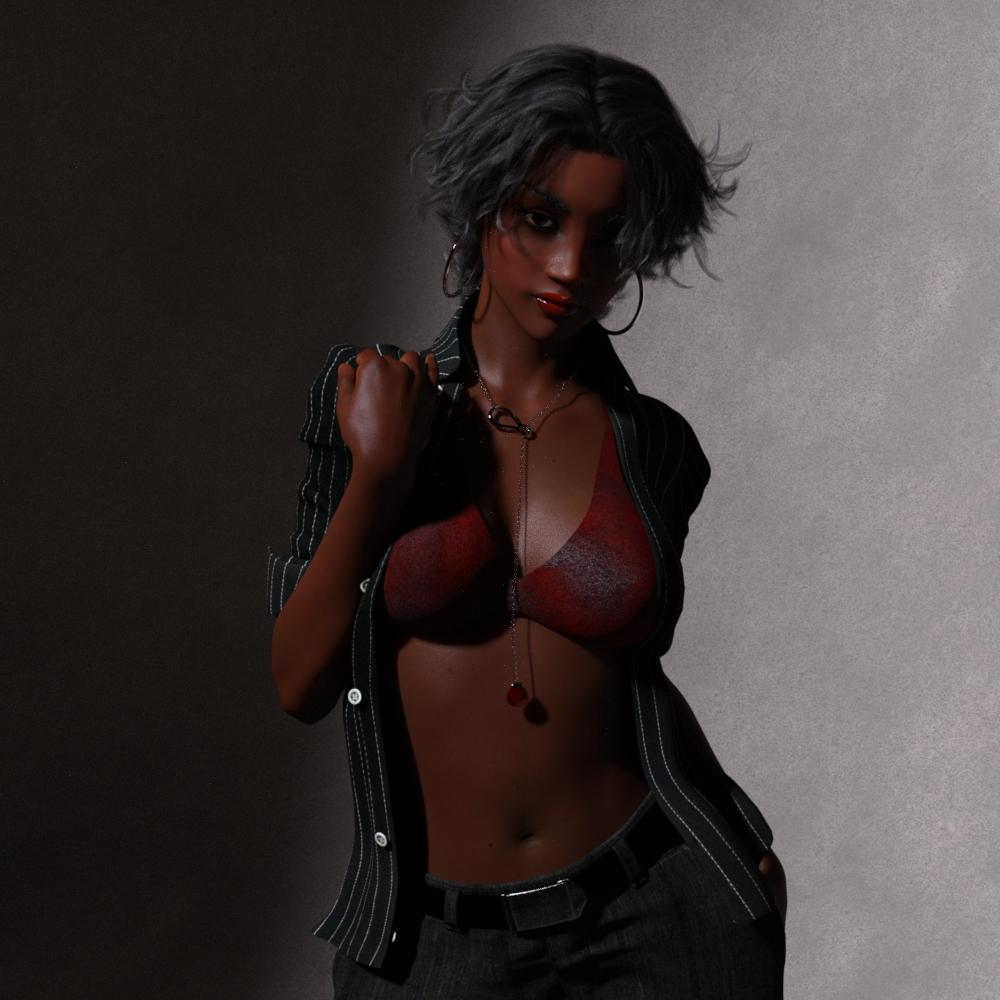
Black Is Beautiful IIThis is a character morph that I made a little while back, a few days ago I decided to change her face a little.
I forgot whether she uses a little of Gia 7 or Victoria 7.
 August 2017 – DAZ 3D New User Challenge – Free Month
I have taken this pic as far as I can. All suggestions and comments are welcome. No post work, except signature, as I like to try to get as much out of DAZ Studio as I can. Plus, I'm not very good with Photoshop! Thanks!
Title: "Knowing Where You Been"
Software used:
DAZ Studio Pro (64-bit) 4.9.4.122
Hexagon 2.5
LithUnwrap
Paint Shop Pro 7
Model: FWSA Zarina HD for Genesis 3 Female(s)
TS Shirt: Trend Setter Outfit for Genesis 3 Female(s)
Dress: Workday Dress 2 for Genesis 2 Female(s)
Ring and Bracelet: FWSA Ginnifer HD for Victoria 7 and her Jewelry
Hair: Rikki Hair for Genesis 2 Female(s)
Car: Car Roland & Car Roland Iray Addon
Shaders:
Paint and Suede Shaders
Home Style 2 Iray Shaders
Leather and Fur Iray Shaders
Self-created models (Hexagon 2.5):
Ear rings, Purse, wallet, Lipstick, Pen, Kleenex, Gum Package, Phone, and bullets
Car edits: Driver seat pushed back, removed original glove box door, added glove box, and restructured windows created new uvs for console, and seats
House edits: remapped windows
House: Free on www.cgtrader.com created by PaulWall
Colt Python 357: https://www.cgtrader.com/free-3d-models/military/gun/colt-python-8-inch created by alpenwolf
Jaderail is looking down on the STUPID THREAD XOkay went to close dim to find out it was downloading Victoria 1. Looks like I can close it now.
Daz 3D is part of

Connect
DAZ Productions, Inc.
7533 S Center View Ct #4664
West Jordan, UT 84084Licensing Agreement | Terms of Service | Privacy Policy | EULA
© 2026 Daz Productions Inc. All Rights Reserved.