-
faceshop/headshop to poser
I have been trying to create a new face and I am using an older version of Faceshop ( Faceshop 6 ) because it works on my Mac. I created a head for Michael 4, so I ended up with an Obj file and the Bmp file ( which i edited in Photoshop). I am using Poser Pro 2012 and I am wondering in what directories I put the two files or what extra steps i need to take to get the new head on a Michael 4 in poser? I don't use Daz studio as it never recognizes my Micheal or Victoria models and I would like to only use poser if possible. I looked through the tiny read me file that came with Faceshop 6 an watched the video but it ends without explaining what to do with the the two files. Any help would be greatly appreciated.
Genesis 3Damned. It cannot be that Victoria 7 has no Morph Targets. Actually Genesis 8 and Victoria 8 are ready to buy.
But why they arent Modell some Morphtargets for the Lips ? Victoria 4.2 has different Morphs that you can use. Why Not Victoria 7 ?
The Mimic File has only 1,66 kb and there is nothuing usefull.
Stephanie 8Cool. Love Steph 6, hopefully daz will do her justice with an 8 version. Also hoping she doesn't look like a sister of Victoria.Except the thing is, that's what Stephanie's role always was, being the sister figure to Victoria...
Well, technically, she didn't start out that way. The original Stephanie was a female morph of Michael and was considered just another adult female (on who original Aiko was based IIRC). It wasn't until maybe Stephanie Petite 3 that she was considered a younger adult, and with Stephanie 4 was more or less considered "Vicky's little sis". I would prefer that she stay a somewhat younger adult, or at least a female that's a more normal height....lol.
Laurie
Stephanie 8Cool. Love Steph 6, hopefully daz will do her justice with an 8 version. Also hoping she doesn't look like a sister of Victoria.Except the thing is, that's what Stephanie's role always was, being the sister figure to Victoria...
CF-DZ Camera Filter - VHS EffectThanks.
Which character was used in the video?
You're welcome!
It's Victoria 8. :)
"Brace yourself, my dear wallet! There's always another Sale - and Glitches!"The "Faces Cars and Skies" Mega Fastgrab section seems to be somewhat lacking in faces, cars, or skies... Maybe it's still showing yesterday's selection? I can't remember what was there yesterday.
EDIT: OK, I unticked the "hide items that you own" box, and Aiko, Michael and Victoria are there. Maybe that counts as "faces". Still no cars or skies though.
The dragon bundle's in there (again) - that counts as skies ;)
"Brace yourself, my dear wallet! There's always another Sale - and Glitches!"The "Faces Cars and Skies" Mega Fastgrab section seems to be somewhat lacking in faces, cars, or skies... Maybe it's still showing yesterday's selection? I can't remember what was there yesterday.
EDIT: OK, I unticked the "hide items that you own" box, and Aiko, Michael and Victoria are there. Maybe that counts as "faces". Still no cars or skies though.
Victoria 7 to Victoria 8Need to quit my daily job for this huuge thread ;) Thanks again, will read through and try something promising.
getting rid of my 50 cents... writing it down takes a bit of frustration :)
Still cannot believe that DAZ is throwing new Generations on the market, take quite amounts of money and don't offer any migration kits along...
Its a general philosophy so many companies are doing. You pay for products and then u have to fiddle with them for yourself to get the quality one expected in the first place.
This especially bites when you are a long-term customer across product generations. New customers might be bitten as well when upgrading to upcoming gens.
But who knows, maybe some product manager reads this and takes action.
Good thing to mention is the community which seems to be great and patient!
might report later, maybe weekend, if I had success converting something
so long.. keep it up!Definitely try Singular Blues' script first. It's a painless process, and in my experience the results have been great. Here is their post in that thread: https://www.daz3d.com/forums/discussion/comment/2707576/#Comment_2707576
If you want to use Victoria 7's maps on G8F however, I think you would need to buy this, as V7 uses a custom UV set: https://www.daz3d.com/genesis-3-character-uvs-for-genesis-8-female
Genesis 3Hello.
I have a little Problem with Genesis 3. i try to install the mimic. I need Talk and Expression Morphs. Mimic i have installed but it has only 1kb.
There arent any Talk morphs for Victoria or even for Genesis Female. I asked the Support and they told me to install the Expressions fitted in the Genesis Extension.
Maybe i do something wrong. Can someone Help me Out ?
Novica & Forum Members Tips & Product Reviews Pt 9some of the ones I bought, and the prices with two new debuts:
Modular Destruction $6.23
Expeditionary Force $3.74
Two textures for Attica: Colonial Guard $3.49 and Futura $3.23
Fane Hair and Character (Gen8F) $7.98
Garden Pottery $4.78
Karissa Hair $7.34
Jenn HD for Victoria 7 $6.38
Mette (for V4) $3.75 This one should be interesting, if you like bushier / natural eyebrows.
Diamond and Studs Boots (Gen3F) Look at this one for high heeled boots that are more practical. The stiletto part is thick and shorter than most, not overly high. Would give support. Nice details. For $5.11 Edit- also note the top of the boots is loose so you can probably insert pants easily into the boots.Victoria 8, Victoria 8 HD, et al Load Error MessageSimonJM,
Thanks for the input. Unfortunately, I don't have any Olivia characters. I wish I did, so I could do as you mentioned. What I don't understand is why a file called Olivia has anything to do with Victoria 8. Oh well. Hopefully there isn't anything missing from the Victoria 8 load, even though I get the error message.
Thanks again for your help.
Introduce Yourself, Hello, my name is.....Hi there,
I used to use Daz Studio many years ago...when it was still Daz Studio 3 and using Victoria 4.2. I used to go by the name of Slipmeister and had a character called Meaca - if anyone remembers this I will be amazed!
Well I am back and now trying to get my head around the Genesis 8 model.
Wish me luck.
Vince Nicoll
Hello @vincent.nicoll_235db58585 if you want to change your username back to Slipmeister, you can do it in your account profile. Or you can use the same technique to delete the long string of numbers and letters after your name.
https://www.daz3d.com/customer/account/edit/
 Introduce Yourself, Hello, my name is.....
Hi there,
I used to use Daz Studio many years ago...when it was still Daz Studio 3 and using Victoria 4.2. I used to go by the name of Slipmeister and had a character called Meaca - if anyone remembers this I will be amazed!
Well I am back and now trying to get my head around the Genesis 8 model.
Wish me luck.
Vince Nicoll
Morphs from G3 to G8@Singular Blues:
Well, played around a little with your script last evening and have to say I am quite impressed. Tried to manually copy over some morphs but struggled with negative impact in the form of distortions to shoulders, neck and so on. But your script did a fabulous job so far. I have three libraries and your script just magically picks the right one and consolidates all the morphs in my main library. That is the one I organize with DIM so I wonder if your script might produce any exception errors if directories or files already exist or whether it might just overwrite?
Anyhow, I color-coded the new folders/files created by your script so I should be able to manually delete stuff if things turn out not so well. In my understanding your script does only copy over files and alter them so that they work with G8F. Those morphs are then loaded once a G8F-based character is loaded into a scene. So doing away with morphs which have a negative impact might solve potential problems, right?
Until then I am as happy as I could be. My G8F now works with Victoria 7 or Sunny 7, with G3F characters from addy and all the other PAs who have not released (much) for G8F yet and with some morphs for bodyparts I was missing from the G3F days, even with morphs which came with G3F clothes. And the whole process might not be as polished but it works faster and simpler as GenX2 in my impression. Honestly, although I did buy quite some stuff since G8F was released, especially all those Zev0 morphs and stuff from that running PA sale, your script was the best "purchase" I made since quite some time.
Thanks again for your time and effort!
===
By the way. My recommendation for not running into trouble is this:
- Open up a finder/explorer window with tabs for your main data/G3F* and data/G8F* folder.
- Find the morphs you want to transfer to G8F in the G3F-folder.
- Use the filter in the parameters pane to look that morph up inside DAZ studio.
- Fav it and make sure that you faved the right one (some figure/bodypart names might be used by more then one PA).
- Run the script.
- Unfav the morph right away to be sure that you don't forget to.
- Check the data/G8F folder. There you should find the exact same folder as you had in data/G3F.
- Flag/Mark/Tag that new folder so that you now what morphs have been "manually" transfered to be able to delete if necessary.*Full path should be data/DAZ 3D/Genesis 3(or 8)/Female/Morphs/...
Of course all also applies to G3M/G8M
Novica & Forum Members Tips & Product Reviews Pt 9Thanks, Novica. Today was an expensive day for me. I did not pick up Ravyn but I did get FW Kieron HD for G8M , who looks freaking amazing. He just might go on my next Black Kat book cover as my main character, Hugh. He comes with all kinds of facial hair and makeup options too. I've been using FW Sebastian for G2M, who is still fantastic, but I think Kieron is closer to what I imagined and will look way better in Iray.
I also picked up some great deals on AprilYSH hairs, Wild Designs historical gowns, Borgia's Opulent Hall and HinkyPunk! Her "7 Deadly Sins" bundle is just $12 with all the discounts. That's 7 amazing characters for less than $2 each. They have some of the most gorgeous makeups. Also, Forbidden Whisper's Millicent is just $8, has 4 skin tones and an entire LIE makeup system for G8F. I'll try to squeeze some renders in soon.
Victoria 8, Victoria 8 HD, et al Load Error MessageI get an error message when loading Victoria 8, Victoria 8 HD, PD Duffy HD for V8, (and maybe others in the V8 realm...I don't know as I haven't tried them yet). I click "Ok" on the error message dialogue box and the figure seems to load okay (not sure if anything is missing or not).
The error message is:
--------------------------------------------------------
DS Missing Files
Some assets needed to load the file were missing. The content may not work as expected.
The following files could not be found:
volumes/di2/online store/dtg/olivia v8/olivia.duf
--------------------------------------------------------
I uninstalled Victoria 8 and reinstalled it, but I still get this error message. Anyone else experience this, and, if so, what did you do to fix the problem? I have no idea what the "olivia.duf" file is or where to find it if it's not part of the Victoria 8 files set.
Thanks for your help,
Robert
Babes on a BudgetI think for a successful first submission, I need to present something that's a bit more unusual from another adult female. I know that Daz gets a lot of adult female characters. So I think perhaps for the submission that gets me "in the door" it might have to be something a little bit different. So I might submit my "Lil Sister" character next:
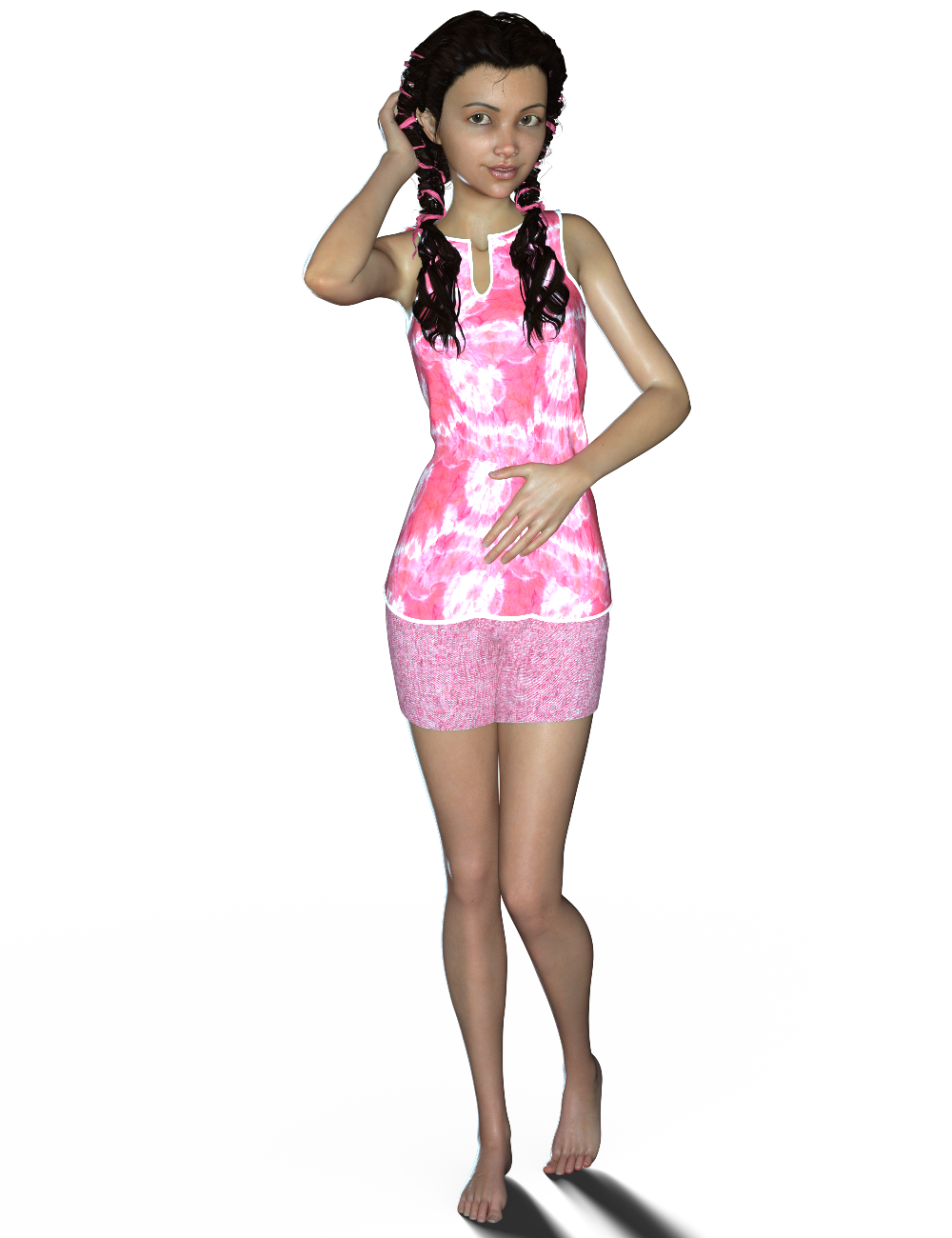
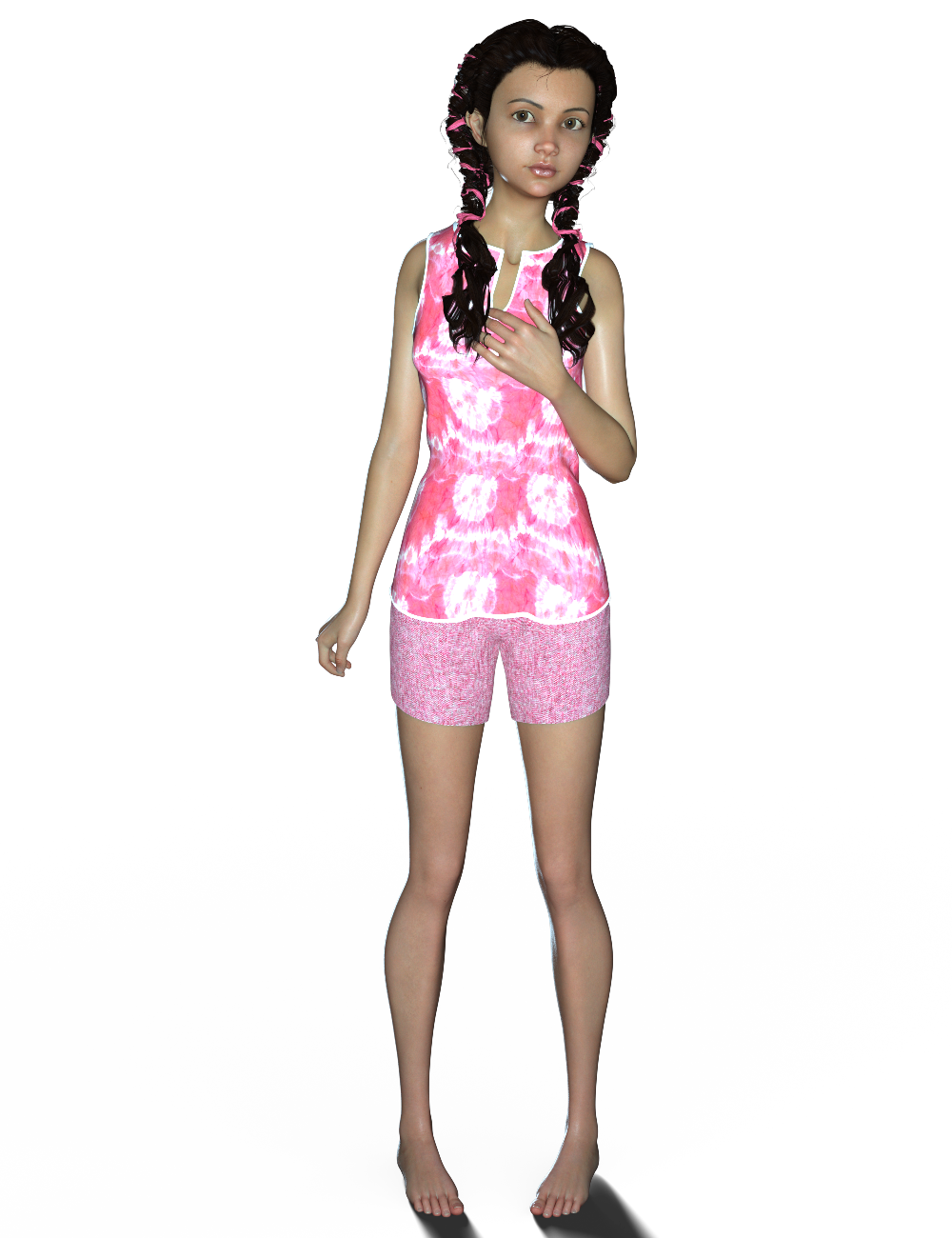
I'm calling her "Lil Sister" for now, until I come up with a name for her. She's using Victoria 8's textures in these renders, as I'm still working on her textures.
Here she is dialled in at 50% with Victoria 8:
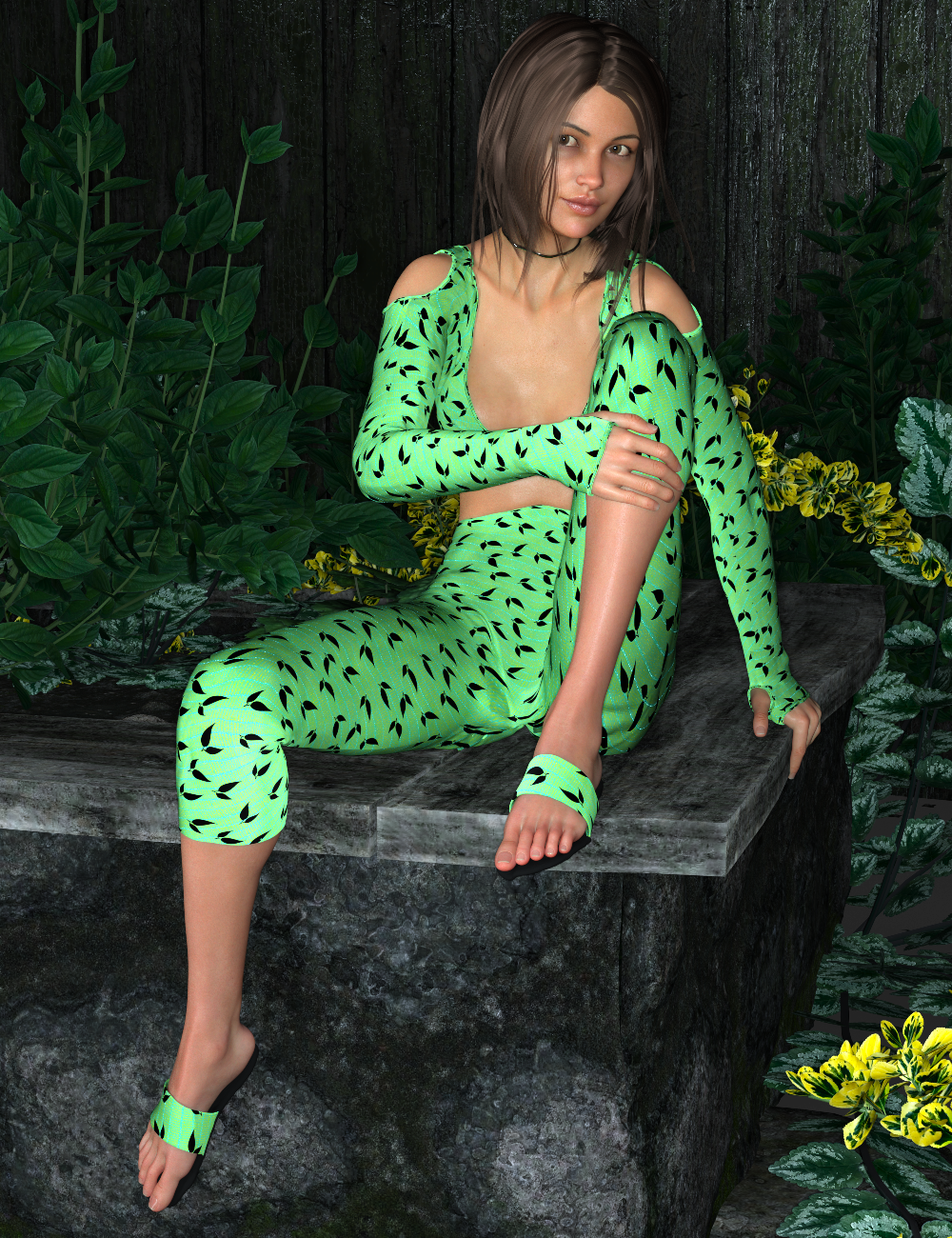
Again, she's rendered with V8's skin textures, as I'm still working on her textures. Textures are HARD! Ahhhh I really wish I could team up with a PA that enjoys doing textures, and I could do the character sculpting. :) I really enjoy creating characters in ZBrush - the texture creation though ....whew, very much a struggle for me. lol I'm learning though and getting better at it! :D
So I might end up submitting Lil Sister first before resubmitting my curvy girl. :) I think Daz might be more interested in a younger character than another adult female. I really like Lil Sister's shape too - I think she's really cute. I just need to work a bit more on her textures.
If you guys know of any good texture tutorials or texture resources, please let me know. :) Or if you know of a PA that enjoys doing textures that would like to team up with someone who enjoys sculpting characters and morphs, please point them in my direction! lol
Daz to Unity EngineIm trying to import my Victoria 4 and Michael 4 into Unity 5.6f1 engine. Can anyone help me? I'm using Daz 3.1 characters. My system is Windows 10. 16 Bit, Please E-Mail me [email protected]
Thank you
Robert
Jaderail is looking down on the STUPID THREAD X..yeah, but do you have a lot of fantasy and skimpwear in your closet?
True. Victoria has more skimpwear than me.
Victoria 7 to Victoria 8Thank you for answering. Seems I have to stick with Victoria 7 (is she Genesis 7 or 3?) when refunding 8.
But my preferred way would be to refund all the 7's packages, but they are 2 weeks over the 30 days :(((
Besides my dilemma - can you suggest any good resources describing this hacking process you mentioned?Daz 3D is part of

Connect
DAZ Productions, Inc.
7533 S Center View Ct #4664
West Jordan, UT 84084Licensing Agreement | Terms of Service | Privacy Policy | EULA
© 2026 Daz Productions Inc. All Rights Reserved.