-
Daz Studio 6 Beta - version 6.25.2026.14722! (Updated May 28, 2026)
Richard Haseltine said:
barbult said:
DoctorJellybean said:
Tugpsx said:
barbult said:
I imported an OBJ. After import, it was not selected in the Scene pane, but I didn't notice that. I selected UV View. It defaulted to View by Material. I changed to View by Node and the whole DS Alpha application window disappeared from my monitor. It is still highlighted in the Windows 10 Task Bar. The Task Manager says it is not responding. I killed it. I repeated the scenario with the same results.
Can confirm that the same thing happened when i performed your test. The difference is that the crash occured after I chaned View by Node and then selected the obj in the scene pane.
I noticed that if i added a primitive to the scene prior to selecting anything in the scene tab, Studio didnt crash immideately, but did on closing out the scene.
UPDATE: It's ver unstable sometimes it crashes with the primitive sometimes it doesnt weird.
I can't replicate barbult's example, but it does crash once I selected the obj in the scene pane.
It didn't crash for me. The application window just disappeared. I didn't get any crash report and the process was still active in the Task Manager and "not responding".
Edit: I didn't have an opportunity to click on the node in the Scene pane, because the whole application window was already "gone".We are told this has been fixed for the next build.
Thanks for the notification. That is always appreciated,
Updated Metadata- Now getting duplicate formula errorsRichard Haseltine said:
Update Metadata does nothng to the actual content, t wll just let DS know abaout products you own but don't have installed and may also chnage thngs lke categories on content - but nothng about the insidies of the files. Duplicate Formulas s very much an nternals of the fles thiing, usually a name conflict between two different products. Help>Troubleshooting>View Log Fle should tell you which files are in cconflict.
There are now multiple files that seem to be duplicated, some from older things already downloaded a long time ago, and they are morphs, some just for body parts, some for eyelashes, and almost all are from characters that aren't even made by the same PA. What's the safest way to reconcile the duplicates, considering some are from the generic Gen 9 morphs? Also, why did they just now start duplicating? Is there a way to avoid this in the future? Its never happened to me before.
Daz Studio 6 Beta - version 6.25.2026.14722! (Updated May 28, 2026)barbult said:
DoctorJellybean said:
Tugpsx said:
barbult said:
I imported an OBJ. After import, it was not selected in the Scene pane, but I didn't notice that. I selected UV View. It defaulted to View by Material. I changed to View by Node and the whole DS Alpha application window disappeared from my monitor. It is still highlighted in the Windows 10 Task Bar. The Task Manager says it is not responding. I killed it. I repeated the scenario with the same results.
Can confirm that the same thing happened when i performed your test. The difference is that the crash occured after I chaned View by Node and then selected the obj in the scene pane.
I noticed that if i added a primitive to the scene prior to selecting anything in the scene tab, Studio didnt crash immideately, but did on closing out the scene.
UPDATE: It's ver unstable sometimes it crashes with the primitive sometimes it doesnt weird.
I can't replicate barbult's example, but it does crash once I selected the obj in the scene pane.
It didn't crash for me. The application window just disappeared. I didn't get any crash report and the process was still active in the Task Manager and "not responding".
Edit: I didn't have an opportunity to click on the node in the Scene pane, because the whole application window was already "gone".We are told this has been fixed for the next build.
Daz Studio 6 Beta - version 6.25.2026.14722! (Updated May 28, 2026)DoctorJellybean said:
Tugpsx said:
barbult said:
I imported an OBJ. After import, it was not selected in the Scene pane, but I didn't notice that. I selected UV View. It defaulted to View by Material. I changed to View by Node and the whole DS Alpha application window disappeared from my monitor. It is still highlighted in the Windows 10 Task Bar. The Task Manager says it is not responding. I killed it. I repeated the scenario with the same results.
Can confirm that the same thing happened when i performed your test. The difference is that the crash occured after I chaned View by Node and then selected the obj in the scene pane.
I noticed that if i added a primitive to the scene prior to selecting anything in the scene tab, Studio didnt crash immideately, but did on closing out the scene.
UPDATE: It's ver unstable sometimes it crashes with the primitive sometimes it doesnt weird.
I can't replicate barbult's example, but it does crash once I selected the obj in the scene pane.
It didn't crash for me. The application window just disappeared. I didn't get any crash report and the process was still active in the Task Manager and "not responding".
Edit: I didn't have an opportunity to click on the node in the Scene pane, because the whole application window was already "gone".Updated Metadata- Now getting duplicate formula errorsUpdate Metadata does nothng to the actual content, t wll just let DS know abaout products you own but don't have installed and may also chnage thngs lke categories on content - but nothng about the insidies of the files. Duplicate Formulas s very much an nternals of the fles thiing, usually a name conflict between two different products. Help>Troubleshooting>View Log Fle should tell you which files are in cconflict.
I have a question about Ron's BokehHello,
The product comes with two .abr files. One for the brushes and another one for the lights. The latter's namefile exactly is: Rons Bokeh Lights.abr. I already imported the brushes file to Photoshop 2025. My question is: how do I import the lights file into PS? Since it is not a file composed of brushes (or is it?), I don't think I am supposed to import the lights from within the brushes window in Photoshop, right? I can always just double-click the file from within Windows Explorer and it should get installed just fine. The problem of that approach is that I have both versions of Photoshop installed on my system. Photoshop 2025 standard and also the Beta version. And last time I installed something from within Windows explorer, it ended up installed only in the Beta.
Updated Metadata- Now getting duplicate formula errorsSo I changed my login preferences to update metadata automatically and now I'm getting duplicate formula errors on every figure I load in. Don't know if its coincidence as I also DL'd some newly installed characters, but its now a problem.
I've looked through the forums and have found fixes for older versions of Daz, and some things that seemed to help for Gen 1 figures, but, it doesn't seem to help with Gen 9 characters, and some even warn about applying the fix suggested to anything newer.
Its only happening when loading a Gen 9. Gen 2-8.1 male/female is not affected.
Any help would be appreciated
Daz Studio 6 Beta - version 6.25.2026.14722! (Updated May 28, 2026)barbult said:
I imported an OBJ. After import, it was not selected in the Scene pane, but I didn't notice that. I selected UV View. It defaulted to View by Material. I changed to View by Node and the whole DS Alpha application window disappeared from my monitor. It is still highlighted in the Windows 10 Task Bar. The Task Manager says it is not responding. I killed it. I repeated the scenario with the same results.
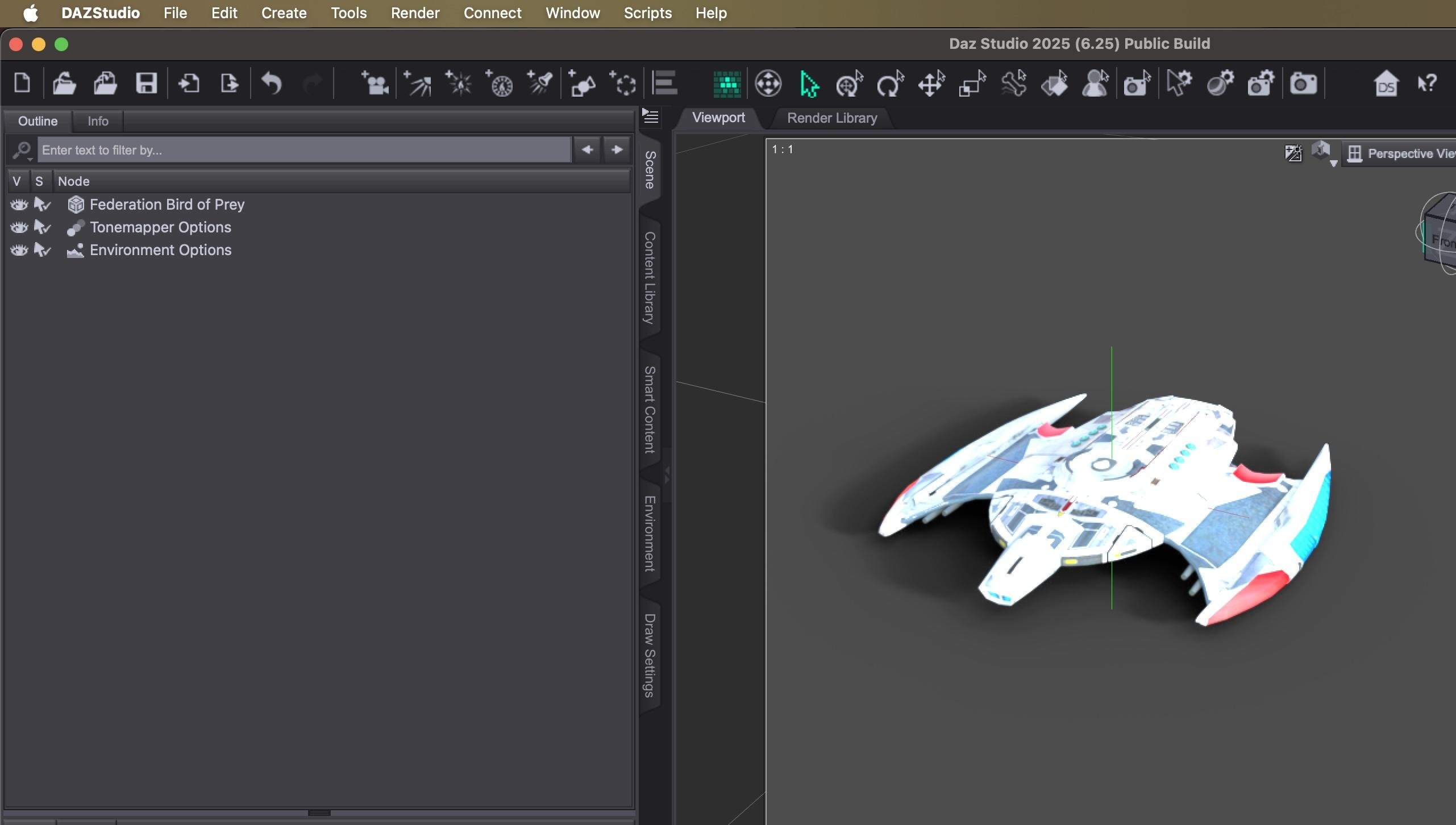
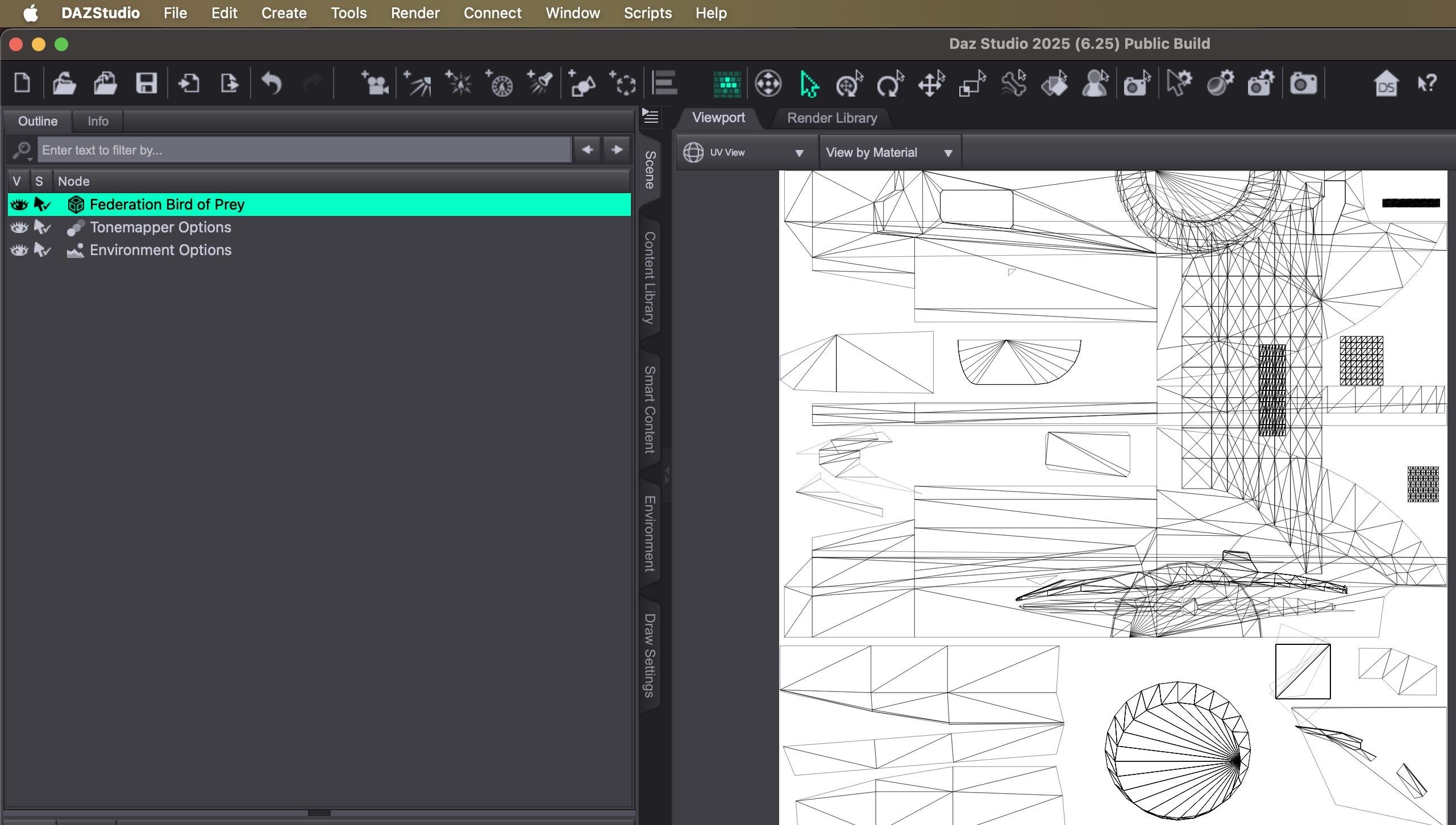
I know this doesn't help you, but for the Mac version, I'm able to import an .obj, check the UV view and select and assign texture and emission maps without any issues.
 Daz Studio 6 Beta - version 6.25.2026.14722! (Updated May 28, 2026)
Tugpsx said:
barbult said:
I imported an OBJ. After import, it was not selected in the Scene pane, but I didn't notice that. I selected UV View. It defaulted to View by Material. I changed to View by Node and the whole DS Alpha application window disappeared from my monitor. It is still highlighted in the Windows 10 Task Bar. The Task Manager says it is not responding. I killed it. I repeated the scenario with the same results.
Can confirm that the same thing happened when i performed your test. The difference is that the crash occured after I chaned View by Node and then selected the obj in the scene pane.
I noticed that if i added a primitive to the scene prior to selecting anything in the scene tab, Studio didnt crash immideately, but did on closing out the scene.
UPDATE: It's ver unstable sometimes it crashes with the primitive sometimes it doesnt weird.
I can't replicate barbult's example, but it does crash once I selected the obj in the scene pane.
Daz Studio 6 Beta - version 6.25.2026.14722! (Updated May 28, 2026)barbult said:
I imported an OBJ. After import, it was not selected in the Scene pane, but I didn't notice that. I selected UV View. It defaulted to View by Material. I changed to View by Node and the whole DS Alpha application window disappeared from my monitor. It is still highlighted in the Windows 10 Task Bar. The Task Manager says it is not responding. I killed it. I repeated the scenario with the same results.
Can confirm that the same thing happened when i performed your test. The difference is that the crash occured after I chaned View by Node and then selected the obj in the scene pane.
I noticed that if i added a primitive to the scene prior to selecting anything in the scene tab, Studio didnt crash immideately, but did on closing out the scene.
UPDATE: It's ver unstable sometimes it crashes with the primitive sometimes it doesnt weird.
Aeon soul - Zero One - Morphing Itemcrosswind said:
Hmm~~~ Well, what application did you you for shaping the clothes... Blender ?
If you use Blender, Blender automatically removes the unused vertices. You have no way to change any settings to avoid this behavior. Then, after you export the clothes to OBJ, and import into DS, vertex count will mismatch.
There're two solutions ~~ :
- Export clothe from DS to Blender by using Diffeomorphic Daz Importer. This add-on doesn't remove unused vertices.
- Before exporting clothes to OBJ in DS, switch to Geometry Editor tool, Polygon Selection mode. Then, Geometry Editing > Delete Unused Vertices. (ss1)Hey Crosswind,
you read my mind, thank you
Aeon soul - Zero One - Morphing ItemHmm~~~ Well, what application did you you for shaping the clothes... Blender ?
If you use Blender, Blender automatically removes the unused vertices. You have no way to change any settings to avoid this behavior. Then, after you export the clothes to OBJ, and import into DS, vertex count will mismatch.
There're two solutions ~~ :
- Export clothe from DS to Blender by using Diffeomorphic Daz Importer. This add-on doesn't remove unused vertices.
- Before exporting clothes to OBJ in DS, switch to Geometry Editor tool, Polygon Selection mode. Then, Geometry Editing > Delete Unused Vertices. (ss1)Aeon soul - Zero One - Morphing Itemcrosswind said:
You have to make sure the vertices are equal... not only the face. Which product did you manipulate... to be exactly ?
Some vendors leave unused vertices on the item... If you checked the option of "Remove Unused Vertices" when exporting to OBJ, you would be not able to import the OBJ as a morph with MLP.
Check if that was the case you had ~~
Hello Crosswind,
the product is "Expressive Chroma Poses and Zero One Clothes for Genesis 8, 8.1, and 9"
I have done it checked and unchecked on "Remove Unused Vetices"
but it still "did not match"...
thank you Crosswind for mention it
Daz Studio 6 Beta - version 6.25.2026.14722! (Updated May 28, 2026)I imported an OBJ. After import, it was not selected in the Scene pane, but I didn't notice that. I selected UV View. It defaulted to View by Material. I changed to View by Node and the whole DS Alpha application window disappeared from my monitor. It is still highlighted in the Windows 10 Task Bar. The Task Manager says it is not responding. I killed it. I repeated the scenario with the same results.
Saving clothes with simulated dataalofaro said:
Richard Haseltine said:
Export an OBJ and import as a morph, with Reverse Deformations on since the unsimulated clothing will respond to bones and morphs on the figure then start tyhe simulation from the morphed state. Just bear in mind that doing it this way you will lose all informatiuon on tension and momentum that you would get from the earlier steps of the simulation if you reran it.
Thanks, I actuallly did that yesterday for something else (skirt of a character doing an handstand, the skirt simulated correctly on a single frame coming down so the legs were exposed, but then if I moved the legs the skrt would deform like if following the legs) and used it before a number of times to use G3 shoes with G8, but I had not tought about using it for reaching my goal.
In that case the clothes are stll rgged, so adjustng after simulation the pose will layer the effects of the pose on top of the siimulation's effect. The same goes for adjusting morphs.
Now that you suggest it, it makes perfect sense, though I also see see what you mean with the tension and momentum information beign lost, since it becomes a static deformation.
The ideal would have been being able to save the full state, but since iti s not possible, I thought about a possible workaround using your suggestion, to still have some of that dynamic information.
My idea was anyway to go back a couple of steps, e.g. if the new timeline could start from frame 120 of the old one, instead of saving the clothes and positions at 120, save the clothes and positions at 105 or even 90, then create the new timeline with the position 105 (or even 90) of hte old one, recreating thee the 120 (or 105 and 120) using the saved poses corresponding to those steps and then adding up the last steps (that in the old timeline would have been 135 and 150/165).
It would not be a empty and light timeline, but it would anyway make the starting timeline half or less of the timeline I have now, so still managemeable even adding the new keyframes..
Maybe also doing the reverse deformation multiple times (for the 90, 105 and 120 of the old timeline) to force the simulation to follow the shape of the old one - but I will need to experiment to see if it works better that way, or just running the new simulation
I cannot do it now, but I will try in the next days and then change the post, it may be useful information for other people, in various fora I had seen I am not the only one that had problems with timelines ending up being heavy and not so easy to modify
Thanks again for heling me think out of the box !
Mesh grabber for Daz 2025 Alpha?calok84_62e8db9913 said:
Richard Haseltine said:
drcko016 said:
Without Mesh Grabber, Daz is literally unusable.
Then, if you have a Premier Membership wait for Geometry Scul;ptor to be updated for the alpha or just continue to use DS 4..x.x.x for the tasks that need Mesh Grabber and then bake the modifier to geoemtry if you need the results in DS 2025.
Hi, can I ask what you mean by bake the modifier to geoemetry? How do you do that?
One way is to use meshgrabber itself, I think it is an addon, it allows to save you the modifications you did as a morph. Another would be to do the modifications, and then use the export obj/import morph approach
Just in case (doubtful) Manfriday or others PAs with similar products happen to see this thread, they can add up one extra person that would consider the possibility of buying an upgrade (well, hopefully not again full price :-P :-D) if after DAZ 2025 final comes out they make a compatible version that is not linked to premium.
I for one will continue to buy content from DAZ, but I intend to continue using DAZ 4.x for as long as the OS allows and not move to DAZ 2025, exactly also because I have too many plug-ins and add-on and I don't plan to throw them away.Saving clothes with simulated dataRichard Haseltine said:
Export an OBJ and import as a morph, with Reverse Deformations on since the unsimulated clothing will respond to bones and morphs on the figure then start tyhe simulation from the morphed state. Just bear in mind that doing it this way you will lose all informatiuon on tension and momentum that you would get from the earlier steps of the simulation if you reran it.
Thanks, I actuallly did that yesterday for something else (skirt of a character doing an handstand, the skirt simulated correctly on a single frame coming down so the legs were exposed, but then if I moved the legs the skrt would deform like if following the legs) and used it before a number of times to use G3 shoes with G8, but I had not tought about using it for reaching my goal.
Now that you suggest it, it makes perfect sense, though I also see see what you mean with the tension and momentum information beign lost, since it becomes a static deformation.
The ideal would have been being able to save the full state, but since iti s not possible, I thought about a possible workaround using your suggestion, to still have some of that dynamic information.
My idea was anyway to go back a couple of steps, e.g. if the new timeline could start from frame 120 of the old one, instead of saving the clothes and positions at 120, save the clothes and positions at 105 or even 90, then create the new timeline with the position 105 (or even 90) of hte old one, recreating thee the 120 (or 105 and 120) using the saved poses corresponding to those steps and then adding up the last steps (that in the old timeline would have been 135 and 150/165).
It would not be a empty and light timeline, but it would anyway make the starting timeline half or less of the timeline I have now, so still managemeable even adding the new keyframes..
Maybe also doing the reverse deformation multiple times (for the 90, 105 and 120 of the old timeline) to force the simulation to follow the shape of the old one - but I will need to experiment to see if it works better that way, or just running the new simulation
I cannot do it now, but I will try in the next days and then change the post, it may be useful information for other people, in various fora I had seen I am not the only one that had problems with timelines ending up being heavy and not so easy to modify
Thanks again for heling me think out of the box !
Aeon soul - Zero One - Morphing ItemYou have to make sure the vertices are equal... not only the face. Which product did you manipulate... to be exactly ?
Some vendors leave unused vertices on the item... If you checked the option of "Remove Unused Vertices" when exporting to OBJ, you would be not able to import the OBJ as a morph with MLP.
Check if that was the case you had ~~
Advanced Smart Content Searchmemcneil70 said:
@jmucchiello, One of the biggest mistakes I made early on was to sign into Daz with Daz Studio and to use Connect out of ignorance and also use DIM as my primary download method. That caused many issues that forced me to delete all Connect updates/installs. Even with over 20,000 products now I would rather delete all my products again and reinstall from scratch.
I now never sign in to DAZ within Daz Studio. Everytime I have been told to do that by Customer Service, Connect has messed up my files and metadata. Smart Content is a useful tool if not ruined by Connect.
Exactly why I don't use the smart content tab. Most annoying I close the panel and occasionally Daz decides to put it back.
It would be nice if there were more examples of (type::??????)
Calum 9 the BarbarianRichard Haseltine said:
You are looking in the Install pane, or in the All or Available install state filters (tabs along the bottom) of the Products tab of Smart Content?
I install all of my content through the Smart Content pane (when available). ALL PRODUCTS and AVAILABLE is selected, FILTER BY CONTEXT is also unchecked. My METADATA has also been updated. And it hasn't all ready been installed into my computer...

Only thing I can think of is my Premier Membership. It ends the last day of July. However, that shouldn't exclude me from getting the perks. Or so I'm assuming...
Daz 3D is part of

Connect
DAZ Productions, Inc.
7533 S Center View Ct #4664
West Jordan, UT 84084Licensing Agreement | Terms of Service | Privacy Policy | EULA
© 2026 Daz Productions Inc. All Rights Reserved.