-
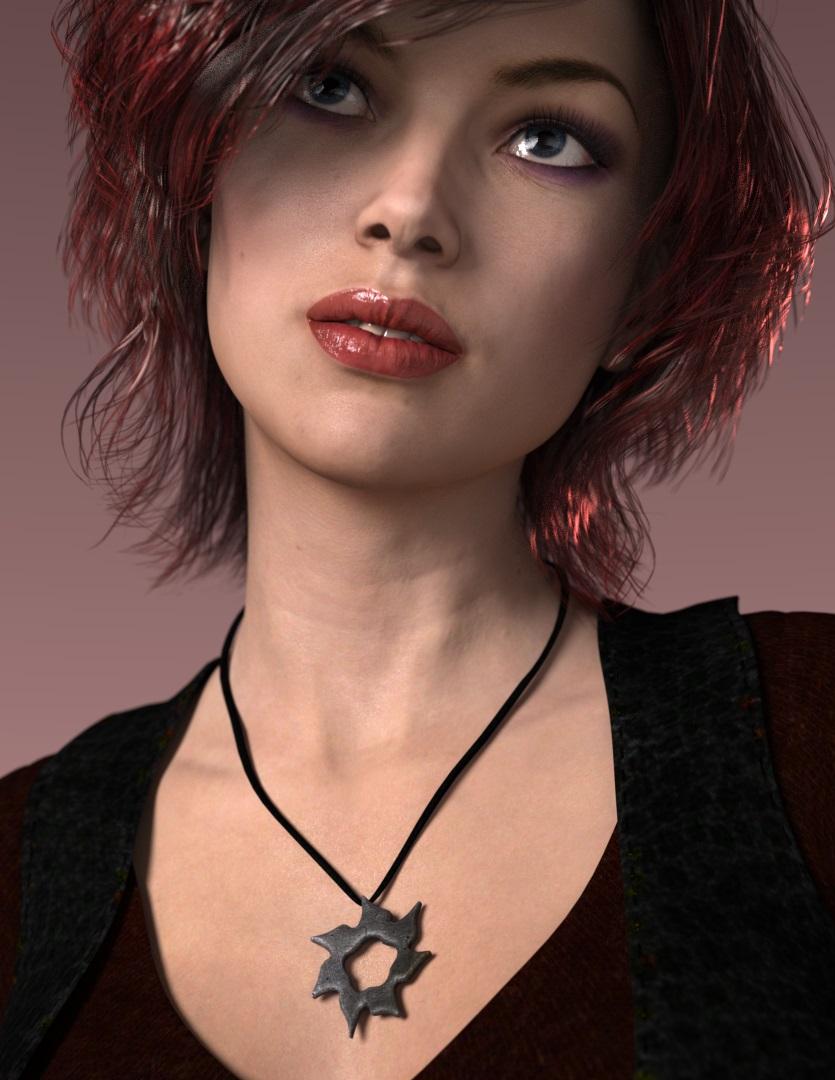
Promo item in FW Honey HD for Victoria 7?
I trying to find the promo item for FW Honey HD for Victoria 7 and come up empty handed does anyone knows what are the products use the promo image
V4/M4 Series & Genesis Hair/Clothing CompatabilityAutoFit doesn't work on figures like Victoria 4 that use legacy rigging, it works only on weight-mapped figures like the Genesis series.
It is certainly possible to get good renders out of 3Delight using some of the more advanced shaders (most of which are included in Daz Studio) and good lighting, I don't know what that render is from however.
Show Us Your Iray Renders. Part VIVictoria 7
 Not To Worry, Friend, "There's Always Another Sale™"
They don't? I thought they do, and Daz only vetoes it if it's too low or high.
You do realize that is setting the price. Get it where WE want it or we change it. lol
But no, a vendor said they pretty much decide everything. WHEN, HOW and How much.
Should be someone shifting around with a pricing standard and a BUNDLE is always the ultimate destination.
- How many textures/skins/materials/shaders
-Articles included (Full outfit or....)
-One glued-together set or individual props
-Backdrops/skydomes
-Cameras
-Render Settings
-poses = mirrors/top half, lower half + partials >>> male/female, Gen X+ Gen (X+1)
etc
-----------------------------------------------
They went wacky recently with the Themed-Sales. Remember that? The reaching they did to make a theme?"
"Day at the beach sale" with 2 bikinis, football poses and elf skimp-wear armor (I jest for effect).
Now you can make easily make themes and bundles and no, no attempts.....?
----------------------------------------------
I made a joke once that the Vendor that Made the Centaur figure must have the last name Dazschund....as in someone named Daz must be behind that product because it had MORE SUPPORT, MORE SALES, MORE VENDORS and more TIME up front and centaur center than any other product- launch I have ever seen. Even now, almost EVERY sale involves some artist or item from that product line.
Victoria 8 was jealous at that launch campaign. I heard she even asked to be made into a Centaur-ess so she could join the fun.
You JUST SOLD all the circus stuff at blowout prices....
Nobody thought about this clown in conjunction?
The TV show and movie IT just had a resurgence....
Halloween just passed.....you barely did a zombie or monster mash.....
One of these Vendors has a bunch of the old Hollywood monsters....
No, no bundle?
Should have commissioned Alessandro to make a Turkey. lol
https://www.daz3d.com/dinosaurs-series-feathers-extension-for-deinonychus
Maybe get the Dino-making-master vendor to add weapons.
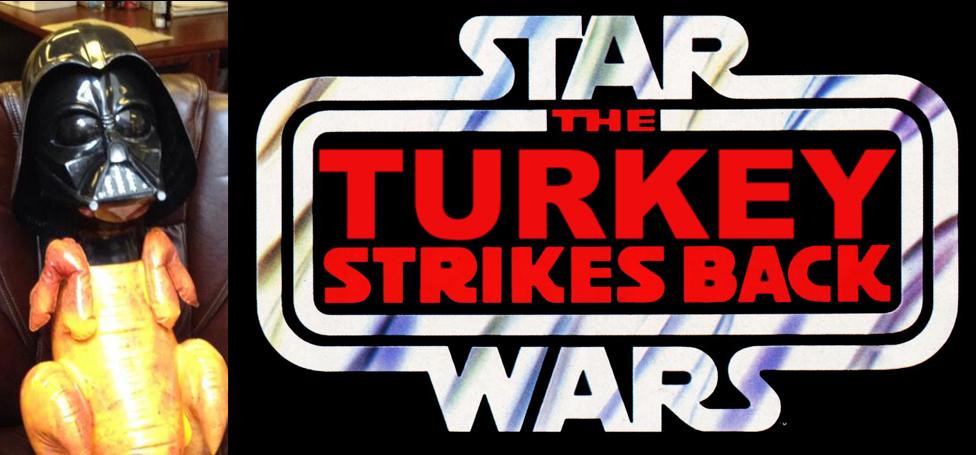
Thanksgiving! The Turkeys Strike back!
ageing morphs for V8/M8?Are there any ageing morphs avaliable for Victoria and Michael 8 or is it too early? or is it done another way perhaps. Thx.
Why there is no good looking Genesis 8 Female?I feel what caused the general disliking of the first G8F characters is those funny noses they had. They reminded me of Owen Wilson and while he's a very funny actor, having his nose on a girl is not what I call a gorgeous beauty. That said, it can be adjusted with morphs of course. But I agree that the DAZ choice of putting that kind of nose in Victoria 8 does not line up with the common sense of beauty.
And for common sense of beauty I mean the caucasian stereotype. From Marilyn Monroe to Angelina Jolie to Disney princesses to Marvel heroines to the Barbie doll in the recent line of time. Of course anyone can have his/her own different taste, but this doesn't mean that the stereotype doesn't exist.
EDIT: edited to be more specific since this post seemed to be confusing for more than one person.
Why there is no good looking Genesis 8 Female?I just got my Genesis 8 character back from GamePrint as a 12 inch Collectible. I would say that the Victoria 8 series really converts nicely into a 3d figurine. I think you can make some great looking characters with the Victoria 8 base character and by using various morphing packages. Here are some photo’s of the model.
How to save the parameters changes in Actor and etc?I added the new Properties and make changes to the figure ( add Toon morphs) and now I want to make the default state for the each Genesis 3 Female. I mean - when I create the Genesis 3 Female - I want to see the applied Toon morph and in the Parameters the all my categories..
First make shure you have saved all your custom Toon morphs with "File>Save As>Support Asset>Morph Asset" propperly to the DazStudio Library.
(EDIT_3 There is much that can go wrong and maybe also with your previous trying you allready have seen a "Dublicate Formulas Found" warning message when you load your Figure from the library. This is a warning that in some case(s) there are more than one Property with the same [FileName].duf saved to one or the other DatStudio Library - Data - Morphs - Folder. In this case use the File Browser and search for the [Property-Name].duf file and delete the older version of the [Property-Name].duf file from the one or the other DatStudio Library.)
So =) you can test this by adding the Figure to a new scene and see if all custom morphs / Properties gets loaded as you like them into the Parameters tab. The Base Figure eg. Genesis 3 Female itself should allways be loading in Base Shape - with no Character Shape or Morph Property applied.
(EDIT_1: be aware of that even Daz Products and Figures often use the Navel and the TeethHD morphs set to ON = Max Value by default: HAVE A L(o_O)CK AT: Parameters tab > Property Group: Curently Used and search for Hidden Properties with default Values of 1 or 100%)
Then create a new Property for the master Character controller name it something like CTRL_ERC_MyToonCharacterName. For now this new Property is empty but you can fill in the custom Property Values to shape your custom Character.
To do that use the ERC-Freeze Action. With this you save your custom Character shape to a new Character controller Property.
(EDIT_2: the list of Sub-Components for your custom Character shapecan include your own created morphs and other purchased Product Shapes and all these Sub-Components can have custom Values - for example you dont have to fully apply the Victoria 7 Shape maybe set it to 50% and mix it with another Character Shape. The common dependencies chain to have at least Head and Body morphs seperated goes like this: the Character controller includes Sub-Components with Shape Properties like FullBody and FullHead morphs.
So =) for your custom Character Shape master controler you can include your Addon Sub-Components mixed with other Character Shape Sub-Components with even other seperated Shape Properties like for example extra Addon face or breast Shapes, custom Correction Morphs for different areas and what not - I mean keep yourself organized with the Properties and everything should go nice and smoothly
 )
)Then you need to save also all the added custom Properties to the DazStudio library with "File>Save As>Support Asset>Morph Asset".
Once all this is done you can open a new scene again load your Figure dial your Character controller Property to fully apply and then save a "Character Preset" to your Library (with Character Preset also all currently used Property values gets stored and you save the textures and shader)
For more information on ERC-Freeze you can have a look at my post @
TUTORIAL - Creating a Genesis/G2F/G2M/G3M/G3M Full Body Morph for DAZ Studio Pro 4.6 by RKane_1
Where I cover most of these subjects:
- ERC-Freeze
- ERC-Bake
- create a new property for ERC-Freeze
- how I save new properties to a figure/object
- how I save Figure/Prop Assets
- how I use ERC-Freeze
- ERC-Freeze Options
- Property Hirarchy
Not To Worry, Friend, "There's Always Another Sale™"Here are the current ones. They should be up for a little over two more hours (at the time of this post):
https://www.daz3d.com/dove-hair-for-genesis-3-female-s
https://www.daz3d.com/ushirt-for-genesis-3-female-s
https://www.daz3d.com/v5-elite-skin-texture-valerie
Also: https://www.daz3d.com/galactic-corps-defender-textures
Thanks, Diva and Charlie.
Not To Worry, Friend, "There's Always Another Sale™"Here are the current ones. They should be up for a little over two more hours (at the time of this post):
https://www.daz3d.com/dove-hair-for-genesis-3-female-s
https://www.daz3d.com/ushirt-for-genesis-3-female-s
https://www.daz3d.com/v5-elite-skin-texture-valerie
Also: https://www.daz3d.com/galactic-corps-defender-textures
Not To Worry, Friend, "There's Always Another Sale™"Here are the current ones. They should be up for a little over two more hours (at the time of this post):
https://www.daz3d.com/dove-hair-for-genesis-3-female-s
https://www.daz3d.com/ushirt-for-genesis-3-female-s
https://www.daz3d.com/v5-elite-skin-texture-valerie
3D Art Freebie Challenge-November 2017-Remembering the Fallen -Main Thread OnlyHah! Good one, Pete! Lemme guess: Victoria 1/2, A3, V3, V4, Genesis Female, Genesis 2 Female, Genesis 3 Female? (Of course the failsafe was poorly implemented, apparently, for A3 and V4).
 Not To Worry, Friend, "There's Always Another Sale™"We don't have Thanksgiving on this side of the pond, but I'm giving thanks right now. Thanks Daz!
Let me add my thanks- michael and Victoria HD was a really nice surprise.
Not To Worry, Friend, "There's Always Another Sale™"New batch of free items is up.
None for me this time. I guess I buy too much stuff
This time:
https://www.daz3d.com/michael-6-hd-add-on
https://www.daz3d.com/victoria-6-hd-add-on
https://www.daz3d.com/feminine-touch-for-genesis
https://www.daz3d.com/ultragenesis-expressive
https://www.daz3d.com/trail-blazer-for-genesisThere are two more:
https://www.daz3d.com/trail-blazer-textures
https://www.daz3d.com/jskirt-for-genesis
A total of seven in this round.Not To Worry, Friend, "There's Always Another Sale™"New batch of free items is up.
None for me this time. I guess I buy too much stuff
This time:
https://www.daz3d.com/michael-6-hd-add-on
https://www.daz3d.com/victoria-6-hd-add-on
https://www.daz3d.com/feminine-touch-for-genesis
https://www.daz3d.com/ultragenesis-expressive
https://www.daz3d.com/trail-blazer-for-genesisNot To Worry, Friend, "There's Always Another Sale™"I'm still not seeing a thing with Chrome. But Firefox shows me these five as the freebies:
https://www.daz3d.com/harpoon-girl-outfit-textures
https://www.daz3d.com/eisa-for-victoria-6
https://www.daz3d.com/harpoon-girl-outfit-for-genesis-2-female-s
https://www.daz3d.com/ivanna-for-genesis-2-female-s
Anyone seeing anything else?
I'm on Chrome and those are the only choices as well.
Not To Worry, Friend, "There's Always Another Sale™"I'm still not seeing a thing with Chrome. But Firefox shows me these five as the freebies:
https://www.daz3d.com/harpoon-girl-outfit-textures
https://www.daz3d.com/eisa-for-victoria-6
https://www.daz3d.com/harpoon-girl-outfit-for-genesis-2-female-s
https://www.daz3d.com/ivanna-for-genesis-2-female-s
Anyone seeing anything else?
Creating a TattooI switched the skin one from the Pepper character that I bought and the tattoo works fine on that skin. It looks like the default Victoria skin needs some other changes to make it work.
The older generation: Victoria 2/3, Michael 2/3 and their children rendersJust a 'heads up' about Victoria 1 being in MimicLite...
Yes she *is* in its Runtime, but as blMilWomLoNG aka 'Victoria 1 RR', so cannot be used to decode 'Classic' PCF or RTE files that require blMilWom.obj .
 Creating a Tattoo
Thanks for the info, Bee! I had originally tried the Base Color but it barely showed up. I went back and tried it again with the info you provided. What I learned was that other settings appear to be causing the problem. I am working from a Victoria 8 figure just using the materials that come with it.
I looked at the Surface pane screen shot that you attached and tweeked my Translucency Weight down to 50% and the Tattoo popped into view. So, it appears that there is something problematic with the Victoria 8 defaults.
One other thing that seems odd is that the my Translucency Color was 1 1 1. Yours is quite different.
I have attached my Surface settings to get some feedback on what they should be.
Thanks!
Daz 3D is part of

Connect
DAZ Productions, Inc.
7533 S Center View Ct #4664
West Jordan, UT 84084Licensing Agreement | Terms of Service | Privacy Policy | EULA
© 2026 Daz Productions Inc. All Rights Reserved.