-
Anime Toons and Filatoon Shader Q&A
Wonderland said:
I can't find the whole product in smart content. It's in the content library but when I search for toon or anime in smart content, it doesn't show up....
It doesn't show up, because it's under "Daz Default Resources" folder, not in a "Toon [anything]" folder. Just navigate in your Smart Conent to Shaders->Filament this will already show Daz Default Resources, so you can open it and the shaders are there, but you can also go Shaders->Filament->Toon.
Anime Toons and Filatoon Shader Q&AGhosty12 said:
rokkr said:
Ghosty12 said:
Just my test of an outdoor scene playing aroound with the night time setting still trying to work it out. Also Genesis 8 using the characters texture, just added Filatoon to it. Did find the setting to make the character shadow more pronounced.
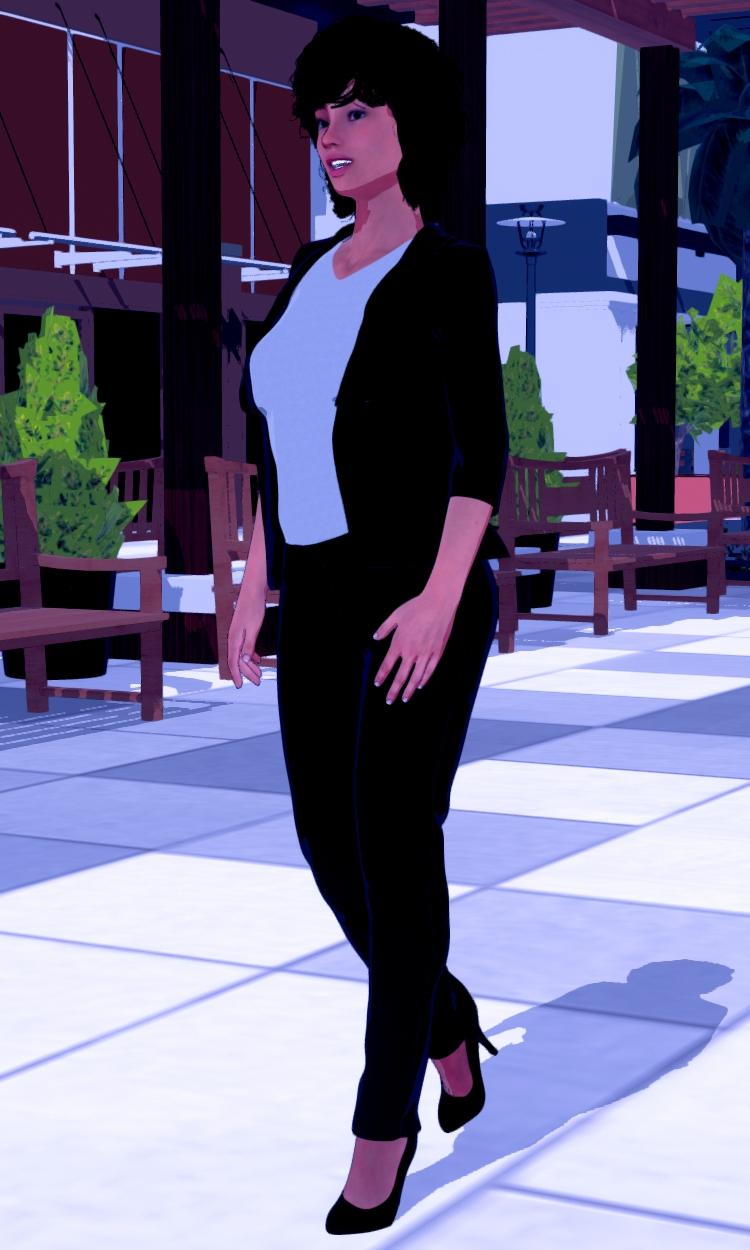
Cool! How did you make the shadow?
Thank you.
 The initial shadow is a distant light, then add in the Filament Draw Options in there you will find three shadow options, Shadow Type, Shadow Map Size and Shadow Cascades. Setting the Shadow Map Size to 2048 or higher and Shadow Cascades to 4 will give a very good looking figure shadow.
Thank you! I'm still learning to use those "regular" lights (you know, distant, spot, point) since, most of the time, I just use an HDRI with some ghost lights. But I'm making some progress and, thanks to you and other people here, I've learned a lot today!
Anime Toons and Filatoon Shader Q&Arokkr said:
Ghosty12 said:
Just my test of an outdoor scene playing aroound with the night time setting still trying to work it out. Also Genesis 8 using the characters texture, just added Filatoon to it. Did find the setting to make the character shadow more pronounced.
Cool! How did you make the shadow?
Thank you.
The initial shadow is a distant light, then add in the Filament Draw Options in there you will find three shadow options, Shadow Type, Shadow Map Size and Shadow Cascades. Setting the Shadow Map Size to 2048 or higher and Shadow Cascades to 4 will give a very good looking figure shadow.Anime Toons and Filatoon Shader Q&AMada said:
ArtsyDragon said:
Mada said:
ArtsyDragon said:
I'm going to do my questions one at a time.
@Mada stated The Filatoon shader is used in combination with Filament’s fast rendering. The toon outline is accomplished by creating a geometry shell and applying a special shader to it.
I do not know how to create a geometry shell. I don't see an option to create on in the starter essentials group of options.
@ArtsyDragon
Q : Where can I find the FilaToon shader scripts
A : My DAZ 3D Library > Shader Presets > Filatoon. Under that you will find FilaToon - Base and Filatoon - Outline. You can also apply any of the presets and it will create the outline geoshell if it doesn't exist (except for FilaToon - Constant, it will apply the shader without the outline). If everything is black after you apply the preset make sure you're in the Filatoon renderer, and either turn on Auto Headlamp or add some lights.I do not have a Filatoon folder. I'm in Content Library > My Daz 3D Library > Presets and it goes for DS Defaults to Iray
I'll check the first post to see what I can find. :) Thank you
I think that is pointing toward that you don't have all the files installed, or that you need to reinstall. Make sure that you have the latest default resources installed.
Not "Presets", but Shader Presets
Anime Toons and Filatoon Shader Q&APetra said:
Can one put normal Iray shaders on the new Victoria 9 toon shape?
Yes but you won't have the outline, and the normal G9 eyeballs would probably work better with Iray Textures.
If you're just after the iray texture but still want the outline and render in filament, just drop the base colour texture used in iray into the right channel.
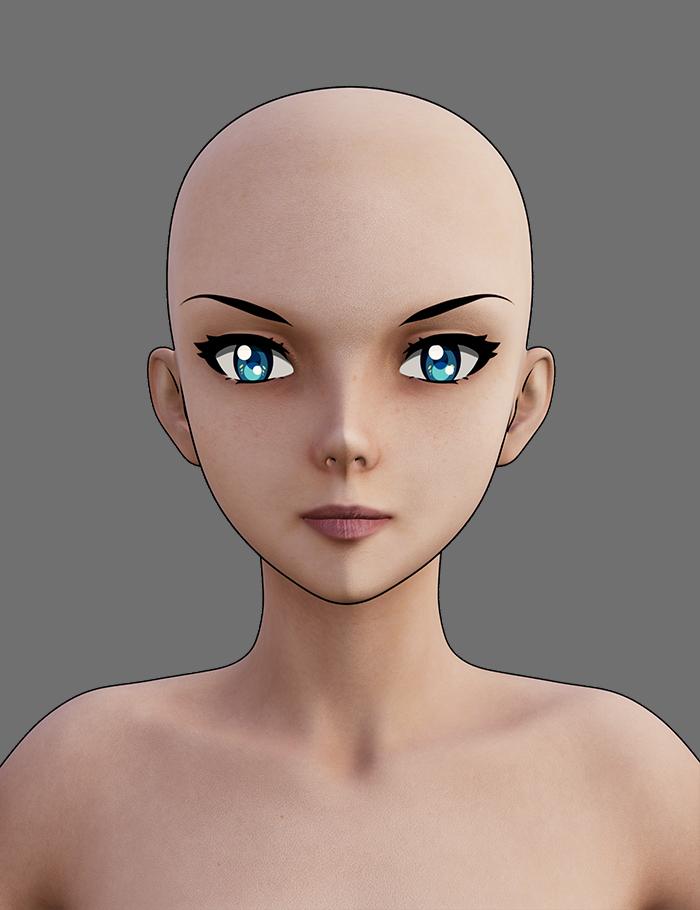
In this image I loaded Vicky Toon, and then applied Josie's Iray shader, and then removed the maps from the normal and specular channels to get a flatter look
 Anime Toons and Filatoon Shader Q&A
This is a bit easier than I thought it would be - well for the basic anyway. I've changed the offset for the skin geoshell to 0.20 and then discovered that the pants, shoes and t-shirt have a geoshell after adding the filatoon outline so upped the offset for them to get a better outline. All from reading one post from Dartenbeck
 This is a G8 toon character I converted for G9. I could only mix the anime head up to 55% otherwise the inside of the mouth started to poke out. Also added a bit of the young anime heros and set the mascline body proportions to 30%. The background is from the Anime backgrounds and lights set. I've never used filament to render before. This is actually a lot of fun
The problem I'm getting is the outline on the front of the t-shirt seleves and the bottom of the t-shirt are not there.
FilaToon / Cell shaded rendering with FilamentGordig said:
midgard229 said:
TesseractSpace said:
Yeah, some kind of scene-wide shader conversion script would help a lot. Hopefully one is in the works.
You can use the general shader like a normal shader. Select multiple surfaces then apply. General toon shader and it should work. Sometimes it will miss some items and you have to reslect them and try again. Overall it works almost on anything that is an actual mesh, just nothing like vdb or opacity mapsWhich is exactly why having a scene-wide shader conversion script would be helpful. My first experiment was with Urban Future 7, which has a LOT of different objects nested within each other, making a LOT of different surfaces to have to select and apply the shader.
Something like the RSSY 3delight / Iray to Filament converter would be amazingly handy for getting started with a scene
What About G8 Essentials and Dforce Essentials ???Faeryl Womyn said:
Ok will grab them as well and I've been reading and seeing the filatoon renders and people's opinions about it, it's very much loved right now lol
I'm wondering if you can use dforce with this new filament?
Filament is just a name, it has nothing to do with being made of strands.
Anime Toons and Filatoon Shader Q&AArtsyDragon said:
Mada said:
ArtsyDragon said:
I'm going to do my questions one at a time.
@Mada stated The Filatoon shader is used in combination with Filament’s fast rendering. The toon outline is accomplished by creating a geometry shell and applying a special shader to it.
I do not know how to create a geometry shell. I don't see an option to create on in the starter essentials group of options.
@ArtsyDragon
Q : Where can I find the FilaToon shader scripts
A : My DAZ 3D Library > Shader Presets > Filatoon. Under that you will find FilaToon - Base and Filatoon - Outline. You can also apply any of the presets and it will create the outline geoshell if it doesn't exist (except for FilaToon - Constant, it will apply the shader without the outline). If everything is black after you apply the preset make sure you're in the Filatoon renderer, and either turn on Auto Headlamp or add some lights.I do not have a Filatoon folder. I'm in Content Library > My Daz 3D Library > Presets and it goes for DS Defaults to Iray
I'll check the first post to see what I can find. :) Thank you
I think that is pointing toward that you don't have all the files installed, or that you need to reinstall. Make sure that you have the latest default resources installed.
Anime Toons and Filatoon Shader Q&AArtsyDragon said:
I'm going to do my questions one at a time.
@Mada stated The Filatoon shader is used in combination with Filament’s fast rendering. The toon outline is accomplished by creating a geometry shell and applying a special shader to it.
I do not know how to create a geometry shell. I don't see an option to create one in the starter essentials group of options.
If you do need to add a shell manually, it is in the Create menu with the thing you want shjelled selected
@ainm.sloinneadh stated There's a scene file in the starter essentials that'll set the environment up for you.
Is that in the Environments tab 'basic filatoon environment'?
Anime Toons and Filatoon Shader Q&AOkay, I'm slowly getting it. Here is the question:
When I go to render, I get a warning message that says WARNING! Obscuring the viewport during an OpenGL render may corrupt the final image.
How do I render without this error? Am I doing something wrong? I have never used Filament before so please educate me. I am dull witted.
Anime Toons and Filatoon Shader Q&AMada said:
ArtsyDragon said:
I'm going to do my questions one at a time.
@Mada stated The Filatoon shader is used in combination with Filament’s fast rendering. The toon outline is accomplished by creating a geometry shell and applying a special shader to it.
I do not know how to create a geometry shell. I don't see an option to create on in the starter essentials group of options.
@ArtsyDragon
Q : Where can I find the FilaToon shader scripts
A : My DAZ 3D Library > Shader Presets > Filatoon. Under that you will find FilaToon - Base and Filatoon - Outline. You can also apply any of the presets and it will create the outline geoshell if it doesn't exist (except for FilaToon - Constant, it will apply the shader without the outline). If everything is black after you apply the preset make sure you're in the Filatoon renderer, and either turn on Auto Headlamp or add some lights.I do not have a Filatoon folder. I'm in Content Library > My Daz 3D Library > Presets and it goes for DS Defaults to Iray
I'll check the first post to see what I can find. :) Thank you
Anime Toons and Filatoon Shader Q&AArtsyDragon said:
I'm going to do my questions one at a time.
@Mada stated The Filatoon shader is used in combination with Filament’s fast rendering. The toon outline is accomplished by creating a geometry shell and applying a special shader to it.
I do not know how to create a geometry shell. I don't see an option to create on in the starter essentials group of options.
@ArtsyDragon
First post has more info now :)
Q : Where can I find the FilaToon shader scripts
A : My DAZ 3D Library > Shader Presets > Filatoon. Under that you will find FilaToon - Base and Filatoon - Outline. You can also apply any of the presets and it will create the outline geoshell if it doesn't exist (except for FilaToon - Constant, it will apply the shader without the outline). If everything is black after you apply the preset make sure you're in the Filatoon renderer, and either turn on Auto Headlamp or add some lights.Anime Toons and Filatoon Shader Q&AI'm going to do my questions one at a time.
@Mada stated The Filatoon shader is used in combination with Filament’s fast rendering. The toon outline is accomplished by creating a geometry shell and applying a special shader to it.
I do not know how to create a geometry shell. I don't see an option to create one in the starter essentials group of options.
@ainm.sloinneadh stated There's a scene file in the starter essentials that'll set the environment up for you.
Is that in the Environments tab 'basic filatoon environment'?
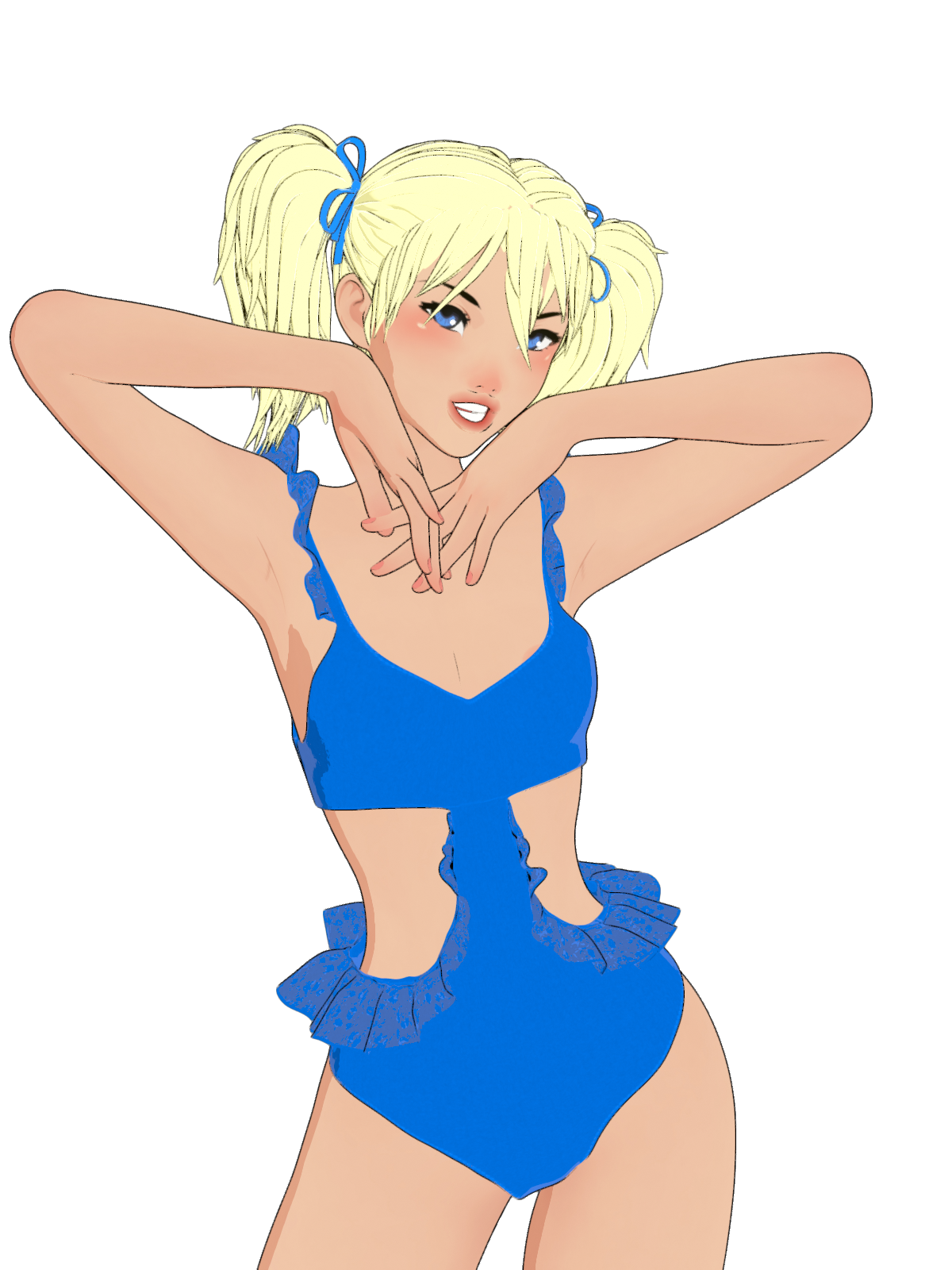
Anime Toons and Filatoon Shader Q&A@marble G9 and this filament toon base is free with Daz Studio So you can play with it without having to buy anything, Here is a render with lace on the new Daz + swimsuit. It's not great but I have no idea what I'm doing and someone else may be able to explain how to do it better.
 Anime Toons and Filatoon Shader Q&A
esha said:
I love the Filatoon shader!

Here are a few tips to get you started:
- Switch your viewport to Filament mode
- Add a distant light, at about 10000 to 15000 lumen
- To get a file of the workspace view, go to your render settings, set the size you want and switch your render engine to "Viewport" (right at the top of the panel).
Rendering is instant, it's amazing!Hope that helps; those were the things I struggled with when I used Filatoon for the first time, so I thought I'd pass this info on to make things easier for other users.
Thank you for your hints. I'm desperate to get this to work for me as I've always wanted to do a graphic novel but couldn't draw.
What About G8 Essentials and Dforce Essentials ???Ok will grab them as well and I've been reading and seeing the filatoon renders and people's opinions about it, it's very much loved right now lol
I'm wondering if you can use dforce with this new filament?
Hair makes my Animations lagcain-x said:
There is an eye icon in the Scene tree - find the hair and hide it. The goal is to get he major animation work done without the lag, right?
Once that is done, then unhide the hair, do whatever animation you need on the hair (if needed), then render. If your hair is complex, playback of the animation will be slow. Rendering should not be an issue. Are you using Iray or Filament?
I hid the hair and facial hair, animation still laggy. I'm using Iray
MimicMolly's Renders & WIPsI wasn't going to update DAZ Studio because I'm back to doing 2D art. But then, I wanted to try FilaToon. My hope was to make lineart to color (and edit) manually to where it's unclear if my art was from 3D models or hand-drawn. The bad news; it wasn't good for this use. The good news; it finally made Filament usable for me and easier to render pics. I do like the look, so I'll try to see if I can incorporate it more into my DS workflow.
Here is a quick self-portrait I did with it. After "practicing" with it for a bit.
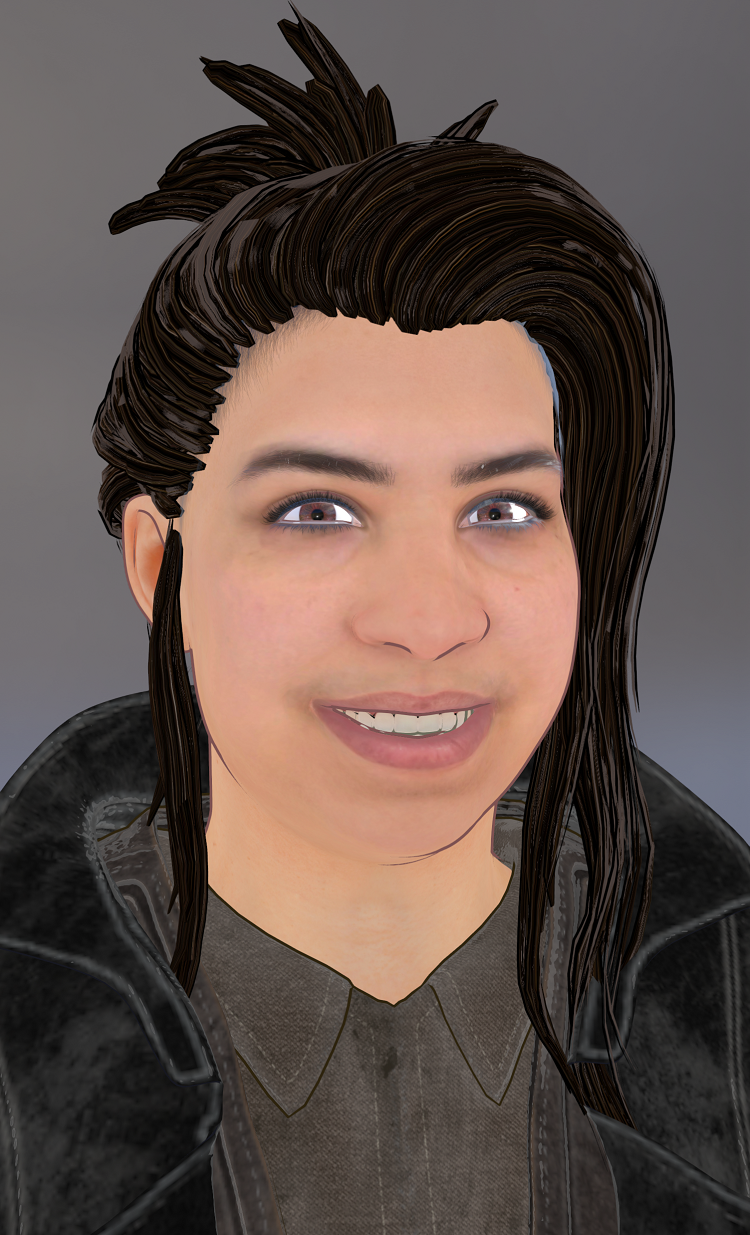
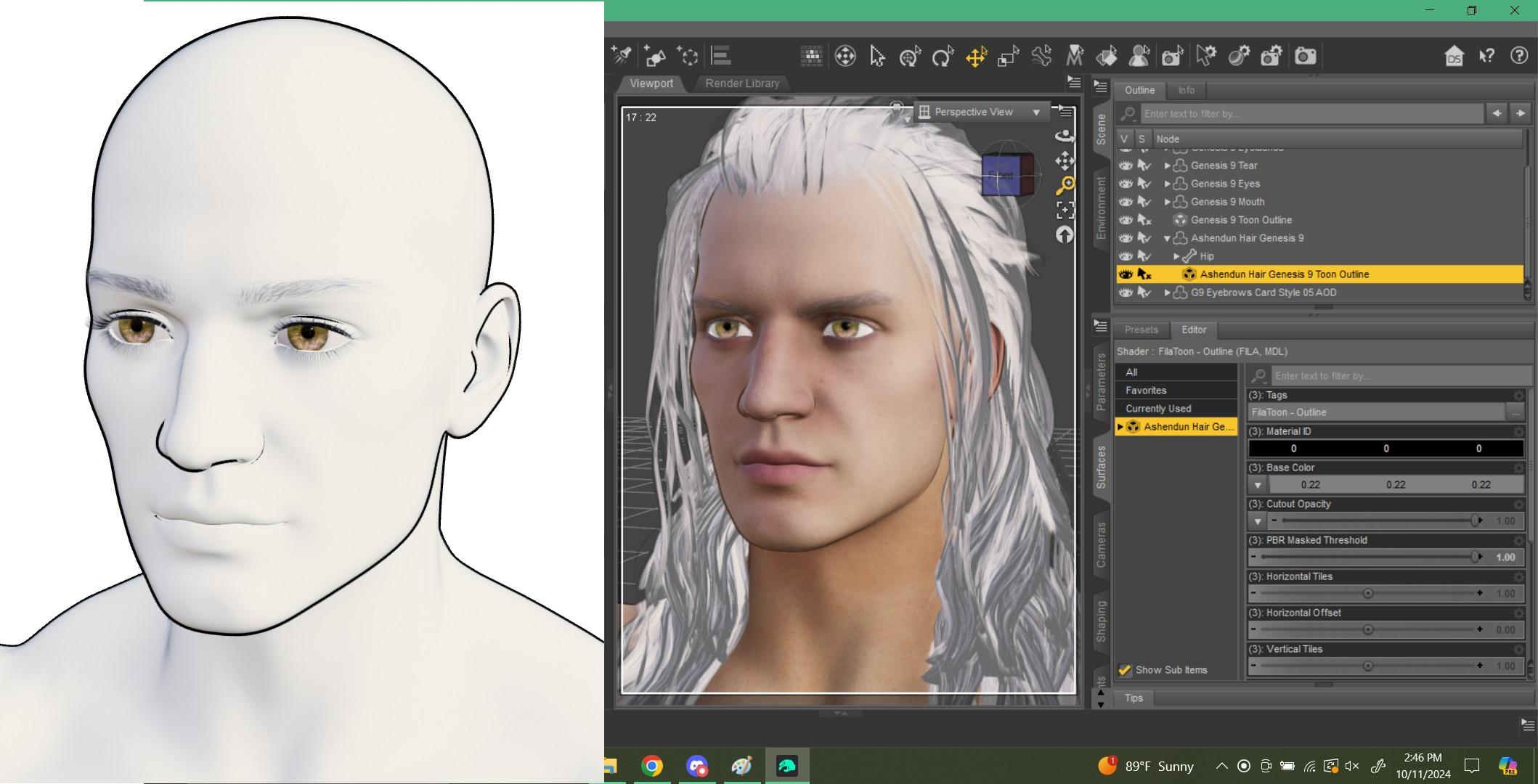
This was the first test renders I did. At least for my own uses, I feel like the outline looks better when the color is changed from black to something close to the skin or hair color. Like on the characters, it should be a desaturated brown to match the skin, and the hair outline should match the hair color. (For the hair specifically, there is a "rim" color that is gray. That needs to be changed since it's the highlight color.)
 Anime Toons and Filatoon Shader Q&A
Dartanbeck said:
cathan01_wwg1wga said:
The filatoon shader is really nice. I was just getting used to my anime/ painting routine using daz iray and gimp, but filatoon reduces my workload significantly (postwork, especially). Now I just have to learn how to use filament more efficiently...
Adding your own lights helps even more.
That will open up a lot more fun when adjusting the Filament Draw Options - like the amazing Color Grading options!
So don't forget to go Create > Create New Filament Draw Options Node (way at the bottom)
Thanks, Dartanbeck. I'm reminded of when I finally decided to move on to iray from 3delight. Took me forever to get used to new lighting and shaders. I need to experiment making toon animal renders with lahm and dforce fur ASAP. Really wish I could get the Gen 9 anime shapes on Gen 8, though...
Daz 3D is part of

Connect
DAZ Productions, Inc.
7533 S Center View Ct #4664
West Jordan, UT 84084Licensing Agreement | Terms of Service | Privacy Policy | EULA
© 2026 Daz Productions Inc. All Rights Reserved.