-
Can any identify these assets?
Yeah, well you only have the head and skin to go on since the body is modified by the morph from that product. Also, it may just be a custom model that isn't sold anywhere since that is so easy to do.
Guy 7 useable with Genesis 8. Is it possible?I also prefer XTransfer over the character converter. They can both do a reasonable good job on normal looking characters, ie standard humans, but XTransfer does a better job for the more extreme shapes, like toons and monsters. I would count Guy 7 as a toon, so he is one that might do better with XTransfer. Generally it is the eyes that get messed up, and obviously toon eyes are often quite different from the standard.
Maybe a Genesis 8 to 9 morph transfer might do a better job of moving shapes on the grounds that the eyes are a separate mesh.
Guy 7 useable with Genesis 8. Is it possible?I've never used XTransfer, just the one I linked to. This weekend was the first time I have had any doubts about a transfer. It was FWSA Piper and the face looks less sharp in her G8F guise. Everything else has been good for me. I may explore the options. Regards, Richard.Yoga positions ruined by glutesZev0's bend control/glute control plus K.H. Image Studio's UNBM2.0 can make it much better. I've been using them together plus tweaking a couple of thigh and glute morphs, the results are pretty natural for most of the cases. There've been no G9 versions of them so far but there will be I believe... so G9 may just need some thighs/buttocks related morph dials for the time being...
Loving Daz Studio!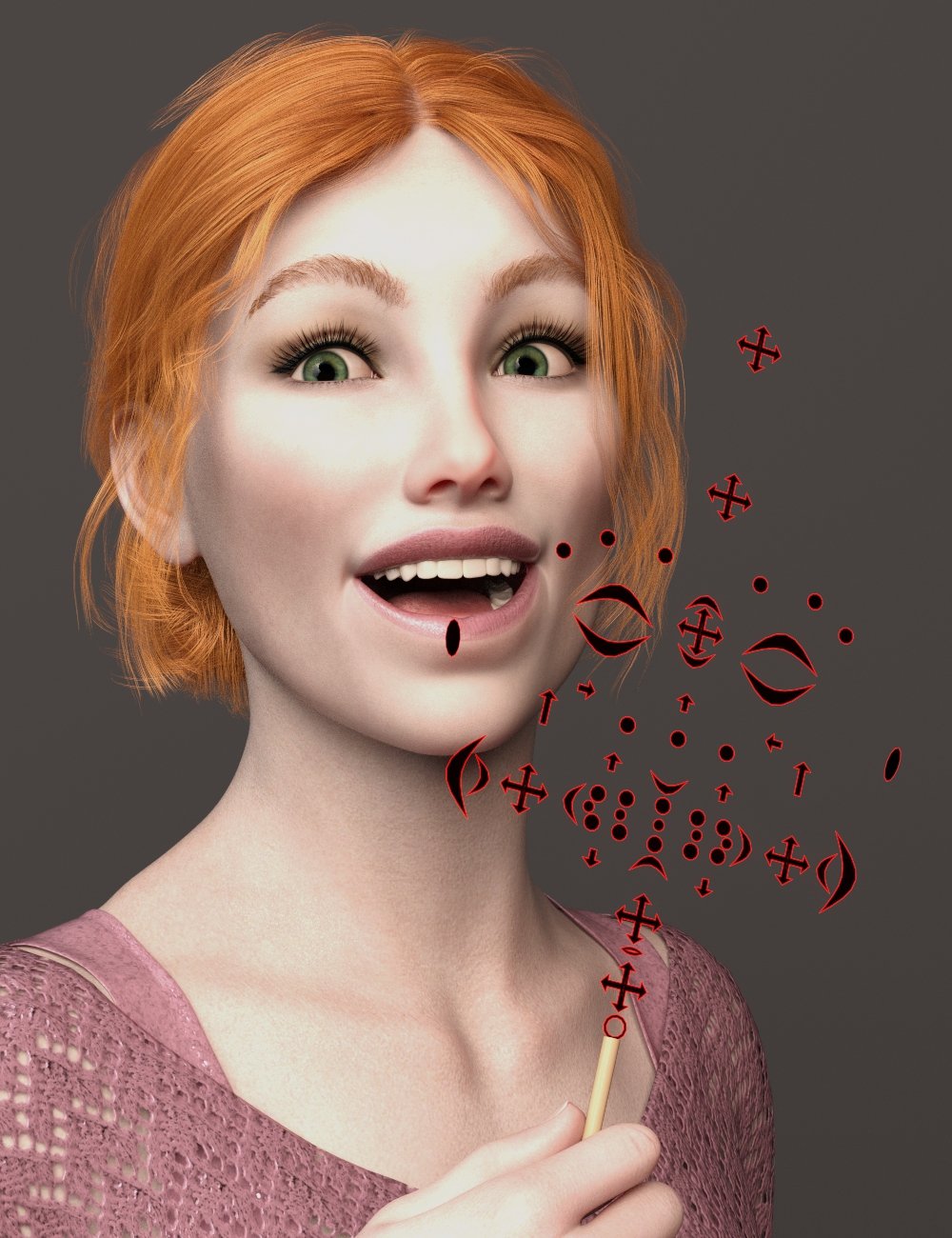 Using these Face Controls is really fun - and highly effective for adding micro-movements to the face during animated timelines.
The above bad guy is no exception! I've really become a Josh Crockett fan - his creations animate nicely and look fantastic in camera!
I've created an entire library in three categories of Anim + dials for this rig setup.
To make this tool work on Genesis 3, we have to first use the facial rigging of Genesis 8, and the product comes with simple instructions - as well as a video version - to set it up. For folks like this bad dude, who are already Genesis 8, we just add the thing like it was clothing.
The product also comes with nice instructions and demonstrations of its use - very cool!
The whole reason I made the major leap from quasi-real, but more painterly using V4, M4 and earlier into using Genesis, then Genesis 3+, was watching Alita Battle Angel for the first time.
Shortly after I started on this path, Daz 3d released Genesis 8.1, which comes with a rig just like this. Blew me away!
I couldn't take the leap into 8.1 then, but I already created a similar set of tools using Anim + dials for Genesis 3 - using a plethora of morphs from Genesis 3, but also V4, A4, G4, Reby Sky 4, SP4, Genesis 1 and 2.
I'd combine a bunch of subtle morph settings and ERC them into a dial. I have a whole lot of these dials.
This product can be used to create the shapes using the gizmo, and then make the dial directly onto the base (Genesis 3, in this case) figure. Instead, I created a plethora of dials directly on the tool itself - so I can use the dials completely separate from the dials used on the figure.
That's a mouthful, but if you do a lot of micro-movements of facial muscles in your animations, it'll make sense to you.
Very worthwhile purchase that I am ever gratefult to have made!
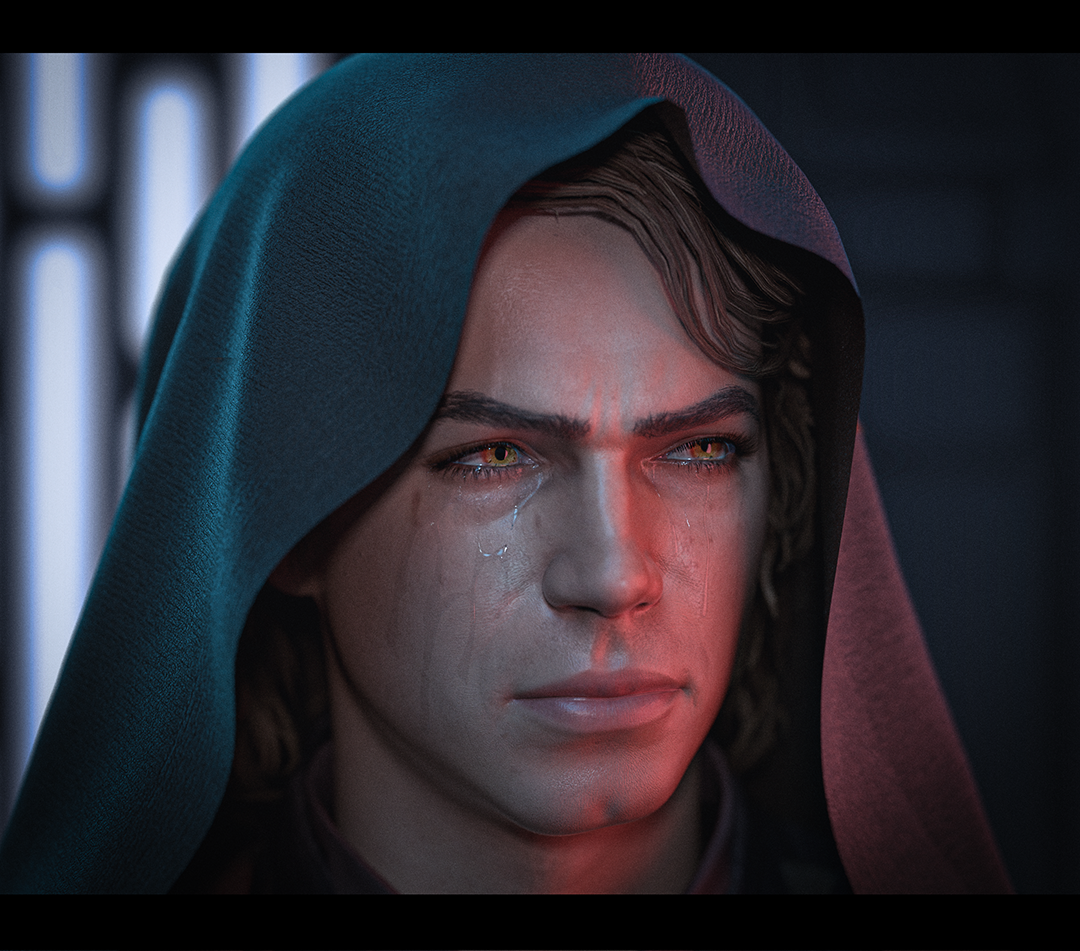
Star Wars Renders 2013 +@unusualsuspex thank you!
I wasn't happy with the Anakin characters that are out there for G8 so I made an entirely new morph on G9 for this render
 G8F Pose Transfer To G1
I have to confess I have been terribly slow at finishing a promised script, however I have now completed a G8F (or G8M for that matter) to G1 Pose Transfer script. Just like my others, it needs a source character and a destination character to be loaded. Due to the geometry differences in the hands in particular, matching the G8 pose will almost certainly put G1 out of limits, so please set the limits off on the hands and arms before the pose transfer. Just matching the default shape of a G8F hand actually sets the G1 Hand and some finger bone out of limits. It's quite strange really, and good to see how well shaped G1 hands seem despite going beyond those limits.
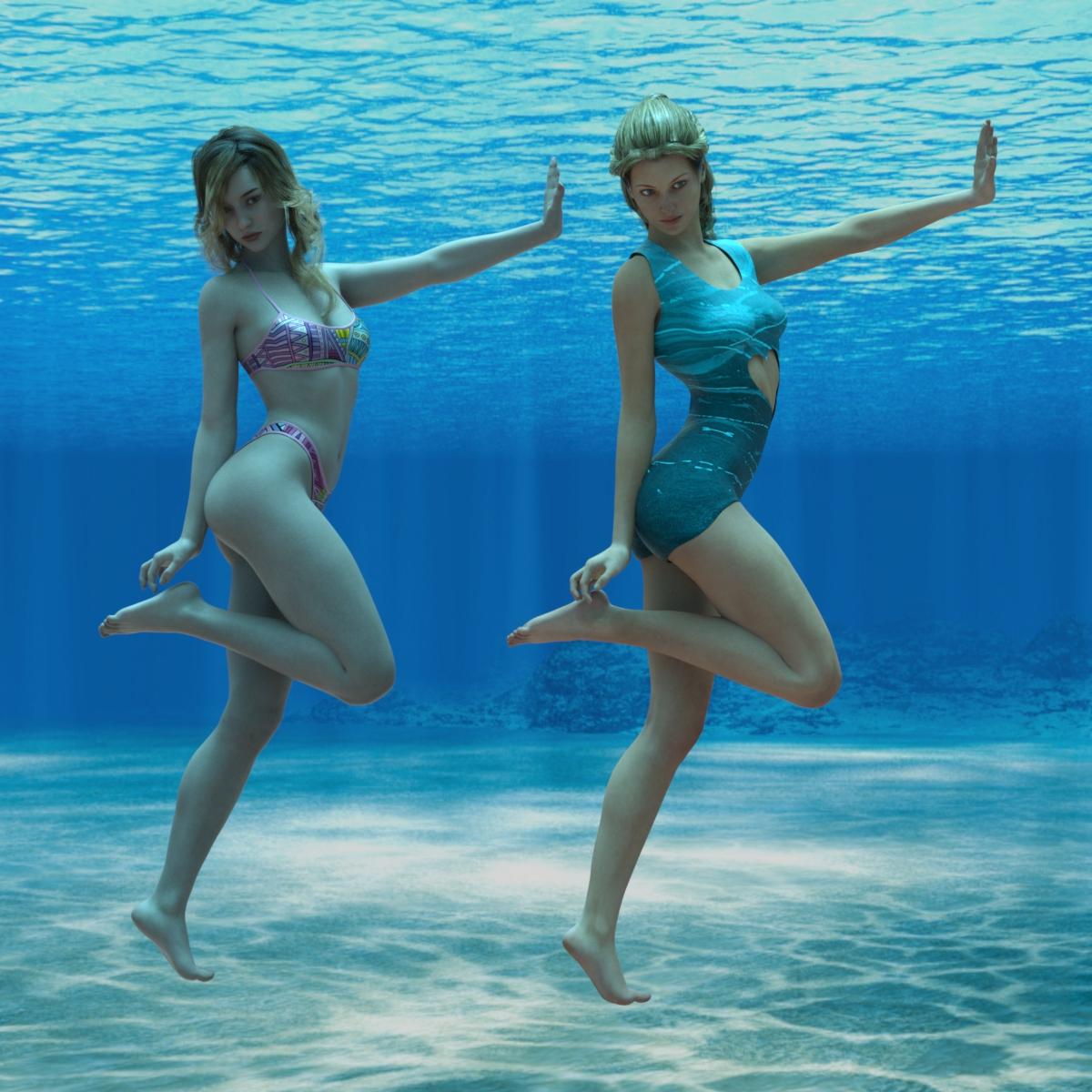
The pose is BBarbs Just Elegant 7 applied to CHB Milan, against a background of Namtaar3D's Underwater HDRI. I think the G1 character is V5, but not sure
Hope it may be of use to someone.
Regards,
Richard
Mirroring JCMs from Left to Rightcrosswind said:
lilweep said:
crosswind said:
You may use mcasual's mcjMirrorMorph script to mirror a JCM. Not fast but could be done~
https://sites.google.com/site/mcasualsdazscripts5/mcjmirrormorph
By the looks of things, that script will just make a symmetrical morph on either side, but it wont set up the JCM's ERC links. So... if i have to do each morph separately and still have to create all JCM links anyway then might as well just do it using Morph Loader Pro mirror options.
The mirrored import thru Morph Loader Pro cannot automatically create the ERC link and needed controller either, you still have to manually set up one by one~
never said otherwise.
Would have thought someone would have implemented this feature over the years, as would save a lot of work.
Yoga positions ruined by glutesWhen positioning G8 or G8.1 (I haven't tried G9 much yet) into yoga positions, the glutes frequently stand out as clearly un-natural
On the first image you can see the curve is natural to a point, but almost seems to blend into the thigh and become a vertical line too early - it's as if the curve ends too soon.
The second image shows how a glute morph expands the curve, but ends up looking really silly because again it doesn't blend into the thighs properly.
The curve going into the inner thigh is a real issue also, there's no 'fat' where there should be.
Has anyone found any products which can help with this, or whether they've found it's significantly improved in G9?
HH Belle for Genesis 9 [Commercial]Ok, Update 01 (fixes nails, mouth, skin artifacts) has already been tested by Daz this morning and in the final steps of being added so it looks like there's a good chance it will be in your DIM today (or at the latest, early this week).
Thank you ElorOnceDark and ioonrxoon for bringing up details about the tail problem. I was able to replicate this and the problem has been fixed. This will be a second update and it has been seubmitted to daz for review. I also added cards for the morph dials in this second update.
Update 01 (Releasing soon in your DIM)- Update 01: Fixes nails, mouth, skin artifacts
Update 02 (pending release for your DIM) - Get it Now (self-install, installs update 01 as well)
- Update 02: Fixes tail artifact, adds cards to morph dials
Guy 7 useable with Genesis 8. Is it possible?you can use map transfer to convert to Genesis 3 base UV which 8 can use
Guy 7 useable with Genesis 8. Is it possible?Richardandtracy is (are?) right: You'll need the Character Converter. I've used it and it just turns Guy 7 (or another Genesis 3 character) into a morph you can use on G8M.
And then there's the textures.
Genesis 8 models were made to be compatible with Genesis 3 textures, but there are a lot of Genesis 3 characters (like Guy 7, Darius 7 or Ekko 7) that use customs UVs incompatible with Genesis 8.
I see two ways to do this:
1) You can use software like Wrap3D that allows you to, among a lot of other things, transfer textures from one model/object to another, creating new texture images that are already adapted to the second object's UV.
2) You can use Genesis 3 Character UVs for G8M (link below). It basically adds new UVs to the G8M to make it compatible with textures from G3M characters with custom UVs (including Guy 7, among others.
Option 2 is ~by far~ the easiest and cheapest one, and the only reason I've mentioned option 1 is because I've had issues with the Genesis 3 Character UVs for G8M. It allows me to apply the Guy 7 texture on a G8M and everything looks fine in the Viewport but whenever I try to render, Daz freezes and crashes. I can't tell if I'm doing something wrong or if it's a problem with the product itself or with Daz (I think it's probably on me, though) because I never cared to look for a solution. I do most of my work in Blender anyways so when I import the G8M model with Guy 7 everything works fine and the G3Character UVs product has done its job: In Blender I can see the G8M model does have the extra UV map and the textures are perfectly adjusted to the model.
https://www.daz3d.com/genesis-3-character-uvs-for-genesis-8-malehelp finding item manually installedVicS said:
thanks SheLuser, because im pretty sure its still not showing up after i dragged data, people etc that was located under content,
You better create a DAZ library folder on another drive first of all other than using this directory on your C drive. Then press F2 in Daz Studio and configure the path of library in Content tab - Content Directory Manager. Then use Install Manager or DAZ Central to install Zev0's product (IM.. package) instead of direct dumping. Load a G8 figure, you'll see those morph dials. For 3rd parties products, suggest use Content Wizard to install then you'll have them in Smart Content.
Guy 7 useable with Genesis 8. Is it possible?Hi guys.
I been mixing the Guy 7 with the Toon Generations 2 (and then the textures) with some good results. Is there a way of using the Guy 7 with the Toon Generations 4 (and therefore the textures)? I'm guessing that I would need a morph converter but not sure which one to use. I do own Hal so I could use his morphs but I want to keep my options open so I can create a number of different characters.
Cheers
Andrew
Animated ant/bug charactersThe odds are very slim that you will find an ant or bug character already made exactly as you are looking for. It is a niche type item.
Your best bet is to look at Creature Creator morphs and then dial spin them as best you can to your desired look.
Using an "emaciated" body type should approximate the image you posted.
You'll have to do a search through the CREATURE options to find what best approximates your vision.
https://www.daz3d.com/catalogsearch/result/?mature=true&q=creature
example: Shape wise this morph has an Ant look though it is more sinister than the bugs life cartoony character.
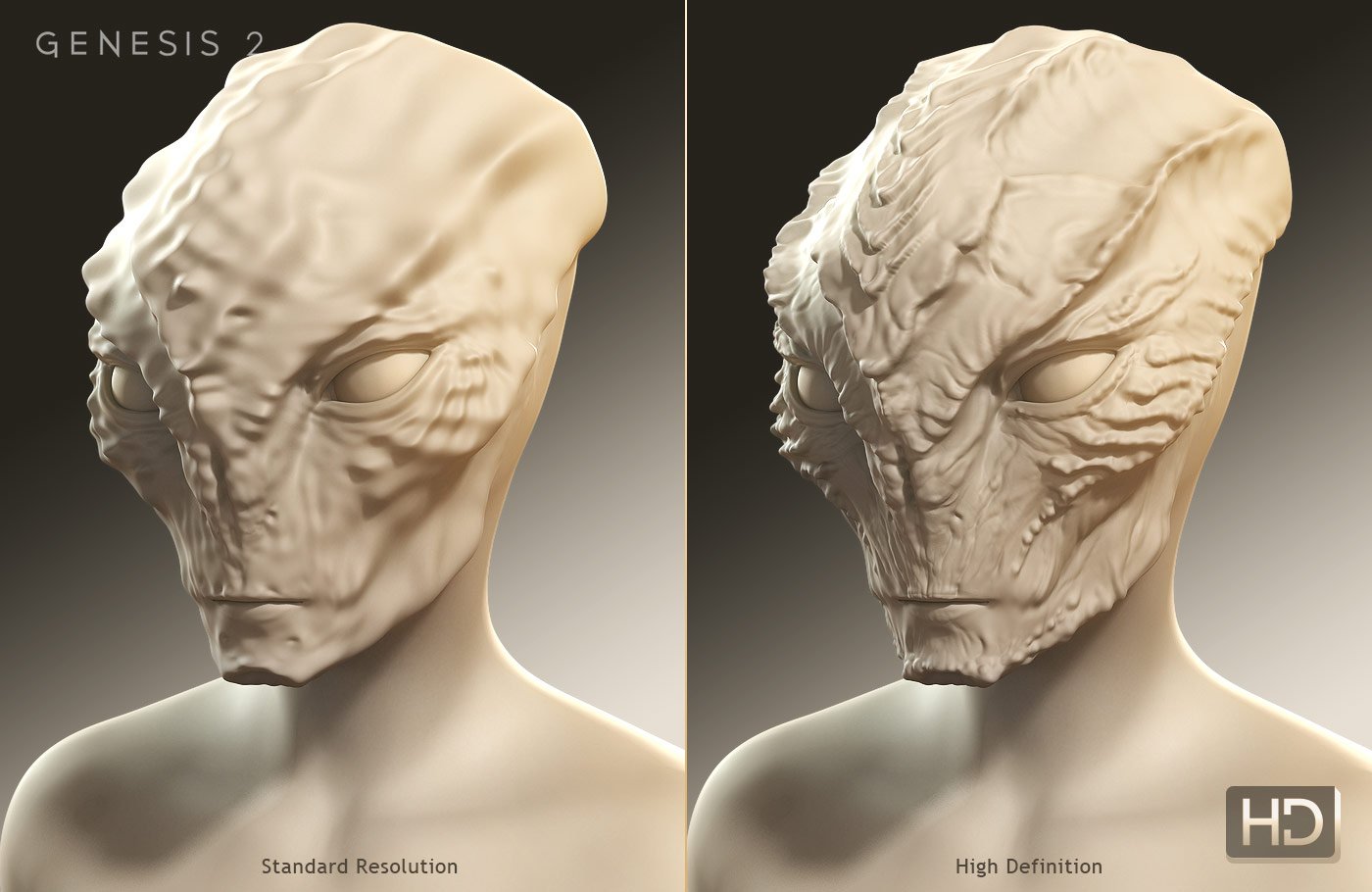 [Released] Character Converter from Genesis 3 Female to Genesis 8 Female(Now Conv JCMs) [Commercial]
Xagrim said:
RiverSoftArt said:
Xagrim said:
I have tried to convert this with all possibilities options of the converter. Delete the morph folder.
FWSA Tchanun HD for Michael 7 and LI Tchanun Whiskers | Daz 3DI have managed that the G8 looksafter converting similiar to the original but if i save it, the morph is gone and it looks like a normal G8.
No idea what to do, try to save it as character preset, subscene, scene. Always the normal G8.
It sounds like the conversion works but the character preset loads a normal G8? There can be occasions where the Character Preset has an error but the morphs are created. Just dial in the morphs and then resave the preset.
Exactly.
Doesn't work i try it couple of times to save as scene, scene subset or character preset.Everytime it shows the normal G8.
Wow, that is weird. It sounds like that is some type of DS bug then.
Mirroring JCMs from Left to Rightlilweep said:
crosswind said:
You may use mcasual's mcjMirrorMorph script to mirror a JCM. Not fast but could be done~
https://sites.google.com/site/mcasualsdazscripts5/mcjmirrormorph
By the looks of things, that script will just make a symmetrical morph on either side, but it wont set up the JCM's ERC links. So... if i have to do each morph separately and still have to create all JCM links anyway then might as well just do it using Morph Loader Pro mirror options.
The mirrored import thru Morph Loader Pro cannot automatically create the ERC link and needed controller either, you still have to manually set up one by one~
Mirroring JCMs from Left to Rightcrosswind said:
You may use mcasual's mcjMirrorMorph script to mirror a JCM. Not fast but could be done~
https://sites.google.com/site/mcasualsdazscripts5/mcjmirrormorph
By the looks of things, that script will just make a symmetrical morph on either side, but it wont set up the JCM's ERC links. So... if i have to do each morph separately and still have to create all JCM links anyway then might as well just do it using Morph Loader Pro mirror options.
Error Could not find parent for modifier after using G3F to G8F converter"parent" : "/data/DAZ%203D/Genesis%208/Female/Genesis8Female.dsf#geometry",
"parent" : "/data/Daz%203D/Genesis%208/Female/Genesis8Female.dsf#Genesis8Female",These are the two main "Parent" settings for use with G8F, first one is for anything that has morph deltas in it, the second is for everything else ie control assets, pose controls etc.
"parent" : "/data/Daz%203D/Genesis%208/Female%208_1/Genesis8_1Female.dsf#Genesis81FemaleGeom",
"parent" : "/data/Daz%203D/Genesis%208/Female%208_1/Genesis8_1Female.dsf#Genesis8_1Female",G8.1F is similar to G8F, but uses #Genesis81FemaleGeom instead of #geometry for assets with morph deltas.
"parent" : "/data/Daz%203D/Genesis%209/Base/Genesis9.dsf#Genesis9-1",
"parent" : "/data/Daz%203D/Genesis%209/Base/Genesis9.dsf#Genesis9",Things get a little sketchy with G9 as the # tags are pretty similar, #Genesis9-1 is the tag for morph deltas.
Bad Parent errors in the log is something I see regularly, it's also the first thing I look for when trouble shooting morph issues for my friends.
HH Belle for Genesis 9 [Commercial]Hey Herschel, She is gorgeous! I'm looking forward to the outfits!
I am getting that "tail issue" too.(I applied the file you provided for the other issues, BTW) It appears when the head morph is dialed in like ioonrxoon noted. If I dial the head back to default, it goes away.
I'm having an issue with the textures for the anatomical elements though. If I load the anatomy prior to applying the figure texture, they apear to load with the textures applied. When I load her body mat on the figure, the anatomy mats seem to "go away". They show up in the Surfaces tab, but the textures don't render. I've attached a "Forum Friendly" screen shot.
Daz 3D is part of

Connect
DAZ Productions, Inc.
7533 S Center View Ct #4664
West Jordan, UT 84084Licensing Agreement | Terms of Service | Privacy Policy | EULA
© 2026 Daz Productions Inc. All Rights Reserved.