-
[Released] An Accordion with Playing Poses for G9, 8, 8.1, and 3 [Commercial]
Who is working on a Weird Al Yankovic morph?
HH Belle for Genesis 9 [Commercial]Silent Winter said:
Why does it replace the file in data\DAZ 3D\Genesis 9 Starter Essentials\G9 Eyebrows Card Style 06\UV Sets\Daz 3D\Base\default.dsf with a much smaller file3? (10 kb v 196 kb)?
It should just contain the Morphs folder (with the Belle's Head morph) under the G9 Eyebrows Card Style 06 folder. Geometry data file and UV folder should not be in the G9 Eyebrows Card Style 06 folder.
Thanks for bringing this to my attention, I will be sure to get this info to Daz.
HH Belle for Genesis 9 [Commercial]Ahhh, yes, I apologize for that. The free side of this file sharing site is maxed out I guess after the first download
 . If someone knows of a free file hosting service, please let me know.
The file is too big (61mb due to the HD morph data files) to attach to a post in the forums.Daz Studio Iray - Rendering Hardware BenchmarkingAala said:
@outrider42, I want to try out 4.16 on a heavy render and run both it and 4.21 for like 30 minutes and see the differences in the end. Do I need to do something specific to get it to run on a 4090 or will it run out of the box?
Yes, it can work pretty much out of the box. Several people have already posted 4090 times with Daz 4.15/16.
Along with this, has anyone out there have any knowledge on whether running the 4090 in a PCI-E v3 slot/MB VS a newer MB with PCIE-4 has any bearing on actual RENDER times? The PCI-E v4 slot is 4x faster throughput, but I'm wondering if that really doesnt have any bearing on render times since the rendering is on-board the GPU and should be affected by bus transfer speed to the CPU.
Anyone?
It shouldn't be an issue. PCIe is barely utilized by Iray. If there is any performance hit, it would be so small that it be pointless to worry about. There have been tests that prove this, too.
Some other GPU render engines might make of PCIe, but they only do so with "out of core" rendering, which Daz Iray does not do. Octane has out of core rendering, and they have the data proving that yes, limited PCIe bandwidth can hurt render times. But you also need to know what out of core means. Out of core is when you make a scene so large it doesn't fit on the GPU VRAM, and the render engine basically uses the CPU to help by using system RAM. The GPU still runs (again, Iray does NOT have this feature). There is a huge performance hit for using out of core regardless of how fast PCIe is, because the data has such a long distance to travel. It is why Iray doesn't bother with the feature, though IMO it would still be better then CPU only.
I point that out only if you plan on using other render engines. Again, Iray does not have this feature, so PCIe has no bearing on its performance.
Daz Studio Iray - Rendering Hardware Benchmarking
Pretty much. The only part of the Iray rendering process that involves sending large amounts of data over the PCI-E bus is what this thread refers to as "Preloading Time". Which already typically only counts for less than ten seconds of creating a render - even on older hardware.harrisoftware said:Along with this, has anyone out there have any knowledge on whether running the 4090 in a PCI-E v3 slot/MB VS a newer MB with PCIE-4 has any bearing on actual RENDER times? The PCI-E v4 slot is 4x faster throughput, but I'm wondering if that really doesnt have any bearing on render times since the rendering is on-board the GPU and should be affected by bus transfer speed to the CPU.
Anyone?
G8 Foot morphs?bjoernb78 said:
Thanks everybody for the kind comments on the foot morphs! Let me see what I can do.
Sorry to exhume this last years thread, but just stumbled over it and now I'm curious, if your g8f foot morph is meanwhile available somewhere!?
I already have NecDaz91's foot morph and Lilly HD's foot morph to fight the standard g8 sausage toes, but some variety is always welcome.

Has anything come of these morphs? I'd still love to have them!
Has this happened to anyone else?PerttiA said:
This is a later version of the procedure
To fix any ill-behaving (non-zero default value) morphs, do as follows;
1. Open DS and load "Genesis 3 Female" (the base version, to an empty scene)
2. Right Click at Parameters Tab->Preferences->Choose "Show Hidden Properties" (part 3 zeroes only 'visible' dials)
3. Right Click at Parameters Tab->Zero->Zero Figure (Zeroes the value of all the 'visible' dials)
4. Right Click at Parameters Tab->Memorize->Memorize Figure (Sets the current value of all the dials as their default value)
5. Edit->Save As->Support Asset->Save Modified Assets (Writes the changed default value to the morph files that were changed)When saving "Modified Assets" DS shows a dialog and asks for confirmation;
"The following file(s) will be permanently modified:" - "Accept/Cancel" - Choose "Accept"I would at least try on the non-hidden properties alone first - some proeprties are hiden precisely because they need their non-zero values to work, such as a value of one from which another is subtracted to make a multiplier to lock bends that are not compatible with the non-hidden part (this is how the collapsed fingers were locked in the three finger morph from the old Creature Creator sets).
Daz Studio Iray - Rendering Hardware BenchmarkingAlong with this, has anyone out there have any knowledge on whether running the 4090 in a PCI-E v3 slot/MB VS a newer MB with PCIE-4 has any bearing on actual RENDER times? The PCI-E v4 slot is 4x faster throughput, but I'm wondering if that really doesnt have any bearing on render times since the rendering is on-board the GPU and should be affected by bus transfer speed to the CPU.
Anyone?
Welcome to Hatsune Miku Anime Manga Cafe ☕I Challenge You!
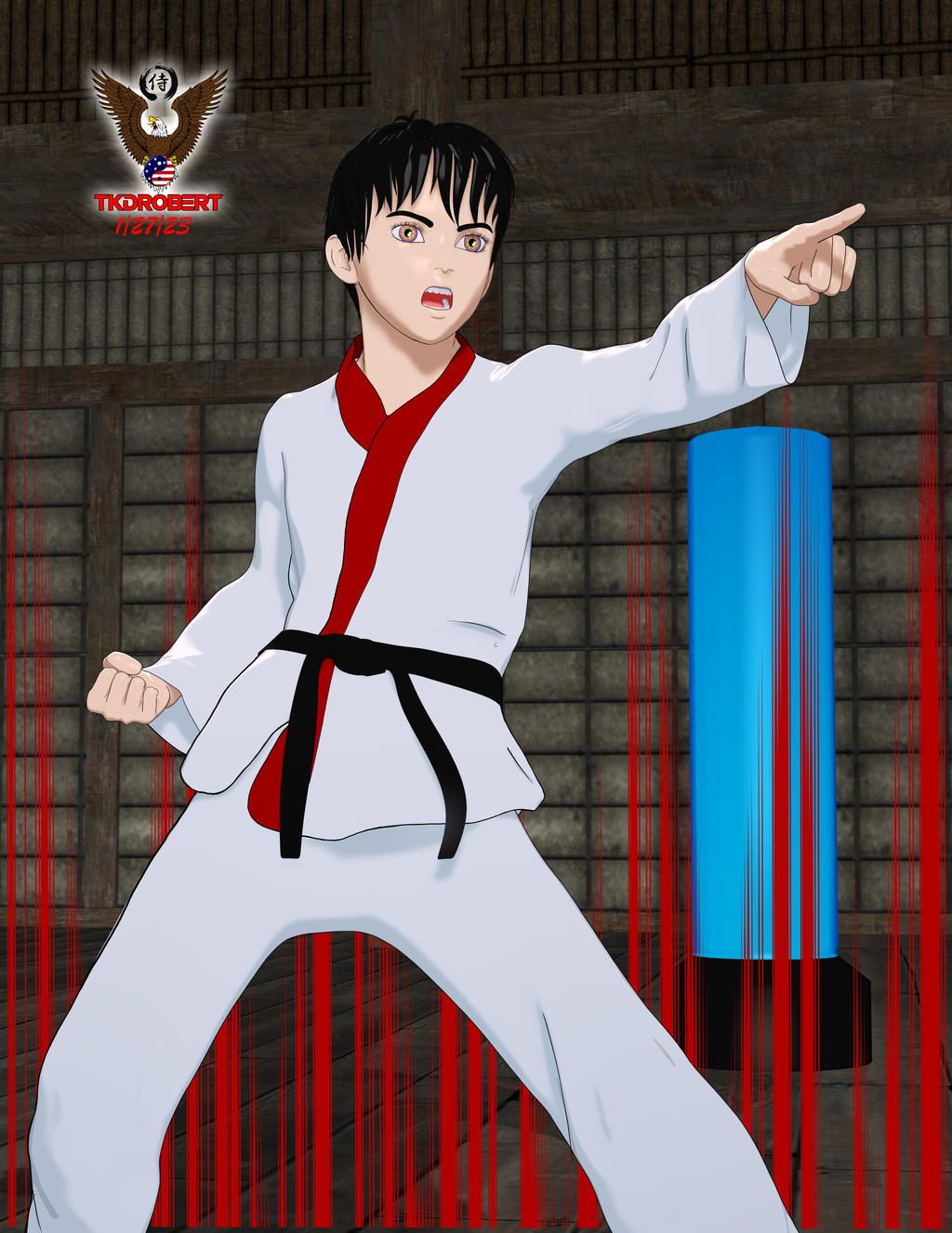
This is a free Anime morph for G8M I found on cgshare. I finally got to play arounf with those PWTOON presets that were posted on here a long while back (or maybe it was the NPR thread). I don't remember who posted them but I like em.
Has this happened to anyone else?This is a later version of the procedure
To fix any ill-behaving (non-zero default value) morphs, do as follows;
1. Open DS and load "Genesis 3 Female" (the base version, to an empty scene)
2. Right Click at Parameters Tab->Preferences->Choose "Show Hidden Properties" (part 3 zeroes only 'visible' dials)
3. Right Click at Parameters Tab->Zero->Zero Figure (Zeroes the value of all the 'visible' dials)
4. Right Click at Parameters Tab->Memorize->Memorize Figure (Sets the current value of all the dials as their default value)
5. Edit->Save As->Support Asset->Save Modified Assets (Writes the changed default value to the morph files that were changed)When saving "Modified Assets" DS shows a dialog and asks for confirmation;
"The following file(s) will be permanently modified:" - "Accept/Cancel" - Choose "Accept"Loving Daz Studio!In the above video (Simulation - Animation - Compositing Workflow Demo) we can see how I modified the aniBlock data using default morphforms that come with the Daz figure.
My Anim + dials are based on that idea.
There came times when the basic morphforms just weren't enough, so I began with my Posture Shift dials, which basically rotate the lower chest, upper and lower abdomen opposite each other as far as they can go without changing the angle of the jaw in relation to the ground. Then I saved them each to work in their negative values, again - as far as they can go without changing that head angle.
So Posture Shift Twist also keeps the head facing the same direction - only the mid torso twists. Posture Shift Side to Side keeps arms and head parrallel to their original angle, etc.,
Some aniBlocks and/or animated PZ2 files would crunch the chest too much or just the opposite. Posture Shift Fwd and Back can often fix this across the entire animation with a single dial.
When that wasn't enough, I added separate dials getting individual with the joints. I also made things like Arms Twist which has been So Helpful for things like GoFigure's Martial Arts moves, where the arms are always intersecting with the body. And Crouch aniBlocks were working great except that one foot would leave the ground (probably due to the difference in my figure's shape) for too long - just looked weird with her crouching with the hide foot up in the air. Adding some Shin dials made it super-simple to fix this.
Using GenX2 I added a bunch of facial morphs and left them in their Generation X2 slot on the figure. I can use those if I want, but instead I used them to make my own Anim + dials on the Head pose section of Genesis 3. It still needs those morphs, but they're controlled with my own dials.
Speaking of which, if we find that we're constantly combining two or more morph dials, we can do that and make a single dial that does that for us. This is what my Anim + dials are all about - and Daz Studio makes it So Easy to do!
[Released] Character Converter from Genesis 3 Female to Genesis 8 Female(Now Conv JCMs) [Commercial]I have tried to convert this with all possibilities options of the converter. Delete the morph folder.
FWSA Tchanun HD for Michael 7 and LI Tchanun Whiskers | Daz 3DI have managed that the G8 looksafter converting similiar to the original but if i save it, the morph is gone and it looks like a normal G8.
No idea what to do, try to save it as character preset, subscene, scene. Always the normal G8.
Genesis 9I literally bought HH Belle because the figure comes with working correctives. I can always dial the body morph for this character too 100% and then use other morph packages to customize if I don't need pinup character physique for this particular shot... But the thing with limb and ribcage bending as they should is great.
HH Belle for Genesis 9 [Commercial]I noticed the nails issue also since I have a morph that lengthens the nails and they start to warp when I lenthen them at a high subD value.
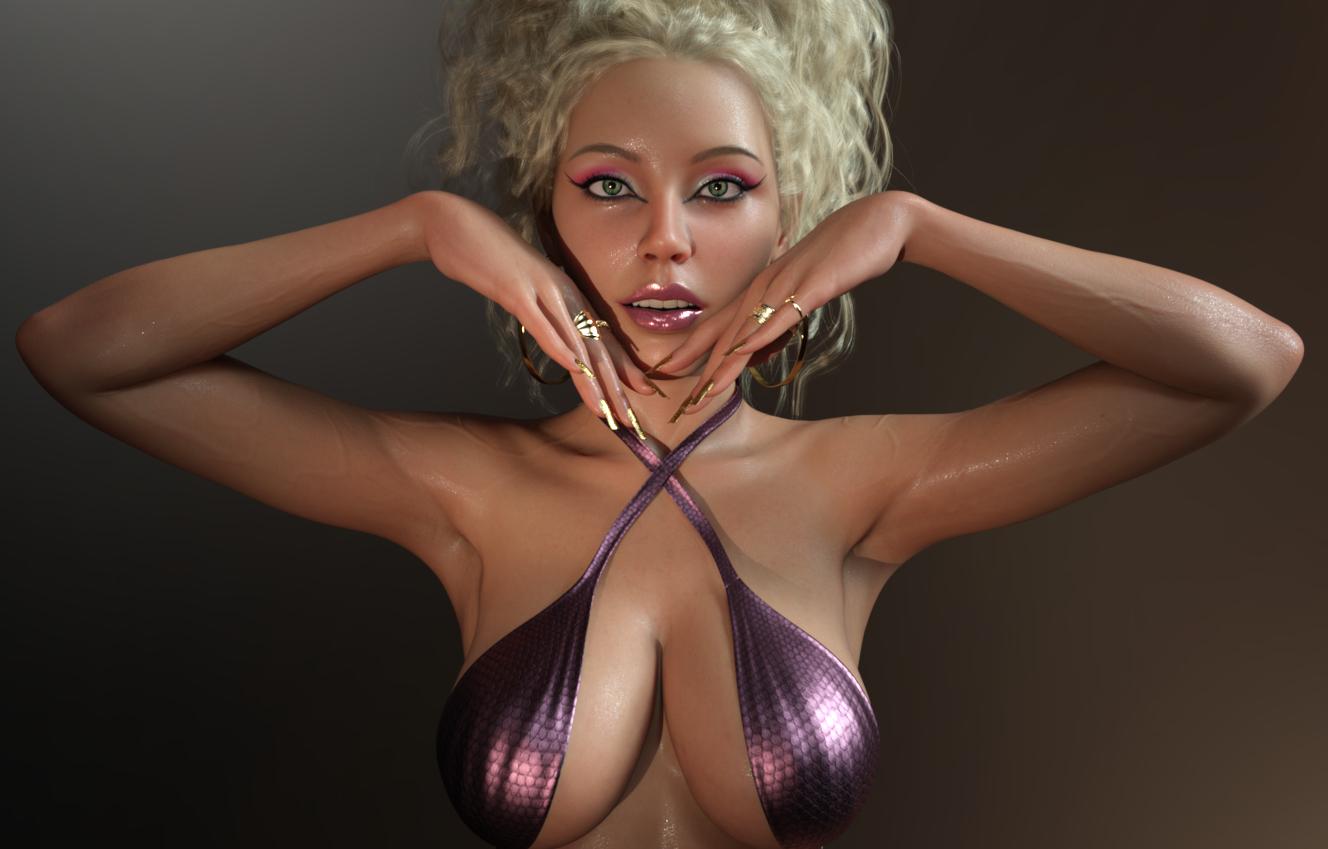
I am happy with the character overall though; love the textures and the morphs. I purchased this morning and here is a quick render with the head at 70% instead of 100 and some custom tweaks.
 Does Skin Builder 8 for Genesis 8 Female work with Genesis 8.1? (Solved: It doesn't)
Not directly, no. The two main limits are:
- The script itself will not run with G8.1 selected.
- It only supports the base Genesis 8.0 Female UV set.While you could process skins using that UV on on G8.0 first and then transfer them to G8.1, the product cannot be said to fully support G8.1 Female.
Has this happened to anyone else?First, your image is most likely to get deletd due to the textured nude figure.
Beside that: you most likely have a character morph which has been saved with a non-zero default value, so it always loads with the base figure.
Try the procedure in this post to fix it: Every character I have loads with unwanted extra morphs by default - Daz 3D Forums
Vo Yonina for G9 mouth morph is always active.jd641 said:
CS reported back that they were able to reproduce the issue and will report back when there's a fix.
It doesn't seem like there are too many people who have Yonina but just in case someone buys it before a fix is out, DAZ is aware of the issue now.

I guess I misunderstood your issue when I asked my friend if she had that character and to check. I assumed that being active there was a noticable difference in the look because of it. Yes, hers is active all the time as well, but you can't see it unless you actually go and look for the morph dial being on since it doesn't really change much. Anyway, good CS caught it so hopefully the PA can learn for next time..
HH Belle for Genesis 9 [Commercial]Is anyone else gettig affecfacts like this all over her body at SubD level 3+? They're strongest in the body morph, but are also slightly there in the head morph. Also should the fingernails look like that?
Cloth with Unity Cloth component works in Editor,but invisible in built game!charles said:
Have you asked on the Unity forums? More information is really needed to make any kind of educated guess. What was your build target for starts? What version of Unity? Did you unpack the materials and textures? What method did you use to transfer? You will need to double check and also be specific about the the shaders in Unity used.
Thanks. yeah i dont get it either. And whenever i ask in Unity forums i never get responses. Ever. Build target Windows cause it's for myself and i use Windows 10. I use Unity 2021.3.16f1( LST). Unpack materials and textures, what is that mean? i import them and then apply them. Originally with Unofficial Daz to Unity bridge the shader is Daz specular, but i drop another material one to all my daz clothes, which is HDRP/LIT .
You asked what method i use to transfer..Yeah it's Unofficial Daz to Unity Bridge 1.2 to transfer Materials..... But for the actual skirts i use DAZ to Blender for decimation and then Blender to FBX for Unity.
Cloth with Unity Cloth component works in Editor,but invisible in built game!Have you asked on the Unity forums? More information is really needed to make any kind of educated guess. What was your build target for starts? What version of Unity? Did you unpack the materials and textures? What method did you use to transfer? You will need to double check and also be specific about the the shaders in Unity used.
Daz 3D is part of

Connect
DAZ Productions, Inc.
7533 S Center View Ct #4664
West Jordan, UT 84084Licensing Agreement | Terms of Service | Privacy Policy | EULA
© 2026 Daz Productions Inc. All Rights Reserved.