-
Load PMD's in DS?
Not built-in, other than those directly associated with a piece of content. You can turn them off in Poser (Edit>General Preferenes>Miscellaneous>Use external Binary Morph targets) and resave the CR2/HR2/PP2 to embed them for DS (or one of the tools that will create INJ poses if the item has free channels).
Genesis 9xyer0 said:richardandtracy said:
richardandtracy said:
xyer0 said:
Quite a quad. Never seen anything like this.
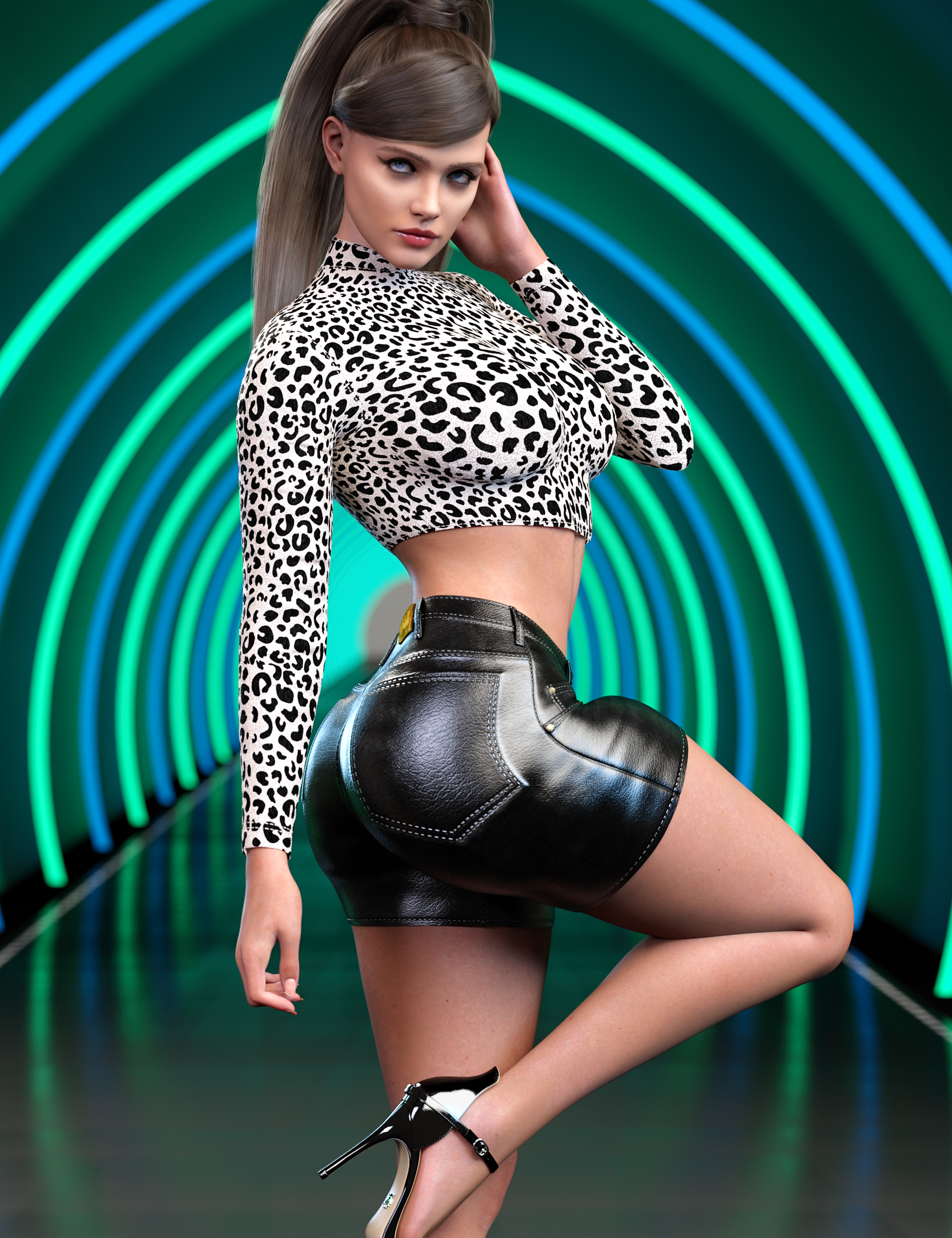
Last time I saw that level of bulge on the front of a thigh was with Victoria 3. It wasn't good then. It's doubly awful now that the preceding generation didn't show it.
Regards, Richard
For the interests of fairness & comparison, I thought I'd compare a V3 Character (Jim Burton's Glamorous Vickie, left, released Jan 2003), A G8 figure (CHB Milan, centre) and a G9 figure (V9, right) to see how they compared with a quick approximation of the pose above. I applied the pose to G8F and used my G8F->GV3.script to get the V3 character in the pose and my G8F/M->G9 script to get the G9 character in the pose. The results were, erm, unexpected.

Looks like the V3 character shows least thigh bulge. Blow me! OK, V3's elbow's the worst by miles, but at this angle her glutes are OK. But it looks like for the thigh bulge V9 is the worst with this pose even though it's not as bad, and G8F isn't actually a lot better. Altering the Right Thight Twist 1 & 2 bones had zero effect. So, this problem is not limited to the G9 character so heavily criticised above.
Regards,
Richard
Thank you, Richard! I bought Glamorous Vickie for $1.99 last month, and I haven't yet downloaded her. She looks good. The thigh bulge on G8 was surprising, but it looks natural. It reminds me of the thighs of some cheerleaders when I was growing up (many of them were built like gymnasts that didn't have to starve themselves). V9's thigh bulge doesn't look too bad, but it doesn't look human either. And her lack of any anatomical detail is disappointing.
GV3 is remarkably good looking. The hair in the image is Jim Burton's now unavailable 'Las Vegas' hair. As GV3 has a separate CR2 file and is not a morph of V3, it's actually quite hard to get clothing to fit. The bikini there is one of the ones Jim Burton did for the character. Lack of clothing is one of the reasons why I use her less than I'd like. Ah well. Regards, Richard
HH Belle for Genesis 9 [Commercial]I heard back from Daz today, a new person on the task force looking stuff over and discovered this problem...

I added a bend morph to fix this right up. No word yet on getting the Update 02 corrected in the DIM. If I don't hear back today then it won't be until Monday until I get word, as Daz is closed on the weekends.
To hold you over, I have provided the fix you can get here - HH Belle Fix 2023 - 02 - 03 (Includes the correction for the neck issue seen above as well.)Edit: Also, just to remind, the fixes I provide here are a 1-stop shop. No need to worry about getting previous updates installed as the latest one will bring you up to date. I keep the top of the first page always updated as well for you to reference the link. Trying to keep this as painless as possible for everyone and hope we can get the DIM file-issue resolved but that is out of my hands.
How to Create a morph and add it in a new seperate section in "Shaping"?Hello guys! So i've been making lots of character morphs i use to mix and make characters for my scenes, so i was wondering two things.
1-How can i move a morph to the Shaping tab?
2-How can i create a new Section in said Shaping tab?
I want to create a tab called "My characters" and have different sections like "Human Races -> Asian, HIspanic, etc" and "Fantasy Races -> Elfs, Orcs, Dwarfs, etc"
I know how to create color tag and give a image to each morph, but i still don't know how to move them to the shaping tab and less on how to make a new section in said tab, any help is greatly appreciated :)!
Pax's Pretty Boys ThreadI shouldn't drink and render. I type fast as it is, and apparently I type even faster once I've had a drink.
 *prods previous post*
I updated the cover of the one Alex and Milos story I managed to publish (because it's short, unlike the other, uh... six?). The previous one was fine, technically, but something about it made me feel creepy and I still can't put my finger on what. It's not even that Alex looked possessive in it, because he is, he freely admits it, and Milos likes it. Either way, I managed to get a similar pose that looked sweeter and I'm much happier with the full effect.
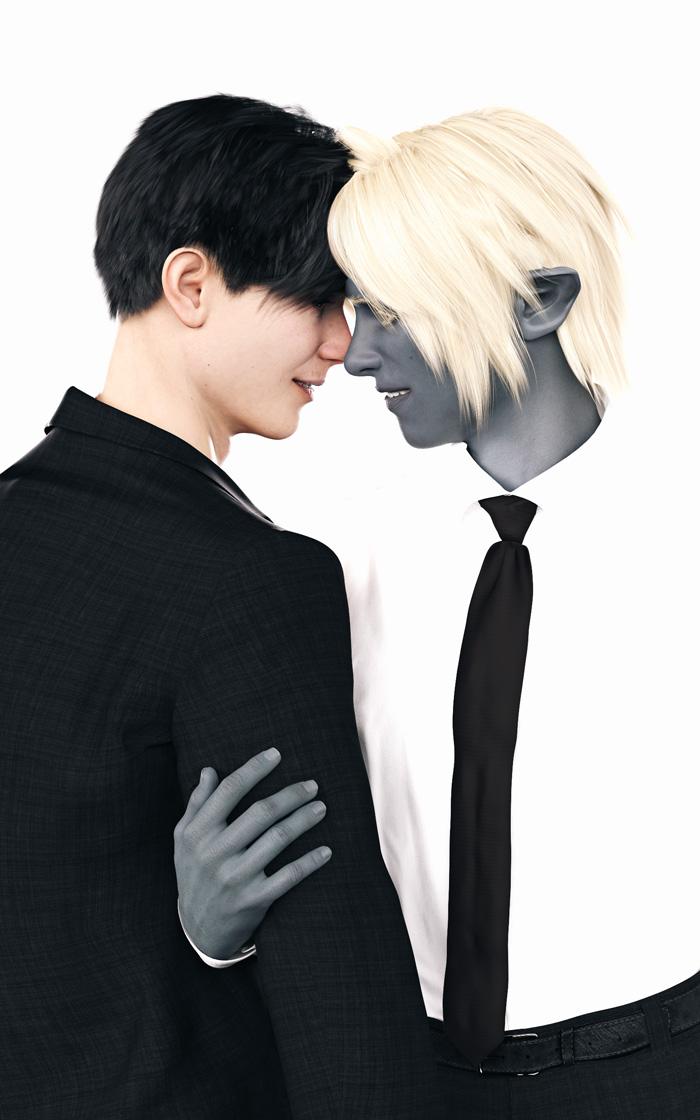
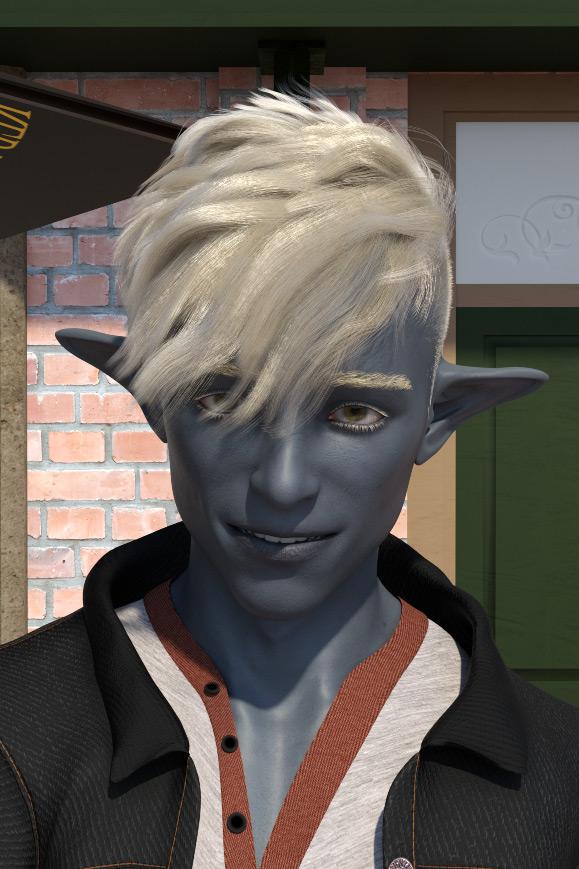
It's odd though, I'm finding with so many more morphs for expressions with G9, it's actually getting harder to do expressions I like. I tried to do a lop-sided smile with Alex, whose face morph I will probably be tweaking for the next year, much like I did with G8... And I had to keep going back to the drawing board so many times. It's hard to stop the corners of the lips rising so much, even with the corner up/down morphs. I did get to look at several pictures of Jake Gyllenhaal and Richard Armitage though, who have similar smiles, so I got something out of it... even if it wasn't a render I'm fully satisfied with.
(It's odd how Alex always looks so much younger with the hair off his face. He did with G8 too.)
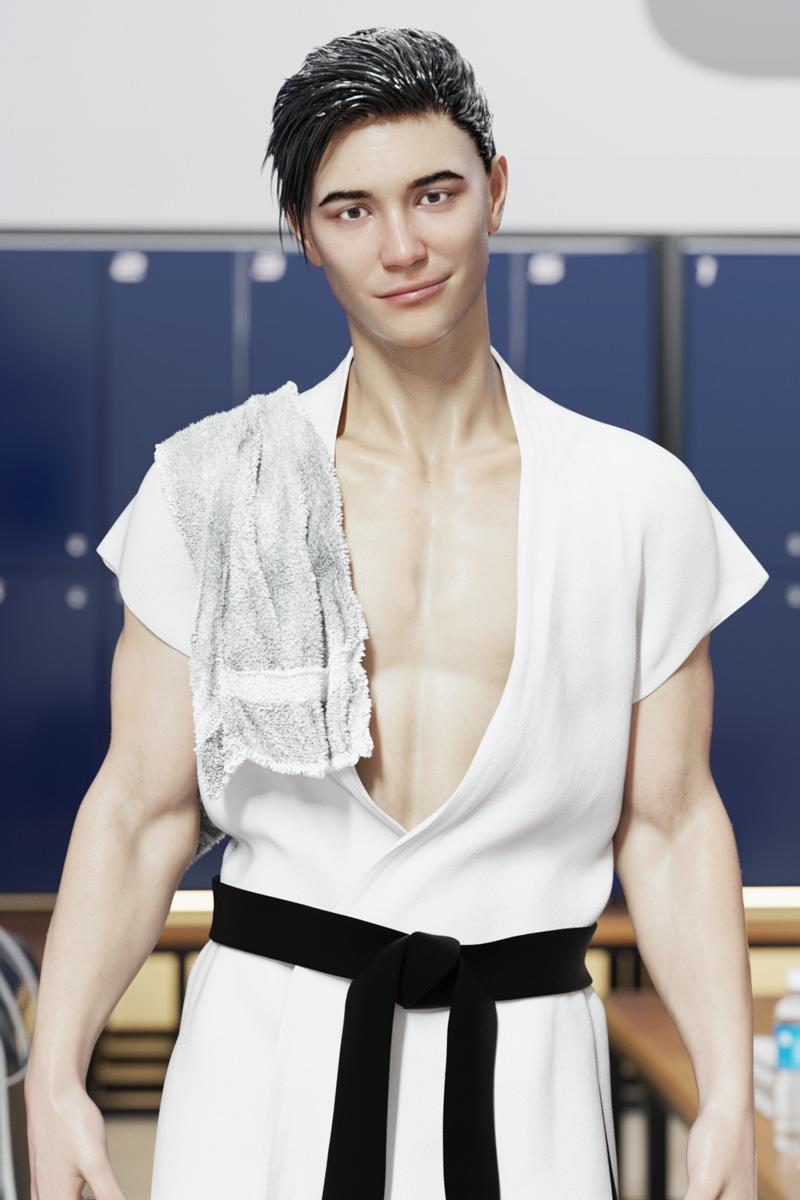
And also... Sometimes I'm so disappointed with how a render comes out vs. how it looks in the Iray preview. I'd been fiddling with Milos's hair from some time around book 4, when he finally got a haircut, and it looked really nice in the Iray preview. Actual render... not so much. Talk about expectation vs. reality.
It looked so soft and fluffy until I rendered it. *sob*
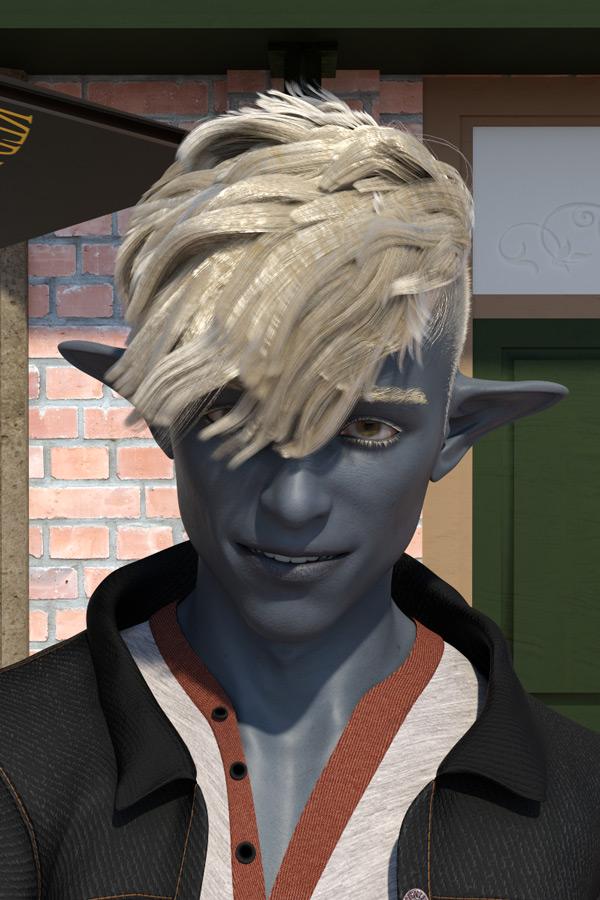 Genesis 9I will check my pose transfer program to ensure that the metatarsal pose it transferred. I did the left side and copied the code for the right. There's a danger that I didn't rename the bone, I like to think I would have picked it up, but may not have done. Regards, Richard.Celebrity Look-a-Likes for 3D figures part 3
Optimus Shepard said:
Does anyone knows a character that looks like Debra Winger aka Drusilla Wonder Girl from Wonder Woman Tv show?
Used --Wartech--'s LCWW morph for Diana and Magnus1781's DebraWinger_Head morph for Dru
Genesis 9Agreed, and that is unadulterated V9. I've not bought anything G9 related since the V9 pre-order, so no morph packs or anything else to confuse the issue. Regards, Richard.That *^!#^*!#$ Clear Button!But...
I don't often use the timeline to simulate so an explosion means starting over.
Explosions may be rare if you are so very careful but dForce is so much less forgiving of intersections, either with itself or with the parent figure or anything else, for that matter. So yes, you can spend 10 minutes checking every inch of cloth to make sure it isn't intersecting with something but then you decide to change the pose a tiny bit and forget that might cause that intersection you have been so carefully avoiding. Also, that 10 minutes is added to the already silly amount of time it takes to simulate a single dress.
I appreciate your optimisim so I am not getting on your back because of it but I can't ignore the downside of dForce just as lots of others here complain about animation or render times or VRAM usage. It is hard to be so positive when we can compare with other software that is years ahead of DAZ Studio in some respects.
Nevertheless, I prefer DAZ Studio to Blender because it is designed for what I want to do - make pictures using ready-made content. And DAZ Studio brilliantly offers so many shape adjusting and posing controls that nothing else comes close. I can create a whole world of characters from a set of maybe 20 purchased G8 characters and a few morph sets. So I will put up with the shortcomings and try to highlight them here on this forum in the hope that the message gets delivered. I too want a better DAZ Studio to play with.
How to create a new separate installation of studio without...General Release + Beta will be a pretty nice choice, suggest you go for this way, and Turbo Loader of course, a must to have good tool. I used to have the same issue like you. There were around 24k active morphs in my lib resulting 4 mins loading time of a base G8F figure, and much longer time of loading scenes for sure. I used Turbo Loader to just enable 9k morphs (figure morphs + others) now the base G8F loading time is less than 40 secs with cache. Really nice~
Not sure if you have any idea about how many figure's morphs you've installed, and how long it takes to load a base figure? Actually for most of the cases, long loading time results from 2 major factors: 1) TOO many character morphs installed; 2) Duplicate formulas errors.
For 1),Try to just install character products that you really like and need.
For 2),Is there any duplicate formulas message in DAZ log file? Sometimes 1 or 2 wrongly-defined morph dsf files from a single character will significantly delay the figure loading. One of my friends ever asked for my help with the slow loading issue, 7 mins of a scene loading. I checked his log file, there were lots of duplicate formulas coming from a 3rd-party character's morph files (named 2B... sth. like that). I asked him just to simply delete the related dsf files, then the scene loading time was down to 2.5 mins.So you better check the log file periodically and try to fix duplicate formulas errors if there's any~
Pose converter original genesis figure to g8Why do that, and not go in one step? Less risk of errors. All pose conversions are an approximation, and G1 is a bit of an awkward one. The shin bend degree in G1 is approximately 4.4% different from G8, G3 and G2. What is more, the foot has to be angled in the reverse direction by 4.4% of the shin's angle to keep the pose looking right. If there is a slight error in that, it would be promulgated and possibly magnified with each conversion. Also, with each generation having different limits on the hands (in particular) there is a risk of forgetting to turn limits off and having a clipped pose promulgated, not reflecting the real accuracy of conversion. Not a great idea, really. I've done a single step pose transfer here: https://www.daz3d.com/forums/discussion/502771/victoria-5-g1f-to-g8f-pose-transfer-script. Regards, Richard.Feature request: select random faces/points/vertices of a surfacepixelquack said:
I've read this 5 times and have no idea what you want.
If you are talking about Richards correction, then he want that the content can be read fully without reference to the headline.
That said, your options for using select random, is as far as I see it limited to mesh grabber as that is the only tool that can move mesh, so I would say you are much better off, doing it in a modelling program and then create a morph.
Changes made to figure in property hierarchy do not stick.Thank you, Lilweep and Richard for your replies.
Lilweep, would I do that for the figure? The scene? And If I save a modified morph asset for a figure, would the modified assest automatically load with the scene?
Richard, toggling the chain icon on the figure's left or right foot bend control has no effect on the calf flexing when I change the bend amount. pJCMFlexCalf_L is listed as a subcomponent in the parameter Settings for Left Foot / Bend. (It's name is XRotate.) I would just like to remove that ERC from the subcomponent list and have it stay gone. Is that possible?
Genesis 9bluejaunte said:
xyer0 said:
bluejaunte said:
xyer0 said:
Quite a quad. Never seen anything like this.
Not necessarily a G9 issue though, simply a lack JCMs for whatever morphs were used here. I had a bulge like that in my character and QA made me fix it with a JCM.The morphs used were Daz Originals Genesis 9 Starter Essentials. If even those don't have adequate JCMs (CBSs), then OK whatever.
{Are you in the market for another Noemie? I hope so.}
If that bulge comes from those morphs alone then that would be something to criticize those morphs for. Could be they also sculpted on top though? I don't know. I'm not trying to defend anything, just saying if you put the base G9 in that pose you won't see that bulge. So I don't think it's fair to claim that this particular issue is a result of G9.
There can be only one Noemi, but of course I hope many others will follow

The product does contain a single .dsf proeprty file according to the read me, so it could be a custom morph or a controller - with the only required product being starter esentials (for the base figure - listing this is new) I woudl suspect custom morph, and there is no sign of any JCMs if so.
Changes made to figure in property hierarchy do not stick.When you load the figure Daz Studio looks through the associated morph folders for all the proeprties and loads them onto the figure, including the oens you deleted. What you can do isntead is click the little chain icon on the sldier for the morphs - that stops the bend from triggering them, as you wish, and its state should save with the scene.
Changes made to figure in property hierarchy do not stick.You only have to remove the Controllers (1st stage) for the pJCMs in the Properties Heirarchy.
Anyway, the ERC links are saved into the morph asset in your content directory, so every time you reload the character or scene with character it will reload your content directory and thus the morphs and their associated ERC links.
To permanently save any changes to a morph asset that is called from your content directory, you would have to go to File->Save as->Save modified assets or File->Save as->Support Assets->Morph Asset
How do I make sabertooth teeth for HiveWire Tiger for Daz3D?3WC said:
https://community.hivewire3d.com/threads/saber-tooth-morph-for-hw-big-cat.4607/post-228776
Hiya! I replied to you on the other thread but I agreed with the other persons reply. Its a bit too thin for it to fit a sabertooths teefers. Thank you tho!
felis said:
I would model it instead of sculpting it.
Added: I have no idea of actual dimensions of a saber tooth, but a quick version could look like this.
That looks great! I am not exactly sure how to model it though... :/
How can I fit the gat to my character hair? (Have Picture)crosswind said:
Making a natural fit, easy or not, depend on the morphs along with the products you use and a couple of proper tools. For most of the cases, I just dial in the morphs of the hat/hood/hair and use Mesh Grabber to make them well match from one another.
Sickleyield's hair helper is a good product but it cannot handle all the cases. Especially some of its morphs will drag the hair into the head and it will looks worse. Just because the hair fits on the helper, the collision in between the hair and the figure's head will be a problem. You have to do lots of tweaks. You may well judge the products then decide what tool you're gonna use. For dForce hair, you may also take a look at https://www.daz3d.com/dforce-hair-helper-and-knitted-hat
For this Rera Hair, a non-dforce one, I just roughly dialed some morphs of the hair and hood, gave them a couple of drags by using Mesh Grabber. (sometimes you need to grab and drag both of them) The hair could be well 'wrapped' into the hood. If some fine and messy hair are not easy to be selected, you may use Geometry editor to select them, even hide them.
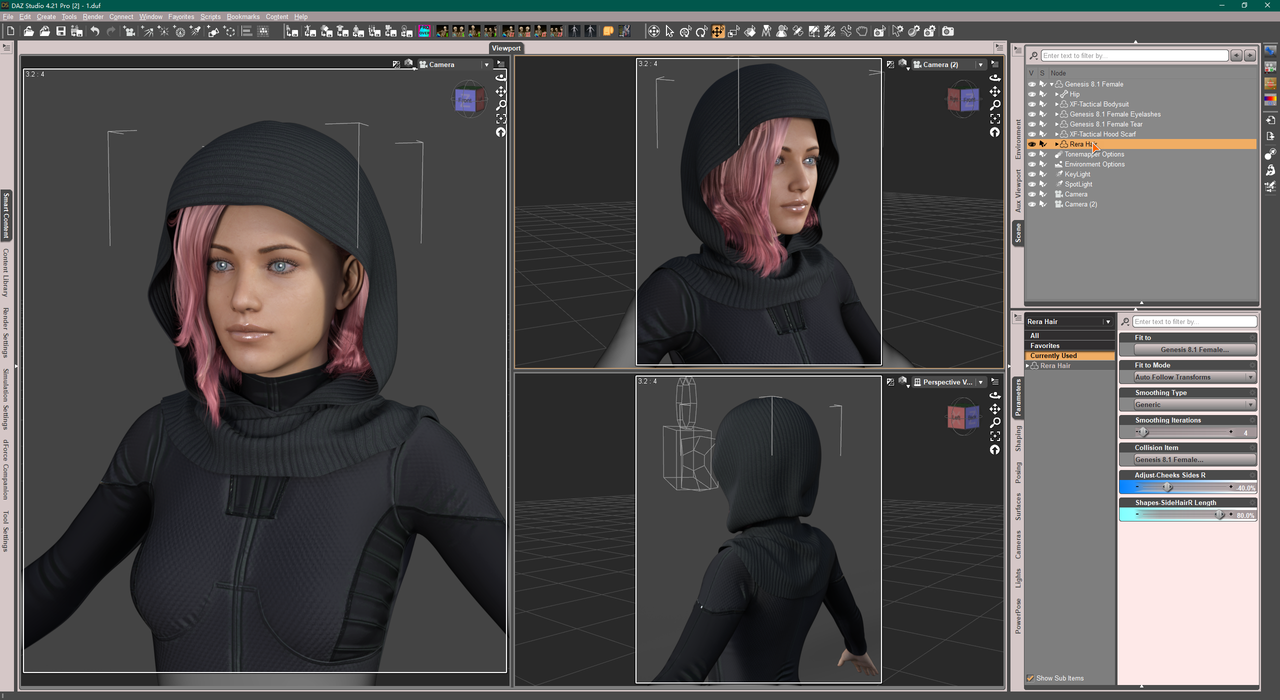
Beside, Mesh Grabber can save the 'dragged result' as a morph, you may reuse the morphs to fit the hair to other hats/hoods by dialing different percentage. That'll save some time~
Seems cool! I will try it out! Really thanks for the pictures and guid it will help me when I will buy it! Thanks it will help me for sure!!! :)
How do I make sabertooth teeth for HiveWire Tiger for Daz3D?Genesis 9
This creates demand for G9 clothing.takezo_3001 said:xyer0 said:
PixelSploiting said:
I literally bought HH Belle because the figure comes with working correctives. I can always dial the body morph for this character too 100% and then use other morph packages to customize if I don't need pinup character physique for this particular shot... But the thing with limb and ribcage bending as they should is great.
Yes. I'm trying to wait for a comprehensive bend corrective package to be delivered so I can keep my G9 morph count to a minimum. But who knows when or if that will be forthcoming.
K.H.Image's natural bend morphs can't come soon enough, that's why I'm holding off buying V9! It's really horrifically bad for anything besides full clothing/armour, so I'm still using G8.1 until then!
Daz 3D is part of

Connect
DAZ Productions, Inc.
7533 S Center View Ct #4664
West Jordan, UT 84084Licensing Agreement | Terms of Service | Privacy Policy | EULA
© 2026 Daz Productions Inc. All Rights Reserved.