-
AIUTO...CHI CONOSCE L’ITALIANO? PARTE TREDICI
menghienrico said:
Grazie!!!
Ah, dimenticavo di dirti che tra quelli che possono usare il modello base direttamente c'è anche il Face Transfer interno di DAZ Studio. Tre morph sono gratuiti poi devi sbloccarlo, ma se non completi l'operazione di esport puoi fare tutti i tentativi che vuoi.
La magagna è che forse devi aggiornare Genesis8 e a quel punto ci metti un quarto d'ora a caricare il personaggio. Io non ho aggiornato Genesis8 (ho fatto rollback quando ho visto il risultato) e i miei Genesis8 caricano in quattro secondi.
Per cui scegli il tuo male attentamente.
 make a beautiful girl and boy, toddler baby. - Genesis 8 - 9
ha! You wish. Should you requested a beautiful white female, this thread would be booming with ideas, and store would get spammed with 10 new characters. you'll achieve better results creating the morph yourself, or finding it in a different store.
yeah admin, delete my post, because truth hurts
AIUTO...CHI CONOSCE L’ITALIANO? PARTE TREDICIGrazie!!!
Imago said:
Crios said:
Ma Facegen non è un Add On di DAZ?
Sì, una roba costosissima che funziona grossomodo come Head Shop e Face Transfer, prende una o più foto di una persona reale che non ha firmato una liberatoria o un personaggio fittizio coperto da copyright, proietta un morph della faccia e lo applica.

@ menghienrico:
E' normale, il modello all'interno del programma/plugin NON è identico al modello finale (DAZ3D se la prenderebbe parecchio) quindi ne utilizzano uno che gli somiglia molto ma con una geometria del tutto diversa, poi effettua un "Wrap" con il modello finale. Ovviamente, essendo un metodo autimatizzato basato su una approssimazione, il risultato non può essere preciso.
Per avere un risultato perfetto devi necessariamente effettuare il wrap manualmente o utilizzare un programma davvero buono che possa utilizzare come base un export del modello finale.DazToHue 1.0 is out now!dpressler said:
I am interested learning how to use the morphs inside Houdini. Ultimately I am going to send crowds to Unreal but first I am trying to wrap my head around the morphs in Houdini. It was hard enough deciphering how Maya handles morphs. Your tool is amazing and I can't wait to see where it goes from here. It's frustrating not being able to fully take advantage of the Daz characters outside of Daz. They offer amazing content in a limited 3D package. I would love to see how you built the HDA but I understand why you would want to lock the nodes. Some things are difficult to learn in Houdini, they don't have the best documentation and advanced character rigging is mysterious. Artists like Marc Albrecht have also made amazing strides into the Daz to Houdini world only to stop short of the finish line for personal reasons. It’s frustrating, I am hoping Houdini 20 bridges some of these gaps through expanding kinefx. Your tutorials have been extremly helpful, if possible can you make a tutorial expaining how you could use the data in Houdini? Connect the morphs in Houdini? Keep up the awesome work and I look forward to seeing what’s next.
I hear you. There aren't many good tutorials on advanced character rigging in Houdini. Most of the good ones are based on the older obj level techniques and not Kinefx and they're either super complex e.g full-on muscle and skin simulations etc or very basic examples. What I think we really need is something akin to the Pose Driver node in Unreal Engine but for Kinefx, to drive blendshapes based on joint rotations. No doubt someone cleverer than me could create one but I've looked into it a couple of times and the maths for things like radial basis functions is a bit beyond me at the moment :) I too am hoping that Houdini 20 adds some of these missing features. They've hinted that many big things are coming for Kinefx but haven't given any specifics that I'm aware of.
The best I could probably do for you at the moment would be to show you a method for adding the morphs onto the character in Houdini and driving them by adjusting sliders. But they wouldn't automatically get applied based on joint rotations unless you wrote some expressions or came up with some other method for controlling the weights for each morph based on joint rotations. Let me know if that is something you would like to see and I can record a short video for it.
The other thing to keep in mind is that Houdini supports DQS, same as Daz Studio, so depending on how you were planning to get your crowd sim into Unreal, you may not need that many morphs. You could probably just use the existing corrective morphs from Daz, along with DQS if, for example, you were going to send the crowd to Unreal using an Alembic cache etc.
How do you send G9 strand based hair into Zbrush with GOZ?Even if you can export an SBH to obj with Line Tessellation generated, you have no way to import the morph back to the hair... Only a PA has THE 'toolset'..
So just use a couple of D-Formers to 'reshape' it...How do you send G9 strand based hair into Zbrush with GOZ?I might be wrong, but I don't think strand based hair can have morphs as it doesn't actually have geometry, it's generated dynamically.
If you export it as obj you can morph the result though.
AIUTO...CHI CONOSCE L’ITALIANO? PARTE TREDICICrios said:
Ma Facegen non è un Add On di DAZ?
Sì, una roba costosissima che funziona grossomodo come Head Shop e Face Transfer, prende una o più foto di una persona reale che non ha firmato una liberatoria o un personaggio fittizio coperto da copyright, proietta un morph della faccia e lo applica.
@ menghienrico:
E' normale, il modello all'interno del programma/plugin NON è identico al modello finale (DAZ3D se la prenderebbe parecchio) quindi ne utilizzano uno che gli somiglia molto ma con una geometria del tutto diversa, poi effettua un "Wrap" con il modello finale. Ovviamente, essendo un metodo autimatizzato basato su una approssimazione, il risultato non può essere preciso.
Per avere un risultato perfetto devi necessariamente effettuare il wrap manualmente o utilizzare un programma davvero buono che possa utilizzare come base un export del modello finale.AIUTO...CHI CONOSCE L’ITALIANO? PARTE TREDICImenghienrico said:
Ciao ragazzi! Non so se qualcuno di voi è abile con Facegen, ma volevo chiedervi una cosa. Ultimamente lo sto usando per creare un pò di morph, ma ho notato che la morph che viene generata da Facegen è diversa da quella che poi viene creata per Daz. Diciamo che in quella creata per Daz la testa risulta sempre più gonfia e i tratti somatici sono visibilmente diversi. Vi allego un esempio, dove riporto prima la morph creata da Facegen e poi quella di DAZ. Il naso è completamente diverso, ma anche il viso.. Qualcuno di voi ne conosce il motivo o ha già appurato questa cosa?
Ma Facegen non è un Add On di DAZ?
AIUTO...CHI CONOSCE L’ITALIANO? PARTE TREDICICiao ragazzi! Non so se qualcuno di voi è abile con Facegen, ma volevo chiedervi una cosa. Ultimamente lo sto usando per creare un pò di morph, ma ho notato che la morph che viene generata da Facegen è diversa da quella che poi viene creata per Daz. Diciamo che in quella creata per Daz la testa risulta sempre più gonfia e i tratti somatici sono visibilmente diversi. Vi allego un esempio, dove riporto prima la morph creata da Facegen e poi quella di DAZ. Il naso è completamente diverso, ma anche il viso.. Qualcuno di voi ne conosce il motivo o ha già appurato questa cosa?
Custom G2F keeps crashing DazLiphisbus said:
crosswind said:
Not this log ~ Daz Studio menu, Help - Troubleshooting - View Log File...
Okay, you did not split Head and Body morph in VAM, but suggest you do so. On the page of Vam to Daz 2, the author gave the guidlines...
Ah I see, I thought I didn't need because there was no problem exporting everything... So it fixes any problem it may have including head problems with neck? I'II see and take a look at it then. I exported and imported the morph back, when I load the morph the model translates back and the rigging stays in place (rigging adjust fixes it but the primary rig for G2F stays in place).
From the log, I could find your Ds 'crashed' for a couple of times.. it seems that each time after loading your figure, you just manipulated it for 2 - 3 minutes before crash... unfortunately Ds log recorded nothing the moment it crashed...
So just try the above mentioned first... and yes, ceq3 MorphMergeAndSplit plugin fixed head/neck issue long time ago... As to the creation of single morph dial / adjust rigging to shape / ERC freeze etc., there're too many tutorials, just follow the steps correctly and see if that'll work or not...Custom G2F keeps crashing Dazcrosswind said:
Not this log ~ Daz Studio menu, Help - Troubleshooting - View Log File...
Okay, you did not split Head and Body morph in VAM, but suggest you do so. On the page of Vam to Daz 2, the author gave the guidlines...
Ah I see, I thought I didn't need because there was no problem exporting everything... So it fixes any problem it may have including head problems with neck? I'II see and take a look at it then. I exported and imported the morph back, when I load the morph the model translates back and the rigging stays in place (rigging adjust fixes it but the primary rig for G2F stays in place).
Custom G2F keeps crashing DazLiphisbus said:
crosswind said:
I also use that plugin but haven't encountered any issue like this... Which morph splitter plugin did you use in VAM ? 1) After blending the converted morphs, export your custome G2F to obj and import back as a single dial, then see if that'll be okay or not... 2) If the issue still persists, try to use some VAM default characters to convert, see if you'll still have such an issue...
PS: attach your Ds log if possible...
Not sure what you mean but I didn't use any plugins, I just transferred the full characters or "looks" that the people offered in there. I'II see if I can do the first one. Weird, I posted my crash log in the OP but it's gone, here you go if that's what you mean?
Not this log ~ Daz Studio menu, Help - Troubleshooting - View Log File...
Okay, you did not split Head and Body morph in VAM, but suggest you do so. On the page of Vam to Daz 2, the author gave the guidlines...
Custom G2F keeps crashing Dazcrosswind said:
I also use that plugin but haven't encountered any issue like this... Which morph splitter plugin did you use in VAM ? 1) After blending the converted morphs, export your custome G2F to obj and import back as a single dial, then see if that'll be okay or not... 2) If the issue still persists, try to use some VAM default characters to convert, see if you'll still have such an issue...
PS: attach your Ds log if possible...
Not sure what you mean but I didn't use any plugins, I just transferred the full characters or "looks" that the people offered in there. I'II see if I can do the first one. Weird, I posted my crash log in the OP but it's gone, here you go if that's what you mean?
Custom G2F keeps crashing DazI also use that plugin but haven't encountered any issue like this... Which morph splitter plugin did you use in VAM ? 1) After blending the converted morphs, export your custome G2F to obj and import back as a single dial, then see if that'll be okay or not... 2) If the issue still persists, try to use some VAM default characters to convert, see if you'll still have such an issue...
PS: attach your Ds log if possible...
Custom G2F keeps crashing DazHey Richard. I think so...? I used some morphs that are from Virt-A-Mate that uses Genesis 2 as their base, I used a tool called "VAM to Daz 2" to transfer some "unique" morphs that I saw from there to Daz. I saved the morphs and then used them, I'm only using 3 of them, 1 is 1.0 (100%) and the rest is 0.35/0.25, one of them is a independent full character and the other 2 with lower values are body morphs from the same person.
Updated Cobra/Snake ManI know a lot of you know me now and my work from my DeviantArt. As usual, I'll ask for something that I need, but even with my peersonal opinion on G9, I will take in G8,8.1, or 9 a monster that is based on the Sethrak from World of Warcraft, male. There is an old outdated G2 (and a few creators have regurguitated simplistic reptilian creatures from G3 - G9), but I am asking for something like a Sethrak. And the "hood" on his head could even have a morph to be in or out for just a regular snake man. With G9 also having female bits, it's be easy anough for a "make up" material on a face or two (I invision egyptian style) for a female material. But anyway, I'd like to request a realistic cobra/snake humanoid in the form of a sethrak. With the tech, materials, and abilities today, it would be awesome. Thank you.
Face Transfer on Genesis 9Call it a stunt, but here's Face Transfer on a stock G9 figure.
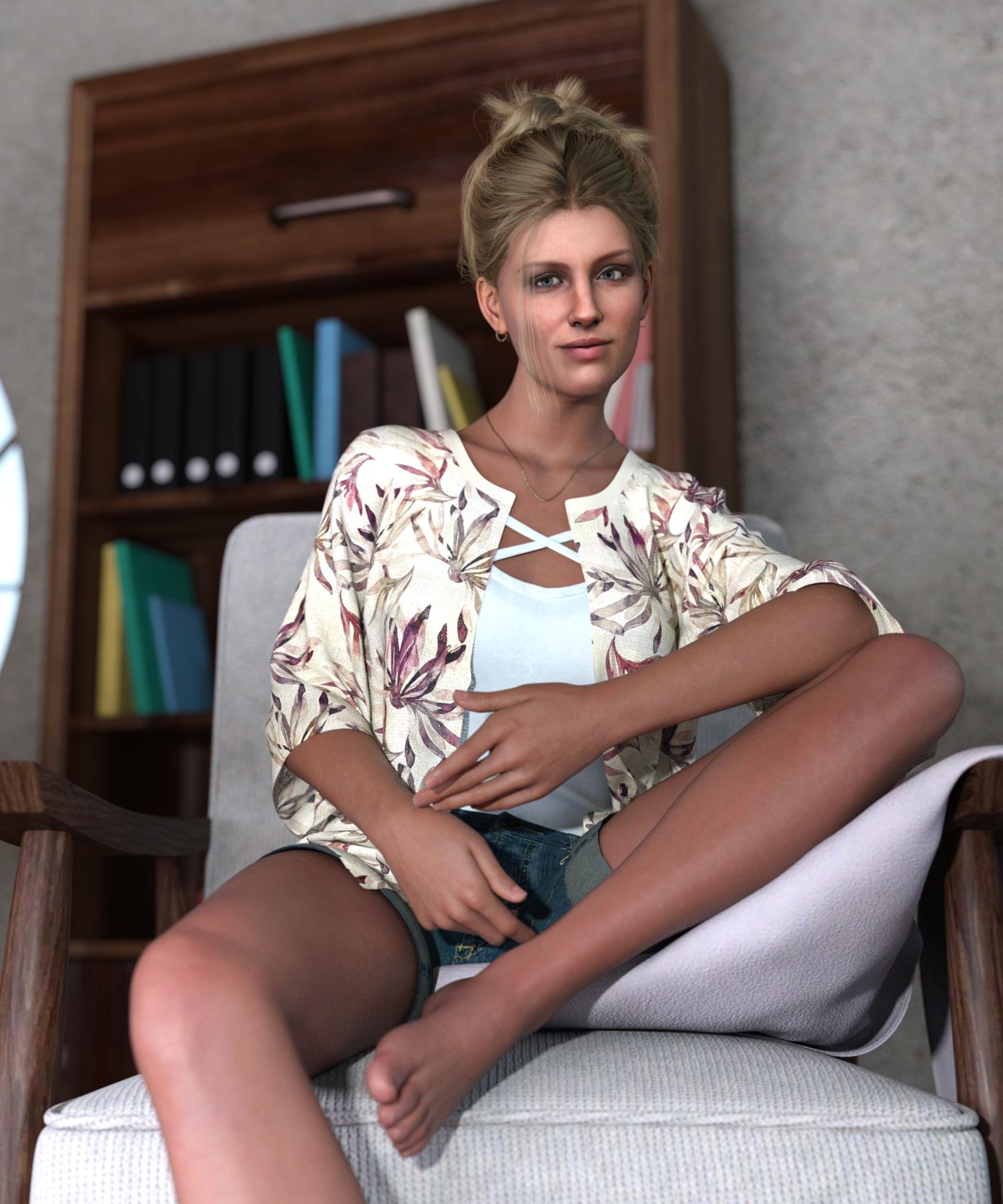
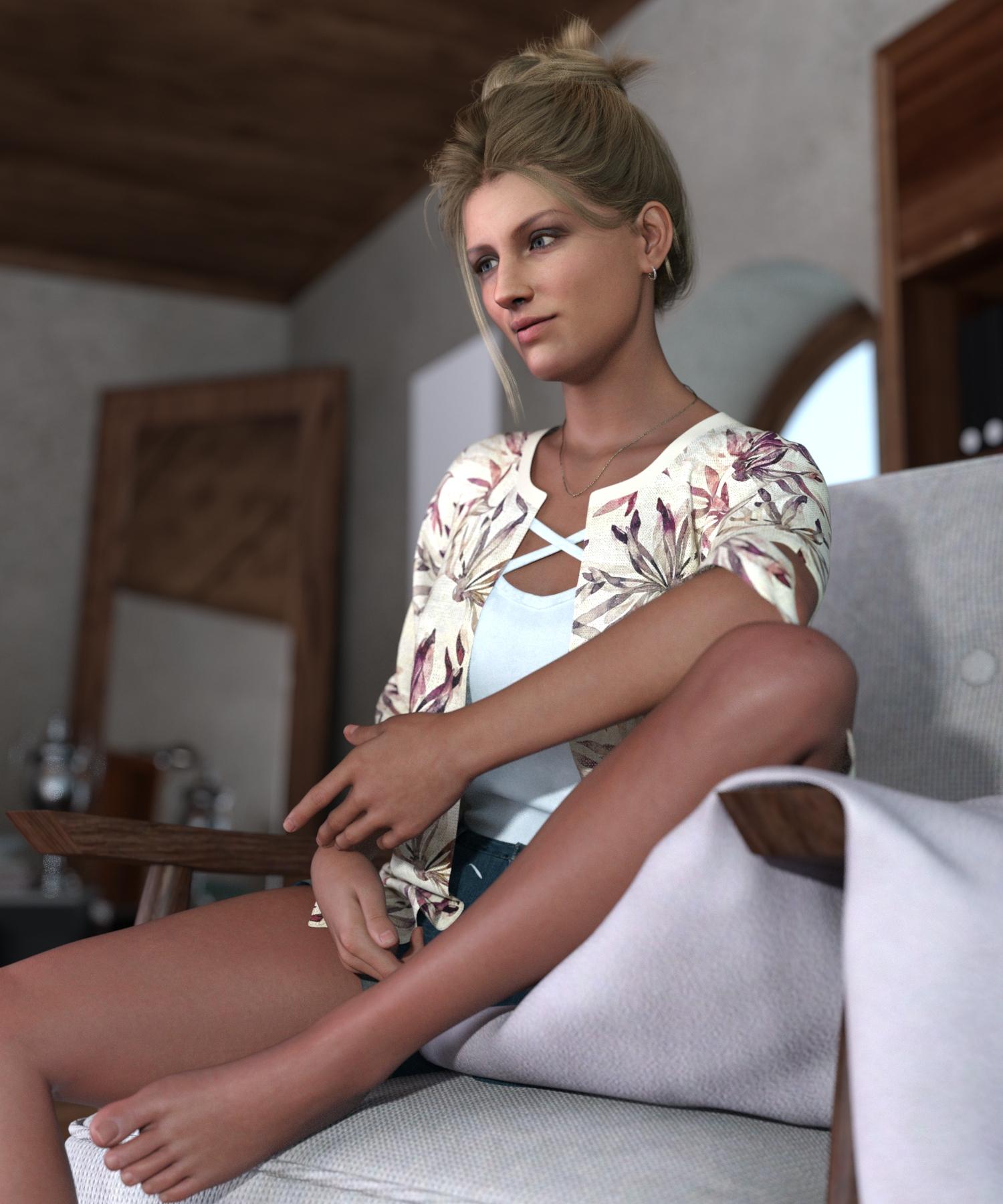
This was actually a learning and testing exercise. Nothing here is remotely out-of-the-box usage of FT, and a lot of small steps were involved. In essence, it's FT to G8.1 (which is what I normally use, so I can make use of all of the G8.1 features with my FT characters). From there, I converted the original FT mat files to G9 format, then converted the shape to G9 using info I found on another forum thread here. The shape is half Face Transfer and half the result of another 2D conversion product I've been testing lately - part of this test was to confirm that this hodgepodge of shapes would make the trip, as the example for the process I followed used a commercial Daz figure. Then I loaded a stock G9, to which I applied the shape, the Victoria 9 mats (as a shortcut to get a bunch of skin settings set), then replaced the Victoria 9 base color and translucency color mats with the converted FT mats.
I have normals, etc., for this character but didn't go that far for this exercise, which was specifically about the application to G9.
NOTE: There's some face staining here which I could have prevented by using a version of this source image that had shadows cleaned up a bit. It doesn't affect the "proof of concept" but it bugs me! :)
Missing Morphs for purchased characterWhen one loads any Genesis figure, be it Genesis 1 to Genesis 9, the figure loads all the morphs (characters and morphs) that one has installed for that Genesis generation and gender.
So, when you are loading the Gunner character, you are also loading any and all other characters that you have installed for Genesis 1 - This is needed for DS to be able to create the morph dials and the interdependencies between them.
It is not uncommon to have for example freebies looking for other morphs that the user does not have, and you get a notice for missing files even when the files have nothing to do with the character one is loading.
You said you did a complete reinstallation of DS and all the content - If you now open a scene file, character preset, whatever that was saved prior to reinstallation, the files can be looking for morphs that were there before the reinstallation and one gets a notice of missing files again. You just need to save them again and the files stop bugging you with the missing files.
If Gunner doesn't look like Gunner, something is wrong with the installation - Check where your files have been installed, see the instructions for manual installation to see where they should be.
You haven't said, if you are logging into Daz Studio = Bad idea if one doesn't know what it can do.
40s Inspired WatchThat is a handsome character. Is it G8 or G9 ? and can you share any morph info?
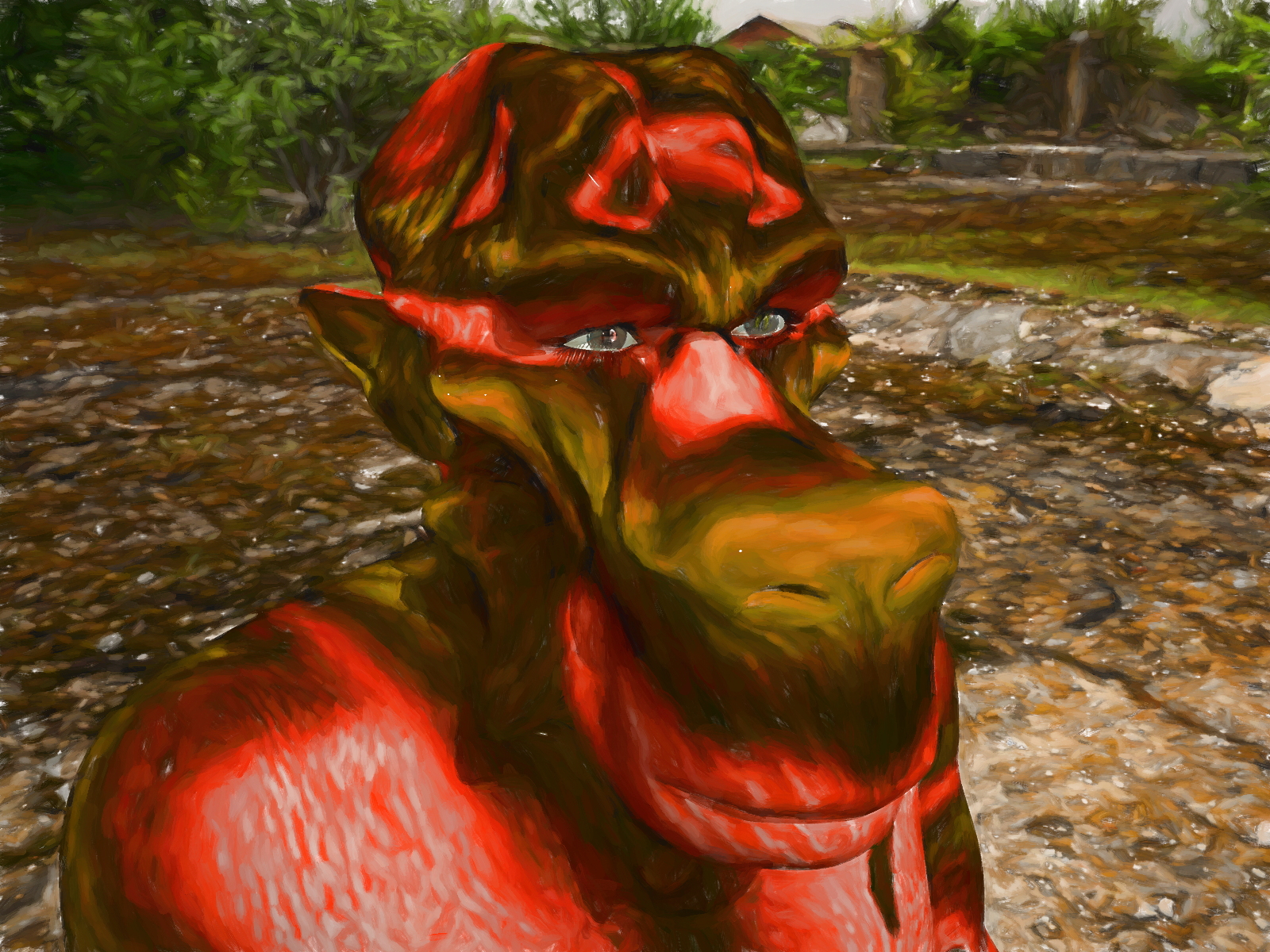
Carrara Non Photo Realistic Works 2Alien Genesis 2 Head Morph Portrait
Daz 3D is part of

Connect
DAZ Productions, Inc.
7533 S Center View Ct #4664
West Jordan, UT 84084Licensing Agreement | Terms of Service | Privacy Policy | EULA
© 2026 Daz Productions Inc. All Rights Reserved.