-
Anime Toons and Filatoon Shader Q&A
necroscension said:
TheNathanParable said:
necroscension said:
TheNathanParable said:
I haven't tried this myself yet, but I wonder if it might be better to use one of those skydome products rather than a HDRI background, such as Iray Worlds or Worldbase by Magix 101.
https://www.daz3d.com/iray-worlds-skydome
https://www.daz3d.com/the-all-new-worldbase-xt-lushlands
At least then you won't have to worry about the background being pixellated.
I have the first product, I'll give it a try.
I had attempted using a plane and a sphere to create a background but those pixelated as well. The main reason the pixelation became a problem for me is that the hdr I was trying to use had a painted look that got ruined by the resampling.
Vick 9 | Daz 3D -> I had to render the background using Iray in order to retain the painted look.
(edit) Unfortunately Filament doesn't like the product, I guess because it uses the sky image in both the Emission and Luminance properties in Surfaces (view attachment).
Have you tried applying the Filatoon shader to the backdrop? The default iray shaders may not translate well to filament.I applied the general shader and moved the image in the Emission slot to the base slot. Unfortunately the images are being resampled (see attached).Ok, I think I figured out why the mesh skydone is pixellated for you.
These are two renders of Mikey. On the left, I set the "texture resources" option in the Daz Studio preferences to "performance", which makes Mikey's textures pixellated. On the right, I set the option to "quality", which makes them sharper. It's most noticeable around the eyes.
I'm using a iray HDRI background in both of these. It seems these are completely unaffected by this option, but a mesh skydone like the one used in iray worlds or worldbase xt should look better with this option set to "quality". I'll try it out for myself once I get them installed and working.
3D Comic Book Tips And Picturesmmitchell_houston said:
This looks very nice, and very promising. What, exactly, is Filatoon? Is it a render setting built into Daz Studio or is it a separate product? I saw a bunch of Toon products recently listed, but non of them list a prerequisite for another product. Also, does it allow for pure b&w output?
Filatoon is a shader (well, a combination of a shader and a geoshell for the outline) that you use with the Filament render engine. The shader is available in the latest version of DS default resources, and you need DS 4.23 to use it.
3D Comic Book Tips And Pictures3Diva said:
I'm so excited about Filatoon! I'm planning on using it for my comic work. Here's the result of an experiment I'm doing with the Filatoon settings and the Filament Draw Options. This is a Filament render with zero post-work:
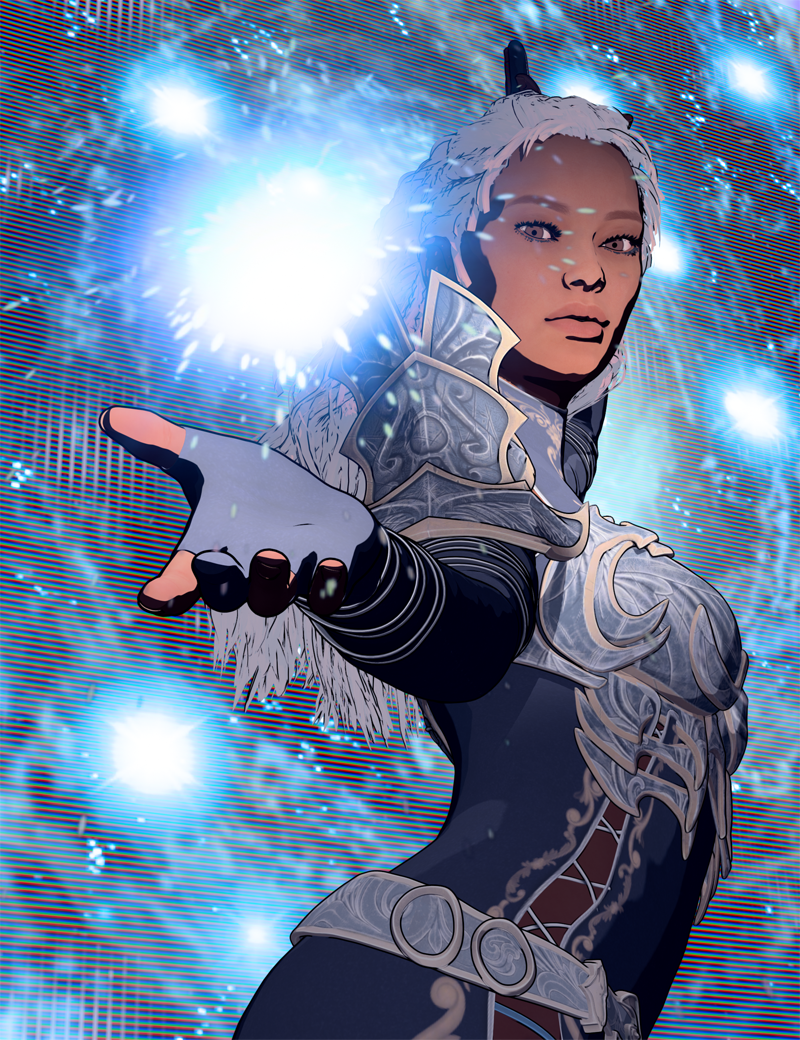
Is anyone else exploring Filatoon? One of my favorite parts is that it renders just about instantly - in about 1 second, even on my older machine! And what you see in the viewport is what you get! So cool!
This looks very nice, and very promising. What, exactly, is Filatoon? Is it a render setting built into Daz Studio or is it a separate product? I saw a bunch of Toon products recently listed, but non of them list a prerequisite for another product. Also, does it allow for pure b&w output?
3D Comic Book Tips And Pictures3Diva said:
I'm so excited about Filatoon! I'm planning on using it for my comic work. Here's the result of an experiment I'm doing with the Filatoon settings and the Filament Draw Options. This is a Filament render with zero post-work:
Is anyone else exploring Filatoon? One of my favorite parts is that it renders just about instantly - in about 1 second, even on my older machine! And what you see in the viewport is what you get! So cool!
This looks very nice, and very promising. What, exactly, is Filatoon? Is it a render setting built into Daz Studio or is it a separate product? I saw a bunch of Toon products recently listed, but non of them list a prerequisite for another product. Also, does it allow for pure b&w output?
Anime Toons and Filatoon Shader Q&ATheNathanParable said:
necroscension said:
TheNathanParable said:
I haven't tried this myself yet, but I wonder if it might be better to use one of those skydome products rather than a HDRI background, such as Iray Worlds or Worldbase by Magix 101.
https://www.daz3d.com/iray-worlds-skydome
https://www.daz3d.com/the-all-new-worldbase-xt-lushlands
At least then you won't have to worry about the background being pixellated.
I have the first product, I'll give it a try.
I had attempted using a plane and a sphere to create a background but those pixelated as well. The main reason the pixelation became a problem for me is that the hdr I was trying to use had a painted look that got ruined by the resampling.
Vick 9 | Daz 3D -> I had to render the background using Iray in order to retain the painted look.
(edit) Unfortunately Filament doesn't like the product, I guess because it uses the sky image in both the Emission and Luminance properties in Surfaces (view attachment).
Have you tried applying the Filatoon shader to the backdrop? The default iray shaders may not translate well to filament.I applied the general shader and moved the image in the Emission slot to the base slot. Unfortunately the images are being resampled (see attached).Anime Toons and Filatoon Shader Q&A
Have you tried applying the Filatoon shader to the backdrop? The default iray shaders may not translate well to filament.necroscension said:TheNathanParable said:
I haven't tried this myself yet, but I wonder if it might be better to use one of those skydome products rather than a HDRI background, such as Iray Worlds or Worldbase by Magix 101.
https://www.daz3d.com/iray-worlds-skydome
https://www.daz3d.com/the-all-new-worldbase-xt-lushlands
At least then you won't have to worry about the background being pixellated.
I have the first product, I'll give it a try.
I had attempted using a plane and a sphere to create a background but those pixelated as well. The main reason the pixelation became a problem for me is that the hdr I was trying to use had a painted look that got ruined by the resampling.
Vick 9 | Daz 3D -> I had to render the background using Iray in order to retain the painted look.
(edit) Unfortunately Filament doesn't like the product, I guess because it uses the sky image in both the Emission and Luminance properties in Surfaces (view attachment).
Anime Toons and Filatoon Shader Q&ATheNathanParable said:
I haven't tried this myself yet, but I wonder if it might be better to use one of those skydome products rather than a HDRI background, such as Iray Worlds or Worldbase by Magix 101.
https://www.daz3d.com/iray-worlds-skydome
https://www.daz3d.com/the-all-new-worldbase-xt-lushlands
At least then you won't have to worry about the background being pixellated.
I have the first product, I'll give it a try.
I had attempted using a plane and a sphere to create a background but those pixelated as well. The main reason the pixelation became a problem for me is that the hdr I was trying to use had a painted look that got ruined by the resampling.
Vick 9 | Daz 3D -> I had to render the background using Iray in order to retain the painted look.
(edit) Unfortunately Filament doesn't like the product, I guess because it uses the sky image in both the Emission and Luminance properties in Surfaces (view attachment).
FilaToon / Cell shaded rendering with FilamentVenger1979 said:
Progressed a little on the toons. How should i work with environments? Adding dodgy cartoon background like this isnt like the real thing.
I personally recommend two things:
1) Invest in some simple environments. Maybe even go for the older pre-iray environments, as they tend to have simpler geometry that might work better with Filament.
2) Invest in some of the Filament specific products available here, such as https://www.daz3d.com/atmosphere-for-filament or https://www.daz3d.com/sy-atmospheric-blur-filament to add a bit more colour detail to the backgrounds.
With those aformention products, you'll need to apply the filatoon shader to them (I recommend the "constant" preset) and then making sure to turn off "cast shadows" in the shader settings.
How do I keep my dots from going awayCybersox said:
Dotify is an iray shader combined with iray decals, so it has to be rendered using the Iray engine, whereas the new toon shader system is a Filament shader (with a geoshell ad-on for the toon outline) and is run in the completely different Filament rendering system. So, in-render, they're completely incompatible. That said, you could try rendering the characters twice, once in Iray with Dotify, and once in FIlament using FIllatoon, and then try combining them in post with Photoshop.
Thank you for your reply. I tried doing what you said. I'm not sure if it is an improvement or not
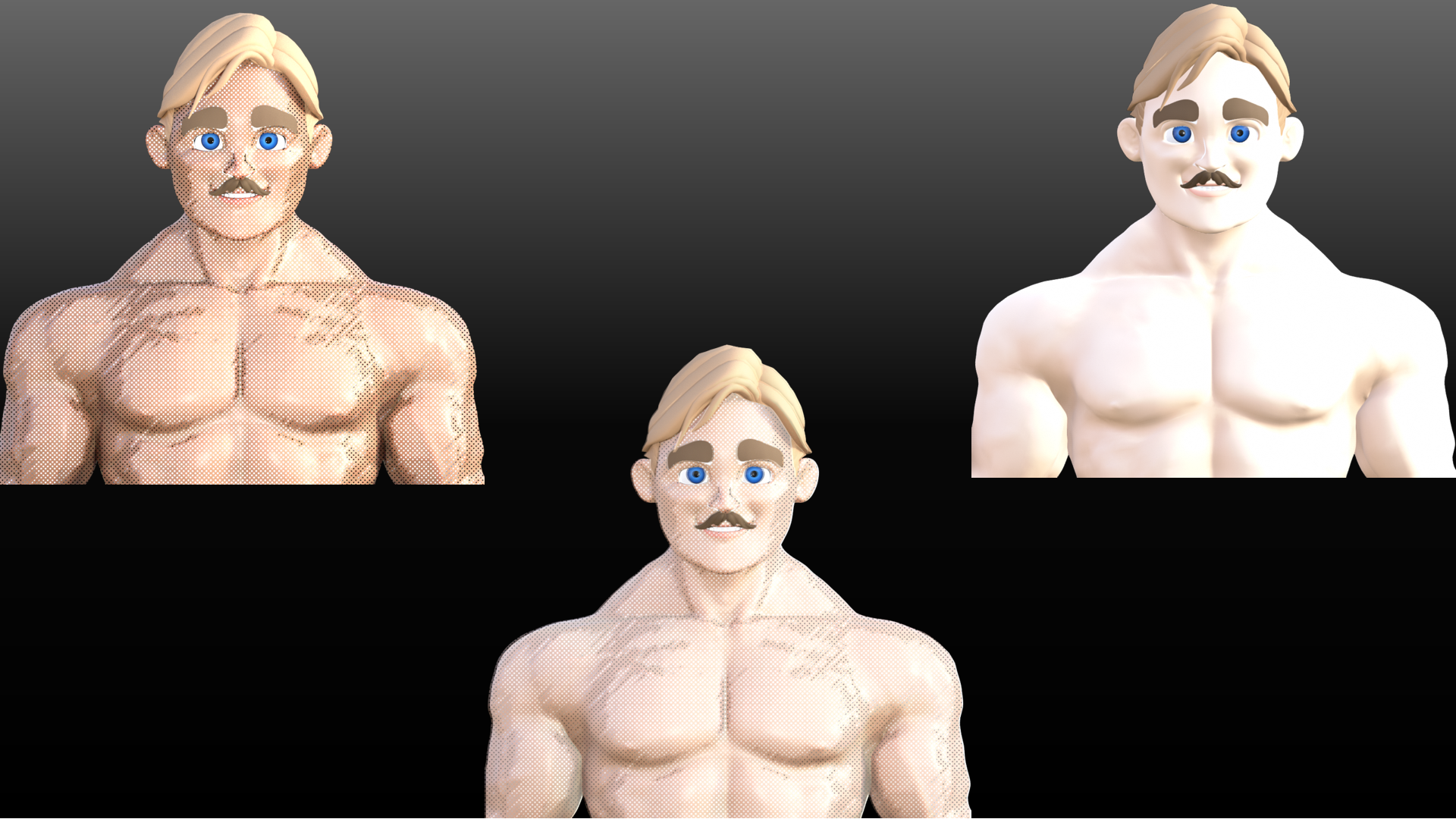 How do I keep my dots from going away
Dotify is an iray shader combined with iray decals, so it has to be rendered using the Iray engine, whereas the new toon shader system is a Filament shader (with a geoshell ad-on for the toon outline) and is run in the completely different Filament rendering system. So, in-render, they're completely incompatible. That said, you could try rendering the characters twice, once in Iray with Dotify, and once in FIlament using FIllatoon, and then try combining them in post with Photoshop.
I have a question about daz and hardware??(solved)You do seem to need an upgrade, specially for Daz with iray or any other nvidia base rendering.
Upgrading CPU (+mother/+ram) will help, but not much. GPU is the priority if you want iray rendering.
Alternatives? Staying in daz, filament instead of iray.
Alt2: Load assets in Daz, then export to other programs that works better with an AMD GPU.
AIUTO...CHI CONOSCE L’ITALIANO? PARTE QUATTORDICI
No, ma essendo uno shader, è non essendo stato modificato il motore di rendering, dovrebbe funzionare.Tiziano said:Crios said:
Comunque ho scarica G9, e DAZ mi ha fatto fare un download di altri aggiornamenti, ma non va. Quando renderizzo in Filament, tipo la maglia del ragazzo, mi parte il render in 3Delight,e non in filament. Quando provo a renderizzare G9F anime, mi parte il render in Iray. NB: uso l'ambient nel pacco della ime, e selezione sia la visuale in Filament che il render in View content, non seleziono né 3Delight né Iray.
Usi l'ultima versione di DS?
Anime Toons and Filatoon Shader Q&AArtini said:
Does anybody has succeded with the conversion of Iray HDRI Skydomes to FilaToon?
If so, how to proceed.
Same here. My attempts resulted in resampled background images, making the smooth images blocky/pixelated. There doesn't appear to be a max image size setting for Filament like there is for Iray (unless I'm overlooking it), so I'm under the impression Filament uses a default setting. I had to resort to rendering the background in Iray and the figure without the background in Filament and then merge the two in Photoshop/Gimp.
(edit) So Filament allows hdr's to be used, but it looks like not all hdr's are usable (though they may work in Iray). It takes a moment for the Draw Settings to update with the new hdr, with nothing updating if hdr is unusable (a bug maybe?) And like I mentioned, the hdr's are resampled to give that lovely re-sized blurred yet pixelated look. IBL Skies - Scattered Clouds | Daz 3D for example works, but the clouds get pixelated.
(edit 2) Hdr's that act unusable can be "corrected" by re-saving them in Photoshop and then reloaded into DazStudio.
Can I render earlier generations with the new toon settings?Check these threads for tips on using Filatoon:
https://www.daz3d.com/forums/discussion/704951/anime-toons-and-filatoon-shader-q-a/p1
https://www.daz3d.com/forums/discussion/704931/filatoon-cell-shaded-rendering-with-filament/p1
FilaToon / Cell shaded rendering with FilamentTheNathanParable said:
Phyre Fey said:
TheNathanParable said:
Don't look behind you...
Gallery link: https://www.daz3d.com/gallery#gallery=all&sort=newest&page=1&image=1352413
This looks SO GOOD! I'm so in love with these shaders and I'm happy that Visual Style Shaders work super well with filament and filatoon.
Thanks! I do wanna clarify though that these aren't my Visual Style Shaders (they only work in 3Delight, and not Filament), these are the standard FilaToon shaders with some tweaked parameters (such as shadow smoothing and colours). I'm still in the experimentation phase, and would like to eventually create a pack of FilaToon presets recreating the look of Visual Style as close as possible.
Oh yeah I was saying that I'm using visual style shaders along with filatoon to achieve a more toony look, so I'll apply VSS first and then filatoon on top. ;D
Here's what I'm working on, I found some things like the leaves and antlers/branches are better with just VSS, while non toon hairs really benefit from VSS + Filatoon;
Filament Opacity Issues in DAZ 4.23If you noted toon hairs are solid geometry. Filament can't handle multiple layers of transparency, not even in 4.23. That's somewhat odd as opengl works fine with multipass, but filament doesn't have a multipass option.
Anime Toons and Filatoon Shader Q&Acain-x said:
I posted this in https://forum.daz3d.com/forums/discussion/707056/filament-opacity-issues-in-daz-4-23 but has the opacity issues (primarily with hair) been fixed in the latest iteration of Filament in 4.23?
Have you tried this: https://www.daz3d.com/forums/discussion/comment/8923351/#Comment_8923351
Anime Toons and Filatoon Shader Q&AI posted this in https://forum.daz3d.com/forums/discussion/707056/filament-opacity-issues-in-daz-4-23 but has the opacity issues (primarily with hair) been fixed in the latest iteration of Filament in 4.23?
Filament Opacity Issues in DAZ 4.23Just wanted to confirm if these opacity issues remain in the latest iteration of Filament.
The hair themselves just have a diffuse and opacity map and using the FilaToon Constant shader settings - it gets it close but not close enough. Are there other tips/tricks I can try here? Iray/3delight renders the hair much better but Filament is just that much quicker.
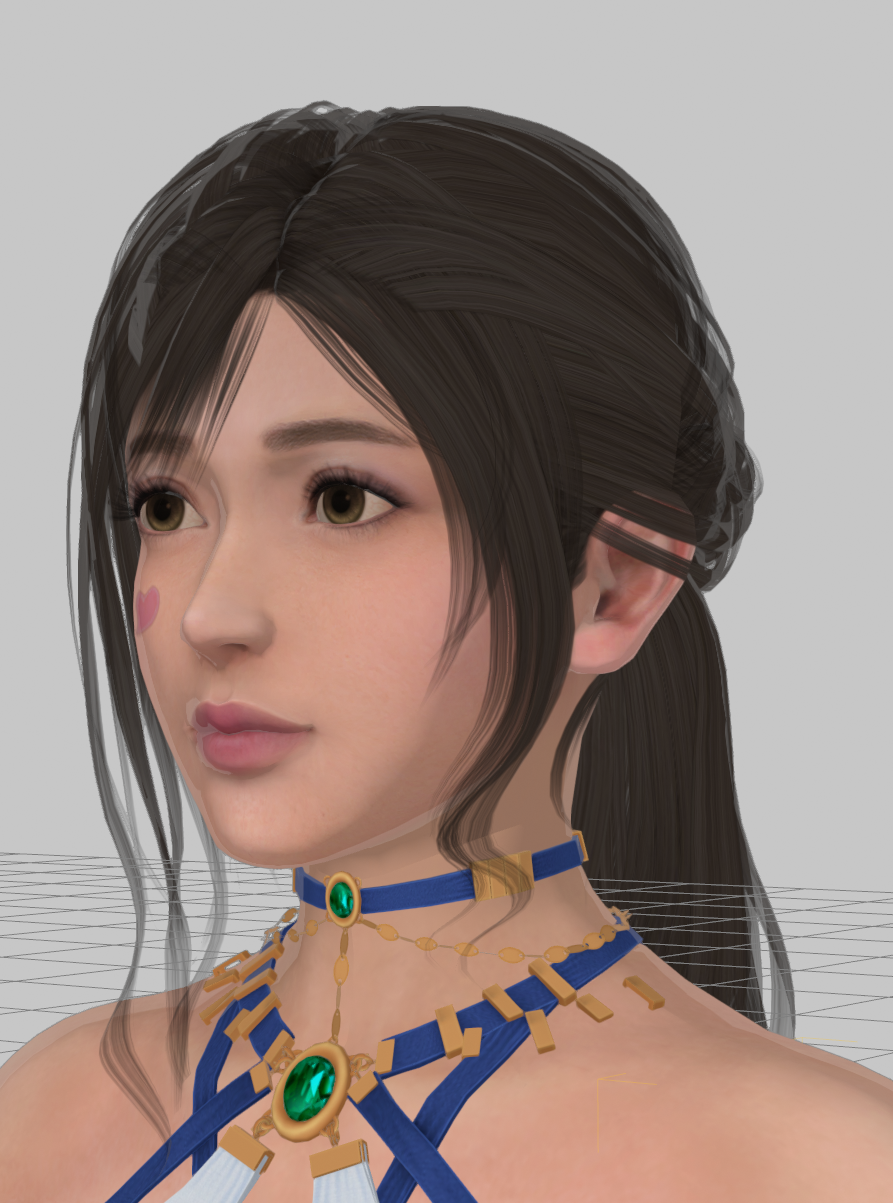 FilaToon / Cell shaded rendering with Filament
Phyre Fey said:
TheNathanParable said:
Don't look behind you...
Gallery link: https://www.daz3d.com/gallery#gallery=all&sort=newest&page=1&image=1352413
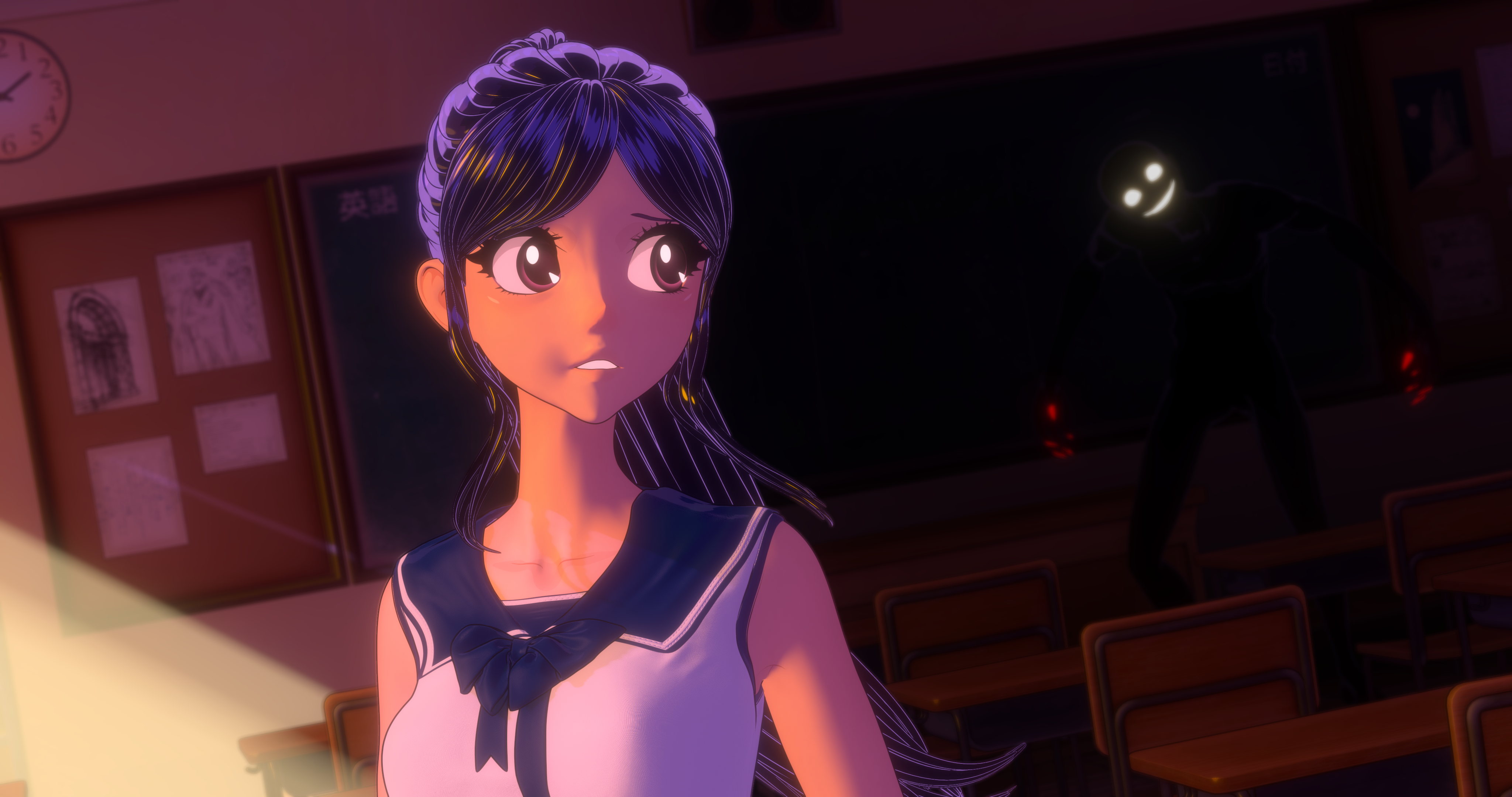
This looks SO GOOD! I'm so in love with these shaders and I'm happy that Visual Style Shaders work super well with filament and filatoon.
Thanks! I do wanna clarify though that these aren't my Visual Style Shaders (they only work in 3Delight, and not Filament), these are the standard FilaToon shaders with some tweaked parameters (such as shadow smoothing and colours). I'm still in the experimentation phase, and would like to eventually create a pack of FilaToon presets recreating the look of Visual Style as close as possible.
Daz 3D is part of

Connect
DAZ Productions, Inc.
7533 S Center View Ct #4664
West Jordan, UT 84084Licensing Agreement | Terms of Service | Privacy Policy | EULA
© 2026 Daz Productions Inc. All Rights Reserved.