-
Need help saving a character expression using Addy custom smile morphs
That's going to depend on how they work. If the Lyla smile works by moving the mesh around (morph) while the Macey smile works by manipulating joints (pose), then there may not be a way to combine them short of doing an ERC freeze to combine the morph and the pose into a single slider (if that's even possible).
Need help saving a character expression using Addy custom smile morphsHello,
I have created a custom character and created a rather nice smile for her by blending a smile morph from BlueJaunte's Macey and Addy's Lyla smile morphs. However, when I try to save the smile as a pose preset I cannot find Addy's Lyla smile in the Pose Preset pick list. The Macy smile is there just not the one for Lyla. I have looked in the Expressions folders for both G8 and G8.1 as well as every sub folder that I can think of with no luck. And while looking for the Lyla smile, I realized that none of the custom smile morphs that come with Addy's characters are showing up either. Can anyone tell me where I can find these morphs in the list, or provide some tips on how to find them, so that I can save an expression?
Thanks in advance for any replies.
nabob21
help with Coral 8.1
thank you! I'll try it with blender (I'm still learning but I think I get what you mean) :)ShelLuser said:I think the biggest issue to cope with here is that the gills are a separate surface of their own, with normal map and everything. I'd start there, this is part of her tail. Because of that I don't think that just copying her human texutre is going to do you much good here.
But second... intruiging problem IMO so I did what I always do when I want to study a figure in more detail: I GoZ'd her over into ZBrush and sure enough: the "hiatus" which those gills are showing (the edges and such?) are part of the mesh itself, so I think you're going to need more to smoothen that out: you probably need to smoothen the mesh itself as well.
I'll show you what I mean... there... if you look closely you'll notice a bright(er) red surface: this is the human part of Coral, and you'll notice a darker reddish surface: that's her tail. Notice how the sharper edges of the gill all form around the darker reddish parts?
So I think (this is just my theory!) that next to changing the textures you're also going to need to smoothen out the tail mesh. Maybe a morph?
Hope this can help a bit.
(edit) So I tried to create a morph to try and smoothen this out... it looked somewhat good in ZBrush but when trying to actually save the morph in Studio it crashed the program. Still, I believe that a morph + retexture is your best way out of this.
(edit2) Houston, we have a problem. I didn't notice at first because I was too focussed on ZBrush but.. try to actually hide the "Coral 8.1 Tail" asset in Studio? There's not much of her left after that :( On first impression I blamed Normal maps (ey, I never claimed to be a professional! ;)) but this runs way deeper: her bottom half is part of her tail and not some overlap as I first assumed. See my second attachment "gill_gaps"?
We need to edit the mesh, retexture parts of said mesh and then it should work. Can't do much more for now but for whatever it's worth I'll look further into this upcoming week.
Freebie Challenge May 2023 - "Sweet Music" - Main ThreadThe Sweet Sixteens
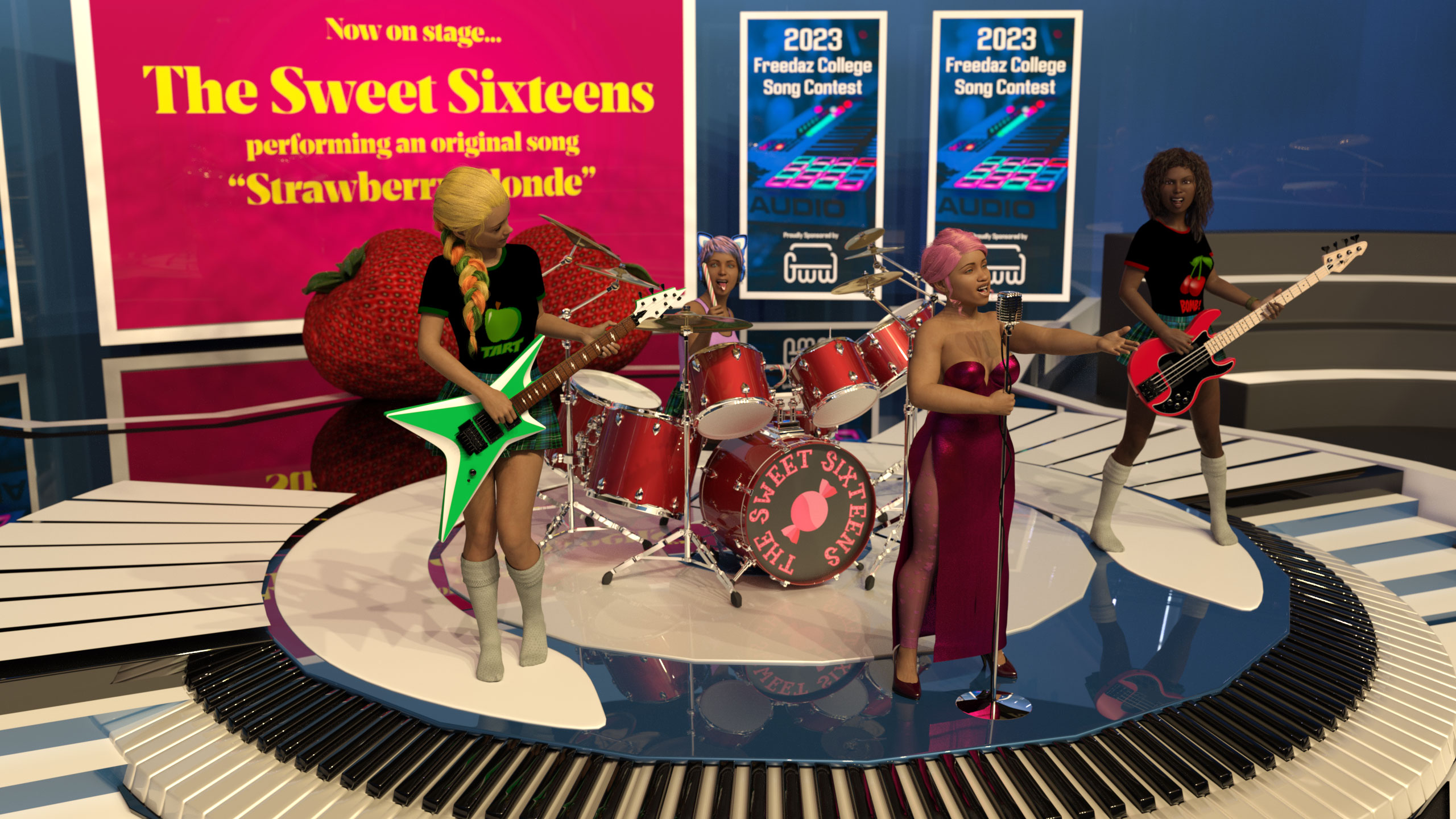
Gallery link for a little more detail
Freebies
- Stage Set: https://www.cgtrader.com/free-3d-models/interior/other/studio-5a146187-e206-46be-bbfb-d9cff7bfacb0
- Singer's Hair: https://www.renderosity.com/freestuff/items/81937/dforce-french-twist-hair-for-genesis-8-females
- Singer's Morph: https://www.sharecg.com/v/98945/gallery/21/DAZ-Studio/Generations-G8F-shape-presets
- Singer's Dress: https://www.renderosity.com/freestuff/items/83866/rabbit-dress-for-g8f
- Singer's Tights: https://www.renderhub.com/humanxystudio/variable-leotardnylon-for-g8-and-8-1-female
- Singer's Shoes: https://www.renderosity.com/freestuff/items/87897/classic-fashionable-modest-pumps
- Singer's Microphone: https://www.deviantart.com/elborja/art/Oldmic-obj-839317942
- Applied to Environment, Drum Kit & Microphone: https://www.deviantart.com/tom2099/art/Iray-car-related-shader-presets-megapack-539622361
- Bassist's skin & morph: https://www.renderosity.com/freestuff/items/83613/alysha-for-genesis-8-female
- Bassist & guitarist's skirts: https://www.renderhub.com/tikiman-3d/dforce-schoolgirl-skirt (possiby NSFW)
- Bassist & guitarist's tops: https://www.renderosity.com/freestuff/items/85301/basic-t-shirt-for-g8f
- Bassist's hair: https://www.renderosity.com/freestuff/items/86422/dingos-wild-curls-for-genesis-8-female
- Guitarist's morph: https://www.renderosity.com/freestuff/items/85871/inga-britt-for-g8f
- Bassist & guitarist's socks: https://www.renderosity.com/freestuff/items/80428/military-uniform-for-genesis-8-females
- Guitarist's hair: https://www.renderosity.com/freestuff/items/88062/candy-braids-hair-for-genesis-8-females
- Drum set: https://free3d.com/3d-model/drum-set-41081.html
- Drumsticks: https://www.renderosity.com/freestuff/items/87242/low-poly-candy-canes-with-procedural-materials
- Drummer's headset: https://www.deviantart.com/amyaimei/art/Sci-fi-Cat-Headphone-for-Genesis-8-Female-757851949
- Bass guitar: https://www.renderosity.com/freestuff/items/85428/peavy-t-40-bass
- Lead guitar: https://www.renderosity.com/freestuff/items/85445/fb-carving-guitar
- Strawberry props: https://www.renderosity.com/freestuff/items/79690/daz-studio-strawberry-prop
- Contest banner background image: https://unsplash.com/photos/c-NBiJrhwdM
No count items
- Genesis 8 Starter Essentials
Paid Items
- Growing Up for Genesis 8 Female(s) (De-age the band members)
- The Bass Guitar and Poses for Genesis 3 and 8 (Pose only)
- Electric Guitar Collection Poses for Genesis 3 and 8 (Pose only)
help with Coral 8.1I think the biggest issue to cope with here is that the gills are a separate surface of their own, with normal map and everything. I'd start there, this is part of her tail. Because of that I don't think that just copying her human texutre is going to do you much good here.
But second... intruiging problem IMO so I did what I always do when I want to study a figure in more detail: I GoZ'd her over into ZBrush and sure enough: the "hiatus" which those gills are showing (the edges and such?) are part of the mesh itself, so I think you're going to need more to smoothen that out: you probably need to smoothen the mesh itself as well.
I'll show you what I mean... there... if you look closely you'll notice a bright(er) red surface: this is the human part of Coral, and you'll notice a darker reddish surface: that's her tail. Notice how the sharper edges of the gill all form around the darker reddish parts?
So I think (this is just my theory!) that next to changing the textures you're also going to need to smoothen out the tail mesh. Maybe a morph?
Hope this can help a bit.
(edit) So I tried to create a morph to try and smoothen this out... it looked somewhat good in ZBrush but when trying to actually save the morph in Studio it crashed the program. Still, I believe that a morph + retexture is your best way out of this.
(edit2) Houston, we have a problem. I didn't notice at first because I was too focussed on ZBrush but.. try to actually hide the "Coral 8.1 Tail" asset in Studio? There's not much of her left after that :( On first impression I blamed Normal maps (ey, I never claimed to be a professional! ;)) but this runs way deeper: her bottom half is part of her tail and not some overlap as I first assumed. See my second attachment "gill_gaps"?
We need to edit the mesh, retexture parts of said mesh and then it should work. Can't do much more for now but for whatever it's worth I'll look further into this upcoming week.
UV Maps?Since we're in the new user area and I'm a bit in the mood...
Simply put: a UV map is 2D representation of the texture that is wrapped around a 3D model.
You see... a 3D model (also referred to as a "mesh") has 2 main properties which define its looks. First is the so called material. A material setting basically determines how the surface of a mesh is going to react to light sources. For example.. a ball out of shiny metal is going to reflect much more light than a ball made from mat plastic or cloth. Such a material preset can also define the general color of the mesh.
But next is the texture... what if you want your mesh to show a pattern of some sort? Something very casual for pieces of clothing for example.
The obvious problem of course: how are you going to wrap a 2D image around a 3D object? Take that ball I mentioned.. you're not going to cope very well if you have a simple 4:3 aspect ratio'd image.
That is why we have UV Maps: to provide us with a 2D image that represents the full surface of the 3D model. I took the liberty to attach an image to my comment which shows you an example of this...
Here I fired up my favorite 3D editor and drew a 3D cube, you can see the original example on the right side (I highlighted it). Then I told ZBrush to create a UV map for me, and I think the results speak for themselves. ZBrush has this nice feature that lets you "morph" your model into an actual UV Map, which is what I did here. You can clearly see all 6 sides of the cube as they're laid out on my canvas.
I hope this could help you to understand this a bit bettter!
Will Dforce Clothing Work On Victoria THREE ?I can confirm that Karanta's clothing for the V3 GND2 morph dForces quite well. Jim Burton's clothing for the V3 variant GV3 works too. Example below, both dresses dForced to drape a little better.
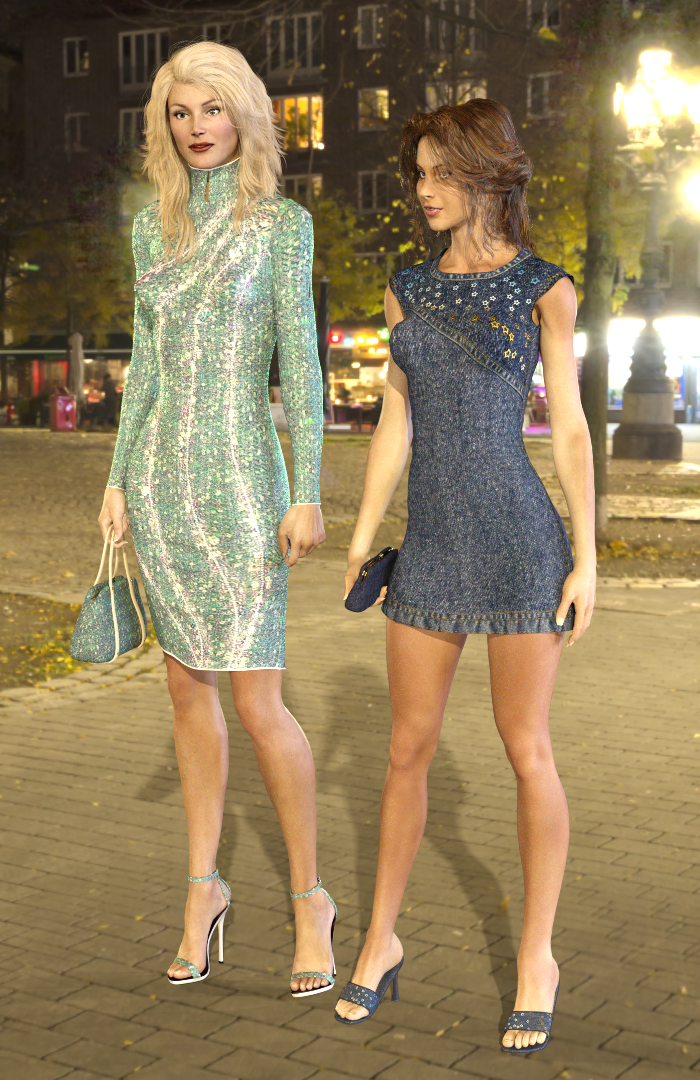
You may need to tweak the coefficient of friction and fabric stretch to get it to work well, but much of it does work.
If considering more modern clothing, you're more likely to get Genesis 3 clothing to fit than Genesis 8 due to the T pose start of simulation. Regards, Richard.
DAZ Horse 3 - will there actually be any support this time?
I tried a quick and lazy Transfer Utility on one of the Horse 3 outfits to Horse 2 and it just about looked okay, but that method didn't work. The outfit wouldn't follow the horse. I wasn't trying to be serious about it though. Just messing around with it.DreamWeever said:Has any one tried putting the DHorse3 tack etc on other horses? Some of the carts and harnesses look interesting but I don't want the new monster just to pull a cart
DAZ Store bouncing Paypal orders?kyoto kid said:
...thanks. I've been doing direct purchasing for years and never had an issue.
I didn't either until the last year, but the national statistics show that card theft/fraud has nearly tripled in the last 5 years, from 133,107 reported cases in 2017 to 389,737 in 2022 for just credit cards, with the numbers for debit cards and false electronic transfer numbers even higher.
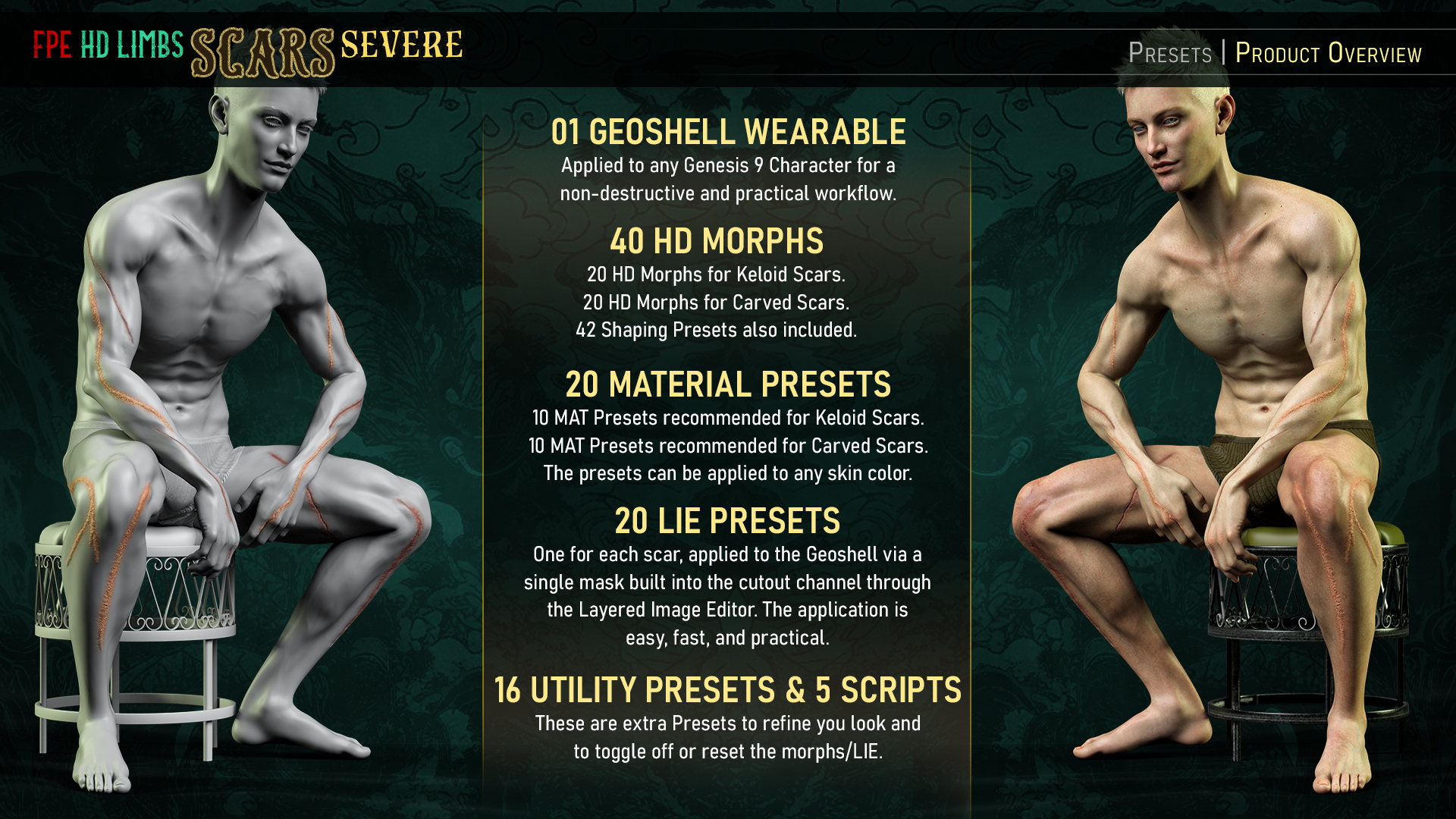
FPE Scars Ecosystem for G9 [Commercial]@Esid and I finally started working on our first "Face Scar Pack for Genesis 9", essentially kickstarting our Scars Ecosystem. We'll also be doing an Ecosystem for Wounds (which will match and follow the Scars) and another one for Bruises (allowing for various stages, like with our HD Bite Bruises Add-on). Rather than do a thread for each Scar Pack, I thought it wiser to this thread for the General Ecosystem we're building and talk about how each product will fit and feed into it.
So, what's changed?
Like how we built our Soft Skin Transitions, we're developing our FPE Scar Ecosystem to ensure seamless cross-compatibility and consistency between products. In a way, each new pack will open new options to previous packs as we keep building and finding new ways to do things.
Here's a video showing how this ecosystem functions:

Here are some key components that we'd like to highlight:
★ Geoshell Application ★
The issue with how we used the Layered Image Editor (LIE) in our Genesis 3 & 8 Scar Packs was that if certain maps weren't in specific channels (and not all PAs use the same structure when building skins, myself included), the scars would look off.
- The result was long sessions of troubleshooting wherein sometimes users lacked the knowledge, patience, and/or inclination to explain the issue or manually make the changes required for the product to work as intended with their more unique characters.
- The fact that we now have characters using PBRSkin Shader also played a huge role in our decision to move away from building the scars directly onto the skin maps (as that would further complicate things).
- Other known issues with LIE were longer loading and application times.
- Not to mention that tweaking the look and even deleting the scars was also an issue for users unfamiliar with the Layered Image Editor.
So with this new generation, we wanted to make it as easy and painless as possible for users to apply scars and have them look how we showed in the promos regardless of the character used.
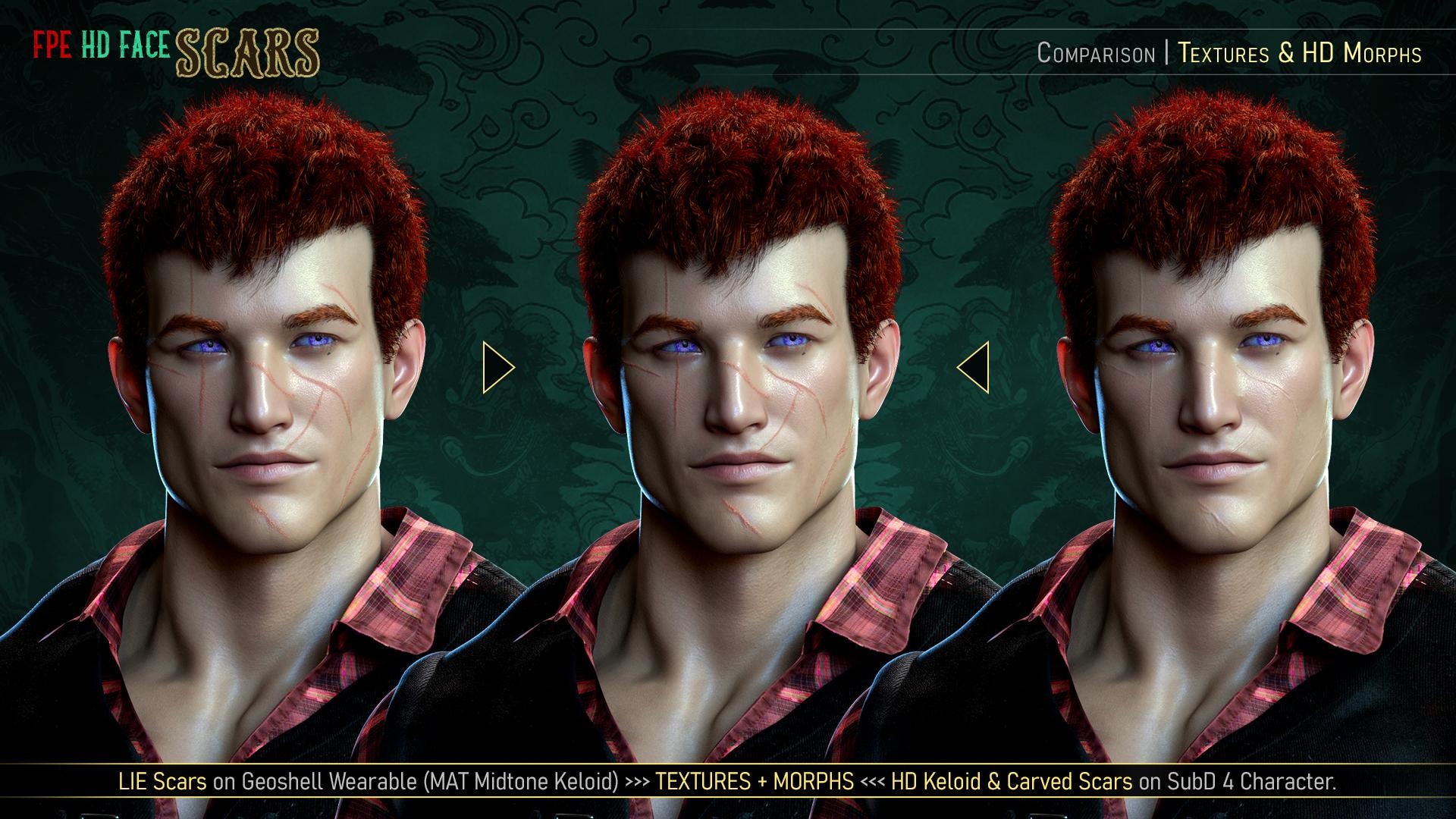
This is where applying via a Geoshell comes in.
Think of the Shell as a new layer applied atop your character's skin. You don't want the layer, you simply peel it off by deleting the Shell from the scene!
★ HD Scar Morphs in two Styles: Keloid & Carved ★
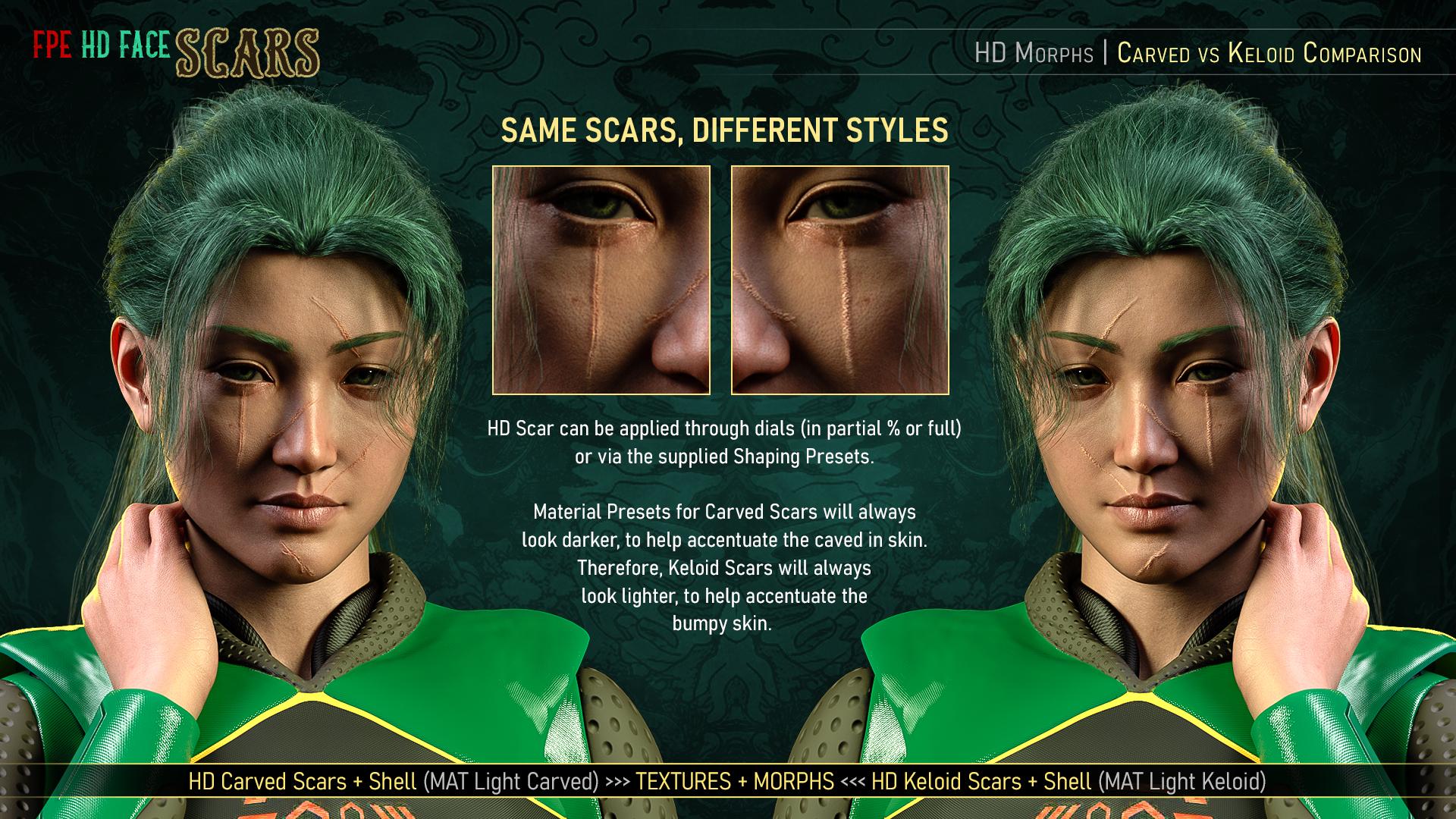
Rather than duplicate all the presets or create them only in one style using extra maps, the scars in our new packs will come with two styles of HD Morphs.
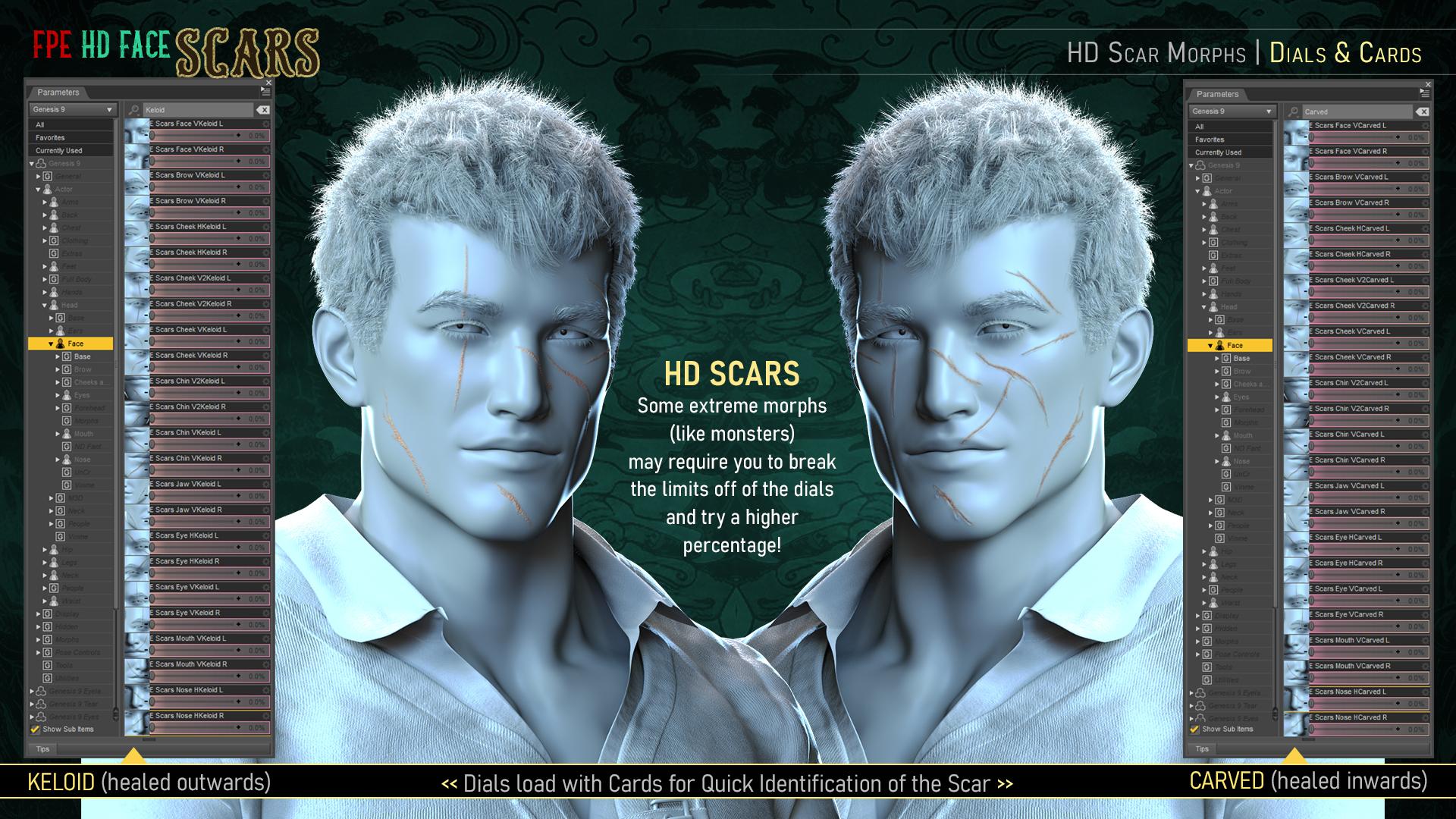
[The picture above is from our first pack]. - Carved morphs will apply scars that have healed inwards, creating a caved-in feel to the skin.
- Keloid morphs will apply scars that have healed outwards, creating a bumpy feel across the skin.
- By using morphs rather than displacement, there should be no issue with clothing poke-through, and dialing some of them back will ensure a more subtle look.
- Likewise, characters with more extreme morphs will benefit from breaking the limits of the dial to give the scar more punch (150% dial, for example).
- Since these morphs are HD, characters will need to be set to Render SubDivision of 3 or 4 for them to show. Scripts to help you change the SubD Render Level will be included with each pack!

Example Pack 1 of breaking the limits to dial in more of the morph. ★ General Scar Texture ★
As with the rest of our recent products, a general and uniform scar texture will be pre-applied on the "FPE Scar Geoshell" (the backbone of the ecosystem, if you will).
Not only do we ensure the final look of the scar regardless of whether your character uses Iray Uber or PBRShader skin, but we also create a non-destructive way of applying them. The versatility of Geoshell allows you to quickly and efficiently build, change, tweak, and/or delete the scars without affecting or altering your character's underlying skin. In fact, you can simply toggle them on and off at will from the comfort of DAZ Studio.
This also means that the Material Presets included in all of our FPE Scar Products for Genesis 9 should work on each other.

The first pack, for example, will provide 12 Material Presets that should cover a wide variety of skin colors. Whether you'll want the scar to blend in or stand out would be a matter of choosing a Material Preset and then further tweaking via the Translucency and Intensity Partial Material (Utility) Presets.
★ LIE Component for Mask Building ★
The scars will appear once you've applied one of the Layered Image Editor (LIE) Presets onto the Geoshell. But don't worry about delays! Each LIE applies a single mask on the cutout opacity channel, which makes for a fast and painless application.

★ Customizing the Scars ★
Each pack will provide some general Geoshell Material Presets to help you match your character's skin color as much as possible.
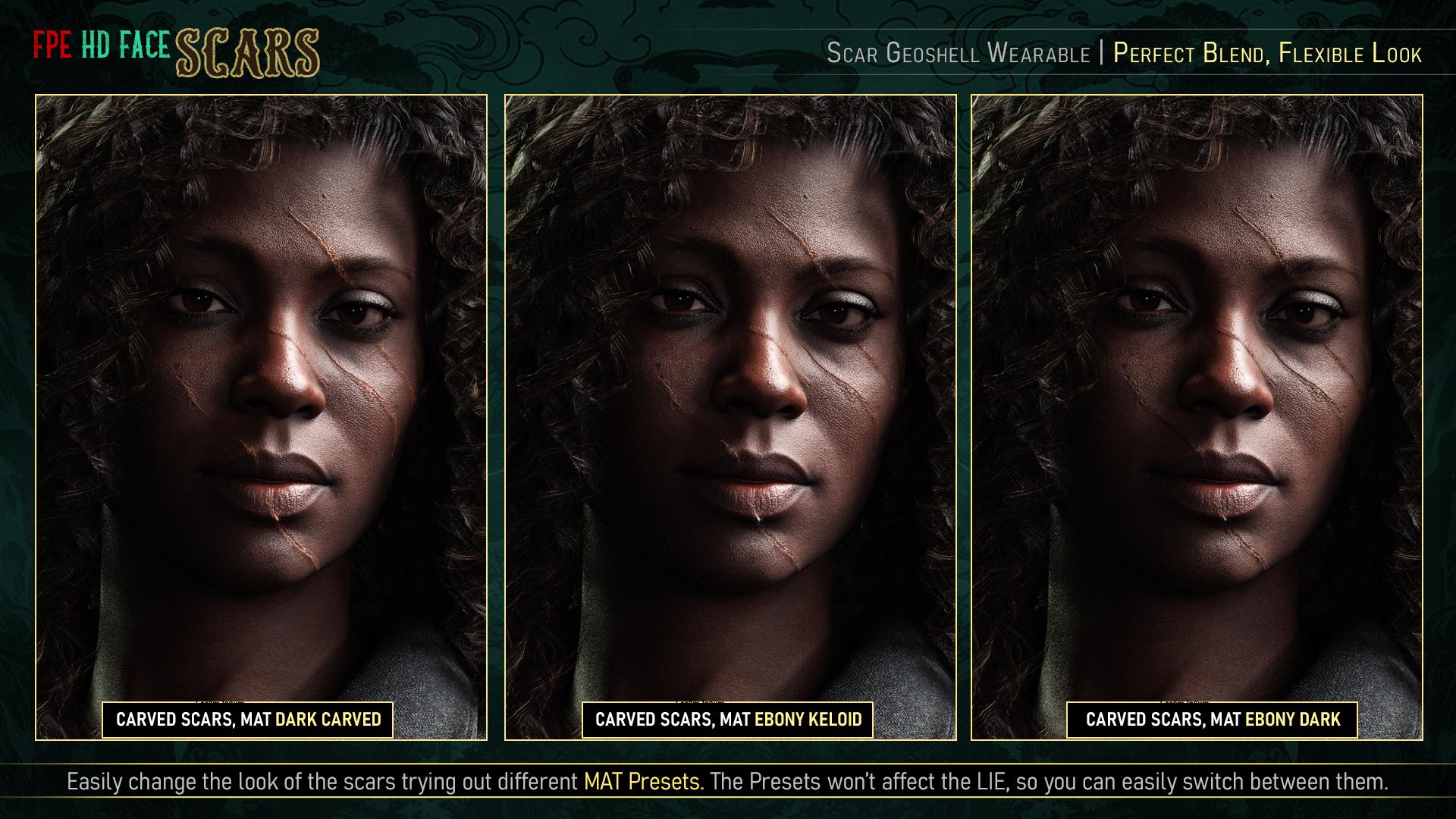
Experiment with the different skin color presets to change the look of the scars! ♥ Of course, you can always apply different colors to different skins for even more variation!
♥ Even better, since we're using Geoshells, you can even manually change the color to something that better fits your particular character.
♥ Here's where the ecosystem will kick in, since each pack may bring in new presets to tweak and customize the scars, possibly even giving older scars, new looks!Some other factors to highlight:
- Each Skin Color Material will come in Keloid & Carved Variations. Keloid MATs will always be lighter in color than Carved MATs.
- Partial Material and Property Presets (Utility Presets) will be provided to help you refine the look.
- Instructions via scripts detailing the application process, troubleshooting, and some tips on how to use these extra presets will always be included.
⚠ Troubleshooting ⚠
This is where I'll be adding general issues and how to solve them as they crop up. I'll start off with some common issues which came up with our Soft Skin Series that might be relevant here. If you have an issue that's not covered here, please reach out!
⚠ Correct Application:
The only thing you should apply to your character is the FPE Scar Shell (Geoshell Wearable). We'll be using the same Geoshell for all products!
✔ Every other preset (Materials, Property & LIE Presets) should always be applied to the Geoshell unless otherwise specified in the icon.
✔ Please refer to the application instructions included in each pack when in doubt.⚠ Disappearing Character:
If part of your character disappears, then you've probably applied a LIE Preset to your character rather than the Geoshell.
✔ Undo (if possible) or select the skin surface (windows > Tab > Surface) of your character that disappeared and take off the map created in the cutout opacity.
✔ Now, apply the FPE Scar Geoshell, select that, and then apply MAT & LIE presets to the wearable Shell. Refer to the Correct Application point.⚠ Character Changing Skin Color:
That means you have applied a MAT Preset to your character rather than the Geoshell.
✔ The process is the same as above.⚠ Scars Textures Missing in Render:
If you have more than one Geoshell applied and they have the same offset, that will invalidate one or all of them.
✔ Use our Offset Property Presets to give each Geoshell a different offset.
✔ If the issue persists, you can check manually change the Offset by selecting the Geoshell, then in the Parameters Tab (Windows > Pane > Parameters), check under General > Offset. Ensure the numbers are different.
✔ If one of the shells has displacement, you may need to give the shell stacked atop more offset. The higher the Offset value, the farther it will be from the Character.⚠ Black Cracks on the Face of your Character:
This means the shell is colliding with something. That could be your own character's skin (if the skin is set up with displacement) or it might be colliding with clothes or hair.
✔ To fix this, use the Offset Property Presets provided to move the Shell father away.
✔ You can also change the collision of the clothing/hair to the FPE Scar Geoshell in the parameter tab.
✔ If the problem persists, you'll need to manually alter the offset so it doesn't happen (refer to the previous point).⚠ White Geografts:
If you're using a character that been set up with a geograft (horns, tail, genitalia, extra anatomy, etc.) then, when you apply the Geoshell the surface covered by that geograft will look white.
✔ To fix it, select the shell then go to the parameters tab > Visibility > Surfaces and toggle the surface to "OFF".⚠ Scars Morphs not Working:
Since these morphs are HD, characters will need to be set to Render SubDivision of 3 or 4 for them to show.
✔ Scripts to help you change the SubD Render Level will be included with each pack! Otherwise, you can also check in the parameters tab, under Mesh Resolution, to manually check the SubDivision.
Also, keep in mind that Render SubDivision doesn't affect the viewport SubDivision. So while the Morphs will render as they should, you may not actually see them in the scene.
✔ To see them on scene, you'll have to manually increase the Viewport SubDivision to at least 3 (but that may cause delays and slow down your viewport).
★☆★ INDEX ★☆★
FPE Face Scars for Genesis 9 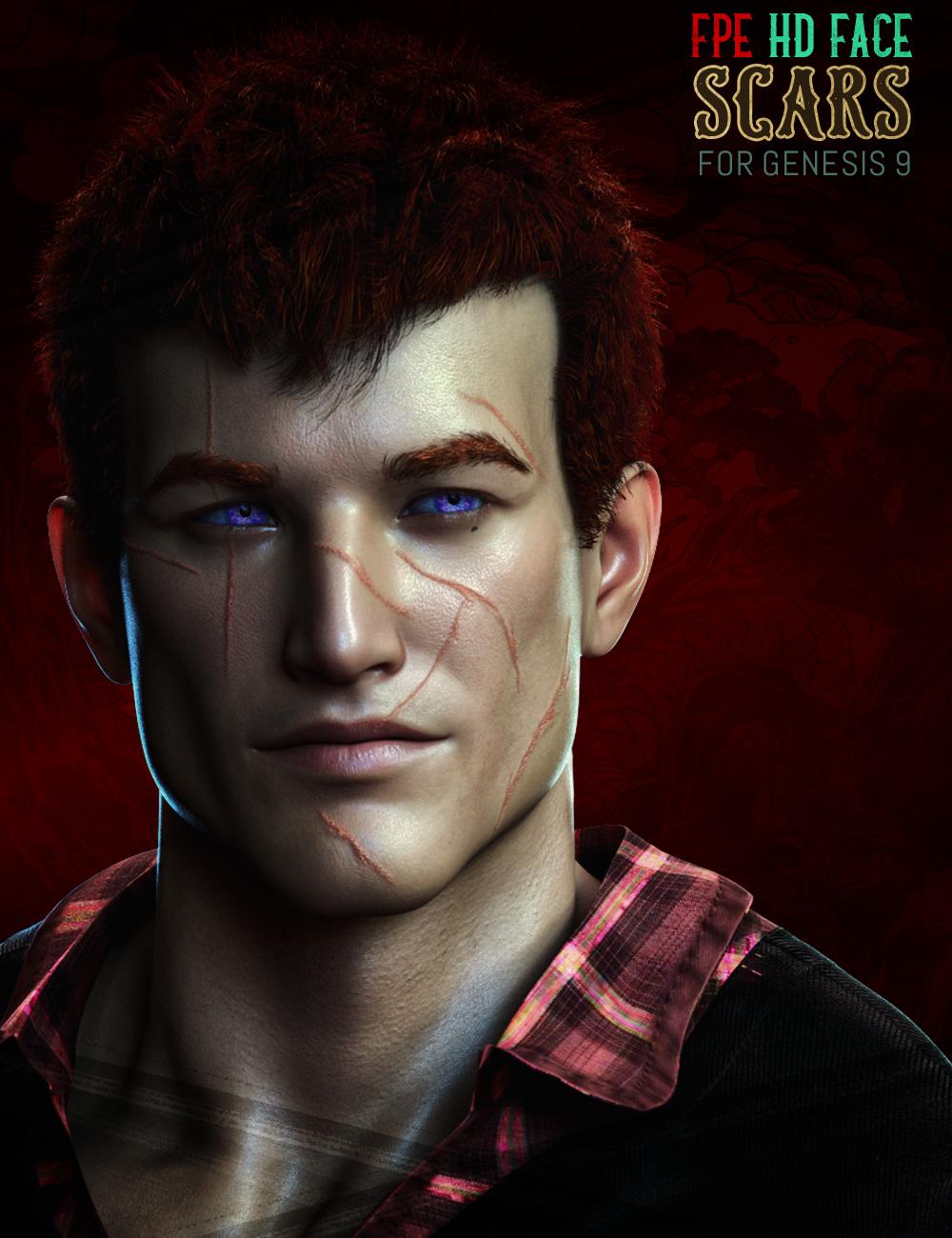

FPE Face Scars Severe for Genesis 9 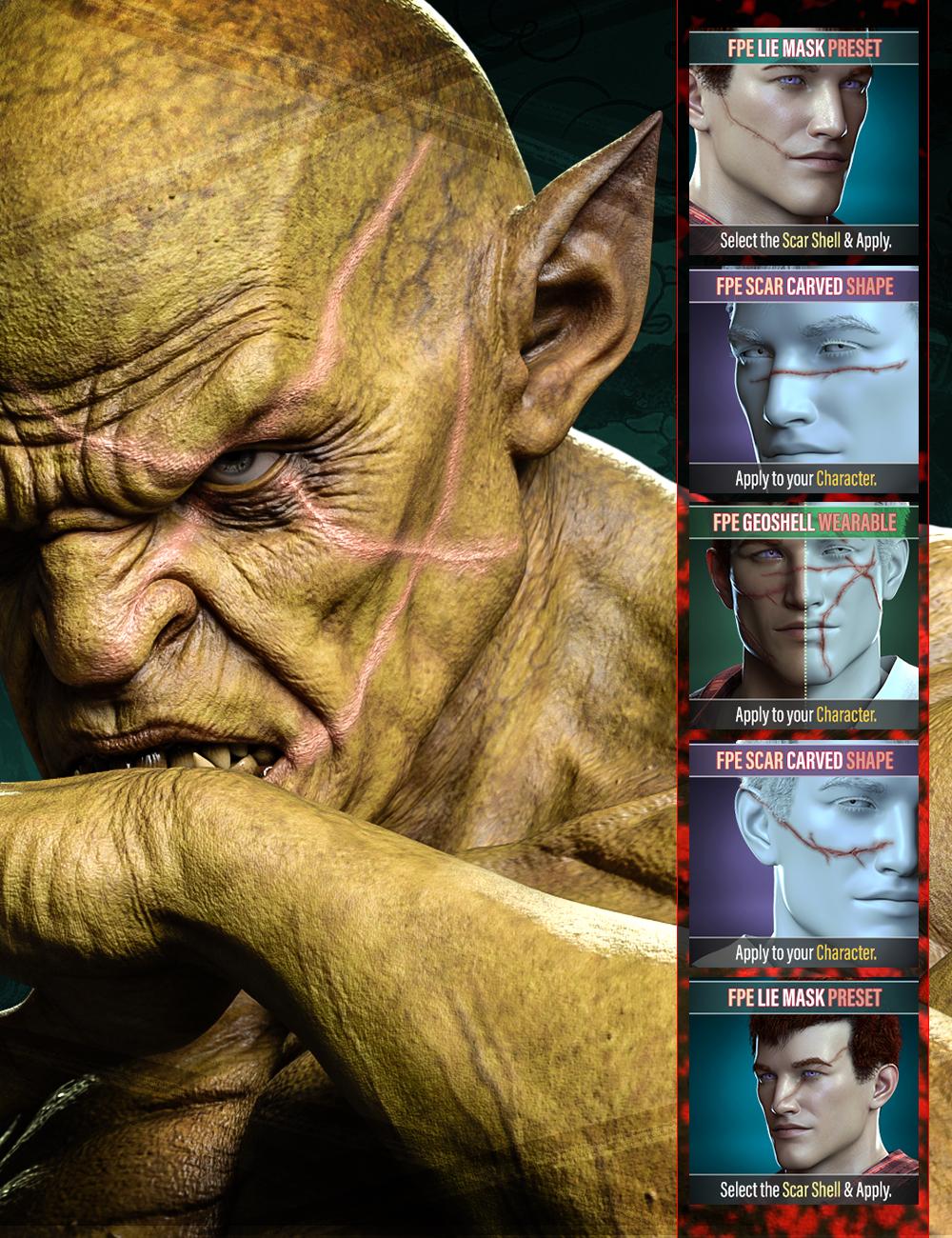
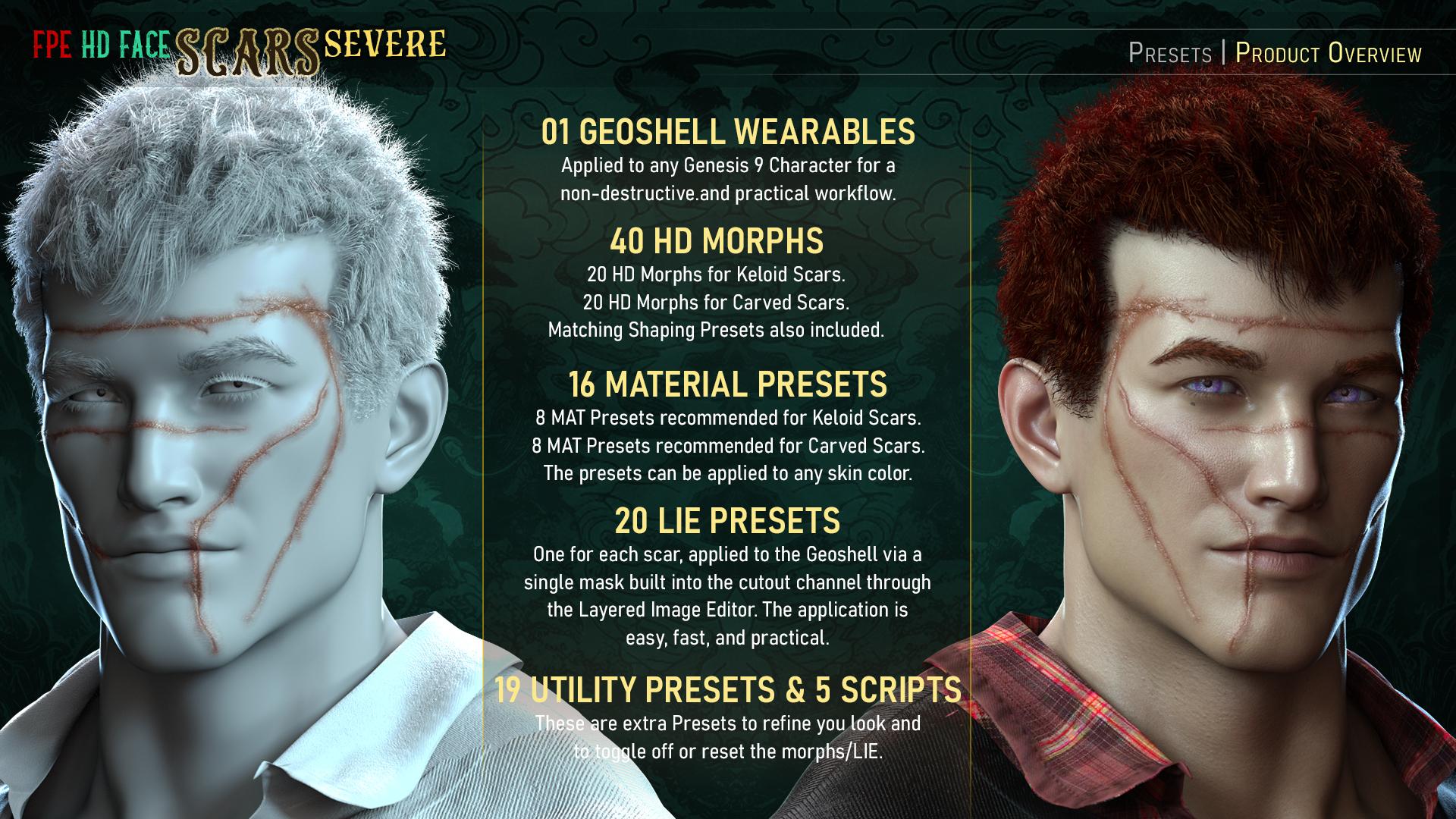
FPE HD Body Scars for Genesis 9 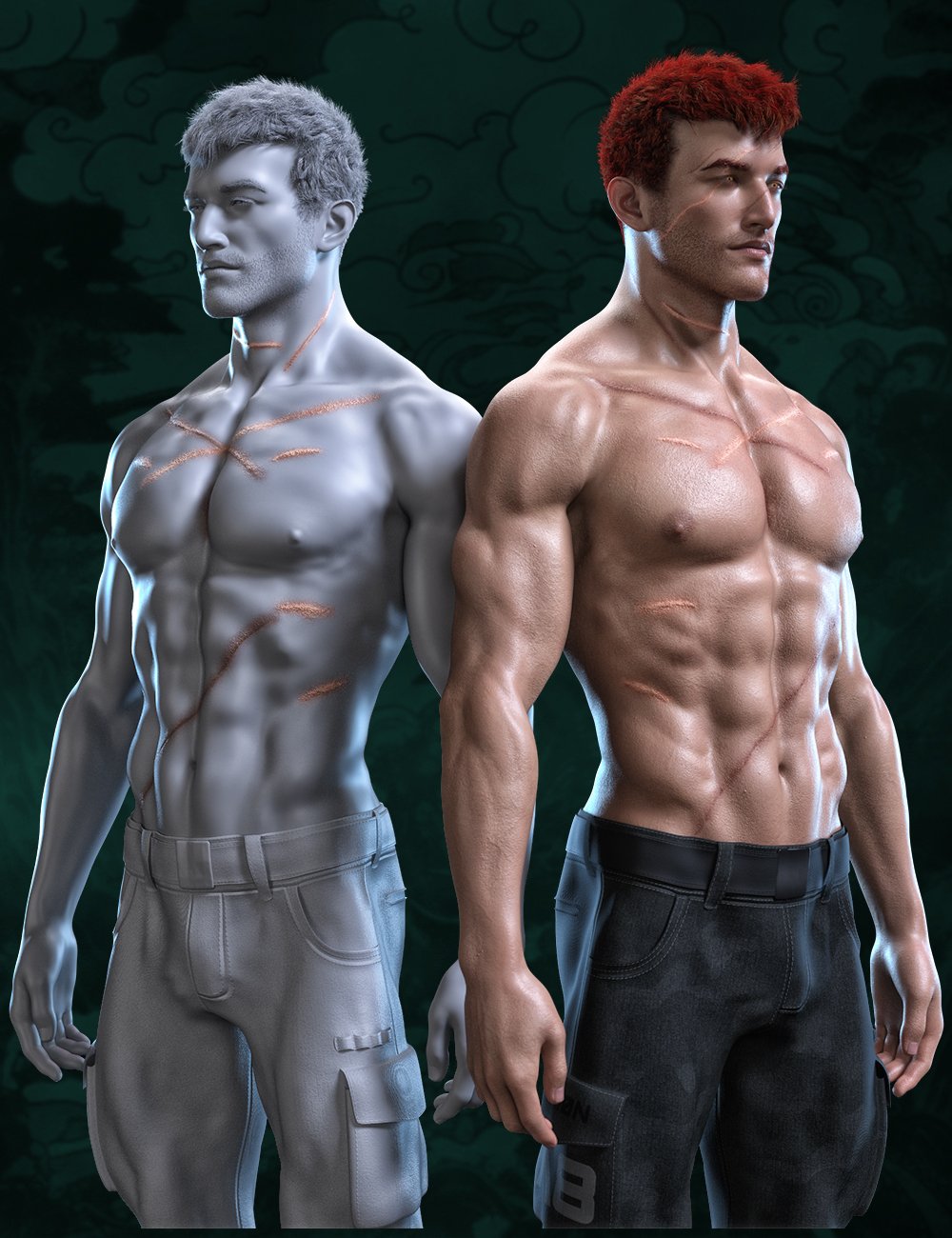
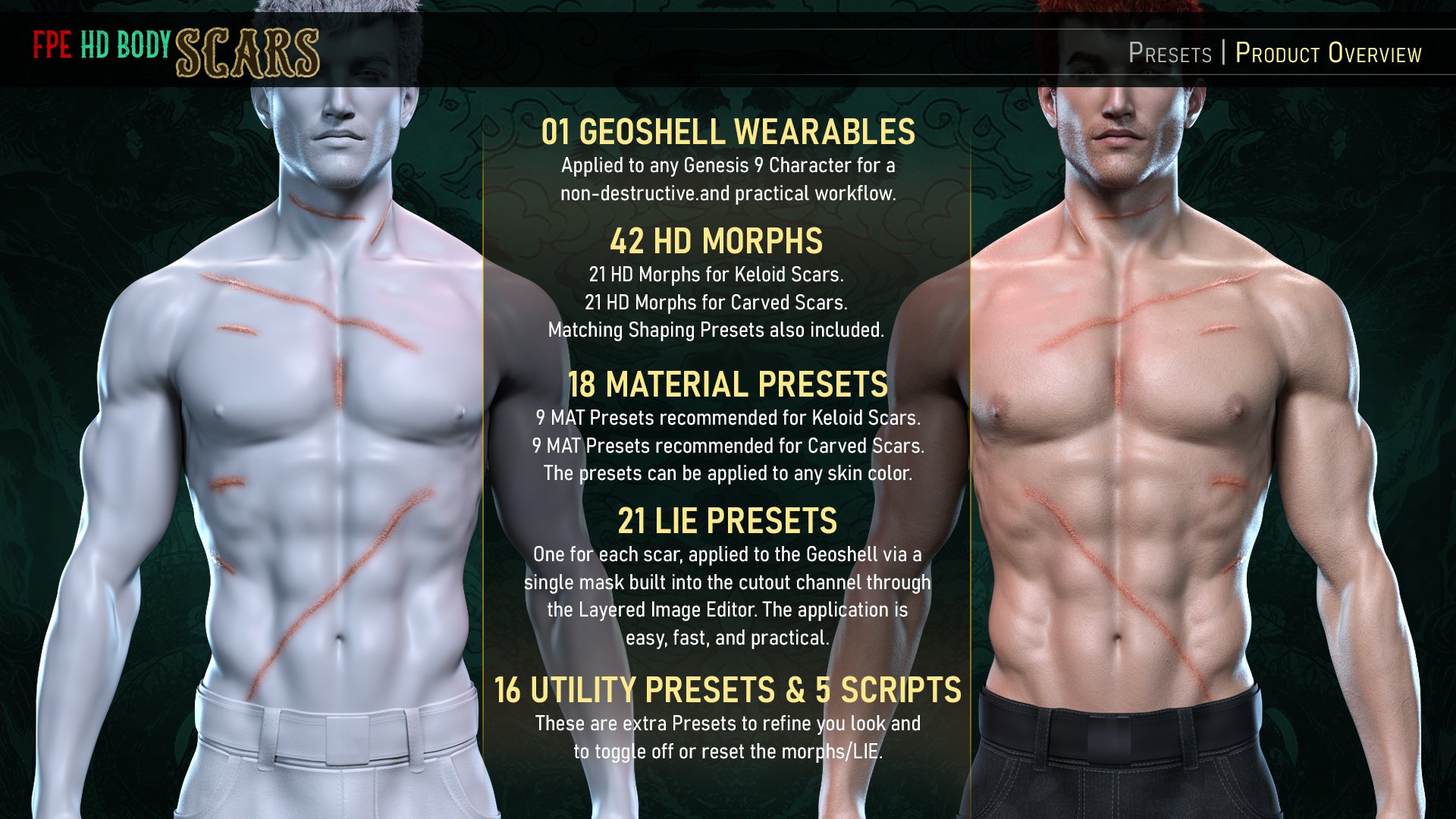
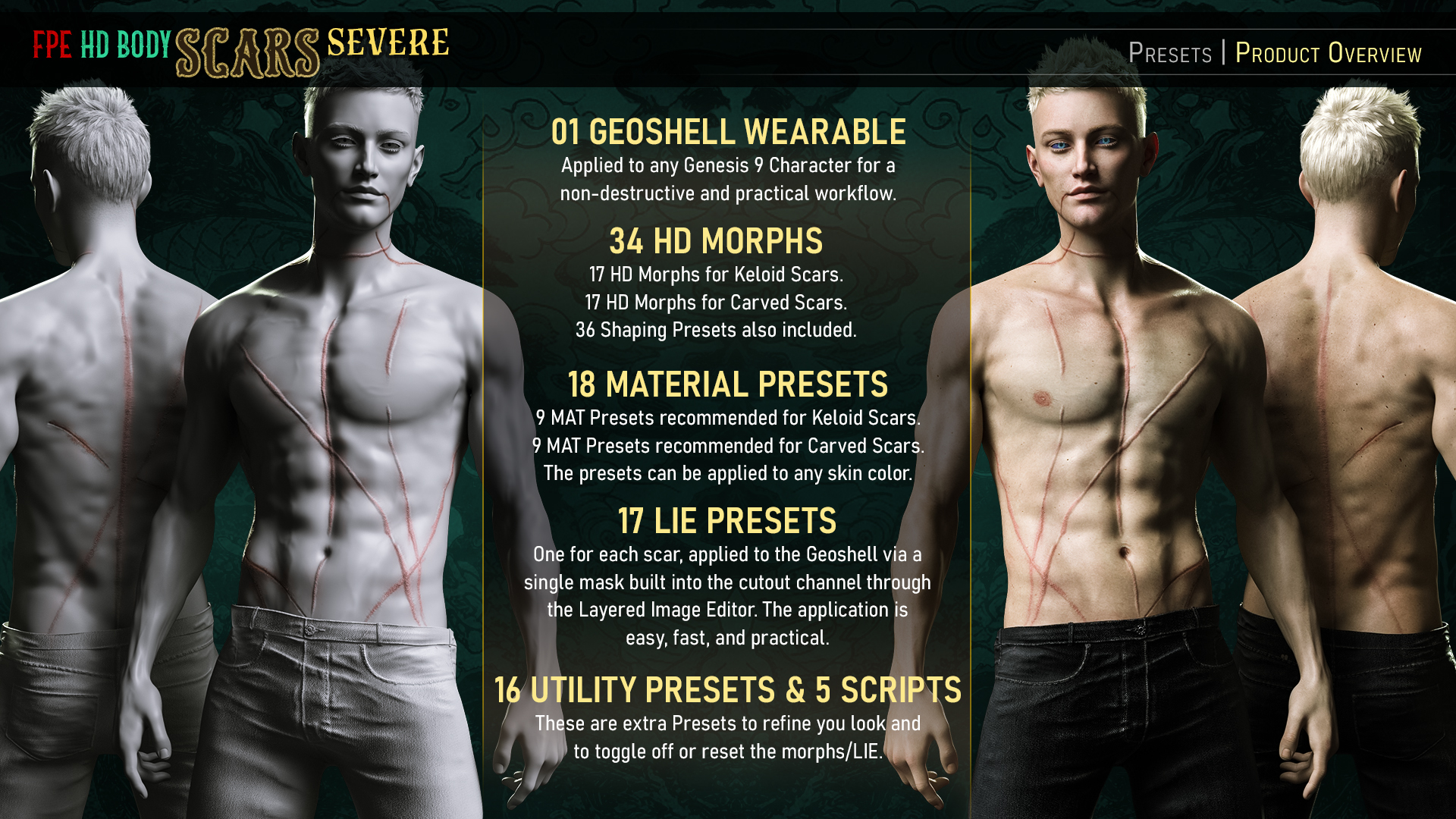
FPE HD Body Scars Severe for Genesis 9 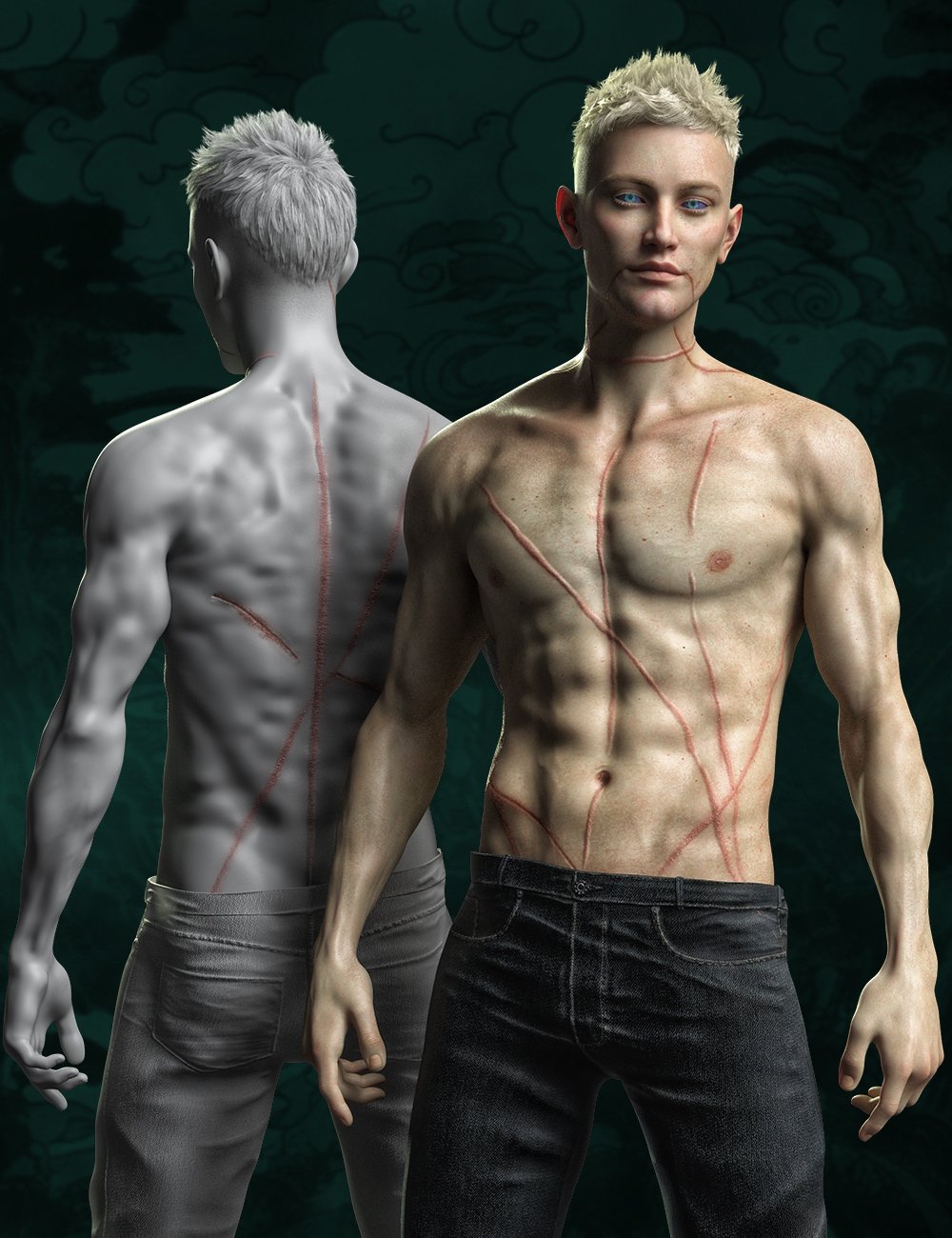
FPE HD Limb Scars for Genesis 9 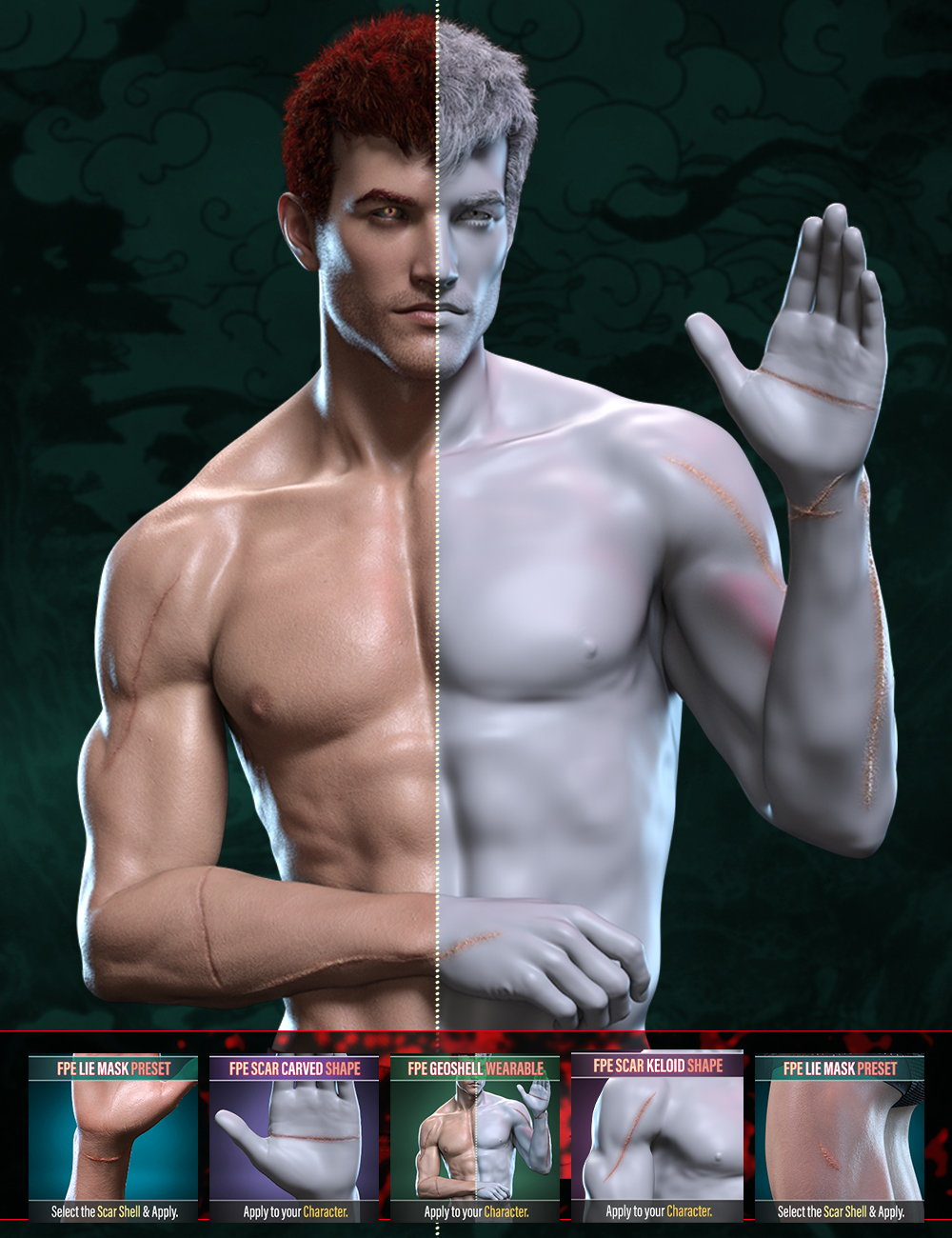
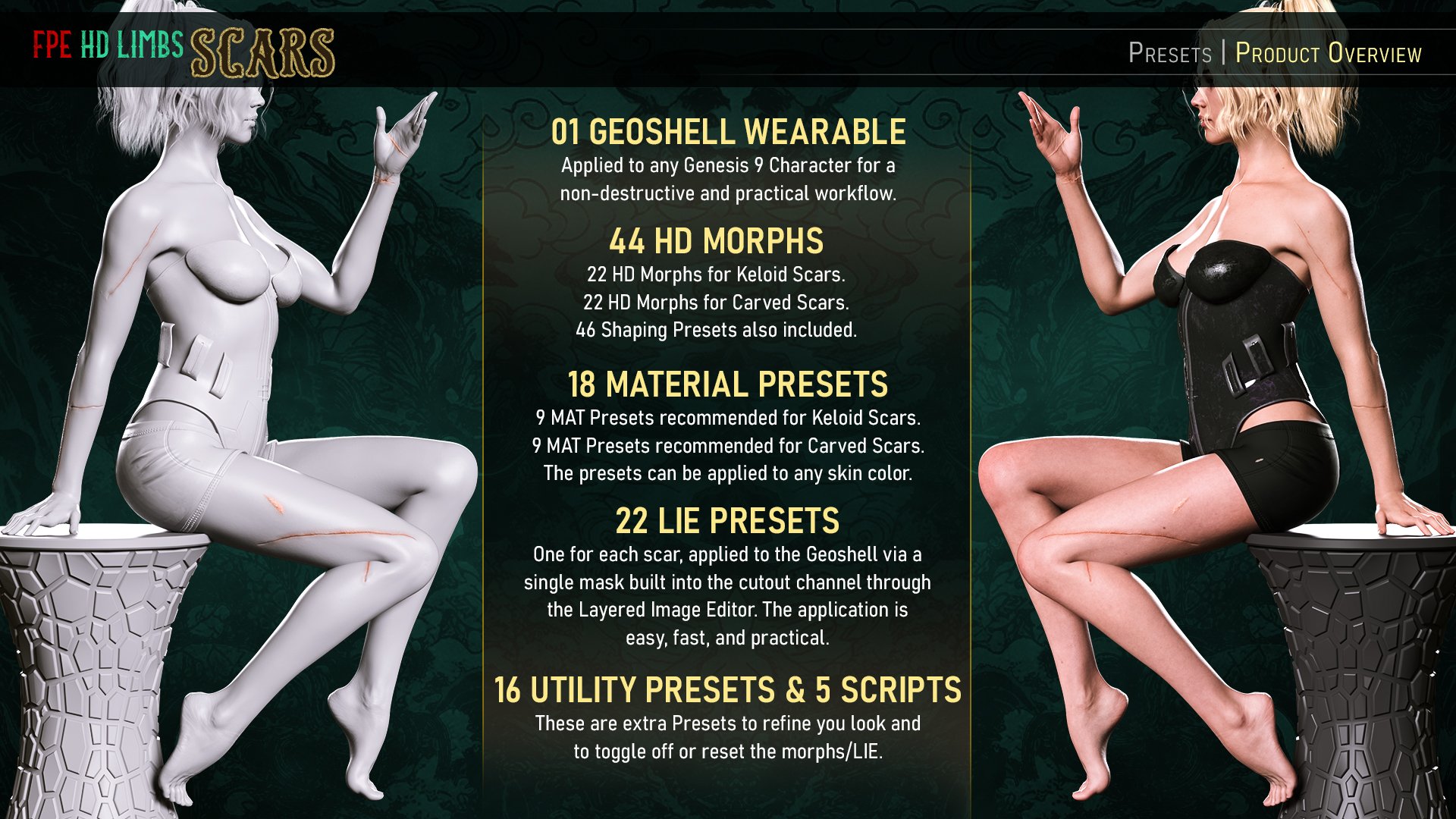
FPE HD Limb Scars Severe for Genesis 9 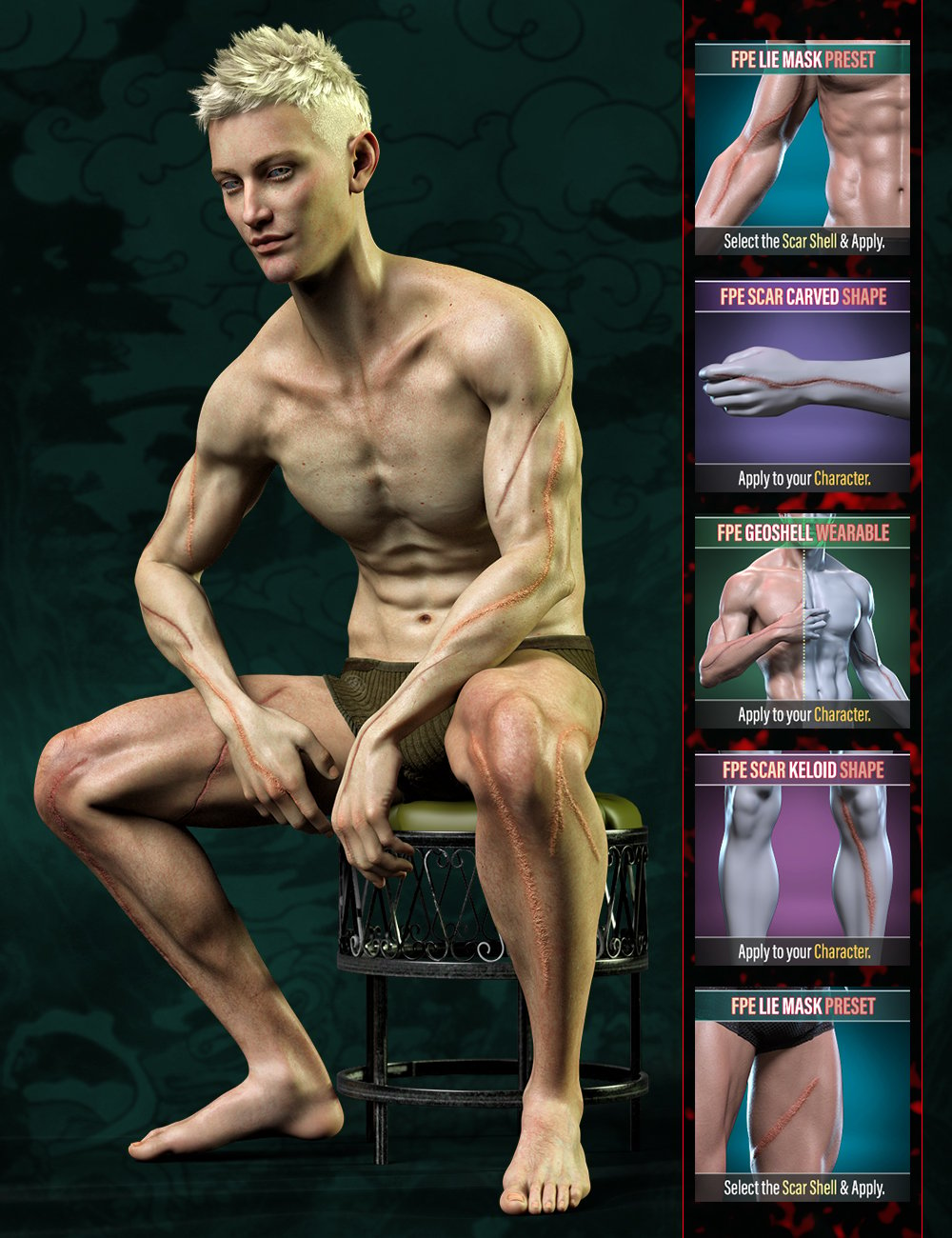
 animation on Gen8.0/8.1 is unbearably slow now but was ok 2 years ago?
franky85 said:
windli3356 said:
franky85 said:
It's most likely due to the number of morphs you have installed. They don't need to be applied to slow it down, they just need to exist in a loaded daz library lol. Loading the figures takes longer the more you have installed, and so do posing, expressions, simulations and animations.
I'm assuming you have far fewer G3 and G9 characters than G8/8.1. Case in point: My G9 loaded instantly when I only had Victoria 9, and now it's beginning to show I have a bunch of G9 characters. G8 is worse by a long shot, but I have countless characters.. I try to uninstall the ones I don't use to keep things acceptable.
You could try creating another daz content library in the settings in which you keep the bare minimum to work on your current scenes and another with the rest etc. There's a bunch of videos on the issue like this one.I did notice make one single big content folder affect the loading speed when you put them on screen, but animation is more about their joint's rigging speed in viewport, I don't think it still loads from all folders when you make any kind of movement on the figure, and as it now, Gen 8 is so slow it killed all my motivation to want to any kind of animation.
We'd think it would not, but it kind of does. Grabbing a limb and moving it around is super slow with a ton of morphs installed, yet is nearly instant with the bare minumum installed.
Even with stock gen 8/8.1 dev version figure (the fastest gen 8/8.1) with 0 morph on it, grab a limb move around in viewport triggers massive delay on fastest CPU/GPU/SSD, have said that, noted on your advise, i will experiment to move a few most used files into a new content folder and link it, but if what you said is true, then it is one of the kind bad design on fundamental lvl
 The I Miss the Old Days Complaint Thread
For the cheese and lunchmeat packages, I just cut them open with scissors, then transfer the food to some refridgerator bags with the zipper tabs. I don't even try to reseal the regular zip lock type bags.
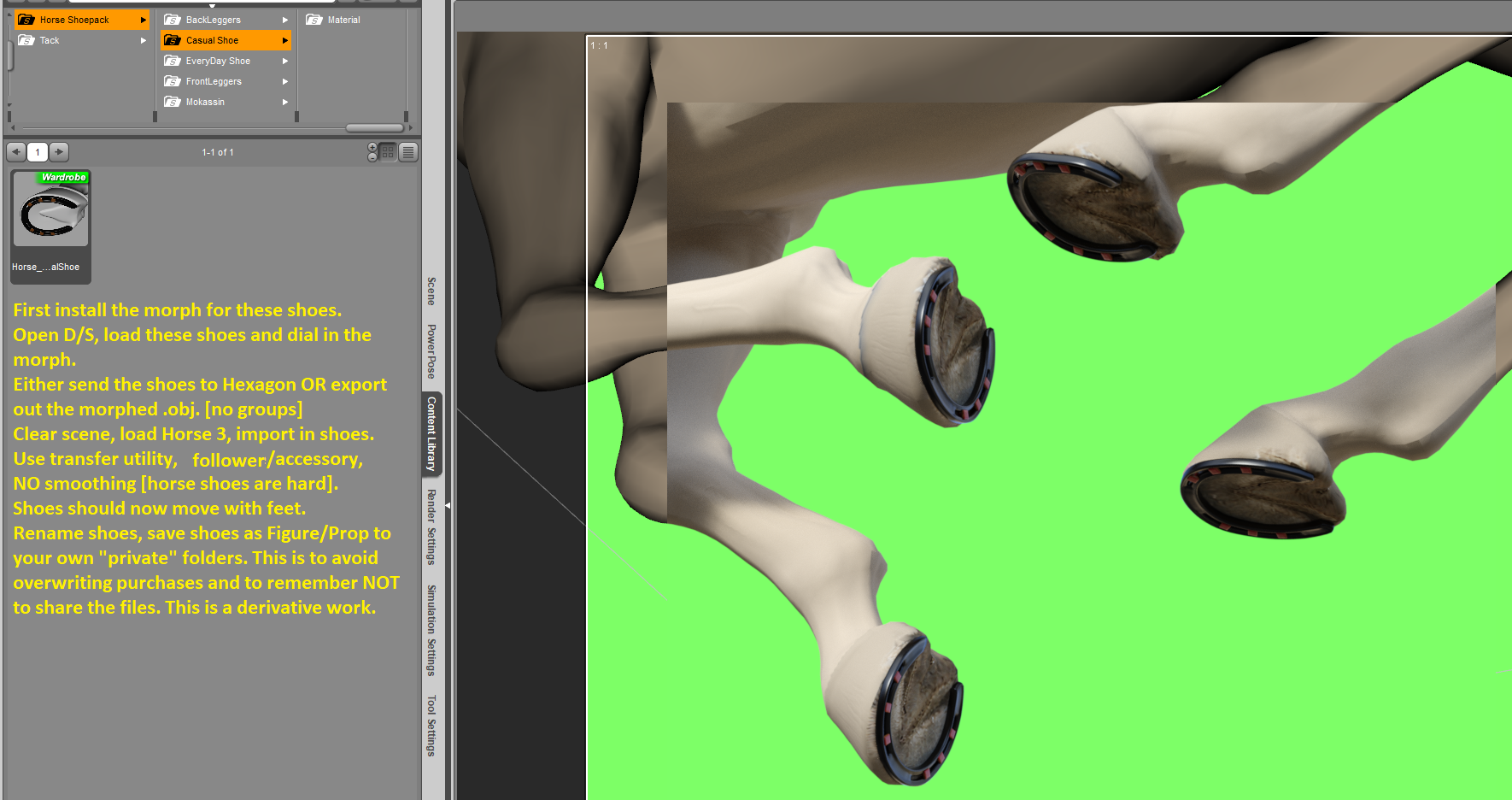
Horse 3 stuff - pose presets, pose control presets ...Required product: https://www.daz3d.com/horse-shoepack
I made a morph for the casual shoe for Horse 3. Now, in order to make these shoes work on Horse 3 read the instructions!
After you have made your derivative product and saved it; it is safe to close D/S and then to find and delete this morph which is no longer required ;-)
Zip should be attached to this post.

 How to export Daz Studio file with all textures for sale on marketplace?
57331.fury said:
Quite a bit of mis-information here I see. There are many merchant resources that do NOT require the the buyer of your content to own the original merchant resources, infact that would negate the whole idea of merchant resources.
Many Merchant resources to, however, place limits so they can't be taken as read. I did mention them in my original reply.
Many morph resources state that they can be used in your own creations, but require them to be baked into a single character morph slider. Likewise there are many texture merchant resources that can be packaged into your product without the buyer needing to own the original resource.
I would say a few rather than many, but they do exist.
Just make sure you read all the licence information for anything you may be including, to make sure it is allowed.
Yes.
How to export Daz Studio file with all textures for sale on marketplace?Quite a bit of mis-information here I see. There are many merchant resources that do NOT require the the buyer of your content to own the original merchant resources, infact that would negate the whole idea of merchant resources. Many morph resources state that they can be used in your own creations, but require them to be baked into a single character morph slider. Likewise there are many texture merchant resources that can be packaged into your product without the buyer needing to own the original resource. Just make sure you read all the licence information for anything you may be including, to make sure it is allowed.
Help with character id in new promo image.Could anyone suggest a possible id for the face morph used in this promo image for WildDesigns new Trixie Spings outfit? I thought it might be a mix of a Mousso morph with something else, but I'm not really sure if that's right.Thanks!
 RELEASED: Next Generation Strand Hair. dforce Feisty Feather Bun *Commercial*
chevybabe25 said:
"Let's keep the momentum going! What's next chevybabe? I need more great dforce G9 hair! LOL"
The hair Im currently working on is a messy-ish sexy bob, that at the moment is really giving me a hard time. I have to like it as a static object, but I also have to like how it simulates. Simulation always proves to be the most difficult. It's getting there though.
OOO very nice Barbult!!!
"Blonde with a few hair morphs dialed in. There is a "rogue" morph called Left Ear CleanA in a Morphs path. Does that belong there?"
Well thats an interesting surprise. Is the Left Ear Clean also under the Shaping tab?
Yes, but there is no corresponding Right Ear Clean.
RELEASED: Next Generation Strand Hair. dforce Feisty Feather Bun *Commercial*"Let's keep the momentum going! What's next chevybabe? I need more great dforce G9 hair! LOL"
The hair Im currently working on is a messy-ish sexy bob, that at the moment is really giving me a hard time. I have to like it as a static object, but I also have to like how it simulates. Simulation always proves to be the most difficult. It's getting there though.
OOO very nice Barbult!!!
"Blonde with a few hair morphs dialed in. There is a "rogue" morph called Left Ear CleanA in a Morphs path. Does that belong there?"
Well thats an interesting surprise. Is the Left Ear Clean also under the Shaping tab?
How to export Daz Studio file with all textures for sale on marketplace?You can use Content Gatherer. Search store for this software. Store your product as a scene. Load these scene into Content Gatherer, resolve and validate all items.
Thje programm can export a list of alle files used in the scene as well as a zip file containing all those files.Used this to transfer selected work with modified textures / own meshes from my old pc to the new.
make a beautiful girl and boy, toddler baby. - Genesis 8 - 9sterlenejc said:
ha! You wish. Should you requested a beautiful white female, this thread would be booming with ideas, and store would get spammed with 10 new characters. you'll achieve better results creating the morph yourself, or finding it in a different store.
yeah admin, delete my post, because truth hurts
I have several models, do I need some of them? create a model for Genesis 8. but they have no texture, no rig. if necessary, can they be edited a little?
Daz 3D is part of

Connect
DAZ Productions, Inc.
7533 S Center View Ct #4664
West Jordan, UT 84084Licensing Agreement | Terms of Service | Privacy Policy | EULA
© 2026 Daz Productions Inc. All Rights Reserved.